Steps
- 1
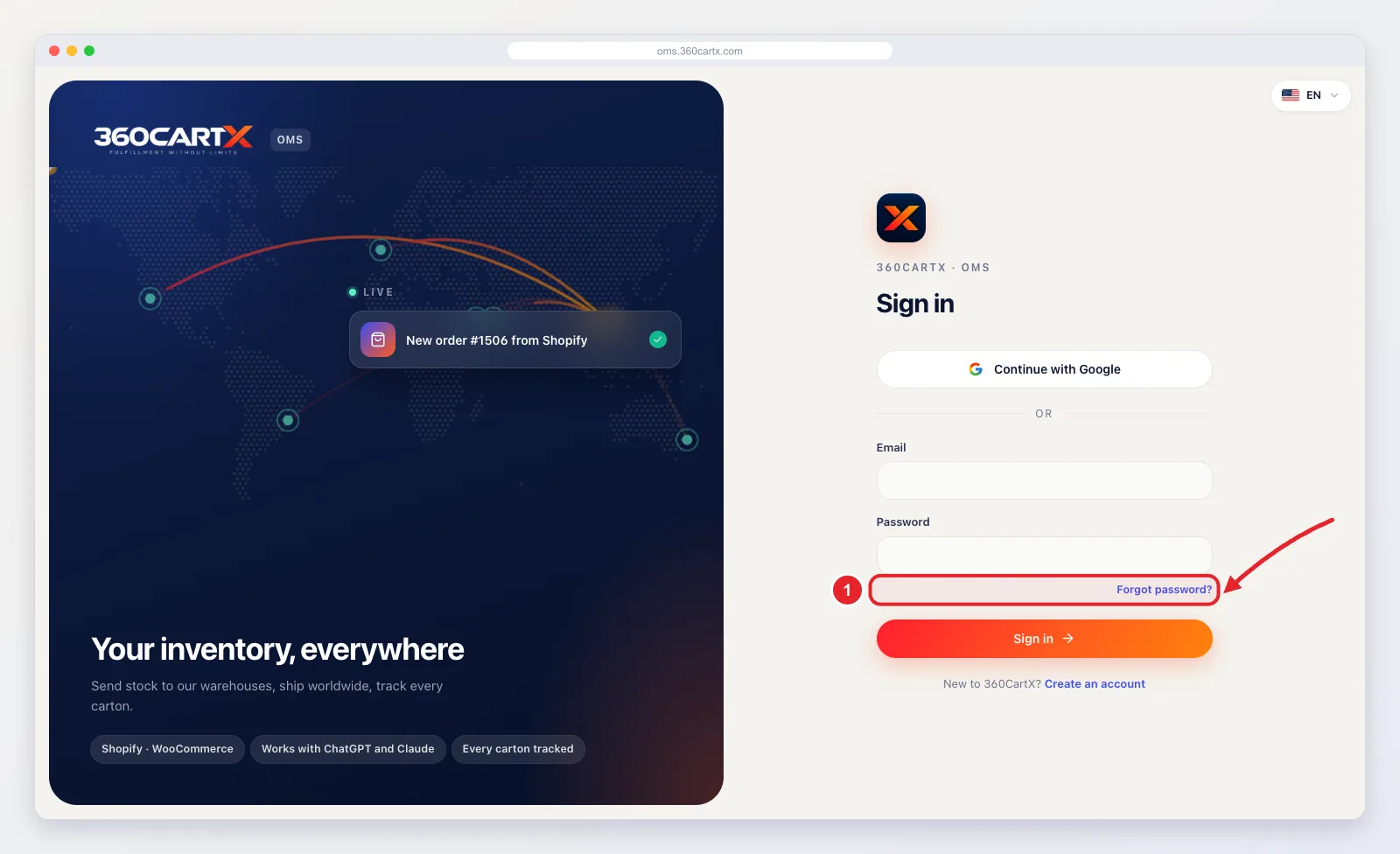
Click Forgot password?
On the sign-in page, click Forgot password? under the Password field.
- 2
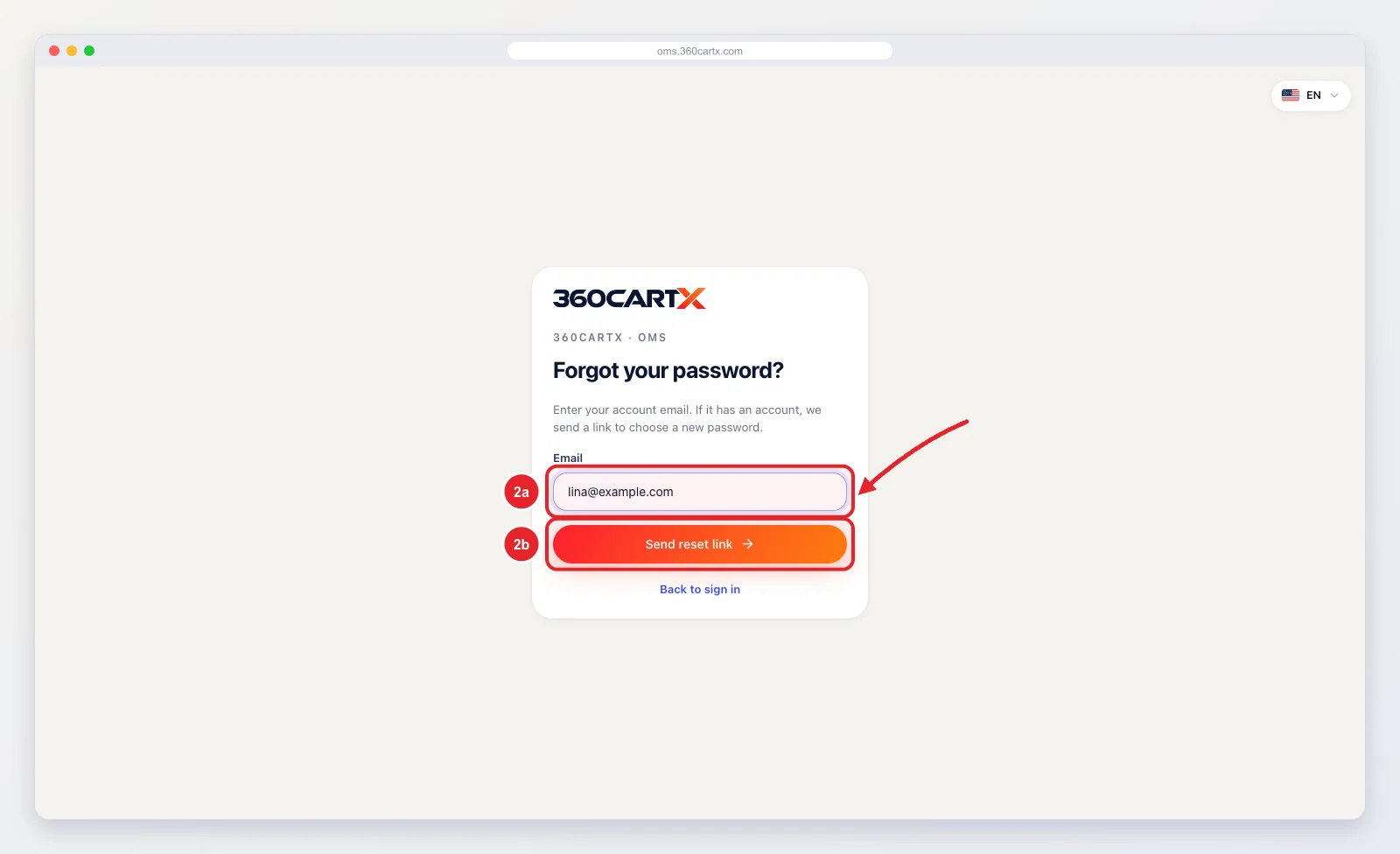
Type your email and click Send reset link
In Email type the email you sign in with, for example lina@example.com, and click Send reset link.
- 2a Email
- 2b Send reset link
- 3
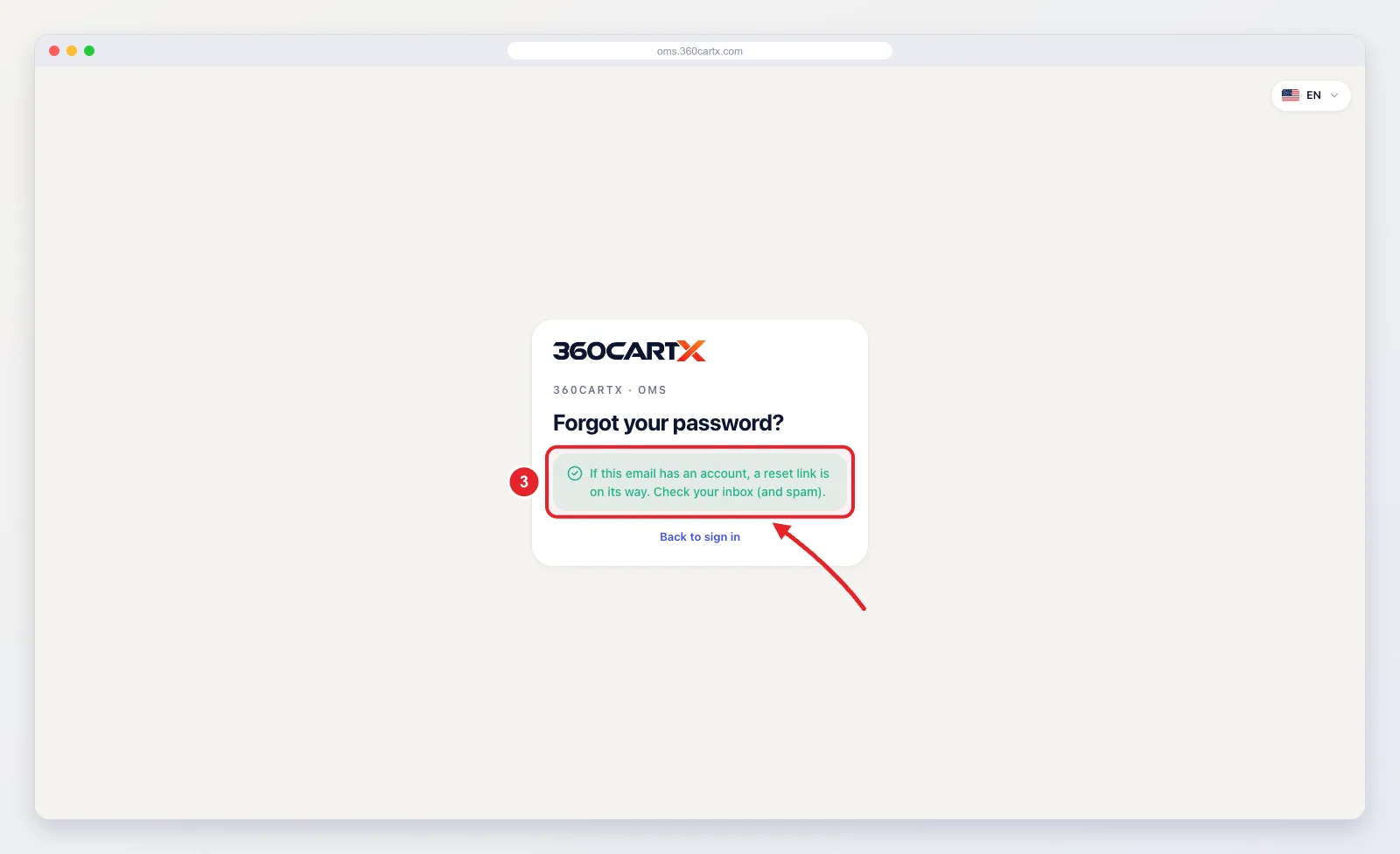
Check your inbox
The page says If this email has an account, a reset link is on its way. Check your inbox (and spam). For your privacy it says the same thing for every email, so check the spelling if nothing arrives. The email is called Reset your 360CartX password. Back to sign in takes you back to the sign-in page.
- 4
Open the link in the email
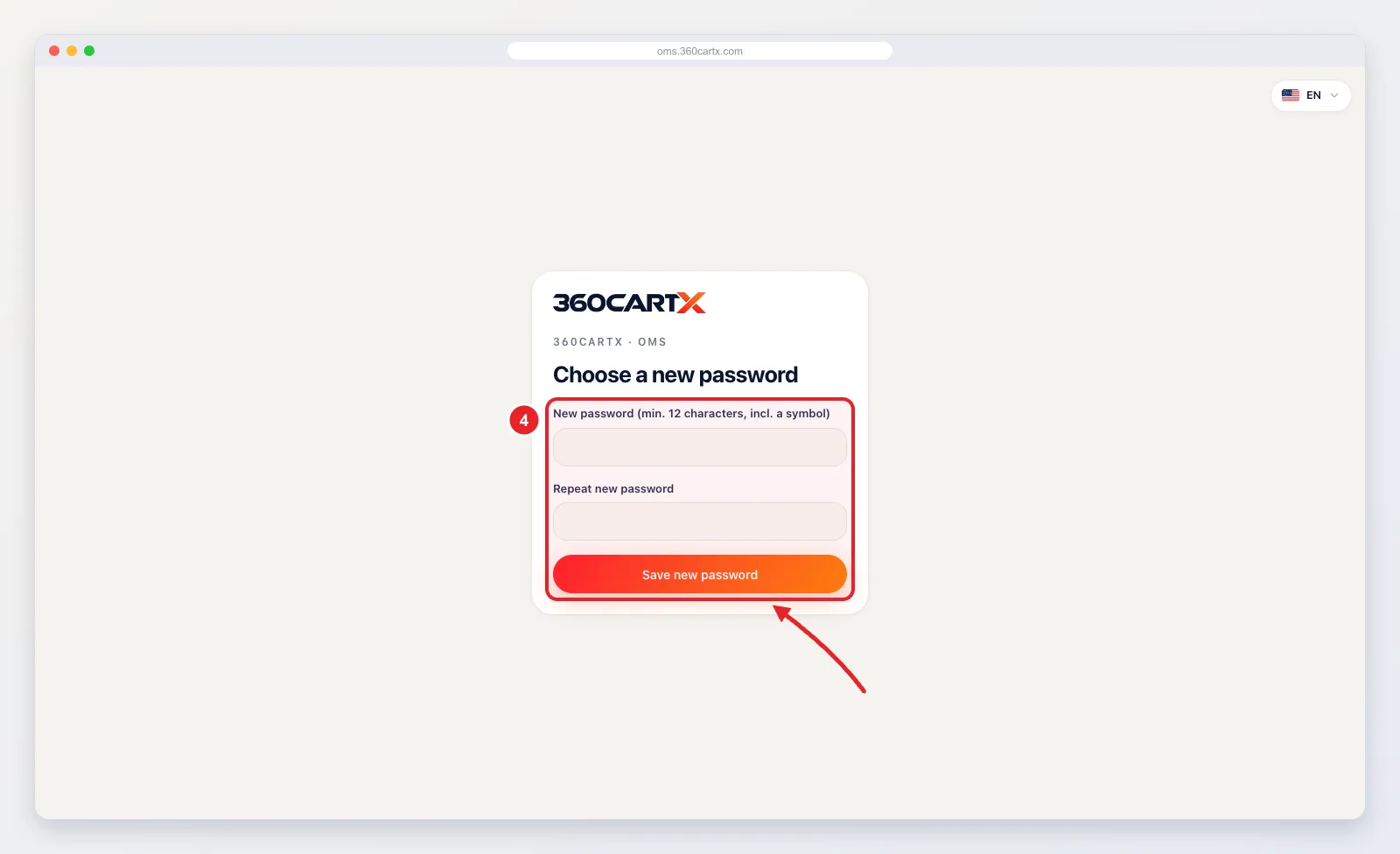
Click Reset password in the email (within 30 minutes). The page Choose a new password opens.
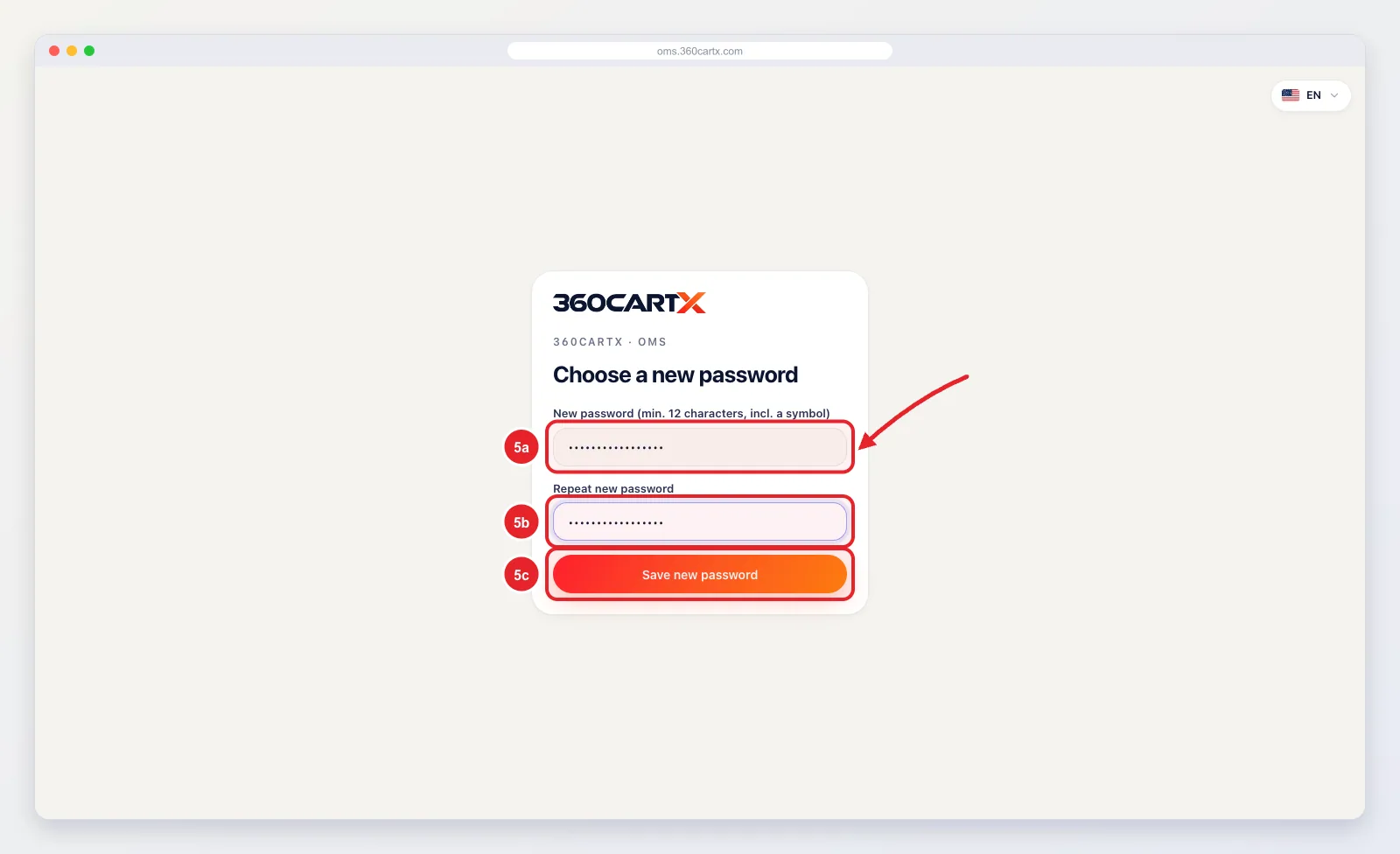
- 5
Type the new password twice and save
In New password type at least 12 characters with at least one symbol, for example Harbor-Green-2027. Type exactly the same in Repeat new password, then click Save new password. You see Your password is changed. Sign in with the new one. and can sign in at once.
- 5a New password
- 5b Repeat new password
- 5c Save new password
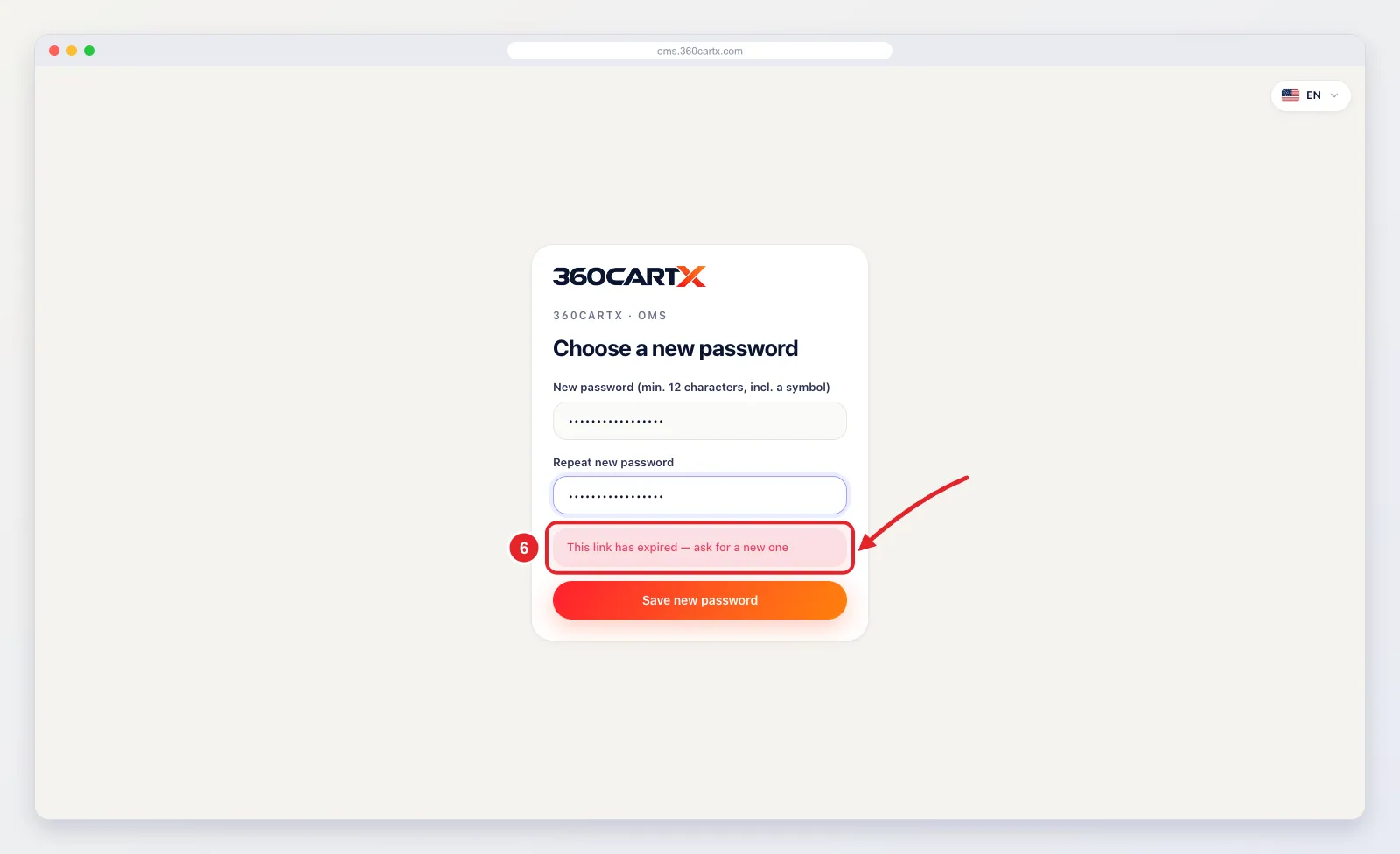
- 6
Link expired? Ask for a new one
A link that is older than 30 minutes or was already used shows This link has expired — ask for a new one when you save. Go back to Forgot password? and request a new link. Only the newest link works.
Tips
- Saving a new password makes every other open reset link for your login stop working.
- Signed up with Google and never set a password? You can still sign in with Continue with Google, or set a password this way.
- Changing a password you still know is done in Settings → Profile, not here.
Common problems
No email arrived
Wait two minutes and check the spam folder. Make sure you typed the email of your 360CartX login (an invited team member has their own email). For safety you can ask for at most 3 links per hour for the same email.
The two passwords differ
New password and Repeat new password are not identical. Type both again.
New password: at least 12 characters / Password: add a special character
Use 12 or more characters with at least one symbol, for example Harbor-Green-2027.
Email is not available right now — please contact 360CartX support
Our email service did not accept the message. Try again in a few minutes or contact support.
Related articles
Updated 2026-11-09
Open a ticket from Support in your portal and our team will reply.