Steps
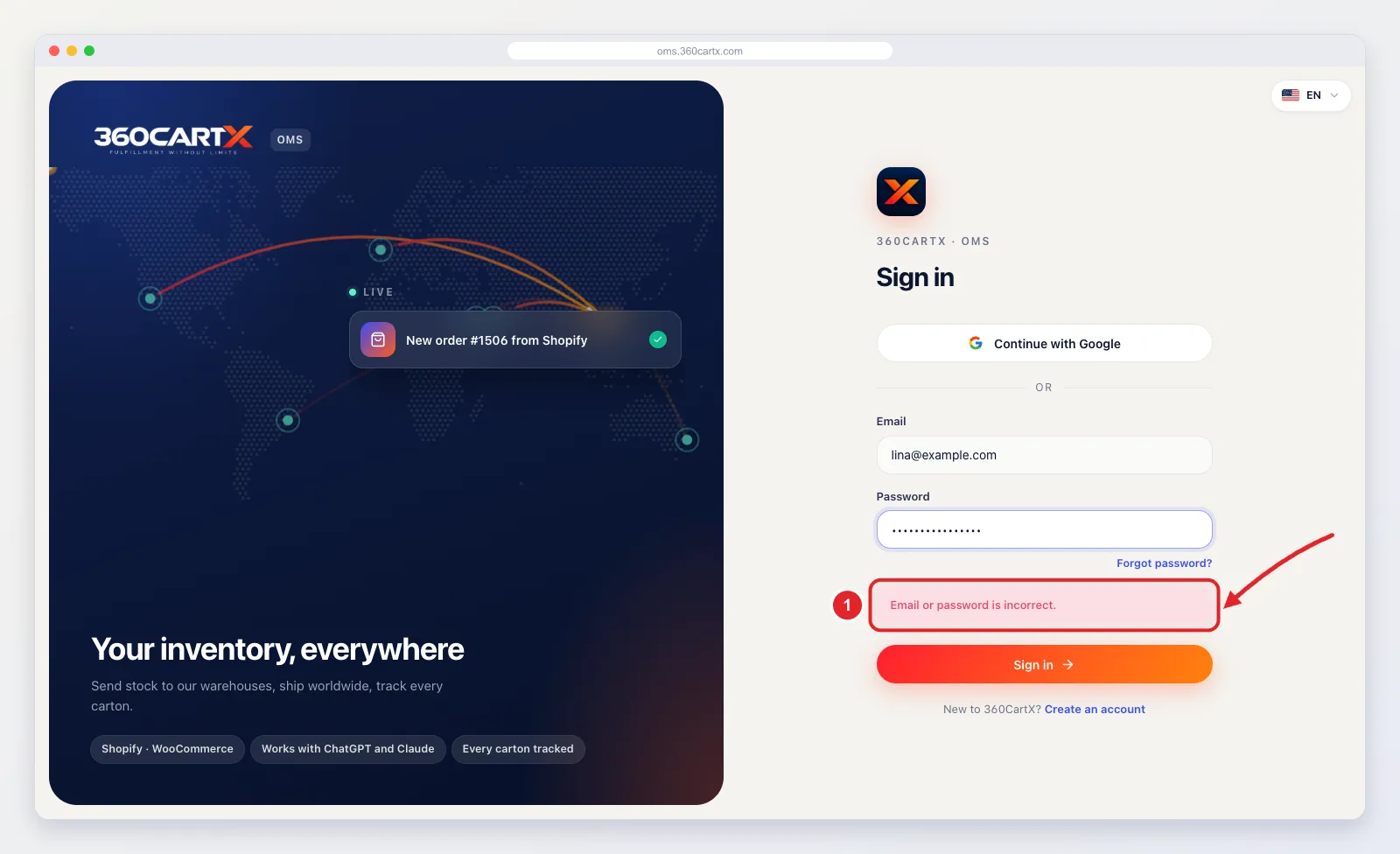
- 1
Email or password is incorrect.
The email has no account, or the password does not match. Check the email for typos and that Caps Lock is off, then type the password again. Still stuck? Click Forgot password? and choose a new one.
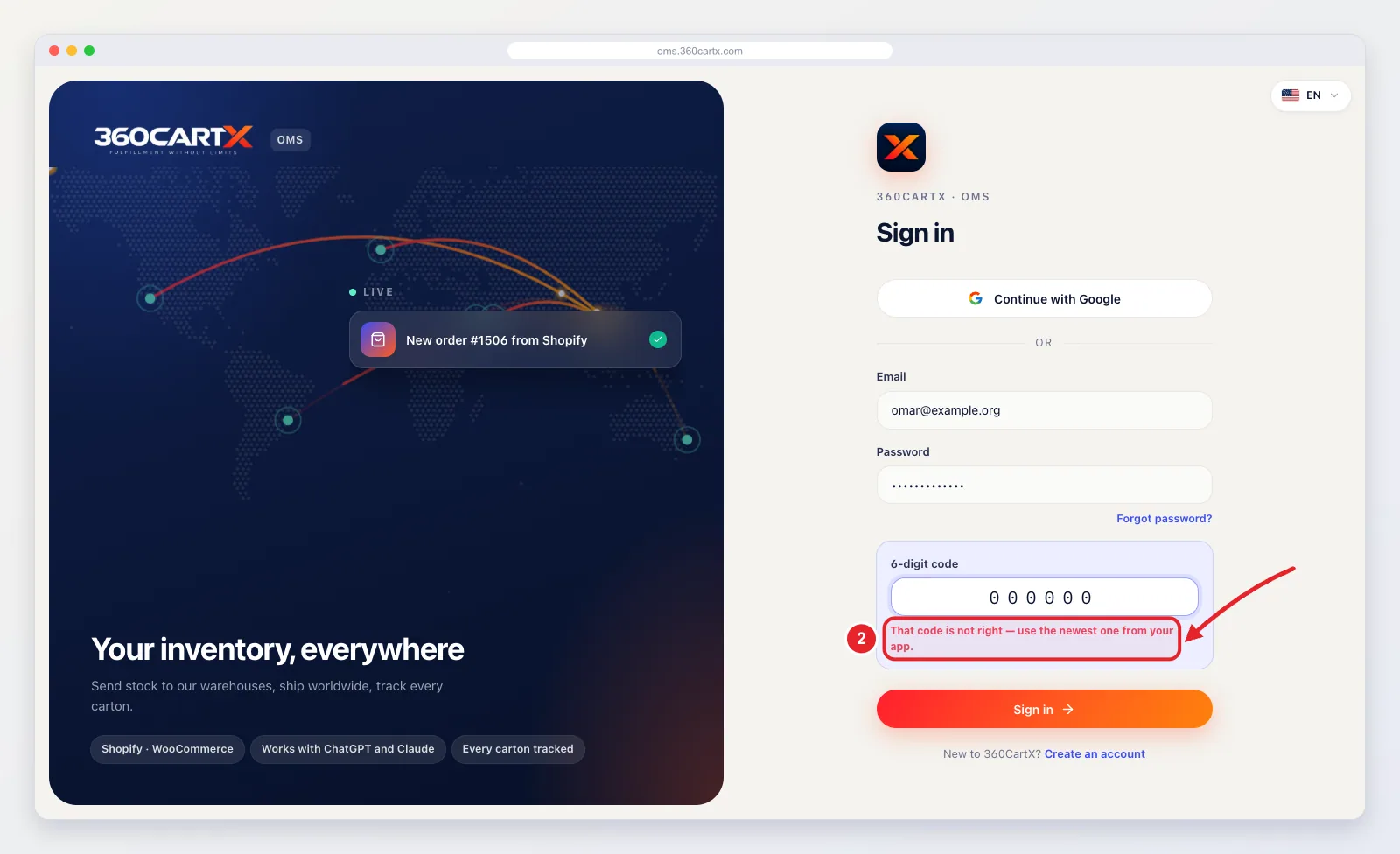
- 2
That code is not right — use the newest one from your app.
Your account uses two-step sign-in and the 6-digit code was wrong or too old. Wait for the next code in your authenticator app and type it straight away. If every code fails, set your phone's time to automatic.
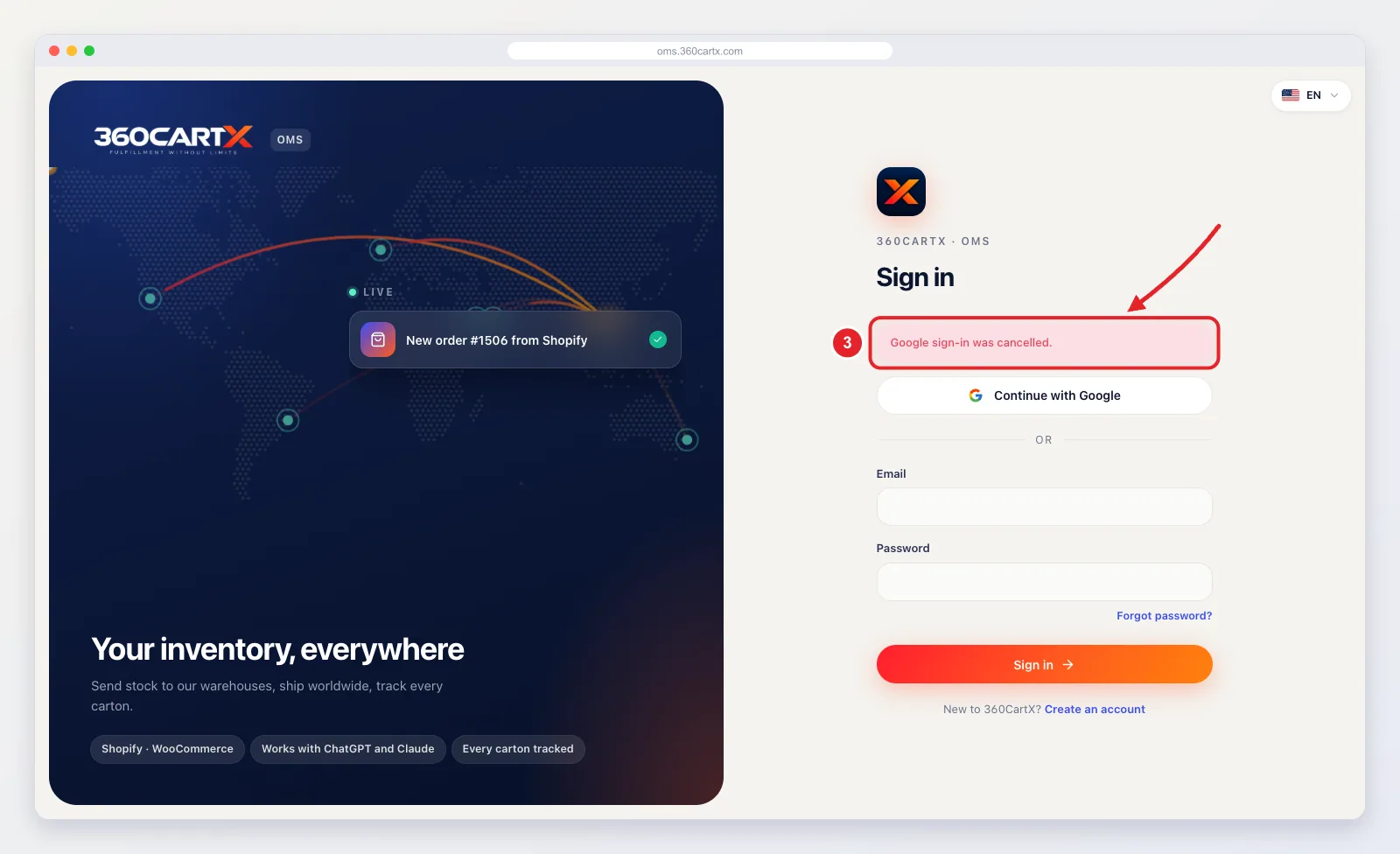
- 3
Google sign-in messages
After Continue with Google you may see Google sign-in was cancelled., The Google sign-in took too long. Please try again., or Google sign-in did not work. Please try again or use your email and password. Click Continue with Google again, or sign in with email and password.
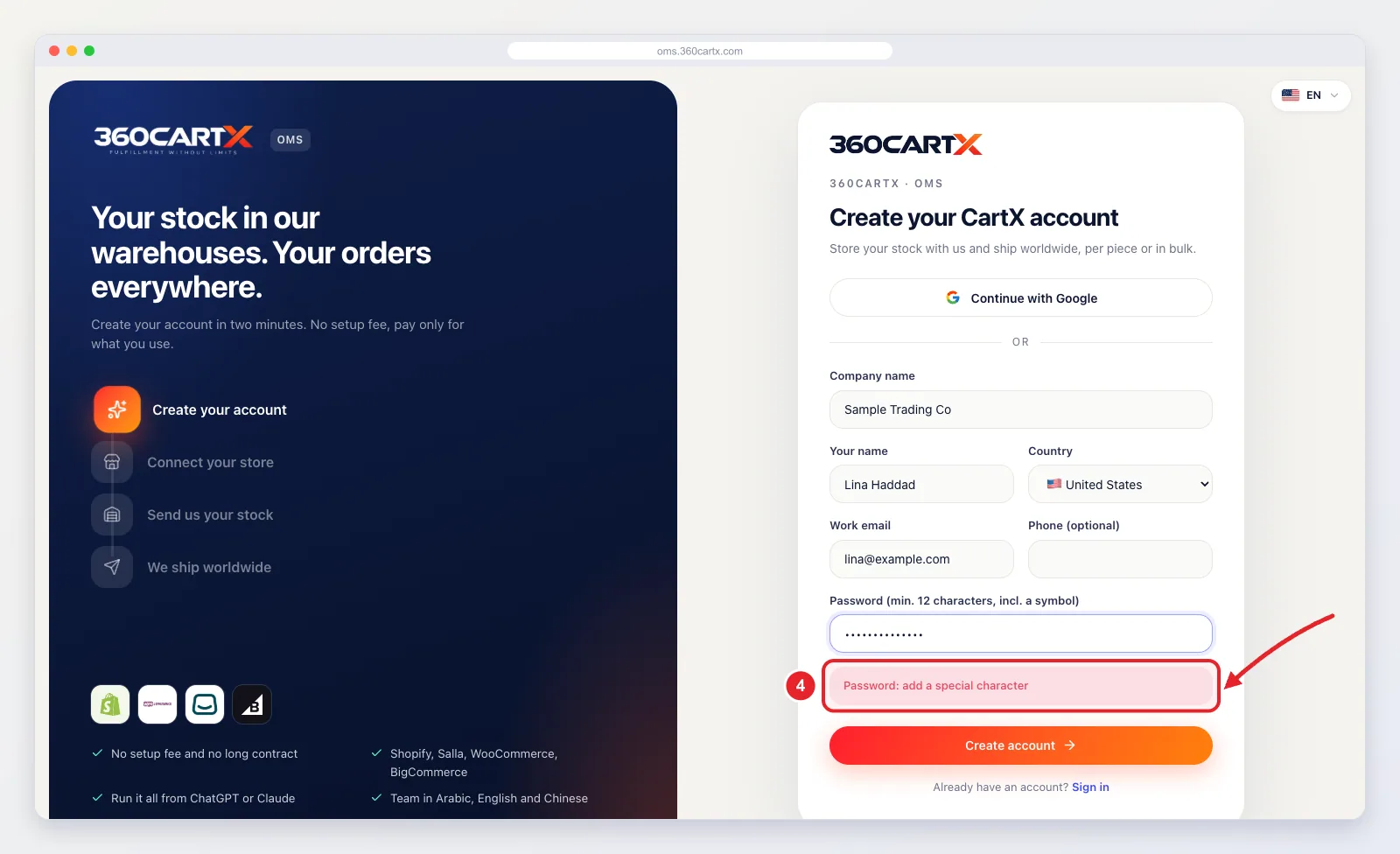
- 4
Messages on the sign-up form
Creating an account checks each field: Company name is required, Your name is required, Enter a valid email, Choose your country, Password: at least 12 characters, Password: add a special character (here the password HarborBlue2026 has no symbol; Harbor-Blue-2026 works). Fix the field the message names and click Create account again.
Tips
- Too many attempts. Try again in … min. means 5 wrong passwords or codes in a row: the sign-in for that email pauses for up to 15 minutes.
- Use the address oms.360cartx.com. The staff portal (omp) does not accept client logins.
- Team members sign in with their own email. If you were invited, use the link in the invitation email first to set your password.
Common problems
This account is not active. Contact support.
Your account (or your login) is paused or closed. Contact 360CartX support from 360cartx.com/support.
This email already has an account — sign in instead
You are on the sign-up page with an email that is already registered. Sign in, or reset the password.
Too many sign-up attempts. Try again in … min.
More than 5 sign-ups were attempted from your internet connection, or 3 with the same email, within an hour. Simple form mistakes such as a short password do not count. Wait the minutes shown and try again, or contact support.
Email is not available right now — please contact 360CartX support
We could not send the password-reset email. Try again in a few minutes or contact support.
Related articles
Updated 2026-11-09
Open a ticket from Support in your portal and our team will reply.