Steps
- 1
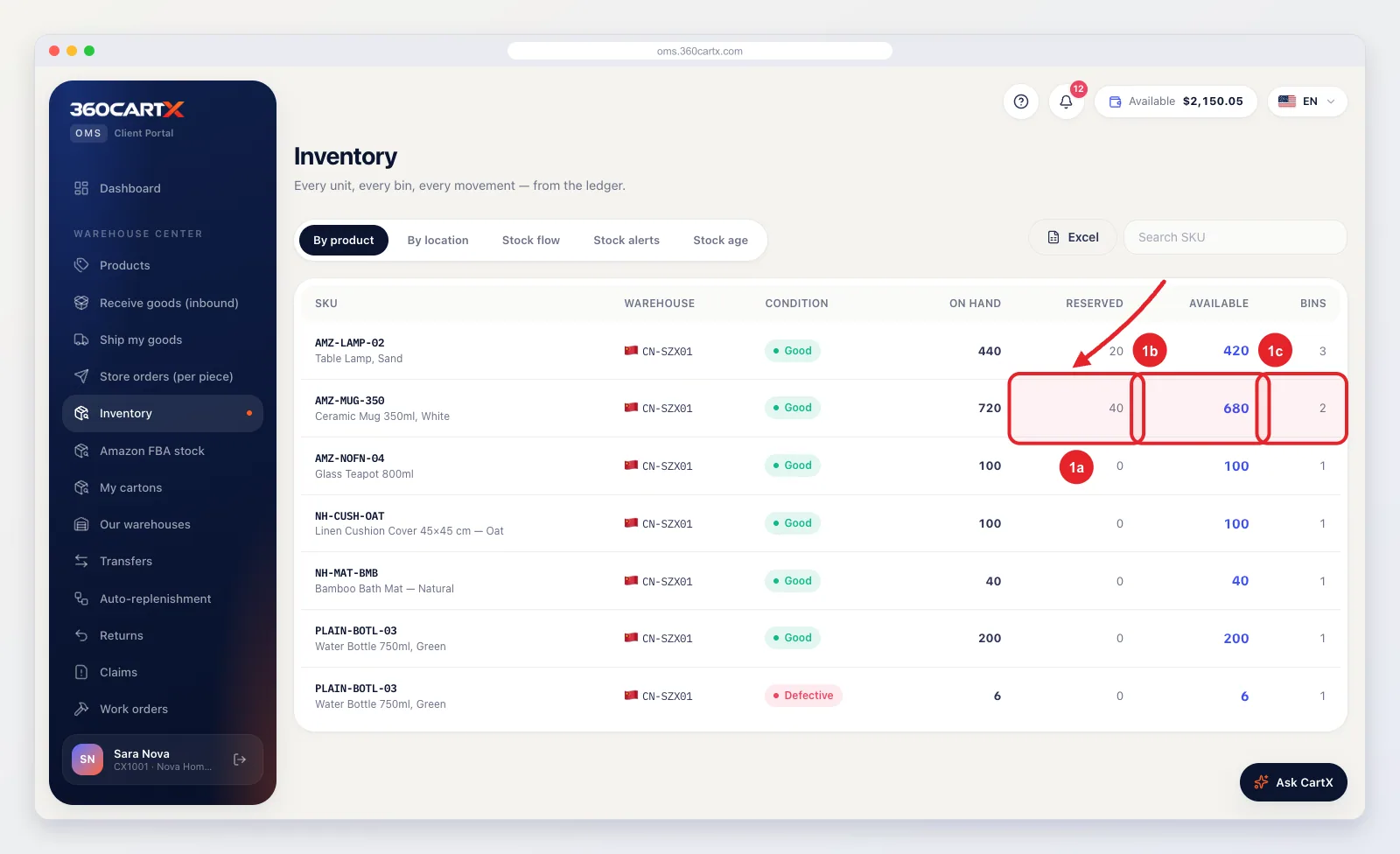
On hand, Reserved and Available
On hand is every unit physically in the warehouse for you. Reserved is the part already promised to an order: a store order, a ship-out request, a transfer or a work order. Available = On hand − Reserved. Example: AMZ-MUG-350 has 720 on hand, 40 reserved and 680 available.
- 1a On hand
- 1b Reserved
- 1c Available
- 2
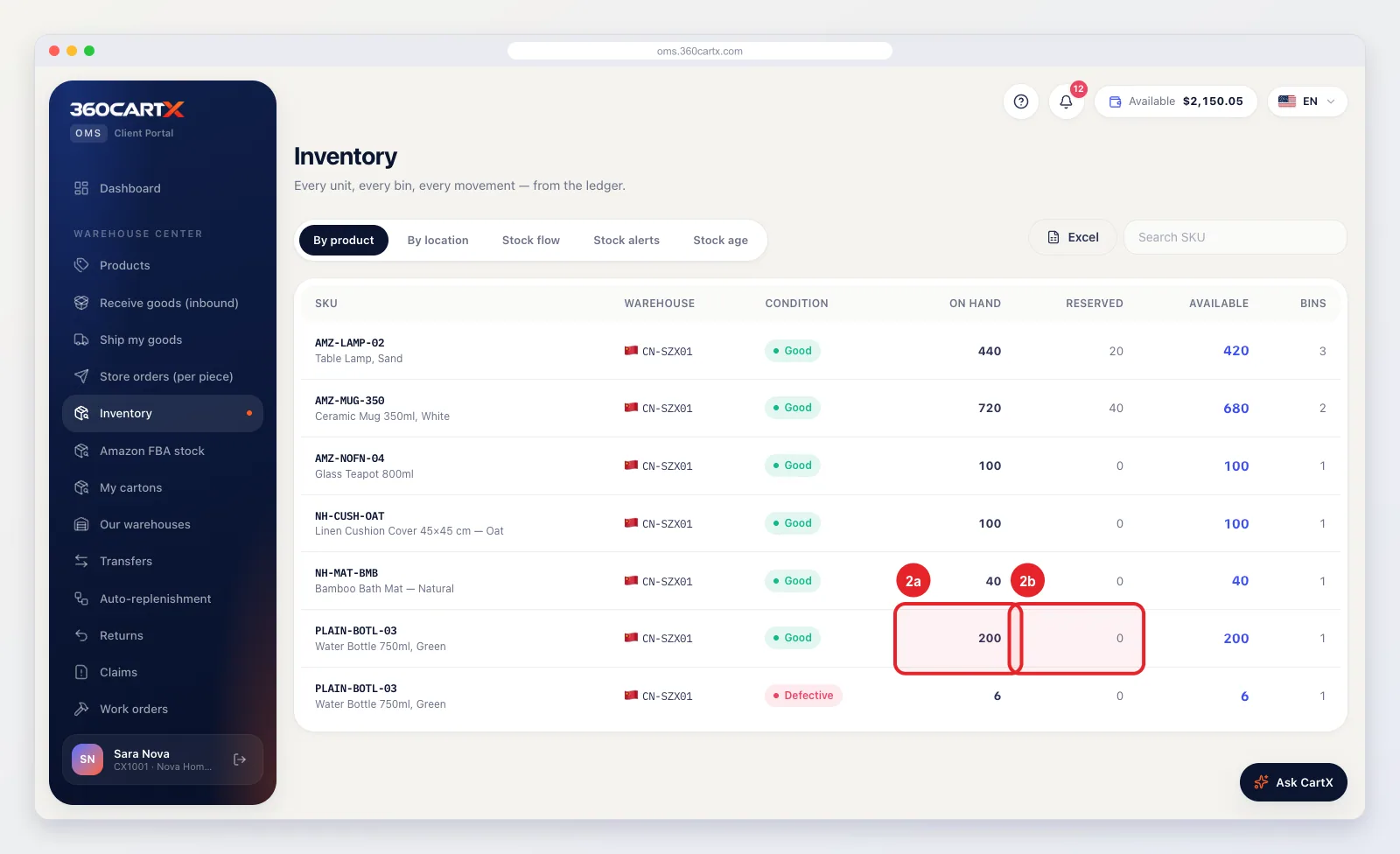
Condition: Good or Defective
Good units can be sold and shipped. Defective units (damaged, found in a return or at receiving) are counted separately in their own line and are not available. The example shows 6 defective bottles on their own line.
- 2a Condition
- 2b Defective line
- 3
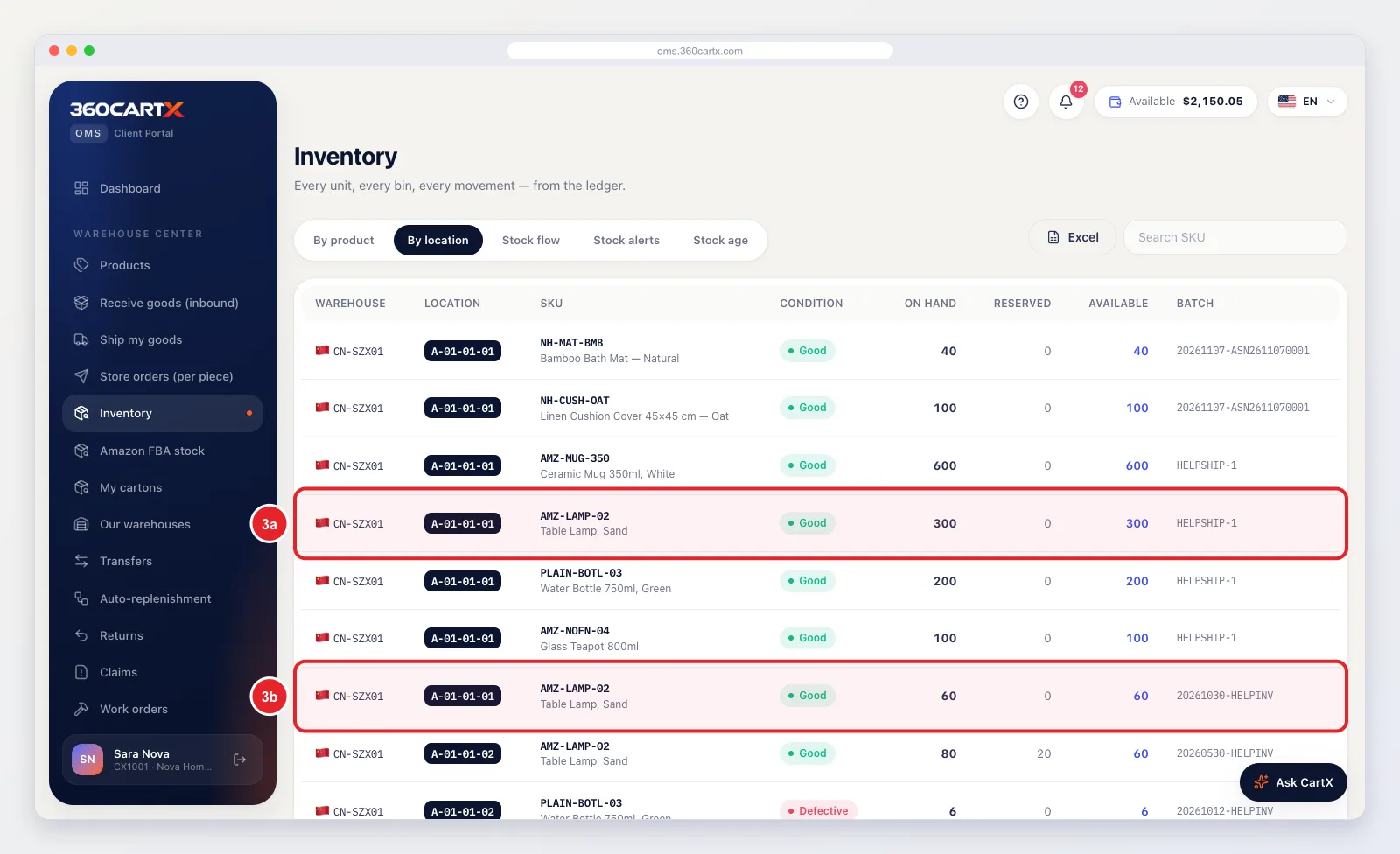
Bins and locations
By product shows how many bins hold the product (the Bins column). By location shows each bin: its code is the shelf position in our warehouse. The same product can be in several bins, for example the lamps in two bins.
- 3a Bin 1
- 3b Bin 2
- 4
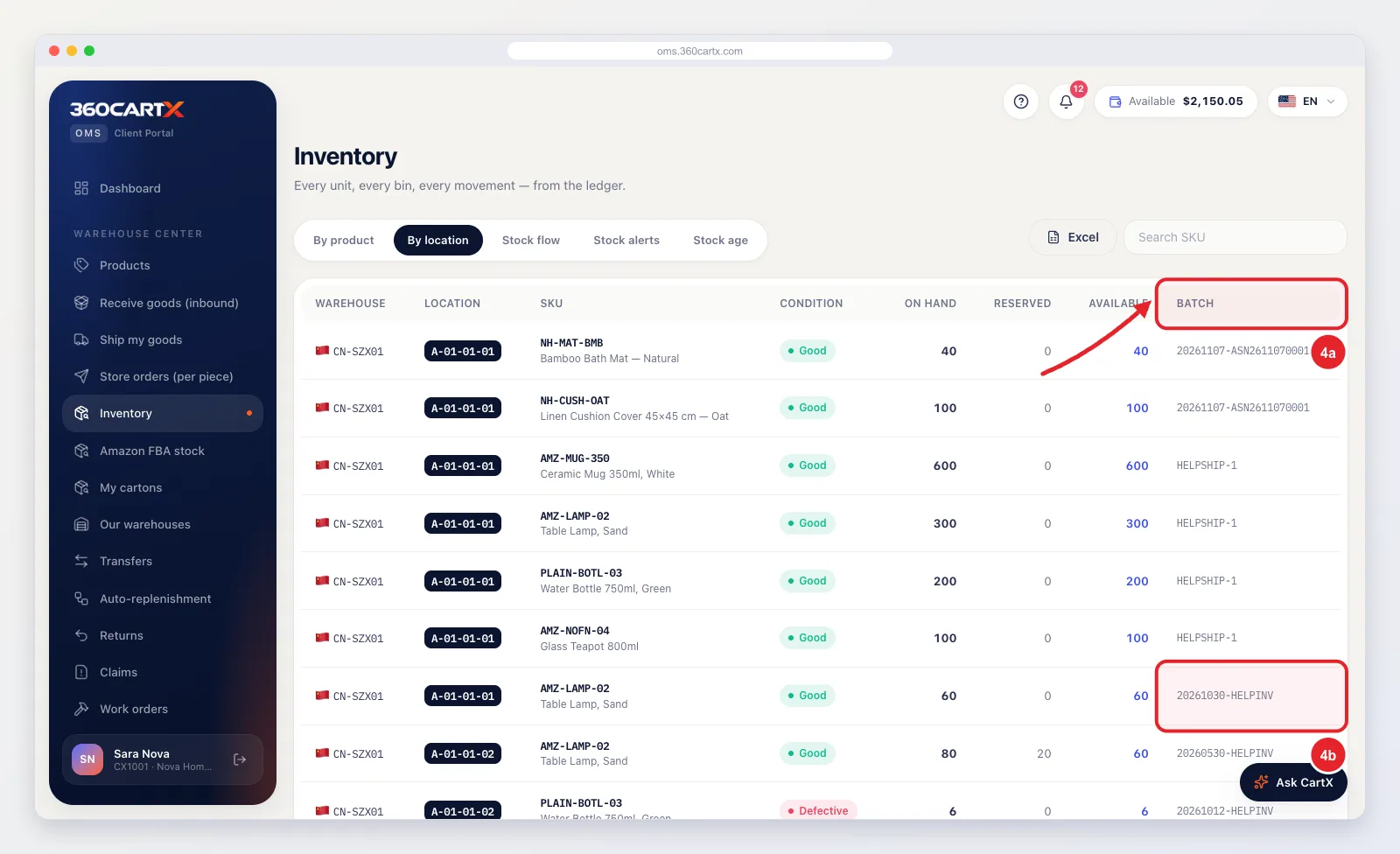
Batch
Batch is the label of the lot. For goods we received it starts with the date they were put on the shelf (for example 20260915); the Stock age view uses it. Units of different batches stay in their own lines.
- 4a Batch column
- 4b Batch value
Terms in this article
- On hand / Reserved / Available: Units in stock, held for orders, and free to use.
- Bin: A storage position in our warehouse.
Tips
- Reserved units are released when the order is cancelled or finished.
- Stock held in a bundle or a kit is shown under the bundle SKU after it is built.
Common problems
I have units on hand but Available is 0
All units are reserved for orders. See the orders that use them under Store orders or Ship-out requests.
A unit I sent is not On hand
It is not received and put away yet. See Track an inbound shipment.
Related articles
Updated 2026-11-11
Open a ticket from Support in your portal and our team will reply.