Steps
- 1
Open Stock flow
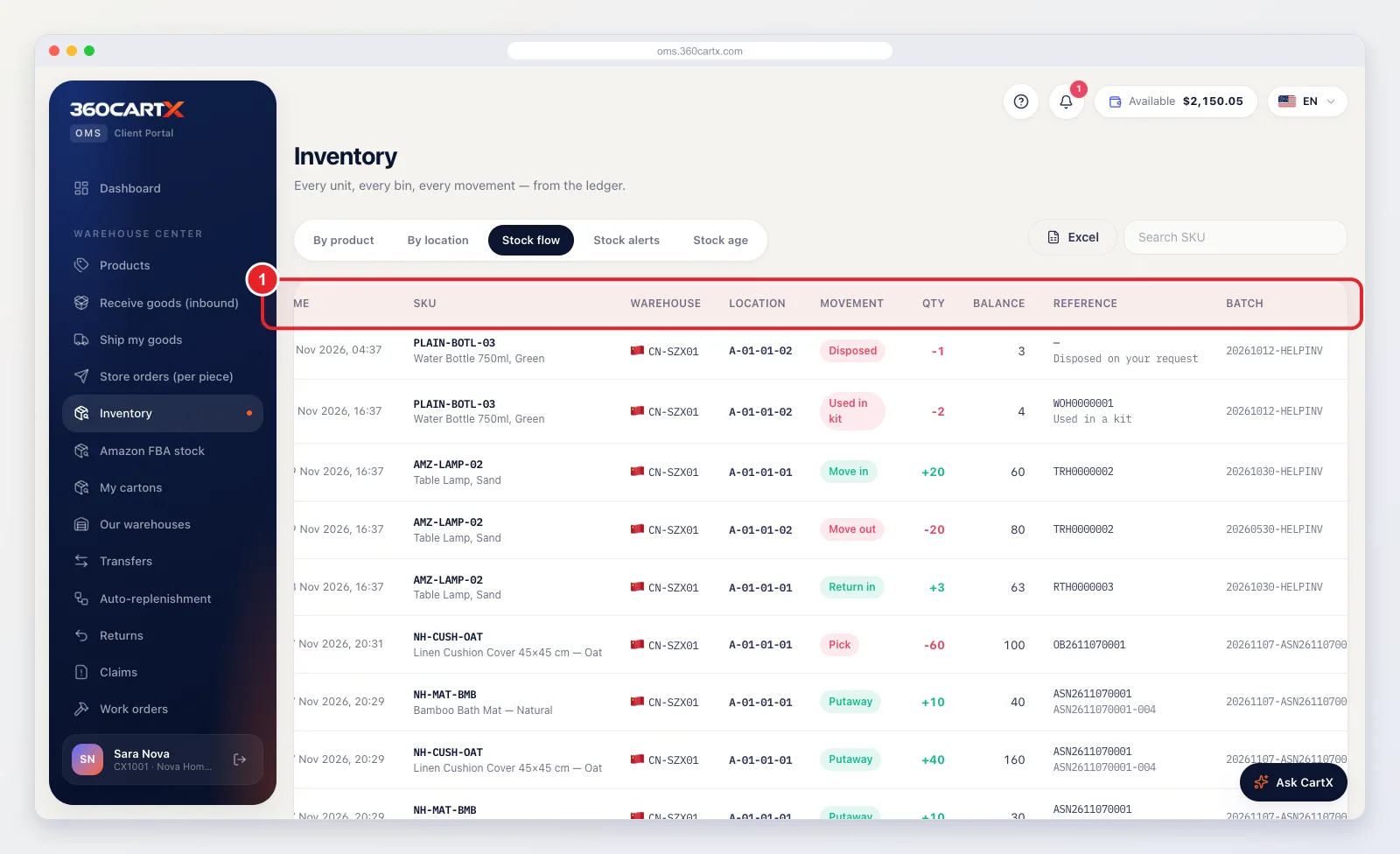
In Inventory click the Stock flow tab. The columns are Time, SKU, Warehouse, Location, Movement, Qty, Balance, Reference and Batch. The newest movement is first; the last 300 are shown. The search box filters by SKU or name.
- 2
Movement, Qty and Balance
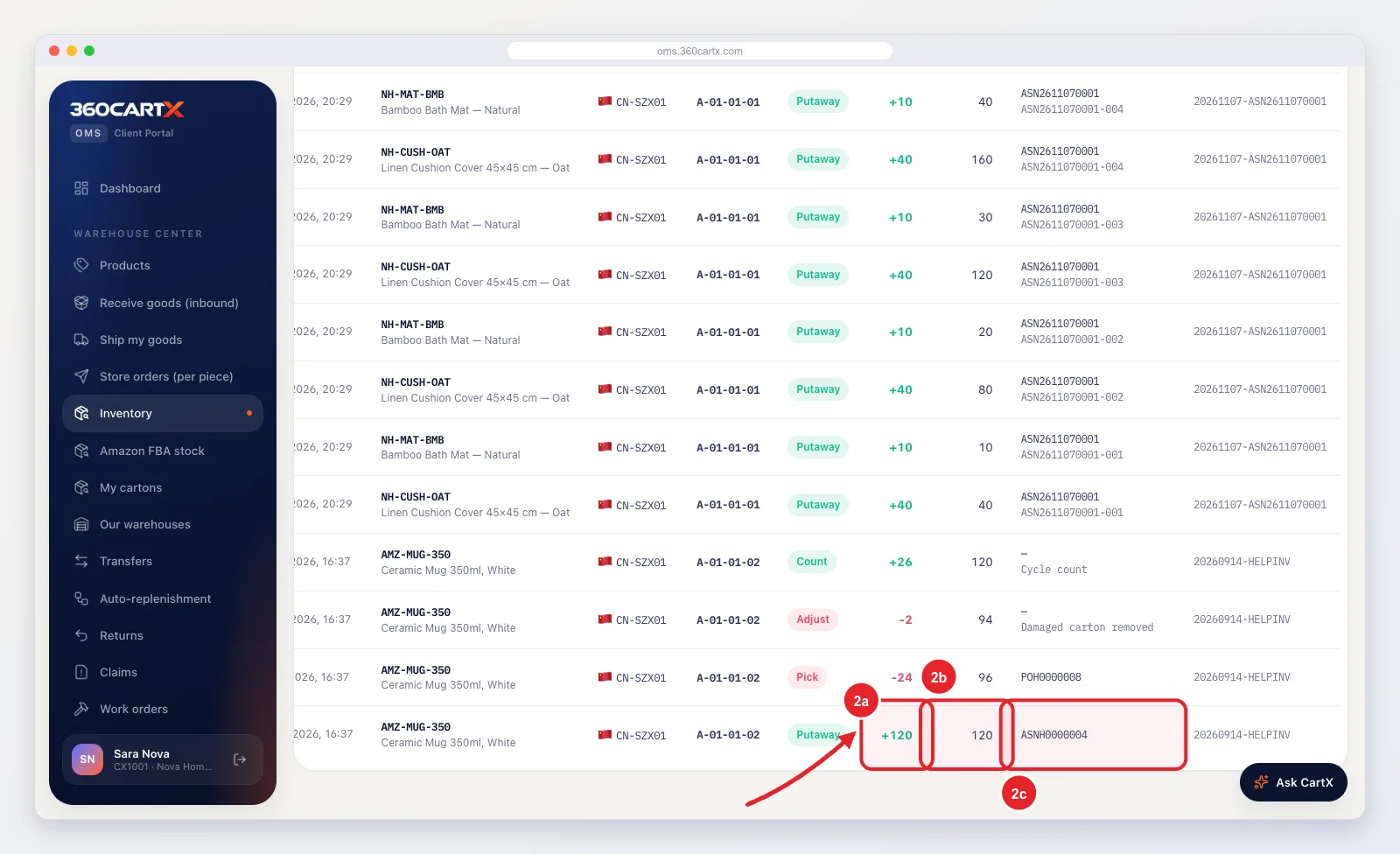
Movement says what happened. Qty is the change: green with a plus for units that came in, red with a minus for units that left. Balance is the number of units left in that bin and batch after the movement. Example: Putaway +120, balance 120.
- 2a Movement
- 2b Qty
- 2c Balance
- 3
Putaway and Pick
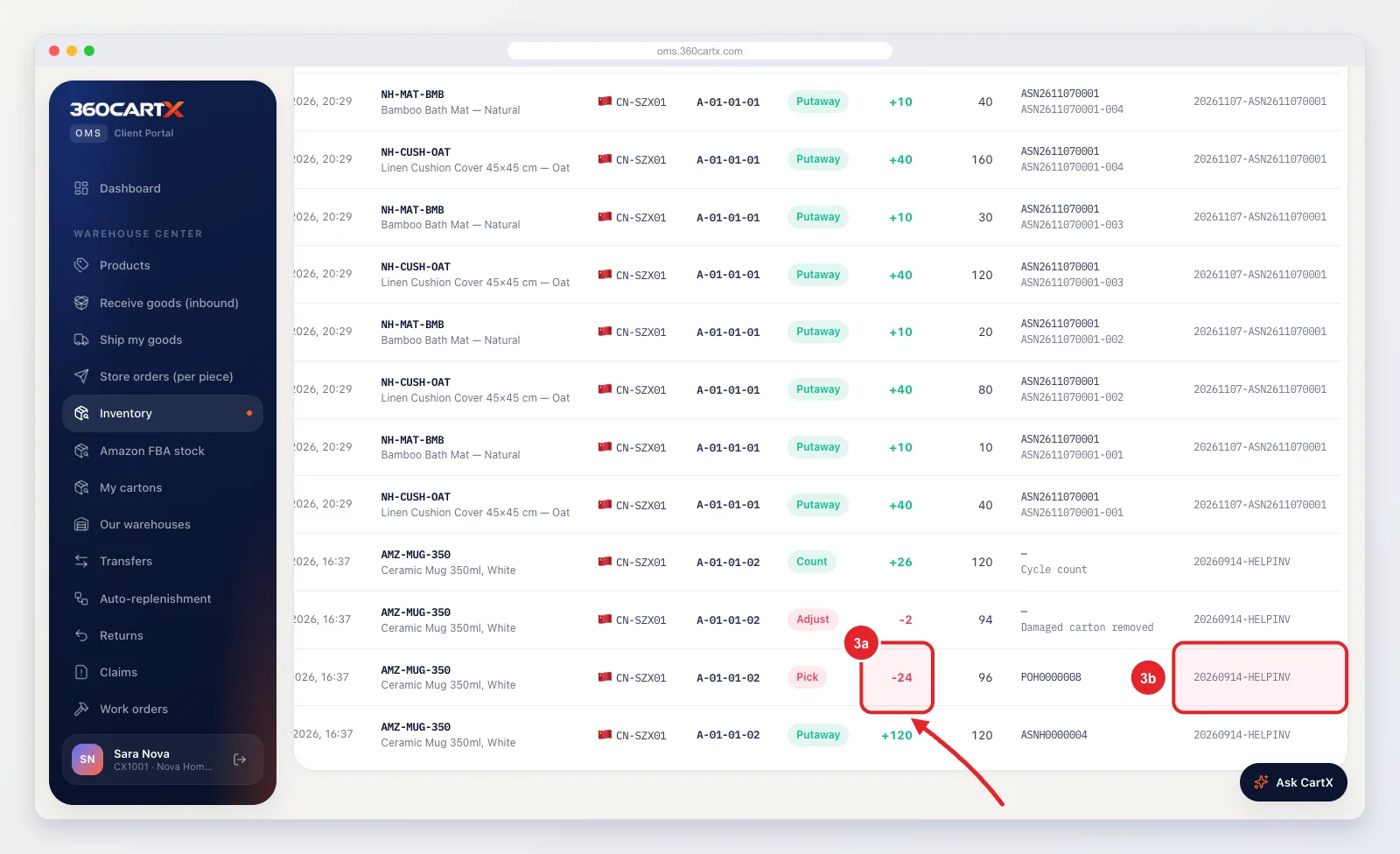
Putaway: received goods were shelved; the reference is the ASN number of the inbound shipment. Pick: units left for an order; the reference is the order number (POH… for a store order, OB… for a ship-out request).
- 3a Putaway
- 3b Reference
- 4
Adjust and Count
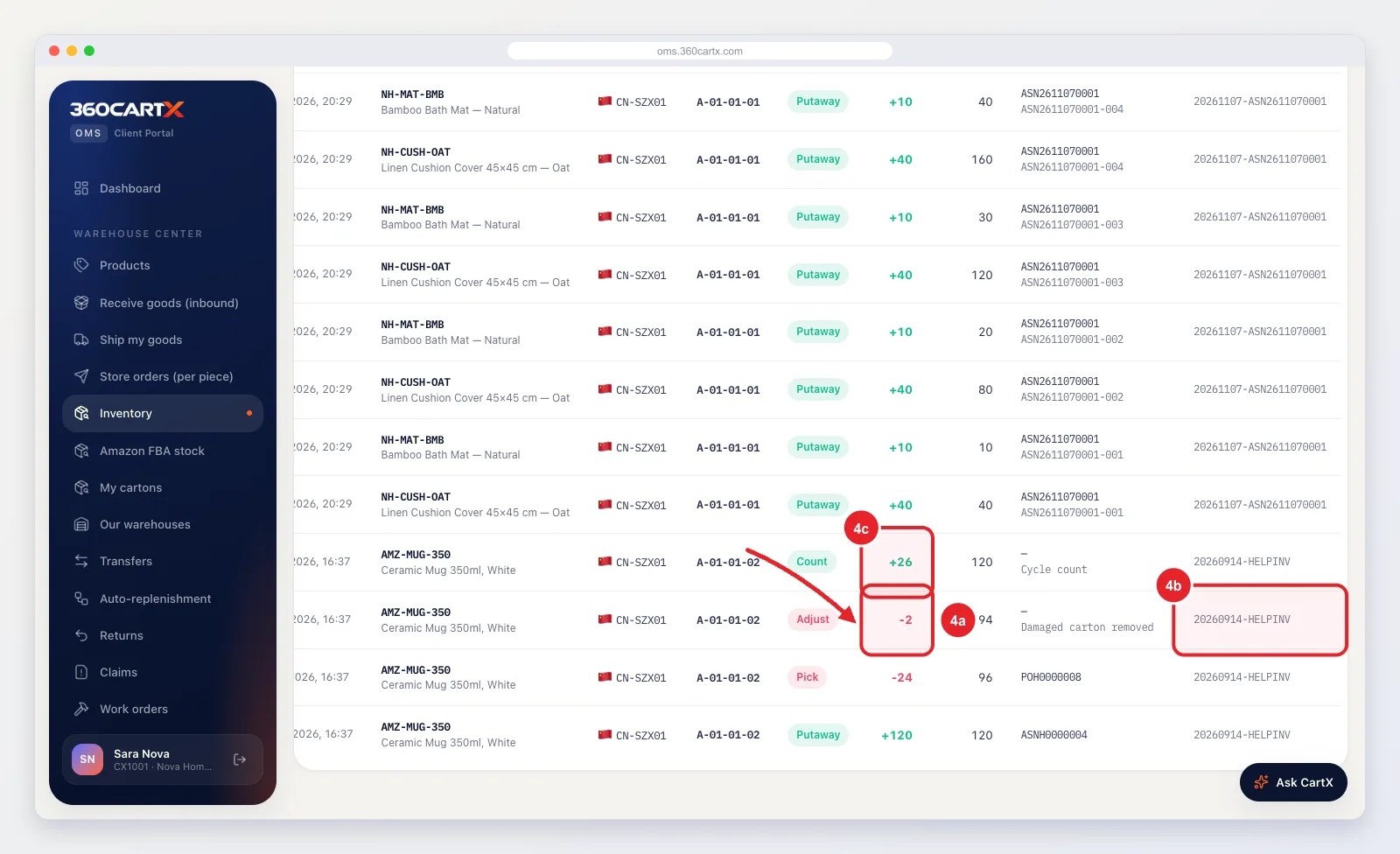
Adjust: our team corrected the quantity, for example after finding a damaged carton; the reason is written under the reference. Count: a stock count changed the number to what was really on the shelf.
- 4a Adjust
- 4b Reason
- 4c Count
- 5
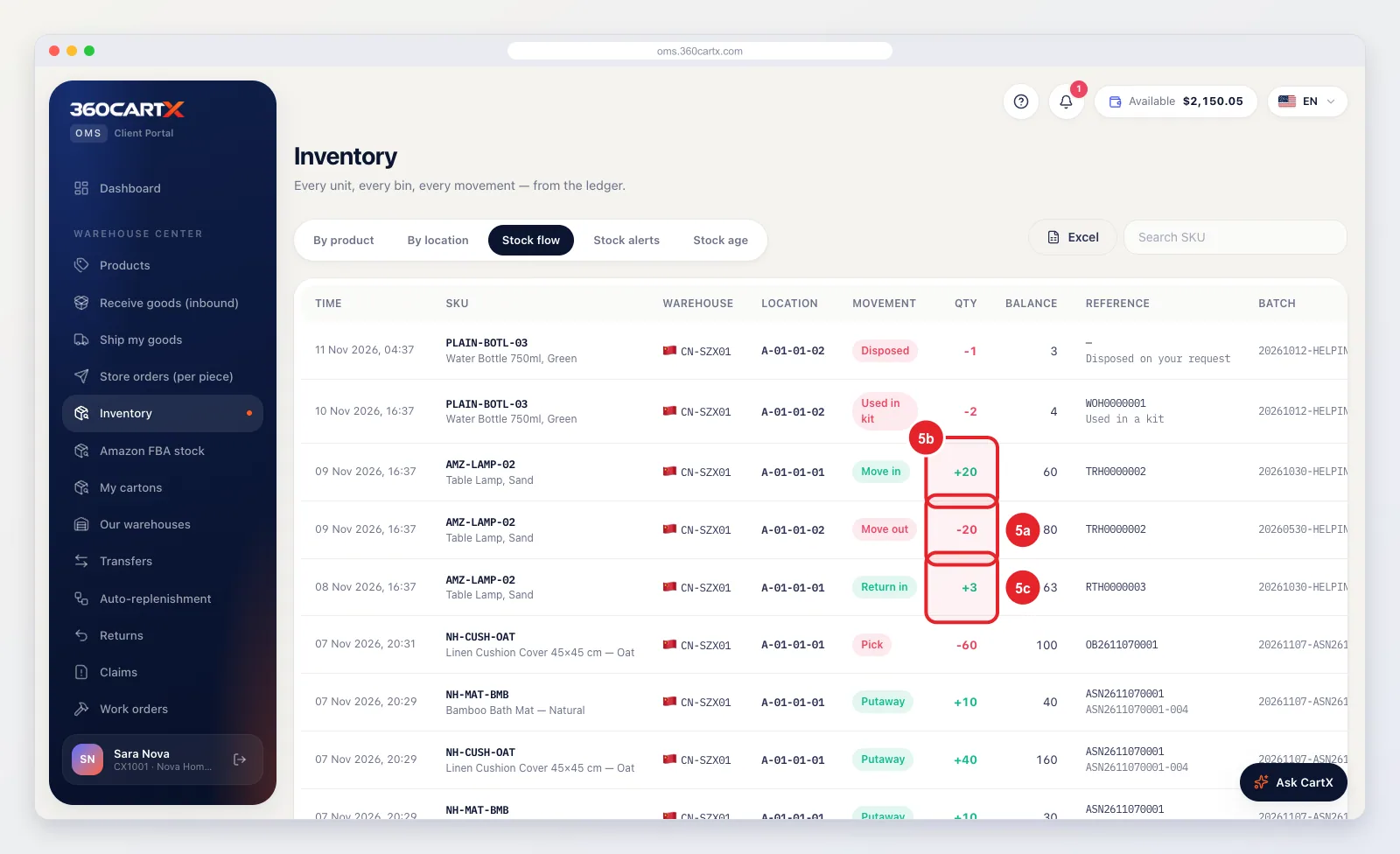
Move out, Move in and Return in
Move out and Move in are the two sides of a transfer between bins or warehouses and carry the transfer number (TR…). Return in: units came back from a return and were put on the shelf.
- 5a Move out
- 5b Move in
- 5c Return in
- 6
Kits and disposal
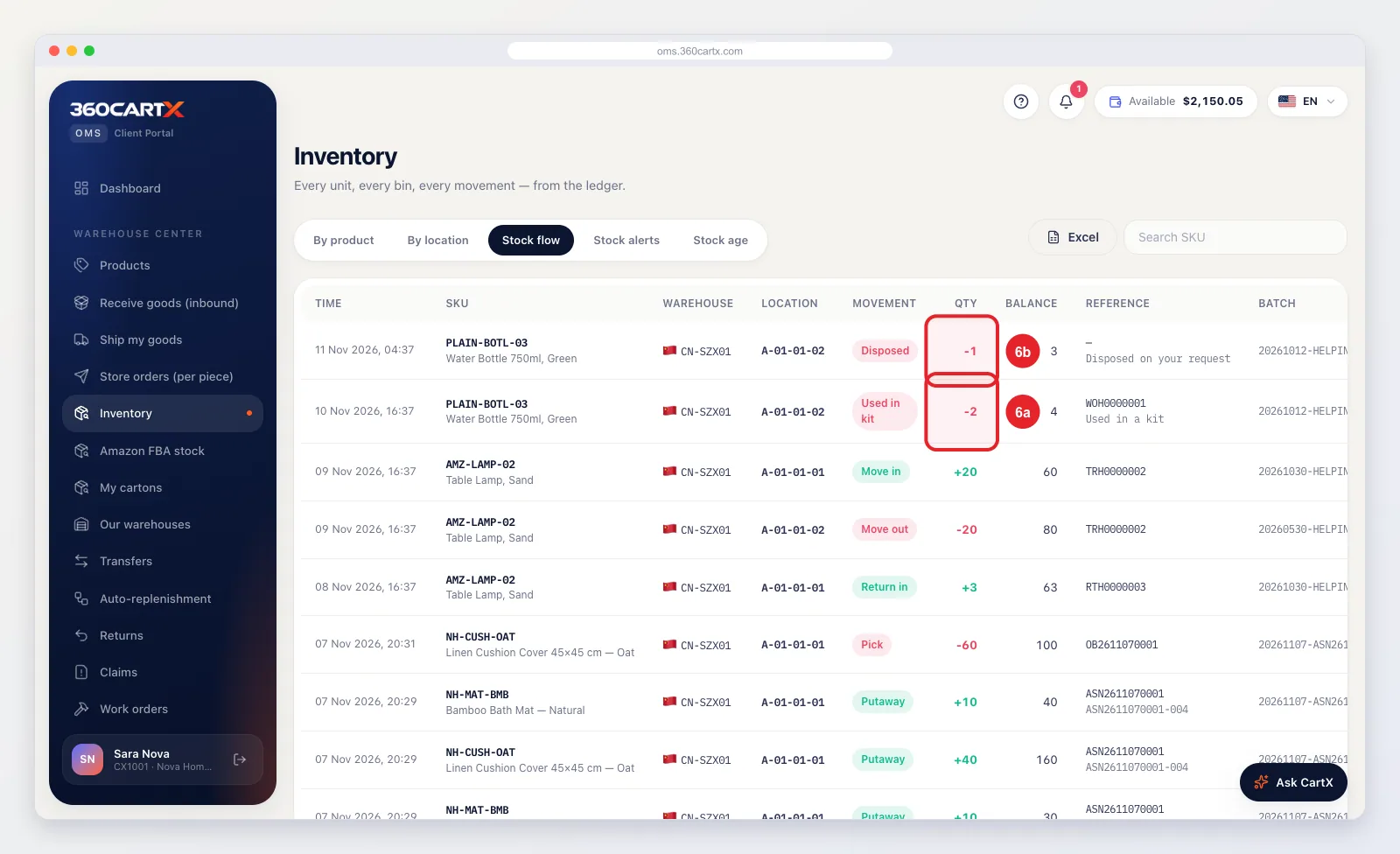
Kit built / opened: units became a kit or a kit was opened again. Used in kit: components were taken for a kit. Disposed: units were destroyed or donated on your request. The note says which work order it was.
- 6a Used in kit
- 6b Disposed
- 7
Initial
Initial is the opening balance of a bin when stock was first loaded into the system.
Terms in this article
- Putaway: Placing received goods on the shelves, so they become stock.
- On hand / Reserved / Available: Units in stock, held for orders, and free to use.
Tips
- Click the reference number in your orders to open the order behind a movement.
- Reserved stock does not appear here: a reservation is not a movement. Only real changes are listed.
Common problems
A movement I do not understand
Open a ticket in Help & support with the SKU, the time and the reference shown.
Related articles
Updated 2026-11-11
Open a ticket from Support in your portal and our team will reply.