Steps
- 1
Open Inventory
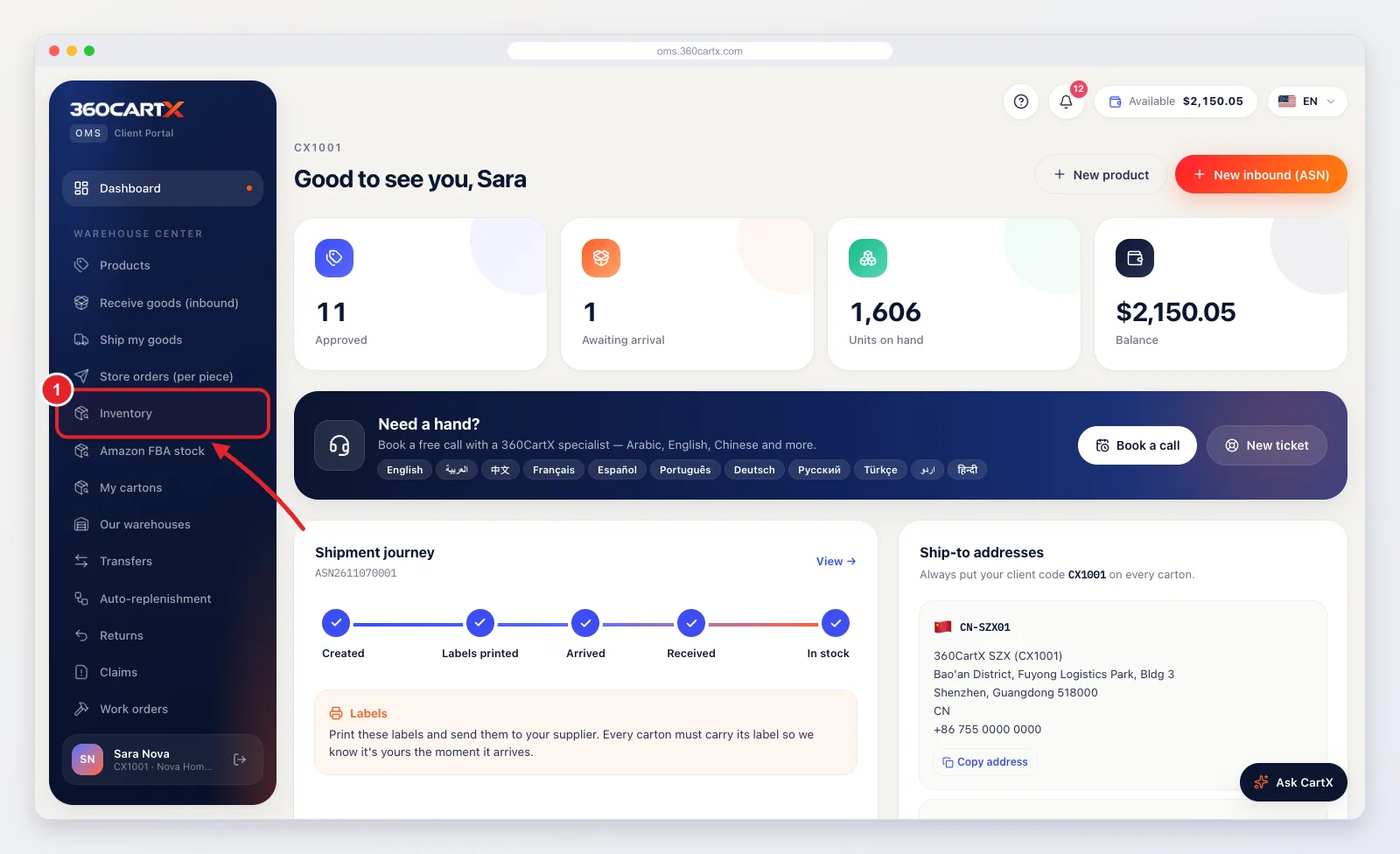
Click Inventory under Warehouse Center in the left menu.
- 2
The page
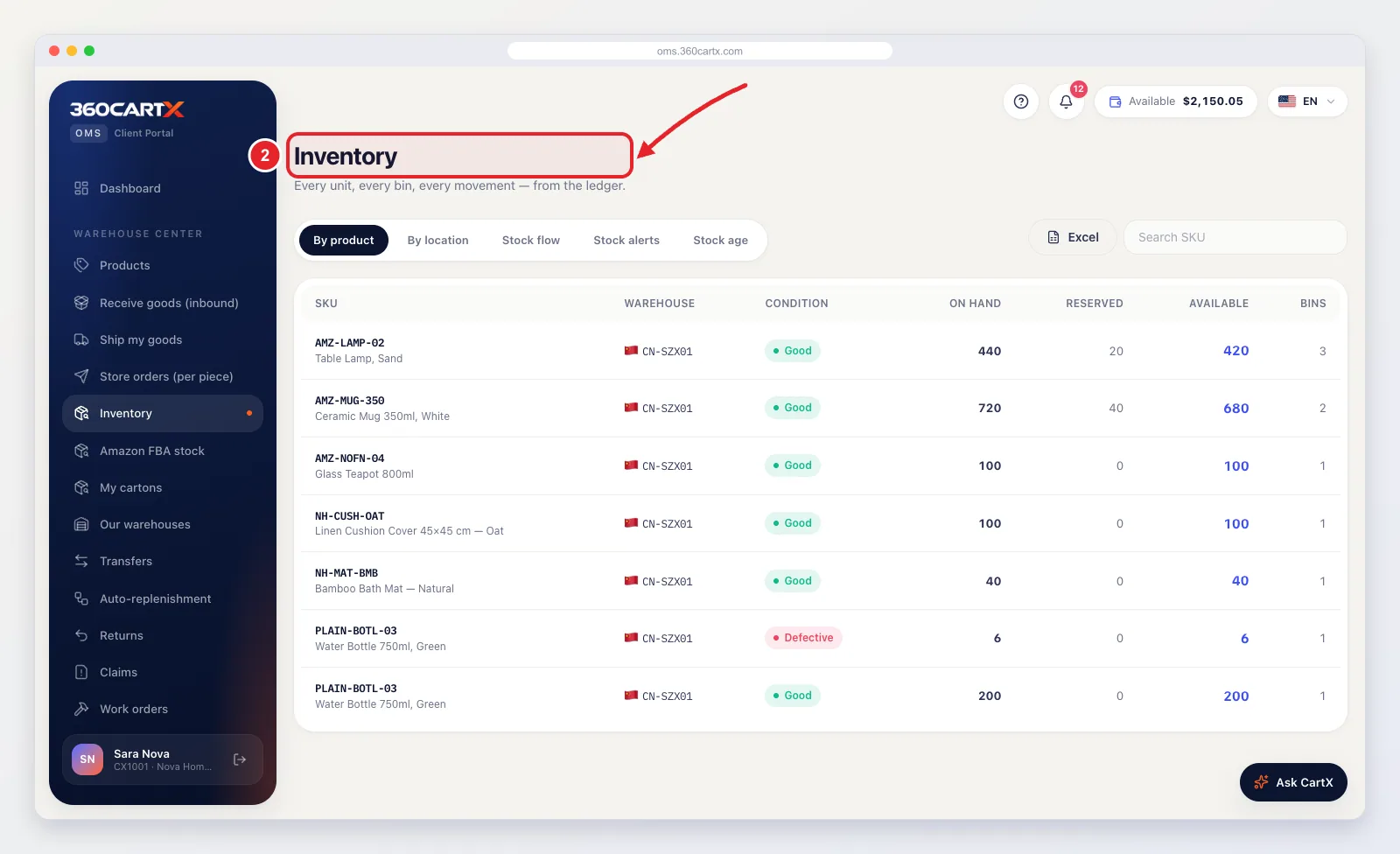
The page is called Inventory and says: Every unit, every bin, every movement — from the ledger.
- 3
The five views
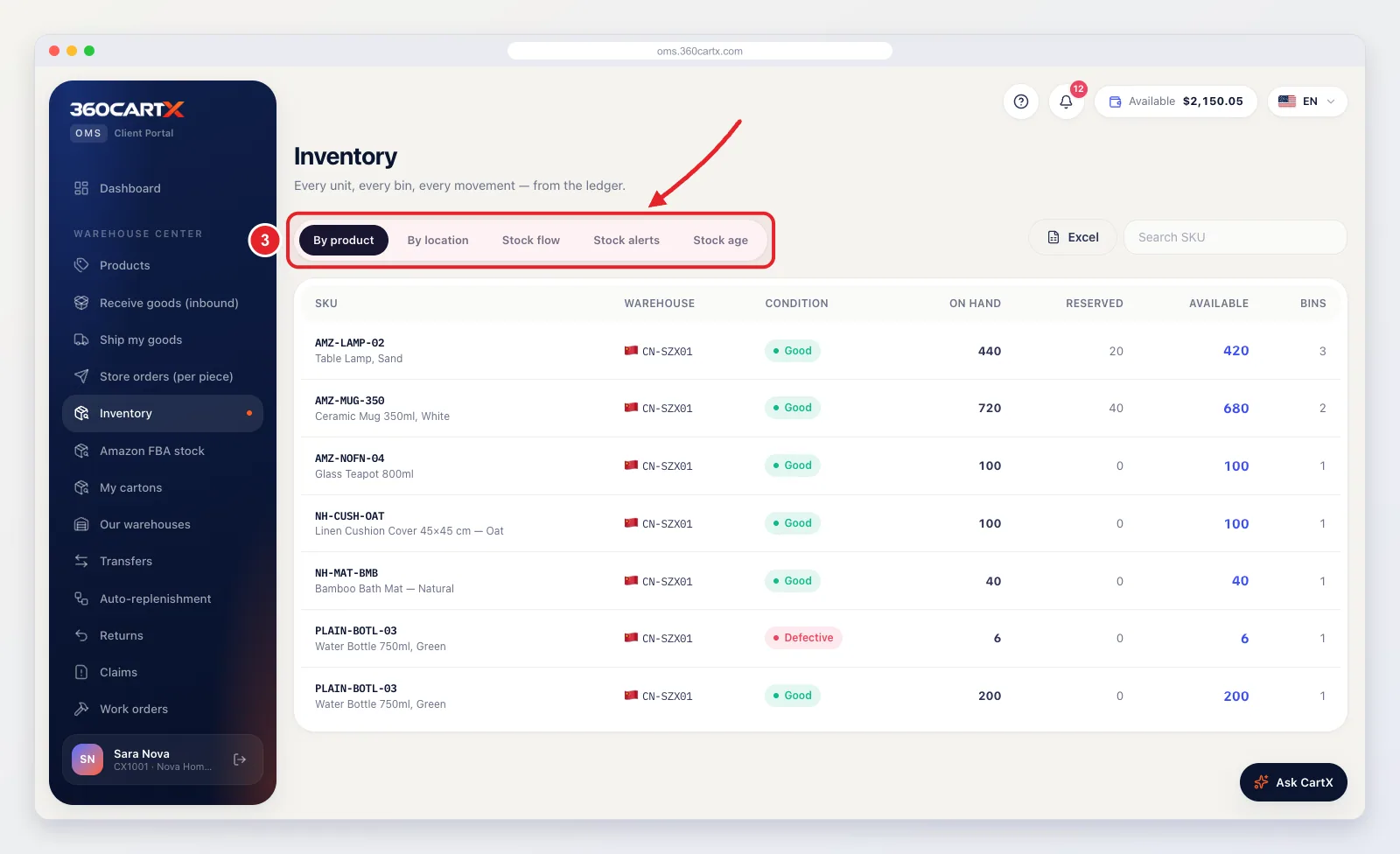
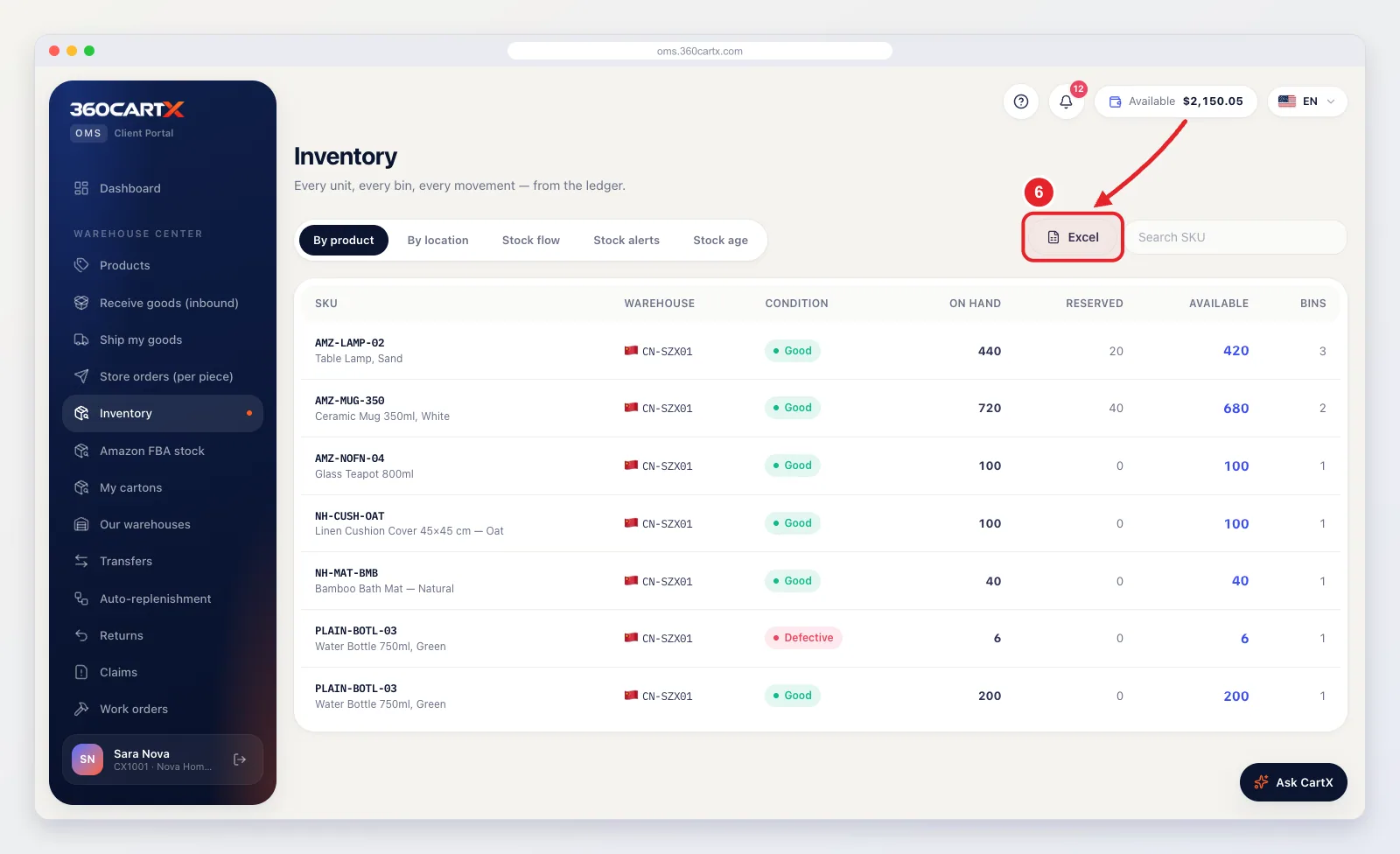
The tabs switch the view: By product (one line per product and warehouse), By location (one line per bin), Stock flow (every movement), Stock alerts (minimum stock per product) and Stock age (how long units sit on the shelf). The search box and the Excel button stay when you change the view.
- 4
By location
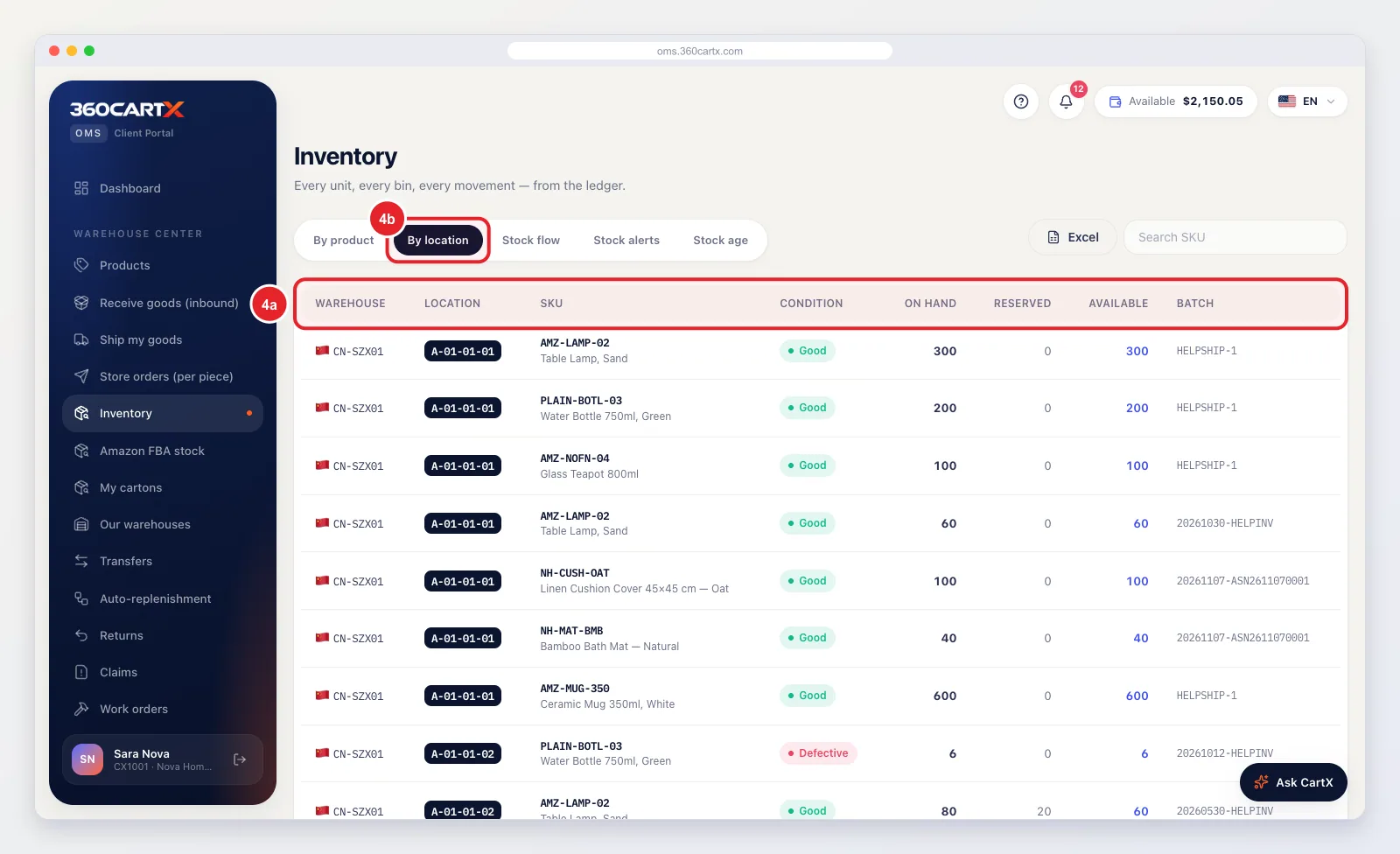
By location lists the bins: Warehouse, Location, SKU, Condition, On hand, Reserved, Available and Batch. Use it to see where a unit is. Only bins with units on hand are listed, up to 500 lines.
- 4a By location tab
- 4b Columns
- 5
Search
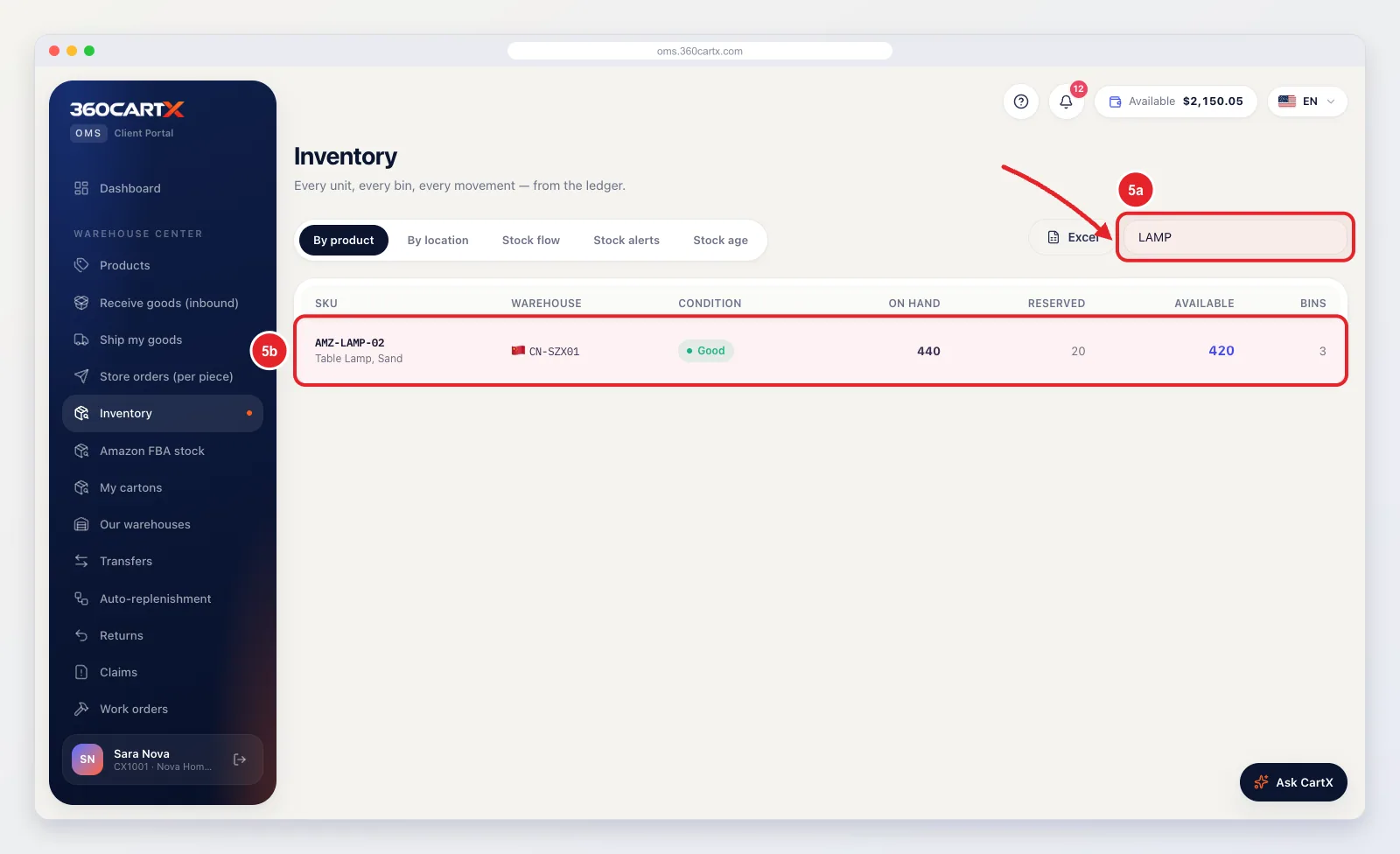
Type part of a SKU or product name in the box and press Enter, for example LAMP. The search applies to By product, By location, Stock flow and Stock age; in Stock alerts it filters the product list.
- 5a Search
- 5b Result
- 6
Export to Excel
Excel downloads the view you are on (and the search) as a spreadsheet.
- 7
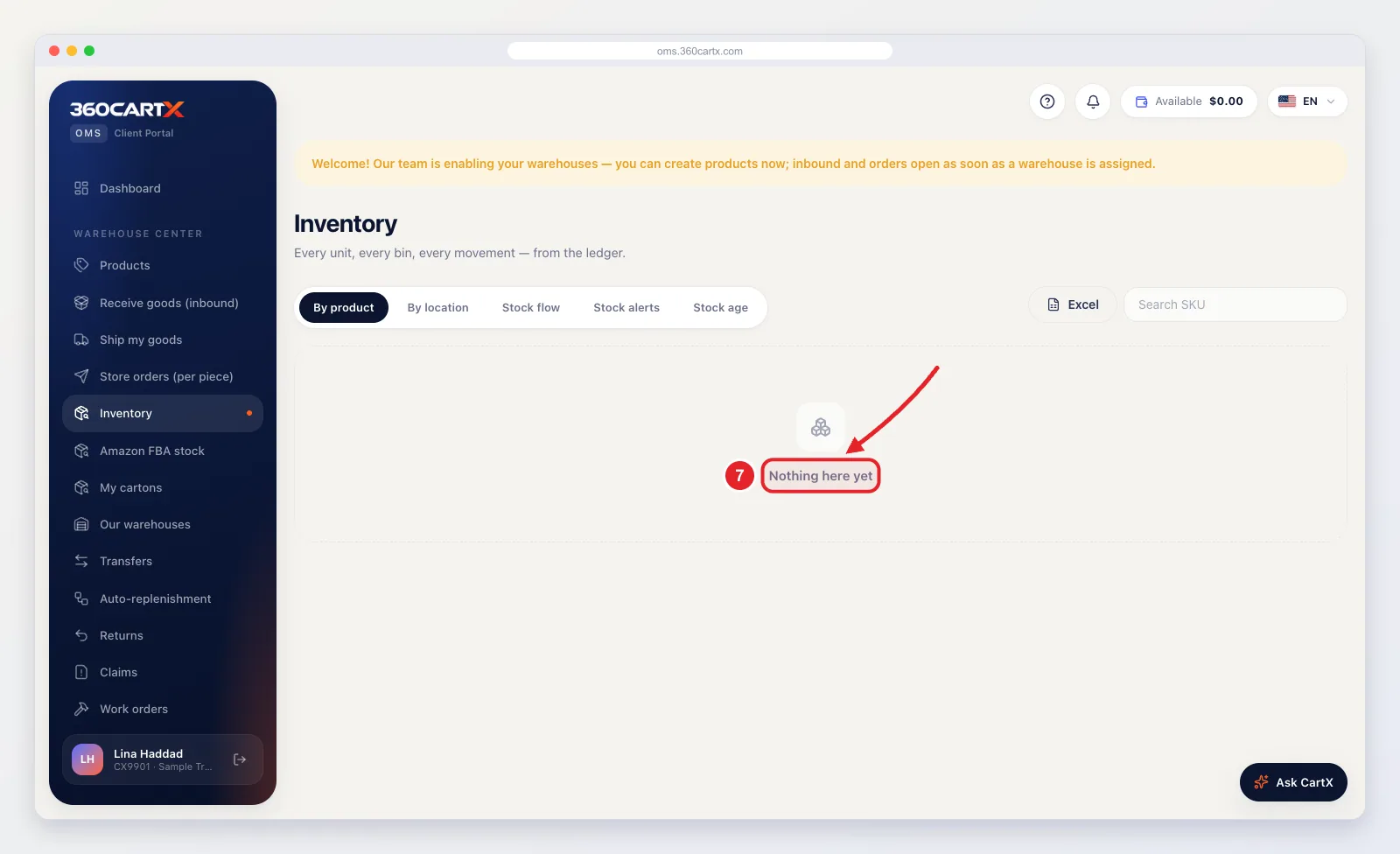
A new account
Until your first goods are received the lists are empty and say Nothing here yet. Send goods with Receive goods (inbound).
Terms in this article
- On hand / Reserved / Available: Units in stock, held for orders, and free to use.
- Bin: A storage position in our warehouse.
Tips
- Available is what you can still sell or ship. See On hand, reserved and available.
- To see what happened to a unit, use Stock flow.
Common problems
A product is not in the list
Only products with at least one unit on hand are listed (except in Stock alerts, which lists every approved product). Goods that have not been received and put away are not stock yet.
The numbers differ from my store
Inventory is the stock in our warehouses. Stock held back for orders is Reserved. Stock inside Amazon is in Amazon FBA stock.
Related articles
Updated 2026-11-11
Open a ticket from Support in your portal and our team will reply.