Steps
- 1
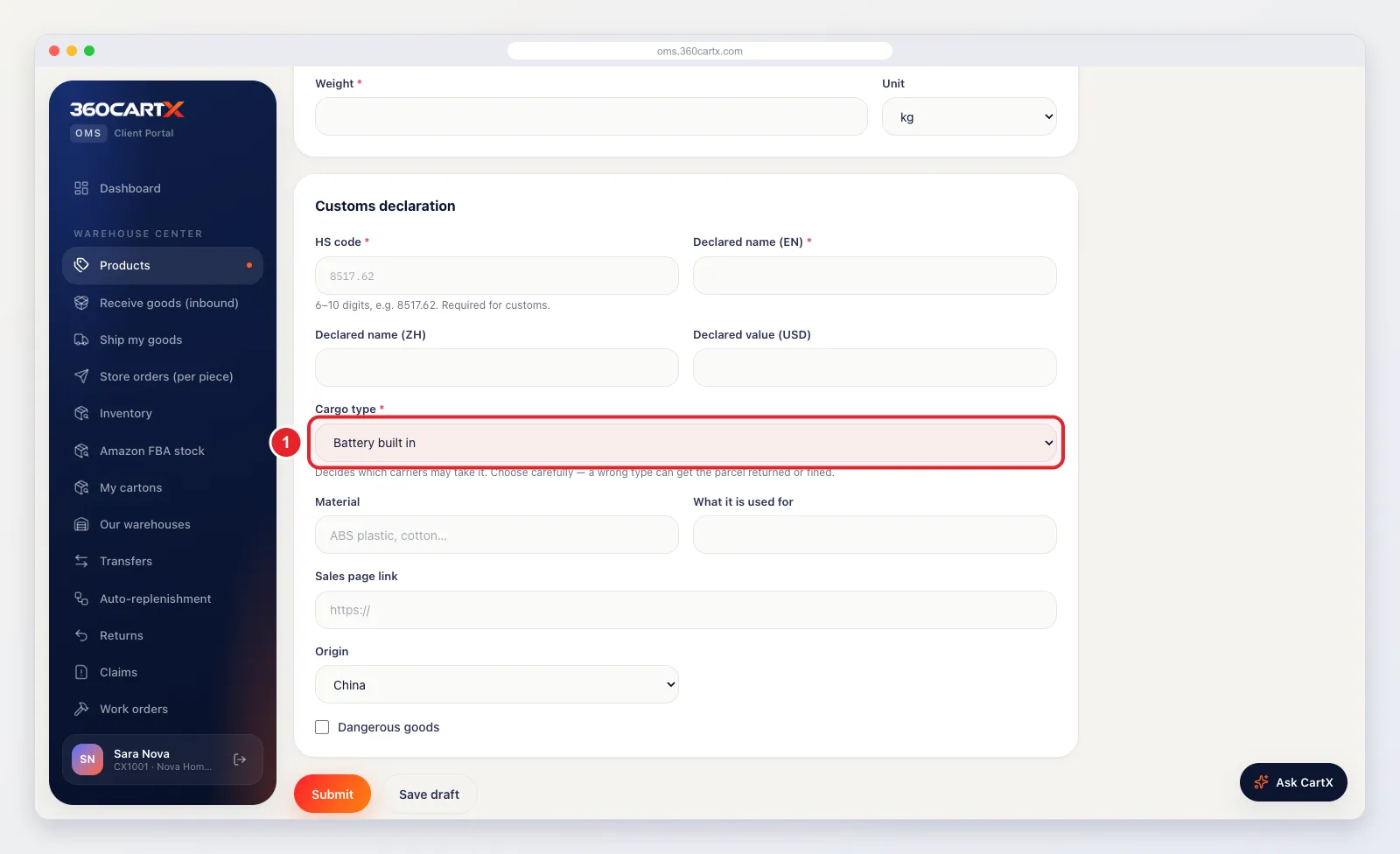
Pick the cargo type
In Customs declaration, open Cargo type and choose the one that fits: General goods (no battery, liquid, powder or magnet), Battery built in (for example a speaker or watch), Battery packed with it (a spare battery in the box), Battery only (power banks, loose batteries), Liquid / gel, Powder, Magnetic, Cosmetics, Sharp / knives, Clothing. For example a Bluetooth speaker is Battery built in. You need a cargo type to submit the product; a draft may leave it at —. In an Excel import the Cargo type column is required on every row.
- 2
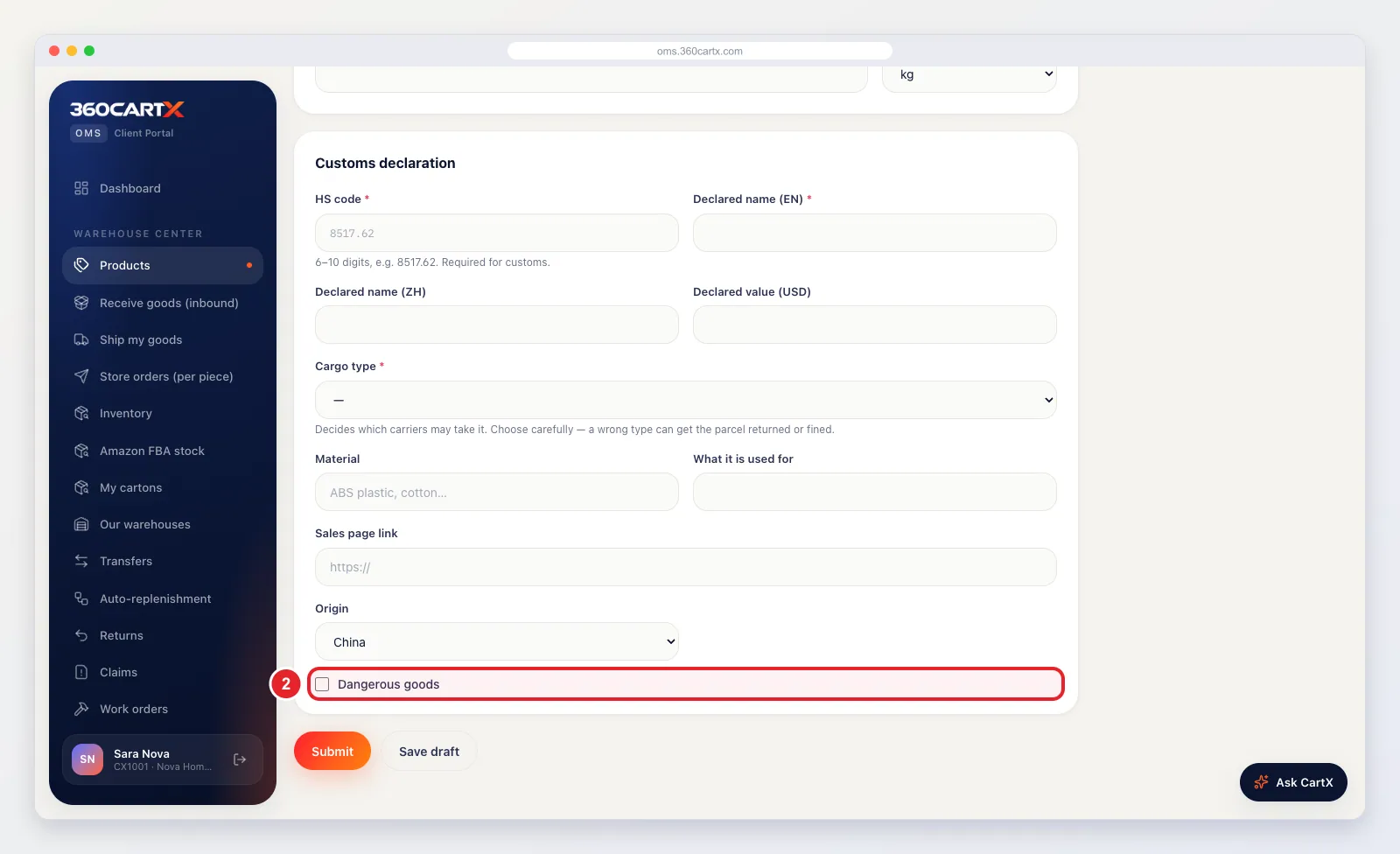
Dangerous goods
Tick Dangerous goods only for hazardous materials, for example flammable, corrosive or pressurised products. Our team reviews these products before approval; open a ticket in Help & support to ask which dangerous goods we can store and ship for you.
Terms in this article
- Cargo type: The kind of goods, which decides the carriers that accept it.
Tips
- When a shipping quote shows no carrier for your destination, the message names the cargo type that no carrier accepts there.
- Battery and liquid products usually have fewer carrier options and may cost more to ship.
Common problems
Choose the cargo type
The Cargo type list still shows —. Pick a type before you click Submit (Save draft does not need one).
No carrier for this destination accepts …
No carrier for that country takes this cargo type. Check that the type is right, or contact support for another option.
Related articles
Updated 2026-11-12
Open a ticket from Support in your portal and our team will reply.