Steps
- 1
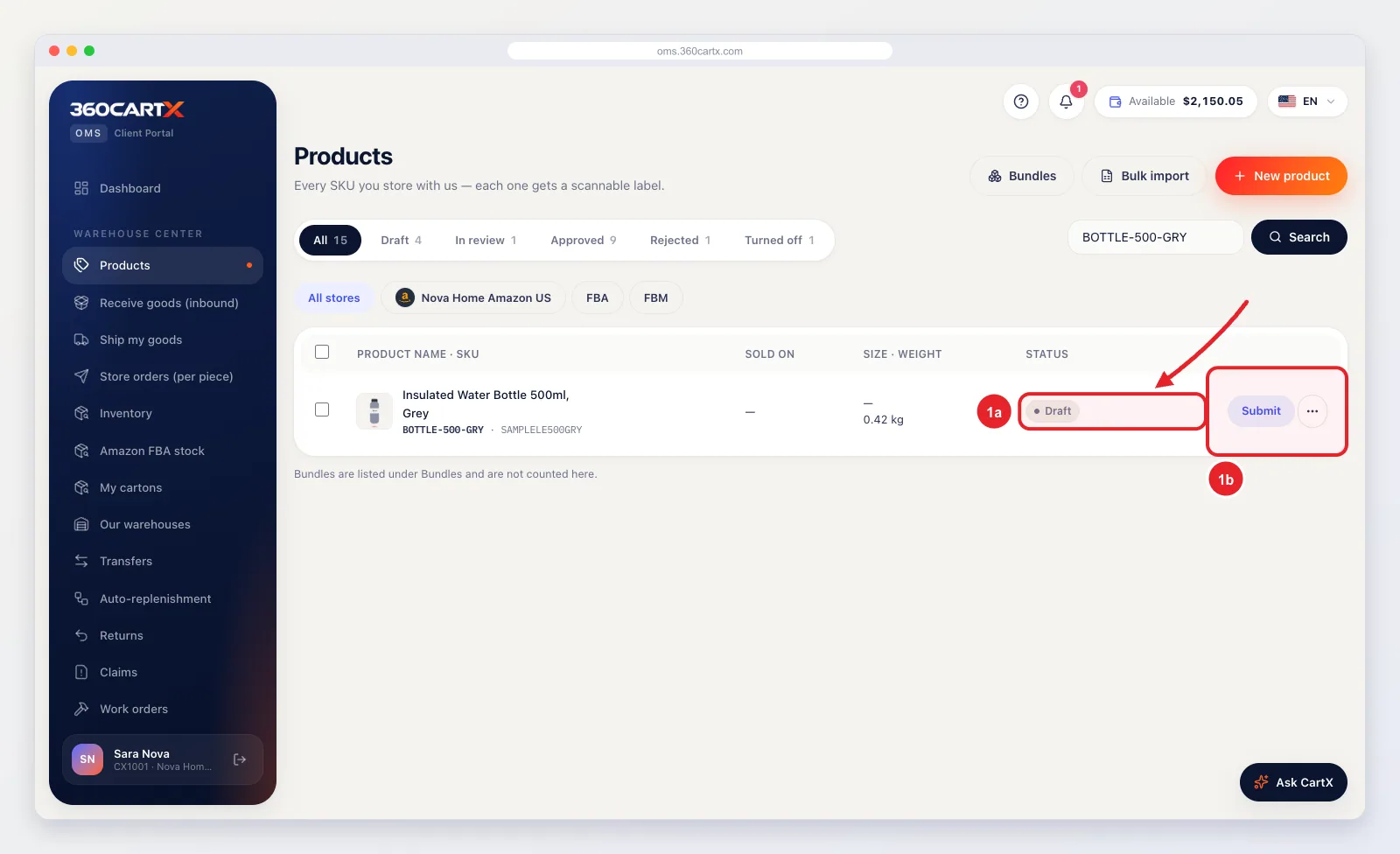
Draft
Saved but not sent for review: a product you saved with Save draft (a draft needs only the SKU and the name, everything else can follow later) or a product imported from your store or Excel with details missing. You can change it with Edit in the ⋯ menu and send it with Submit. A draft cannot be shipped in.
- 1a Draft
- 1b Submit · ⋯ menu
- 2
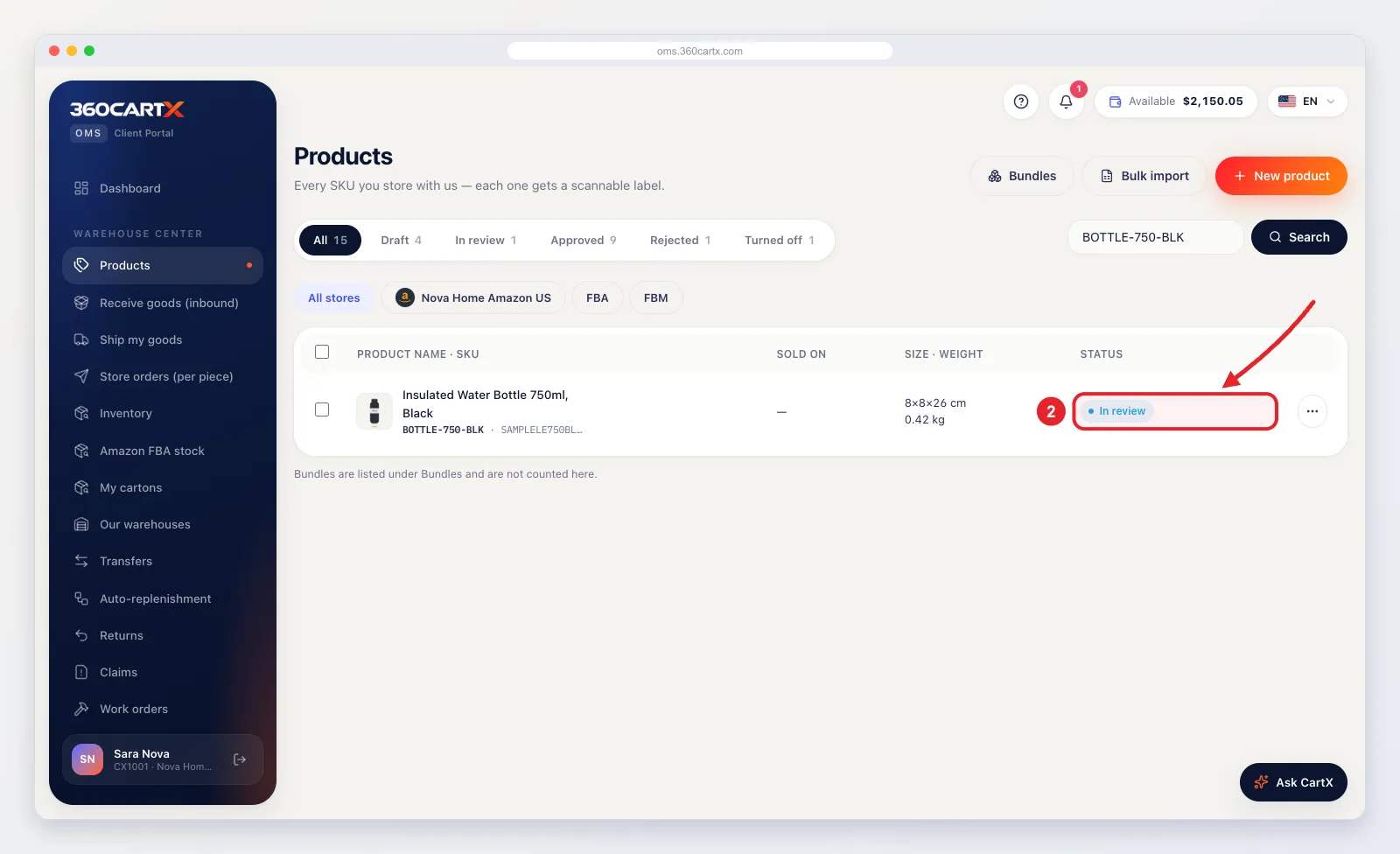
In review
You submitted the product and our team is checking the photo, size, weight and customs data. It cannot be changed while it is in review. Its page only shows the Sold on Amazon (FBA) switch and, for Amazon products, the FNSKU box; in the list, Amazon products in review also have FNSKU in the ⋯ menu (FNSKU ✓ once saved).
- 3
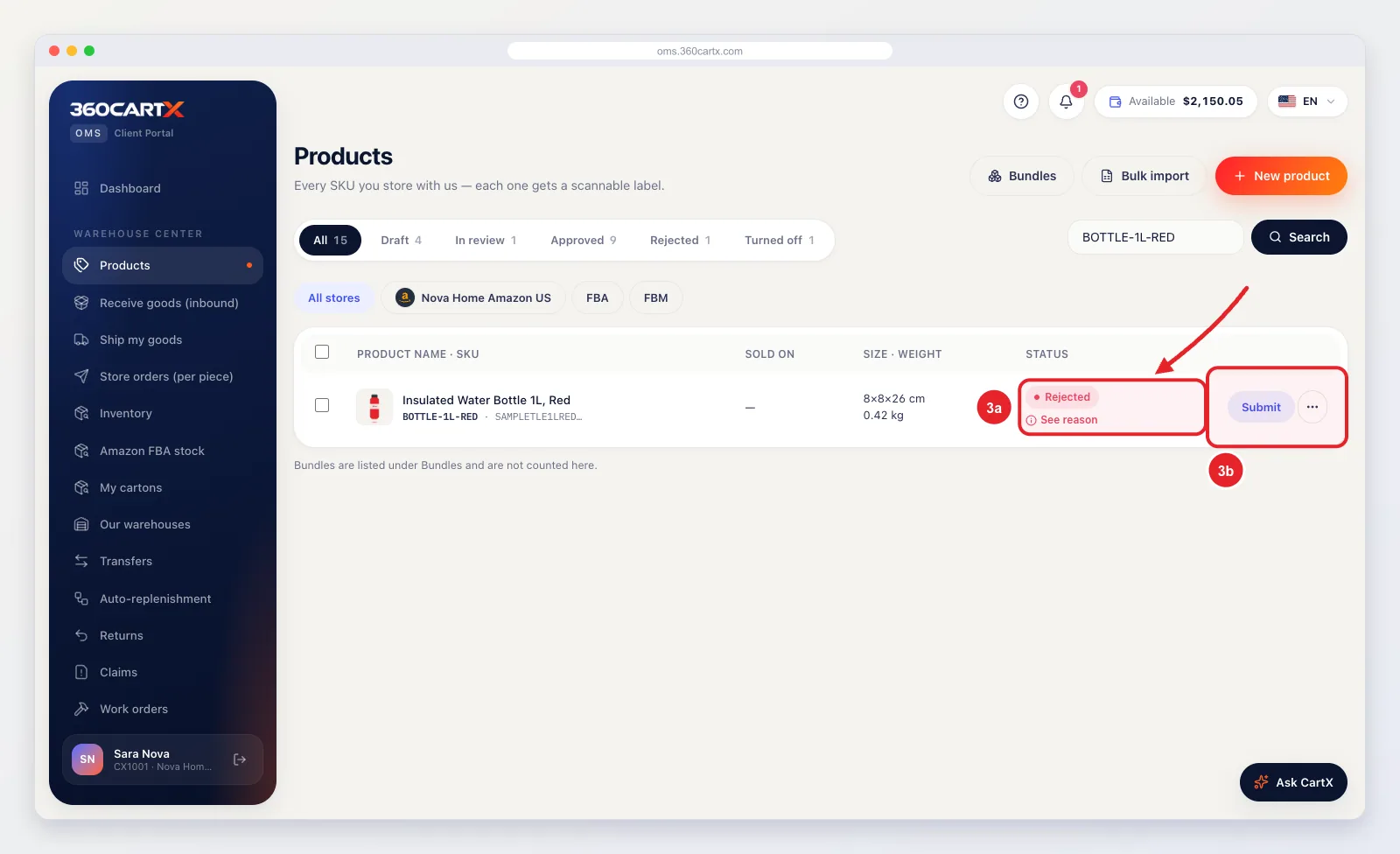
Rejected
Our team could not approve it. Click the red See reason link under the status to read the reason, for example The photo shows the gift box. Please upload a photo of the bottle itself. Click Edit, fix what the reason says and click Submit again.
- 3a Rejected · See reason
- 3b Submit · ⋯ menu
- 4
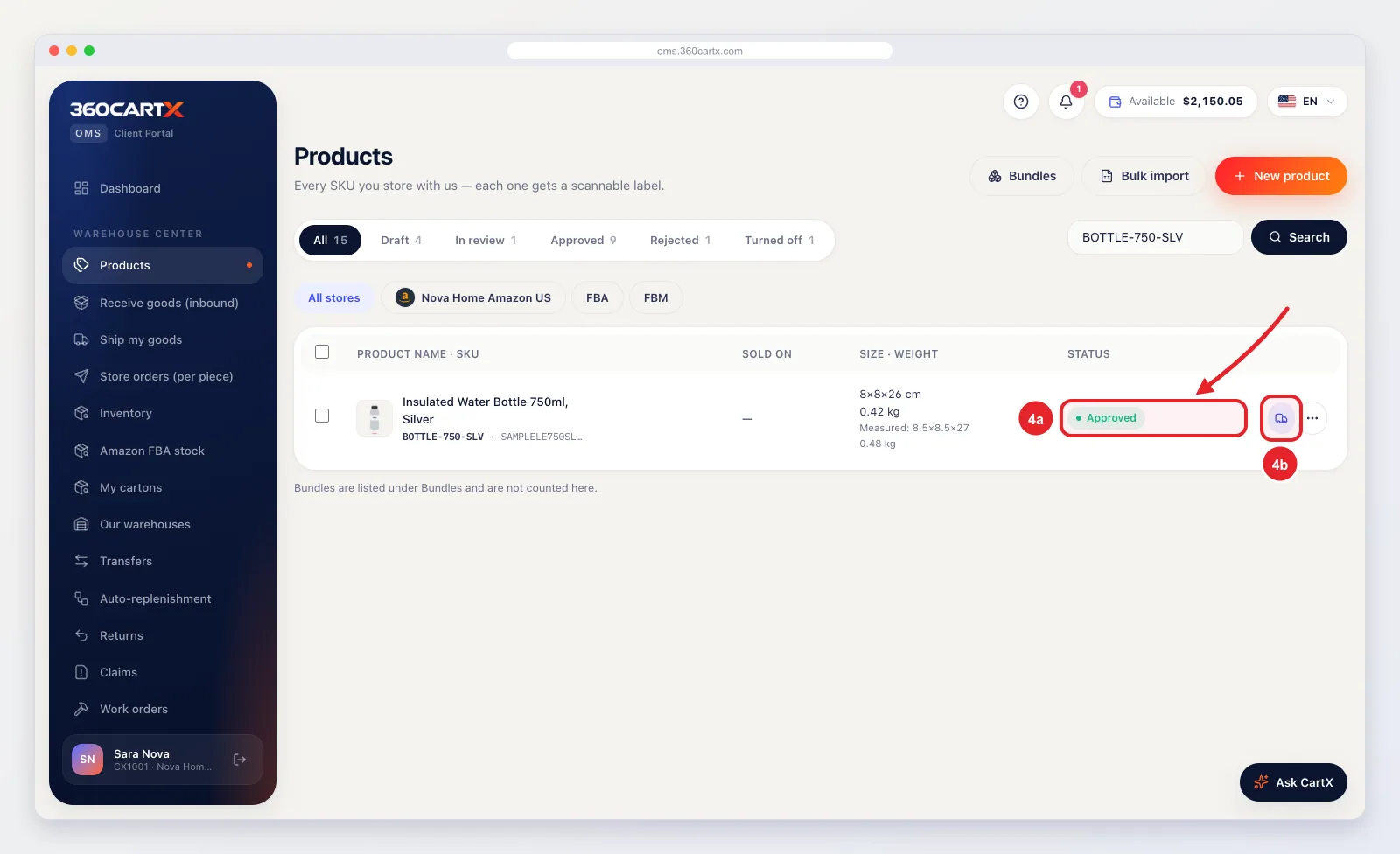
Approved
The product is ready. Approved products count on the dashboard, can be sent to our warehouse and can be sold through your stores. Click the truck icon Send to warehouse to start an inbound shipment with this product already filled in (as cartons when the product is sold through Amazon FBA). Approved products cannot be edited; contact support if a detail is wrong.
- 4a Approved
- 4b Send to warehouse
- 5
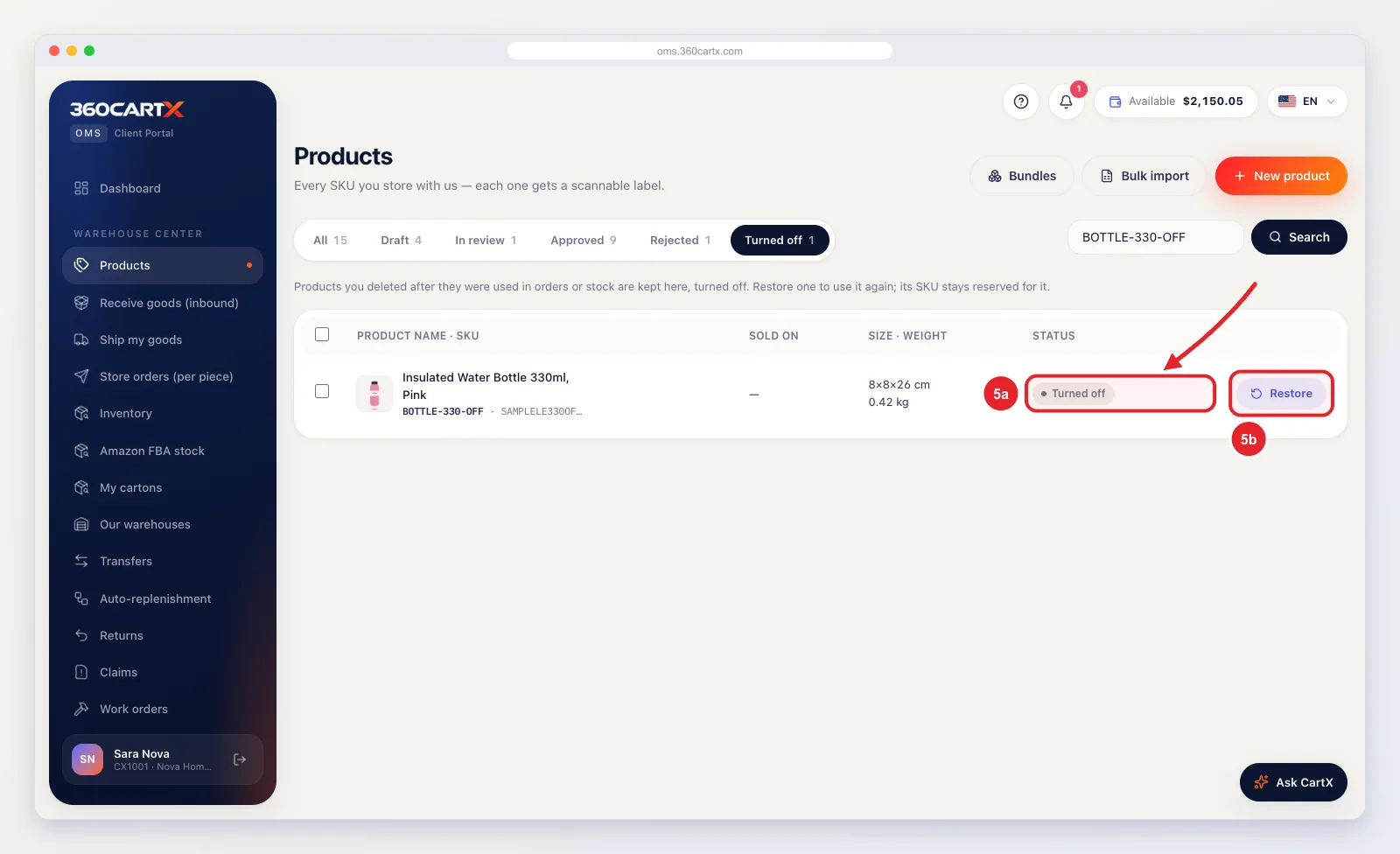
Turned off
When you delete a product that was already used in orders or stock, it is not removed: it is turned off and moves to the Turned off tab. It cannot be used while it is off. Click Restore to bring it back with the status it had before. Products turned off are not counted in All.
- 5a Turned off
- 5b Restore
Tips
- Some accounts skip the review: their products are approved as soon as they are submitted, and the New product page has no review note.
- An Amazon product shows Needs FNSKU until its FNSKU and label file are saved; until then it cannot be submitted or shipped in.
- Products you delete that were never used are removed for good. Used ones stay in the Turned off tab.
Common problems
This product can no longer be edited
Only drafts and rejected products can be edited. For a product in review or approved, contact support with the SKU and the correction.
Send to warehouse is missing on an approved product
The product is an Amazon product that still needs its FNSKU: the row shows a barcode icon (Save FNSKU) instead of the truck. Add the FNSKU and label file first.
Related articles
Updated 2026-11-12
Open a ticket from Support in your portal and our team will reply.