Steps
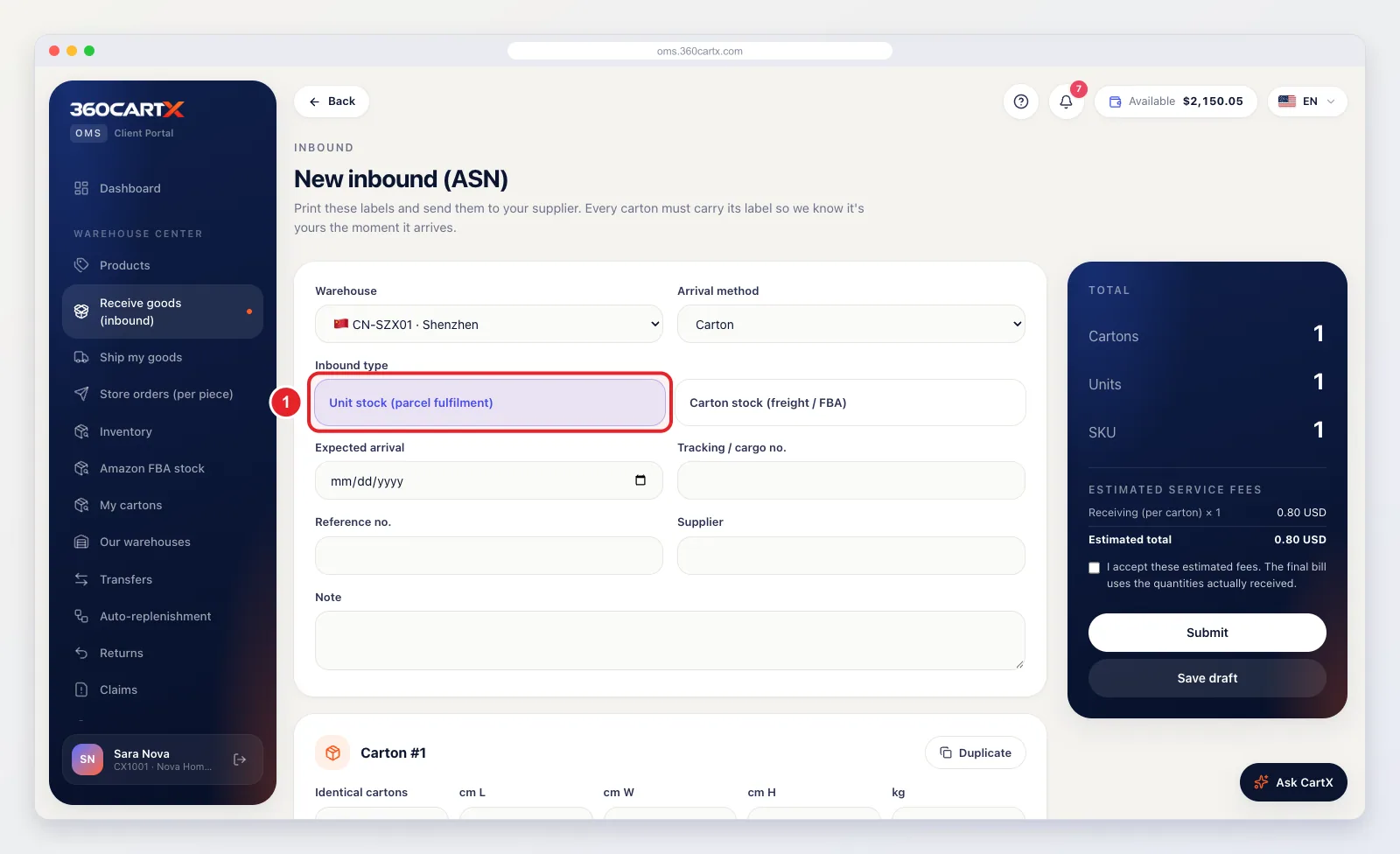
- 1
Unit stock (parcel fulfilment)
Choose Unit stock when we ship your products piece by piece to your customers (store orders, parcels). We receive the units and put them on picking shelves, ready to pick one by one. This is the default.
- 2
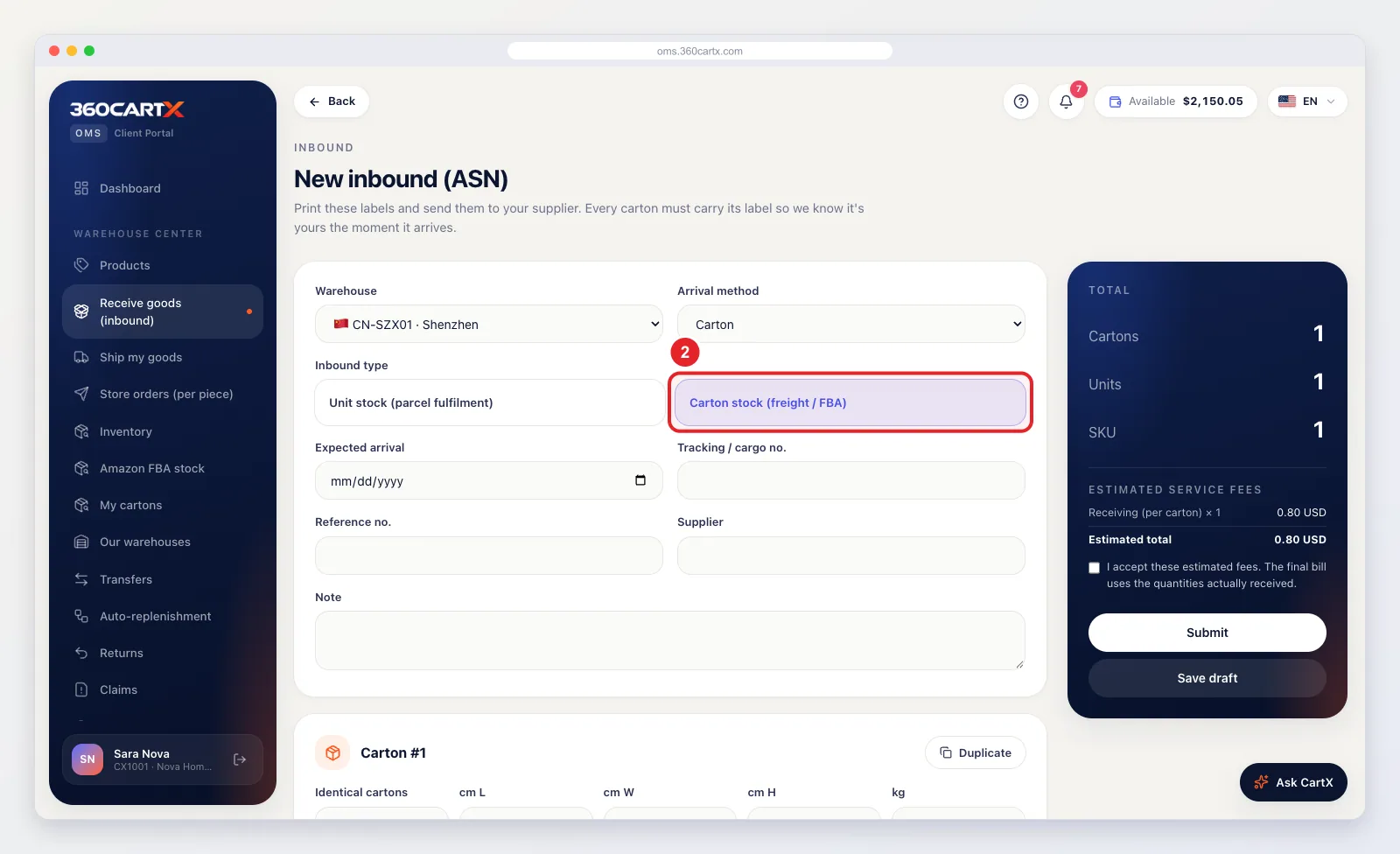
Carton stock (freight / FBA)
Choose Carton stock when the goods will leave again in full cartons, for example to Amazon FBA or another warehouse by freight. We keep the cartons closed in the storage area and record each carton with its real size, weight and contents in My cartons.
Terms in this article
Tips
- Send to warehouse on a product listed on Amazon FBA starts the form with Carton stock already chosen.
- Not sure? Use Unit stock for anything you sell directly to customers, and Carton stock for case packs you forward to Amazon.
Common problems
I chose the wrong type
As long as the shipment has not arrived, cancel it and create a new one with the right type. After arrival, open a ticket in Help & support with the ASN number.
Related articles
Was this article helpful?
Updated 2026-11-09
Still need help?
Open a ticket from Support in your portal and our team will reply.