Steps
- 1
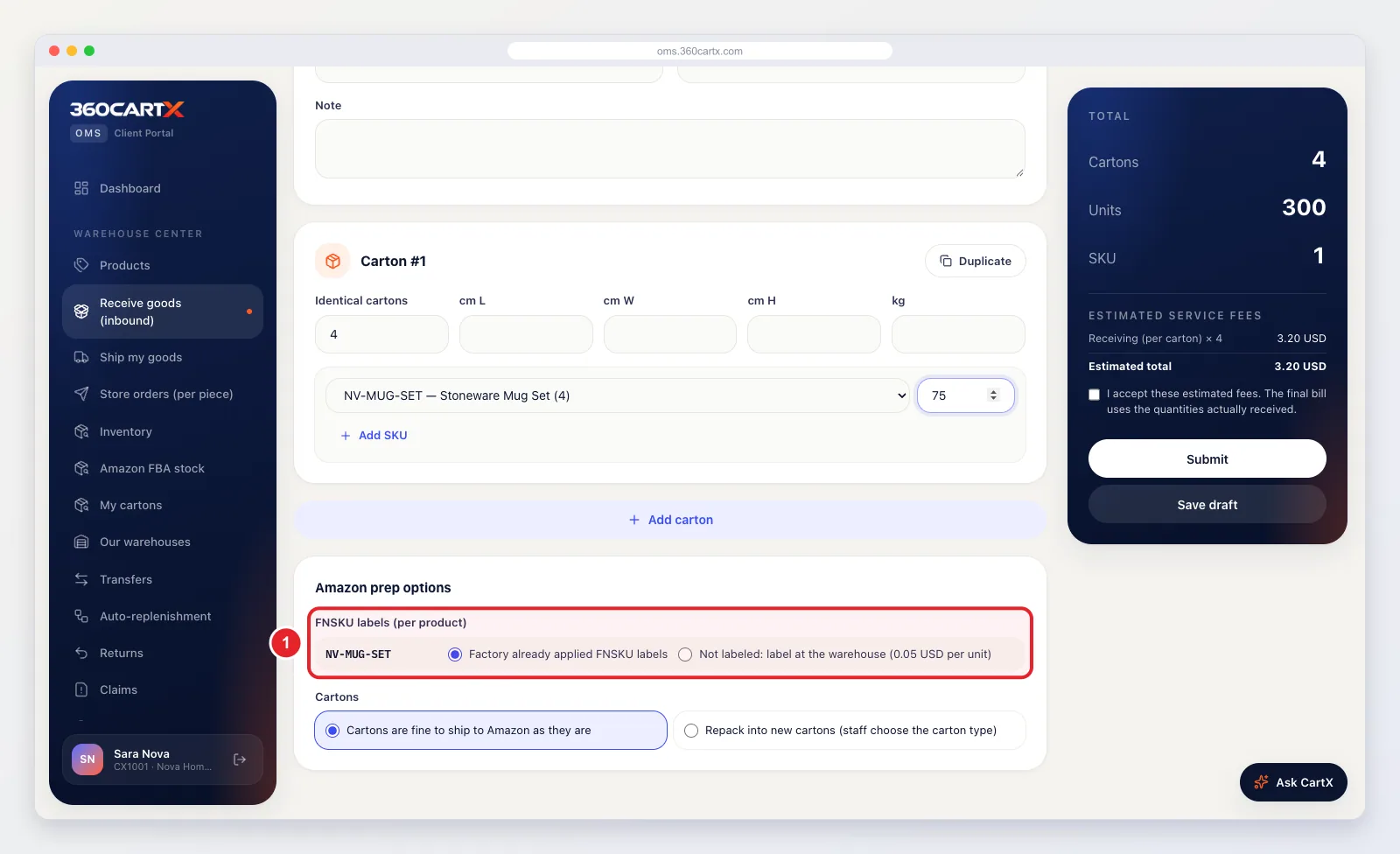
FNSKU labels for each product
FNSKU labels (per product) lists every product in the shipment. Keep Factory already applied FNSKU labels when your supplier sticks the FNSKU label on every unit. Choose Not labeled: label at the warehouse when we should stick them; the price per unit is shown next to it, for example (0.05 USD per unit).
- 2
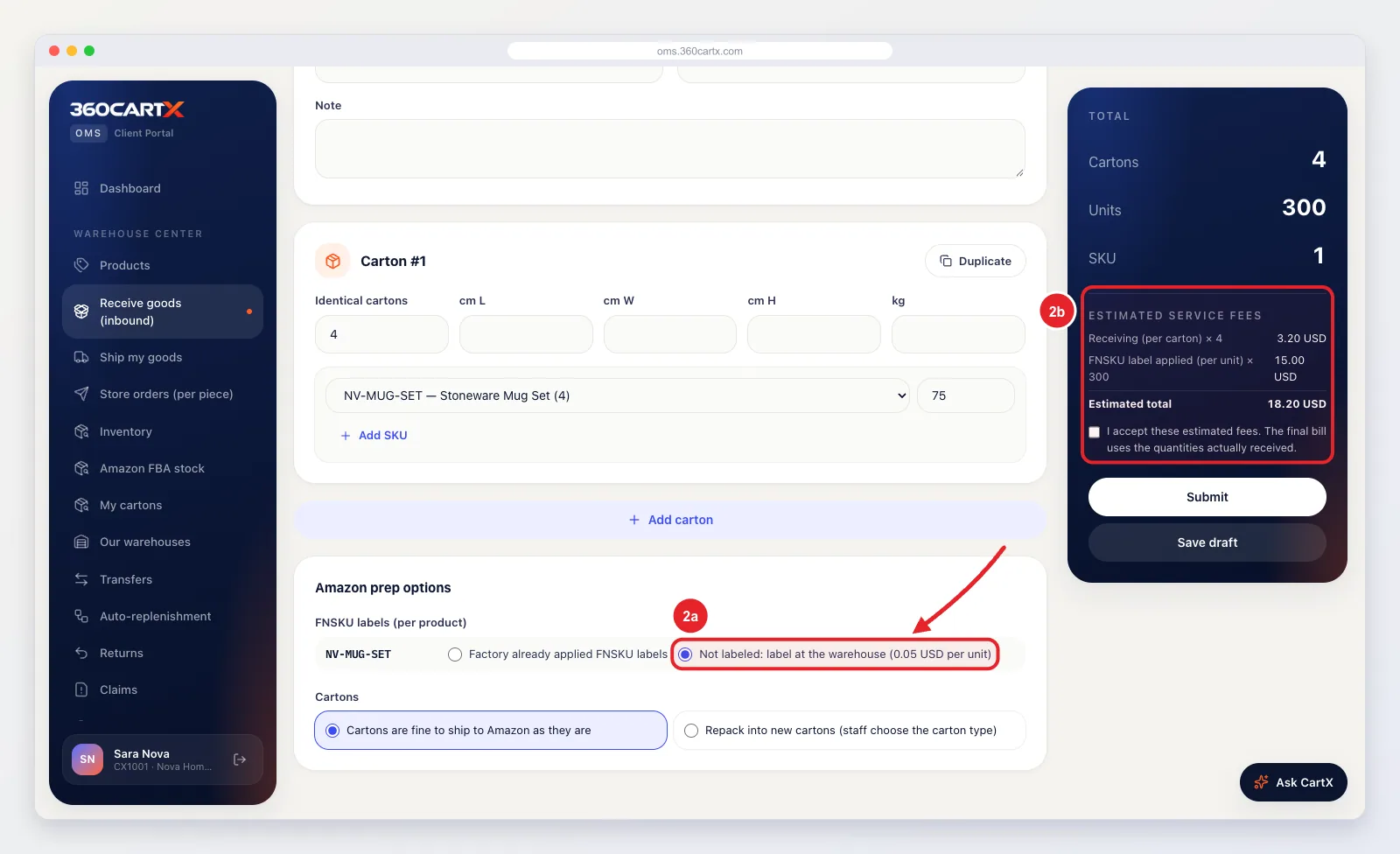
See the estimate
Estimated service fees lists each service with its quantity, for example Receiving (per carton) × 4 and FNSKU label applied (per unit) × 300, and the Estimated total. Receiving (per carton) applies to every shipment, so there is always at least that line.
- 2a Label at the warehouse
- 2b Estimated service fees
- 3
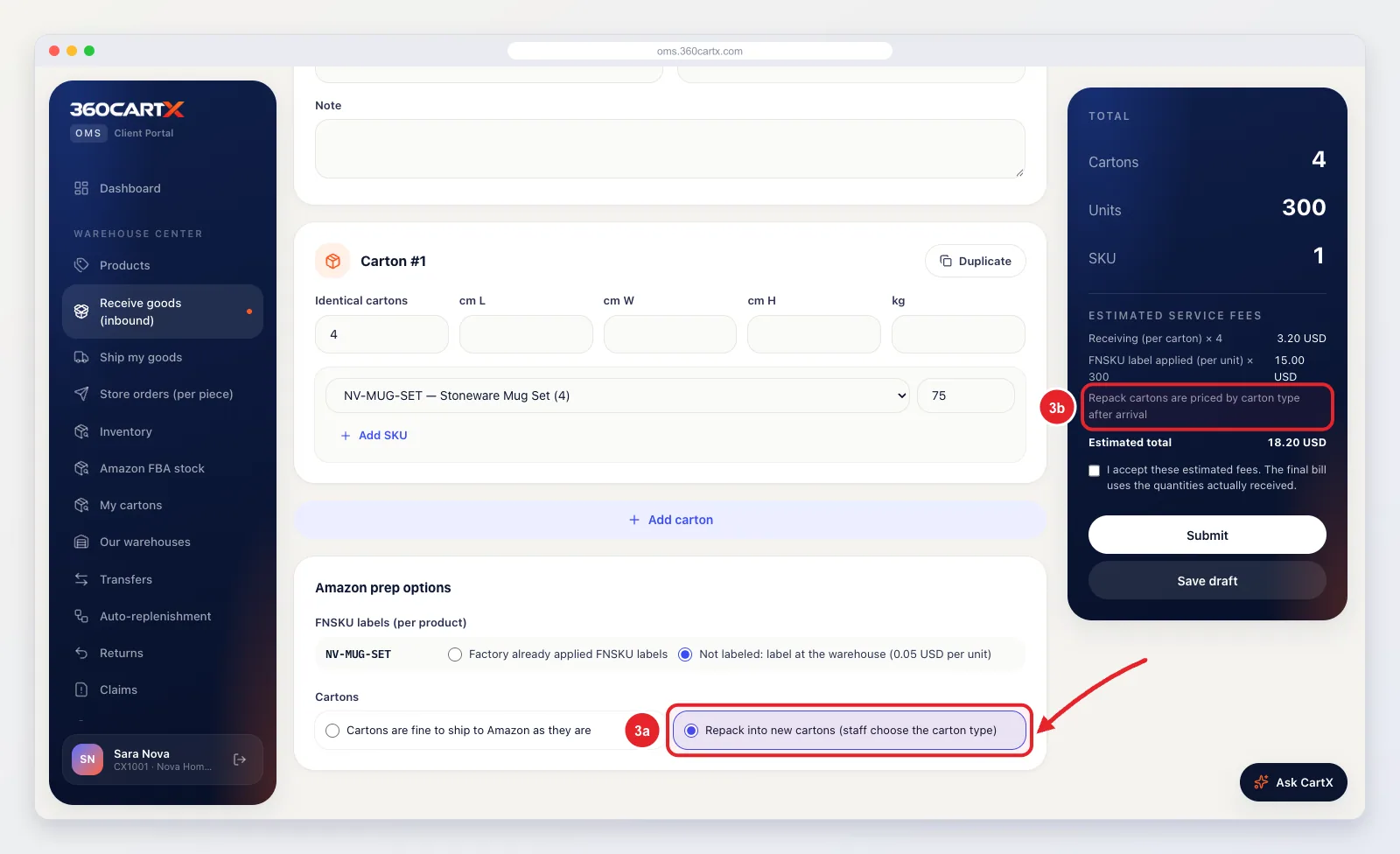
Cartons as they are, or repacked
Keep Cartons are fine to ship to Amazon as they are when your cartons meet Amazon's requirements. Choose Repack into new cartons (staff choose the carton type) when we should move the goods into new cartons; the estimate then notes Repack cartons are priced by carton type after arrival.
- 3a Repack into new cartons
- 3b Priced after arrival
- 4
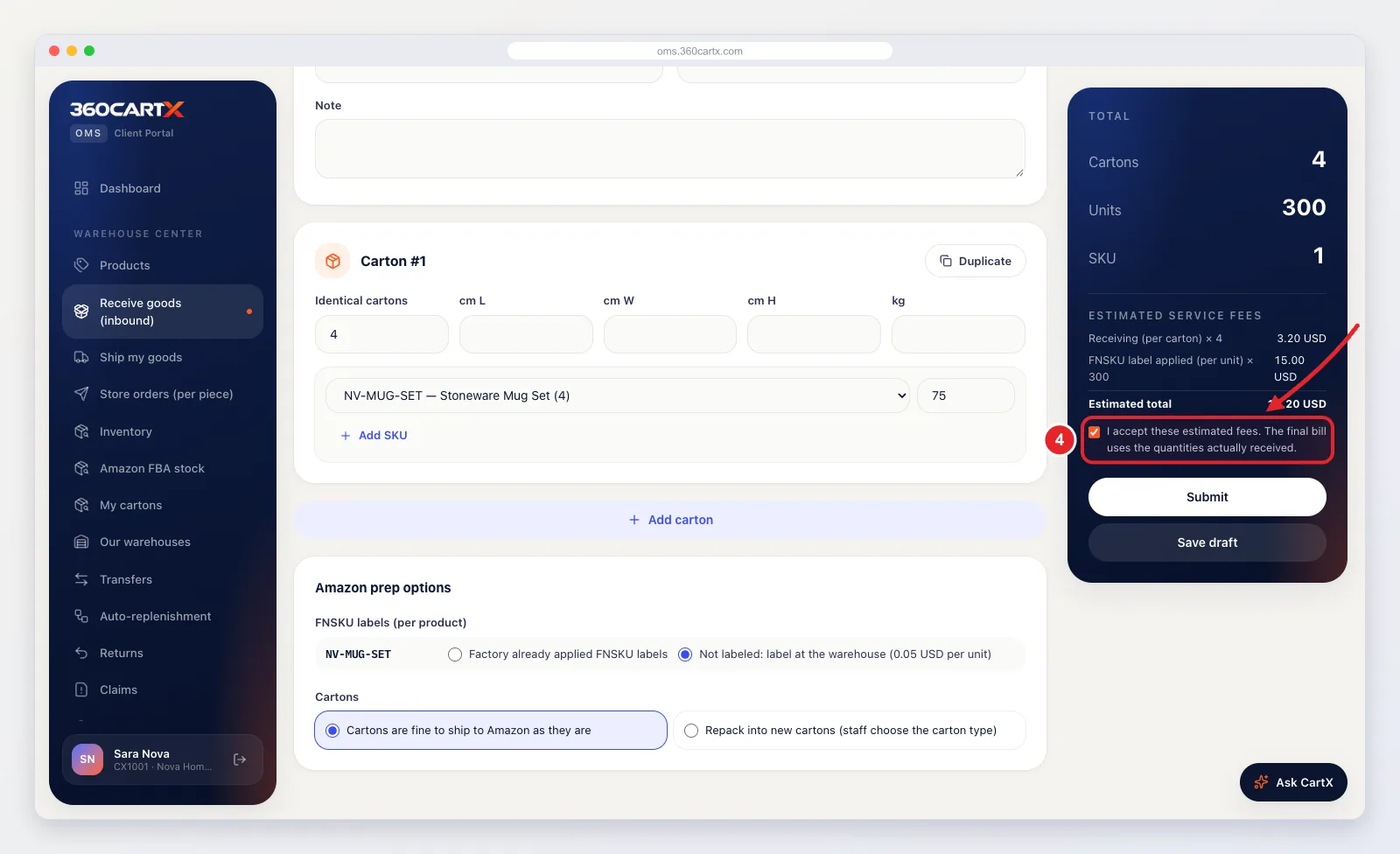
Accept the estimated fees
Because receiving is charged per carton, the estimate almost always has a fee: tick I accept these estimated fees. The final bill uses the quantities actually received. Then click Submit. Without the tick the shipment cannot be submitted; Save draft still works.
Tips
- You pay for what actually arrives: if fewer units arrive, fewer labels are charged.
- The fees are charged from your wallet when the shipment is fully received. If the wallet is too low, the charge waits on the shipment page for you to pay.
- If our team finds work you did not order (for example units without FNSKU labels although you chose Factory), the shipment goes on hold until you pay. See Inbound on hold: Action required.
Common problems
Tick the box to accept the estimated service fees
Tick I accept these estimated fees under the estimate, then click Submit again.
Accept the estimated service fees before you submit this inbound.
Shown on a draft with fees: click Accept the estimated fees on the shipment page, then Submit.
Related articles
Updated 2026-11-09
Open a ticket from Support in your portal and our team will reply.