Steps
- 1
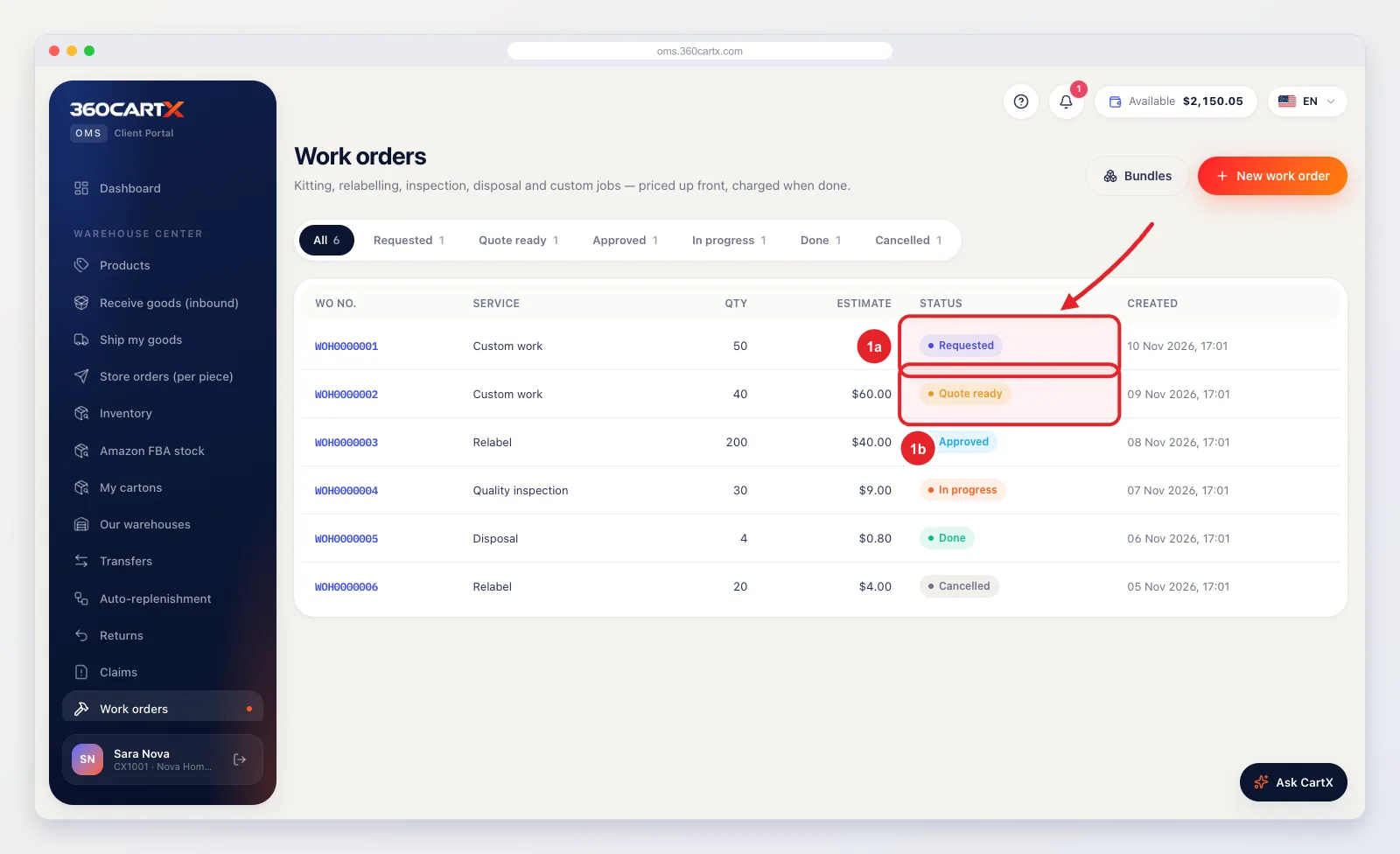
Requested and Quote ready
Requested: we received a request that needs a price (custom work). Quote ready: our price is on the work order; click Approve quote to accept it. You can cancel in both.
- 1a Requested
- 1b Quote ready
- 2
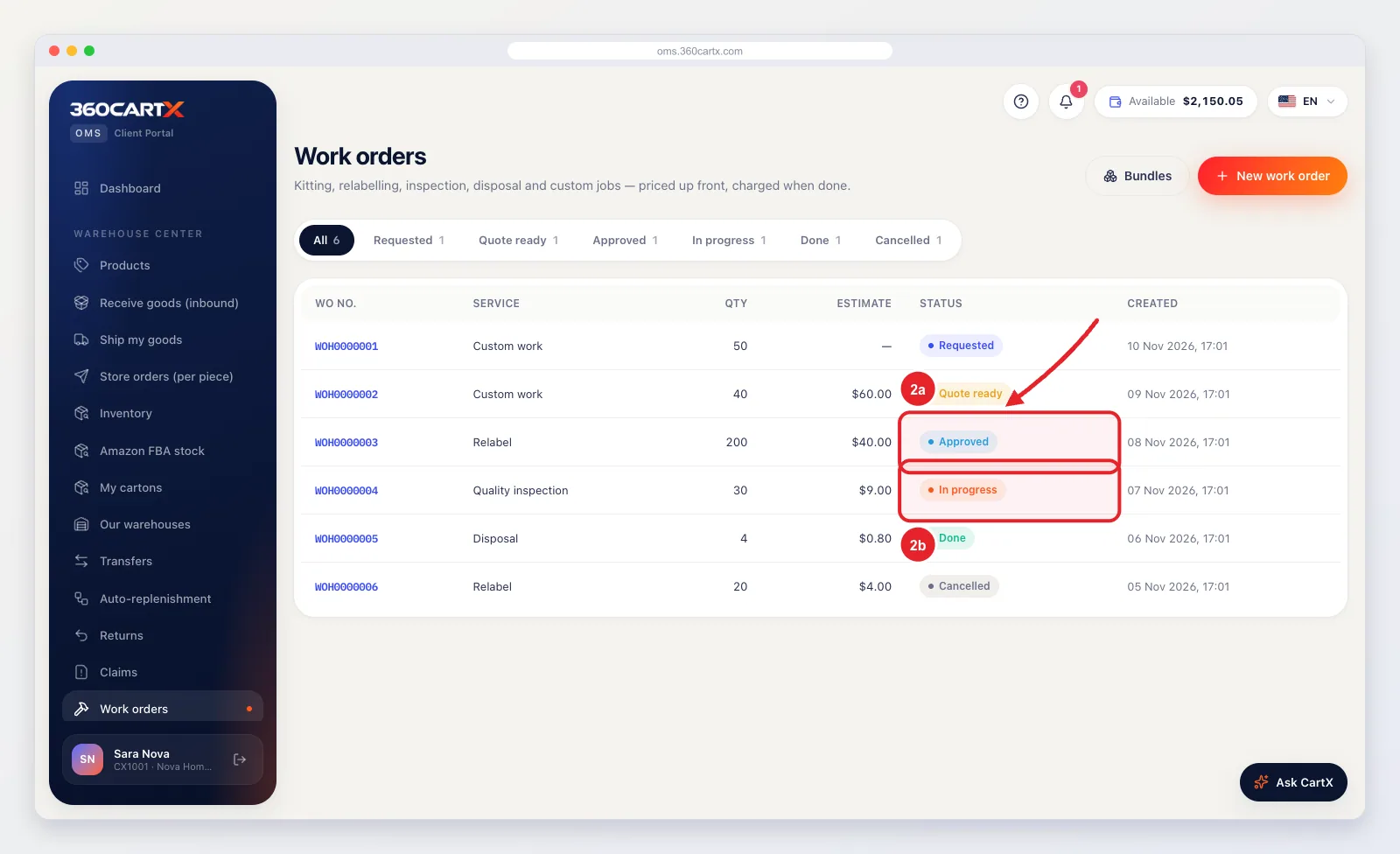
Approved and In progress
Approved: the job is accepted (priced services start here) and waits for our team. You can still cancel. In progress: our team is working on it; you can no longer cancel.
- 2a Approved
- 2b In progress
- 3
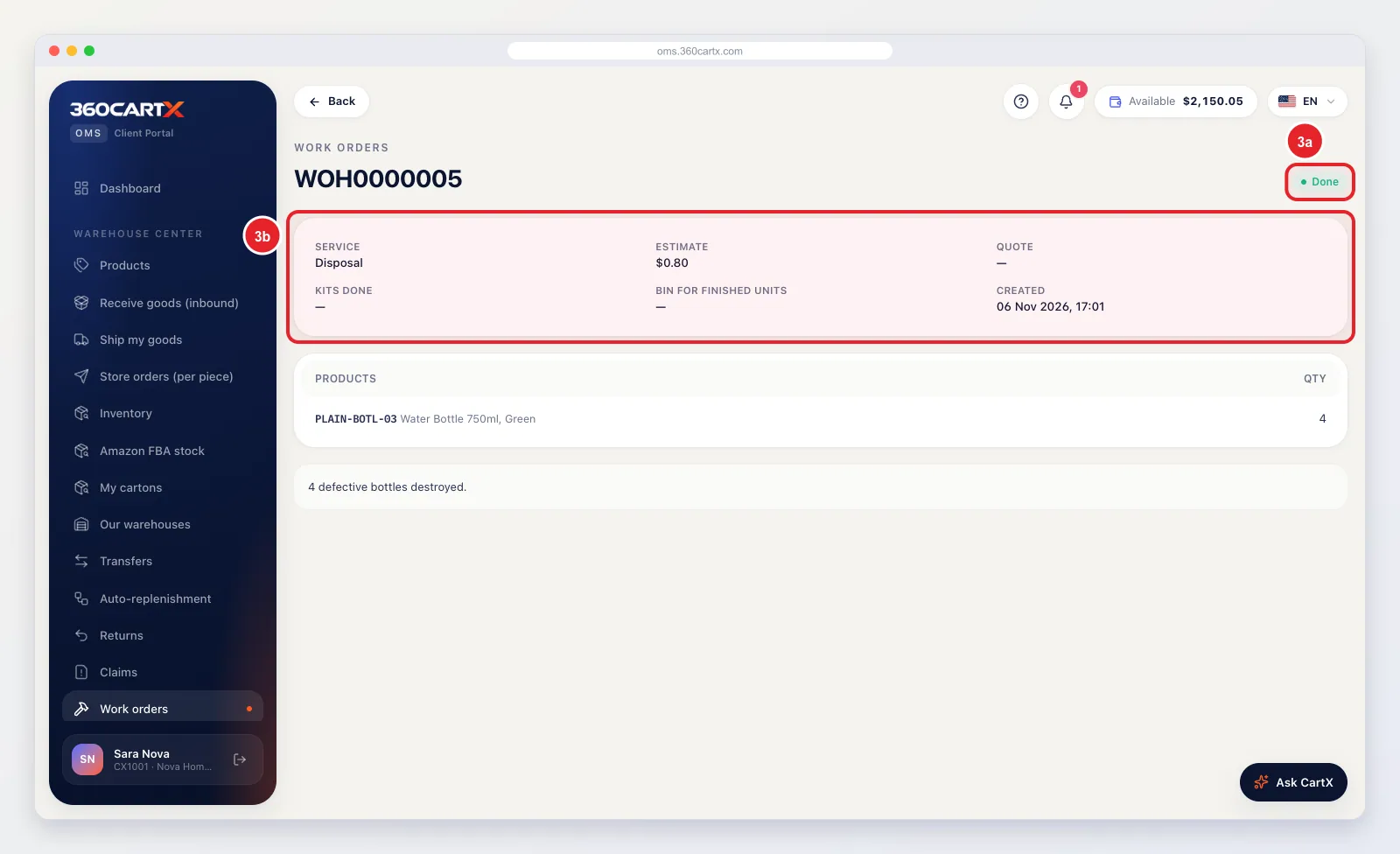
Done
Done: the job is finished and charged from your wallet. The work order shows how many kits or units were done and the bin where the finished units were put away.
- 3a Done
- 3b Result
- 4
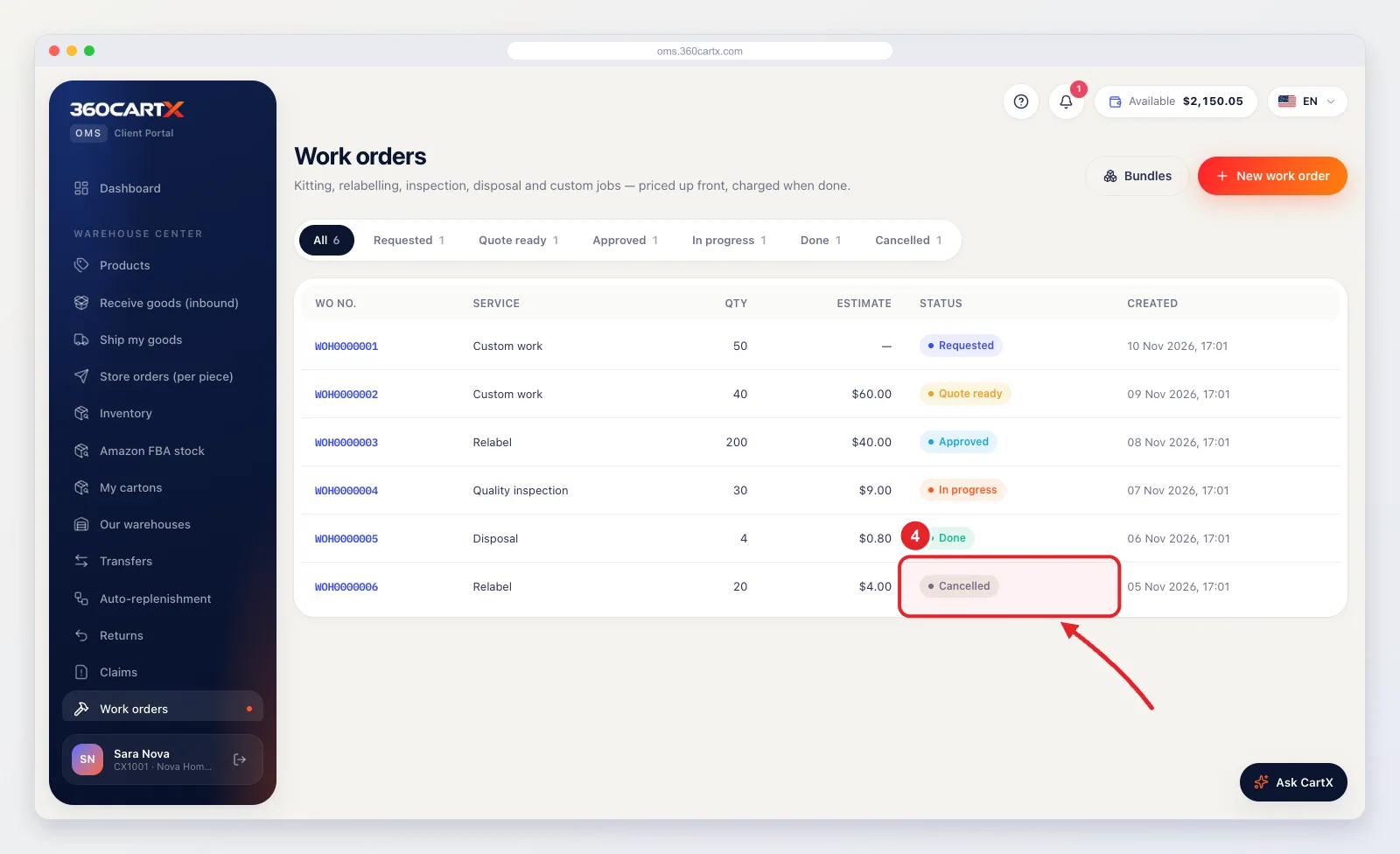
Cancelled
Cancelled: the job was stopped before it was done. Nothing is charged.
Tips
- The tabs above the list show only the statuses that have at least one work order.
- A finished job changes your stock: see it in Stock flow.
Common problems
I cannot cancel my work order
Cancel is offered in Requested, Quote ready and Approved. Once it is In progress, open a ticket in Help & support.
Related articles
Updated 2026-11-11
Open a ticket from Support in your portal and our team will reply.