Steps
- 1
Waiting for our quote
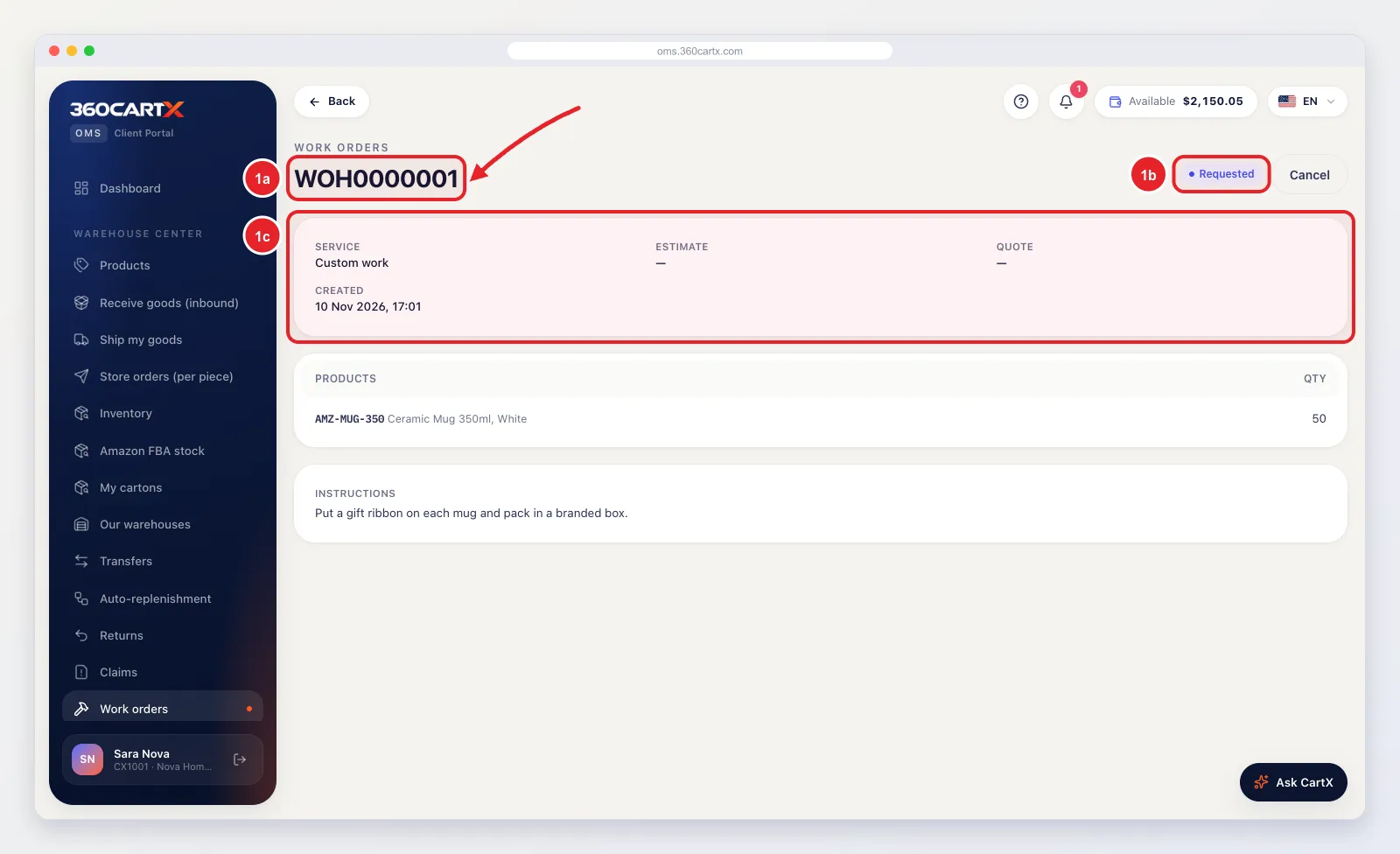
After you submit custom work the status is Requested and the Quote is a dash. Our team prices it and you are told.
- 1a WO no.
- 1b Requested
- 1c Details
- 2
The quote is ready
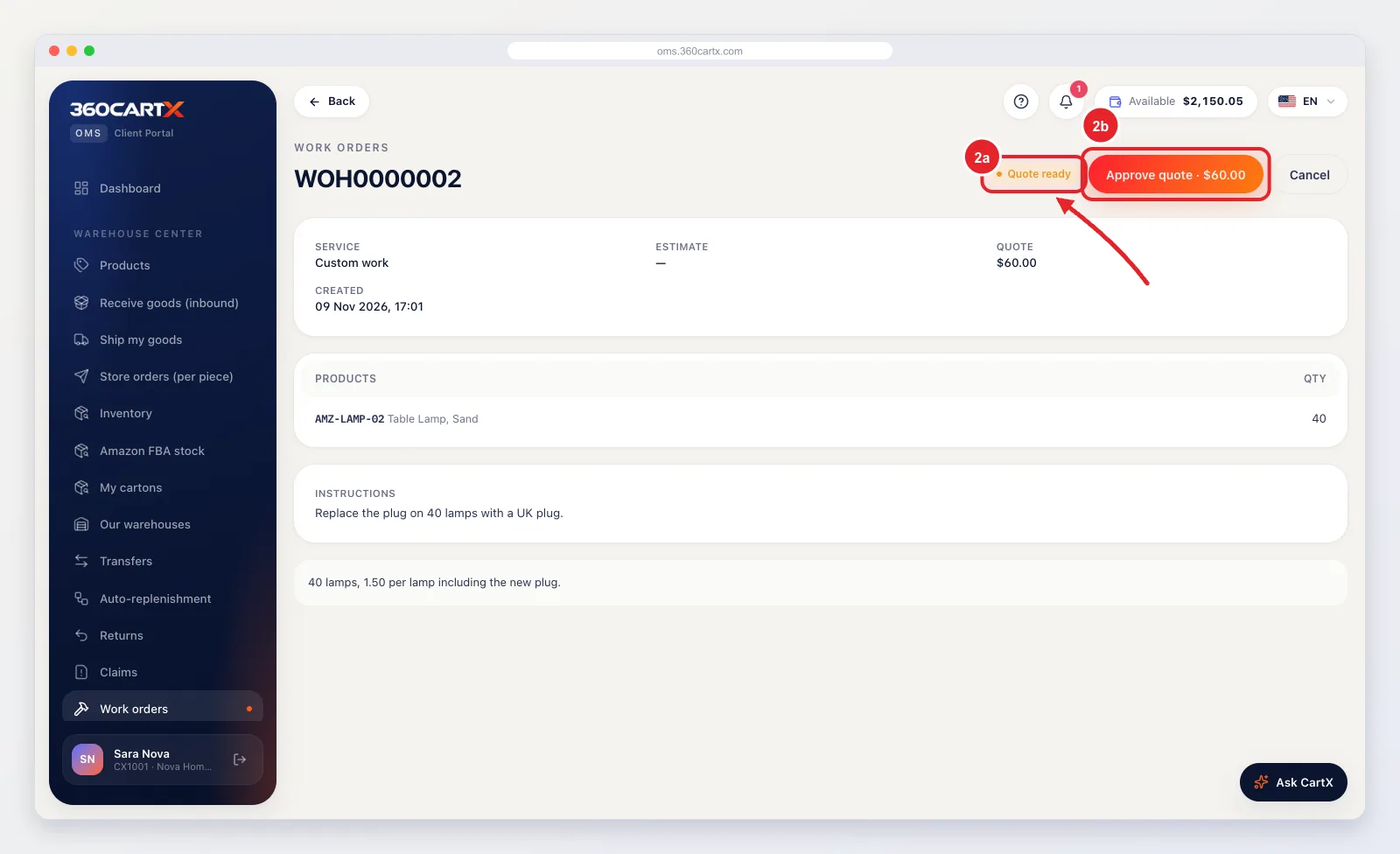
The status becomes Quote ready and a button shows Approve quote · $60.00 with the price. Nothing is charged yet.
- 2a Quote ready
- 2b Approve quote
- 3
Read the quote
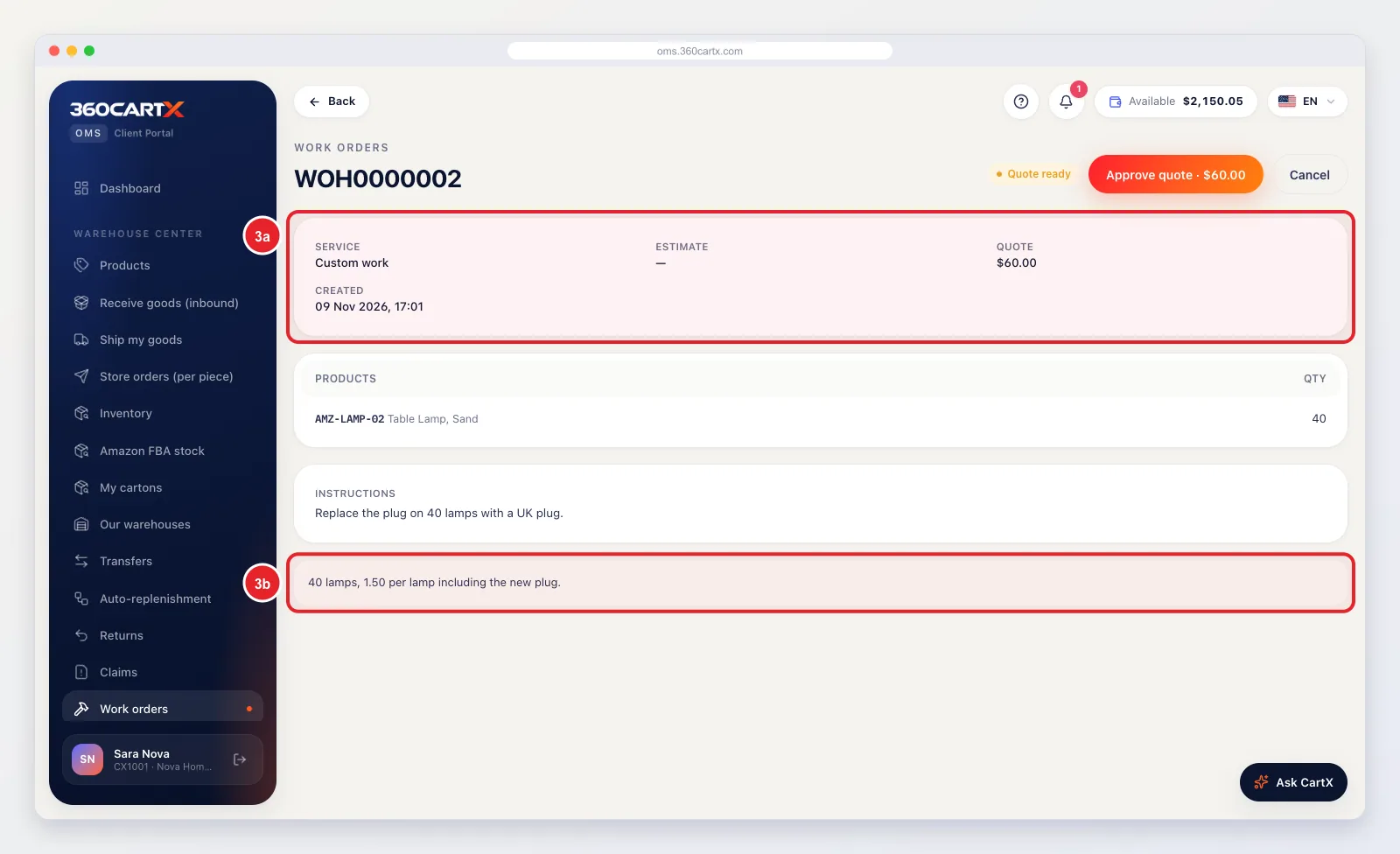
The Details card shows the Quote, for example $60.00, and under your instructions a grey box has our note, for example: 40 lamps, 1.50 per lamp including the new plug. Check the number of units and the note.
- 3a Quote
- 3b Our note
- 4
Approve or cancel
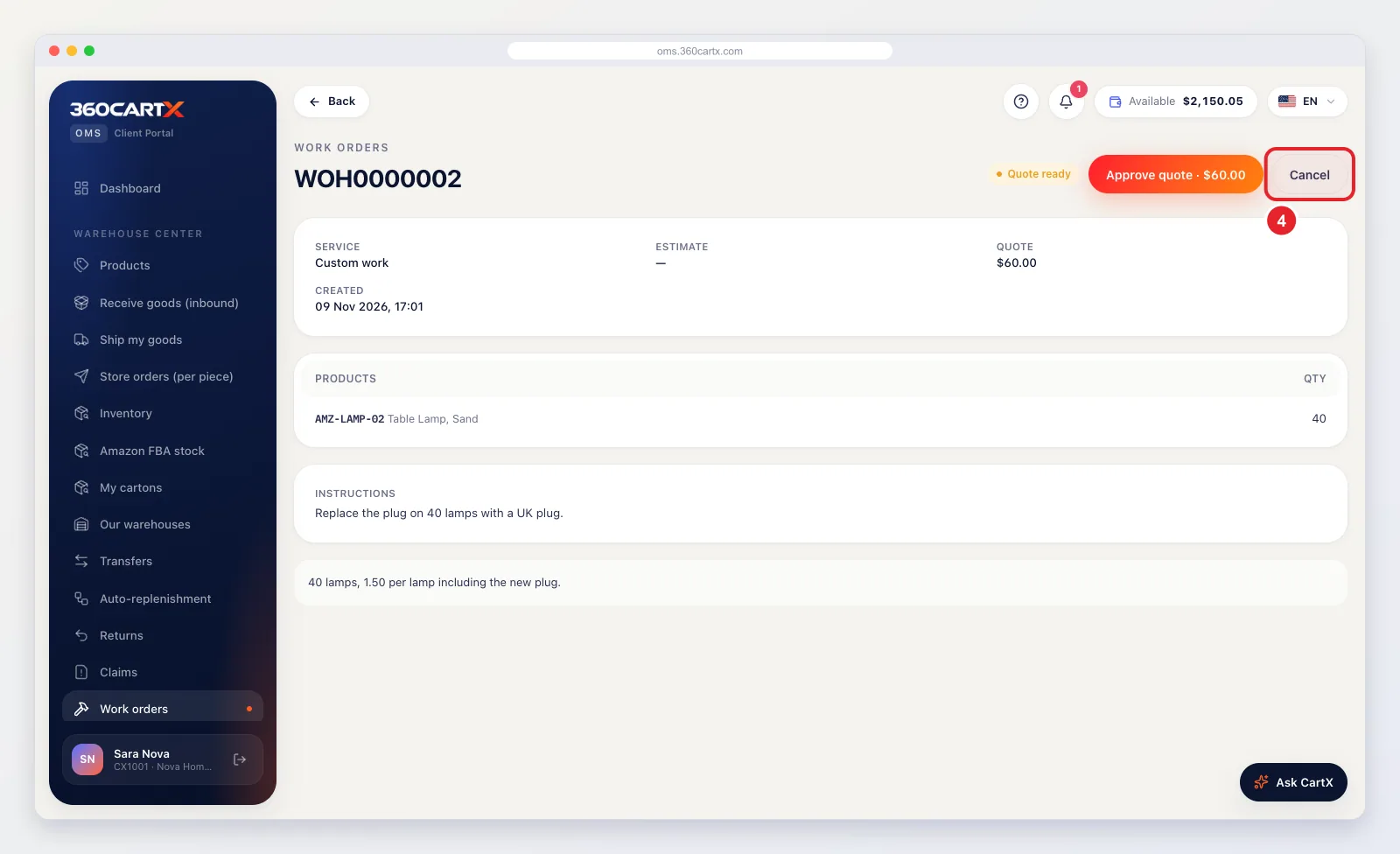
Click Approve quote to accept: the status becomes Approved and the job is queued. The price is charged from your wallet when the job is done, so keep the balance above it. Cancel stops the job. Cancel is available while the work order is Requested, Quote ready or Approved, and has no confirmation question.
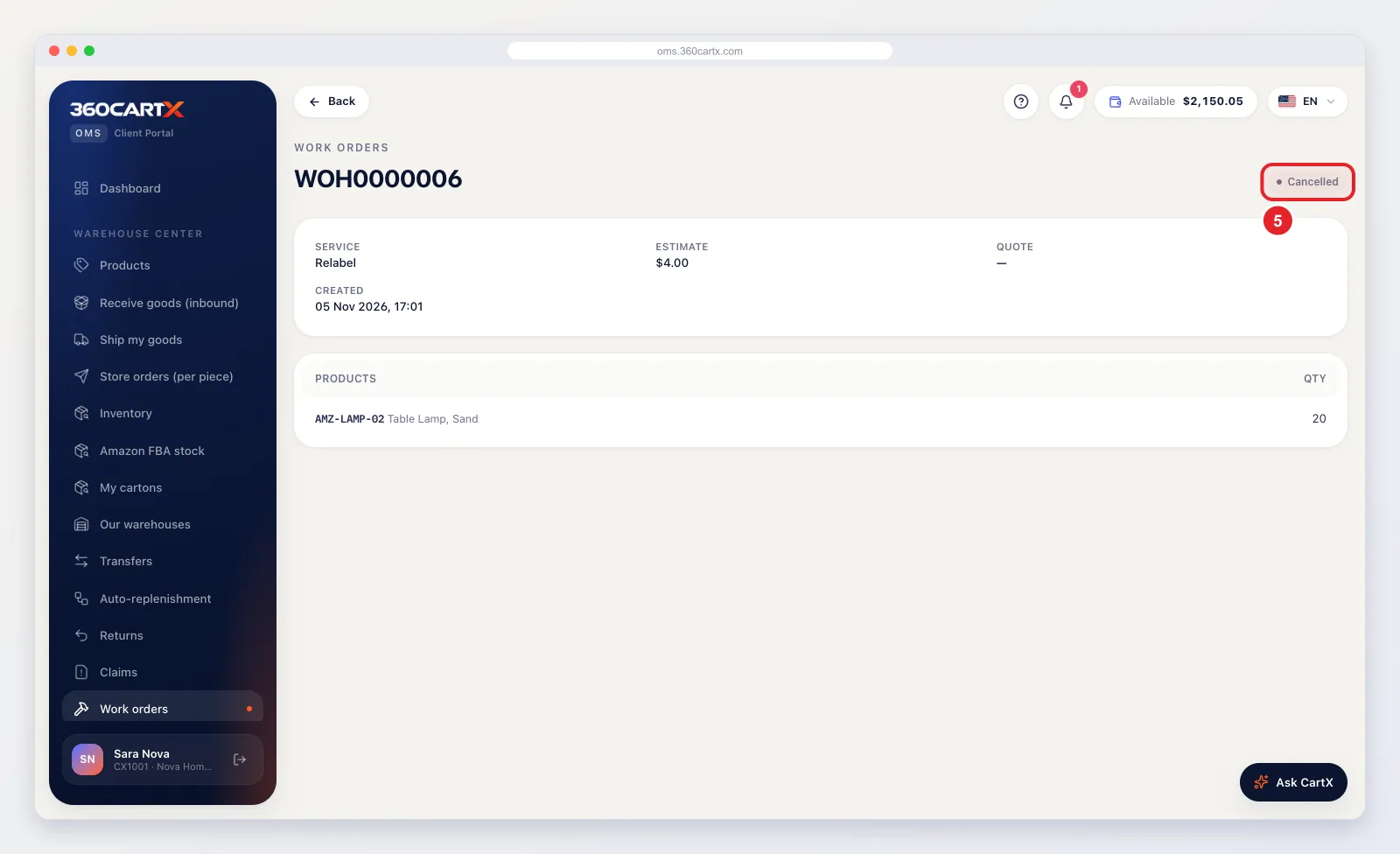
- 5
A cancelled work order
A cancelled work order is closed: nothing is charged and it cannot be reopened. Create a new one if you change your mind.
Tips
- Approving tells our team at once.
- Priced services (relabel, inspection and so on) skip the quote: they start as Approved.
Common problems
Your wallet doesn't cover this work order (a minimum balance is kept) — top up first
This is shown when you submit a priced service and the balance is too low. Add funds, then submit again.
Related articles
Updated 2026-11-11
Open a ticket from Support in your portal and our team will reply.