Steps
- 1
Base address and key header
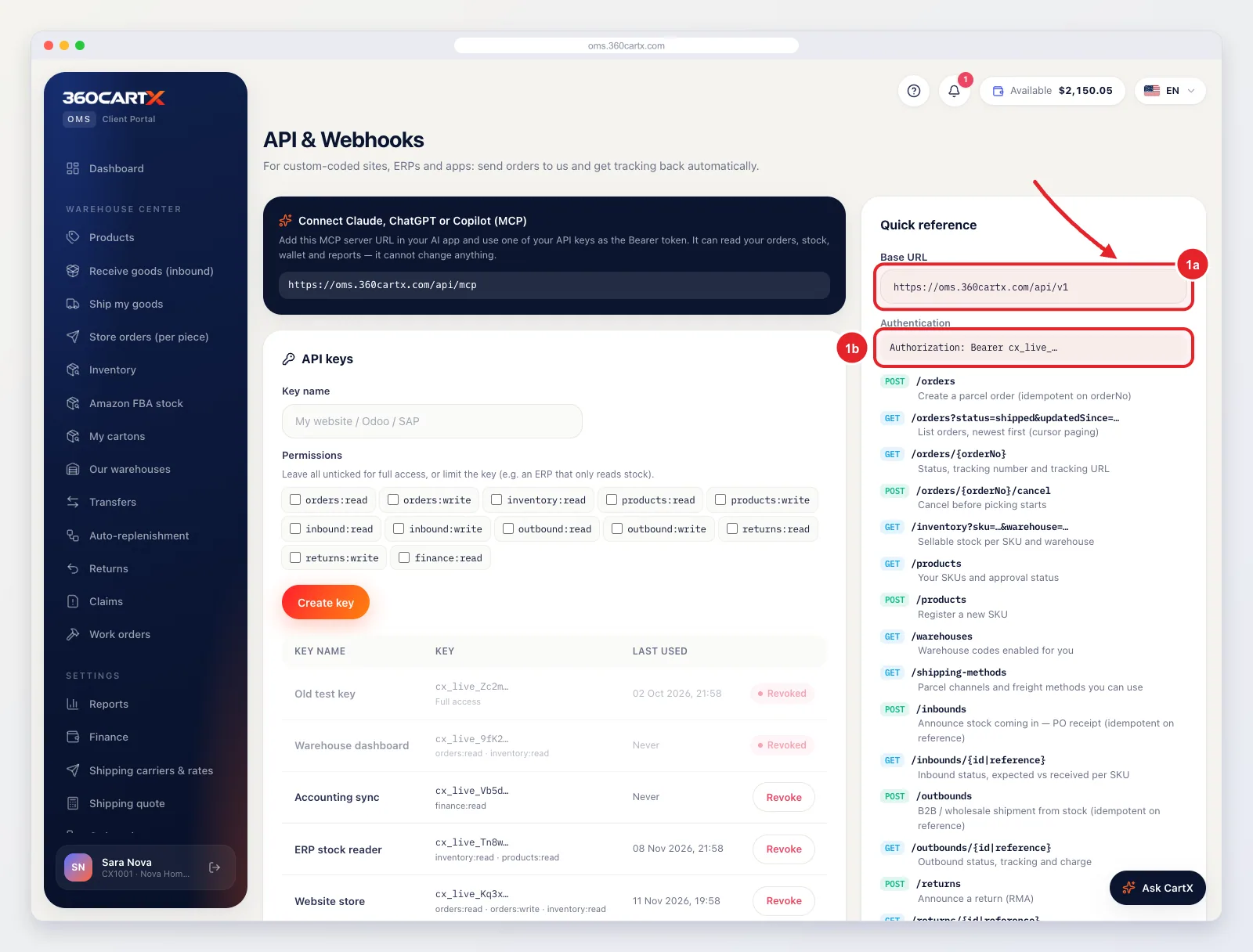
Base URL shows the address every endpoint starts with: your portal address followed by /api/v1, for example https://oms.360cartx.com/api/v1. Authentication shows the header to send on every request: Authorization: Bearer followed by your key, which starts with cx_live_. The header X-API-Key: cx_live_… is accepted too. Requests and answers are JSON (send Content-Type: application/json with a body). A first test is to list your warehouses; the key needs inventory:read for it.
curl https://oms.360cartx.com/api/v1/warehouses \ -H "Authorization: Bearer cx_live_…" # answer { "data": [ { "code": "CN-SZX01", "name": "Shenzhen Fulfilment Center", "country": "CN", "city": "Shenzhen" } ] }- 1a Base URL
- 1b Authorization header
- 2
The endpoint list
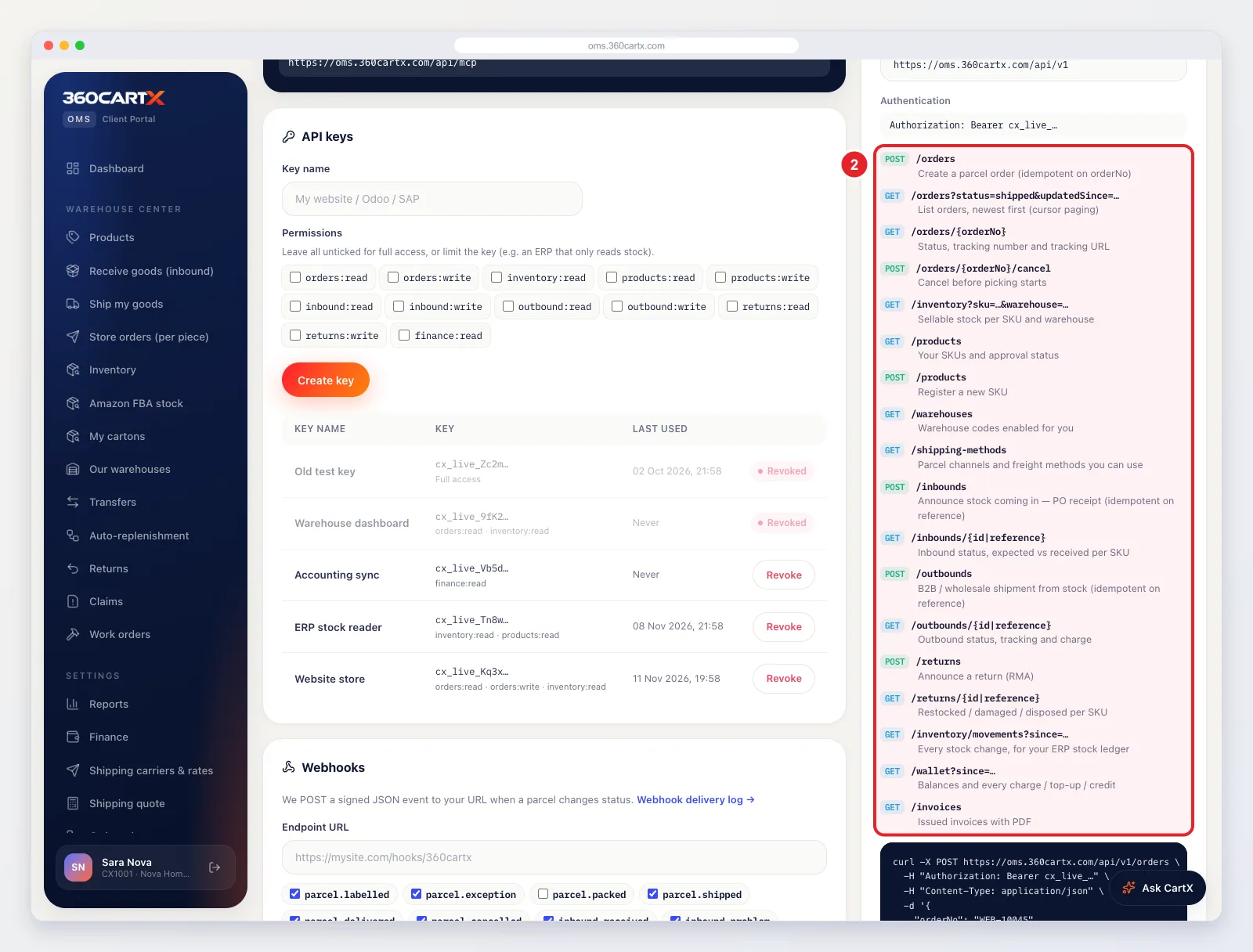
The list in the box shows each endpoint with a short description. A green POST creates or changes something, a blue GET only reads. The permission each one needs (set when the key was created; a key with none ticked may use all of them): POST /orders and POST /orders/{orderNo}/cancel need orders:write. GET /orders, GET /orders/{orderNo} and GET /shipping-methods need orders:read. GET /inventory, GET /inventory/movements and GET /warehouses need inventory:read. GET /products needs products:read and POST /products needs products:write. POST /inbounds needs inbound:write and GET /inbounds/{id|reference} needs inbound:read. POST /outbounds needs outbound:write and GET /outbounds/{id|reference} needs outbound:read. POST /returns needs returns:write and GET /returns/{id|reference} needs returns:read. GET /wallet and GET /invoices need finance:read. The OpenAPI file also describes list endpoints for inbounds, outbounds and returns (GET /inbounds, GET /outbounds, GET /returns) with the same permissions.
- 3
Create a parcel order
The dark block shows a complete request. The fields: orderNo (your own order number, required, up to 64 characters), warehouse (a code from GET /warehouses), recipient with name, phone, address1, city, postalCode and country (two letters, for example US) required and company, email, address2 and state optional, and items, a list of 1 to 100 lines with sku and qty (1 to 999). Optional: channel (a code from GET /shipping-methods; leave it out and the best channel is chosen), note (up to 500 characters), giftNote (up to 300) and signatureRequired (true or false). Every SKU must exist in your account and be Approved. The call is safe to repeat: a second POST with the same orderNo creates nothing and returns the existing order with created: false and HTTP 200; a new order returns created: true and HTTP 201.
curl -X POST https://oms.360cartx.com/api/v1/orders \
  -H "Authorization: Bearer cx_live_…" \
  -H "Content-Type: application/json" \
  -d '{
    "orderNo": "WEB-10045",
    "warehouse": "CN-SZX01",
    "recipient": { "name": "Emma Stone", "phone": "+1 212 555 0101",
      "address1": "350 5th Ave", "city": "New York", "state": "NY",
      "postalCode": "10118", "country": "US" },
    "items": [{ "sku": "YOUR-SKU", "qty": 2 }]
  }'

# answer (shortened)
{ "created": true,
  "order": { "id": "PO2611000431", "orderNo": "WEB-10045", "status": "labelled",
    "exceptionReason": null, "warehouse": "CN-SZX01", "trackingNumber": null, … } }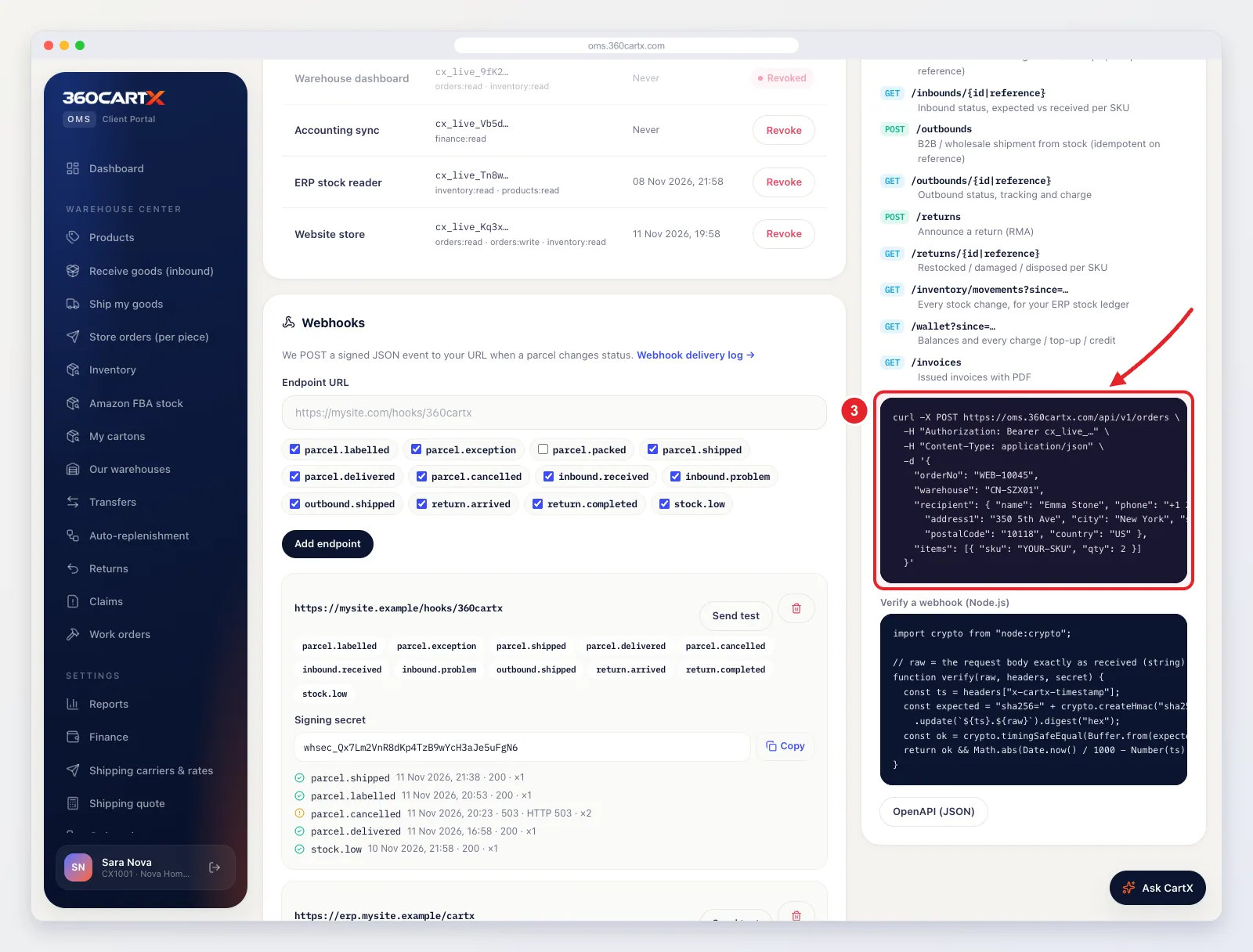
- 4
Read orders, status and tracking
GET /orders/{orderNo} takes your own order number or our number (it starts with PO) and returns one order. GET /orders lists orders, newest change first. Filters: status (submitted, awaiting_pack, exception, labelled, picking, picked, packed, shipped, delivered or cancelled), updatedSince (an ISO date and time), limit (1 to 200, default 50) and cursor. The order has id, orderNo, status, exceptionReason (filled when the status is exception), warehouse, channel, carrier, trackingNumber, trackingUrl, tracking (the last carrier scan), weightKg, charge (amount, currency and final), the recipient, items, source, createdAt, updatedAt, labelledAt, packedAt, shippedAt and cancelledAt. Rather than polling, subscribe to webhooks (see Receive webhooks). To cancel, POST /orders/{orderNo}/cancel; it works until the warehouse starts picking, after that the answer is 409 not_cancellable.
curl "https://oms.360cartx.com/api/v1/orders?status=shipped&updatedSince=2026-11-01T00:00:00Z&limit=50" \ -H "Authorization: Bearer cx_live_…" curl https://oms.360cartx.com/api/v1/orders/WEB-10045 \ -H "Authorization: Bearer cx_live_…" curl -X POST https://oms.360cartx.com/api/v1/orders/WEB-10045/cancel \ -H "Authorization: Bearer cx_live_…" - 5
Stock, products and shipping methods
GET /inventory returns the sellable stock per SKU and warehouse: onHand, reserved and available (on hand minus reserved). Add ?sku=… and ?warehouse=CN-SZX01 to narrow it. GET /inventory/movements is the stock ledger for your ERP, oldest first, with since, sku, warehouse, limit (up to 500) and cursor; each entry has id, at, sku, warehouse, type (for example putaway), qty, condition, balanceAfter, reference and referenceType. GET /products lists your SKUs with their approval status in lower case. POST /products registers a SKU: sku (letters, digits, dot, underscore and dash), name, and for a complete product lengthCm, widthCm, heightCm, weightKg, declaredNameEn, hsCode (6 to 10 digits) and an imageUrl that starts with https://. An incomplete product is saved as a draft and the answer says what is missing; a SKU that exists answers 409 duplicate_sku. GET /shipping-methods lists the parcel channels (code, name, countries, transitDays, maxWeightKg) and freight methods you can use.
curl "https://oms.360cartx.com/api/v1/inventory?sku=AMZ-MUG-350" \ -H "Authorization: Bearer cx_live_…" # answer { "data": [ { "sku": "AMZ-MUG-350", "warehouse": "CN-SZX01", "onHand": 600, "reserved": 0, "available": 600 } ] } - 6
Inbounds, outbounds, returns and money
POST /inbounds announces stock that is coming to a warehouse, POST /outbounds ships stock in bulk to one address and POST /returns announces a return. All three are safe to repeat with the same reference. Their GET endpoints take our id or your reference and show the status, with expected and received quantities per SKU for an inbound. GET /wallet?since=… returns your balances and every ledger entry (charges, top-ups and credits, each with its currency and the running balance), and GET /invoices returns issued invoices with a PDF link.
- 7
Paging
List endpoints return a data array and a nextCursor. To get the next page, send the same request with cursor set to that value. When nextCursor is null there are no more pages. GET /orders and the inbound, outbound and return lists put the most recently changed first; GET /inventory/movements goes oldest first, so you can copy it into your ERP and continue from the last cursor.
- 8
Errors
Every error has the same shape and an HTTP status. Common ones: 401 unauthorized (Missing or malformed API key, or Invalid or revoked API key), 403 forbidden (This API key does not have the orders:write permission), 404 not_found (Order WEB-1 not found), 409 not_cancellable or duplicate_sku, 400 bad_json (Request body is not valid JSON), 422 validation_error (the text names each wrong field, for example items: Invalid input: expected array, received undefined), 422 unknown_sku (Unknown SKU: NOPE-SKU, with the list in skus), 422 sku_not_approved (the product is still in review), 422 unknown_warehouse (Warehouse ZZ-01 is not enabled for your account, and a pointer to GET /warehouses), 422 unknown_channel, 422 invalid_hs_code, and 500 server_error, which means try again or contact support.
{ "error": { "code": "unknown_sku", "message": "Unknown SKU: NOPE-SKU", "skus": ["NOPE-SKU"] } } - 9
Rate limit
Each key may send 300 requests per minute. Above that, the answer is 429 rate_limited with the text Max 300 requests per minute and retryAfterSeconds, the number of seconds to wait. Wait that long and send again; do not retry in a loop. Prefer webhooks and updatedSince over polling every few seconds.
{ "error": { "code": "rate_limited", "message": "Max 300 requests per minute", "retryAfterSeconds": 23 } } - 10
OpenAPI file
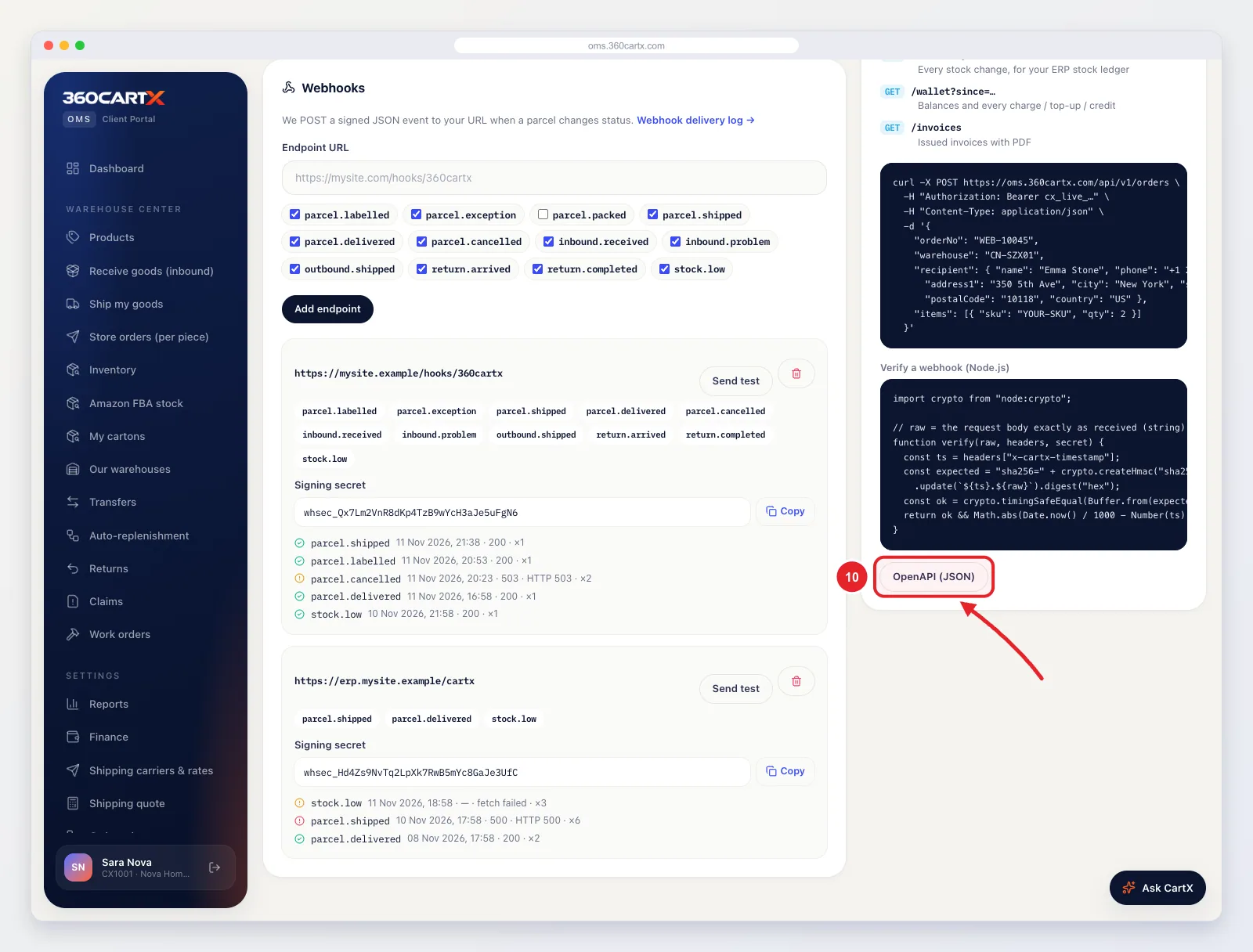
Click OpenAPI (JSON) to open the full machine-readable description at /api/v1/openapi.json. It lists every endpoint, parameter, permission and request body, plus the permission names and webhook event names. Import it into Postman, Insomnia or a code generator, or give it to an AI coding assistant.
Tips
- Keep orderNo unique per order in your system: it is what makes retries safe.
- Read a new order's status in the answer. labelled means it was accepted and a label was made; exception means it needs attention and exceptionReason says why (stock, address, label error or funds).
- Test with a key that has only the permissions you need; a missing permission shows up at once as a clear 403.
- Use the OpenAPI file to generate a typed client instead of writing requests by hand.
Common problems
401 Missing or malformed API key
Send Authorization: Bearer cx_live_… (or X-API-Key). The key must start with cx_live_.
403 This API key does not have the … permission
The key was limited when it was created. Create a new key with that permission (see Create and revoke API keys).
422 Unknown SKU or SKU not approved yet
The SKU must exist in your account and be Approved. Register it with POST /products or in Products, and wait for review.
422 Warehouse … is not enabled for your account
Use a code returned by GET /warehouses.
429 rate_limited
Slow down: 300 requests per minute per key. Wait retryAfterSeconds.
My POST returned 200 and created: false
That orderNo already exists. The order in the answer is the existing one; nothing new was created.
Related articles
Updated 2026-11-11
Open a ticket from Support in your portal and our team will reply.