Steps
- 1
Open the sign-up page
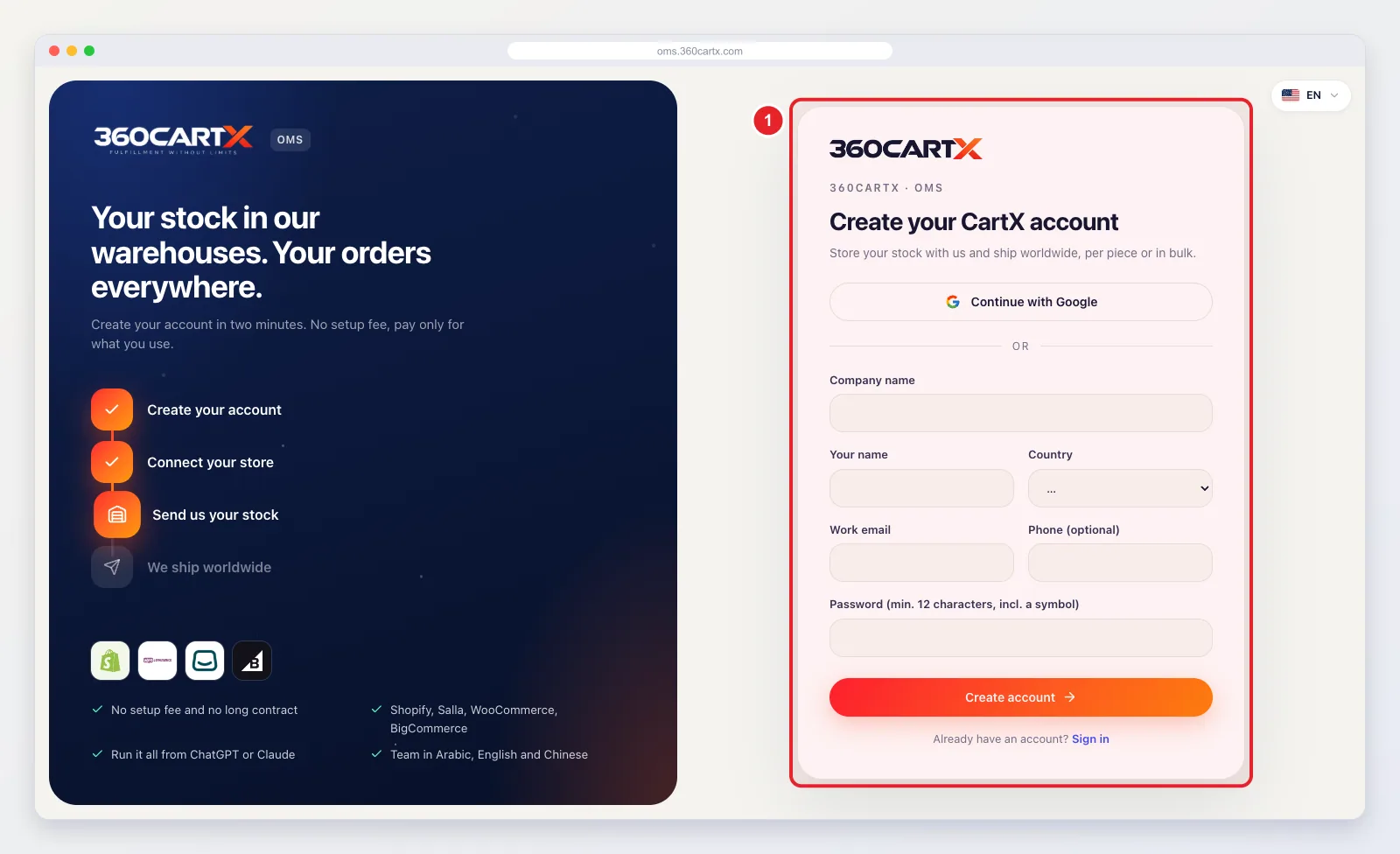
Go to oms.360cartx.com/oms/signup, or click Get started on 360cartx.com. You can also reach it from the sign-in page with New to 360CartX? Create an account. The form is on the right.
- 2
Enter your company and your name
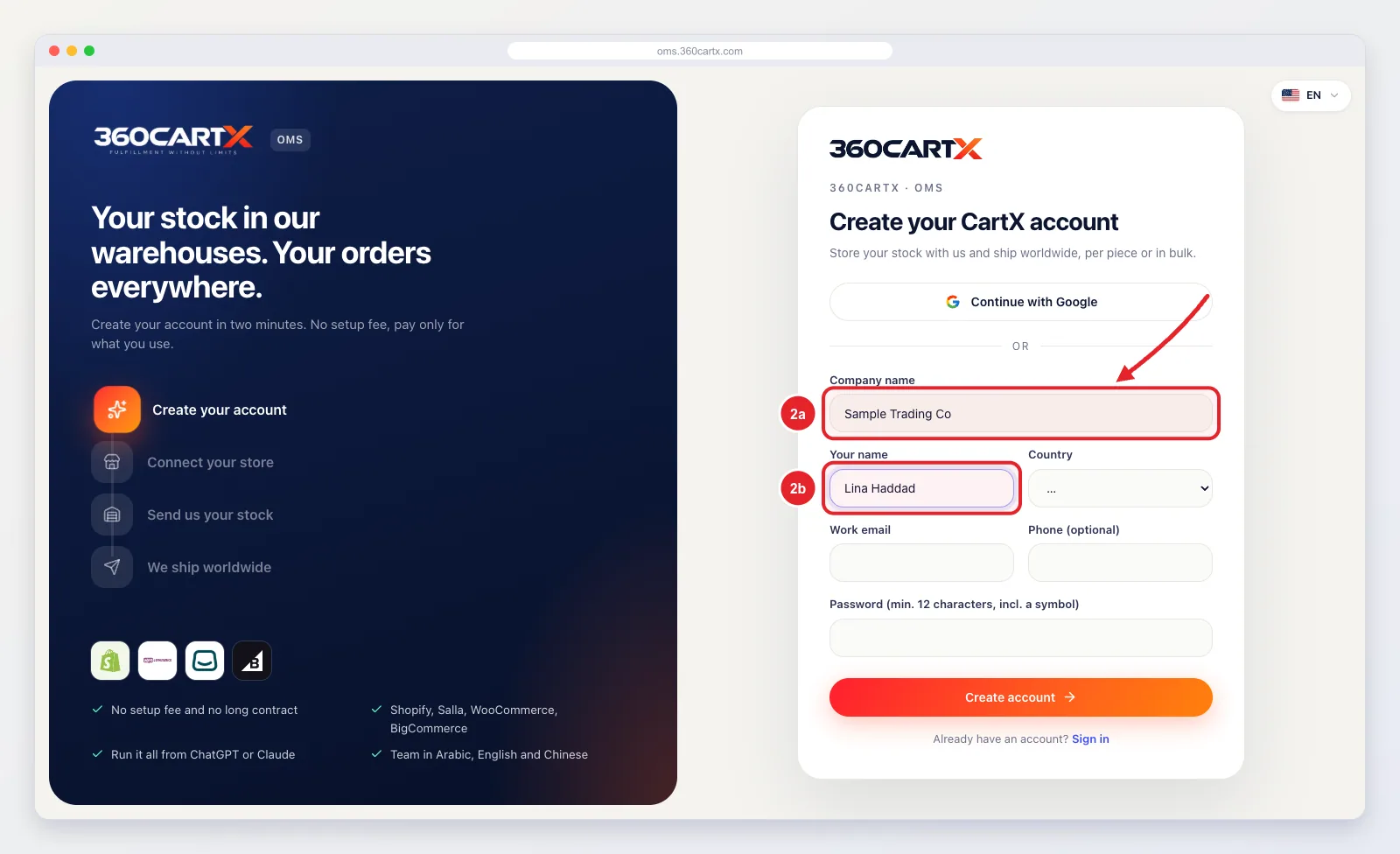
In Company name type your company or brand, for example Sample Trading Co. In Your name type the name of the person who owns the account, for example Lina Haddad. Both need at least 2 characters.
- 2a Company name
- 2b Your name
- 3
Choose your country
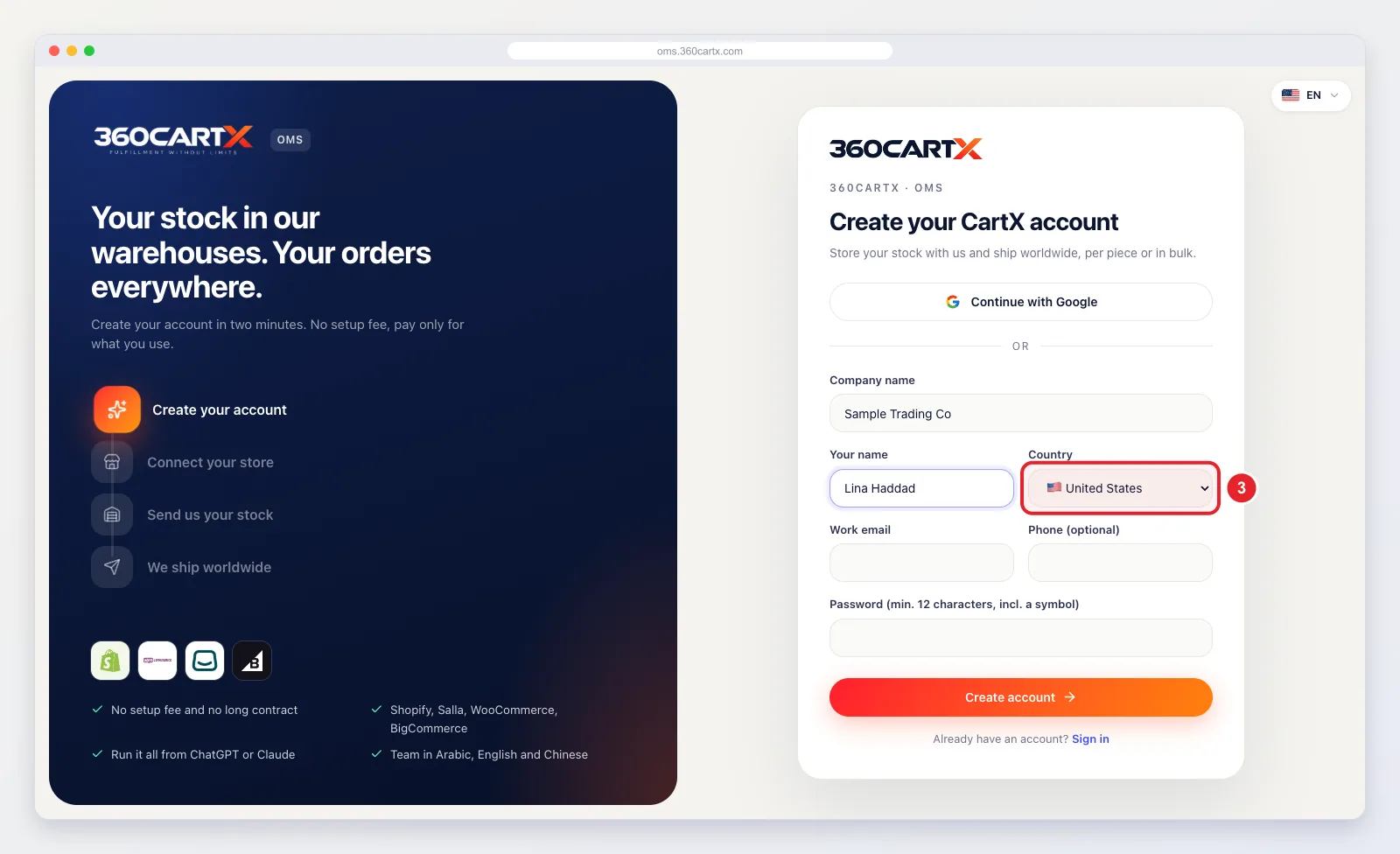
Open the Country list and pick the country your company is registered in, for example United States. The list is in alphabetical order; type the first letters to jump to it.
- 4
Enter your work email and phone
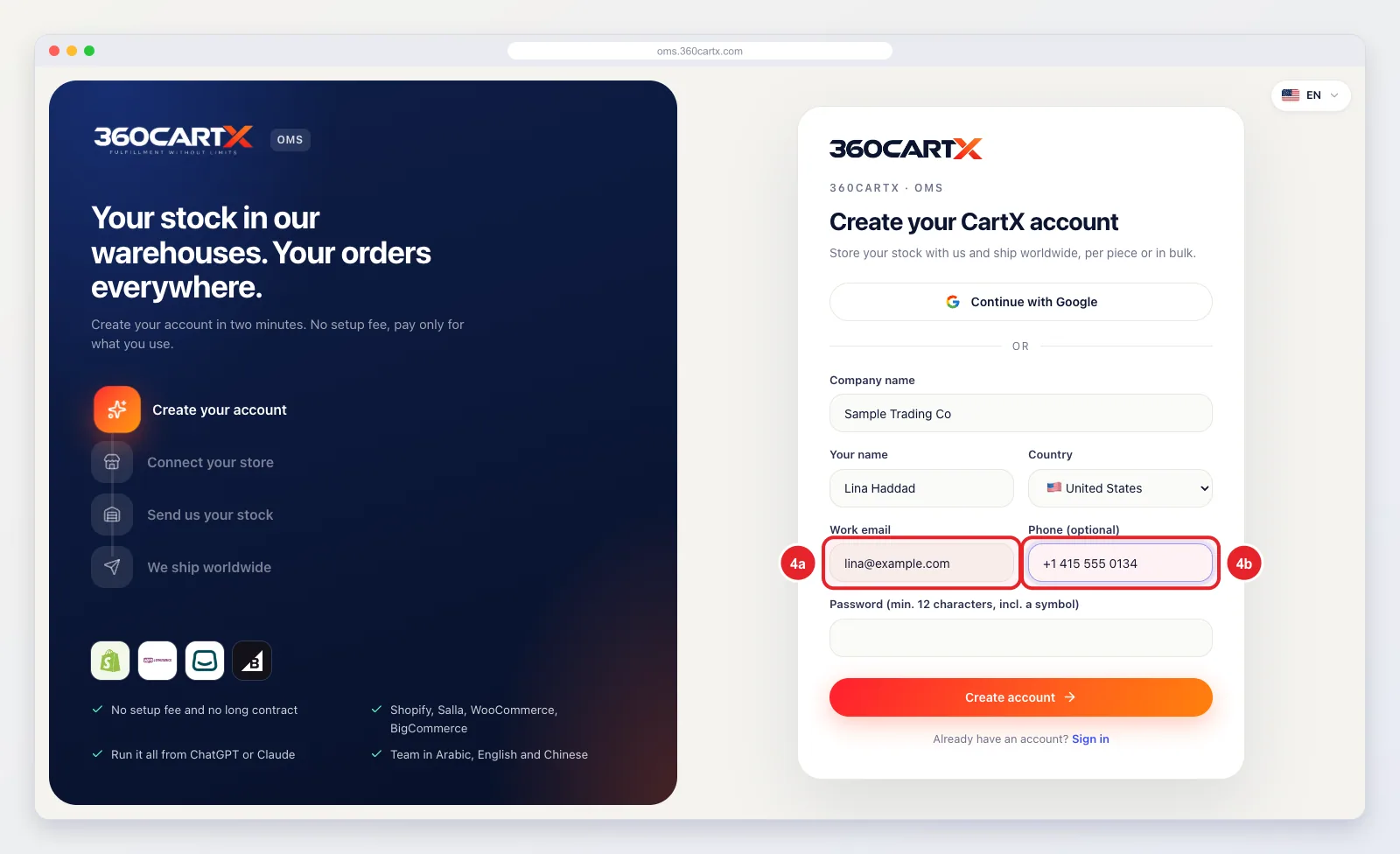
Type the email you will sign in with in Work email, for example lina@example.com. Each email can have one account. Phone (optional) helps our team reach you: include the country code, for example +1 415 555 0134.
- 4a Work email
- 4b Phone (optional)
- 5
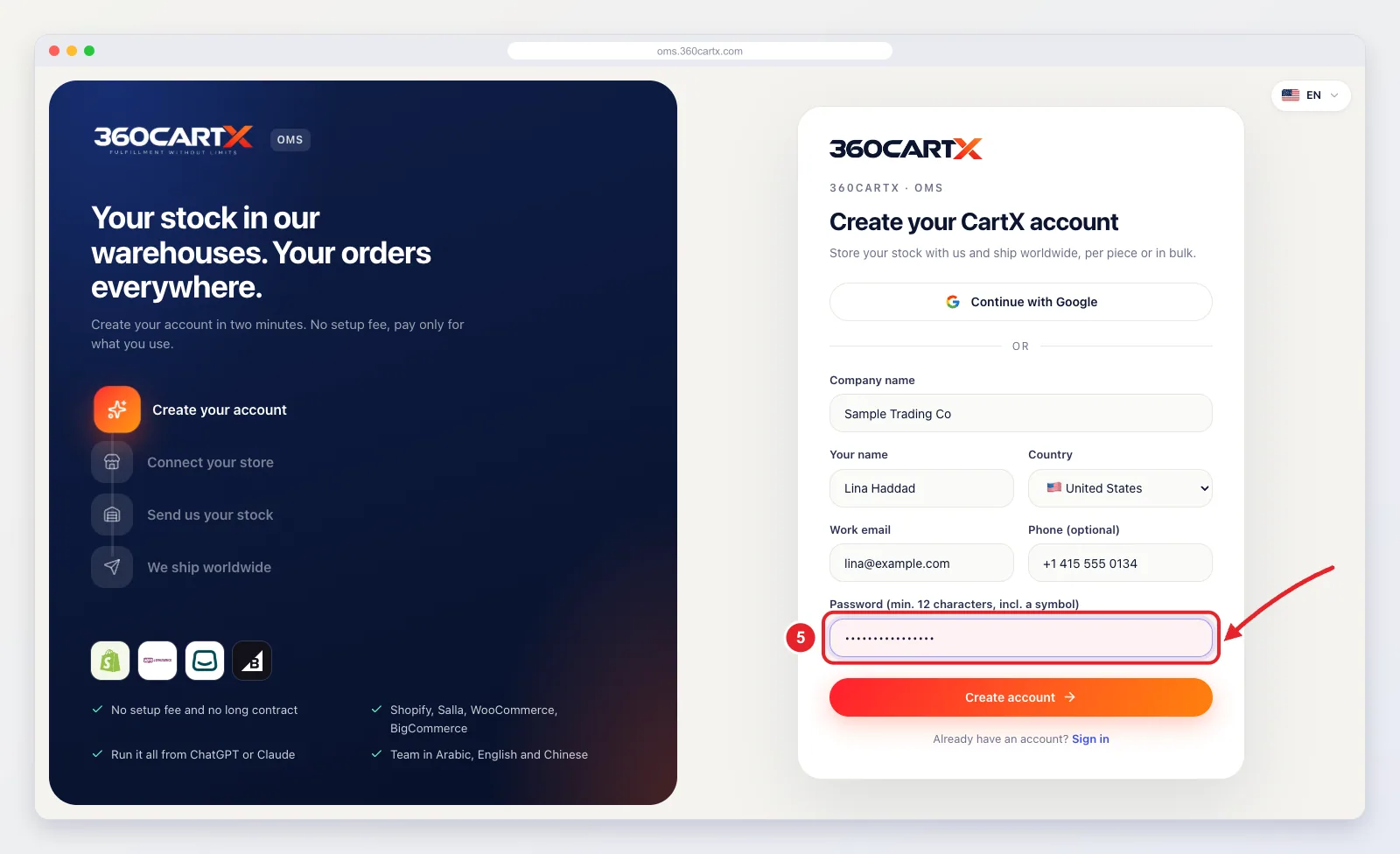
Choose a password
Type a password of at least 12 characters with at least one symbol (a character that is not a letter or a digit), for example Harbor-Blue-2026. Use a password you do not use anywhere else.
- 6
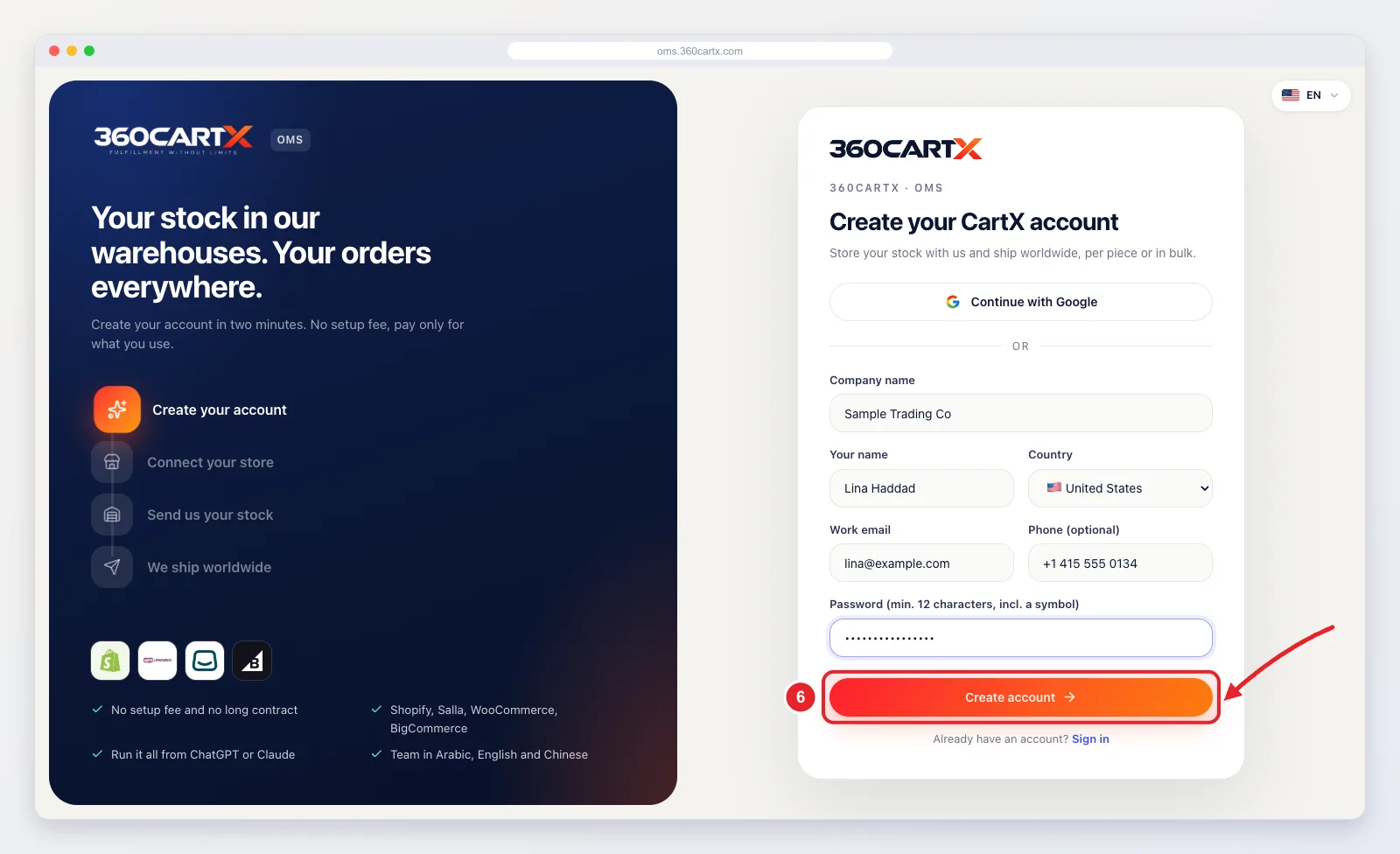
Click Create account
Click Create account. If something is missing, a red message above the button tells you what to fix, for example Password: add a special character.
- 7
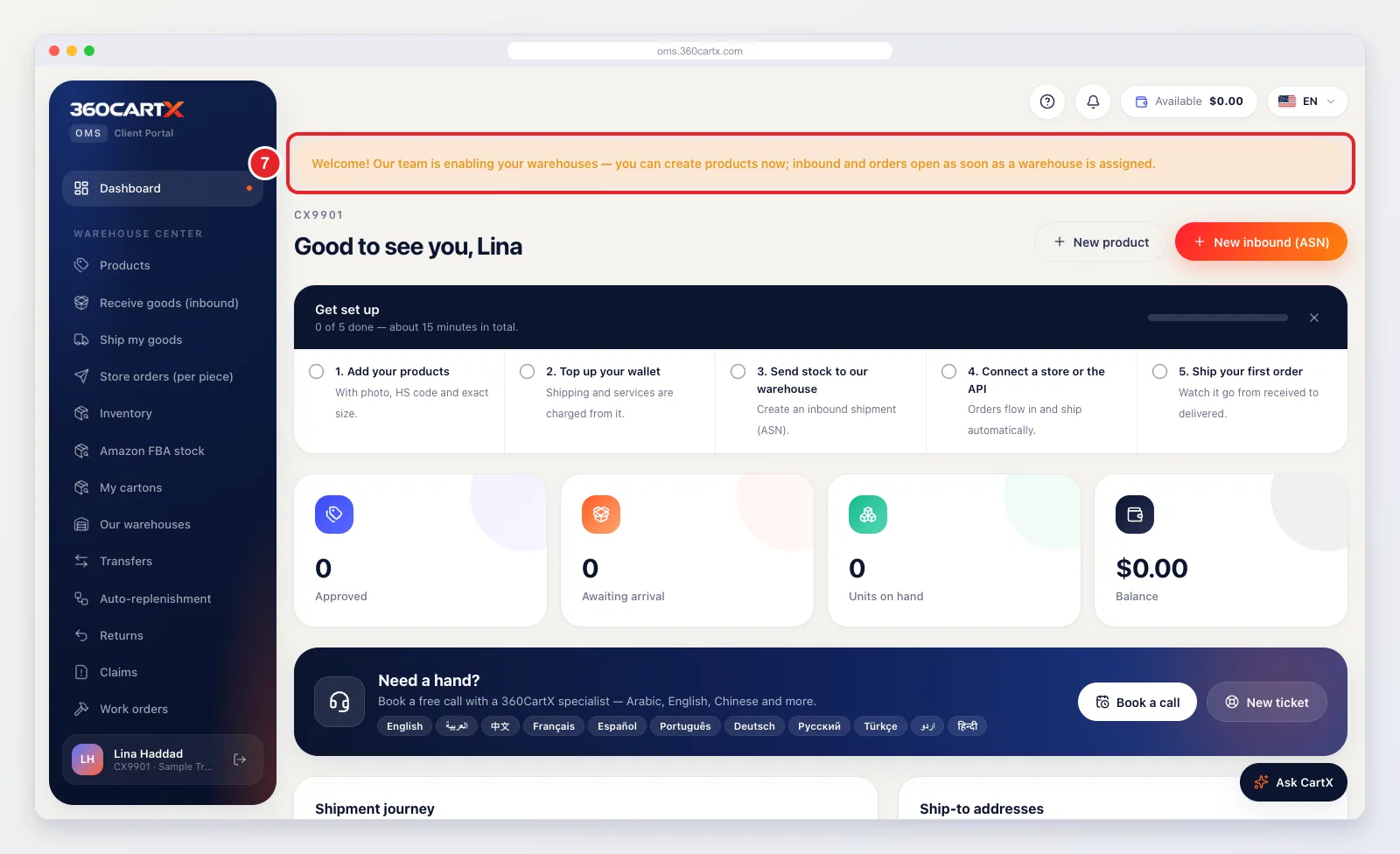
You are in the portal
Your account opens straight away on the dashboard and you are signed in. A yellow message says our team is enabling your warehouses: you can already add products, and receiving goods and shipping open as soon as a warehouse is assigned to you.
Tips
- Prefer not to type a password? Use Continue with Google at the top of the form. See Sign up or sign in with Google.
- Already have an account? Click Sign in under the button instead of creating a second one.
- Next, follow Your first steps after sign-up to get your account ready to ship.
Common problems
This email already has an account — sign in instead
An account with this email exists. Go to the sign-in page, or use Forgot password? if you do not remember the password.
Password: at least 12 characters / Password: add a special character
Make the password longer than 11 characters and add at least one symbol such as - ! # or @, for example Harbor-Blue-2026.
Choose your country
The Country list still shows the dots. Open it and pick your country.
Too many sign-up attempts. Try again in … min.
More than 5 sign-ups were attempted from your internet connection, or 3 with the same email, within an hour. Simple form mistakes such as a short password do not count. Wait the minutes shown and try again, or contact support.
Related articles
Updated 2026-11-09
Open a ticket from Support in your portal and our team will reply.