Steps
- 1
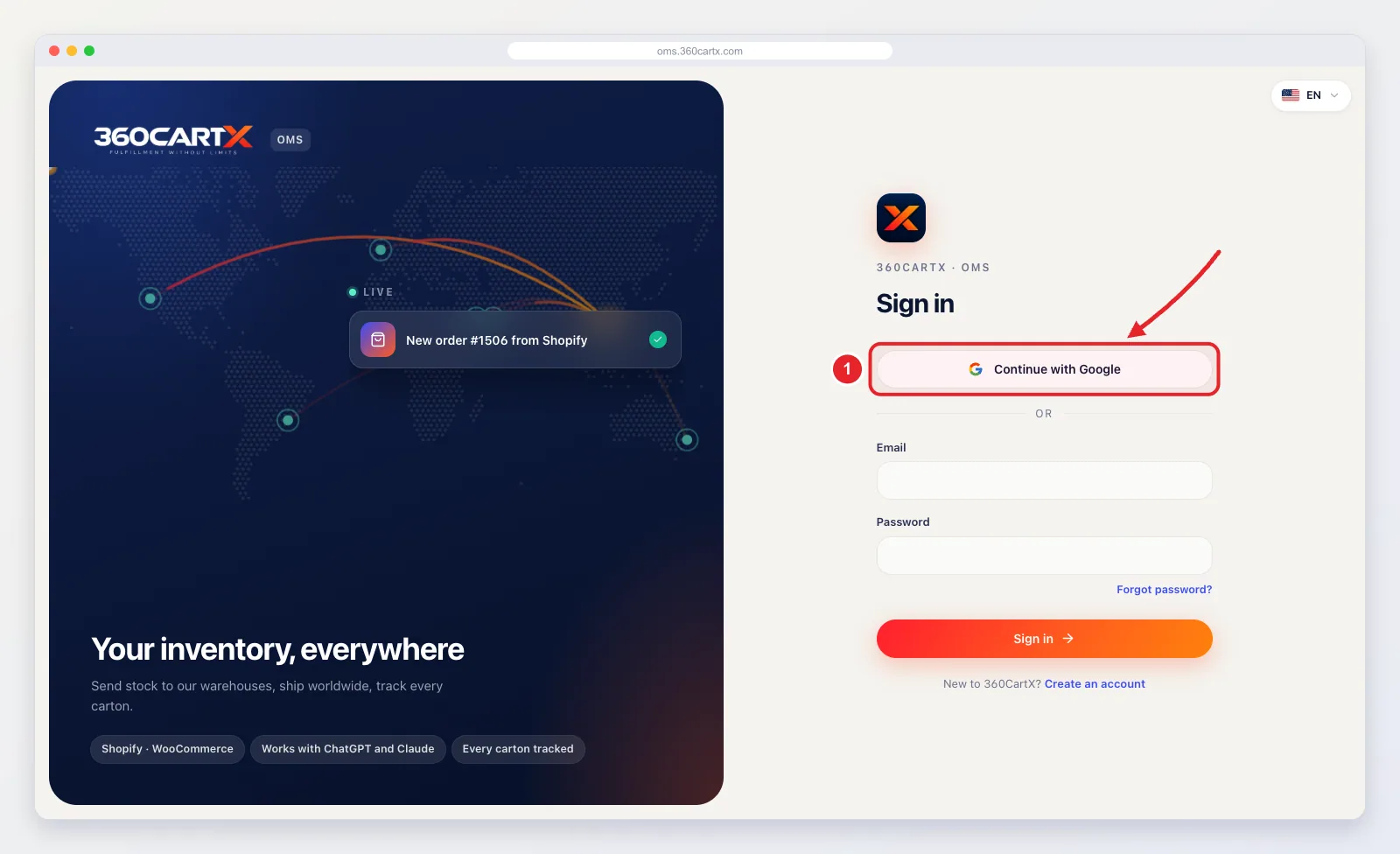
Click Continue with Google
On the sign-in page (or on the sign-up page, at the top of the form) click Continue with Google. Google opens: choose your work account and allow 360CartX to see your name and email. You come back to 360CartX automatically. If an account with that email exists, you are signed in.
- 2
New here? Add your company details
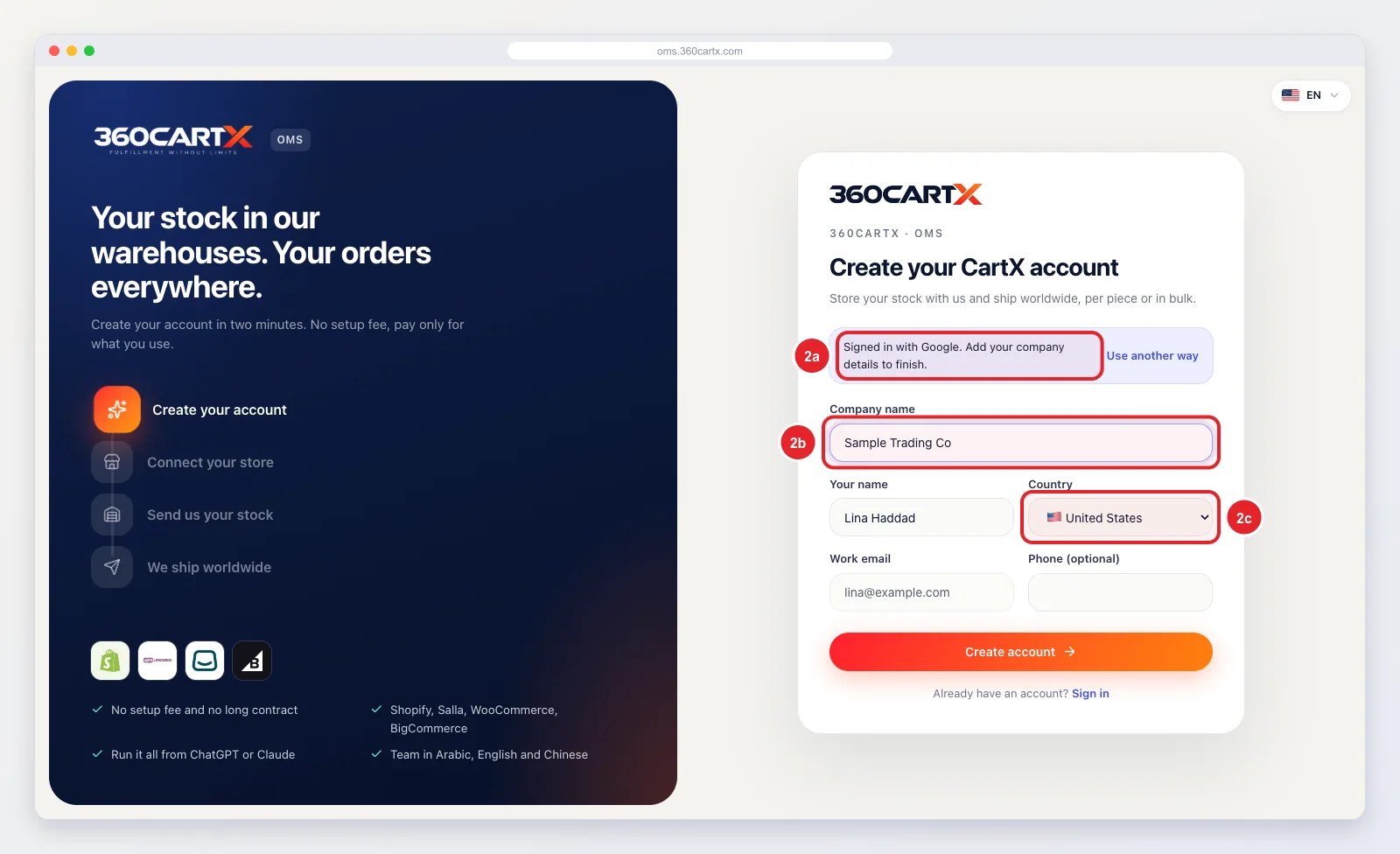
If there is no account for that email yet, the sign-up page opens with Signed in with Google. Add your company details to finish. Your name is already filled in from Google. Type your Company name, for example Sample Trading Co, and choose your Country. Work email already shows your Google email and cannot be changed, and there is no password field: you sign in with Google. Phone (optional) can be added as usual.
- 2a Google message
- 2b Company name
- 2c Country
- 3
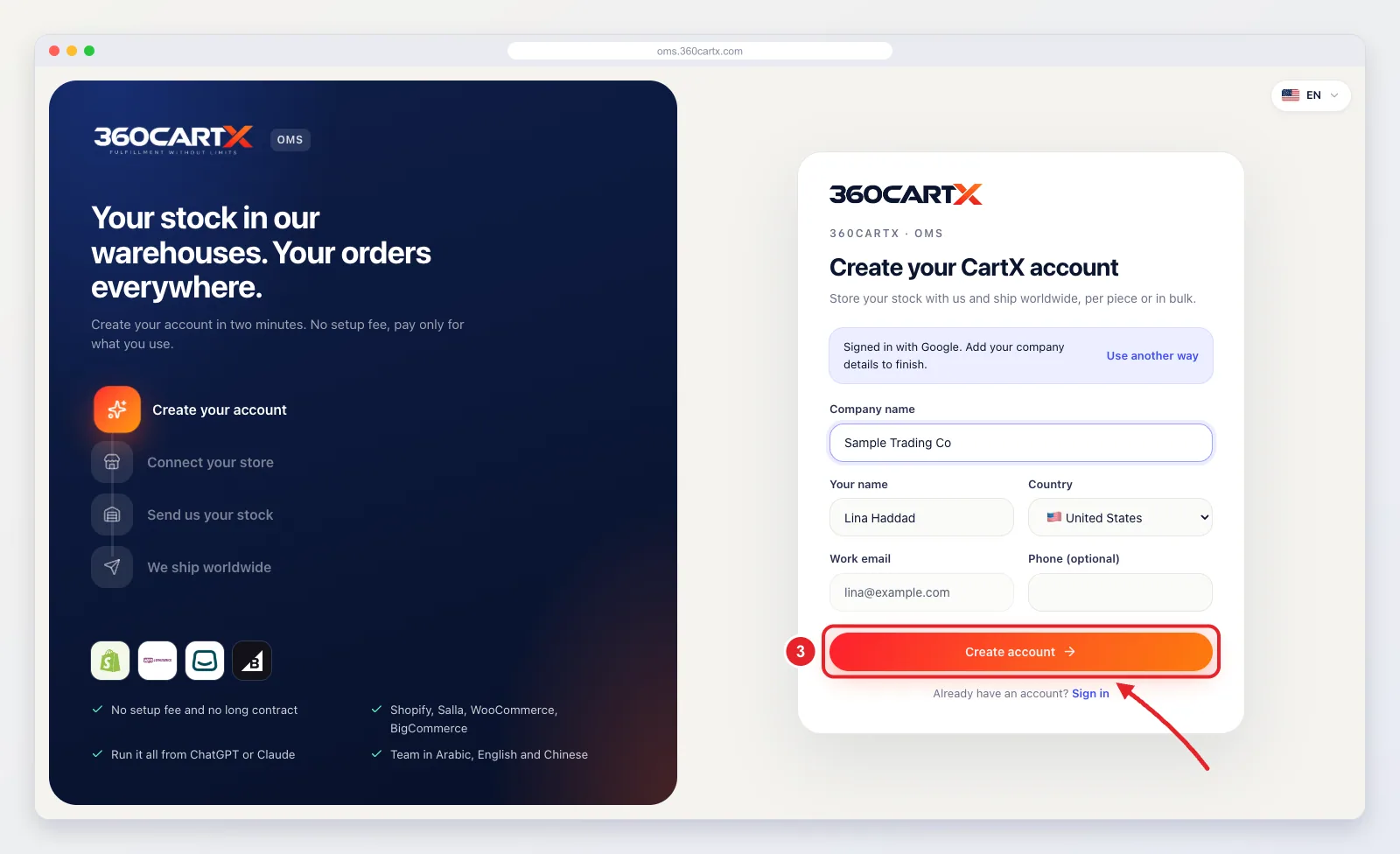
Click Create account
Click Create account. Your account opens on the dashboard. Next time just click Continue with Google on the sign-in page.
- 4
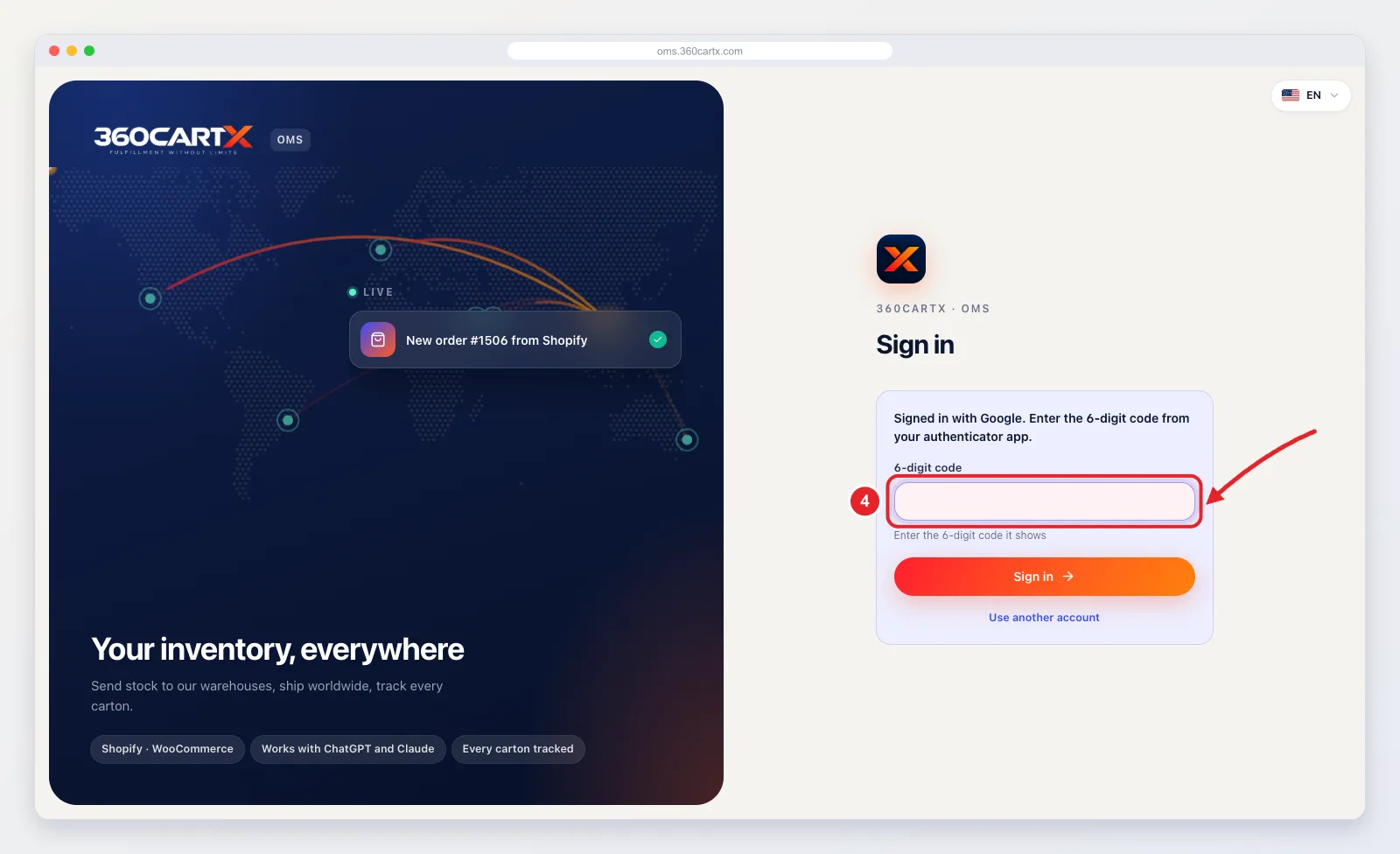
Two-step sign-in still applies
If you turned on two-step sign-in, Google sign-in asks for the 6-digit code too: Signed in with Google. Enter the 6-digit code from your authenticator app. Type the newest code and click Sign in.
Tips
- Changed your mind on the details page? Click Use another way to go back to the normal form.
- You can add a password later in Settings → Profile, so you can also sign in with email and password.
- If you leave the company page open for more than 30 minutes, start again with Continue with Google.
Common problems
Google sign-in was cancelled.
You closed the Google window or clicked Cancel. Click Continue with Google again.
The Google sign-in took too long. Please try again.
The Google step was left open too long. Start again.
Google sign-in did not work. Please try again or use your email and password.
Google did not confirm the account. Try again, or sign in with email and password.
This account is not active. Contact support.
The account with this email is paused or closed. Contact 360CartX support.
Too many new accounts from this network. Try again later.
Several accounts were created from your connection recently. Wait an hour, or sign in if you already have an account.
Related articles
Updated 2026-11-09
Open a ticket from Support in your portal and our team will reply.