Steps
- 1
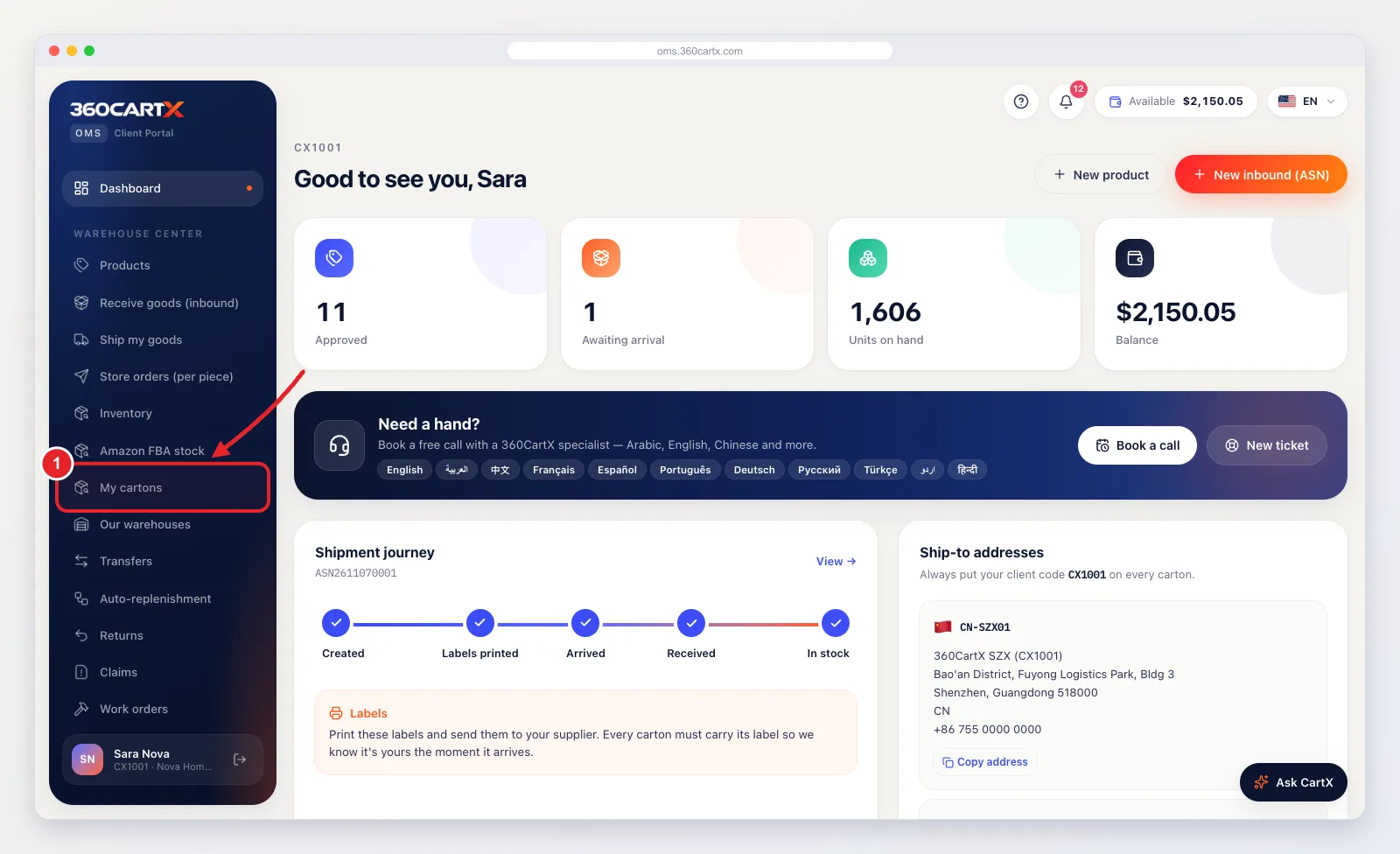
Open My cartons
Click My cartons under Warehouse Center in the left menu.
- 2
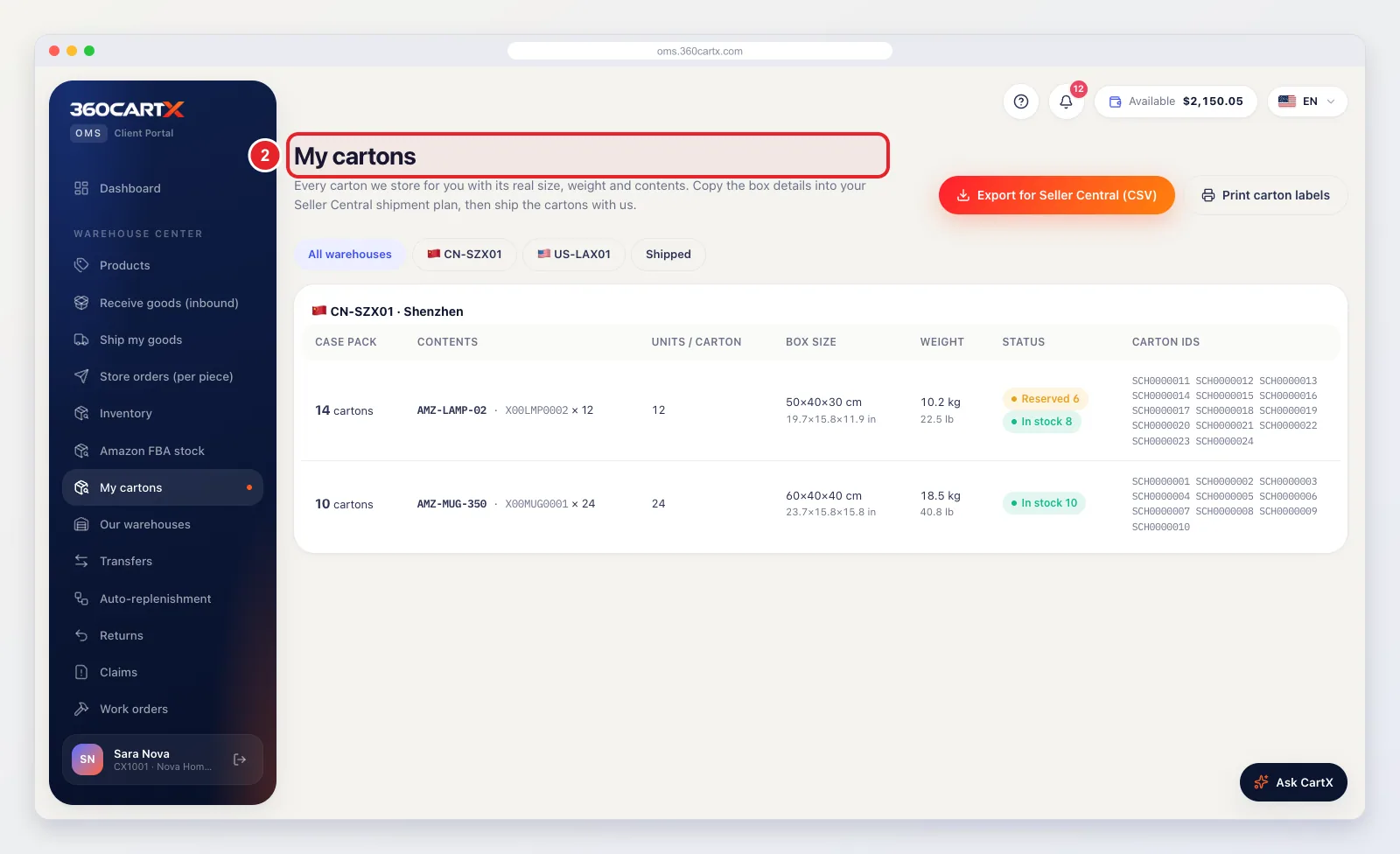
The page
The page says: Every carton we store for you with its real size, weight and contents. Copy the box details into your Seller Central shipment plan, then ship the cartons with us.
- 3
Filters
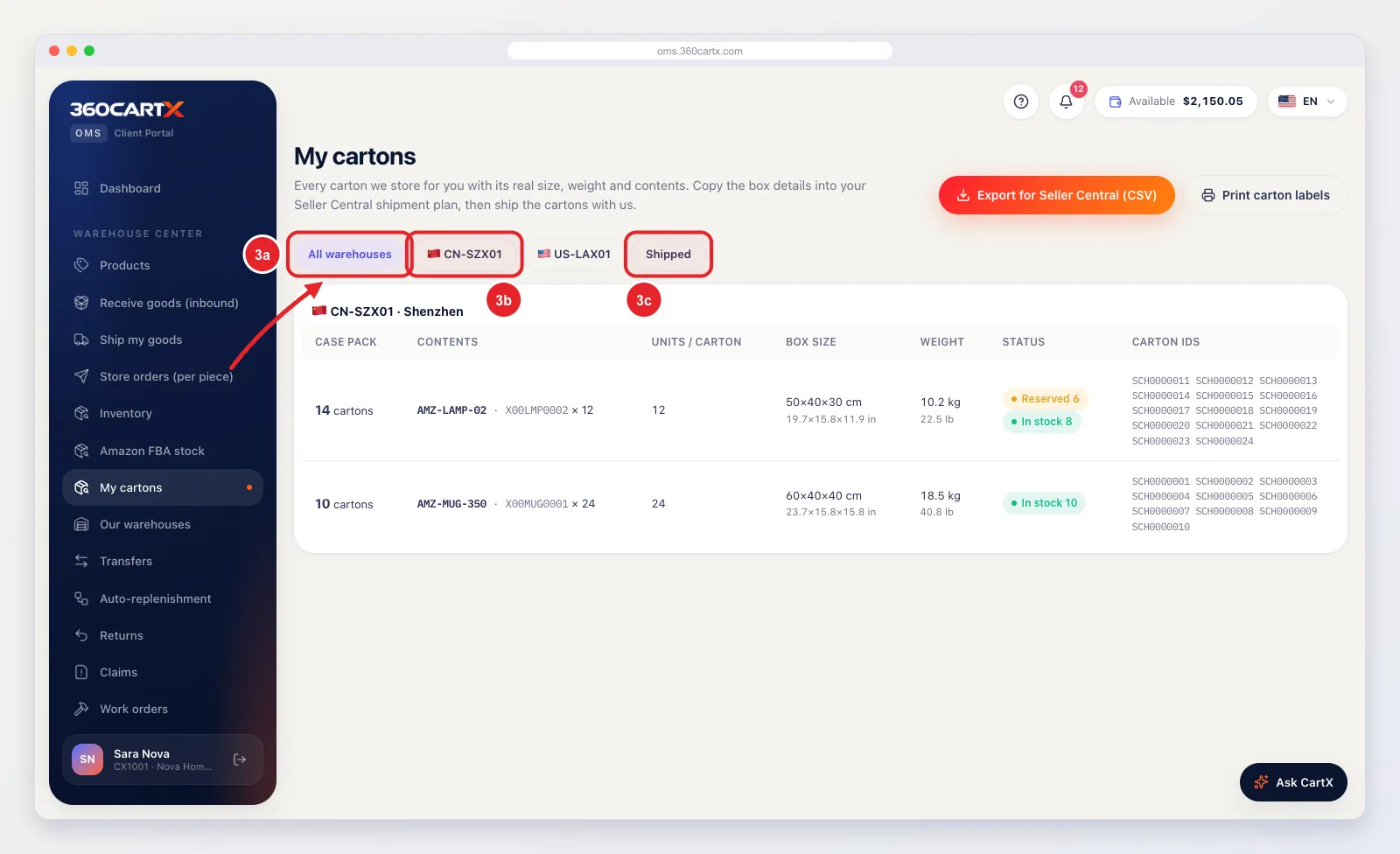
All warehouses and one button per warehouse limit the list to one warehouse. The Shipped button adds the cartons that already left: without it only cartons In stock and Reserved are listed.
- 3a All warehouses
- 3b One warehouse
- 3c Shipped
- 4
One table per warehouse
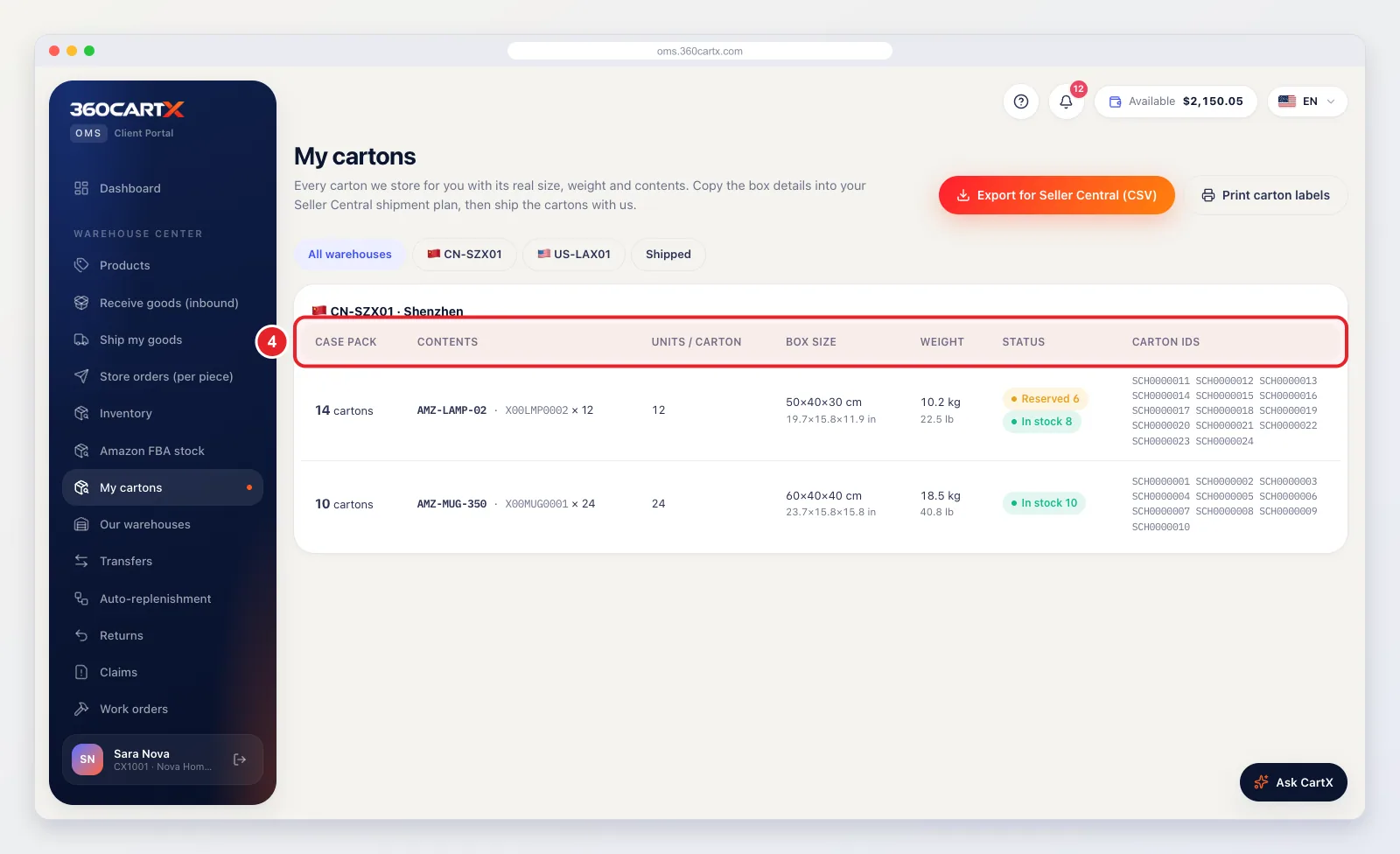
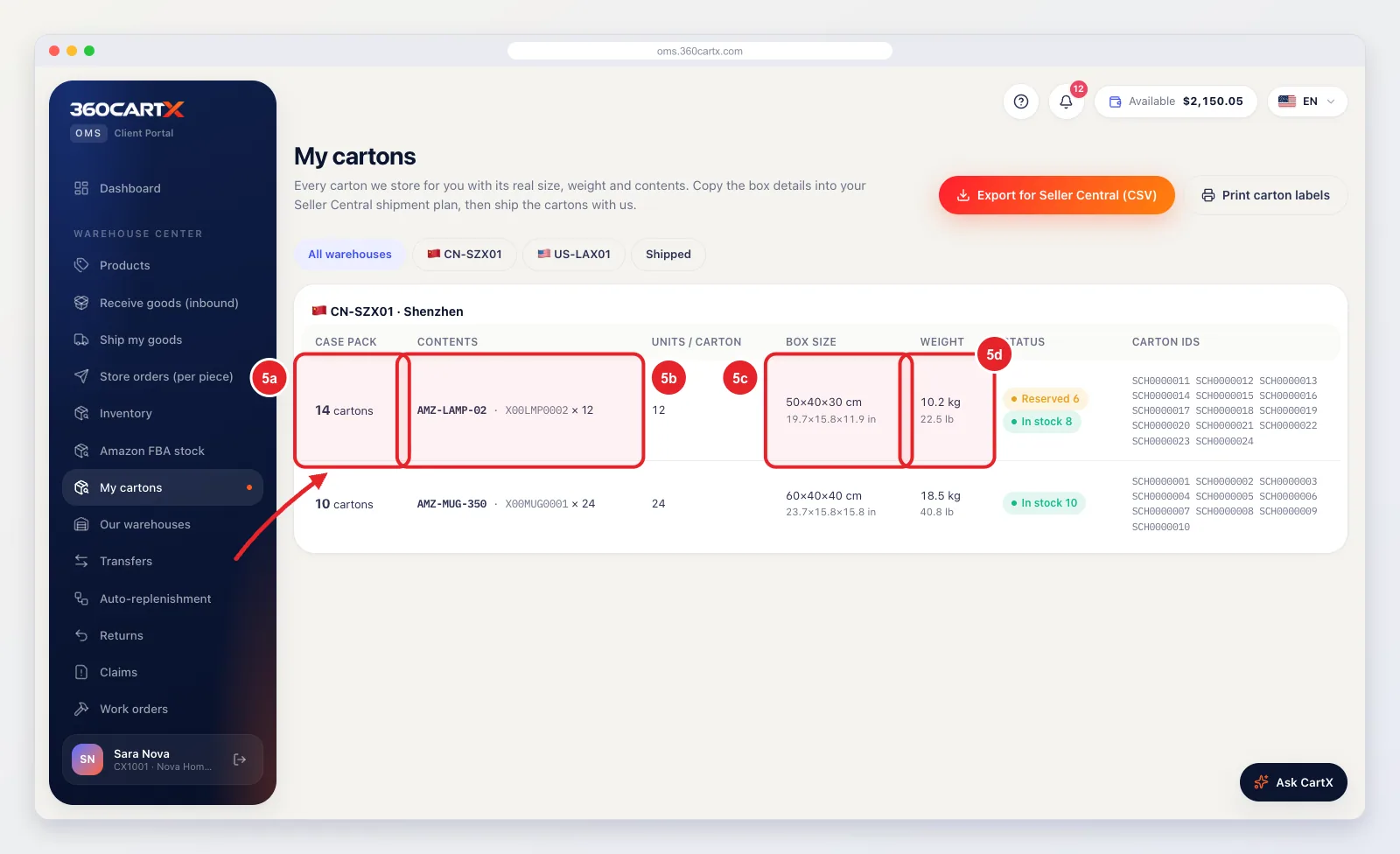
Cartons are grouped by warehouse, then into case packs: cartons with the same contents, size and weight. The columns are Case pack, Contents, Units / carton, Box size, Weight, Status and Carton IDs.
- 5
Read a case pack
Case pack is the number of cartons, for example 10 cartons. Contents lists the SKU, the FNSKU and the units, for example AMZ-MUG-350 · X00MUG0001 × 24. Box size is shown in centimetres and in inches, Weight in kilograms and in pounds. A Mixed box label means the carton holds more than one product.
- 5a Case pack
- 5b Contents
- 5c Box size
- 5d Weight
- 6
Status
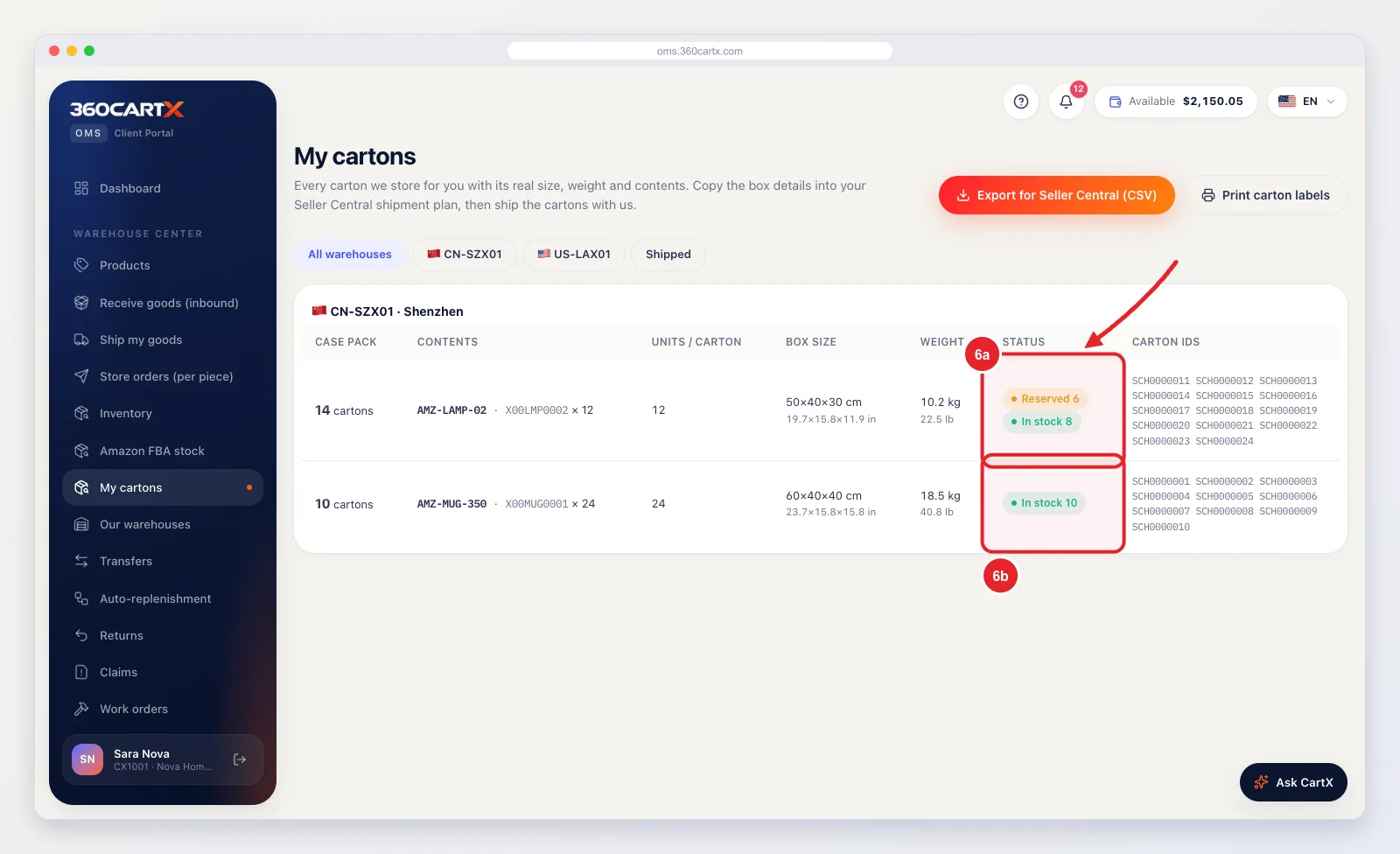
In stock: free to ship. Reserved: taken by a ship-out request and shown with the number of cartons. Shipped: left with a shipment. Repacked (history) is an old carton replaced by a new one after a repack.
- 6a In stock
- 6b Reserved
- 7
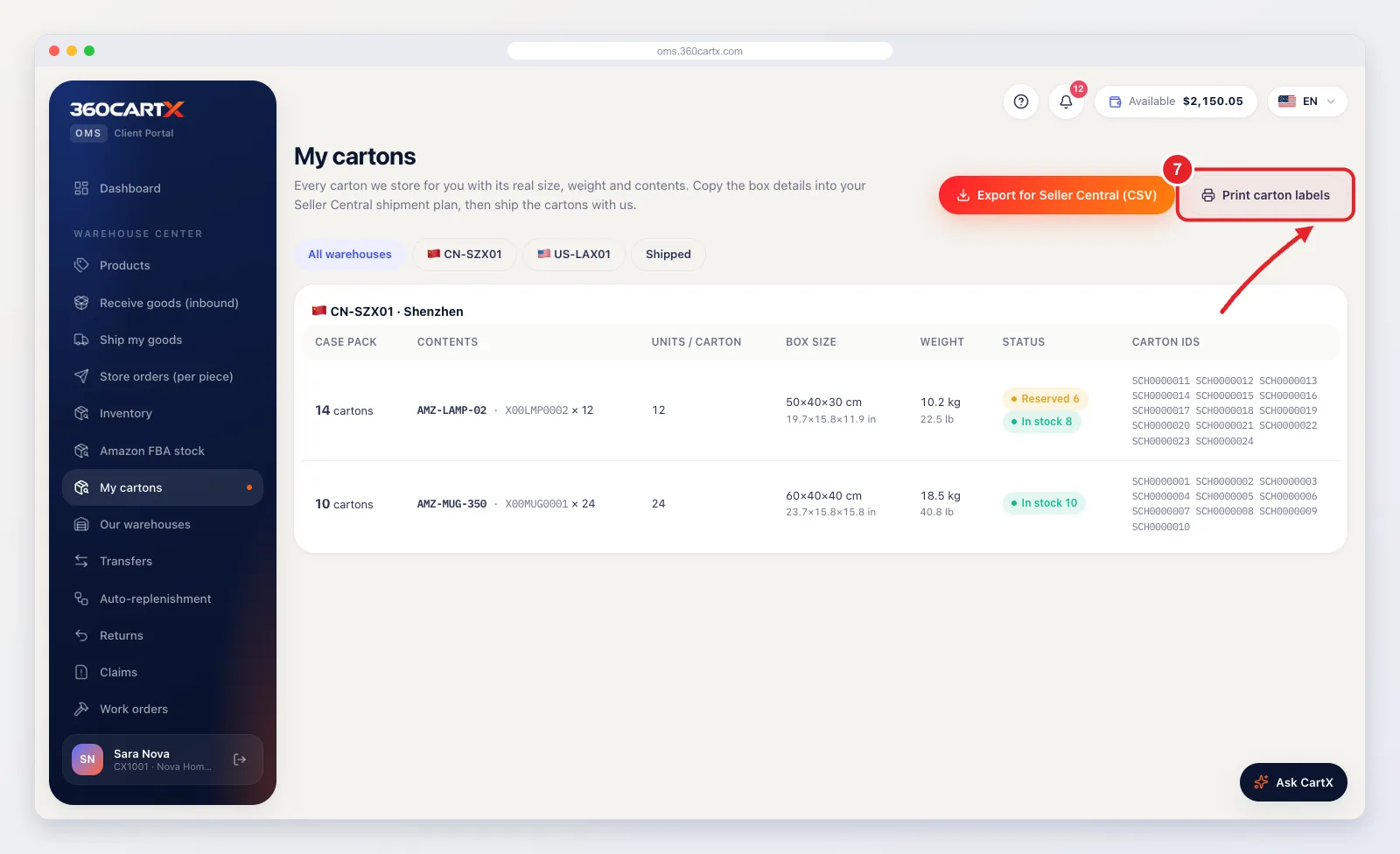
Print carton labels
Print carton labels opens a sheet of our own carton labels for all listed cartons, to stick on the cartons.
- 8
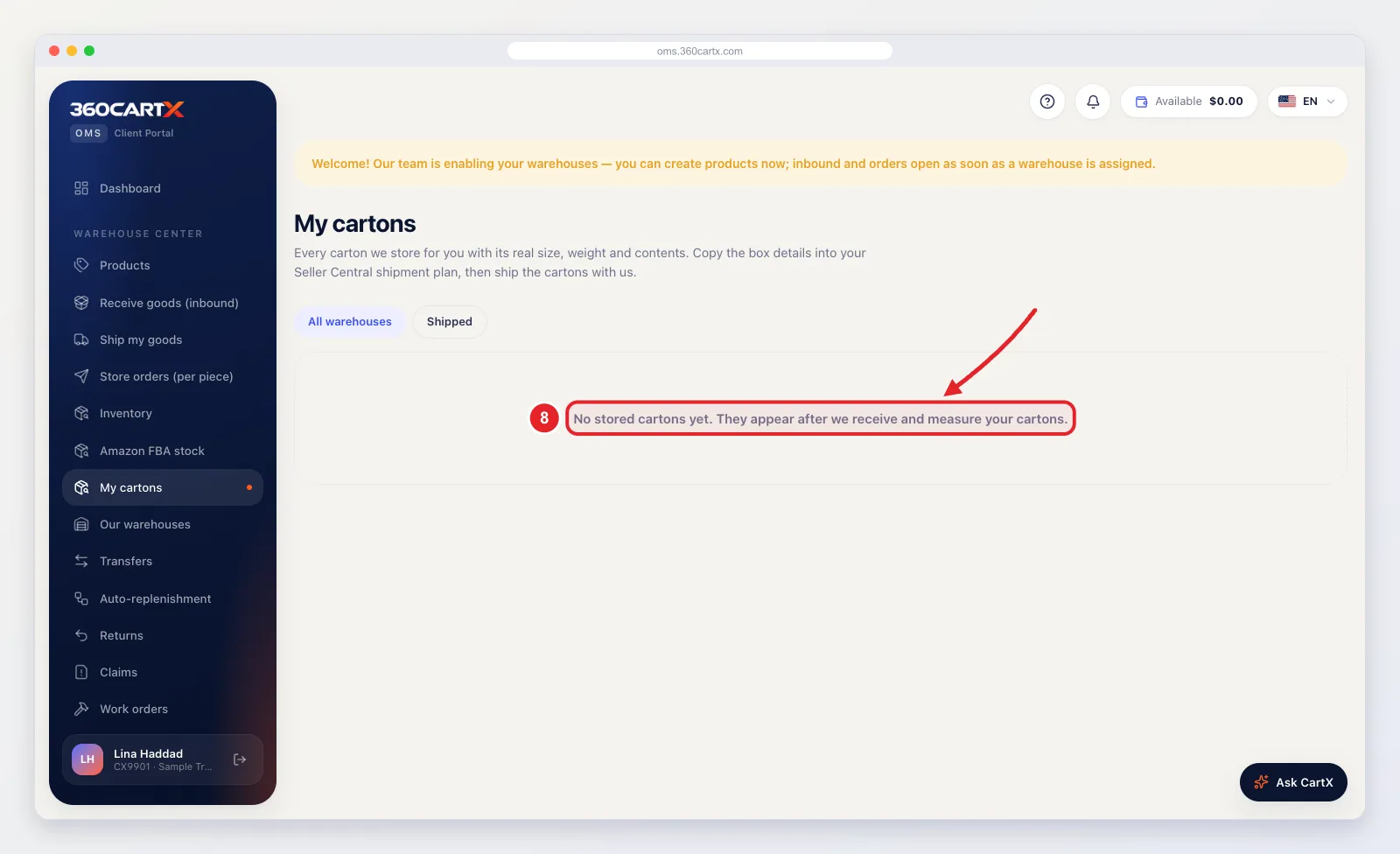
No cartons yet
Until we receive and measure your cartons the page says: No stored cartons yet. They appear after we receive and measure your cartons. The two buttons at the top are hidden.
Terms in this article
Tips
- To use the cartons in a shipment, choose Use my stored cartons in the ship-out form. See Ship your stored cartons.
- The Carton IDs are the codes of the individual cartons; they are printed on our labels.
Common problems
A carton is not in the list
It has not been recorded yet, or it is already shipped (add the Shipped filter).
The carton size is wrong
Open a ticket in Help & support with the carton ID. Only cartons that are In stock can be corrected by our team; you receive the reason of every change.
Related articles
Updated 2026-11-11
Open a ticket from Support in your portal and our team will reply.