Steps
- 1
The age buckets
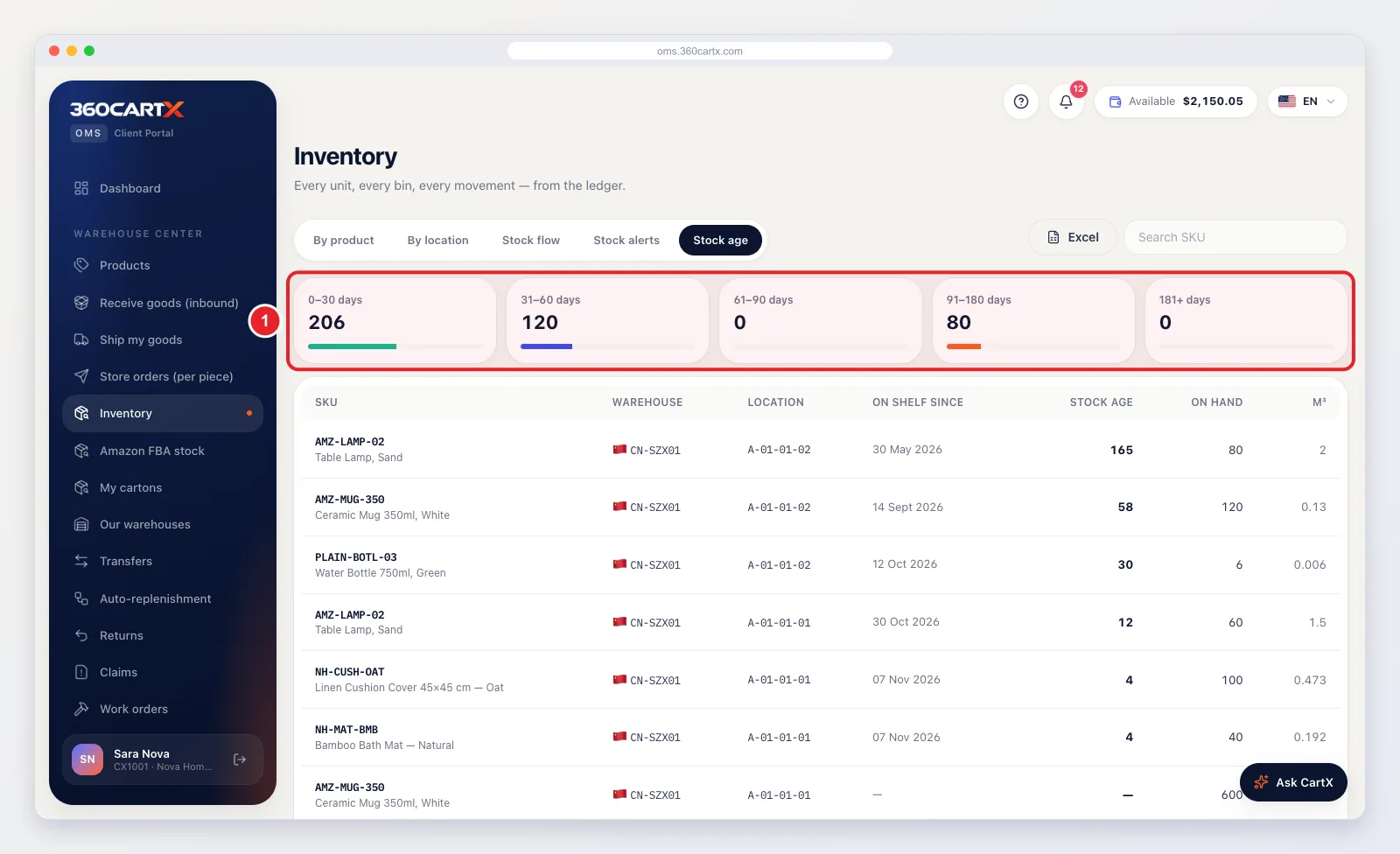
In Inventory click Stock age. The five boxes at the top add up your units by age: 0–30 days, 31–60, 61–90, 91–180 and 181+ days. The bar under each number shows its share of all units.
- 2
The columns
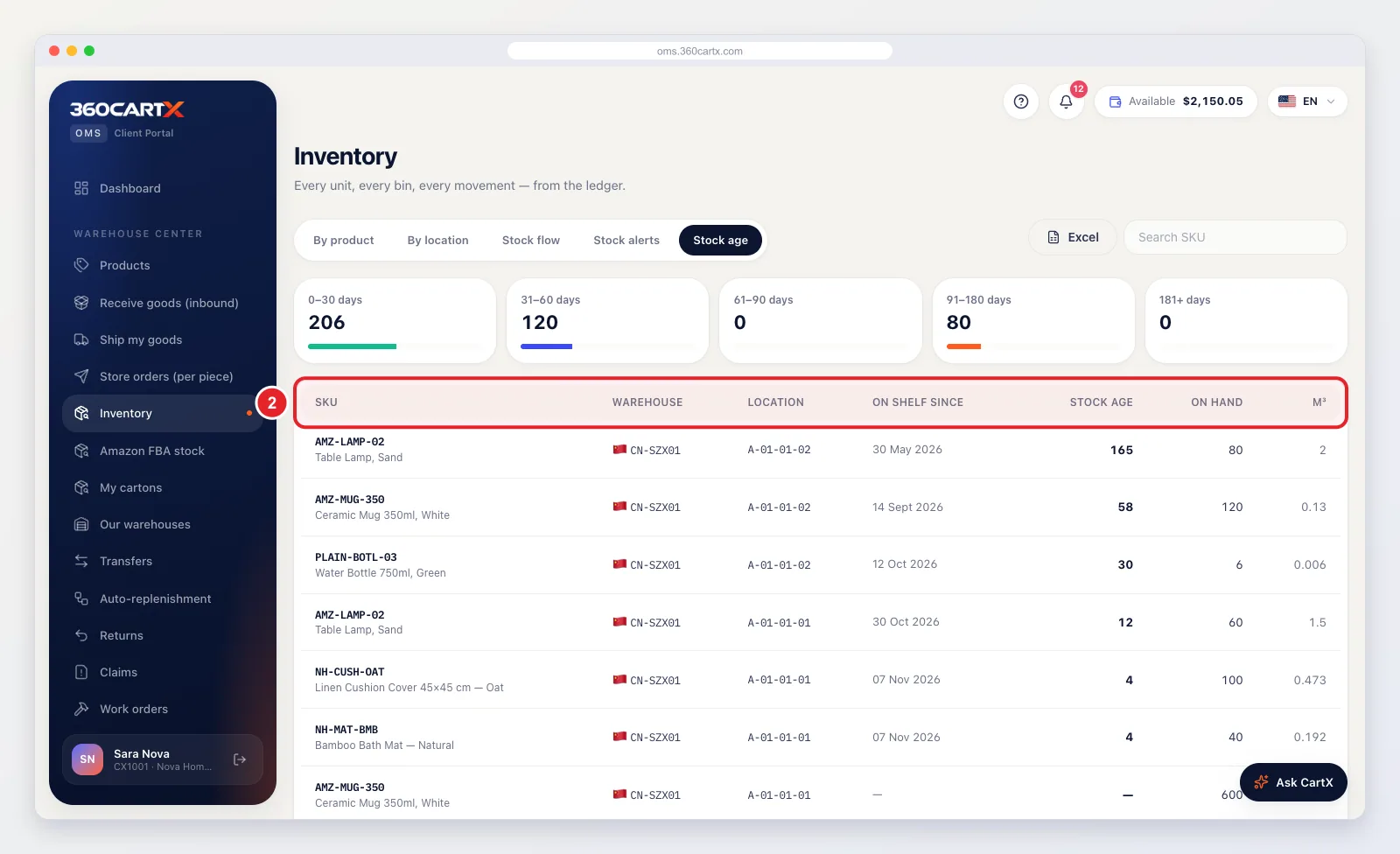
SKU, Warehouse, Location, On shelf since, Age (days), On hand and Volume in cubic metres (the size of the product times the units, from the measured box size if we measured it).
- 3
Oldest first
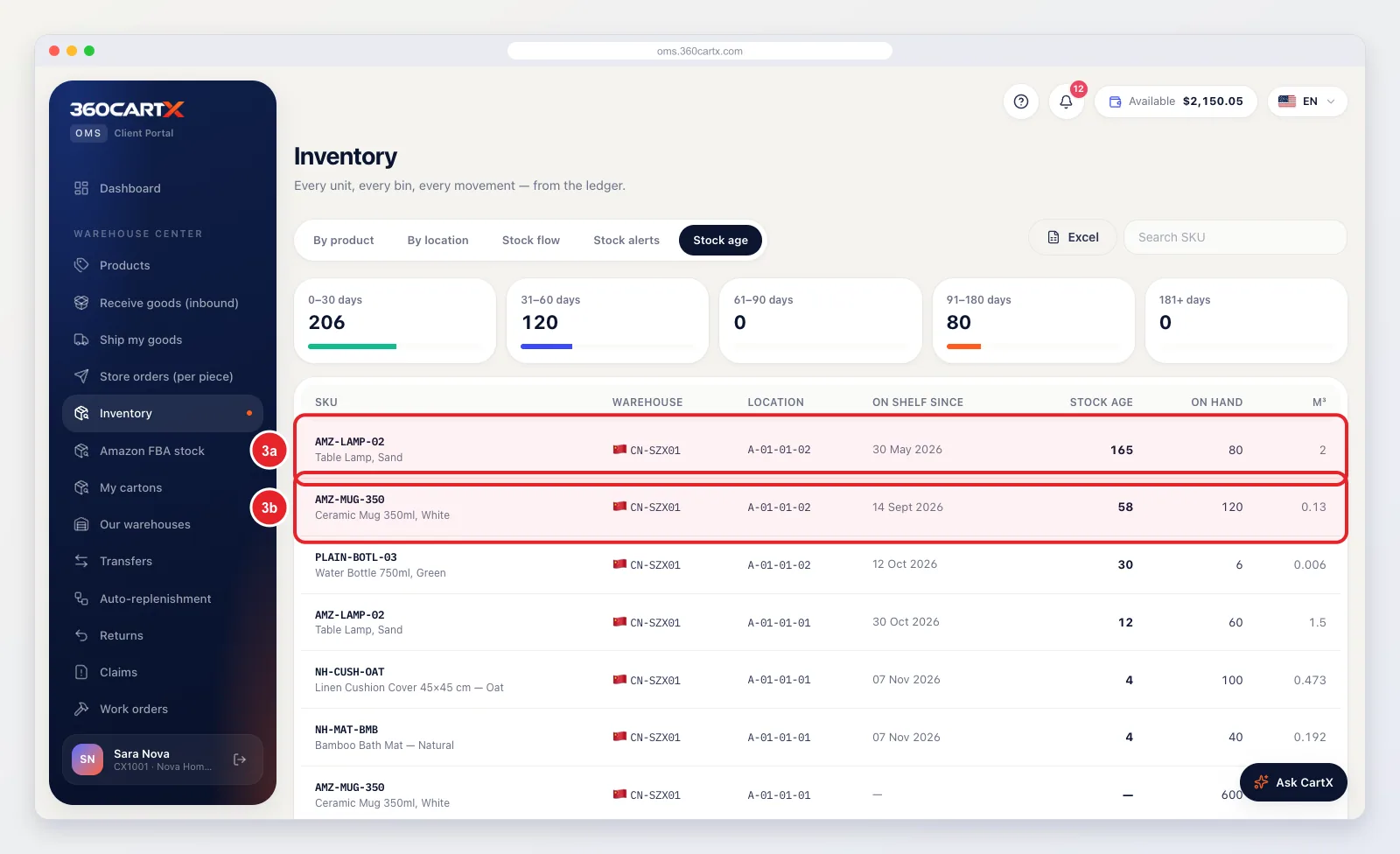
The oldest batches are first. Batches with an age limit reached are shaded amber when you set an age limit in Settings → Alerts. In the example, a batch of lamps put on the shelf 165 days ago is the oldest.
- 3a Oldest batch
- 3b Next batch
- 4
Where the date comes from
The date comes from the batch label, which starts with the day the goods were shelved. A batch without a date shows a dash and is not counted in the buckets.
Tips
- The age counts from the day the goods were shelved, in China time, not from the day you sent them.
- Use a transfer or a ship-out request to move old stock before storage fees add up.
Common problems
A product is missing in the buckets
Its batch has no date, or it has no units on hand.
Related articles
Updated 2026-11-11
Open a ticket from Support in your portal and our team will reply.