Steps
- 1
Tick the products
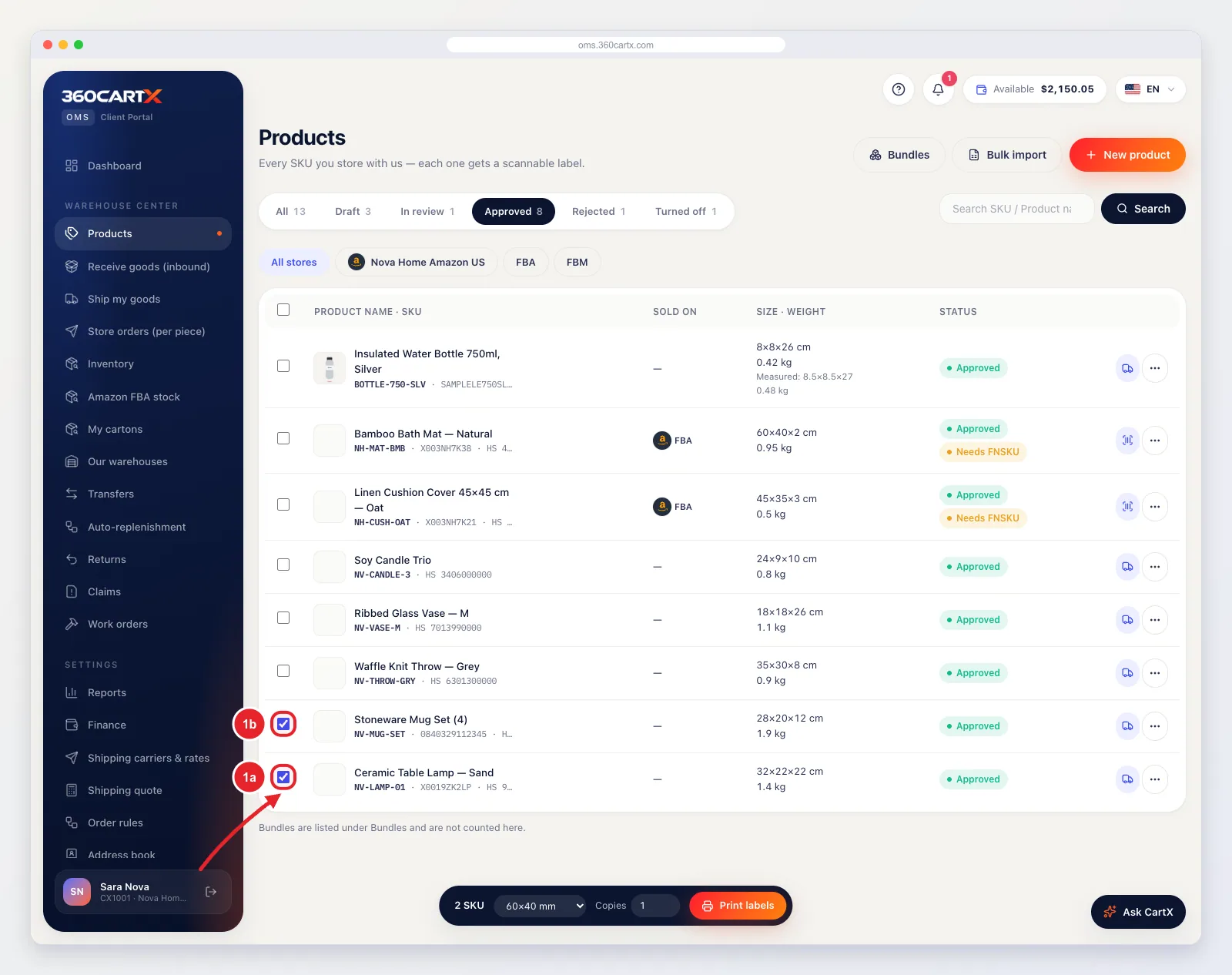
In Products, tick the box in front of each product you need labels for, for example NV-LAMP-01 and NV-MUG-SET. The box in the table header ticks every product shown.
- 1a NV-LAMP-01
- 1b NV-MUG-SET
- 2
Choose size and copies, then print
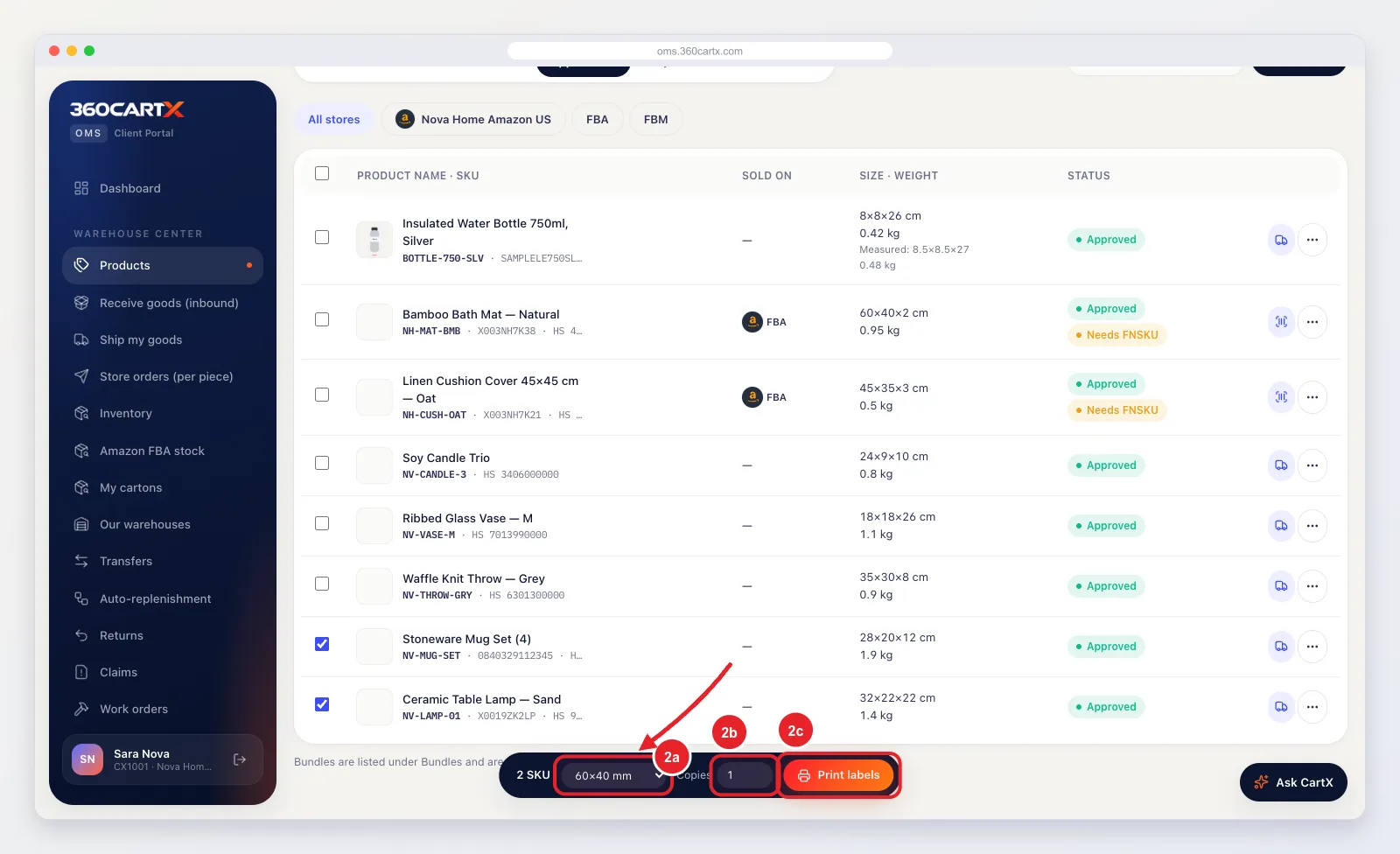
A dark bar appears at the bottom with the number of ticked products. Choose the Label size: 60×40 mm (default), 50×25 mm, 100×150 mm or A4 · 3×8 for sheets of 24 labels on a normal printer. Set Copies per product, for example 1, then click Print labels.
- 2a Label size
- 2b Copies
- 2c Print labels
- 3
Print from the label page
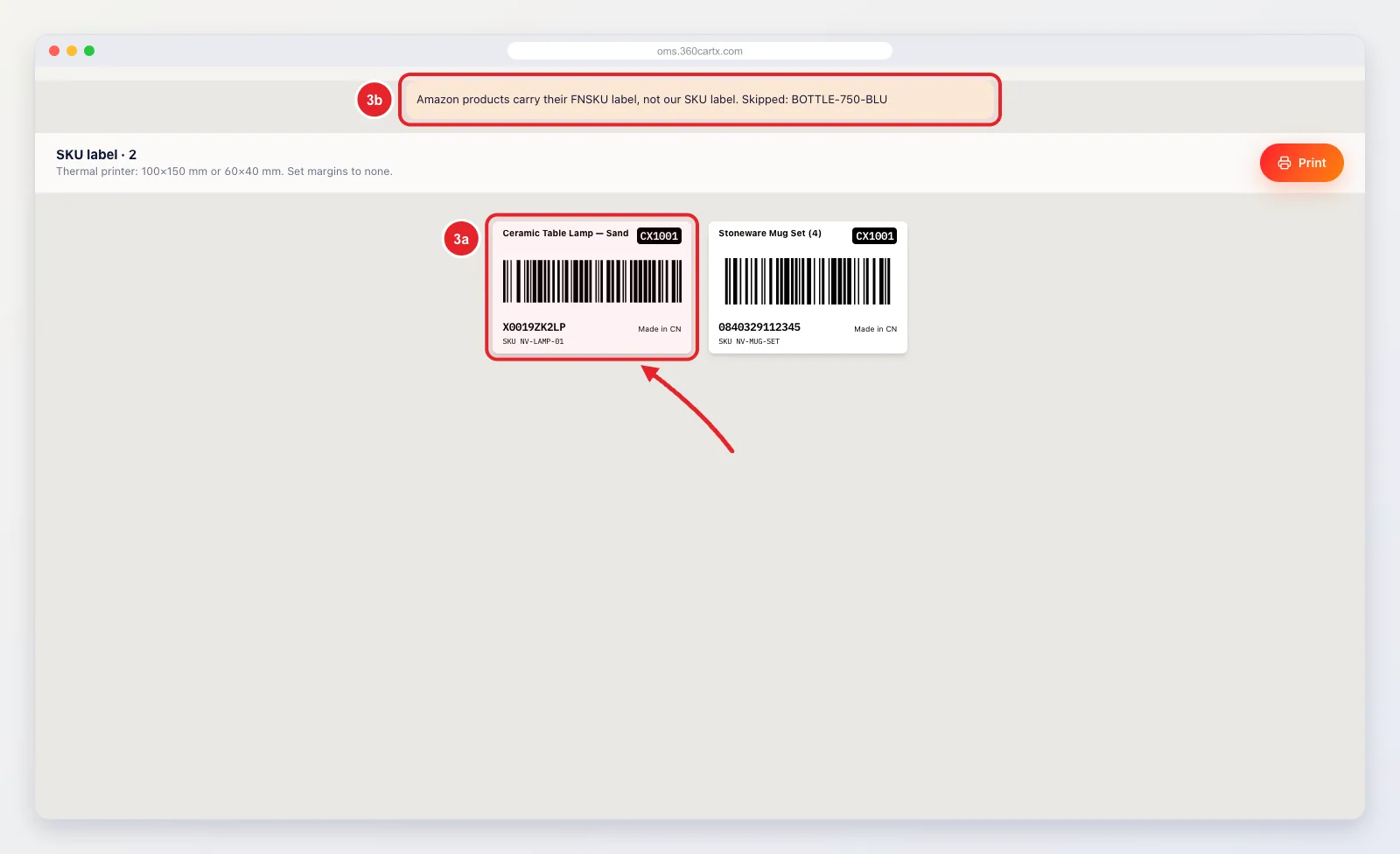
A page opens with one label per copy: the product name, your client code, the barcode with its number and the SKU. Amazon products in your selection are skipped and listed in a yellow note, because they carry their FNSKU label. Click Print and print at 100% scale with the page margins set to none, on the matching label paper (the page reminds you: Thermal printer: 100×150 mm or 60×40 mm. Set margins to none).
- 3a SKU label
- 3b Amazon products skipped
Terms in this article
- SKU: Your own product code.
- Barcode (UPC / EAN): The scannable code printed on a product.
Tips
- Amazon products are skipped and listed in a yellow note at the top: they carry their FNSKU label instead. Click a SKU in that note to open its FNSKU label file.
- Use 100×150 mm (4×6 inch) if you have a thermal shipping label printer.
Common problems
The barcode does not scan
Print at 100% scale (not Fit to page) and use the label size that matches your paper.
One of my products has no label
It is an Amazon product: use its FNSKU label (3×5) from Seller Central.
Related articles
Updated 2026-11-12
Open a ticket from Support in your portal and our team will reply.