Steps
- 1
Check what we found
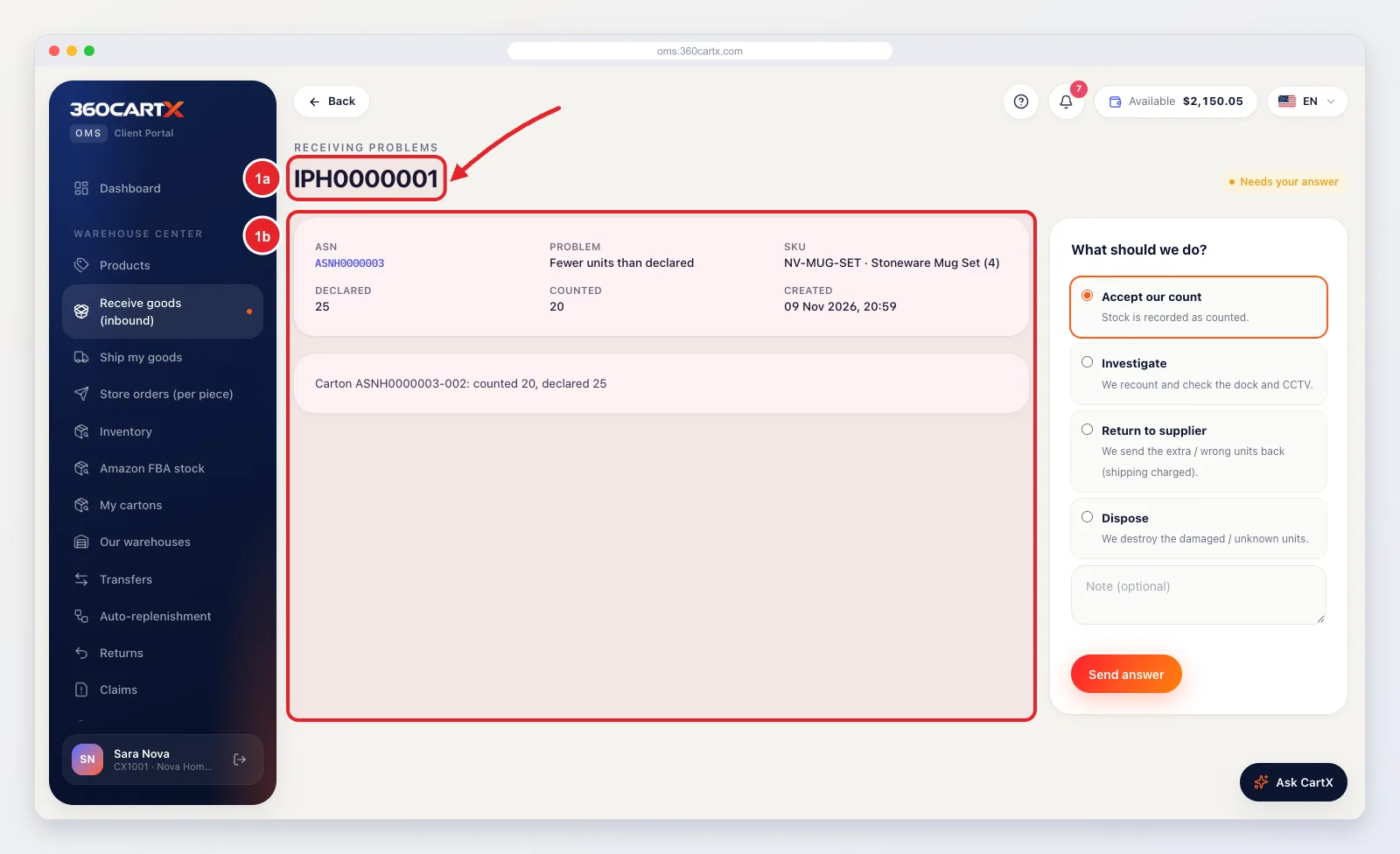
The page shows the problem number (for example IPH0000001), its status, the shipment, the type (here Fewer units than declared), what you Declared (25) and what we Counted (20), the description and any photos our team took.
- 1a Problem number
- 1b Declared and counted
- 2
Choose what we should do
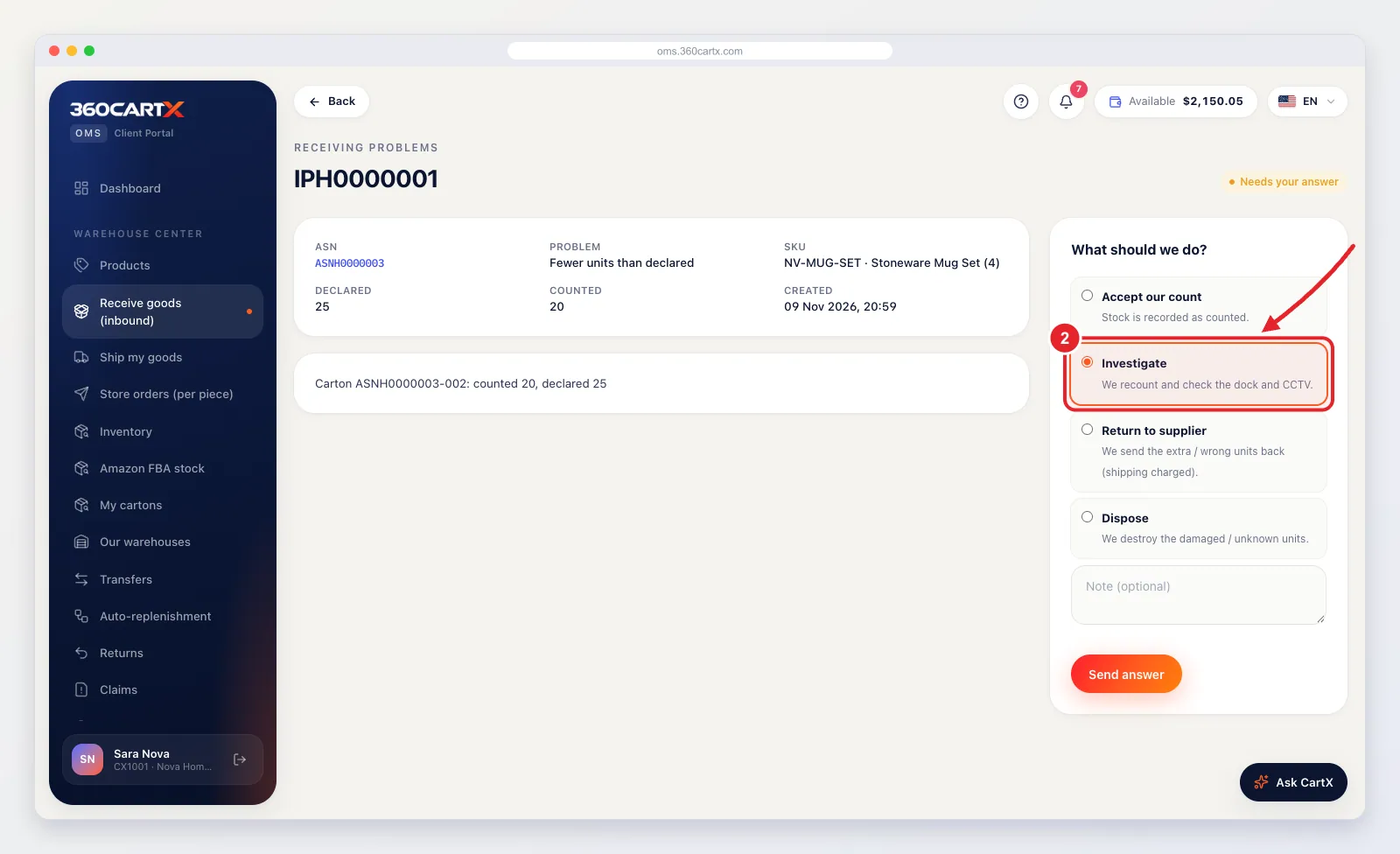
Under What should we do? pick one: Accept our count (stock is recorded as counted; the problem is closed at once), Investigate (we recount and check the dock and CCTV), Return to supplier (we send the extra or wrong units back; shipping is charged) or Dispose (we destroy the damaged or unknown units).
- 3
Add a note and send
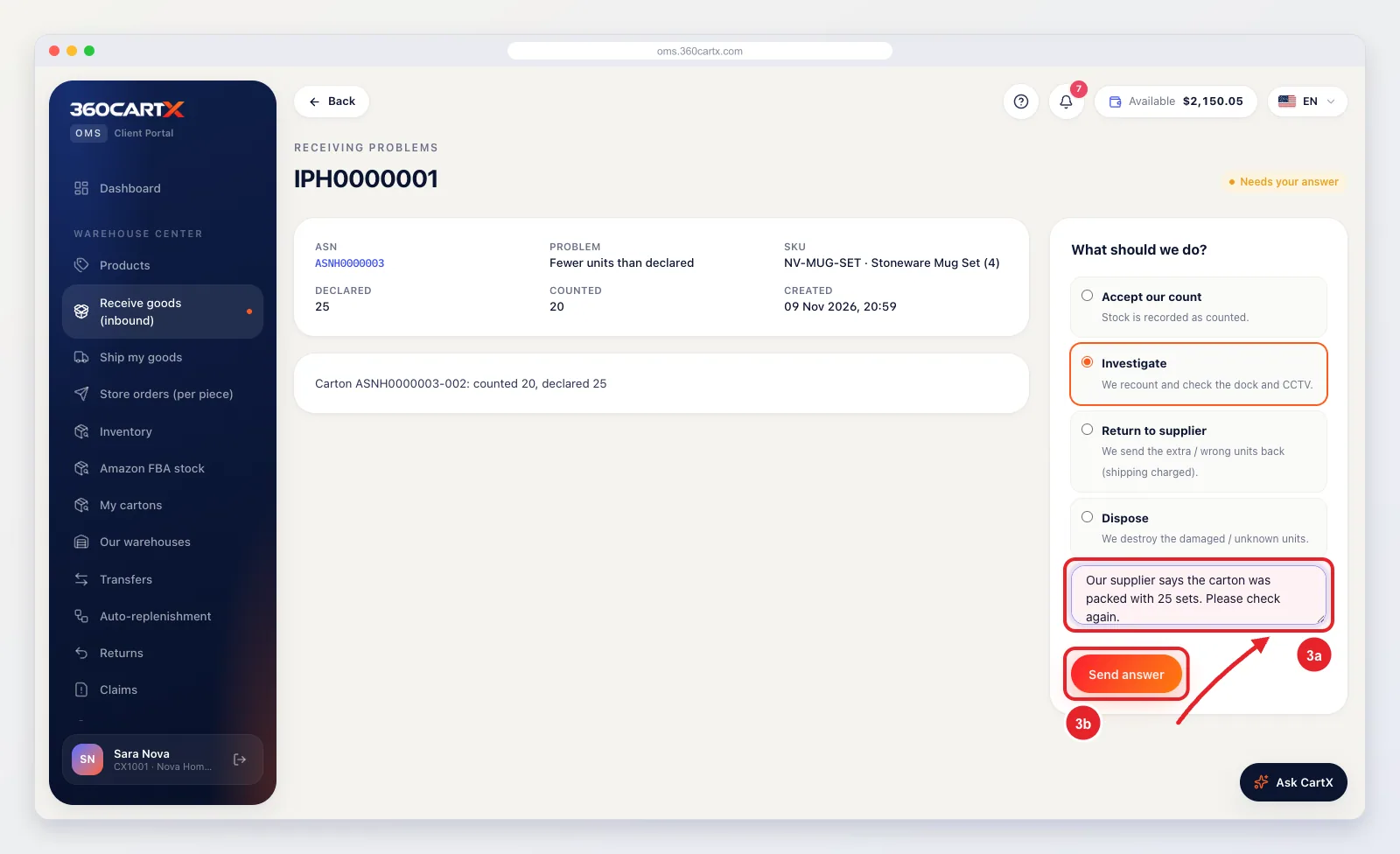
Add a Note (optional), for example Our supplier says the carton was packed with 25 sets. Please check again. Then click Send answer. Except for Accept our count, the problem moves to We're on it and our team is told; you get a notification when it is resolved, with the final result.
- 3a Note (optional)
- 3b Send answer
Tips
- Answer soon: a quick decision keeps your stock figures right.
- Ask your supplier for the packing list before choosing Investigate: it helps our team.
Common problems
Already resolved
The problem was closed in the meantime. Open it to see the resolution.
I can't choose anything
The answer form only shows while the problem Needs your answer. Once you answered, wait for our team to resolve it.
Related articles
Updated 2026-11-09
Open a ticket from Support in your portal and our team will reply.