Steps
- 1
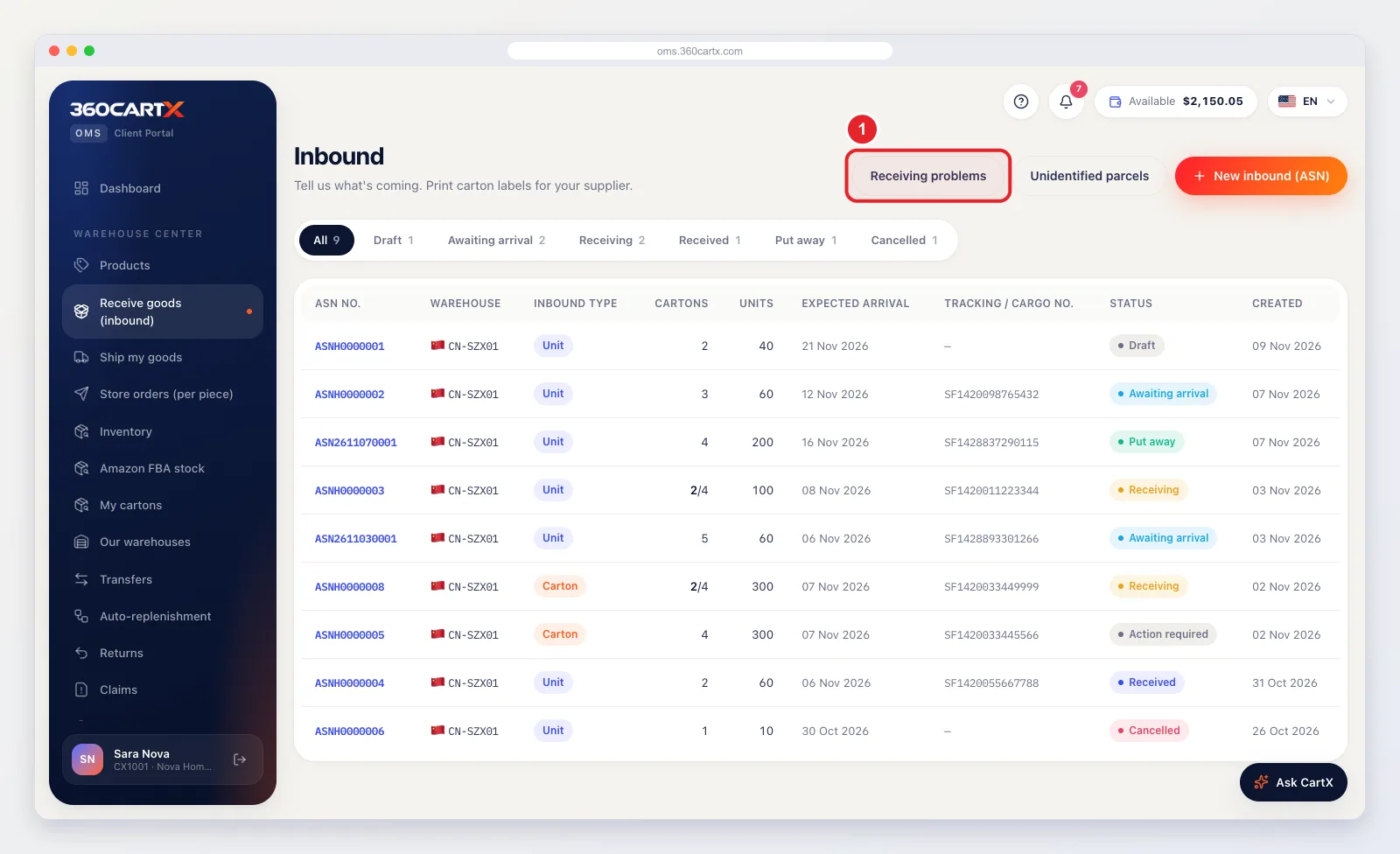
Open Receiving problems
In Receive goods (inbound) click Receiving problems at the top.
- 2
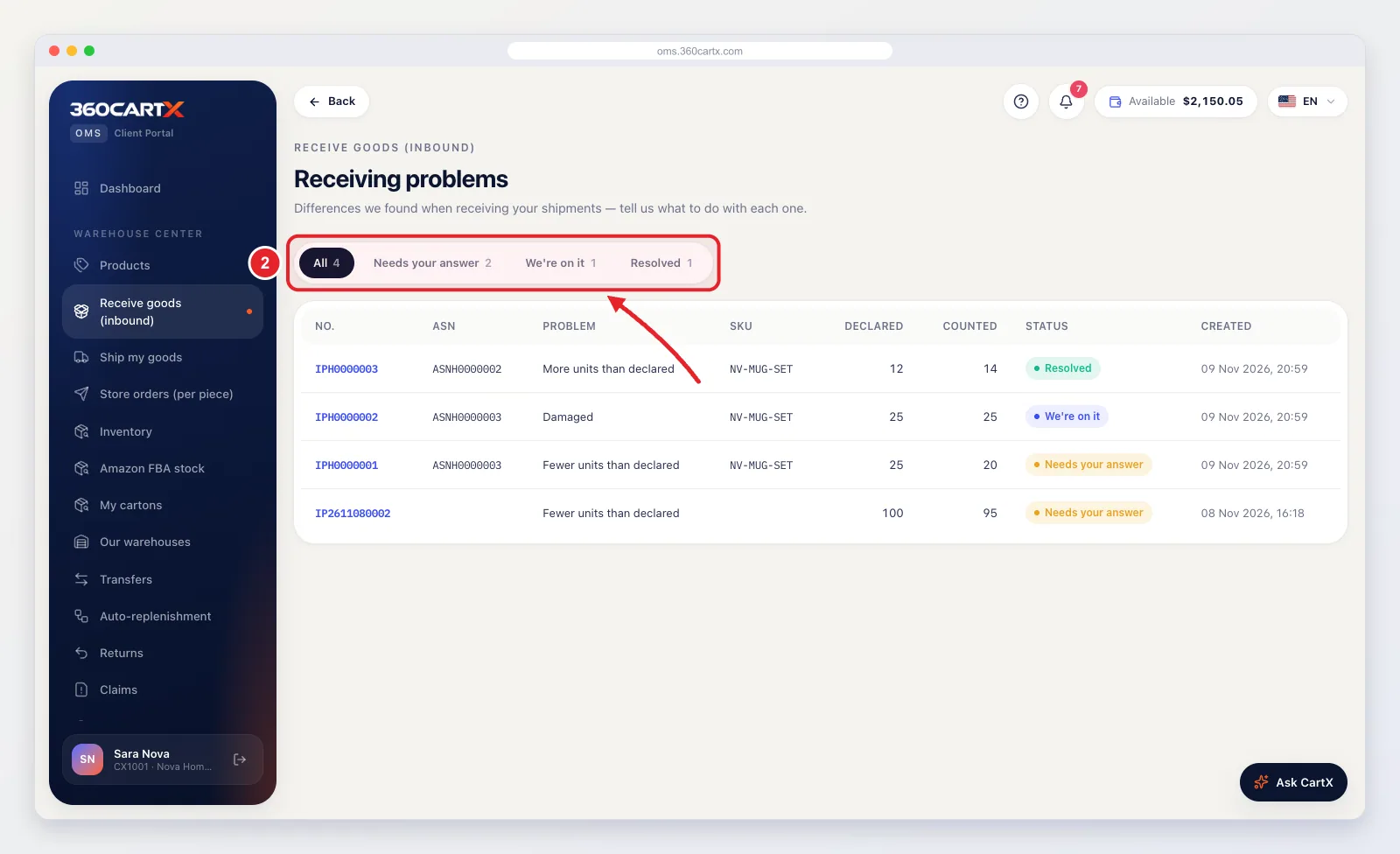
Filter by status
Needs your answer: we are waiting for your decision. We're on it: our team is checking (for example a recount). Resolved: closed with the final result. All shows every problem.
- 3
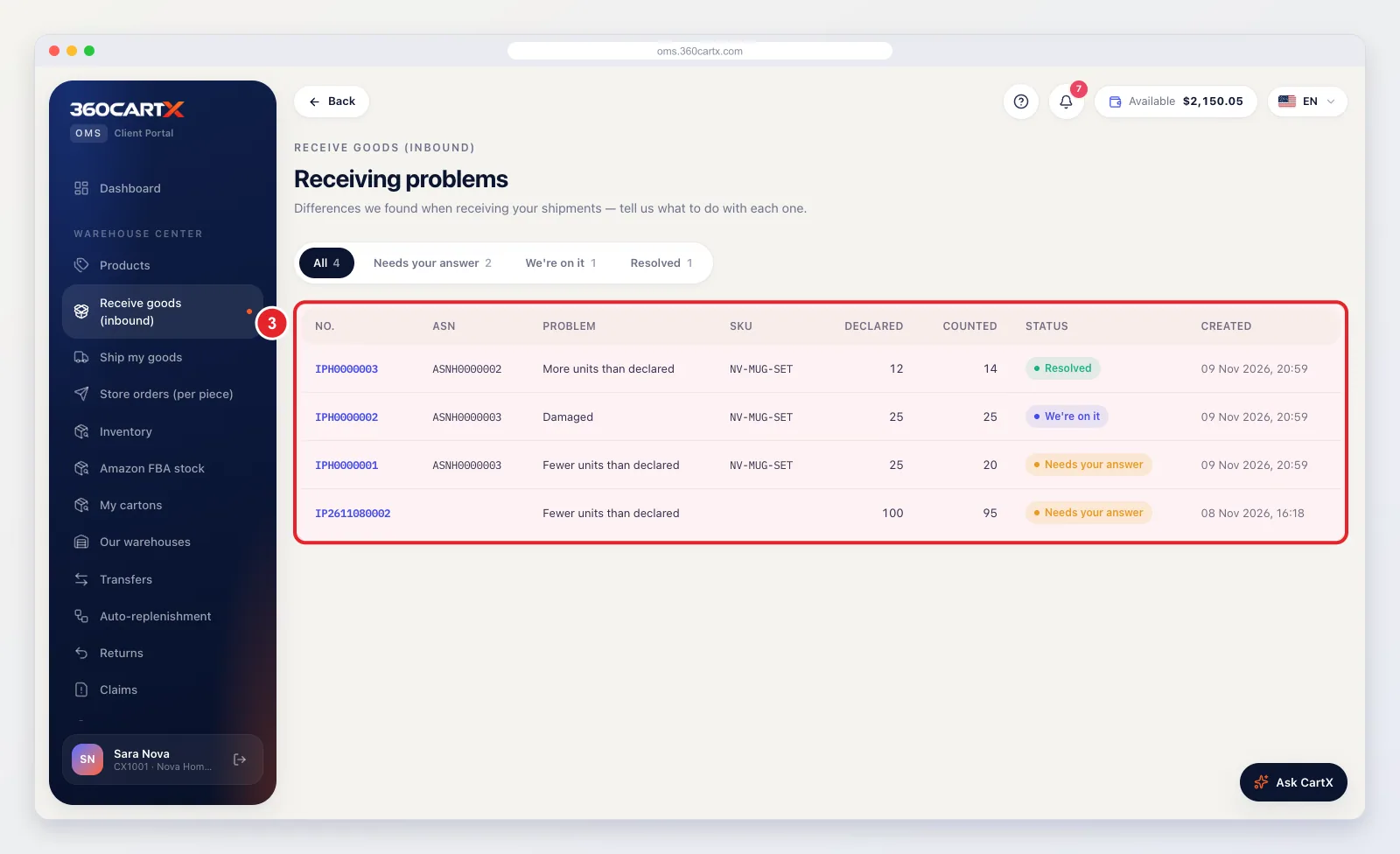
Read the list
Each row shows the problem number, the shipment (ASN), the type, the SKU, what you Declared and what we Counted, and the status. Types: Fewer units than declared, More units than declared, Damaged, Unknown SKU (a product that is not in your account or not in the shipment), No / wrong labels, Other. Click a problem to answer it.
Tips
- A difference also comes as a notification, for example NV-MUG-SET: expected 25, received 20, 5 missing.
- If some cartons never arrive and we close the shipment, a problem is opened for the missing cartons.
Common problems
No receiving problems.
Everything arrived as declared. Nothing to do.
Related articles
Was this article helpful?
Updated 2026-11-09
Still need help?
Open a ticket from Support in your portal and our team will reply.