Steps
- 1
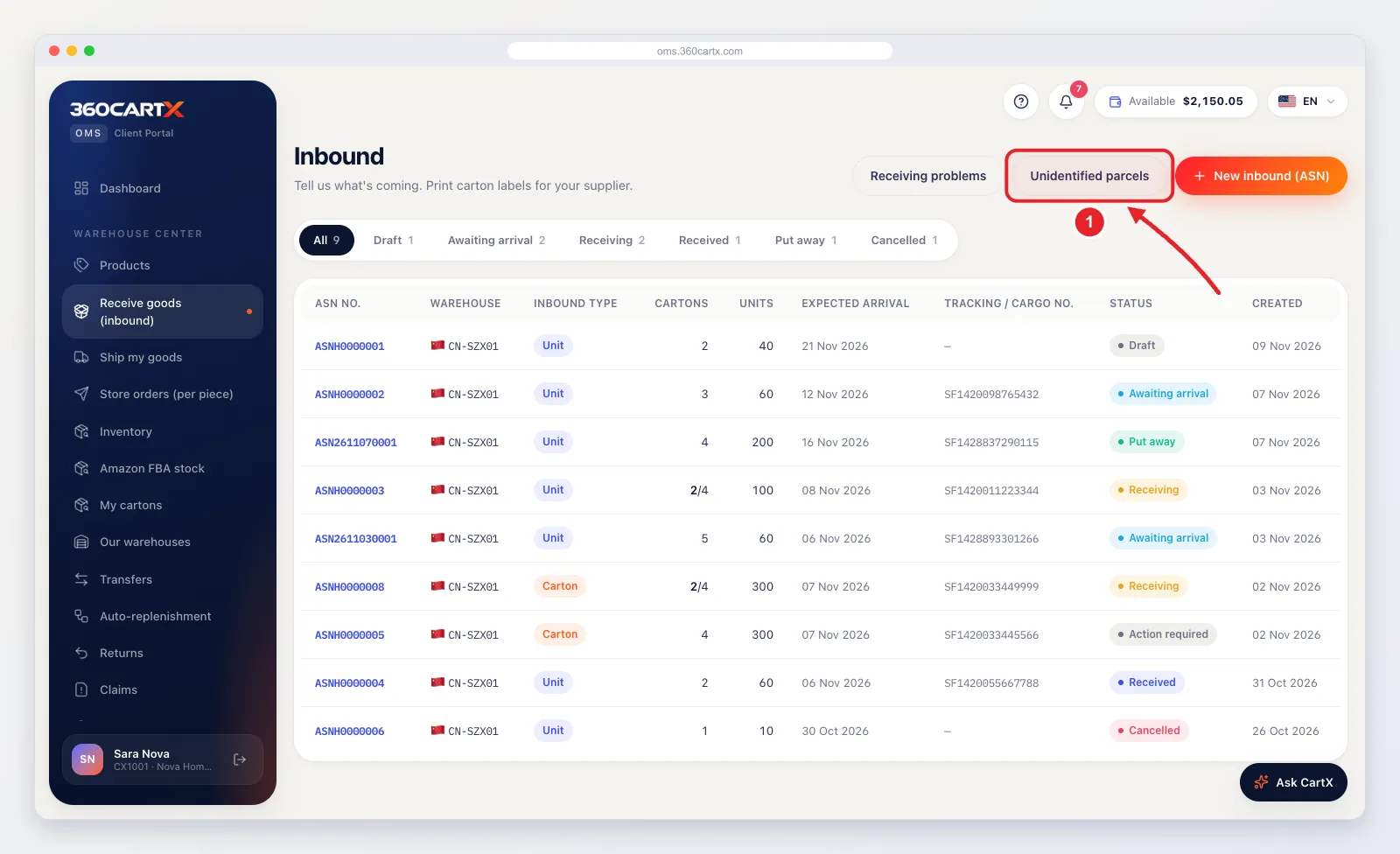
Open Unidentified parcels
In Receive goods (inbound) click Unidentified parcels at the top.
- 2
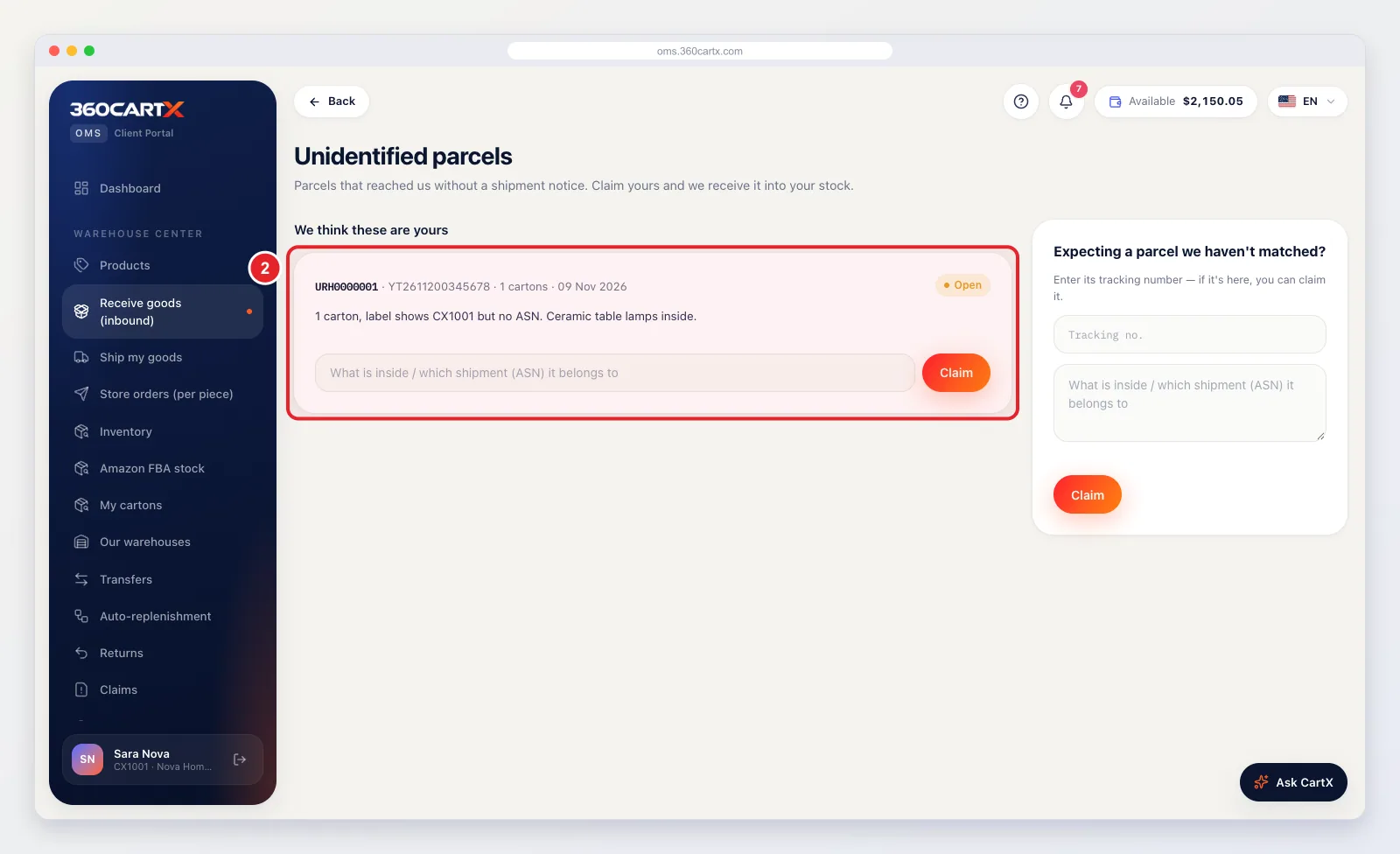
We think these are yours
Each parcel shows its number (for example URH0000001), the tracking number, the number of cartons, the date, what our team saw inside and photos of the label. Its status is Open.
- 3
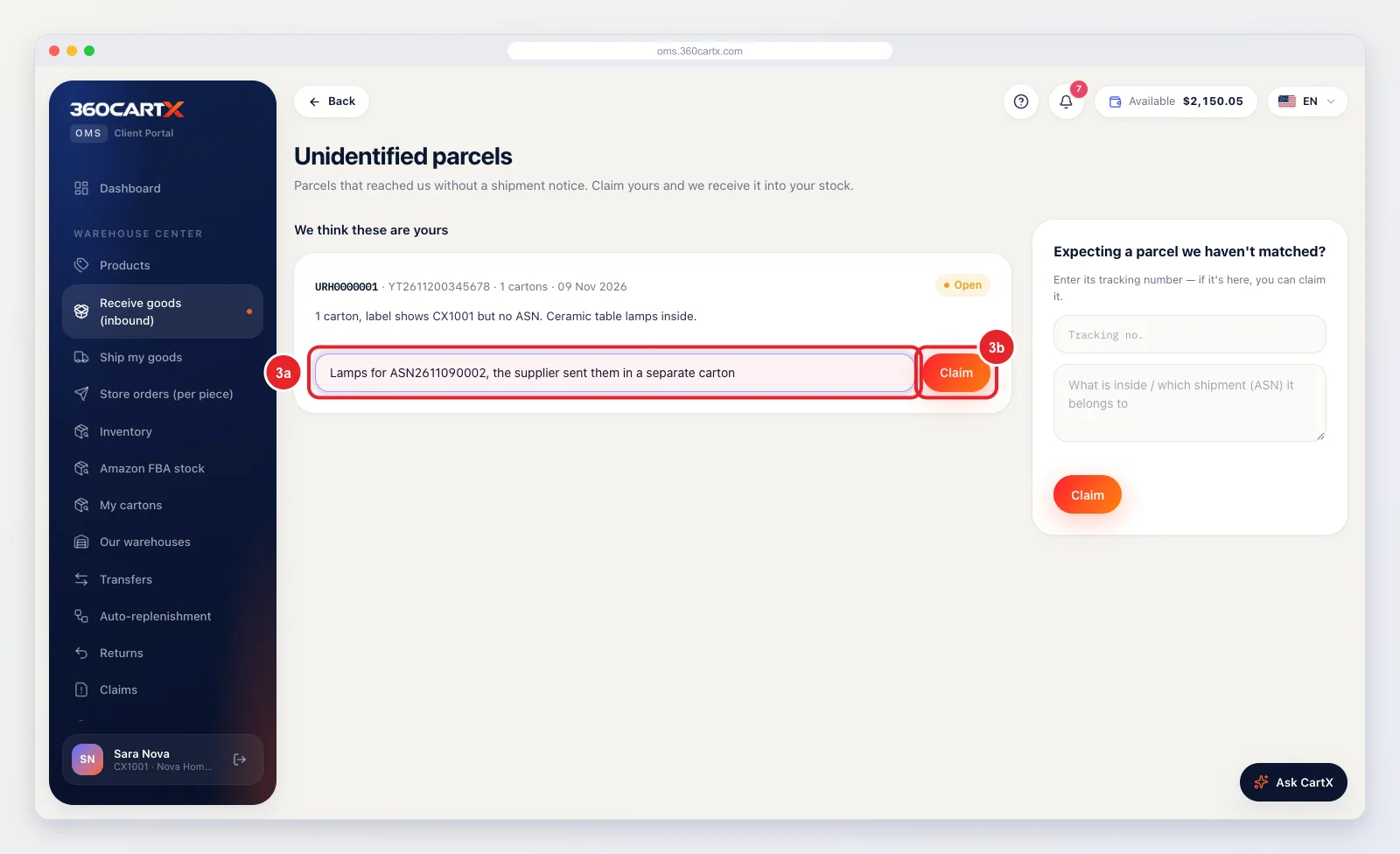
Claim it
Type what is inside or which shipment it belongs to, for example Lamps for ASN2611090002, the supplier sent them in a separate carton, then click Claim. You see Claimed — we'll receive it shortly. The parcel moves to the list below with the status Claimed, then Received once it is in your stock.
- 3a What is inside / which shipment
- 3b Claim
- 4
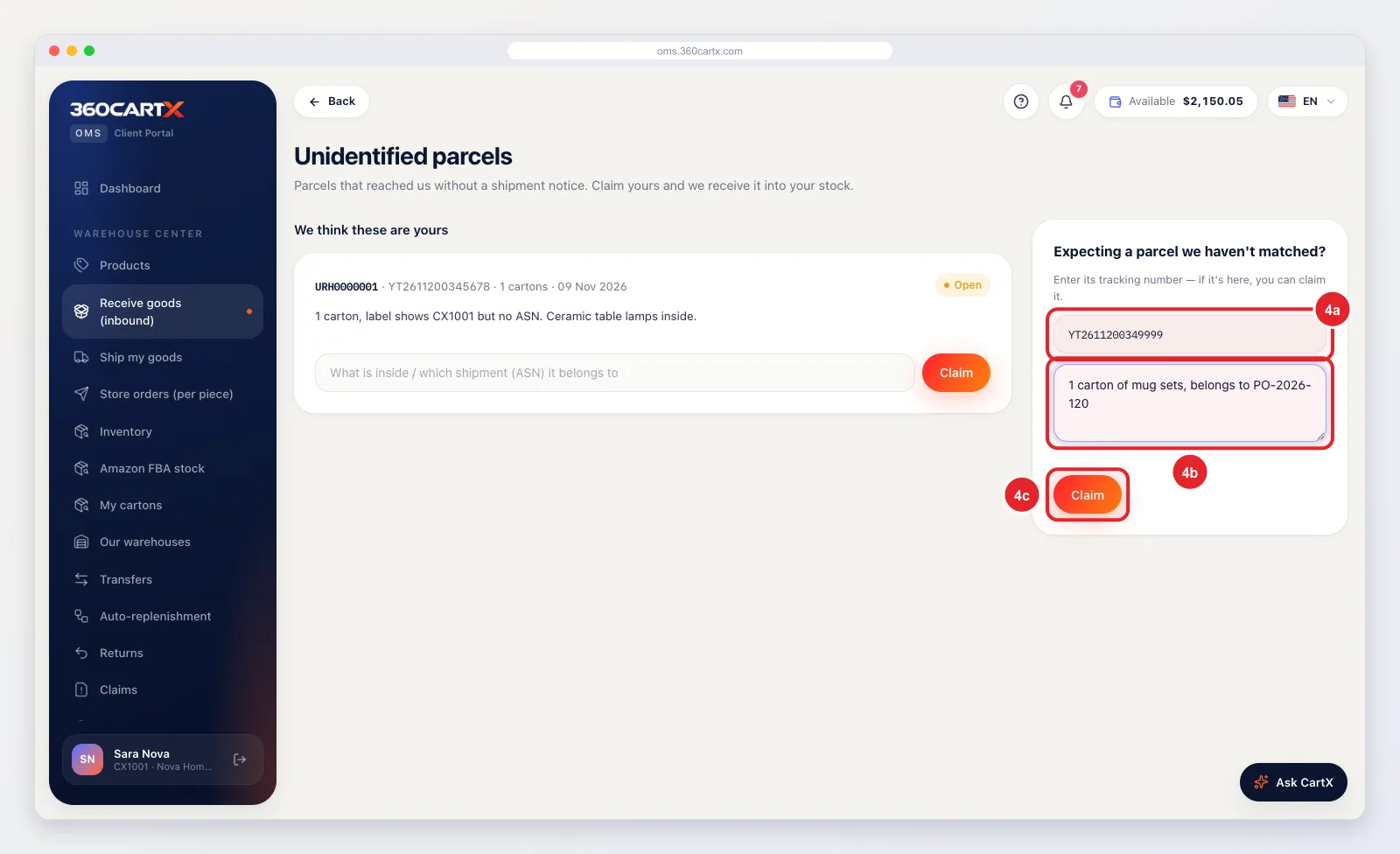
Expecting a parcel we haven't matched?
If your parcel is not listed, enter its tracking number (at least 6 characters), for example YT2611200349999, and what is inside, then click Claim. If it is here and still open, it is claimed for you.
- 4a Tracking no.
- 4b What is inside
- 4c Claim
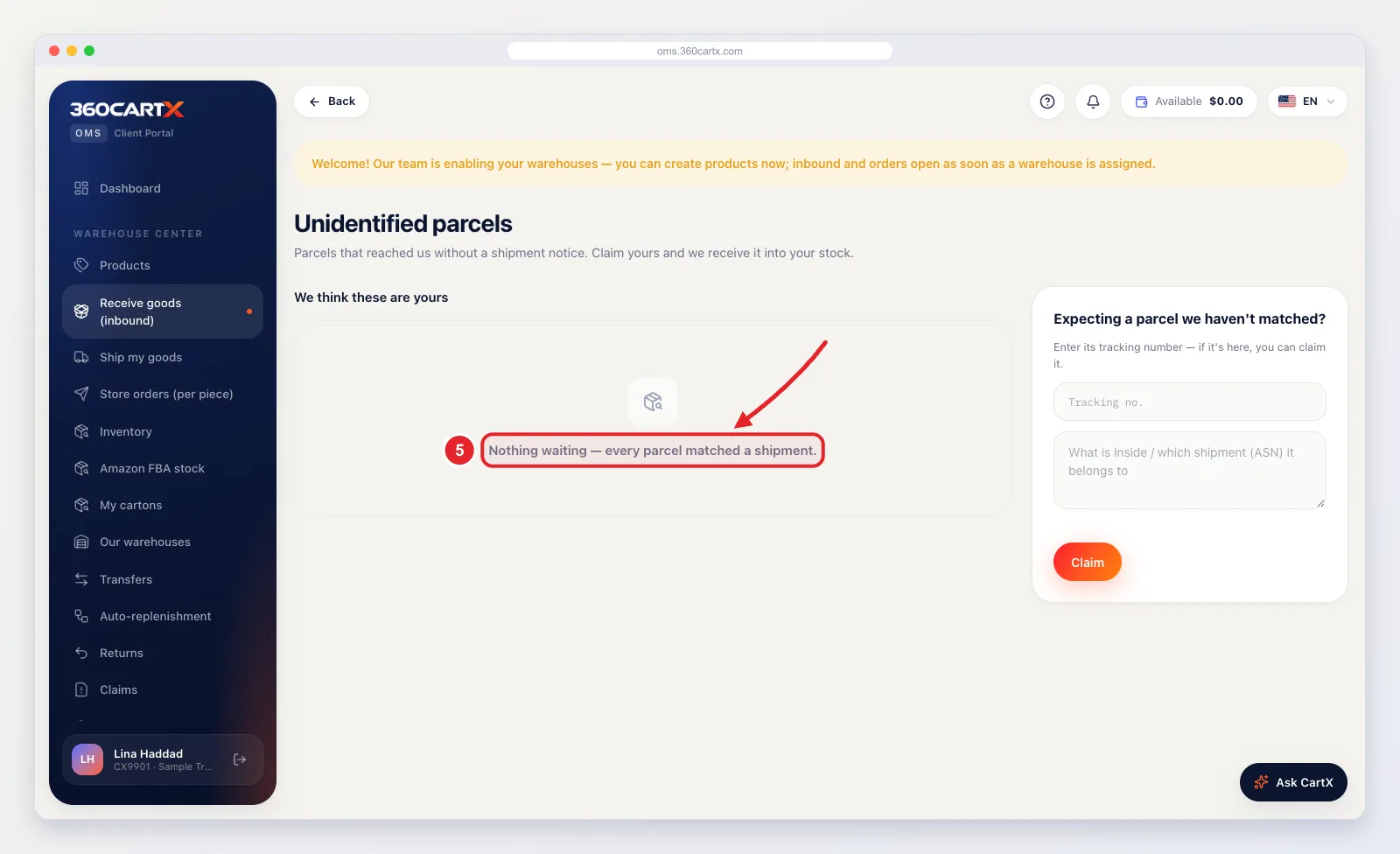
- 5
Nothing waiting
When no unidentified parcel is waiting for you, the page says Nothing waiting — every parcel matched a shipment.
Tips
- Avoid unidentified parcels: create the inbound shipment before the goods leave, and make sure every carton carries its carton label and your client code.
- Parcels nobody claims may be disposed of after a while.
Common problems
No open unidentified parcel with that tracking number
The parcel has not reached us, it was already matched, or the number is different. Check the tracking number with your carrier and try again later.
Tell us what is inside, or the shipment (ASN) it belongs to
The note is required: describe the contents or give the ASN number.
Already handled
The parcel was claimed or received in the meantime. Check the list under the open parcels.
Related articles
Updated 2026-11-09
Open a ticket from Support in your portal and our team will reply.