Steps
- 1
Open the report
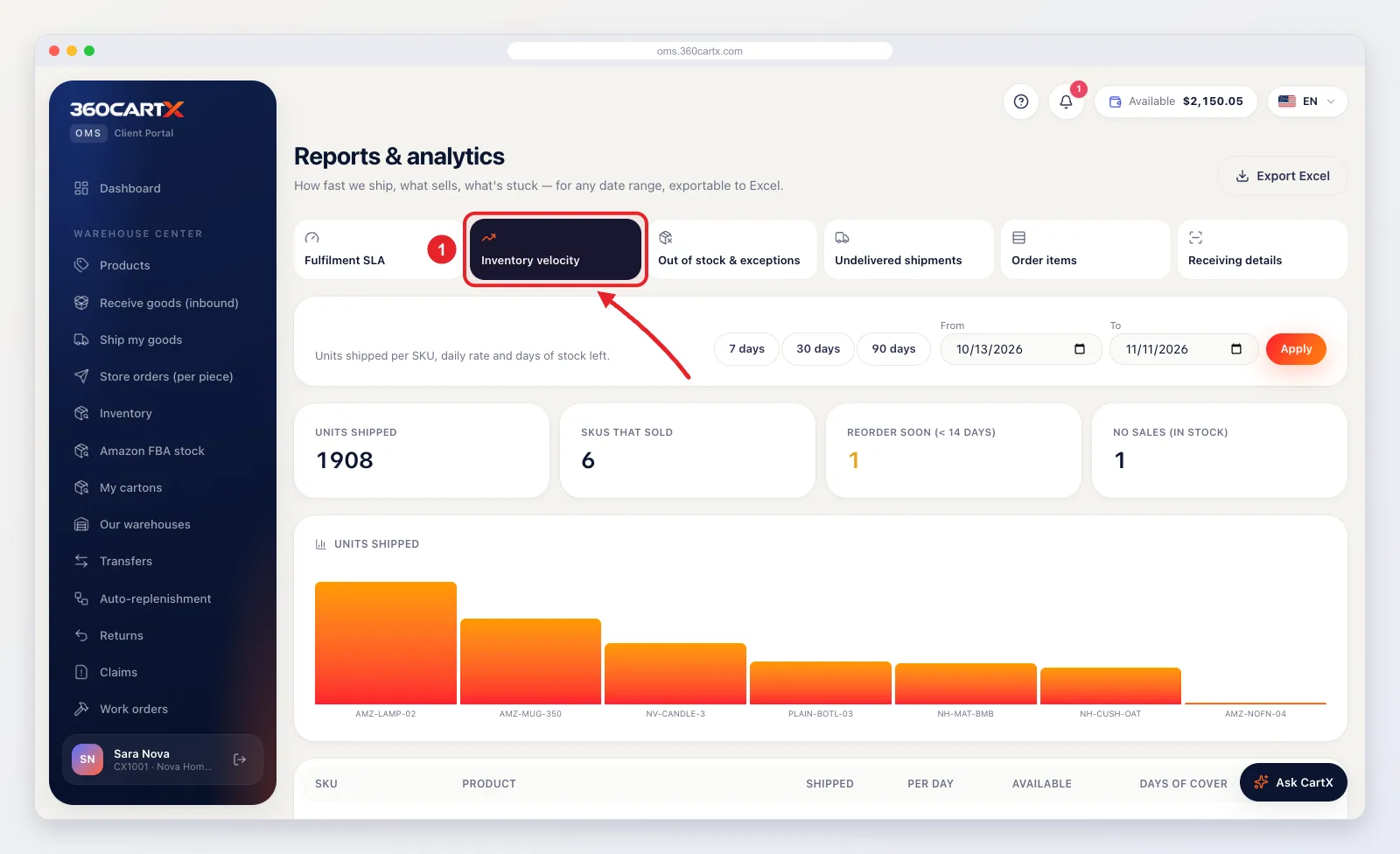
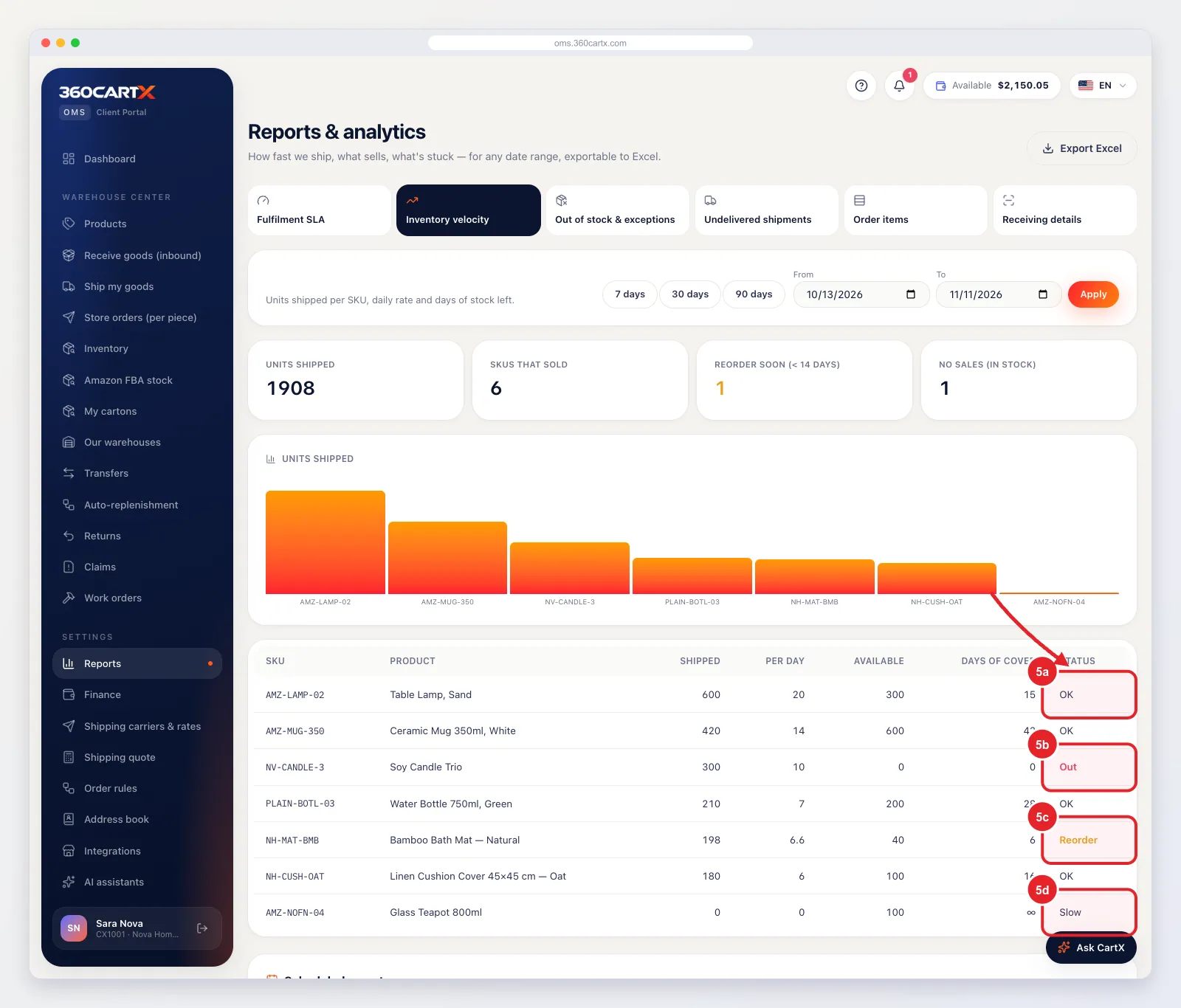
On the Reports page click Inventory velocity. The line under the cards says: Units shipped per SKU, daily rate and days of stock left.
- 2
The four figures
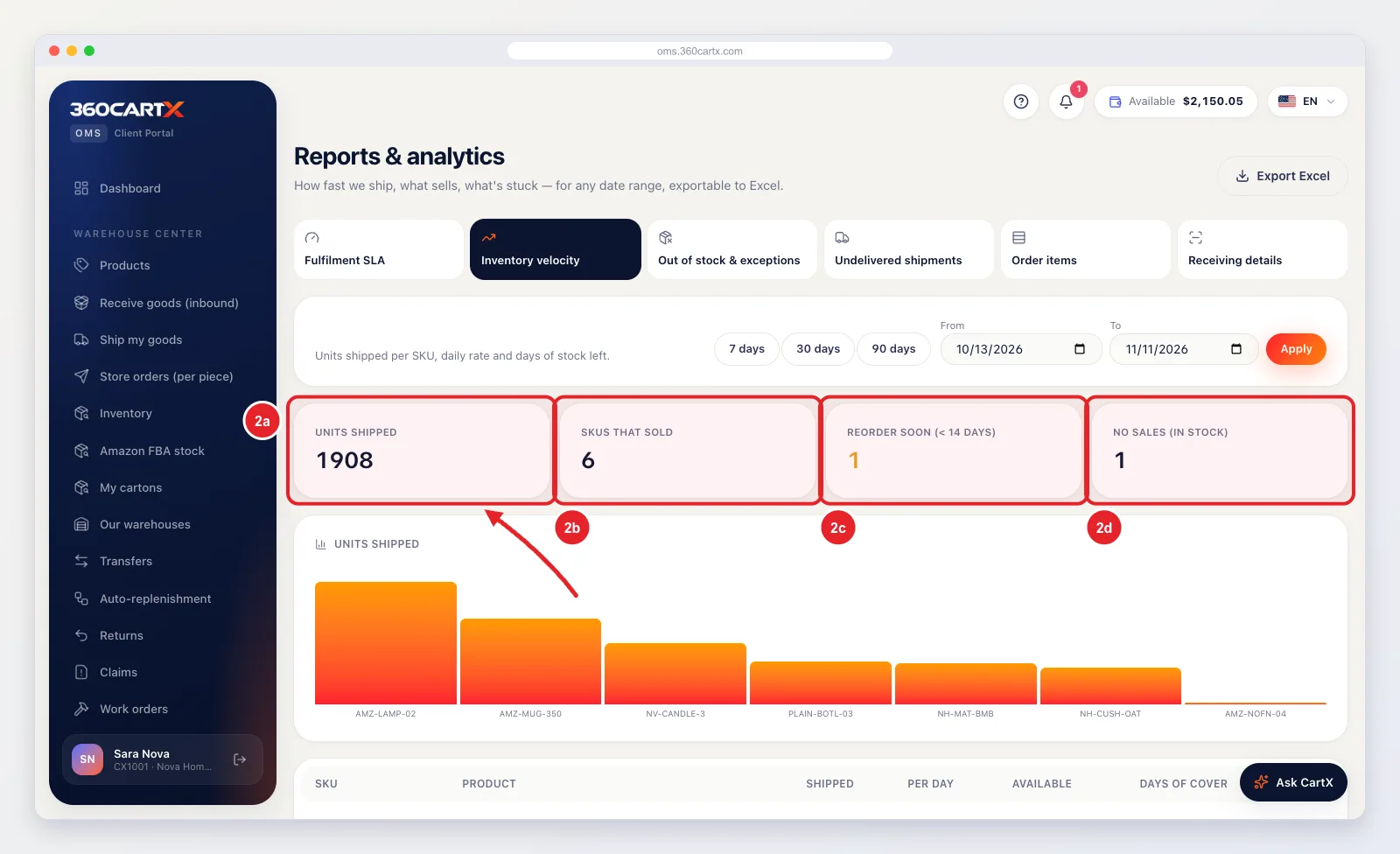
Units shipped: all units picked for your orders in the range. SKUs that sold: how many different SKUs had at least one unit picked. Reorder soon (< 14 days): SKUs whose stock will run out in less than 14 days at the current pace (amber). No sales (in stock): SKUs that have stock but sold nothing in the range.
- 2a Units shipped
- 2b SKUs that sold
- 2c Reorder soon
- 2d No sales (in stock)
- 3
The chart
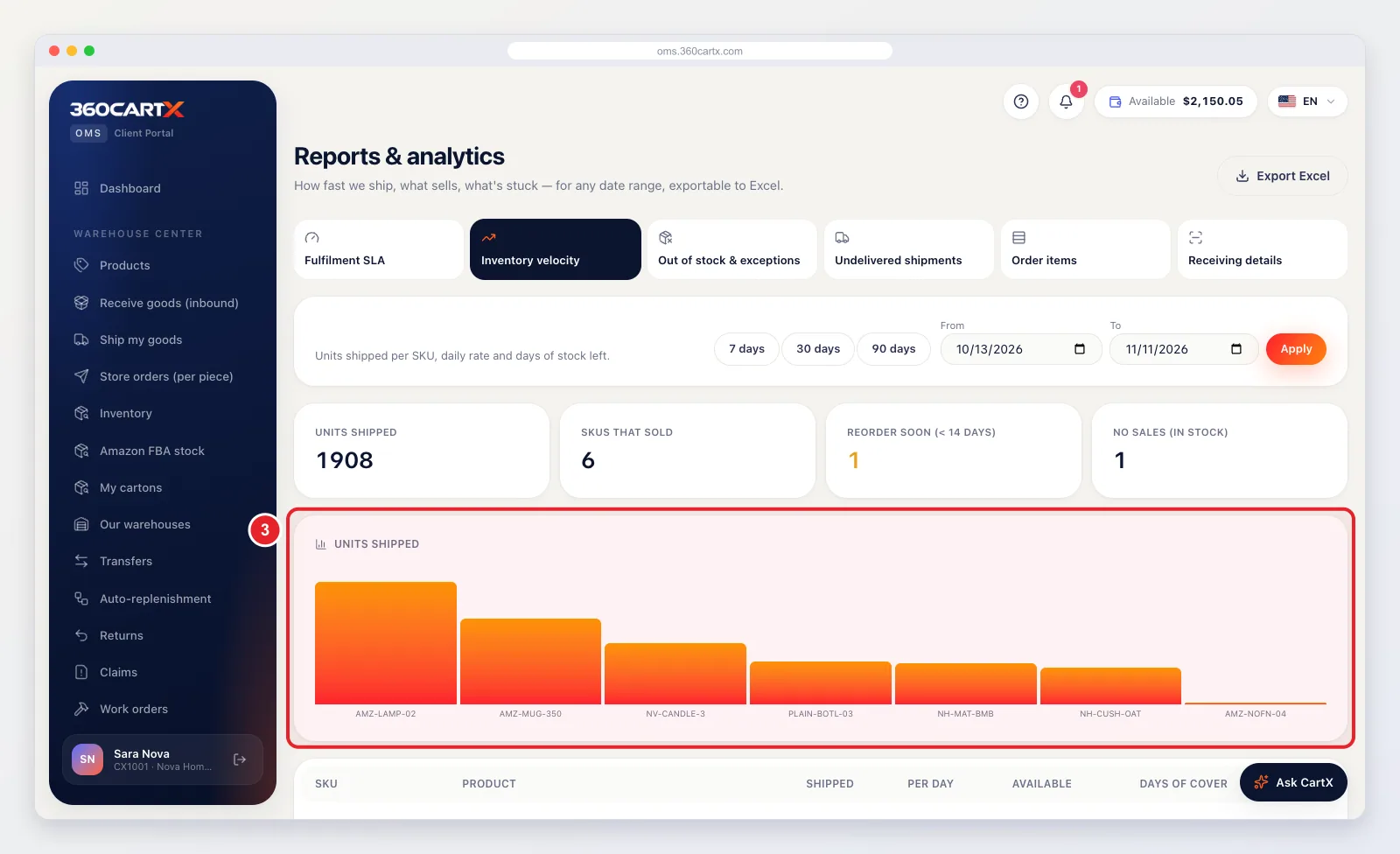
The chart is titled Units shipped. It shows your 12 best-selling SKUs in the range, highest first, one bar per SKU labelled with the SKU code. Hold the mouse over a bar to read the exact number.
- 4
The columns
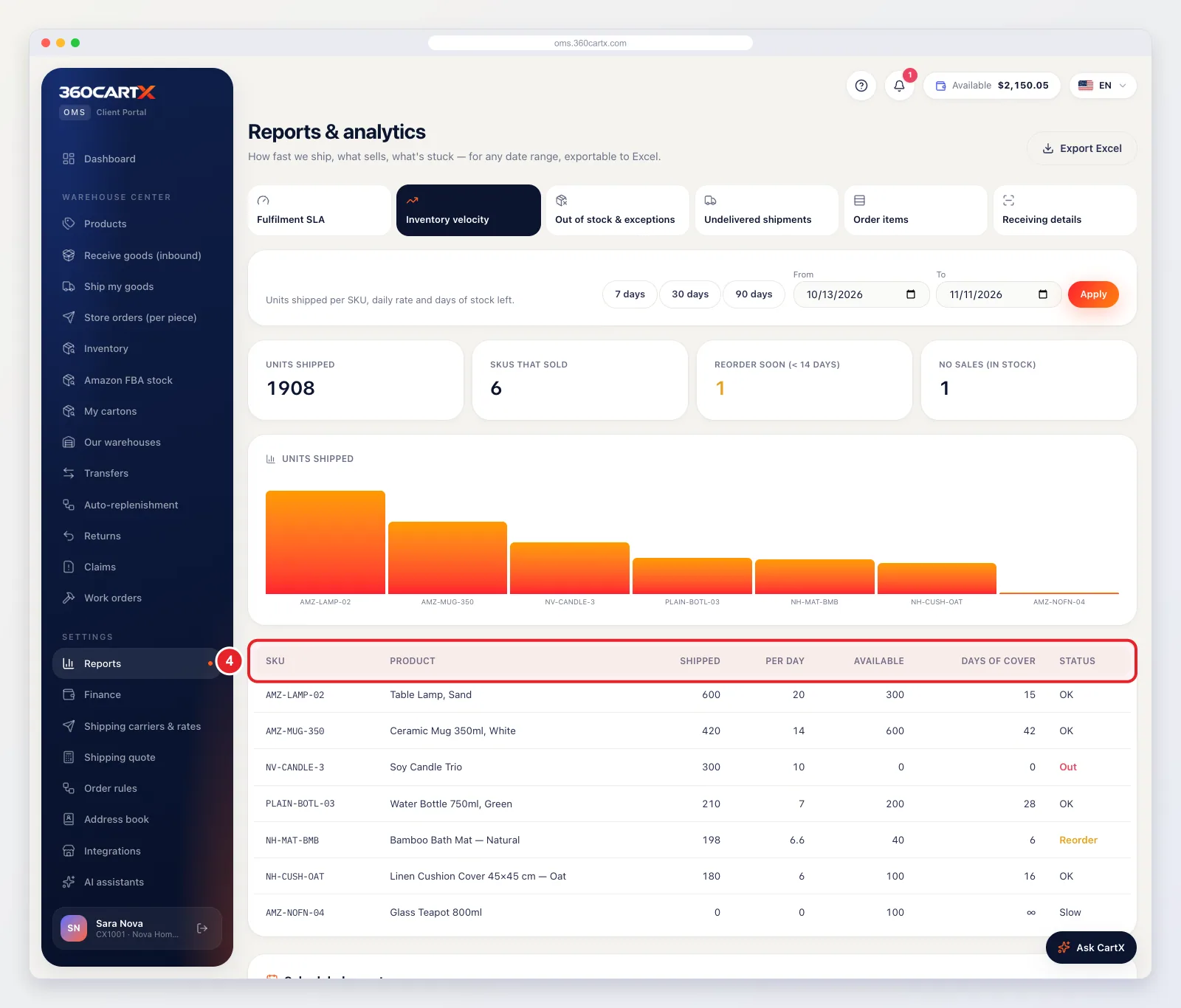
SKU, Product, Shipped (units picked in the range), Per day (Shipped divided by the days in the range), Available (good units on the shelves minus units reserved for orders, right now), Days of cover (Available divided by Per day, rounded down; the infinity sign when nothing sold) and Status. Rows are sorted by Shipped, highest first.
- 5
The status
OK: enough stock for 14 days or more. Out (red): nothing available right now, even though it sells. Reorder (amber): less than 14 days of cover, so send more stock soon; example: 40 available and 6.6 sold a day is 6 days of cover. Slow: it is in stock but sold nothing in the range.
- 5a OK
- 5b Out
- 5c Reorder
- 5d Slow
Tips
- Pick a range that matches your selling rhythm. A 7-day range reacts fast to a sale or a campaign; 30 or 90 days smooths it out.
- Available counts only good units stored in our warehouse. Shipments still on their way to us, damaged units and units reserved for orders are not included. Check Inbound for what is coming.
- Only approved products appear, and only if they sold in the range or have stock. A product with no sales and no stock is not listed.
- In the Excel file the Status column holds the codes OUT, REORDER, SLOW and OK.
- Want a warning before a SKU runs out? Set a low-stock alert level on the product. See Low-stock alerts.
Common problems
Days of cover shows the infinity sign
That SKU sold nothing in the range, so no pace can be calculated. It shows Slow if it is in stock.
A SKU is Out but I sent stock last week
Stock counts as available only after it is put away on our shelves. Check the shipment status in Inbound.
Units shipped is higher than my orders
The report counts units when our team picks them. Picked units of an order that is not yet shipped are already included.
A product I sell is not listed
It needs to be approved and to have sold units in the range or stock on the shelves.
Related articles
Updated 2026-11-11
Open a ticket from Support in your portal and our team will reply.