Steps
- 1
Open the report
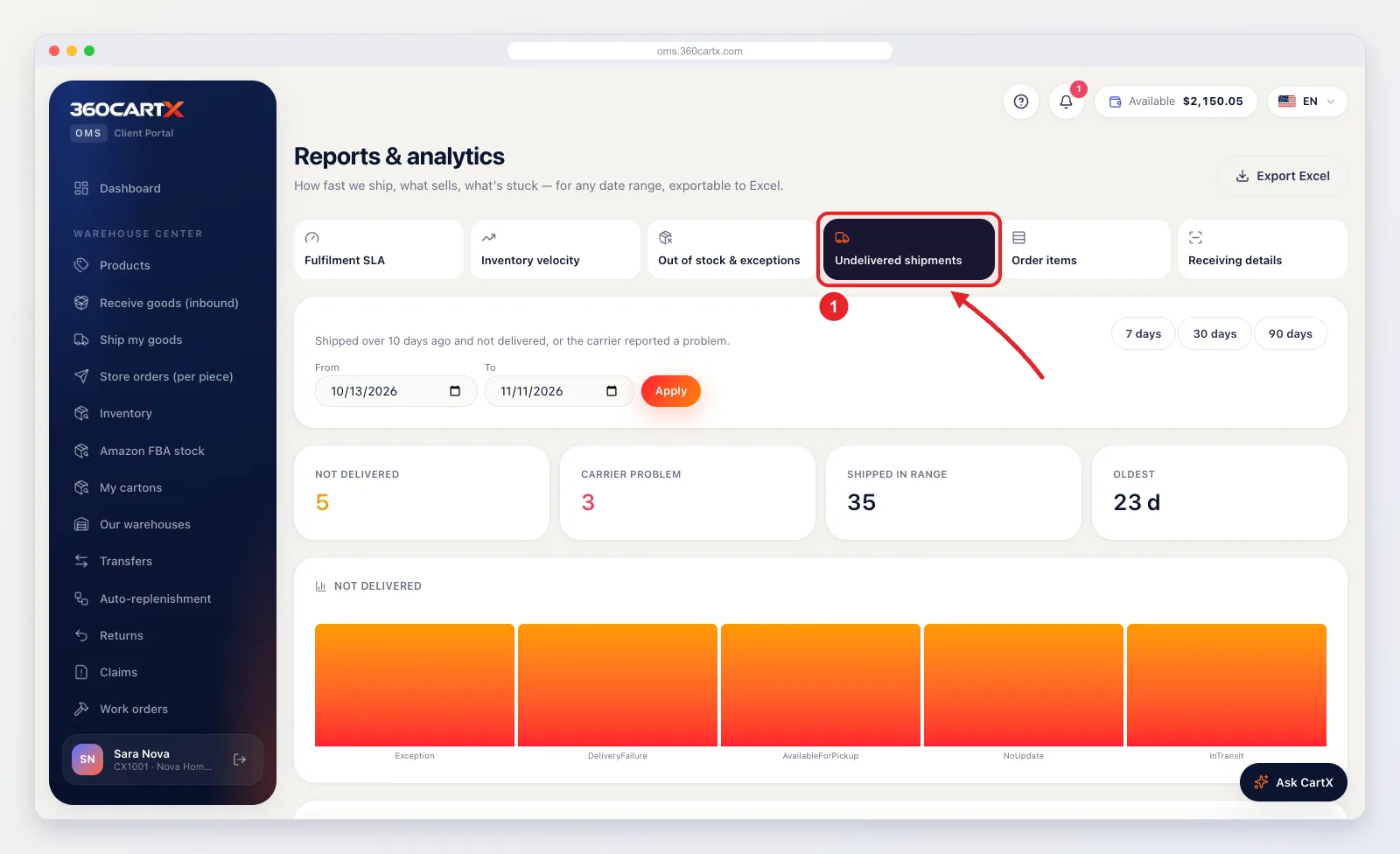
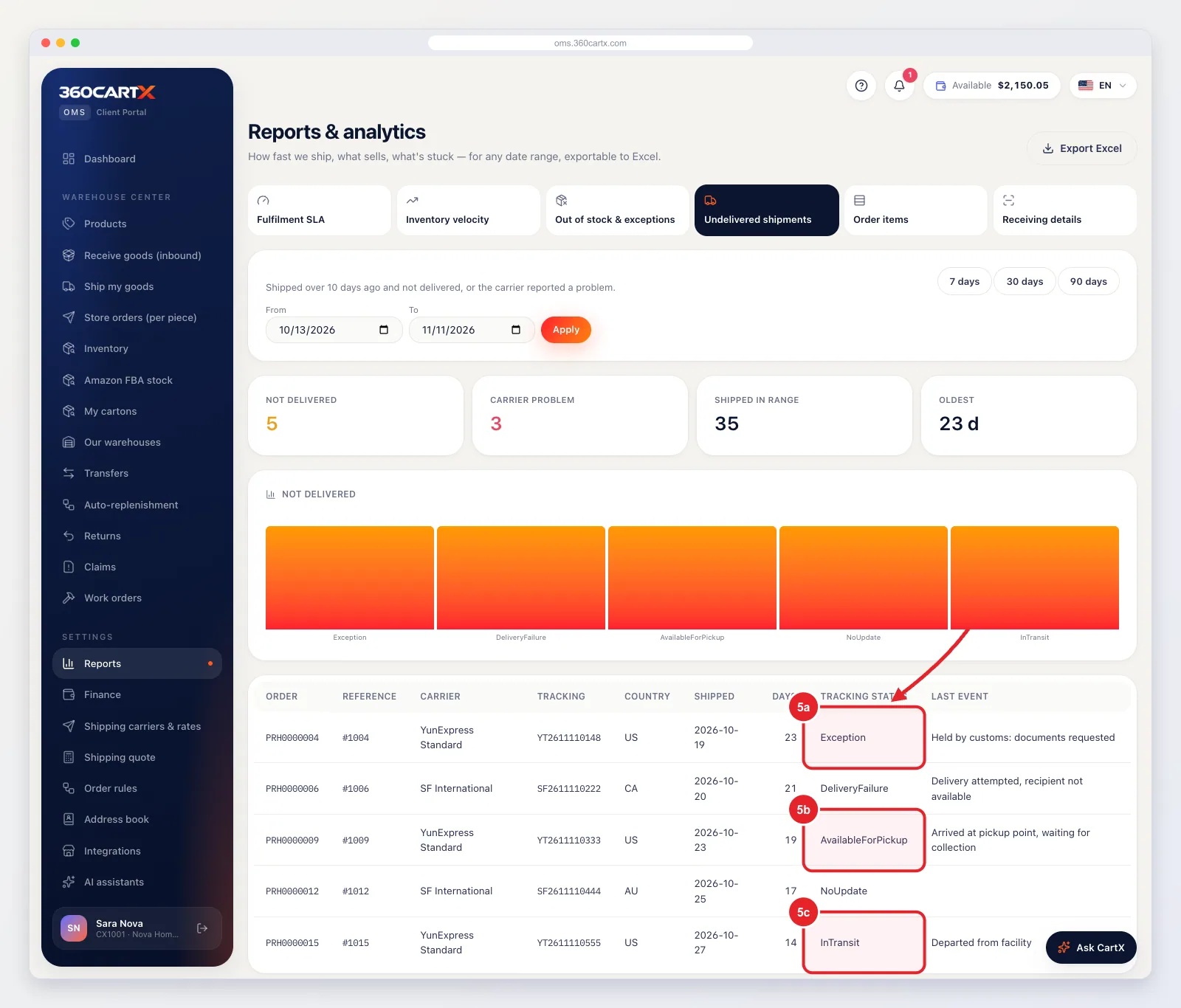
On the Reports page click Undelivered shipments. The line under the cards says: Shipped over 10 days ago and not delivered, or the carrier reported a problem.
- 2
The four figures
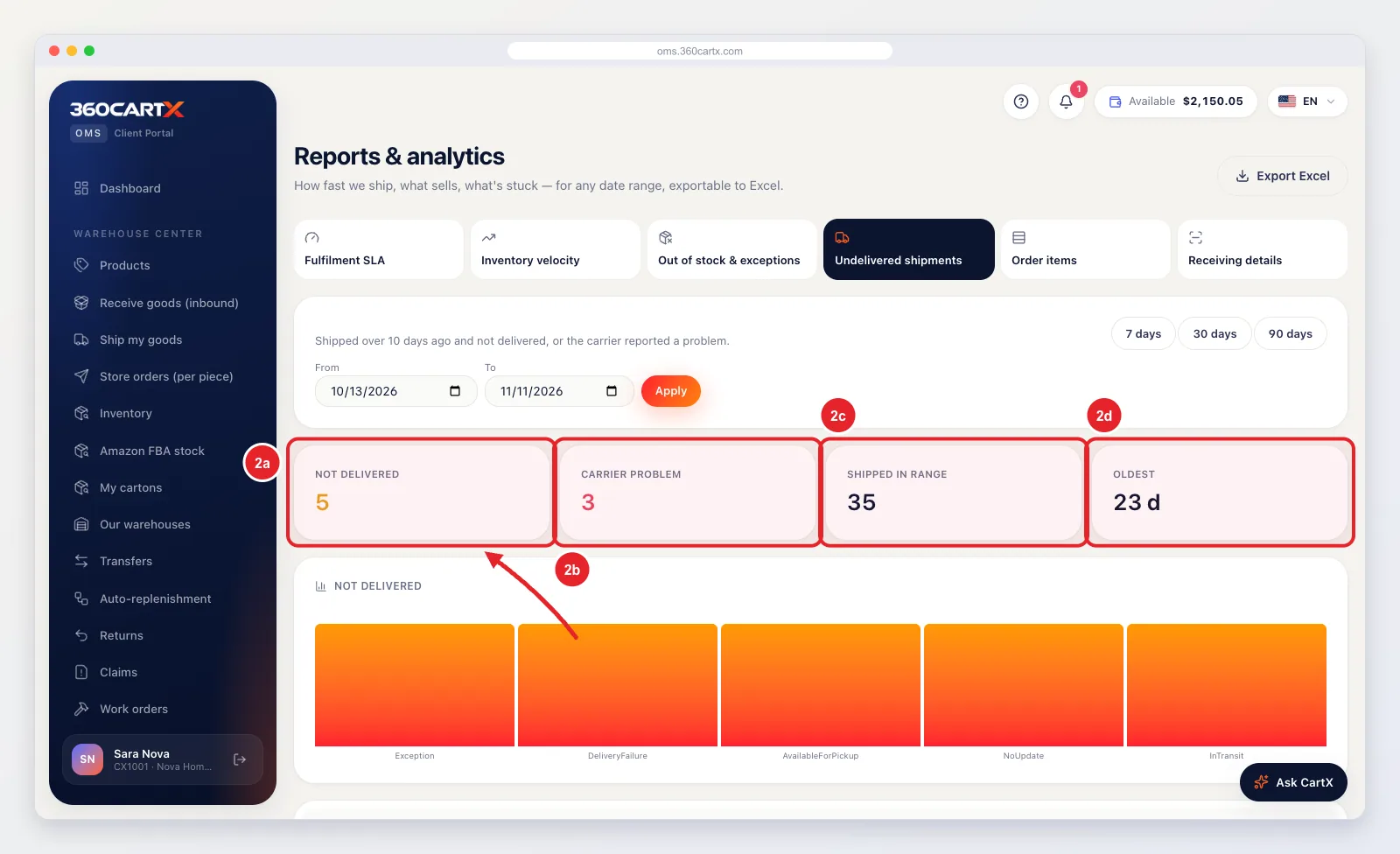
Not delivered: how many parcels are on the list (amber when there are any, green when none). Carrier problem: how many of them the carrier flagged with a problem (red). Shipped in range: how many parcels left our warehouse in your date range, so you can judge the list against your volume. Oldest: how many days ago the oldest parcel on the list was shipped.
- 2a Not delivered
- 2b Carrier problem
- 2c Shipped in range
- 2d Oldest
- 3
The chart
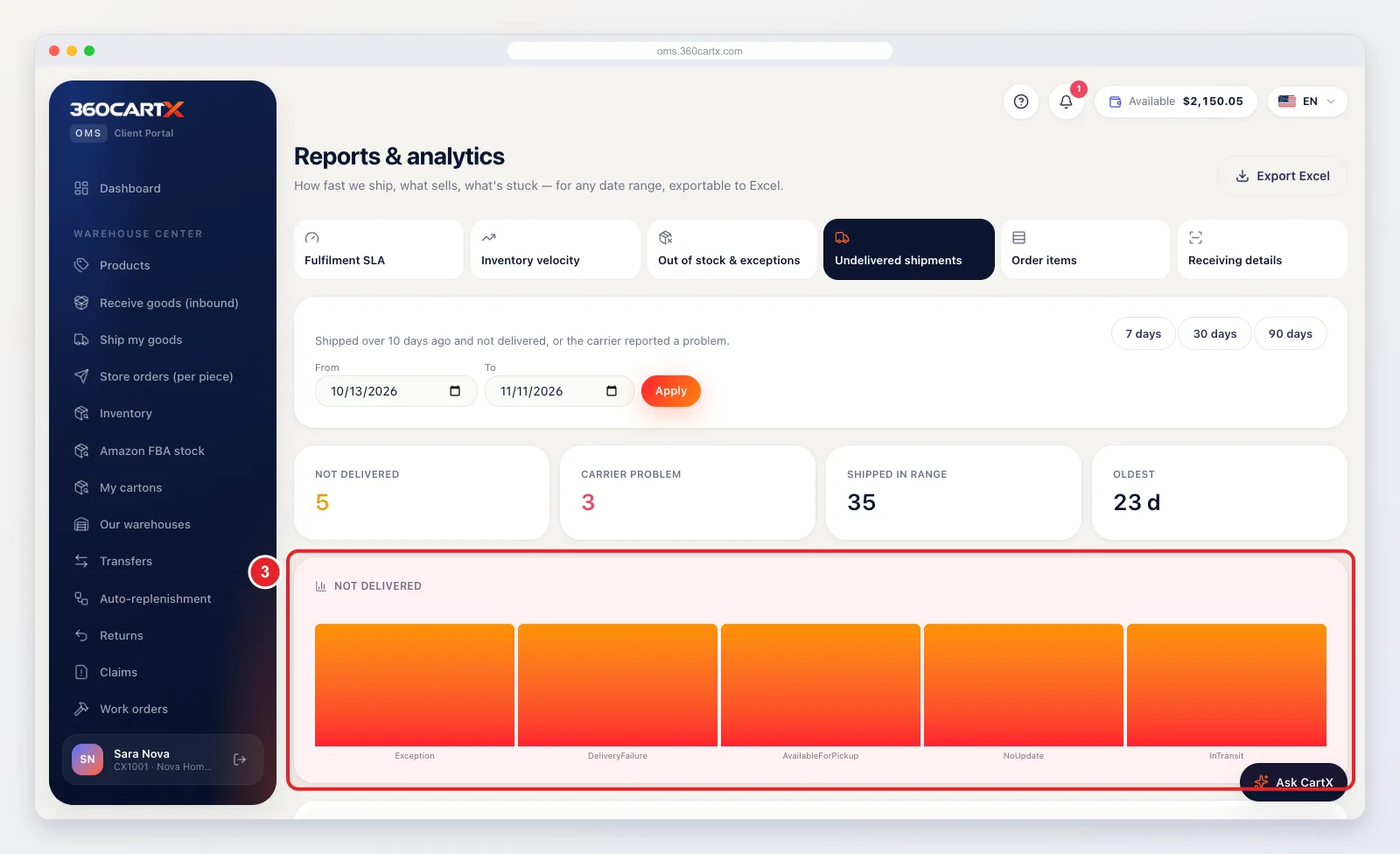
The chart is titled Not delivered. One bar per tracking status found on the list (for example Exception, DeliveryFailure, InTransit), so you see at a glance what kind of trouble dominates. Hold the mouse over a bar to read the count.
- 4
The columns
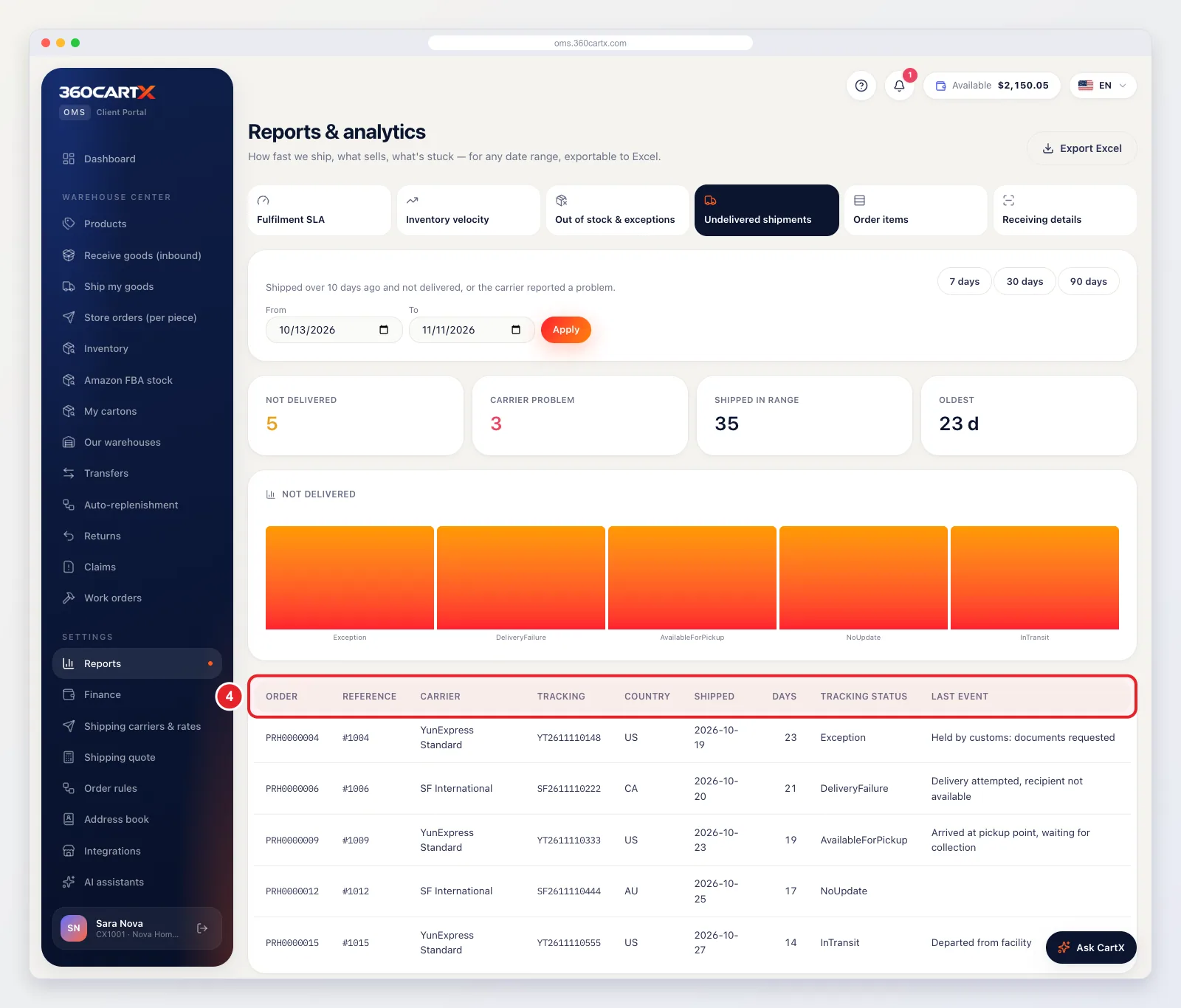
Order (our parcel number), Reference (your order number), Carrier, Tracking (the tracking number), Country, Shipped (the date it left us), Days (days since it left), Tracking status and Last event (the carrier's last scan or message). Rows are sorted with the oldest shipment first.
- 5
The tracking statuses
Exception, DeliveryFailure, AvailableForPickup and Expired are carrier problems: customs or another hold, a failed delivery attempt, a parcel waiting at a pickup point, and tracking that expired. InTransit means the parcel is still moving but has taken more than 10 days. NoUpdate means the carrier has sent no tracking information.
- 5a Exception
- 5b AvailableForPickup
- 5c InTransit
Tips
- A parcel is on the list when it is shipped and either left us more than 10 days ago, or its tracking status is Exception, DeliveryFailure, Expired or AvailableForPickup (even if it left only yesterday).
- This report shows what is stuck right now. The dates above only change the Shipped in range figure, and parcels shipped more than 60 days before the From date are not listed.
- Find the order in Store orders by its number to see the full tracking history. If a parcel is truly lost or damaged, file a claim within the claim window. See File a claim.
- Delivered parcels leave the list by themselves.
Common problems
A parcel is InTransit but the buyer says it arrived
The carrier has not scanned the delivery yet. Open the order to see the latest tracking and ask the buyer for a delivery photo if you need proof.
Last event is empty
The carrier has not reported anything yet (status NoUpdate). Check the tracking number with the carrier; if nothing shows after a few days, contact support.
The list is empty
Nothing is stuck. The report shows Nothing in this range and the four figures show 0 or a dash.
A parcel is missing from the list
It is not shipped yet, it is already delivered, it left us less than 10 days ago without a carrier problem, or it shipped more than 60 days before your From date.
Related articles
Updated 2026-11-11
Open a ticket from Support in your portal and our team will reply.