Steps
- 1
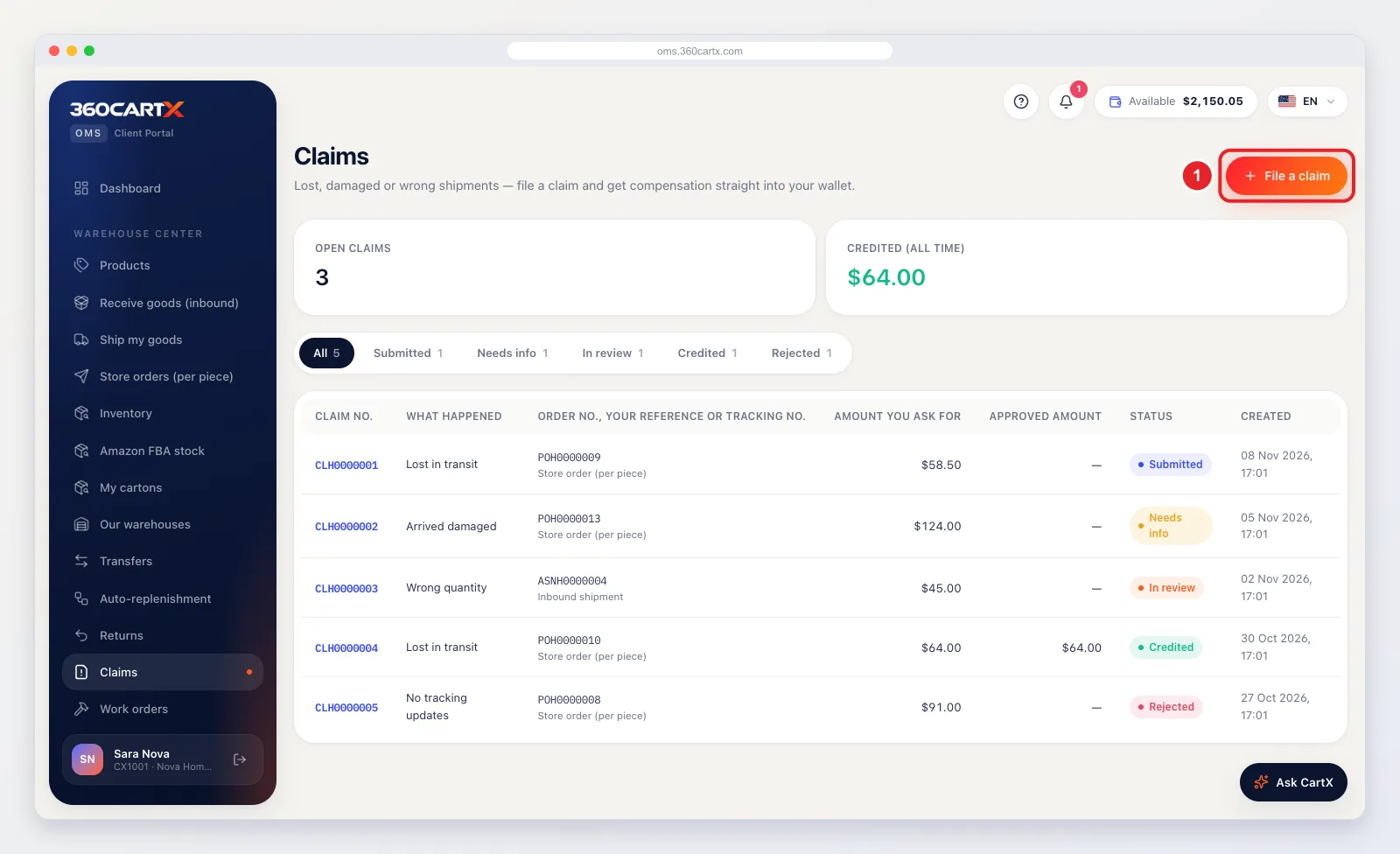
Click File a claim
On Claims click File a claim at the top right.
- 2
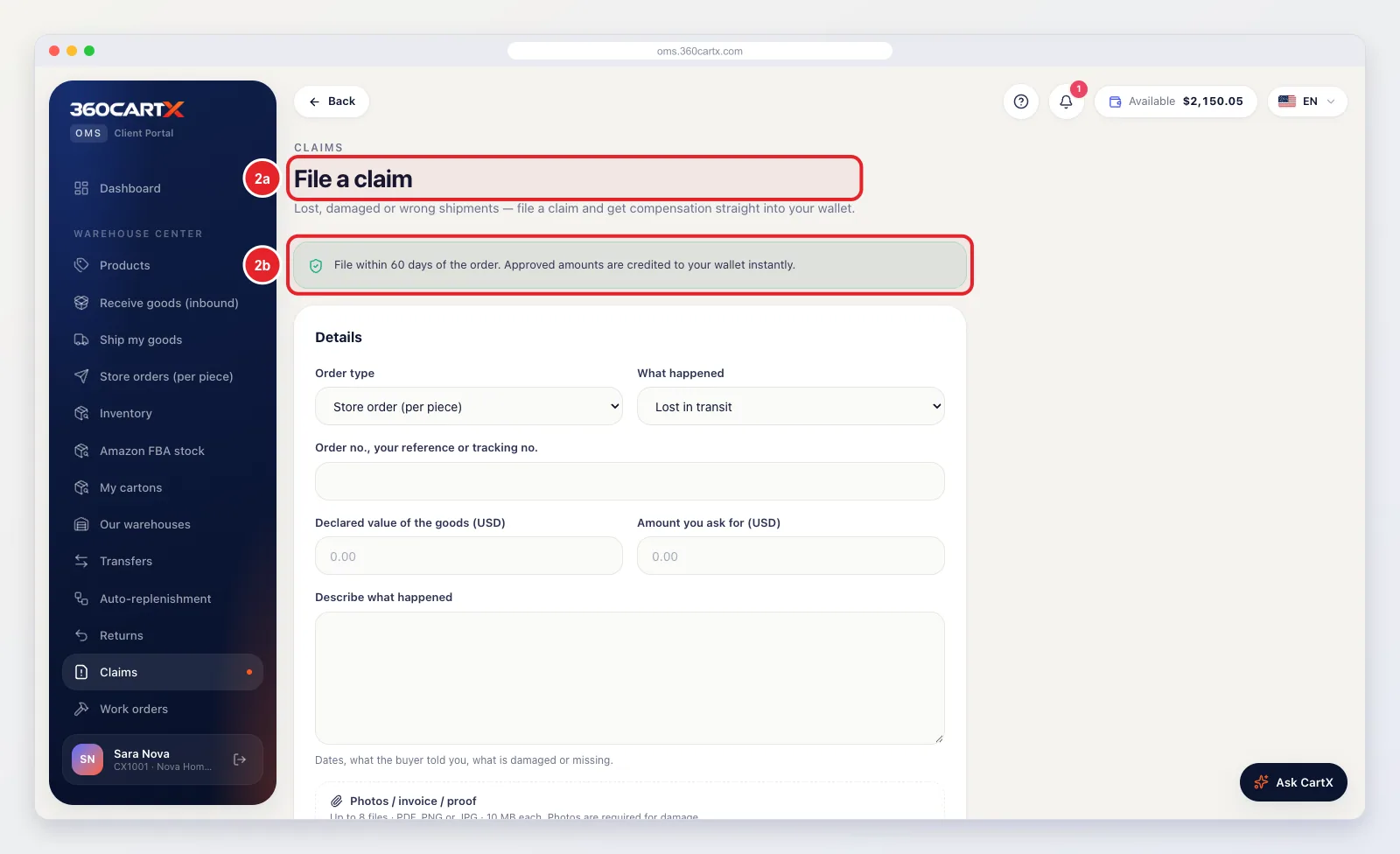
The rule at the top
A green box says: File within 60 days of the order. Approved amounts are credited to your wallet instantly.
- 2a Page title
- 2b 60 days
- 3
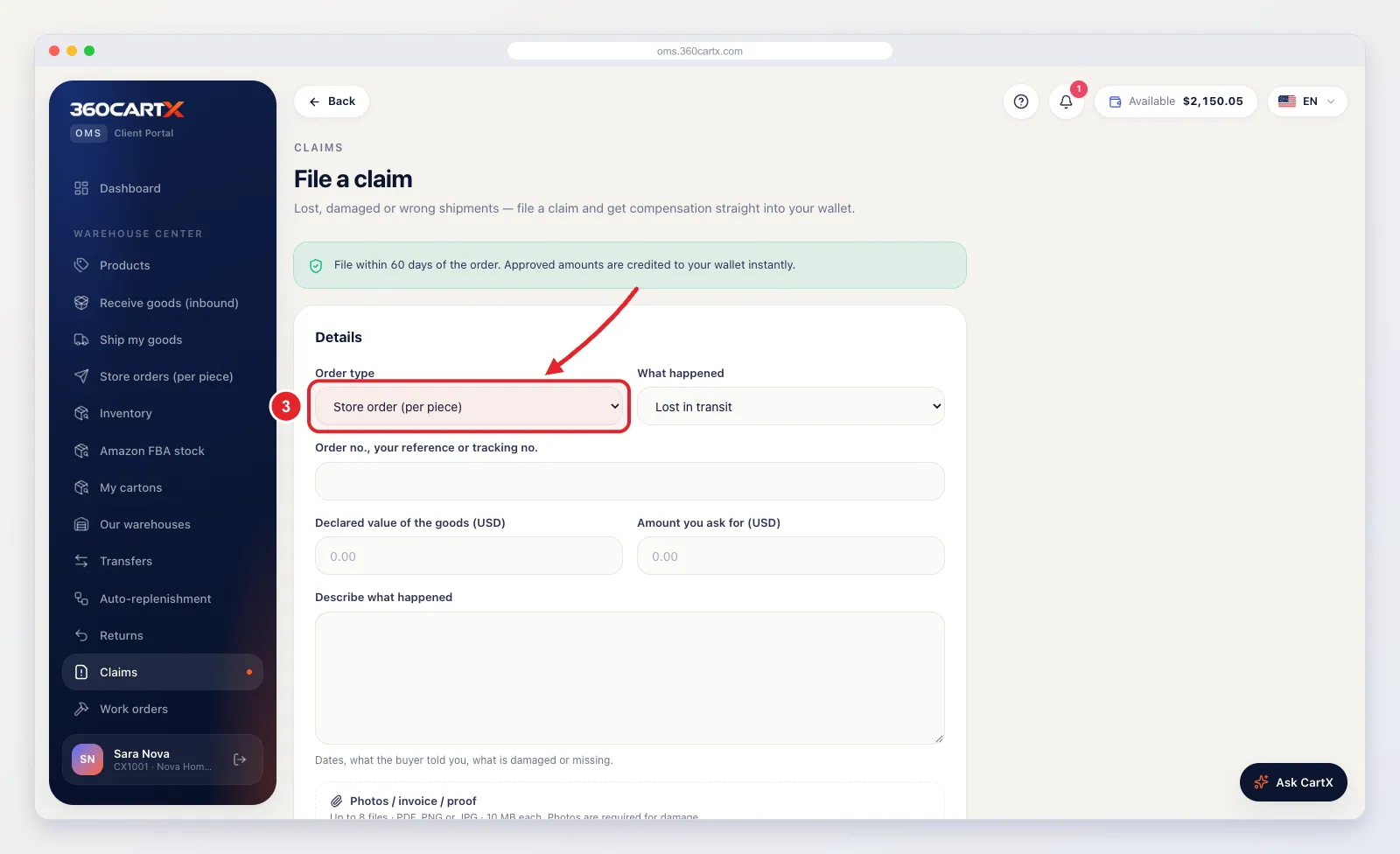
Order type
Order type: Store order (per piece) for a parcel to a buyer, Stock withdrawal / FBA for a ship-out request, or Inbound shipment for goods you sent to us.
- 4
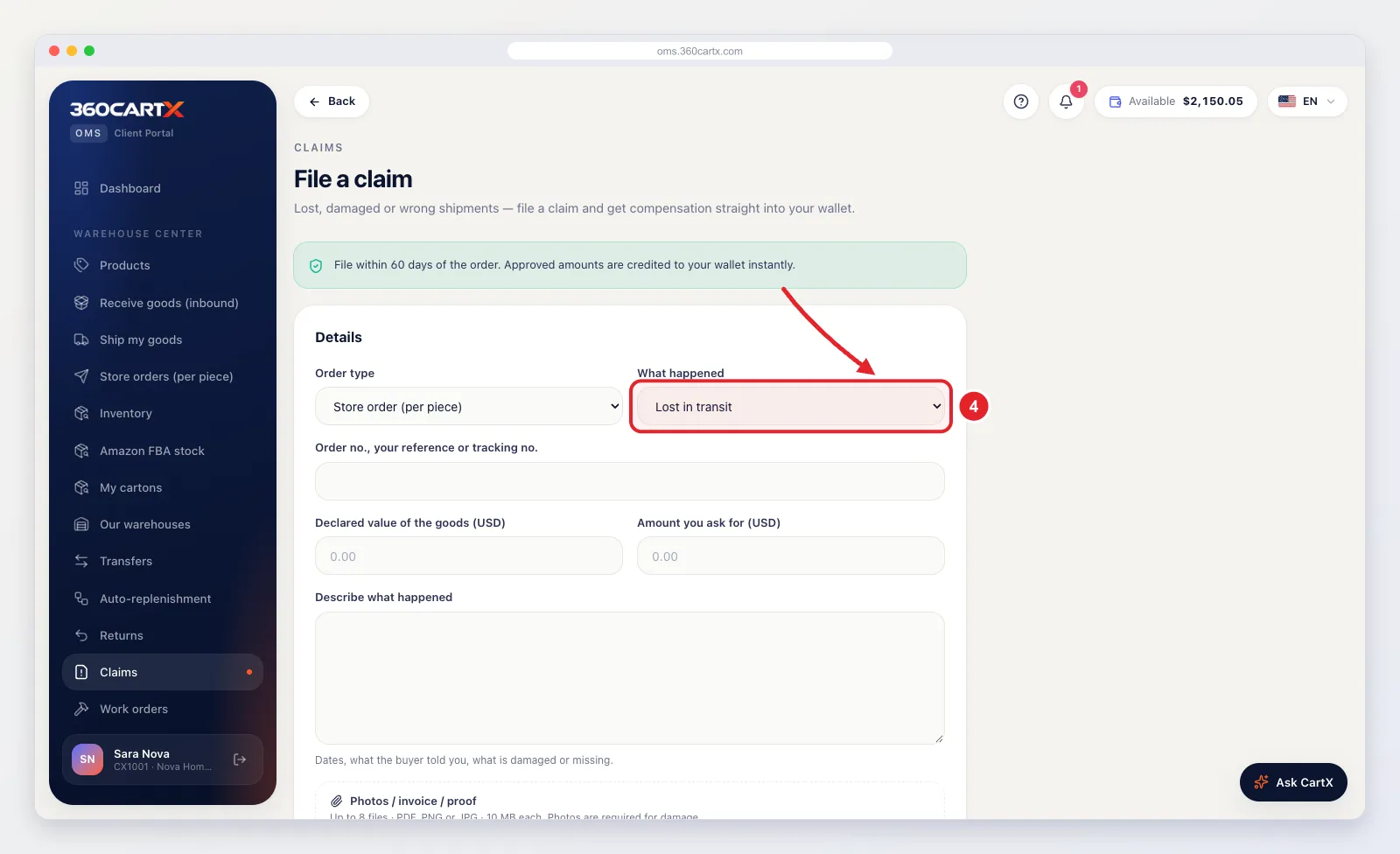
What happened
The list follows the order type. Store order: Lost in transit, Arrived damaged, Delivered to the wrong address, No tracking updates, Wrong item shipped, Item missing. Stock withdrawal / FBA: the same except Item missing, plus Wrong quantity. Inbound shipment: Arrived damaged, Wrong quantity, Item missing.
- 5
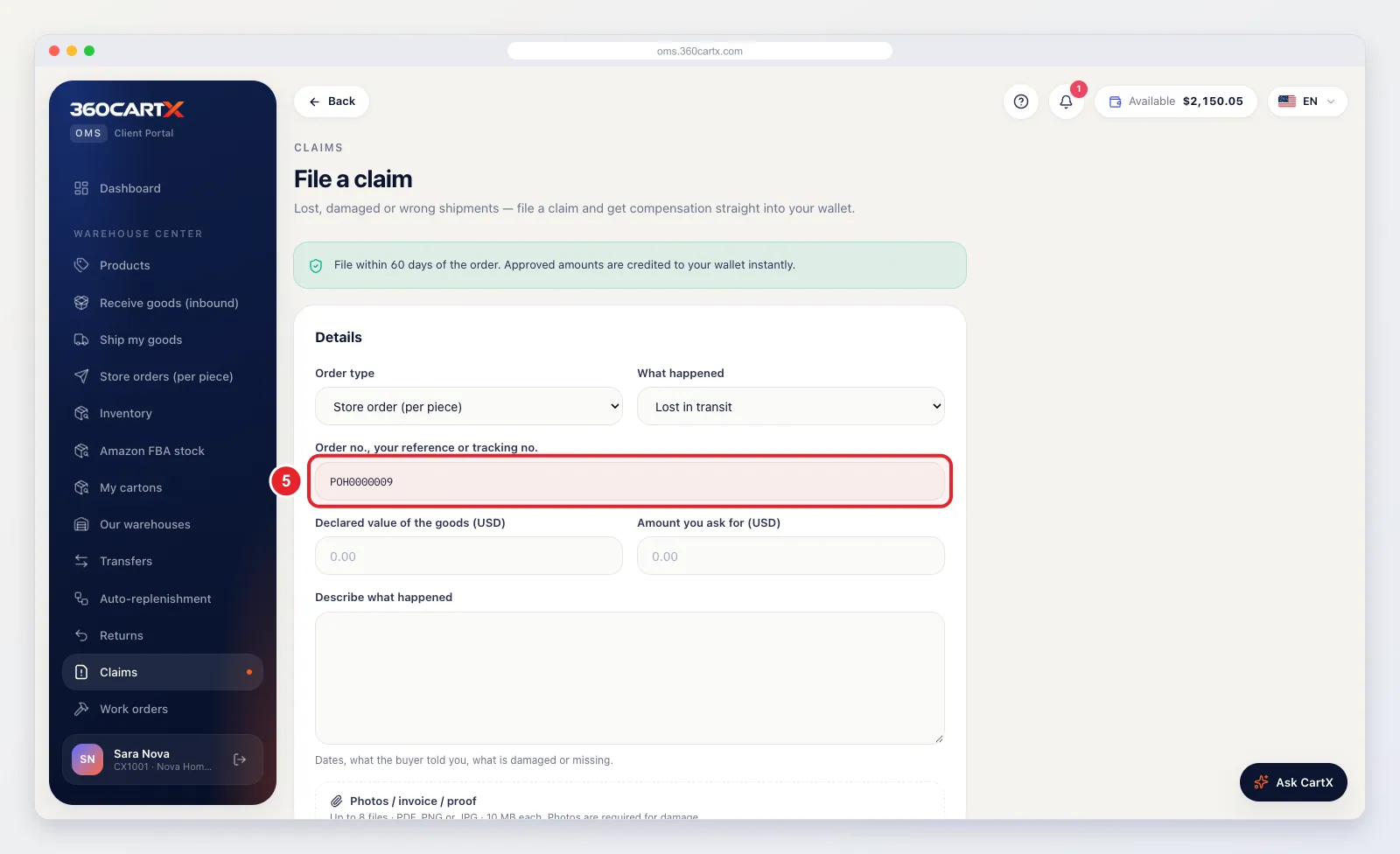
Order number
Order no., your reference or tracking no.: type our parcel number (POH0000009), your own order number (#1040) or the tracking number. It must be in your account.
- 6
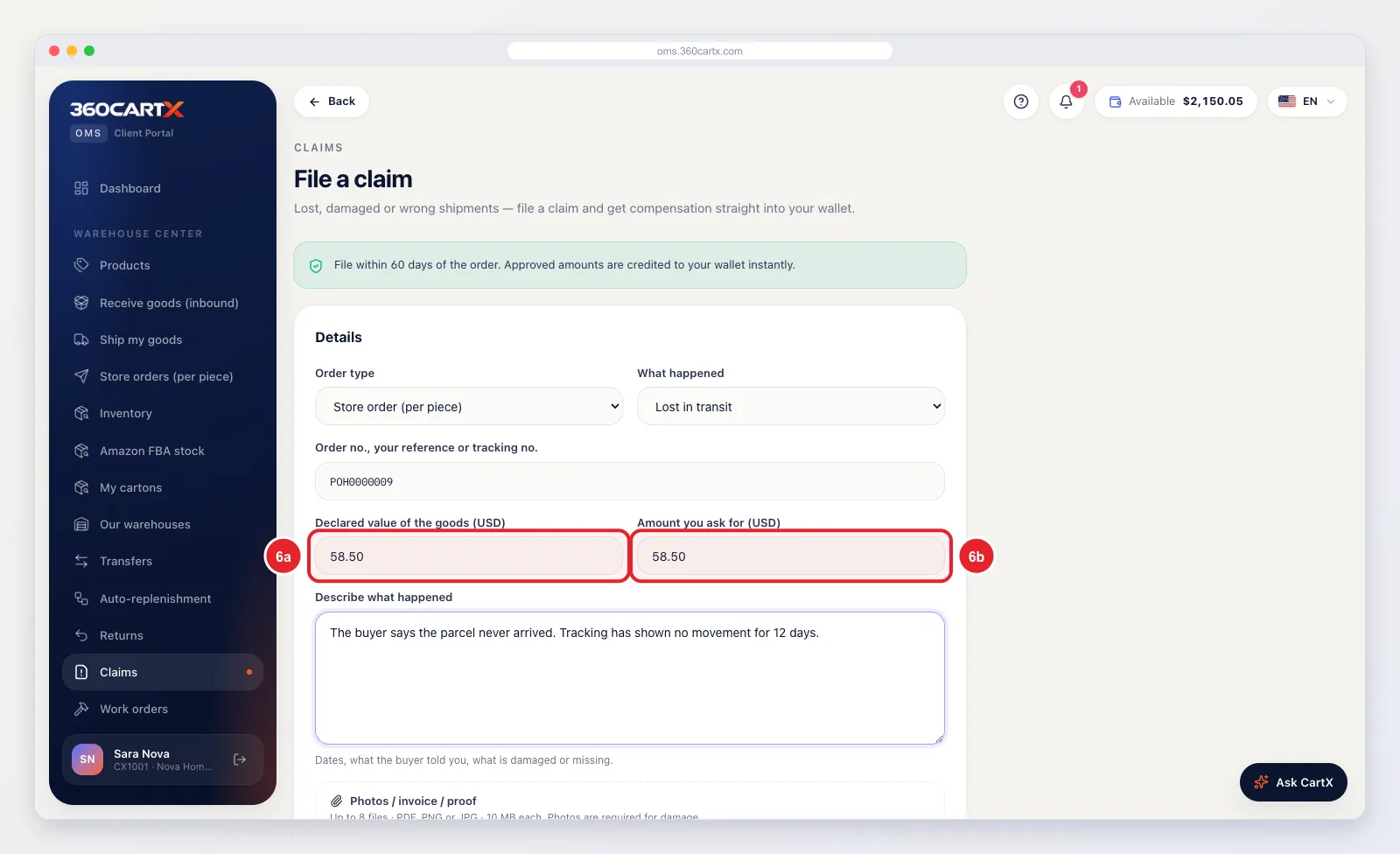
Declared value and amount
Declared value of the goods (USD) is what the goods are worth, for example 58.50. Amount you ask for (USD) must be more than 0 and not above the declared value.
- 6a Declared value
- 6b Amount you ask for
- 7
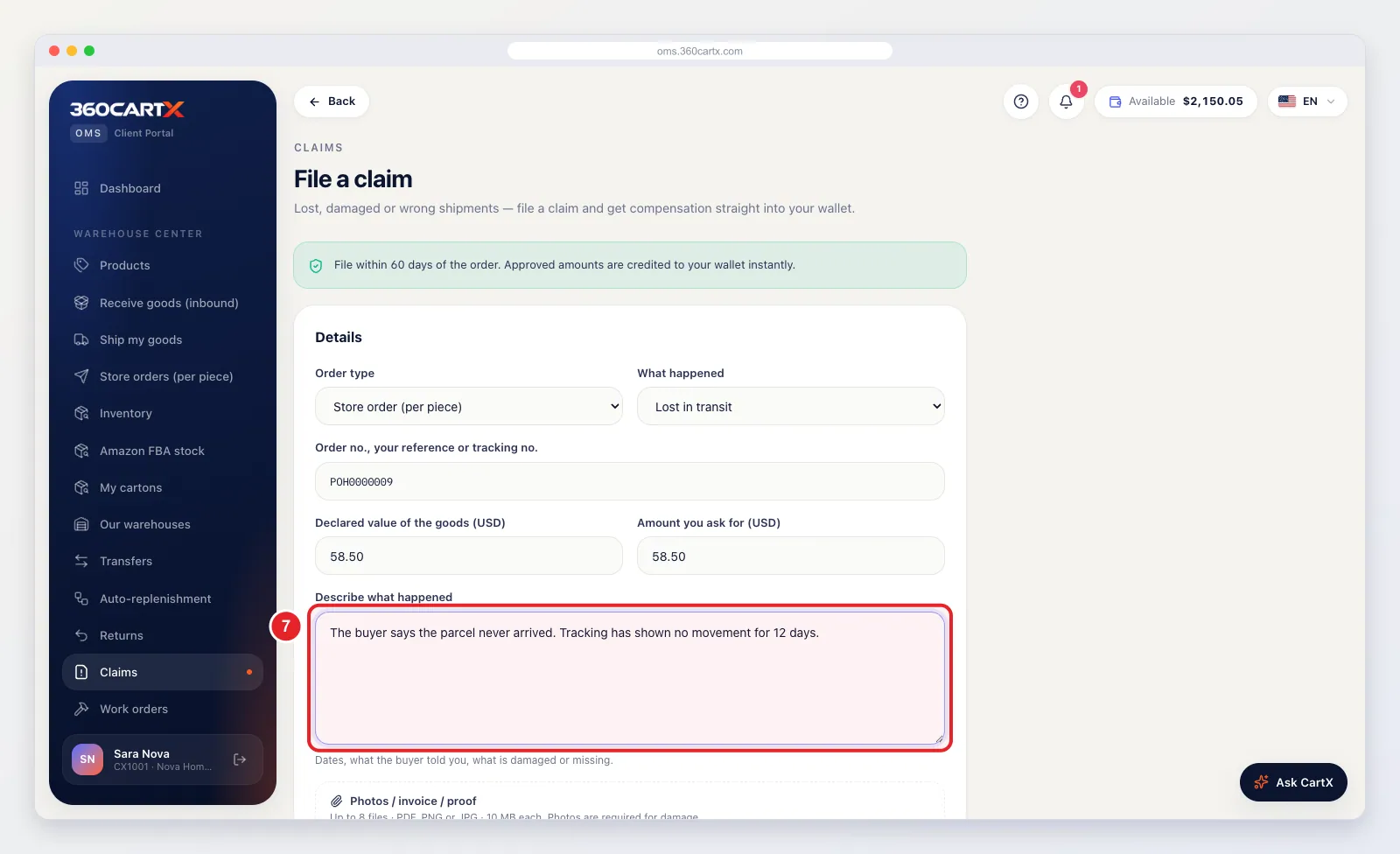
Describe what happened
Describe what happened (at least 10 and at most 3,000 characters): dates, what the buyer told you, what is damaged or missing.
- 8
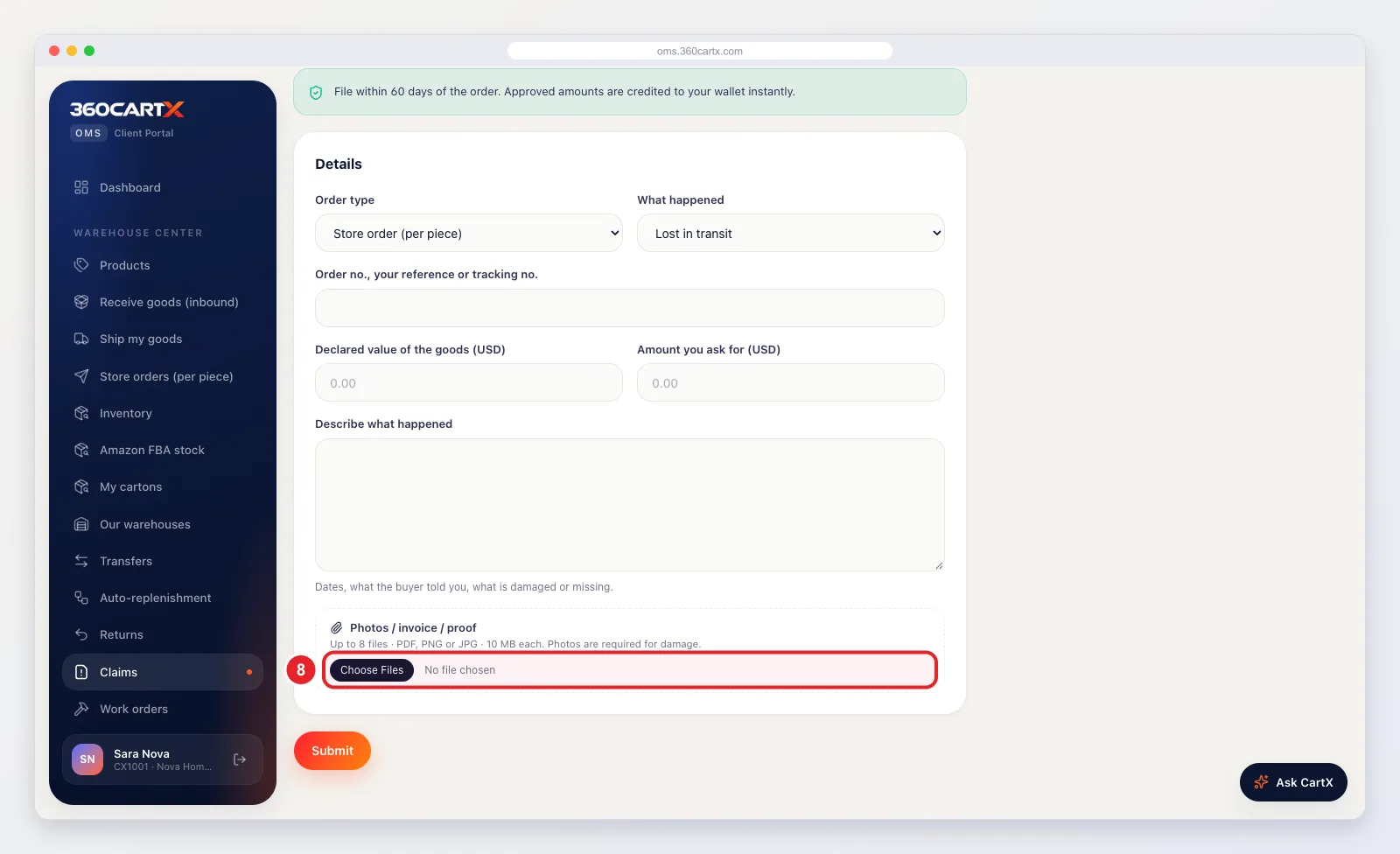
Photos and proof
Photos / invoice / proof: up to 8 files, PDF, PNG or JPG, 10 MB each. Photos are required for Arrived damaged.
- 9
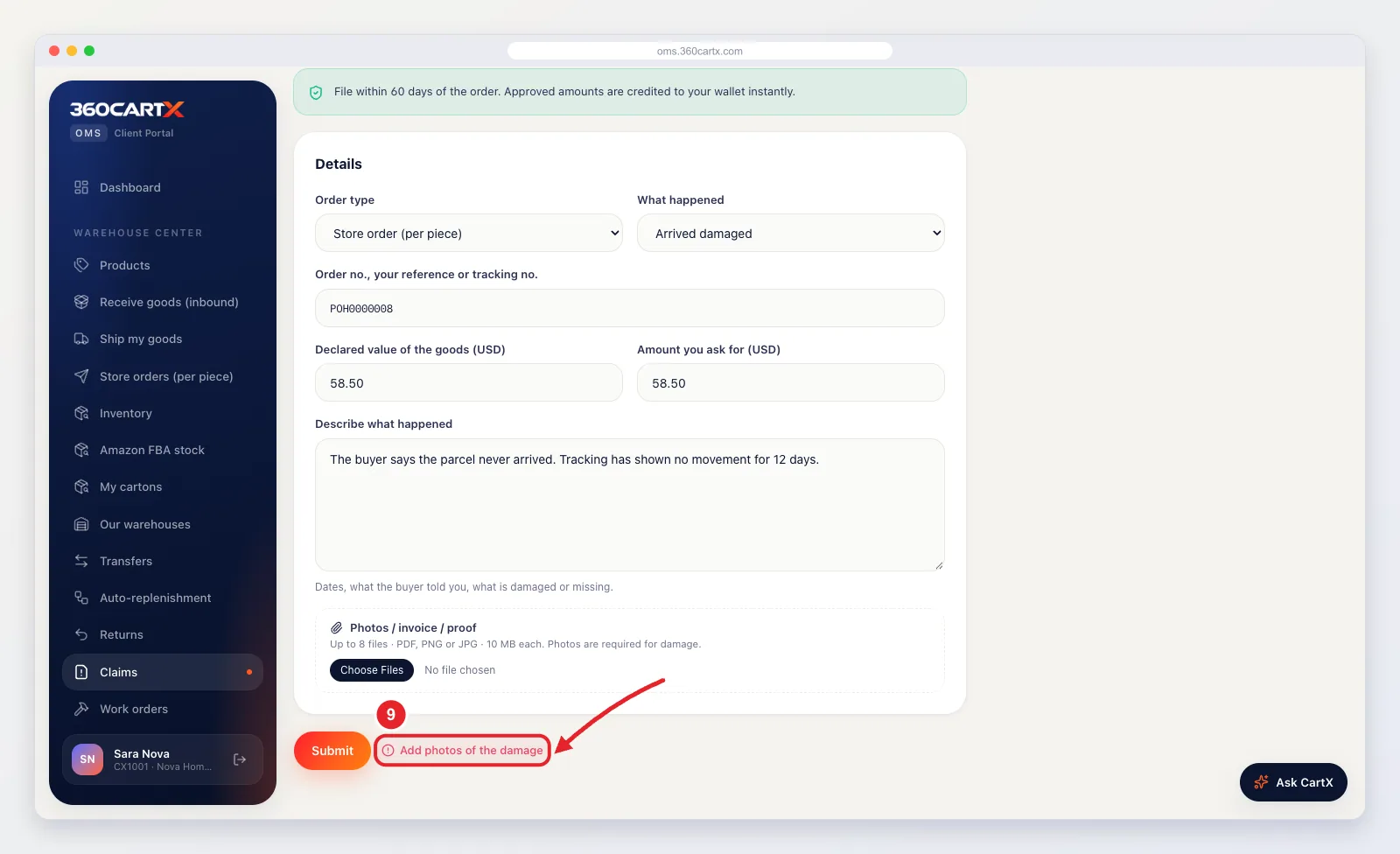
Damage needs photos
If you choose Arrived damaged and attach no file, Submit says: Add photos of the damage.
- 10
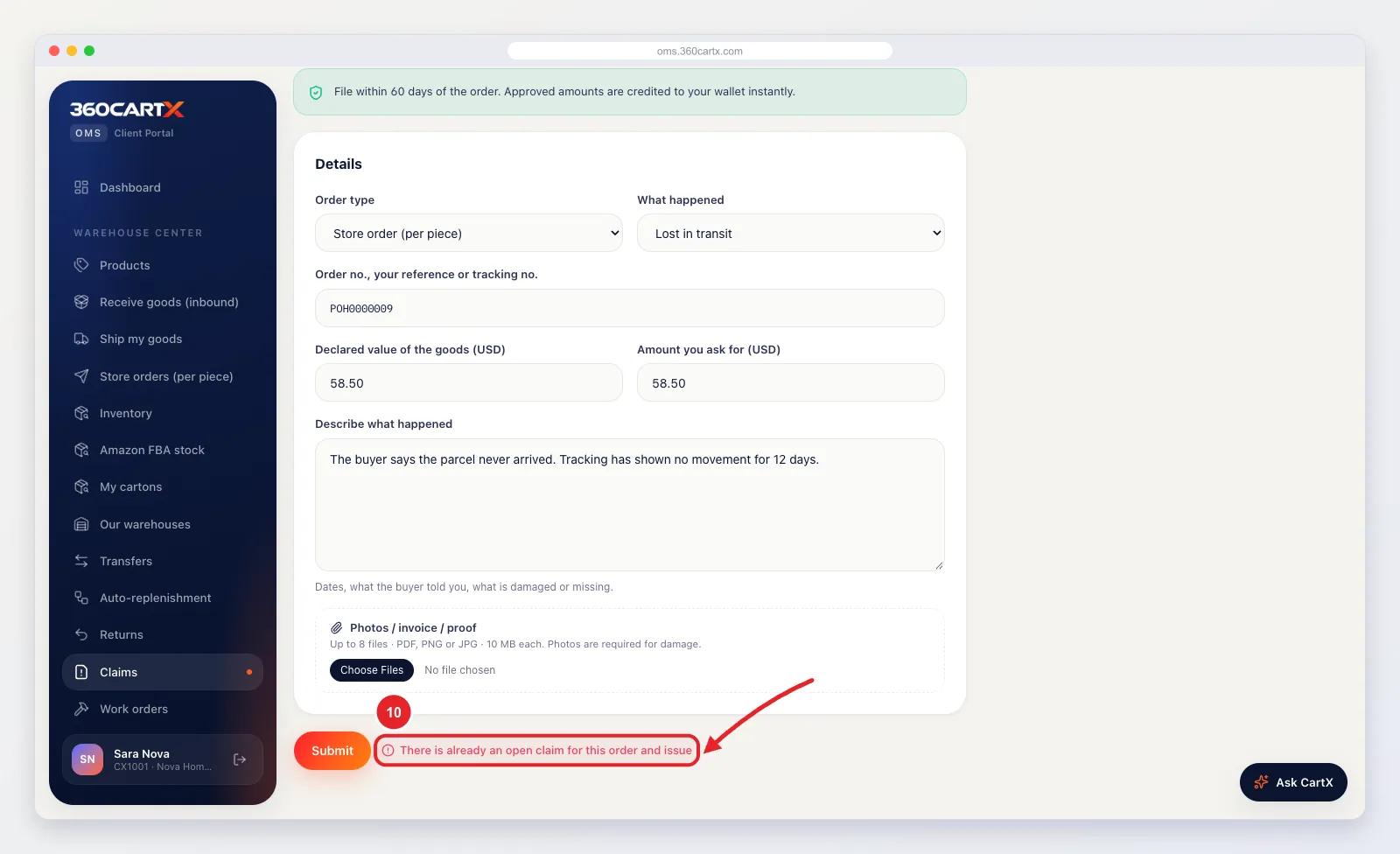
Only one open claim per issue
There can be one claim per order and issue at a time. If one is open or approved, you read: There is already an open claim for this order and issue. A rejected claim does not block a new one.
- 11
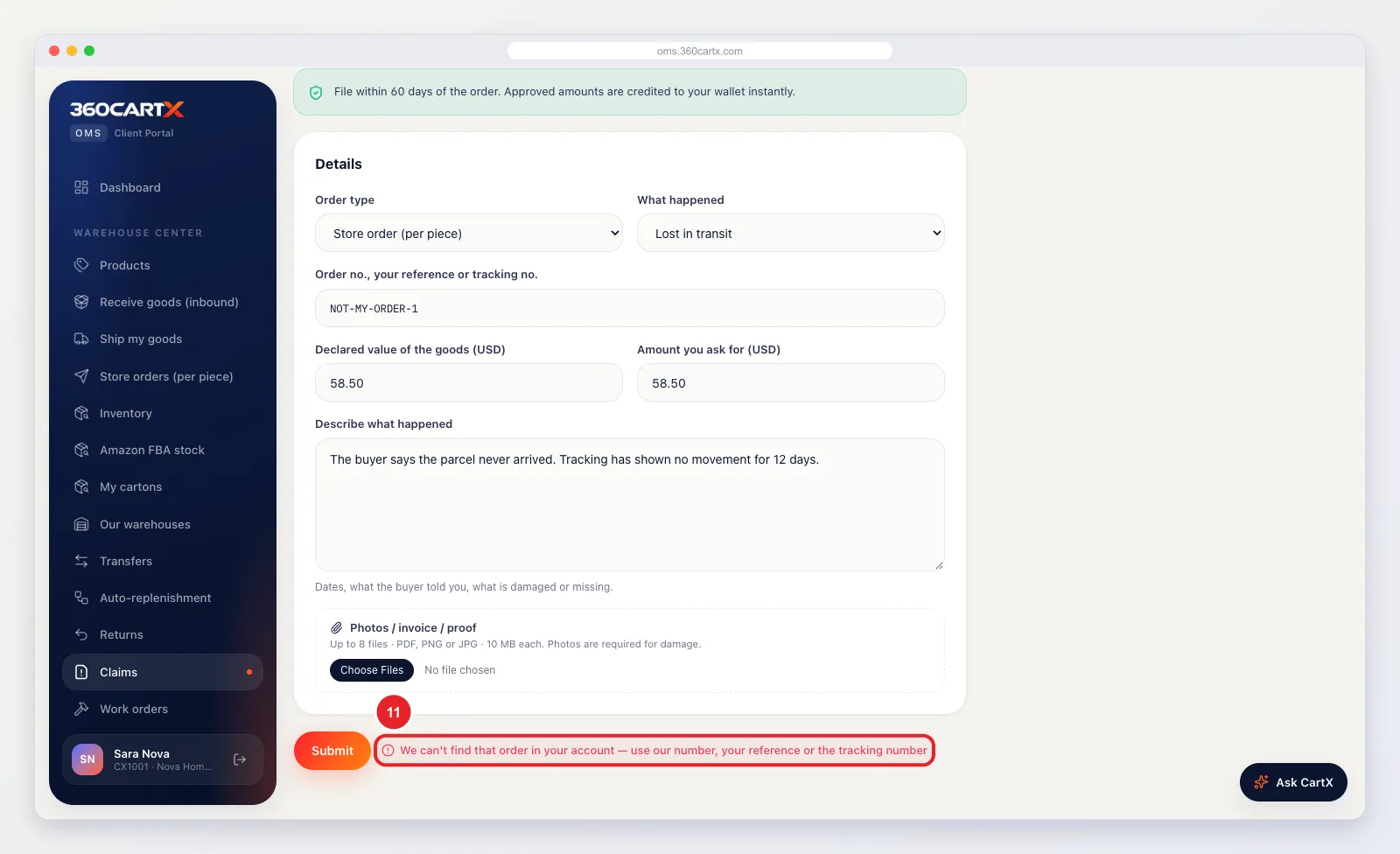
Order not found and other errors
We can't find that order in your account — use our number, your reference or the tracking number. Other messages: Enter the order number, Describe what happened (at least 10 characters), Enter the declared value of the goods, The amount you ask for must be more than 0 and not above the declared value, Claims must be filed within 60 days of the order, That issue doesn't apply to this kind of order, and Up to 8 files per claim.
Terms in this article
- Declared value: The value of the goods stated for customs, in USD.
Tips
- File as soon as you know: the 60 days count from the day the order was created.
- Keep the carrier's proof of delivery or the buyer's message; add it as a file.
Common problems
I filed the wrong amount
Add the correct amount in a note on the claim (Add information) or open a ticket in Help & support.
Related articles
Updated 2026-11-11
Open a ticket from Support in your portal and our team will reply.