Steps
- 1
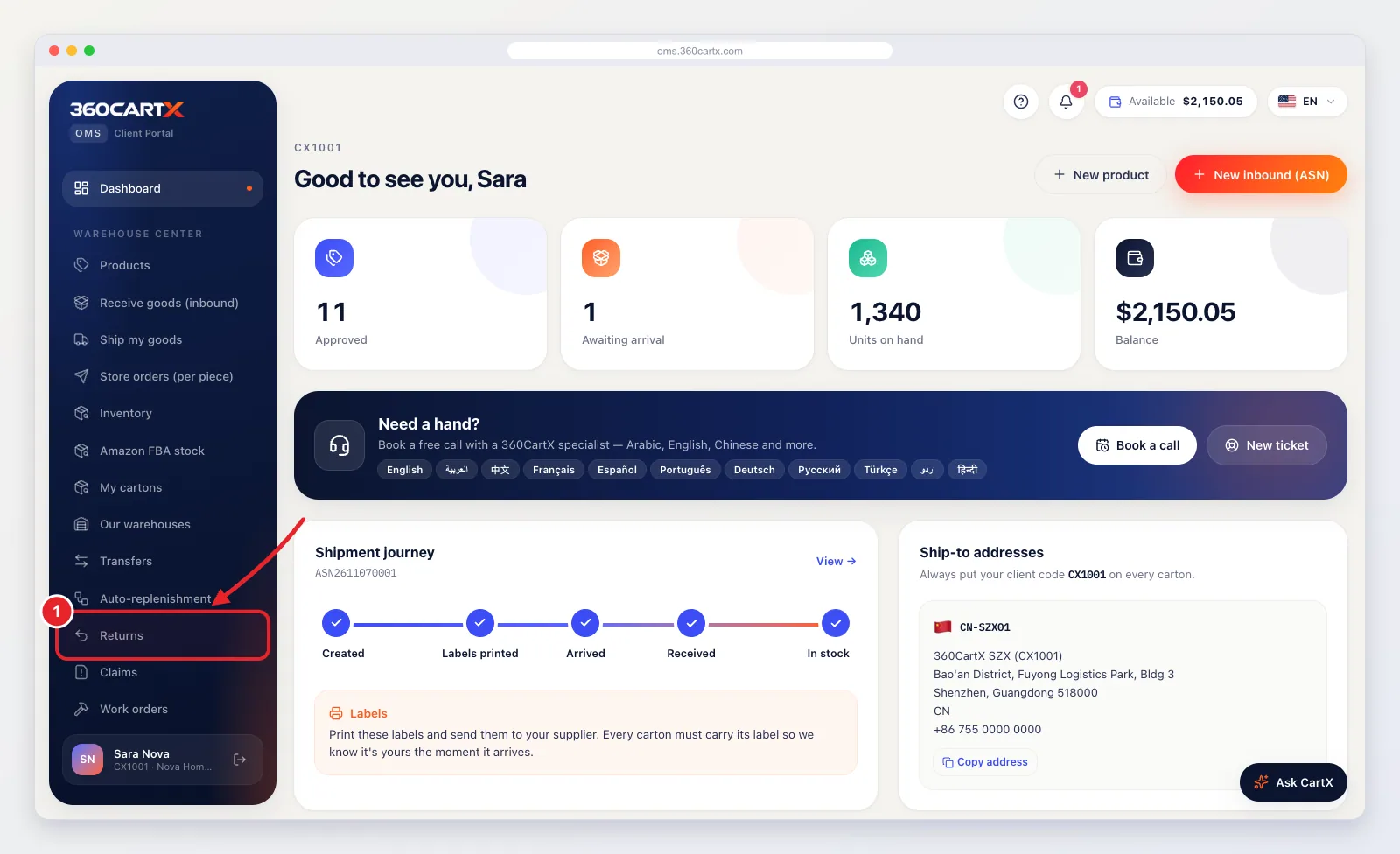
Open Returns
Click Returns under Warehouse Center in the left menu.
- 2
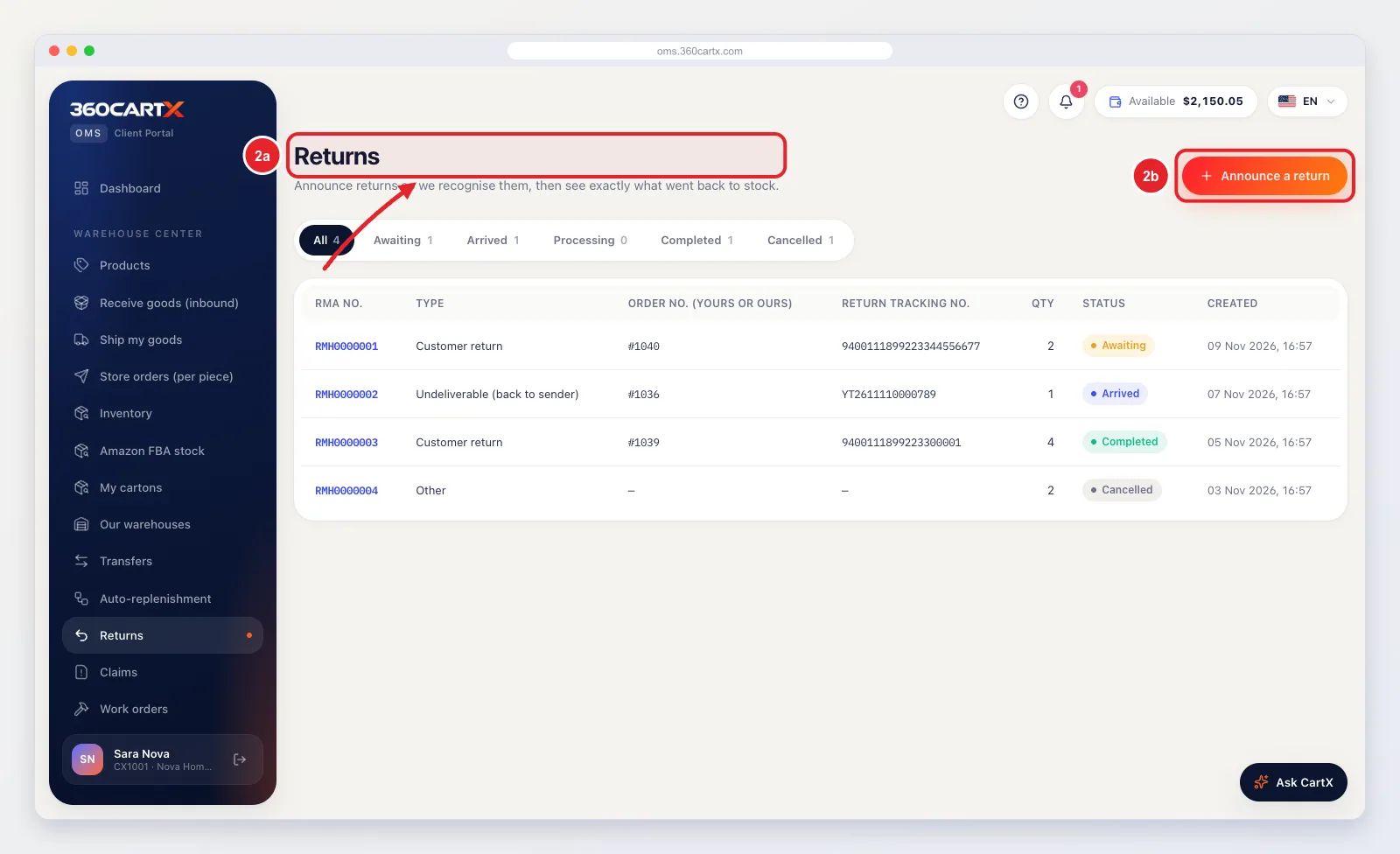
The page
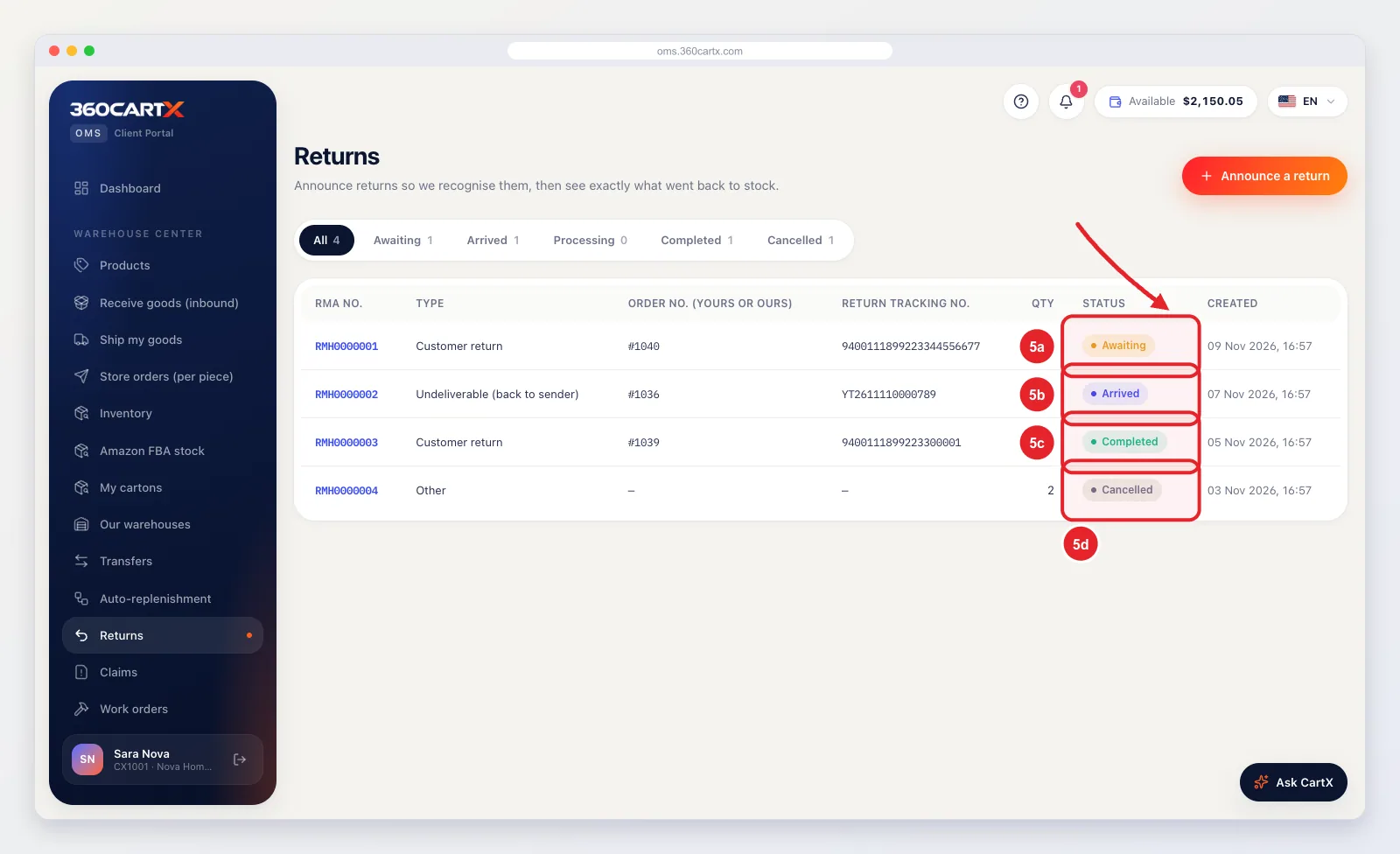
The page says: Announce returns so we recognise them, then see exactly what went back to stock. Announce a return at the top right starts a new one.
- 2a Page title
- 2b Announce a return
- 3
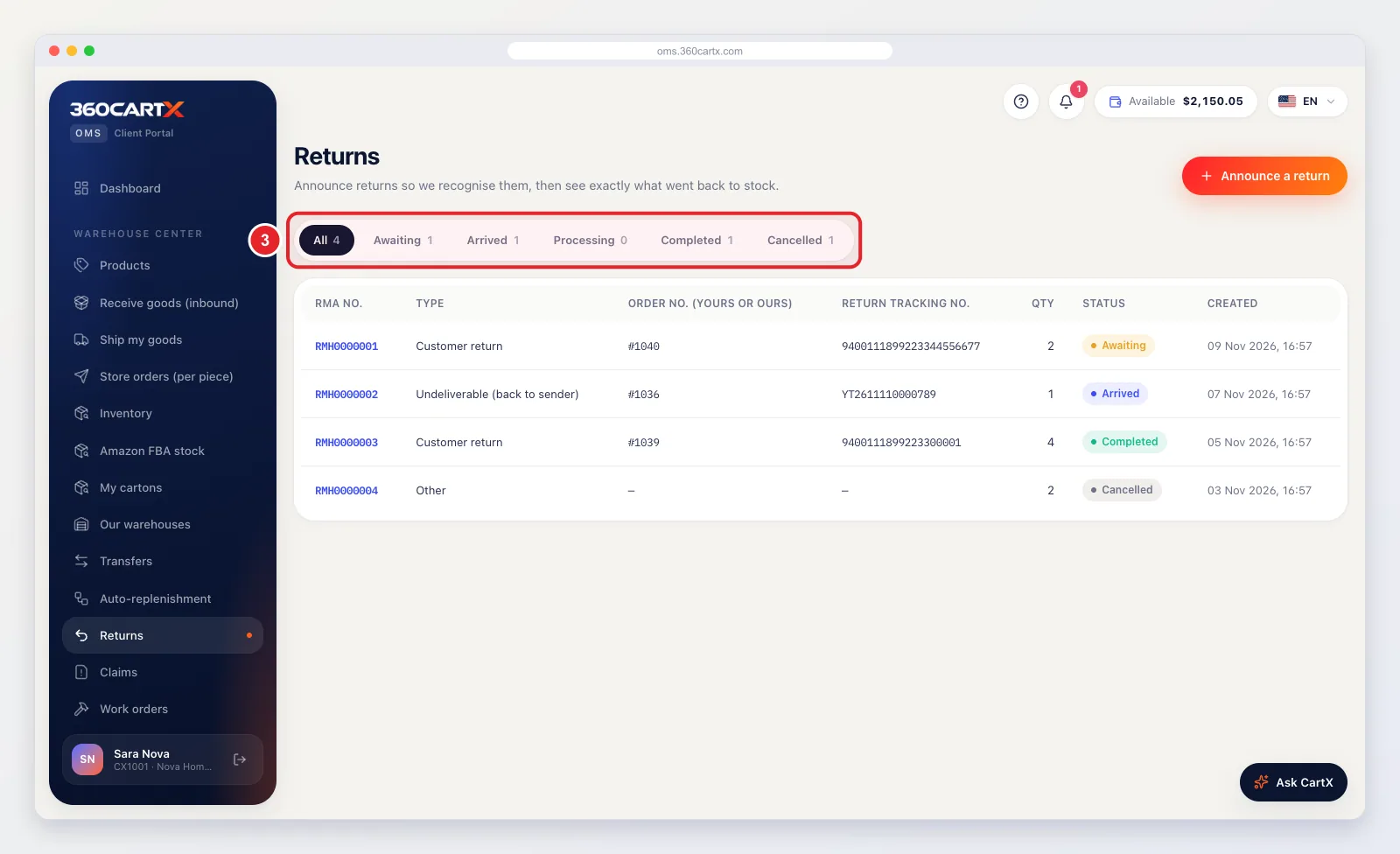
The tabs
All, Awaiting, Arrived, Processing, Completed and Cancelled, each with the number of returns. Click one to filter.
- 4
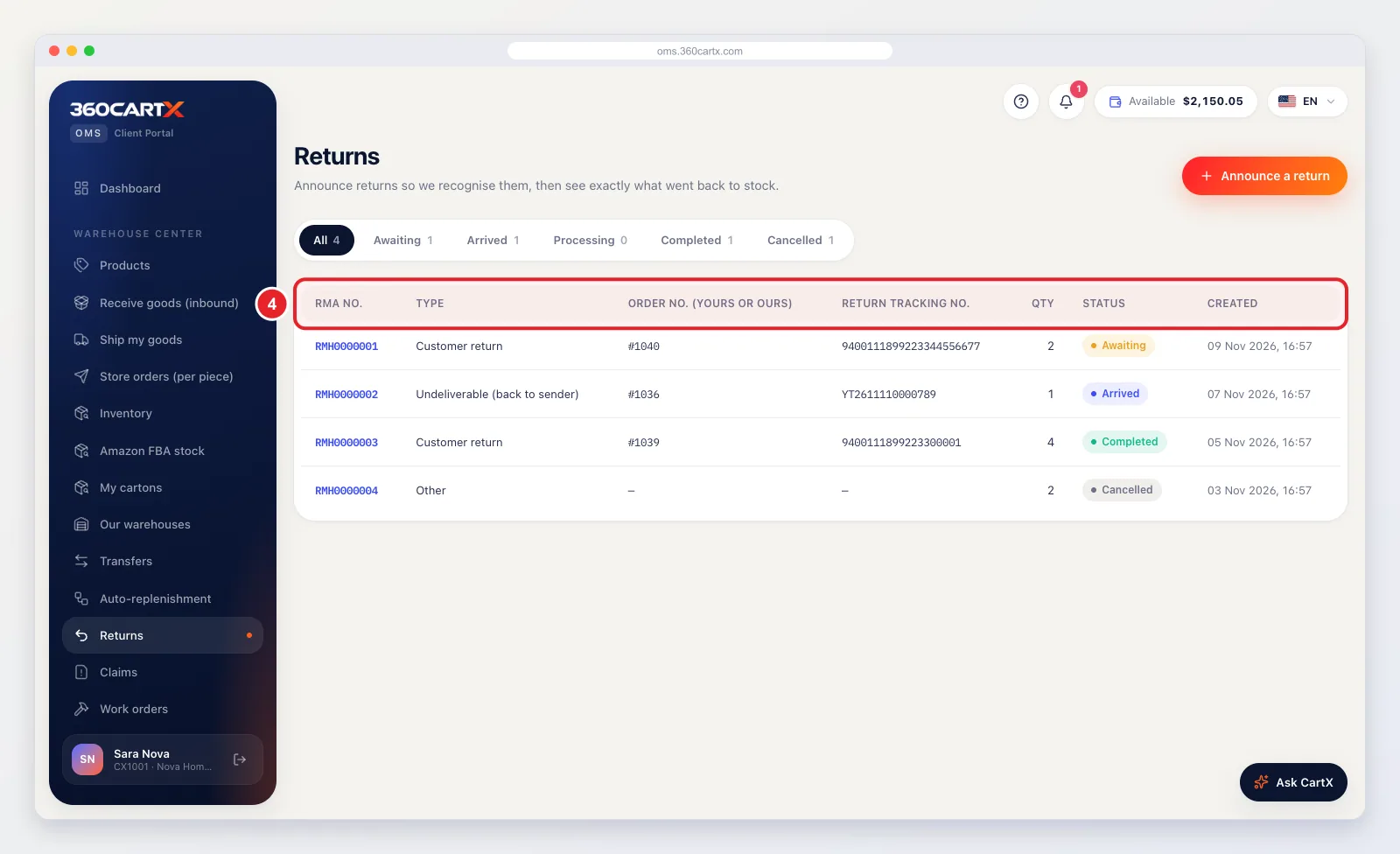
The columns
RMA no. (our number for the return; click it to open), Type, Order no. (yours or ours), Return tracking no., Qty (units expected), Status and Created.
- 5
The statuses
Awaiting: you announced it and the parcel is on its way. Arrived: it reached our dock. Processing: our team is inspecting it. Completed: inspected, and the units are back in stock, kept as damaged or disposed of. Cancelled: you cancelled it before it arrived.
- 5a Awaiting
- 5b Arrived
- 5c Completed
- 5d Cancelled
- 6
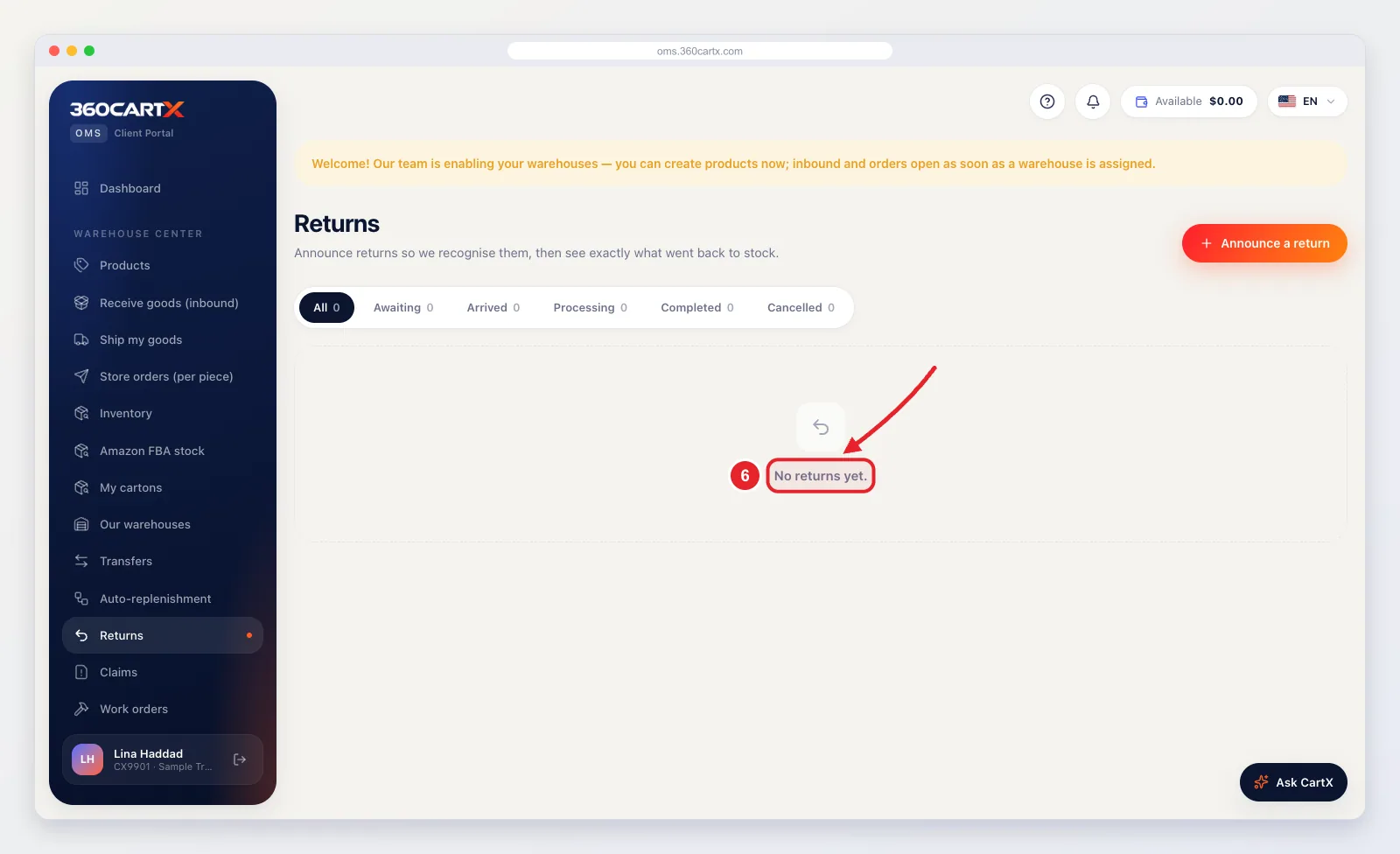
No returns yet
Before the first return the page says No returns yet.
Terms in this article
- RMA: The number of a return you announced.
Tips
- A parcel that arrives without an announcement is registered by our team from its order number or tracking number, and shows here too.
- Open the return to see what happened to each unit. See What happened to a return.
Common problems
My return is Awaiting but the parcel arrived
Our team marks it Arrived when it is scanned at the dock. Check the tracking number you gave.
Related articles
Updated 2026-11-11
Open a ticket from Support in your portal and our team will reply.