Steps
- 1
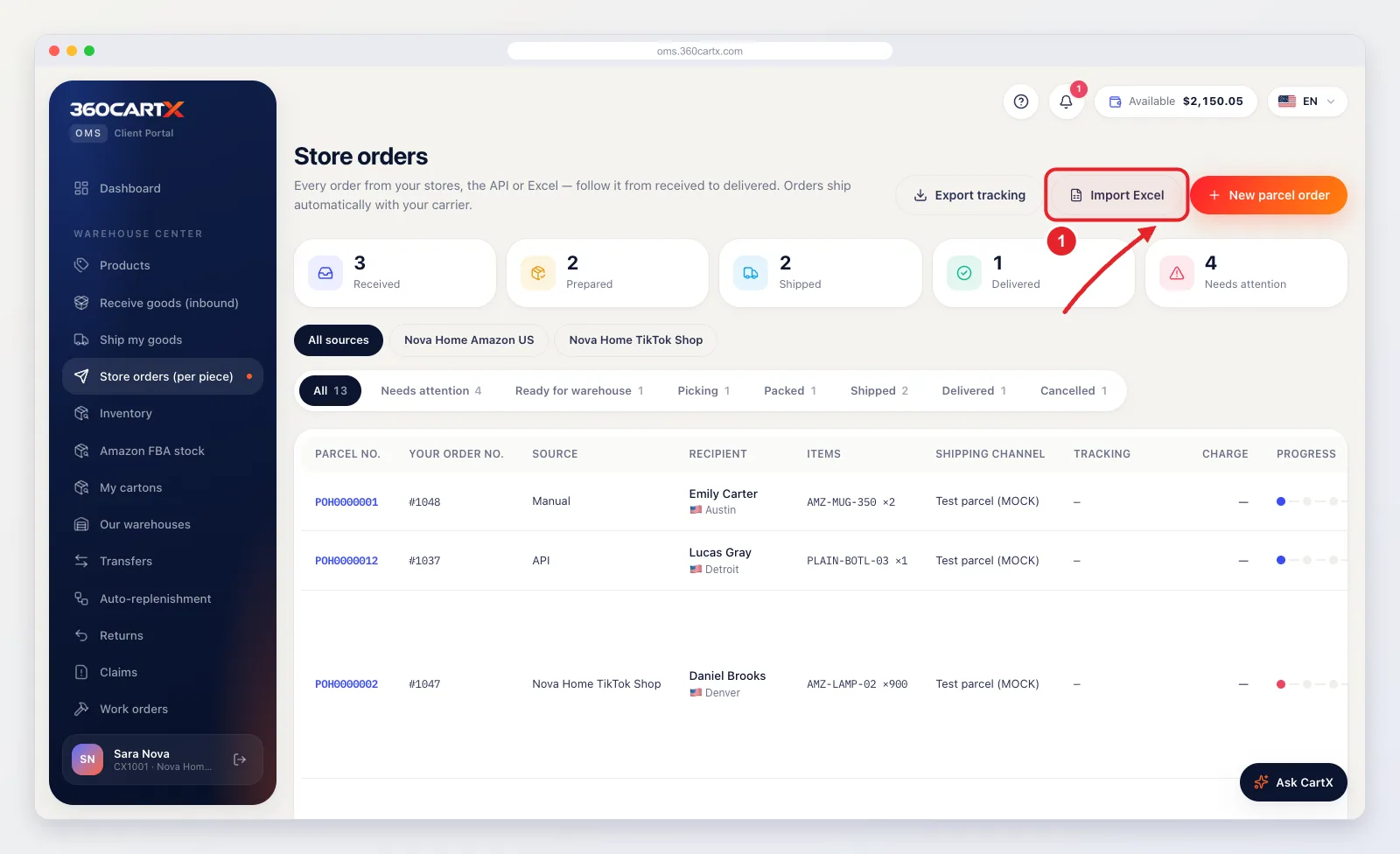
Click Import Excel
On Store orders click Import Excel at the top. The page is called Import Excel.
- 2
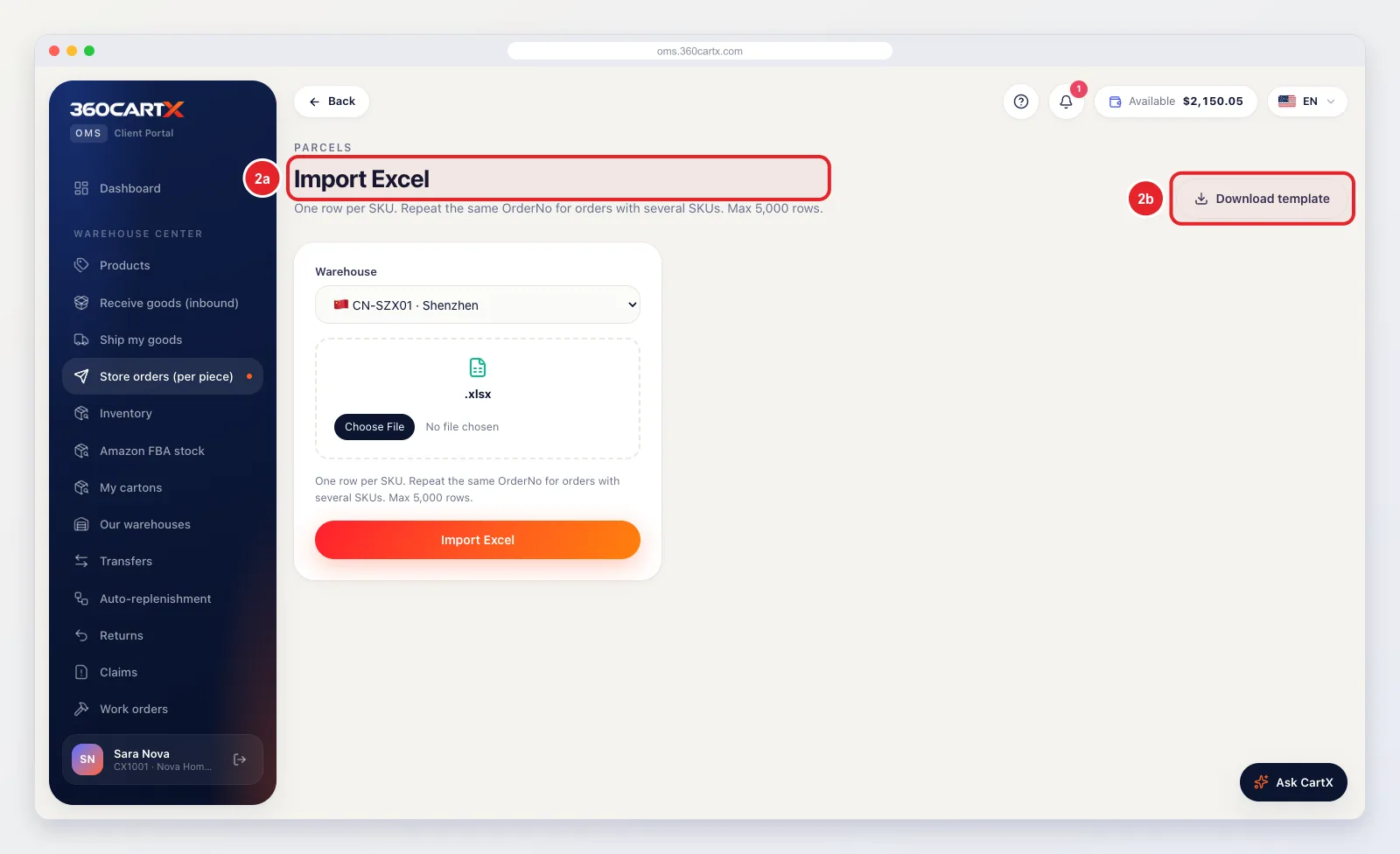
Download the template
Click Download template. You get 360cartx-parcel-template.xlsx with the columns OrderNo, Recipient, Company, Phone, Email, Address1, Address2, City, State, PostalCode, Country, SKU, Qty, ChannelCode and Note and two sample rows. The page says: One row per SKU. Repeat the same OrderNo for orders with several SKUs. Max 5,000 rows.
- 2a Page title
- 2b Download template
- 3
Fill the file
One row per SKU. For an order with two products write two rows with the same OrderNo; the address needs to be in the first row only. Required: OrderNo, Recipient, Address1, City, PostalCode, Country (two letters, for example US), SKU and Qty. Leave ChannelCode empty to use Auto, or write the code of a shipping channel.
- 4
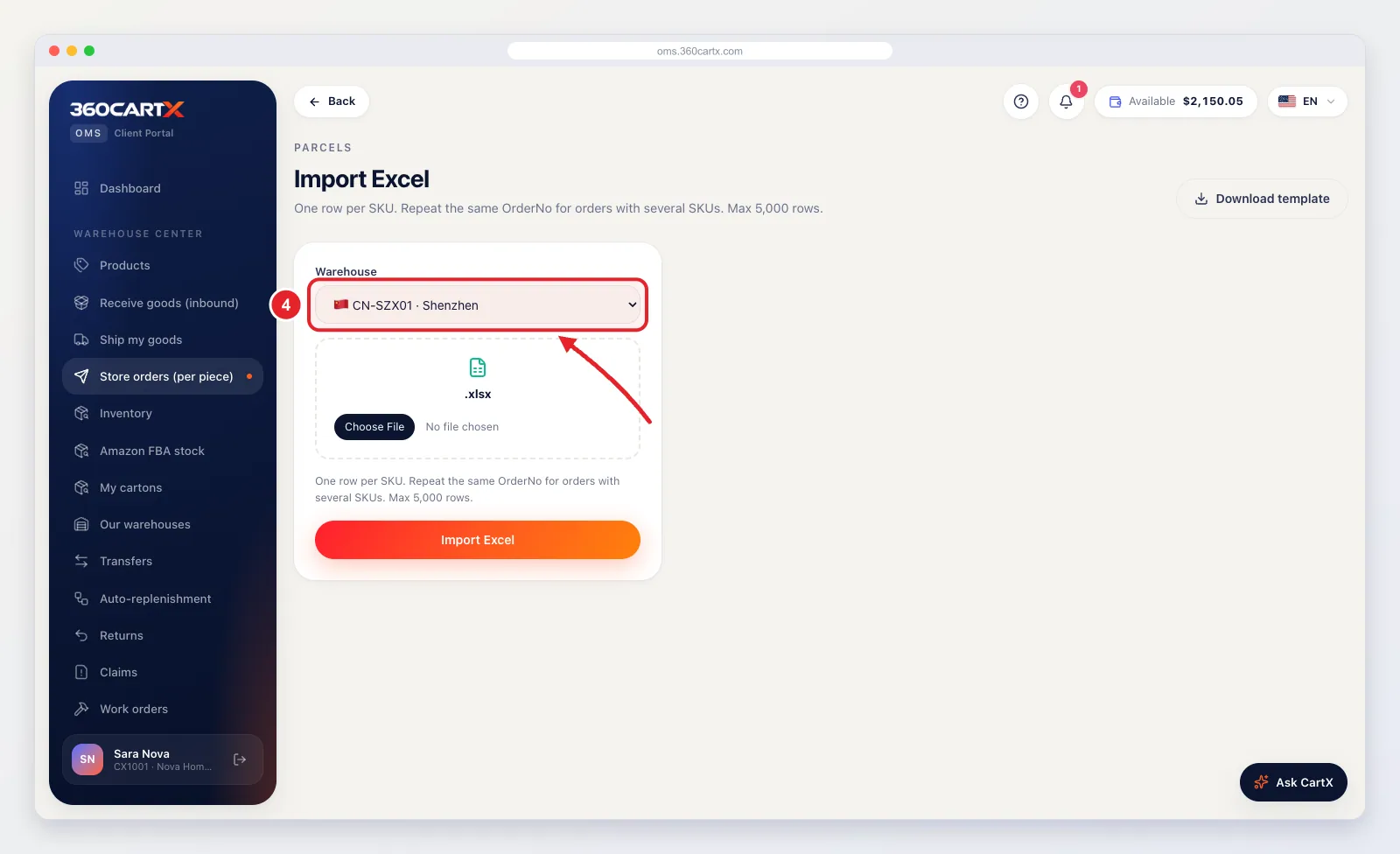
Choose the warehouse
Warehouse is the warehouse that ships all orders of this file, for example US-LAX01 · Ontario.
- 5
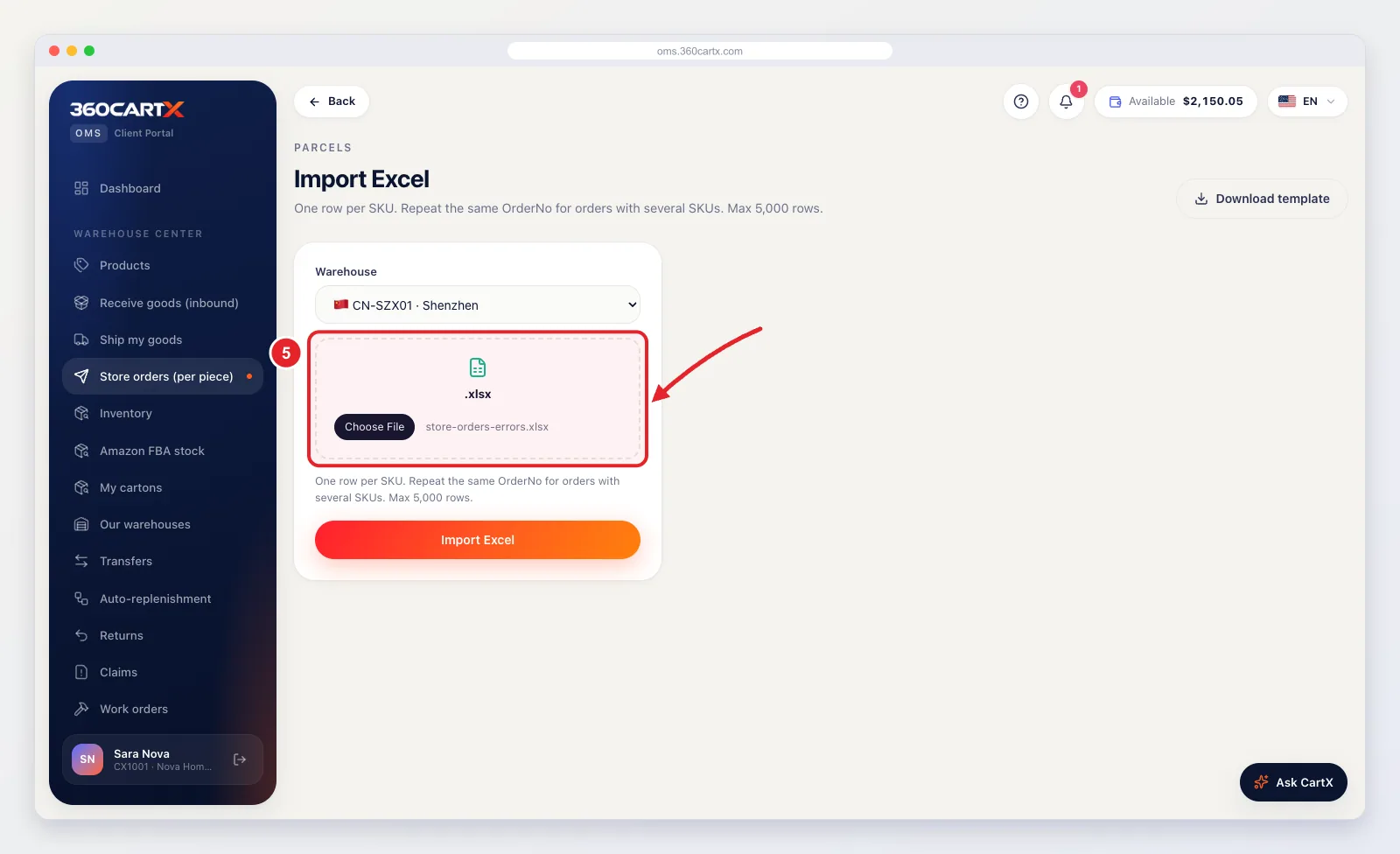
Choose the file and import
Click the file box and choose your .xlsx file (up to 5 MB, only the first sheet is read), then click Import Excel. The file is checked and the valid orders are created.
- 6
Read the result
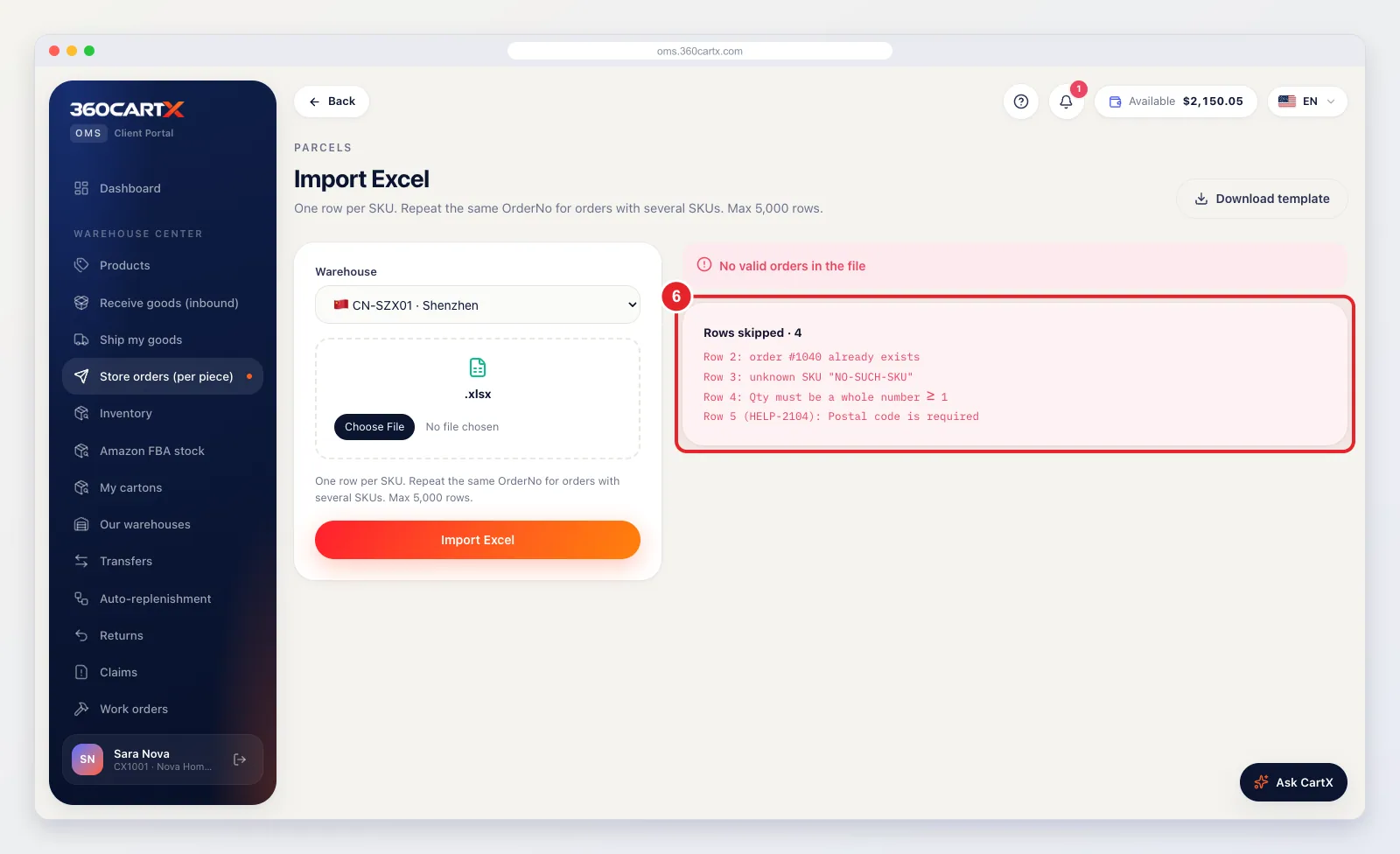
If nothing can be imported you see the red message No valid orders in the file. Otherwise three counters: orders created, labelled (label bought, ready for the warehouse) and need attention (stopped, see the reason in the list). Under them Rows skipped lists every row that was not imported, with the reason, for example Row 3: unknown SKU "NO-SUCH-SKU". Fix those rows and import them again; the others are already created and are not imported twice.
- 6a Counters
- 6b Skipped rows
Tips
- Only approved products can be used. A SKU that is not approved gives Row N: SKU X is not approved.
- An order number that already exists is skipped (Row N: order X already exists), so importing the same file twice does not create duplicates.
- At most 50 skipped rows are listed.
Common problems
Could not read the file — use the .xlsx template
Save the file as .xlsx (Excel Workbook). CSV and .xls are not accepted.
Missing column OrderNo
Row 1 must have the header names of the template. Add the missing header.
File larger than 5 MB / The file has no rows / No valid orders in the file
Split the file, or check the rows listed under Rows skipped.
Row N: Qty must be a whole number ≥ 1
Use whole numbers from 1 up.
Row N: unknown channel X
ChannelCode must be a channel code we offer; leave it empty for Auto.
Related articles
Updated 2026-11-11
Open a ticket from Support in your portal and our team will reply.