Steps
- 1
The status tabs
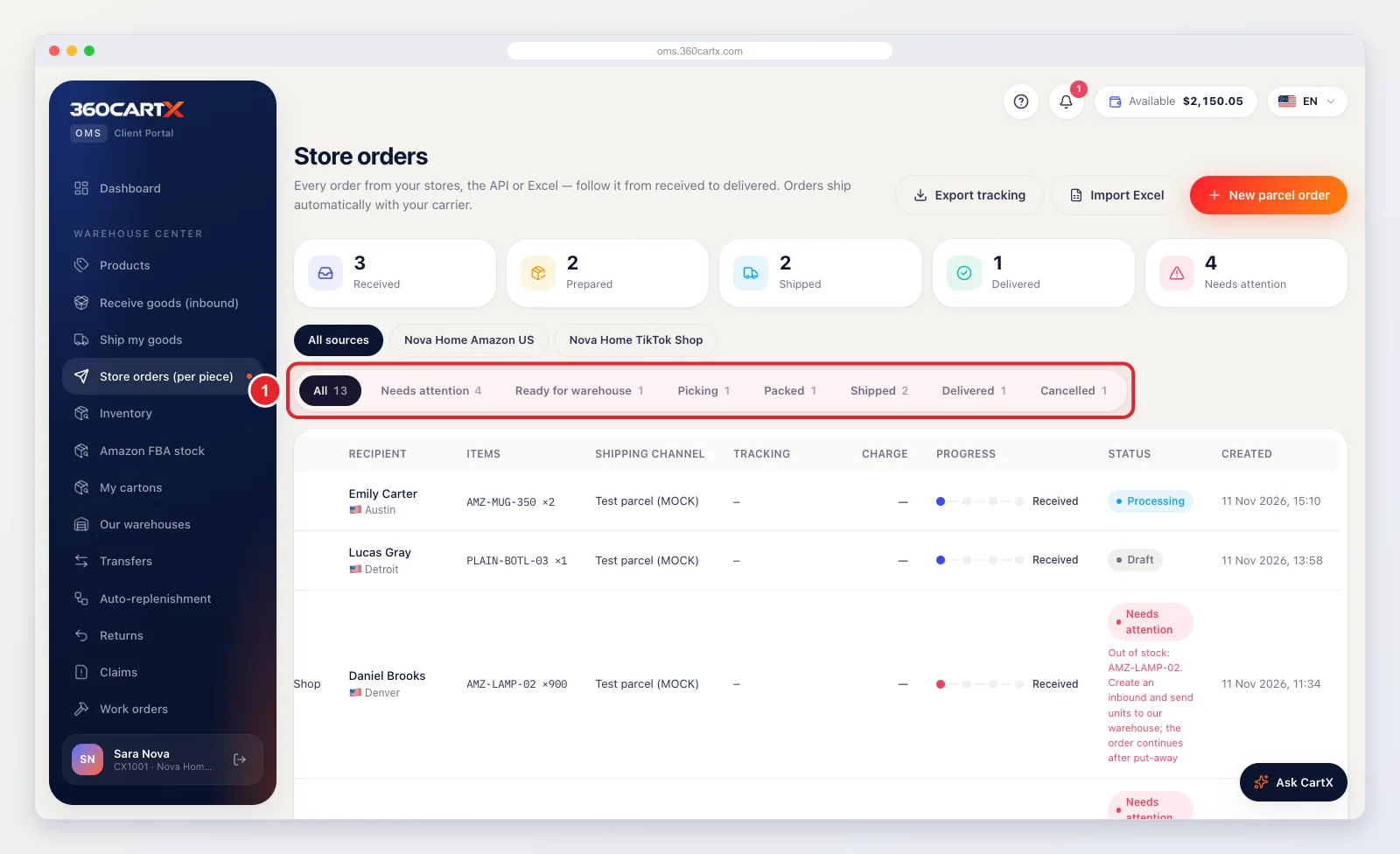
Above the table: All and one tab for each status that at least one of your orders has, with the number of orders. A tab appears only while it has orders. The tabs are Pack, weigh & quote, Needs attention, Ready for warehouse, Picking, Picked, Packed, Shipped, Delivered and Cancelled. Draft and Processing orders have no tab of their own: you see them under All.
- 2
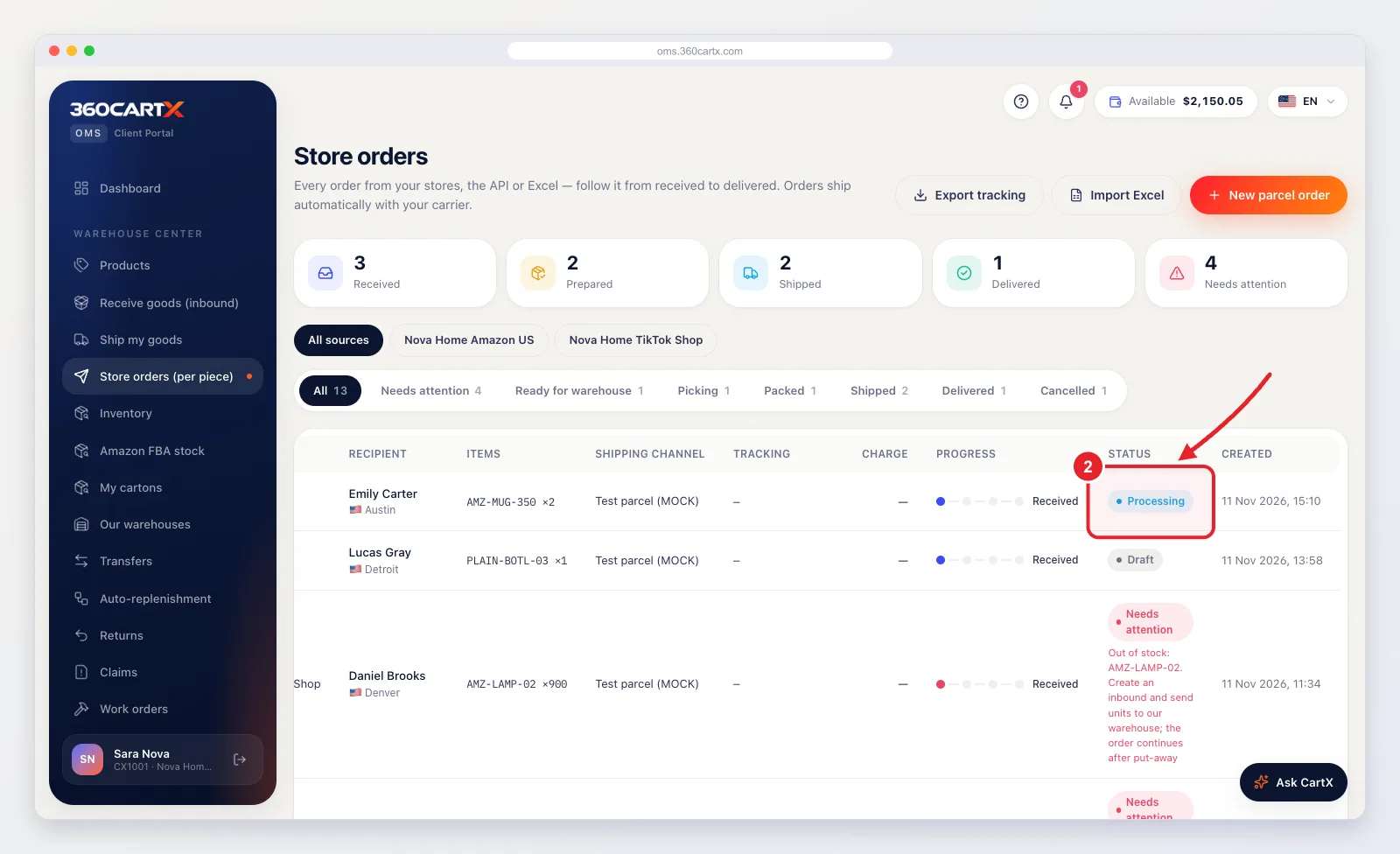
Draft and Processing
Draft: the order was created but not sent on yet (usually from the API); nothing is reserved or charged. Processing: we are booking the label with the carrier, reserving the stock and checking your balance. This takes a few seconds, and an order that cannot continue moves to Needs attention.
- 3
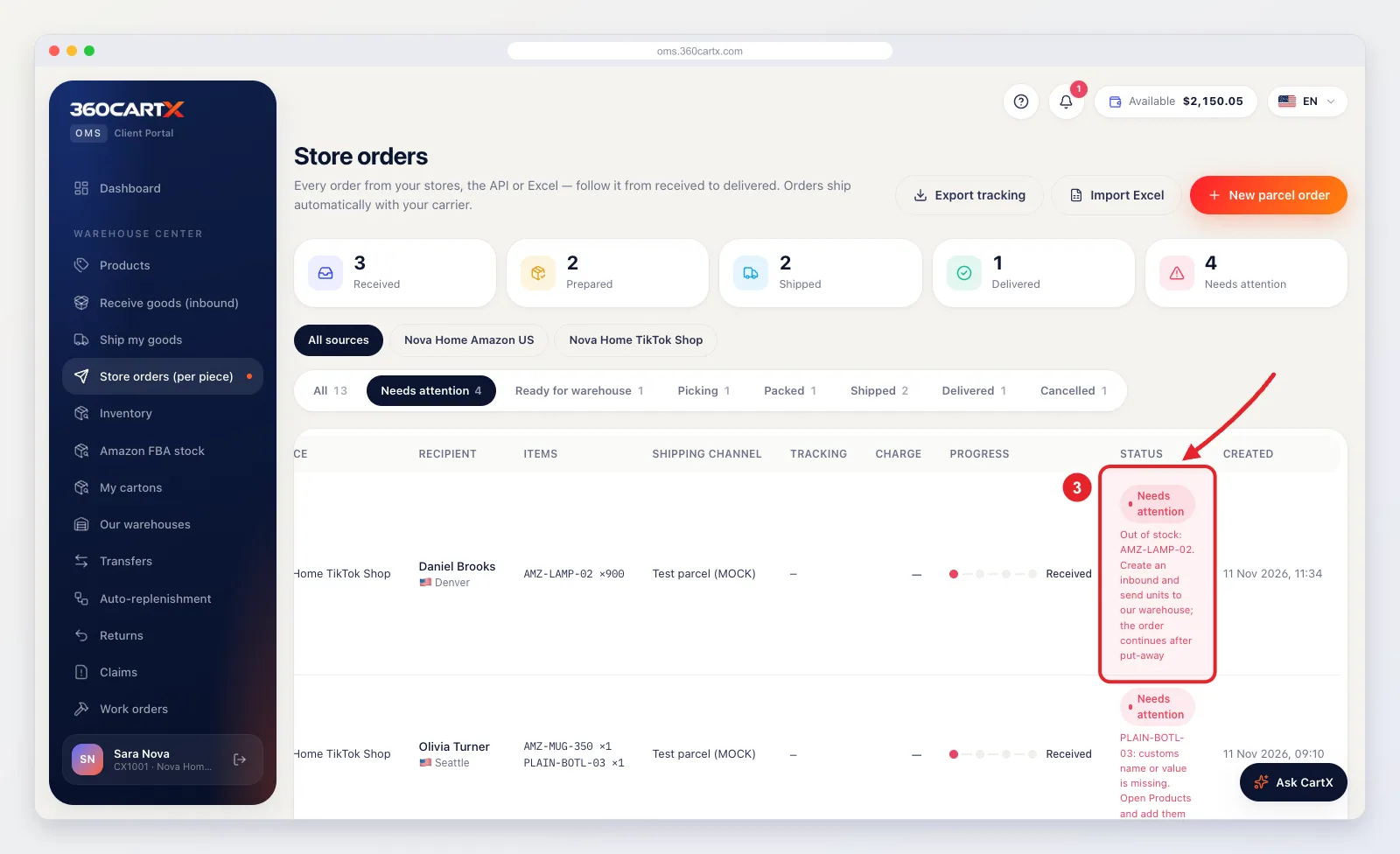
Needs attention
The order stopped and the reason is written under the status, for example Out of stock or Insufficient balance. Nothing is shipped until it is solved. Open it and follow Fix an order that needs attention. A balance problem shows as Waiting for top-up instead.
- 3a Needs attention
- 3b Reason
- 4
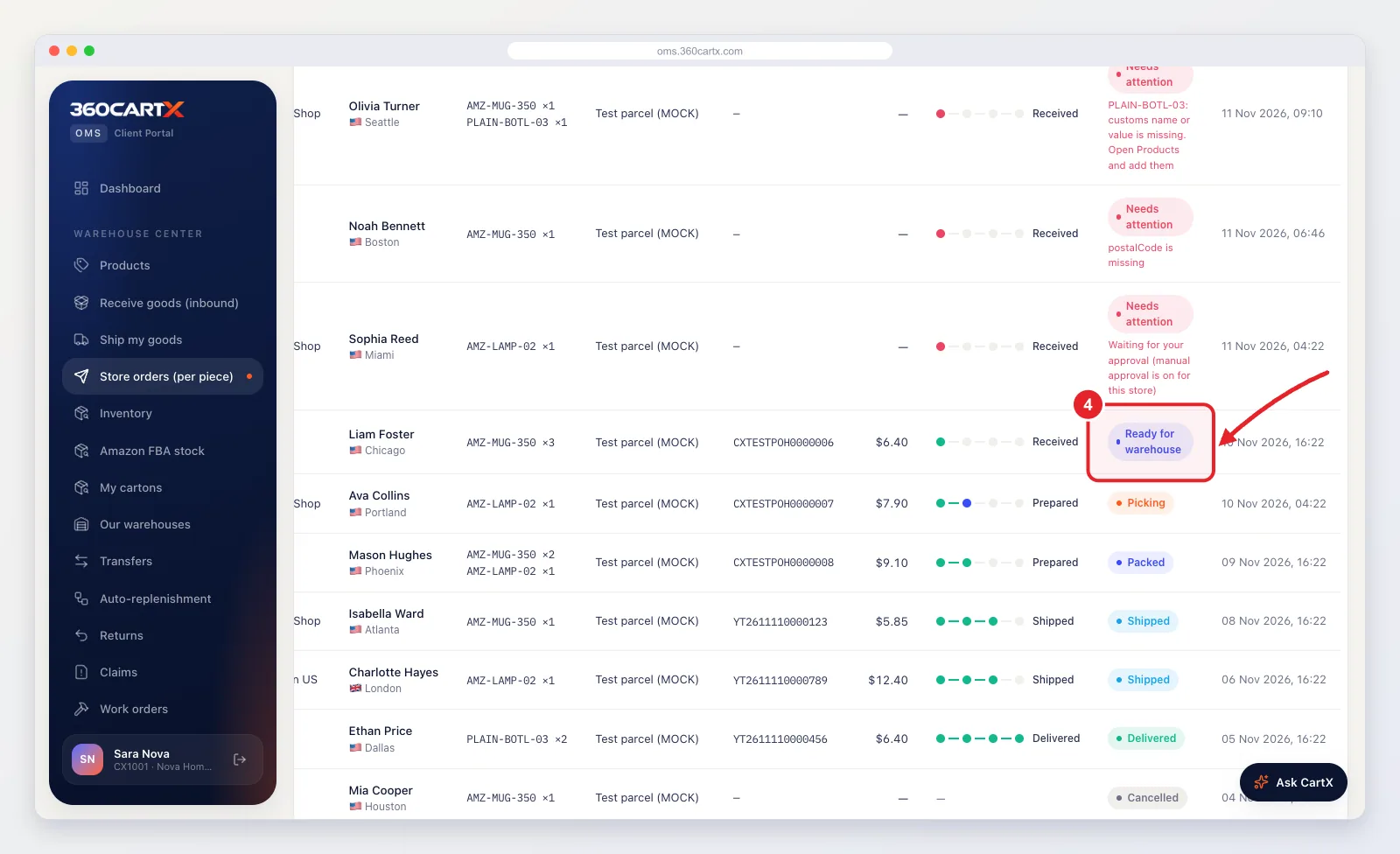
Ready for warehouse
The label is bought, the stock is reserved and the price is charged. The order waits in the warehouse queue. You can still cancel it in this status.
- 5
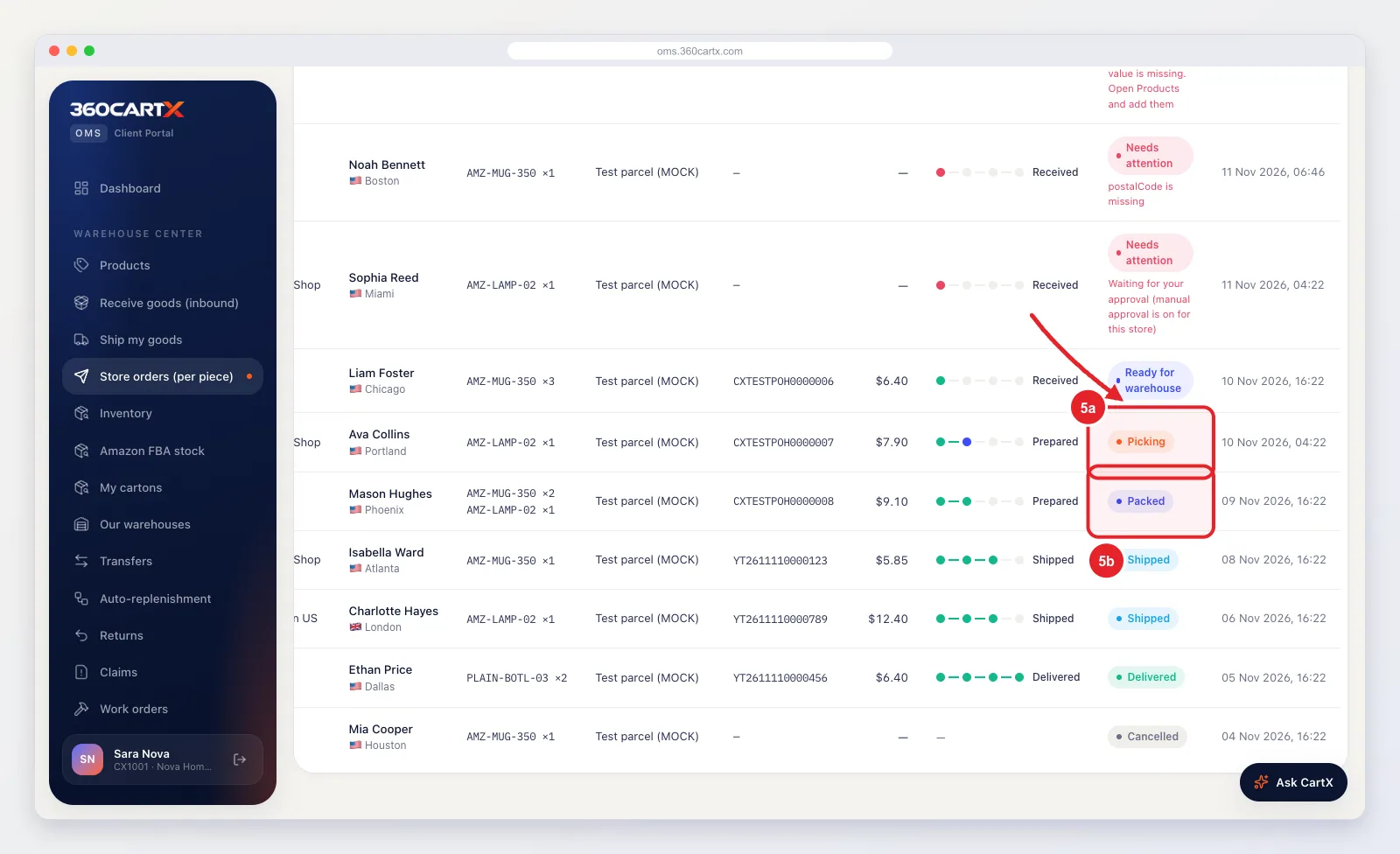
Picking, Picked and Packed
Picking: our team takes the items from the shelves. Picked: all items are picked. Packed: the parcel is packed, weighed and labelled and waits for the carrier. From now on you cannot cancel it yourself.
- 5a Picking
- 5b Packed
- 6
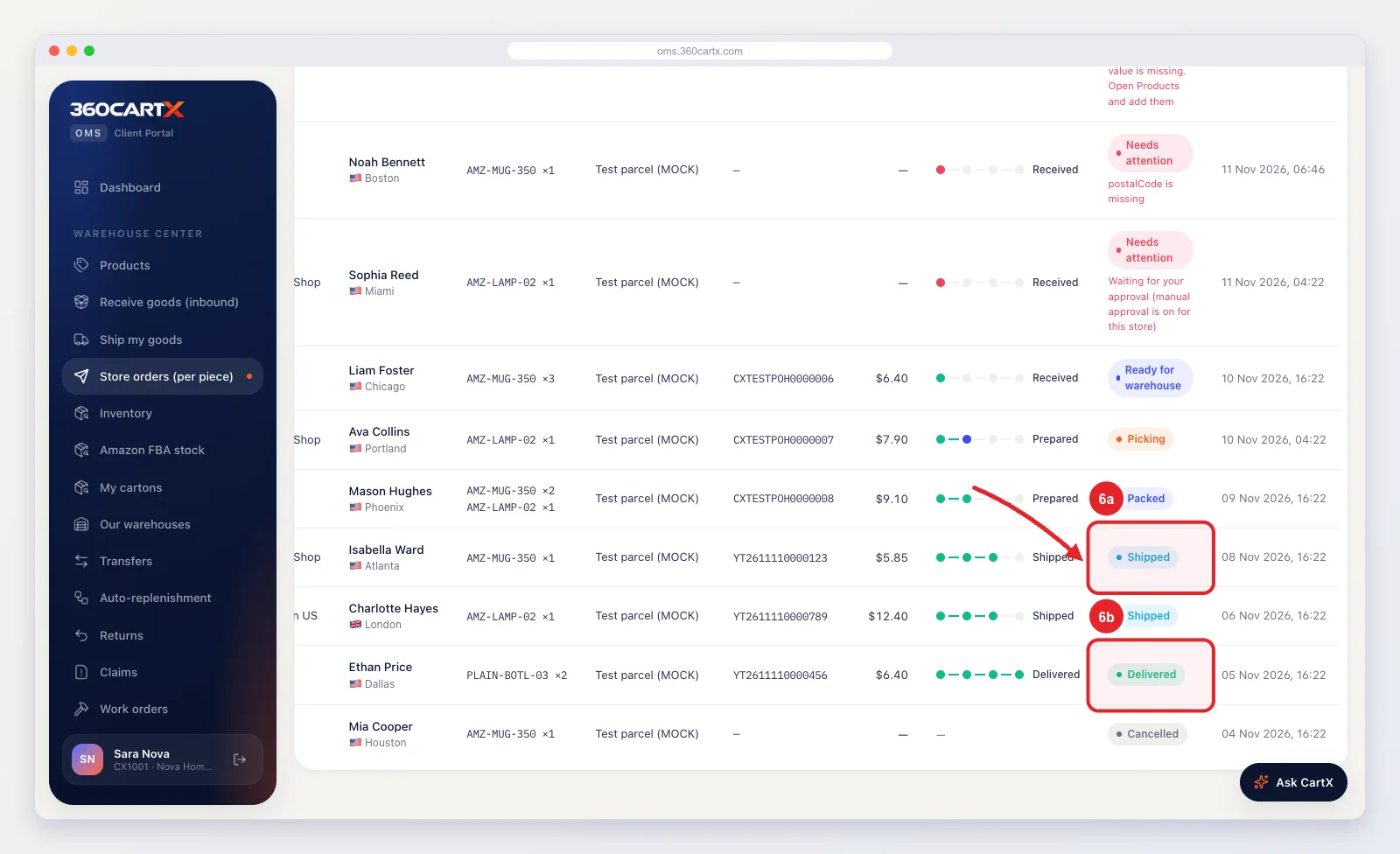
Shipped and Delivered
Shipped: the carrier took the parcel and the tracking number works. Delivered: the carrier reports it delivered. The Progress dots become green.
- 6a Shipped
- 6b Delivered
- 7
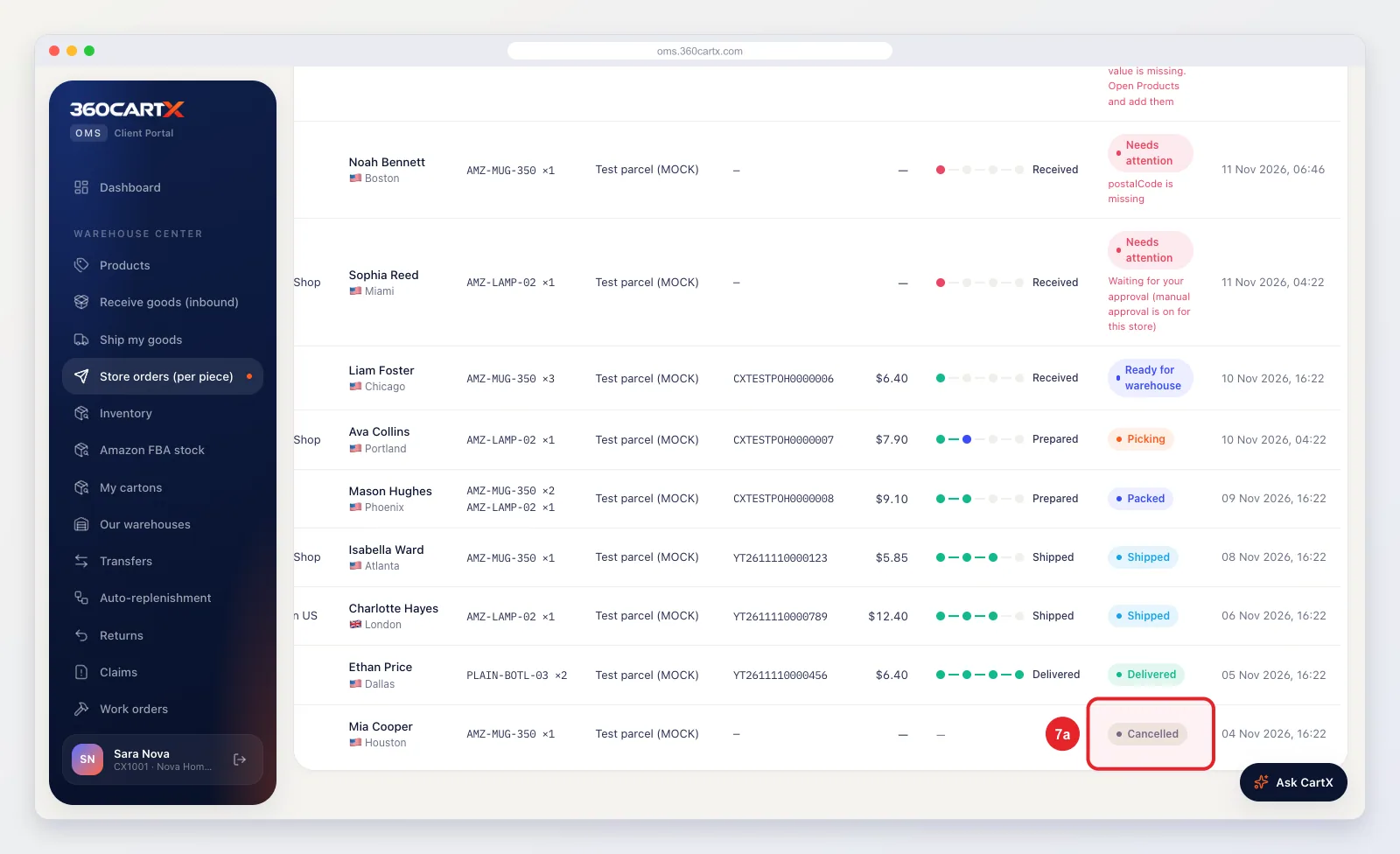
Cancelled
The order was cancelled, by you or by us. The stock is free again and, if it was charged, the amount returns to your wallet. A Cancelled order has no Progress and cannot be reopened. Draft orders show the Draft status.
- 7a Cancelled
- 7b Draft
- 8
Pack, weigh & quote
A status used only for accounts that ask us to measure the parcel and quote the price before shipping. Most accounts never see it.
Tips
- The four Progress steps in the list (Received, Prepared, Shipped, Delivered) are a simpler view of the same status.
- You also get a notification when an order needs attention.
Common problems
My order stays Processing
Reload the page after a minute. If it stays, it is waiting for the carrier answer; if the carrier did not answer clearly, our team checks it. Open a ticket in Help & support with the parcel number.
Already in the warehouse — ask us to intercept it
You can cancel only until Ready for warehouse. After that open a ticket in Help & support and we try to stop it.
Related articles
Updated 2026-11-11
Open a ticket from Support in your portal and our team will reply.