Steps
- 1
Find the orders
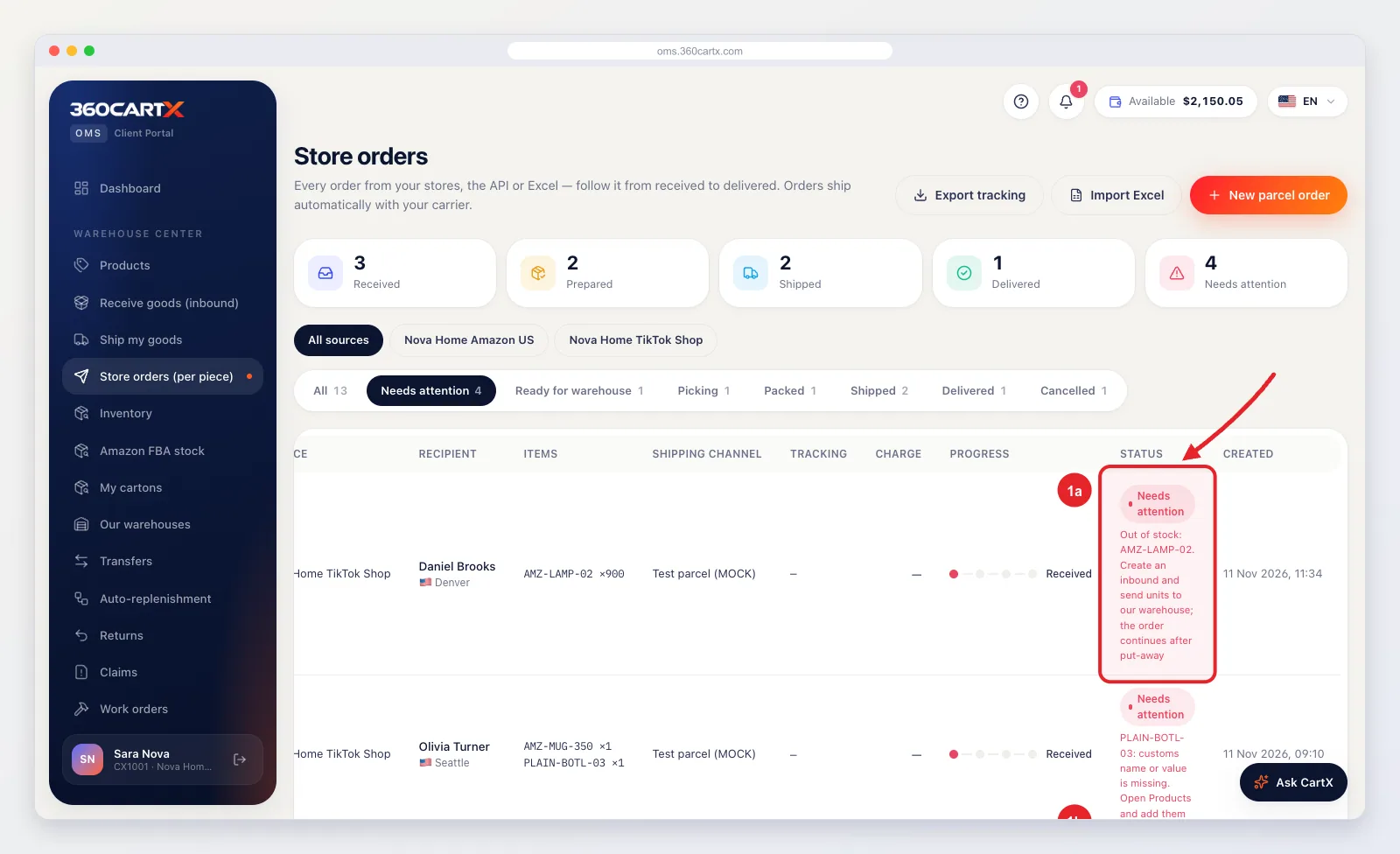
Click the Needs attention card on Store orders, or the Needs attention tab. The reason is written under the status in the list, for example Out of stock: AMZ-LAMP-02. You also get a notification and, on the dashboard, a message at the top.
- 1a Needs attention
- 1b Reason
- 2
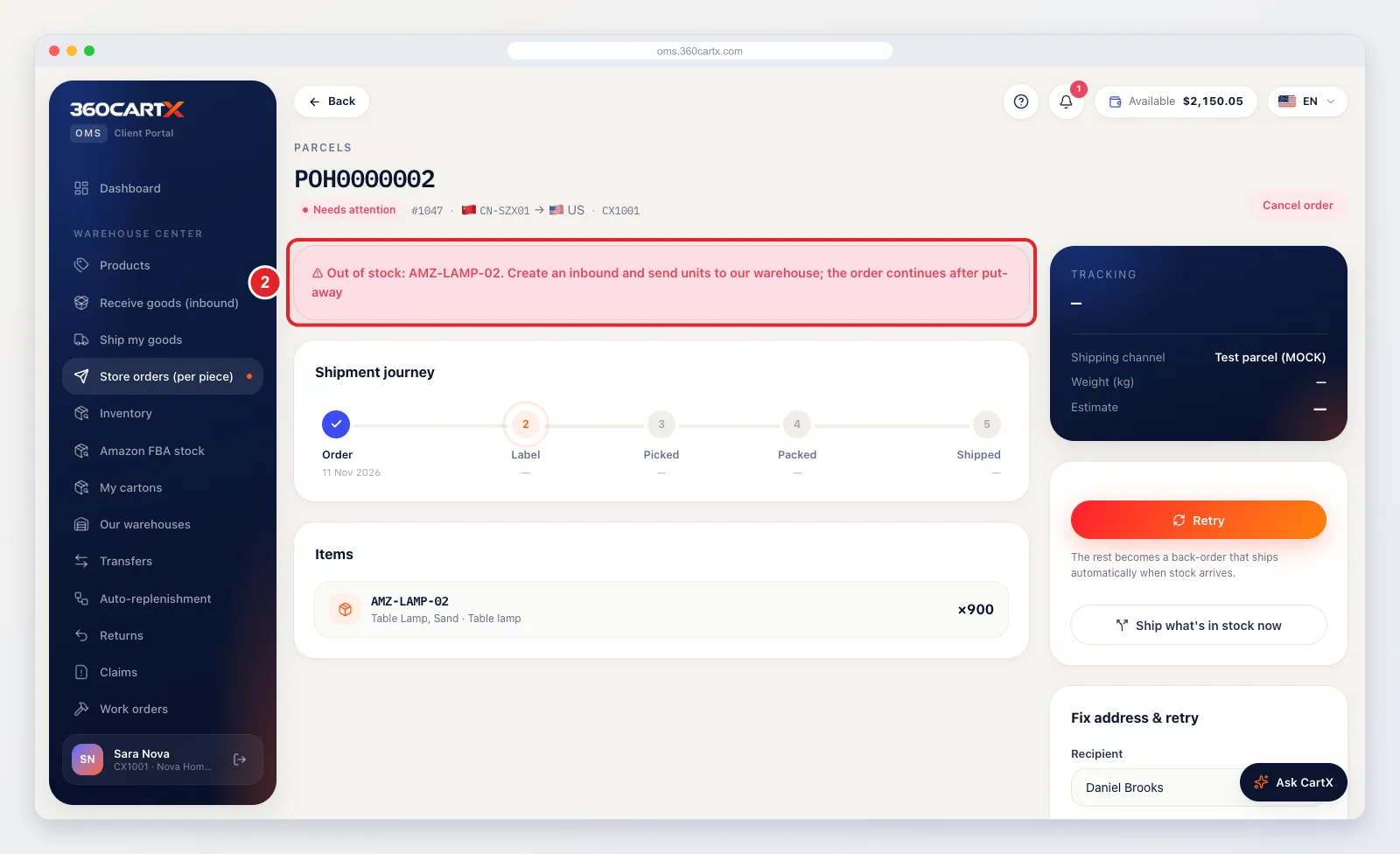
Read the reason on the order
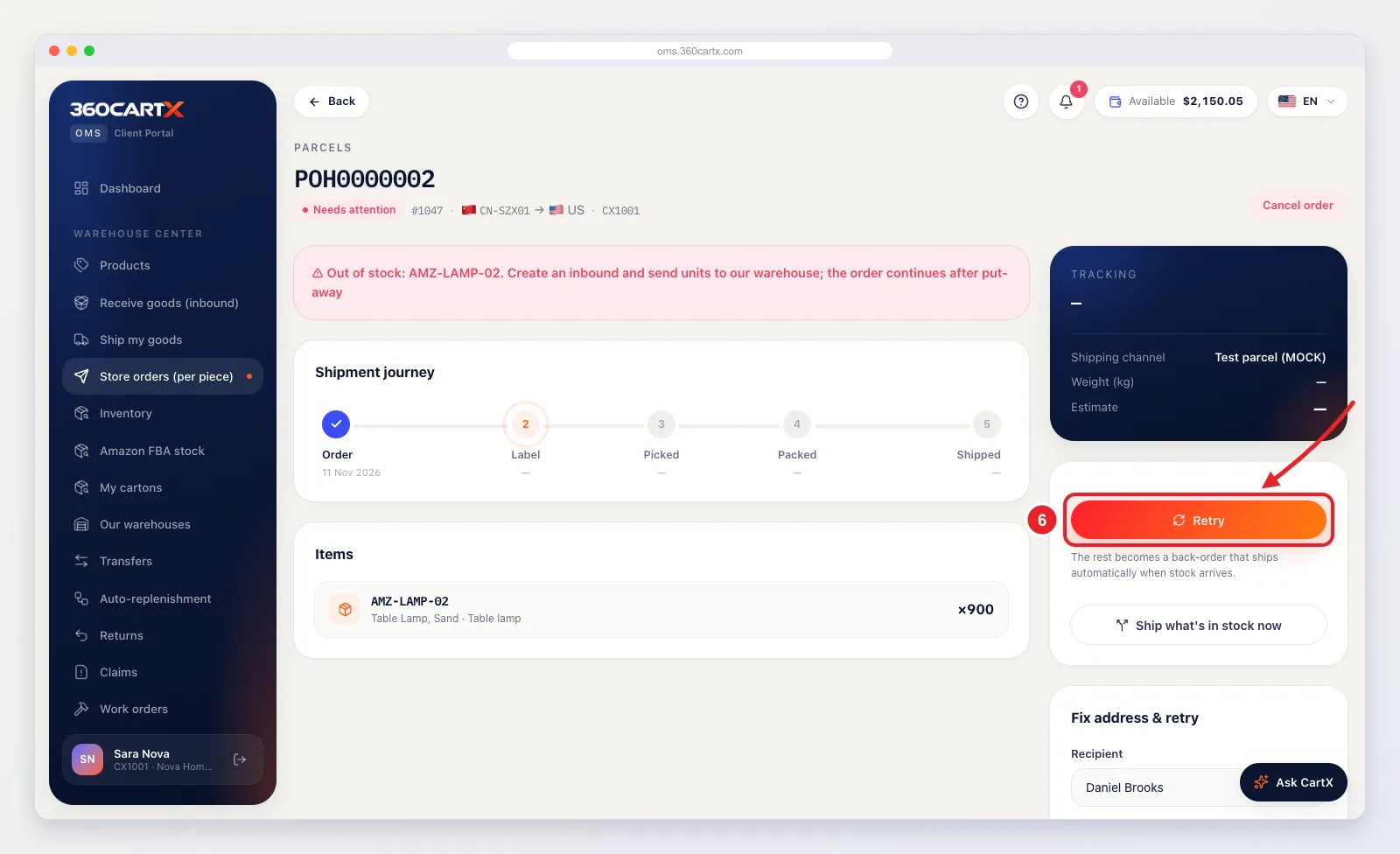
Click the Parcel no. The order opens with a red box that starts with a warning sign and says what stopped it, for example Out of stock: AMZ-LAMP-02. Create an inbound and send units to our warehouse; the order continues after put-away.
- 3
The Retry button
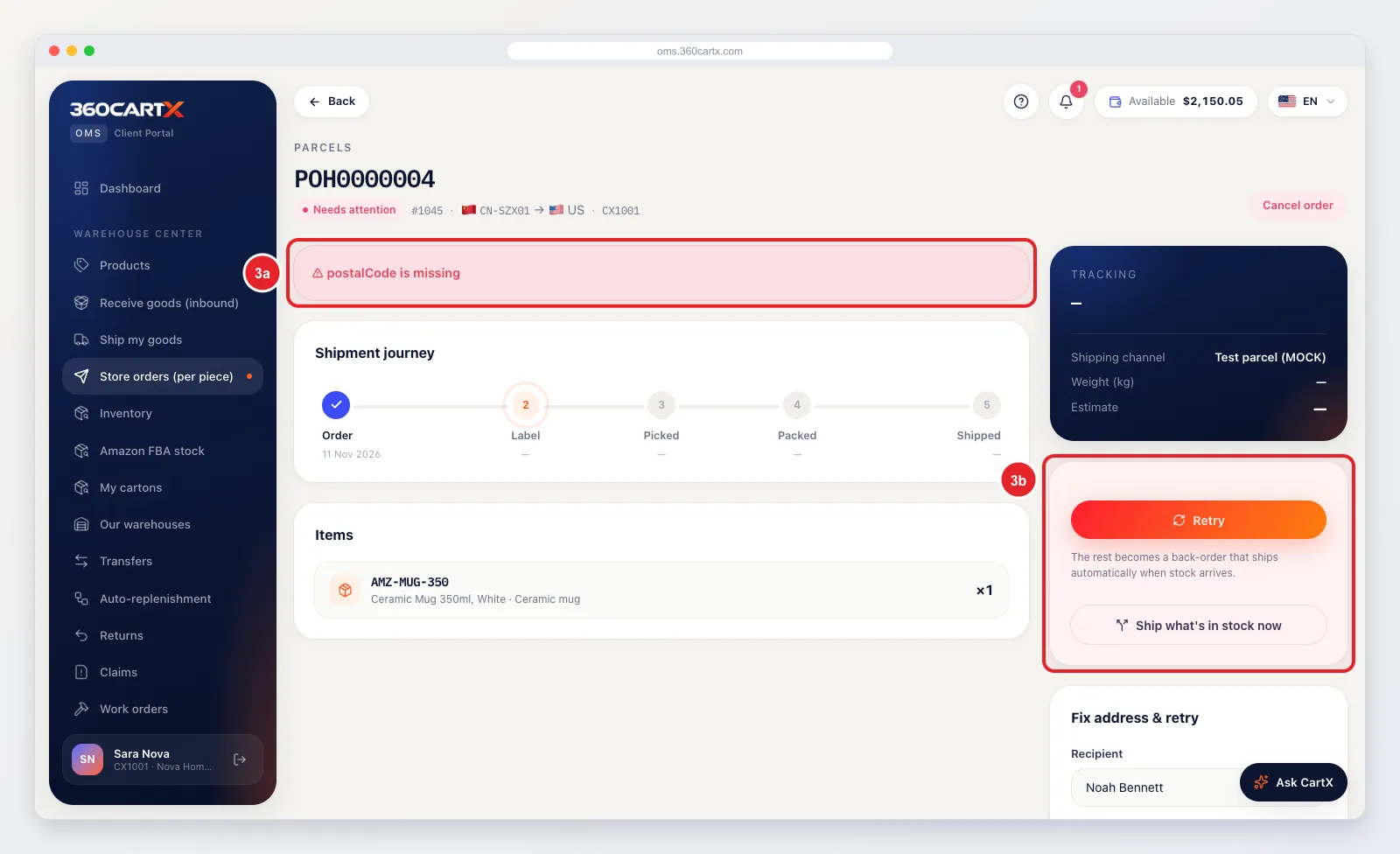
On the right of an order that needs attention you find Retry, and below it Ship what's in stock now. Retry tries the whole process again: use it after you solved the cause, for example after the stock arrived or the product was approved.
- 3a Reason
- 3b Retry
- 4
Fix the address
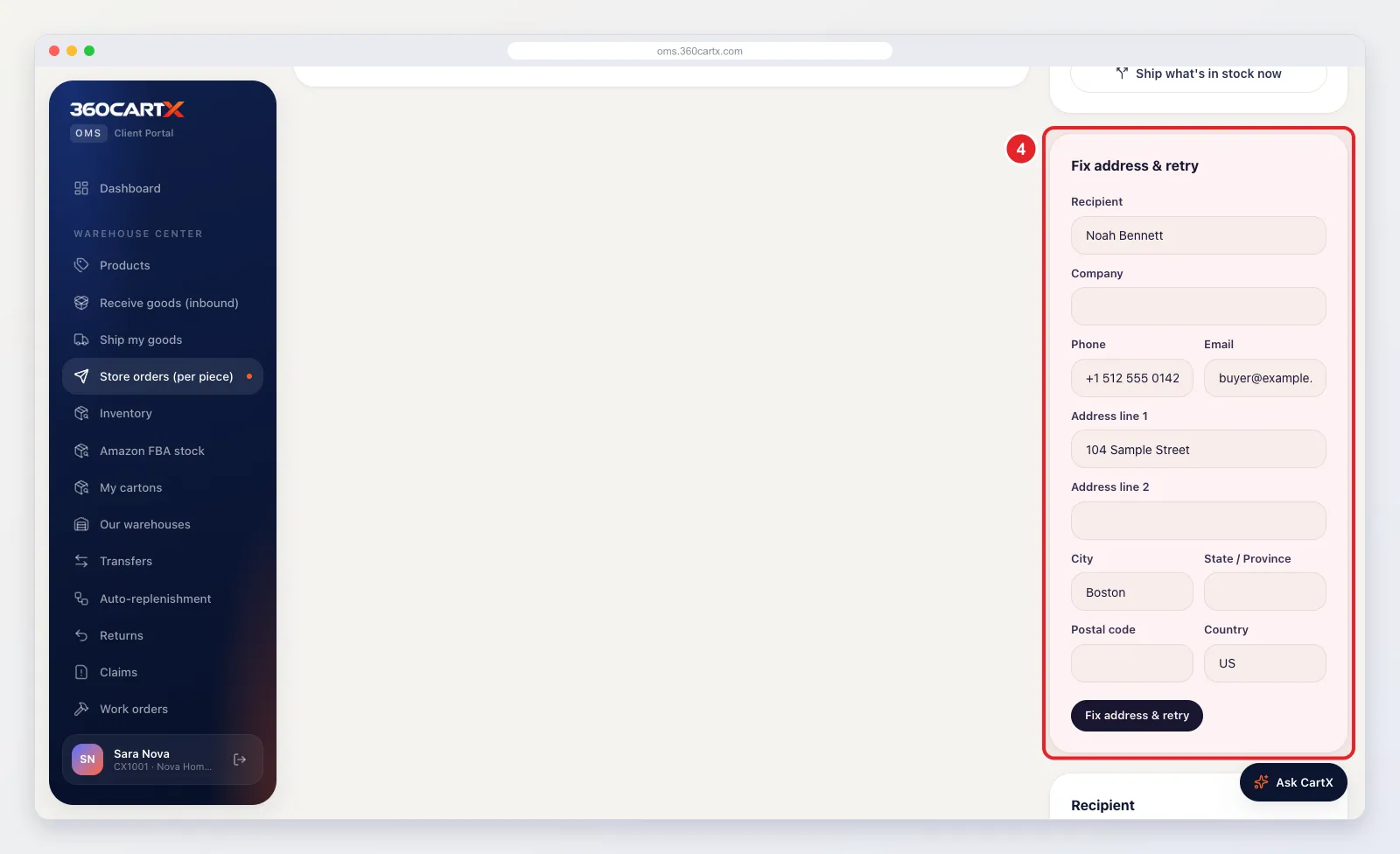
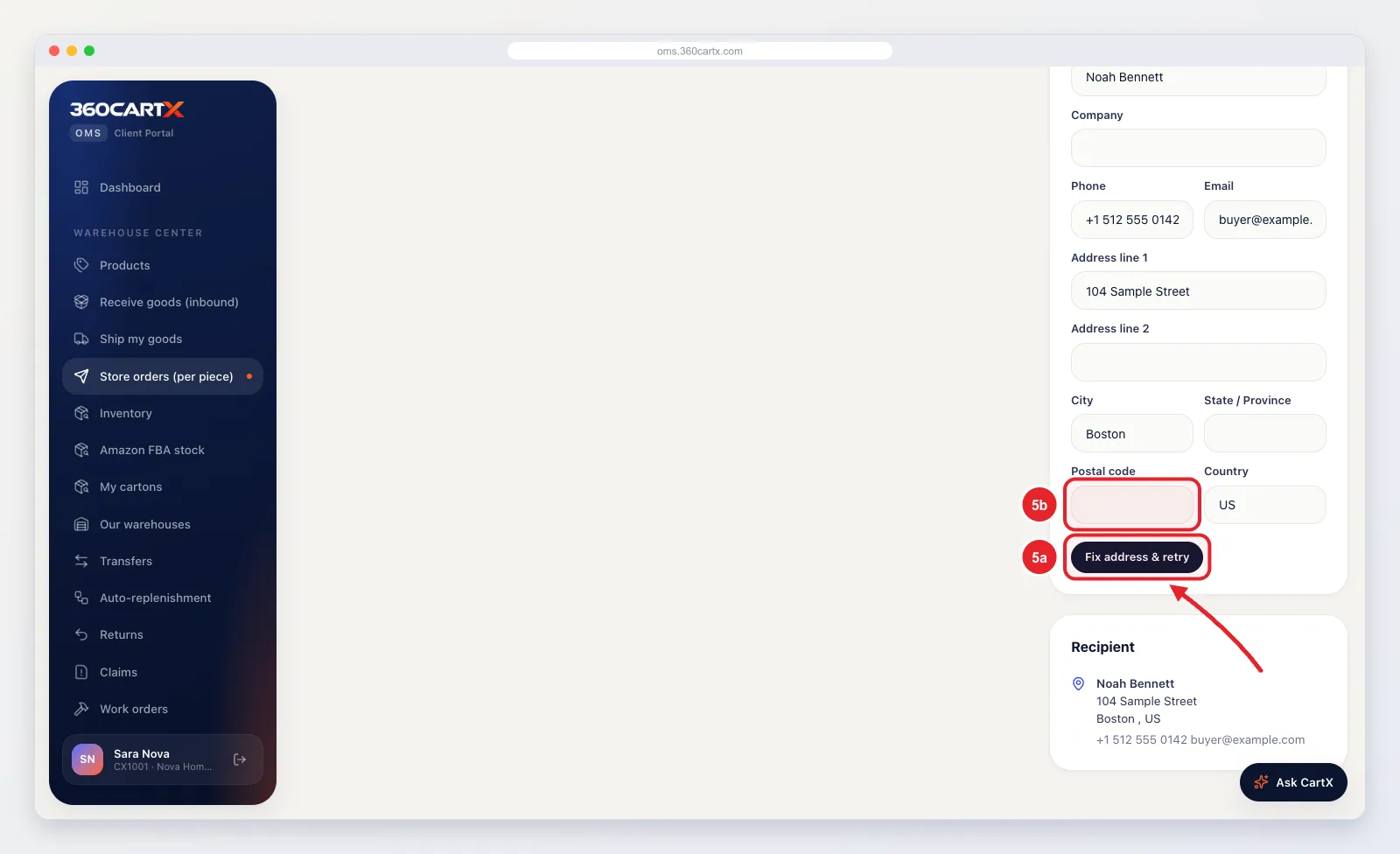
Under Recipient the box Fix address & retry shows the address fields filled with the current values: Recipient, Company, Phone, Email, Address line 1 and 2, City, State / Province, Postal code and Country.
- 5
Correct and retry
Correct the field named in the reason, for example type 02108 in Postal code for a Boston order, and click Fix address & retry. We save the address and process the order again at once. The address can only be changed while the order needs attention.
- 5a Fix address & retry
- 5b Postal code
- 6
After Retry
If it works, the status becomes Ready for warehouse. If it still does not, the red box shows the new reason. A short check mark appears when the retry ran.
Terms in this article
- Back-order: The part of an order shipped later, when stock arrives.
Tips
- Common reasons: Out of stock (send an inbound), a product that is not approved yet (open Products and submit it), customs name or value missing on a product (add them), Insufficient balance (top up), no shipping channel for the country or weight, and a missing address field.
- An order whose reason says Waiting for your approval is released with Approve & ship. See Approve orders before they ship.
- Orders ship by themselves once the cause is gone: stock arriving and top-ups release held orders automatically.
Common problems
Address can only change while the order needs attention
The order is already past that stage. Cancel it if it is not in the warehouse yet, or open a ticket in Help & support.
Nothing to retry
The order is not on Needs attention any more. Reload the page.
Automatic processing is paused — resume it in Settings or process this order by hand
Processing is paused for your account. Resume it in Settings, or press Retry to process this one order now.
No shipping channel for DE (2 kg) priced in USD
No carrier of ours serves this country and weight. Open a ticket in Help & support.
Related articles
Updated 2026-11-11
Open a ticket from Support in your portal and our team will reply.