Steps
- 1
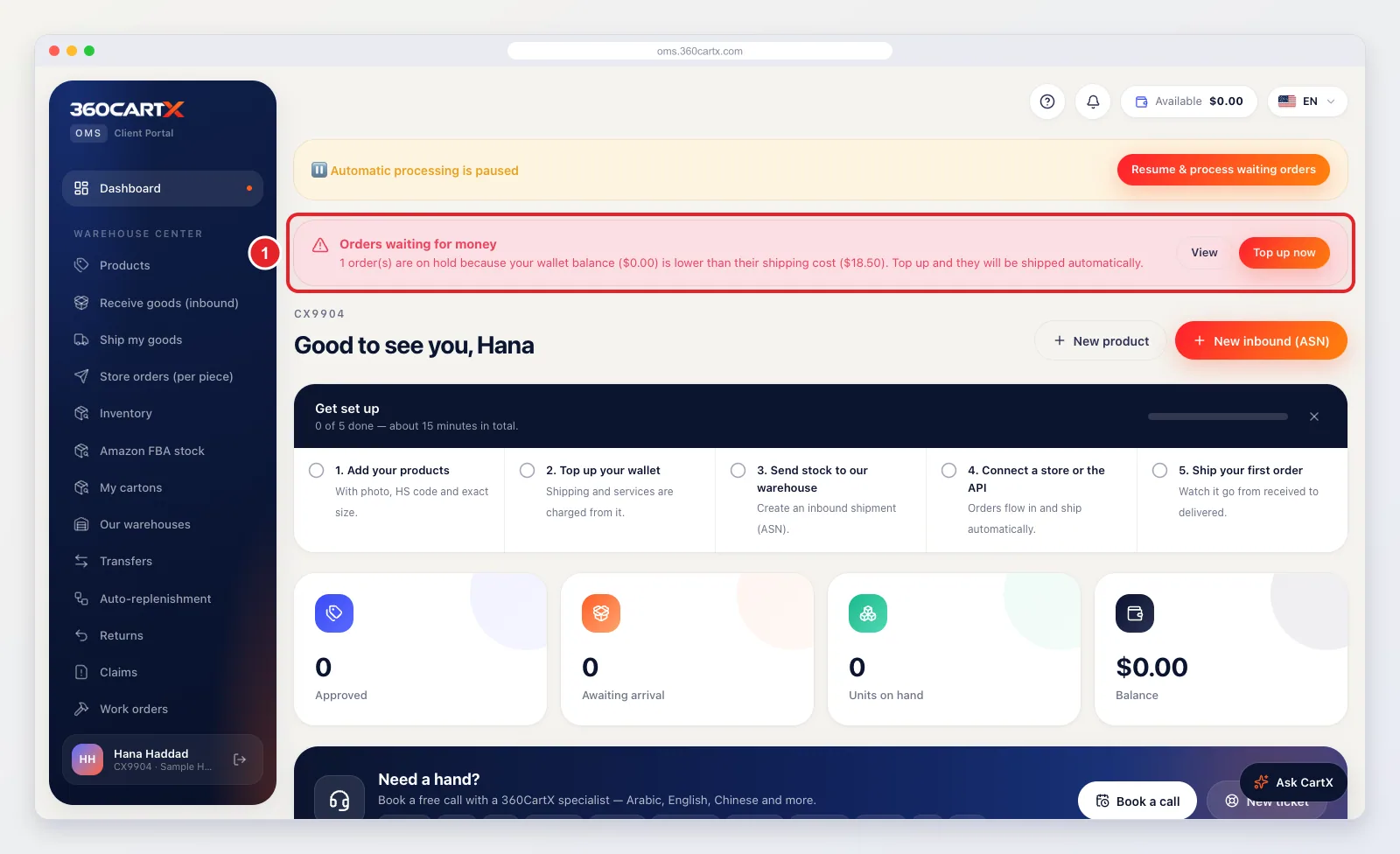
The message on the dashboard
At the top of the dashboard a red message says how many orders are on hold, for example 1 order(s) are on hold because your wallet balance ($0.00) is lower than their shipping cost ($18.50). Top up and they will be shipped automatically. View opens the list and Top up now opens Add funds.
- 2
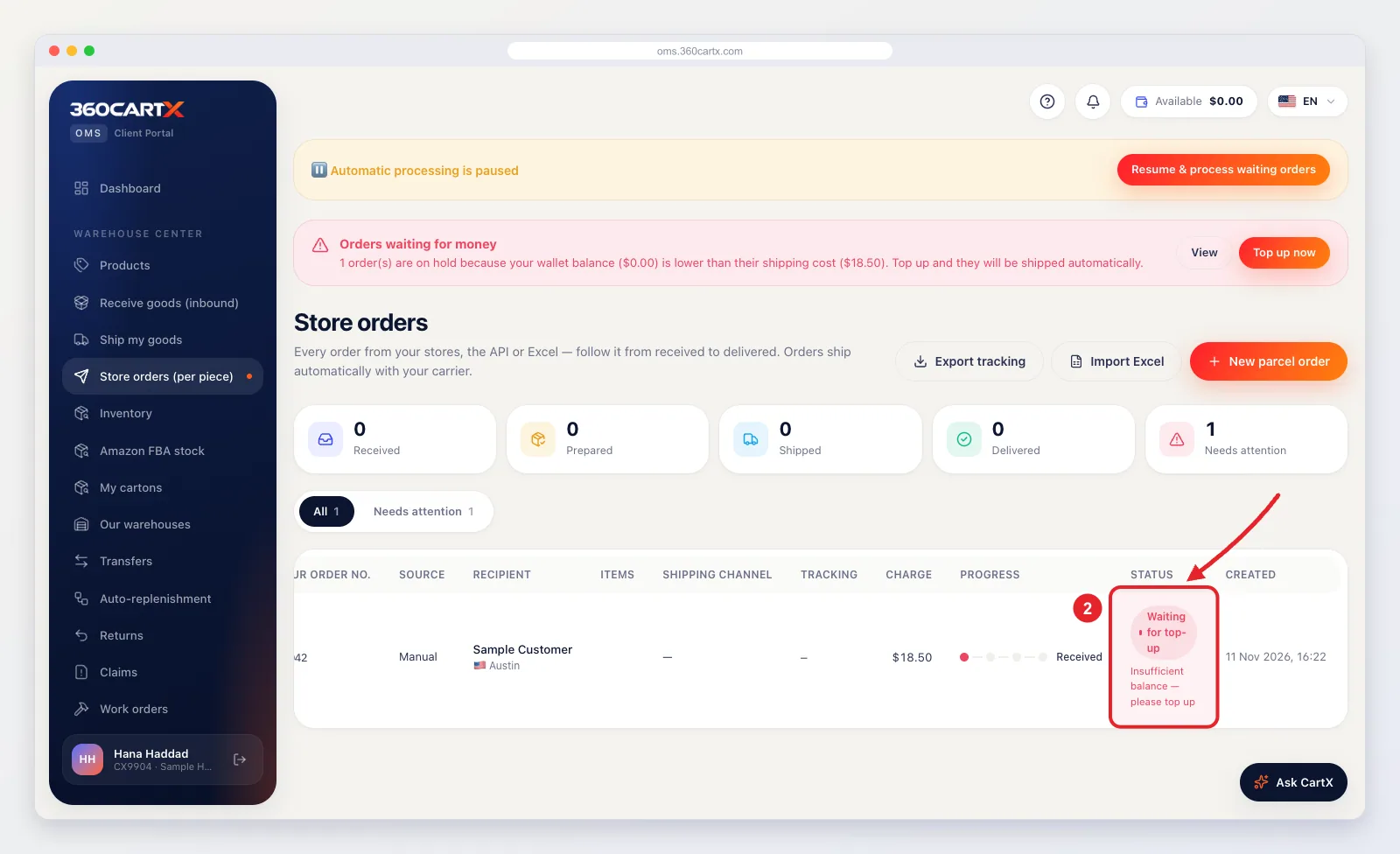
The status in the list
In Store orders the held order shows the status Waiting for top-up instead of Needs attention, and its Charge column already shows the price that is needed.
- 3
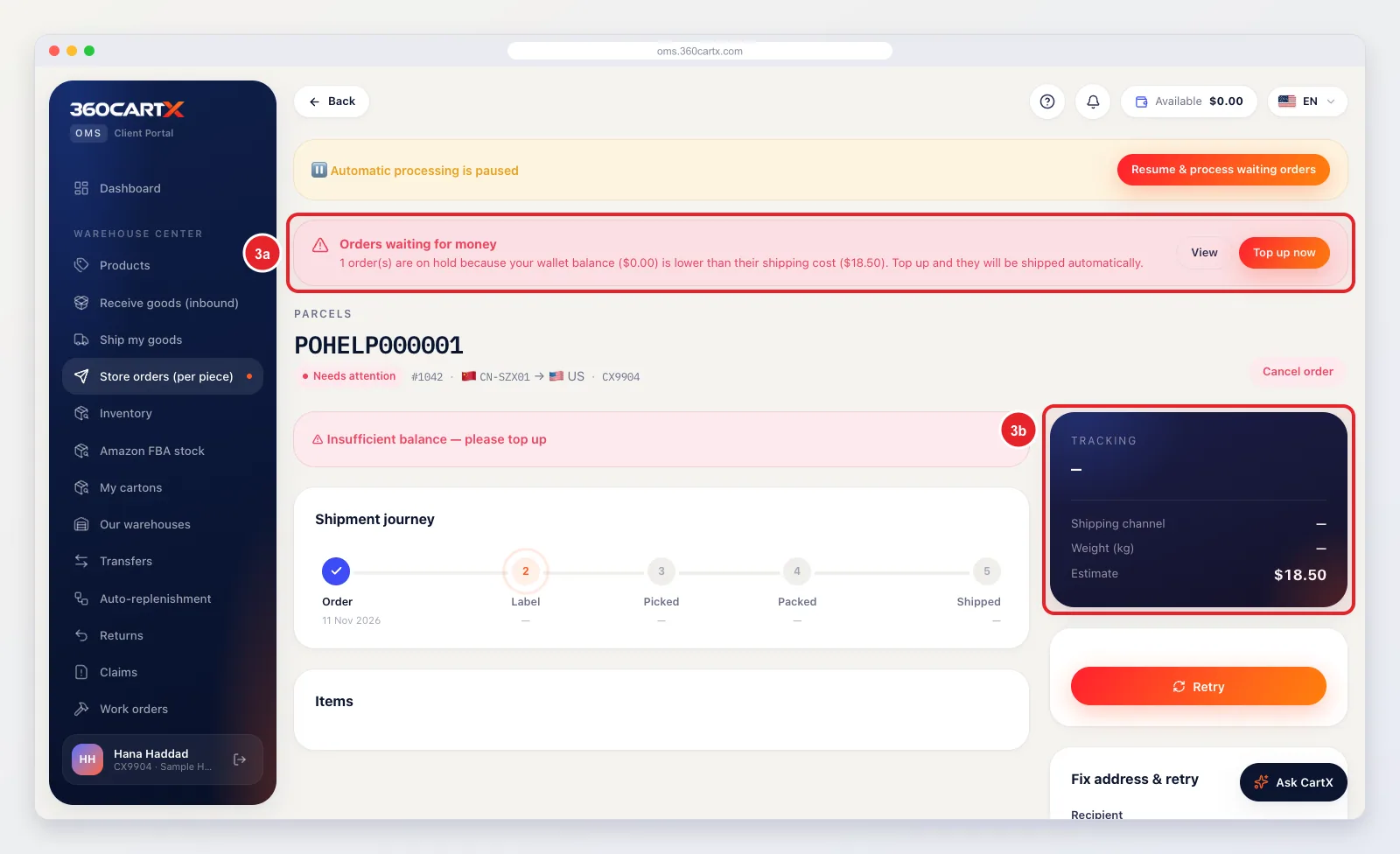
Read the order
The order page shows the status Needs attention, and the red box says Insufficient balance — please top up. If your account keeps a minimum balance, it says: Insufficient balance — keep at least X in the wallet after this order; please top up. The panel on the right shows the price we need.
- 3a Reason
- 3b Price needed
- 4
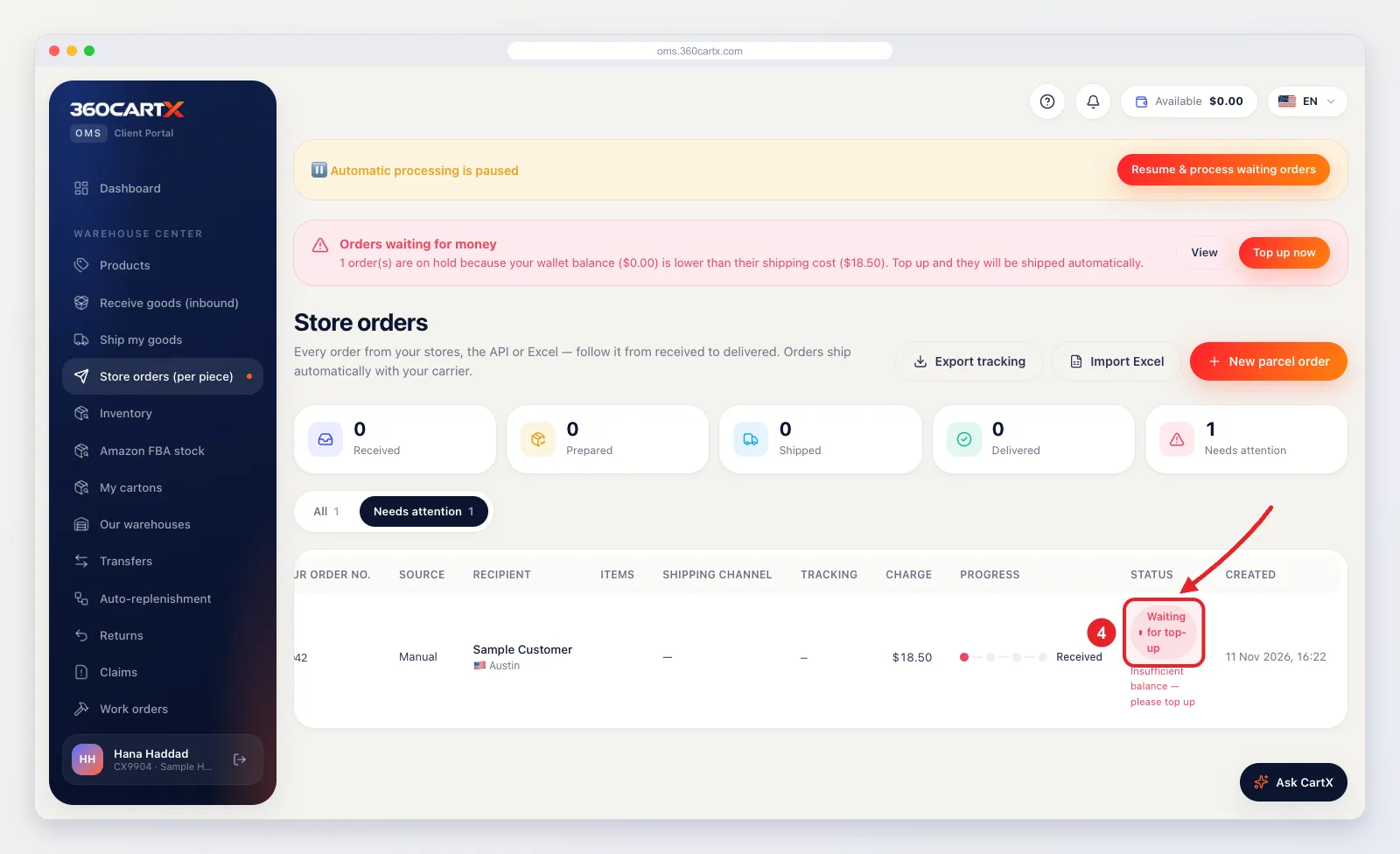
Top up and wait
Add funds in Finance. When the balance covers the order we buy the label and the order becomes Ready for warehouse by itself. Several held orders are released oldest first, as far as the balance goes.
Terms in this article
- Wallet: Your prepaid balance in US dollars.
Tips
- Keep the balance above the cost of a day's orders so no order is held.
- You cannot use Ship what's in stock now on an order that waits for money: the problem is not stock.
- All prices and your balance are in US dollars.
Common problems
I topped up but the order is still held
Card top-ups arrive at once; bank transfers are added after we confirm them. Press Retry on the order after the balance shows.
Related articles
Updated 2026-11-11
Open a ticket from Support in your portal and our team will reply.