Steps
- 1
See that stock is the problem
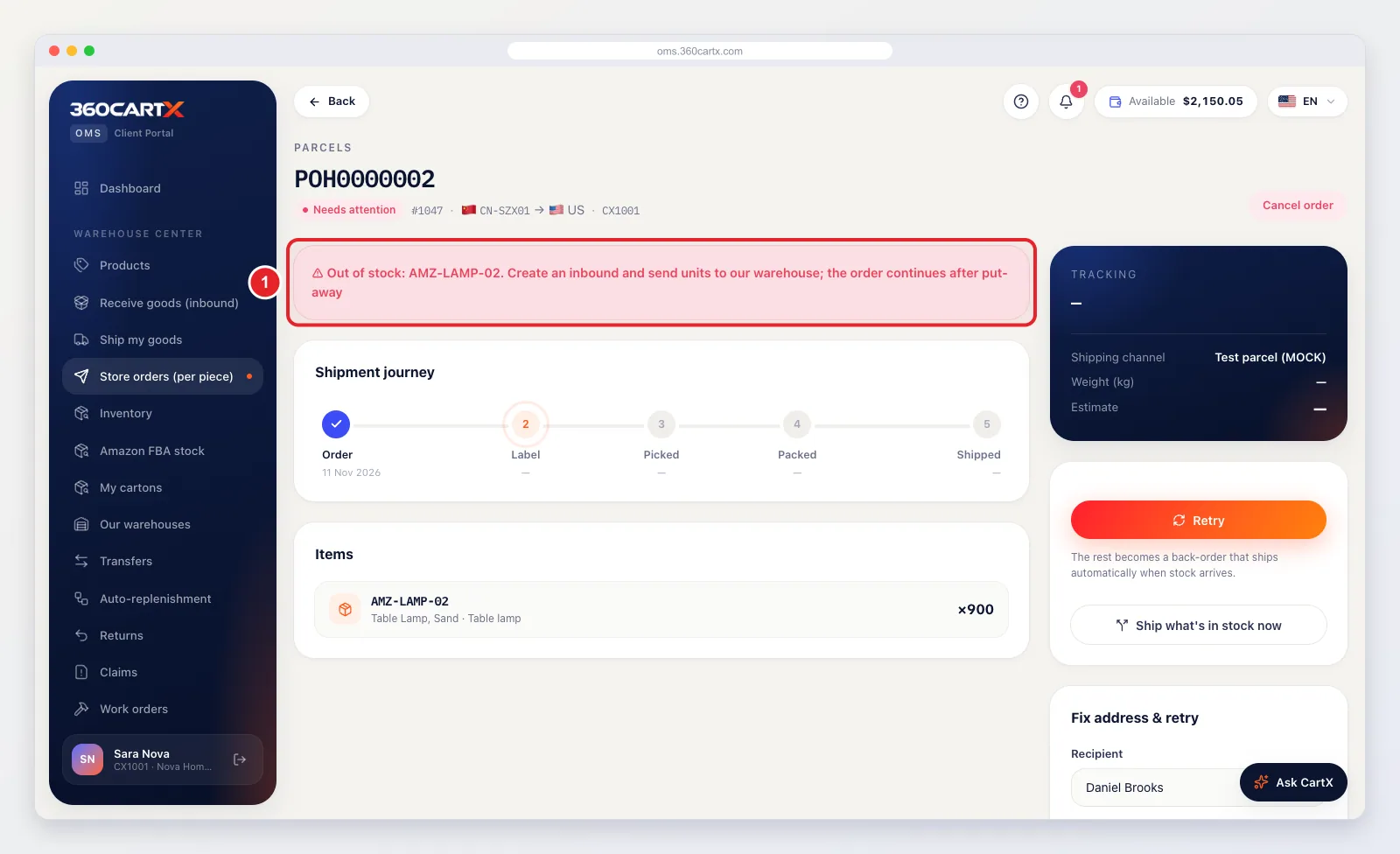
Open an order on Needs attention whose reason is Out of stock followed by the SKU.
- 2
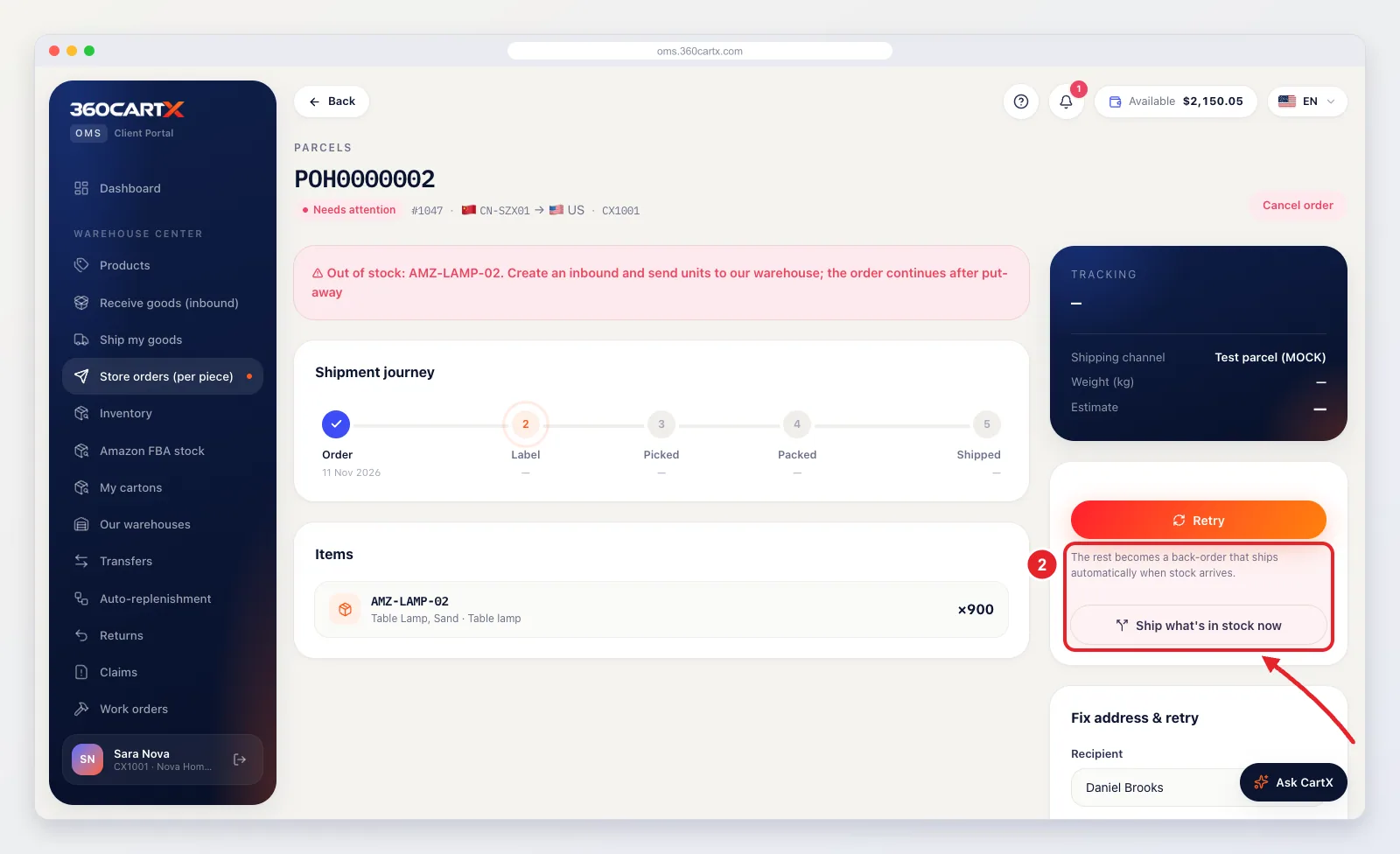
Click Ship what's in stock now
Under Retry the button Ship what's in stock now has the note: The rest becomes a back-order that ships automatically when stock arrives. The button is shown for orders that stopped for a reason other than waiting for money.
- 3
What we do
The order keeps the units that are in stock and ships them. A new order with the same buyer and address is created for the missing units. Its order number is your order number with -B1 added, for example #1047-B1, it shows Back-order of PO… in the note, and its status is Processing / Needs attention until stock arrives. You land on the new order.
- 4
When the back-order ships
After the missing units are received and put away, the back-order is processed again by itself, or press Retry on it. A third split of the same order is called -B2.
Terms in this article
- Back-order: The part of an order shipped later, when stock arrives.
Tips
- It only works while the order is not labelled yet. Then you see: Only orders that are not labelled yet can be split.
- The buyer gets two parcels with two tracking numbers. Mention this to your buyer.
Common problems
Nothing of this order is in stock yet
No item of the order is available right now, so there is nothing to ship. Send an inbound first.
Everything is in stock — no need to split, just retry
The stock arrived in the meantime. Press Retry.
Related articles
Updated 2026-11-11
Open a ticket from Support in your portal and our team will reply.