Steps
- 1
Create an account or sign in
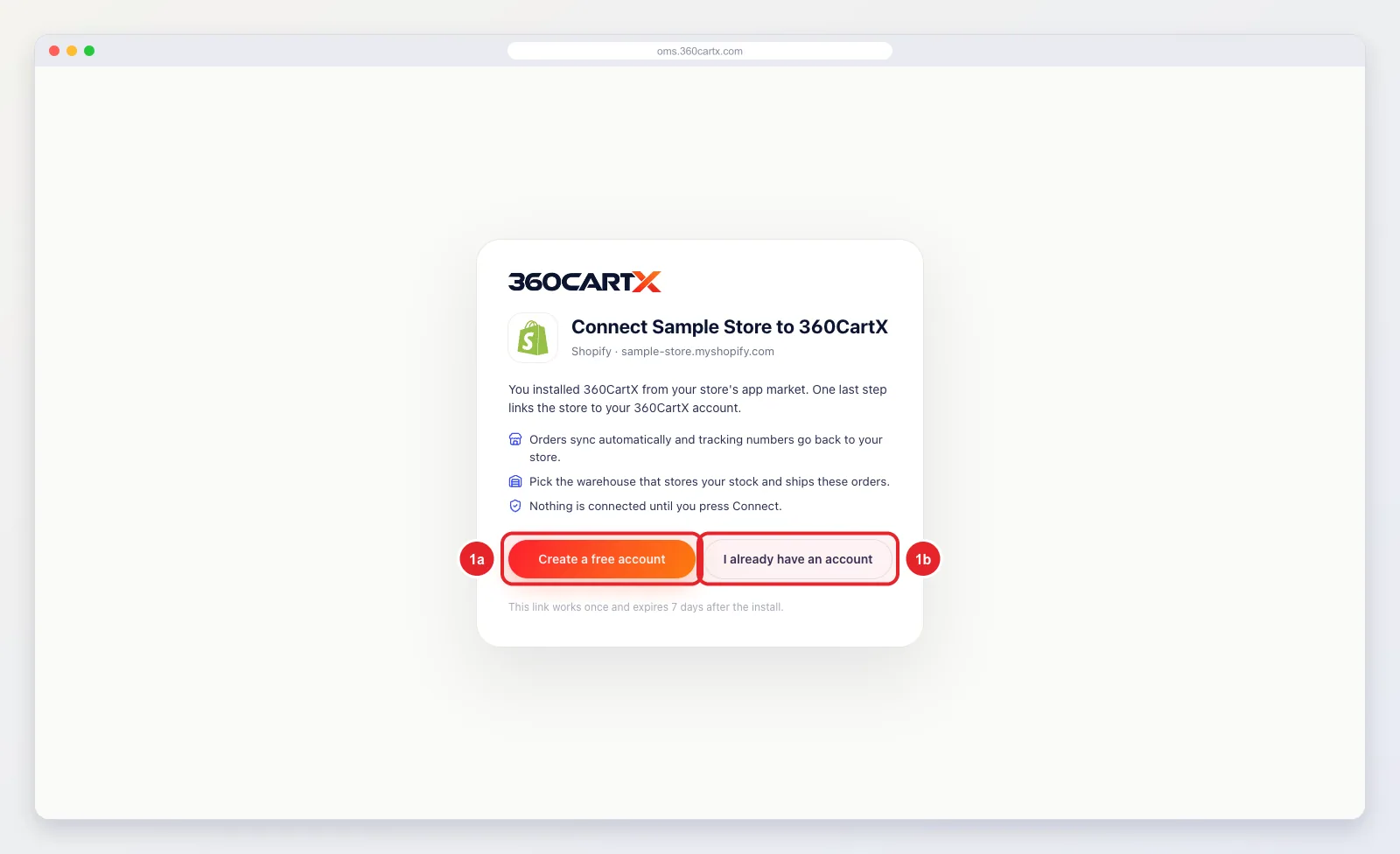
If you are not signed in, choose Create a free account (new to 360CartX) or I already have an account. After signing up or signing in you come straight back to this page.
- 2
Check the account and choose the warehouse
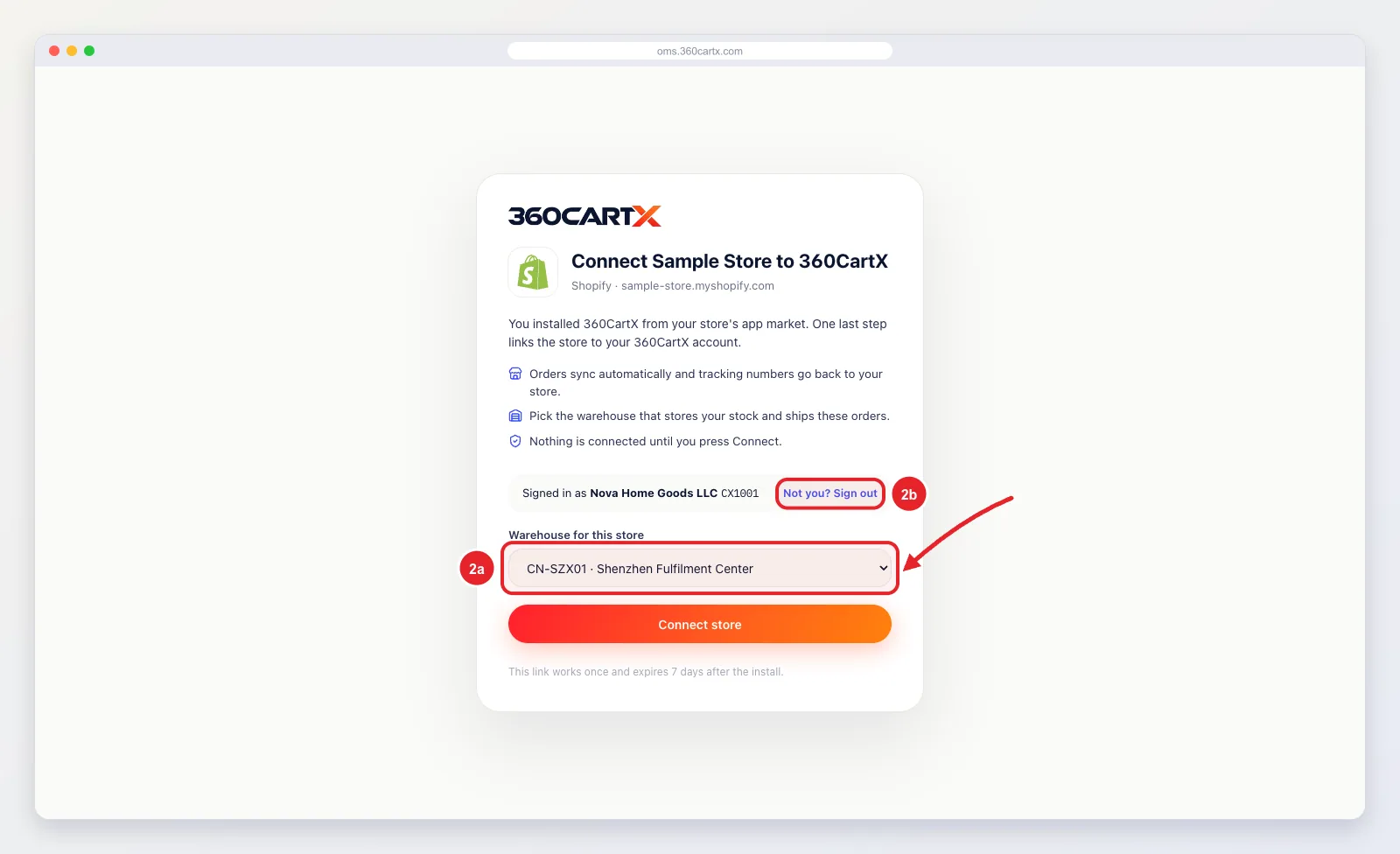
The page shows Signed in as with your client code. Wrong account? Click Not you? Sign out and sign in with the right one. In Warehouse for this store choose the warehouse that holds your stock and ships these orders, for example CN-SZX01.
- 2a Warehouse for this store
- 2b Not you? Sign out
- 3
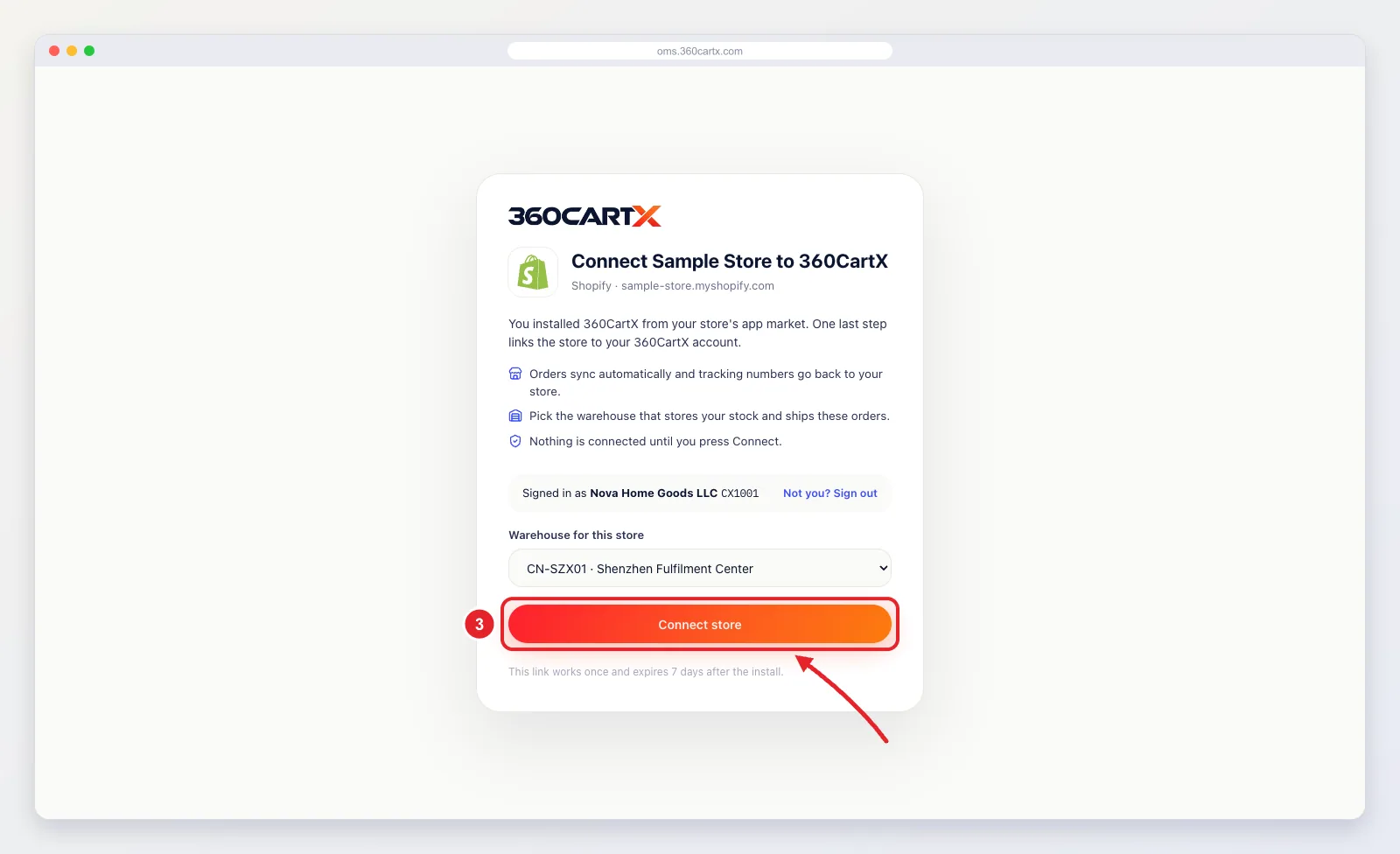
Click Connect store
Click Connect store. Your store is linked and its page under Integrations opens: orders start syncing to 360CartX, your products are imported and tracking numbers go back to your store.
- 4
No warehouse yet?
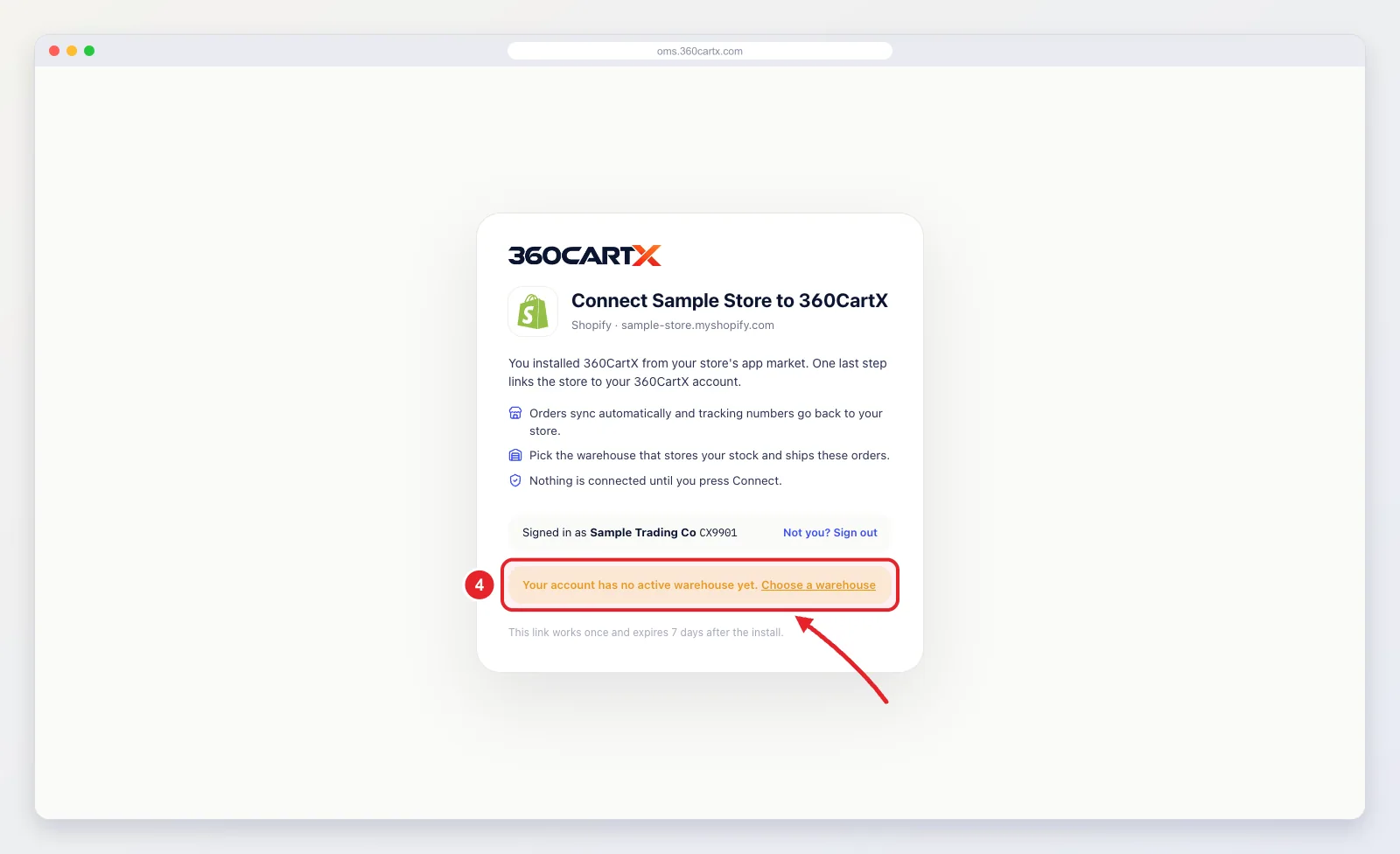
A brand-new account shows Your account has no active warehouse yet. Choose a warehouse instead of the list. Our team assigns your warehouse after sign-up. Once it is assigned, open the same link again (it stays valid for 7 days) or use Review and connect under Integrations.
- 5
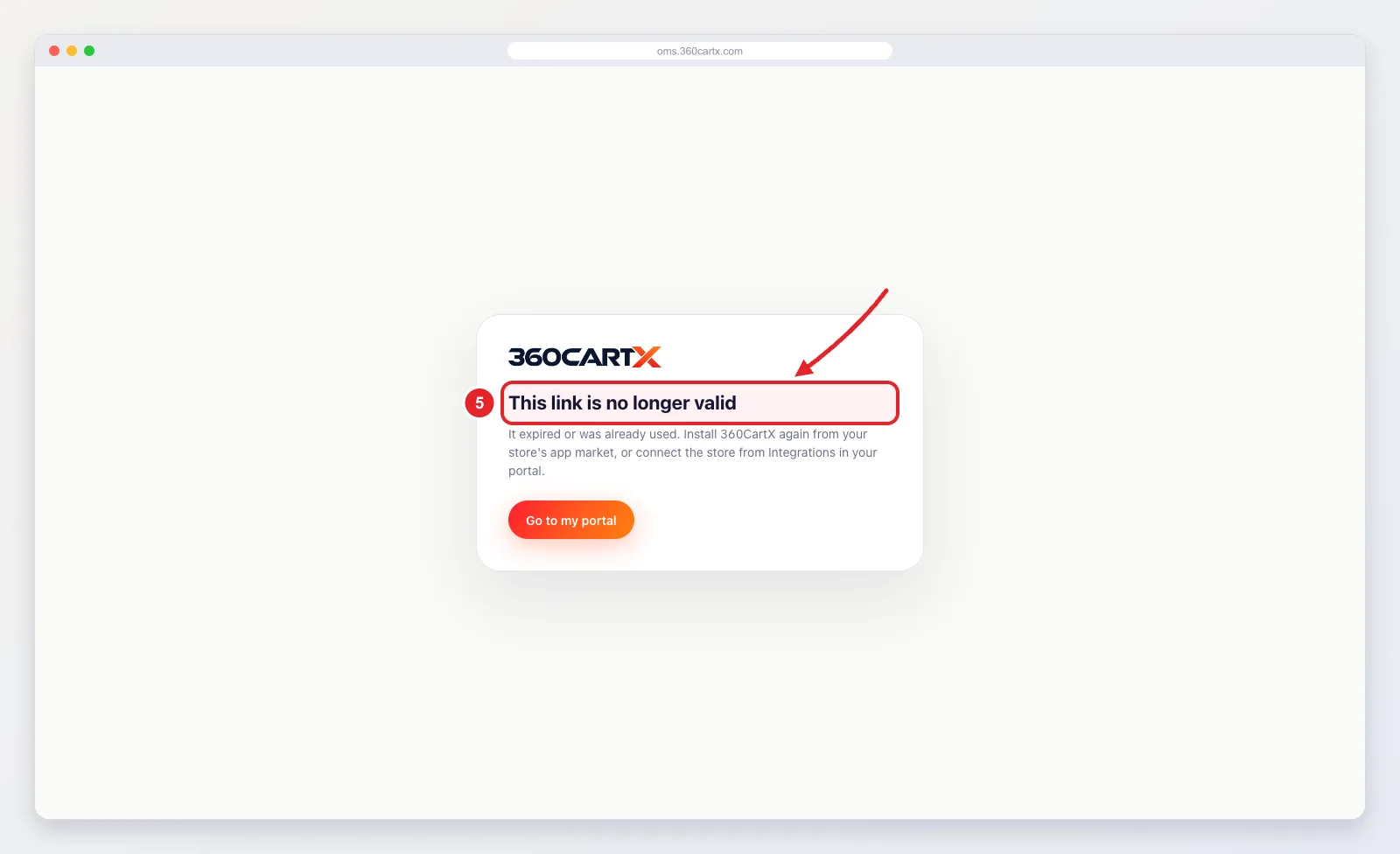
Link no longer valid
The link works once and expires 7 days after the install. An old or used link shows This link is no longer valid. The page says: It expired or was already used. Install 360CartX again from your store's app market, or connect the store from Stores in your portal. Stores is the Integrations page in the left menu. Go to my portal opens your dashboard.
Tips
- Signed in with the same email that owns the store? Integrations shows Stores waiting to be connected with a Review and connect button, so you do not need the link.
- Only owners and admins of the 360CartX account can connect a store.
Common problems
This store is already connected to another 360CartX account. Contact support.
The store is linked to a different 360CartX account. Sign in with that account, or contact support to move the store.
Choose one of your warehouses
Pick a warehouse in Warehouse for this store before clicking Connect store.
This link has expired or was already used. Install the app again from your store's app market.
The link was used already or is older than 7 days. Install 360CartX again from the app market, or connect from Integrations.
I am signed in but Connect store gives an error
Connecting needs an owner or admin login. Team members with another role cannot connect stores: ask your account owner to do it.
Related articles
Updated 2026-11-09
Open a ticket from Support in your portal and our team will reply.