Steps
- 1
Open the TikTok Shop card
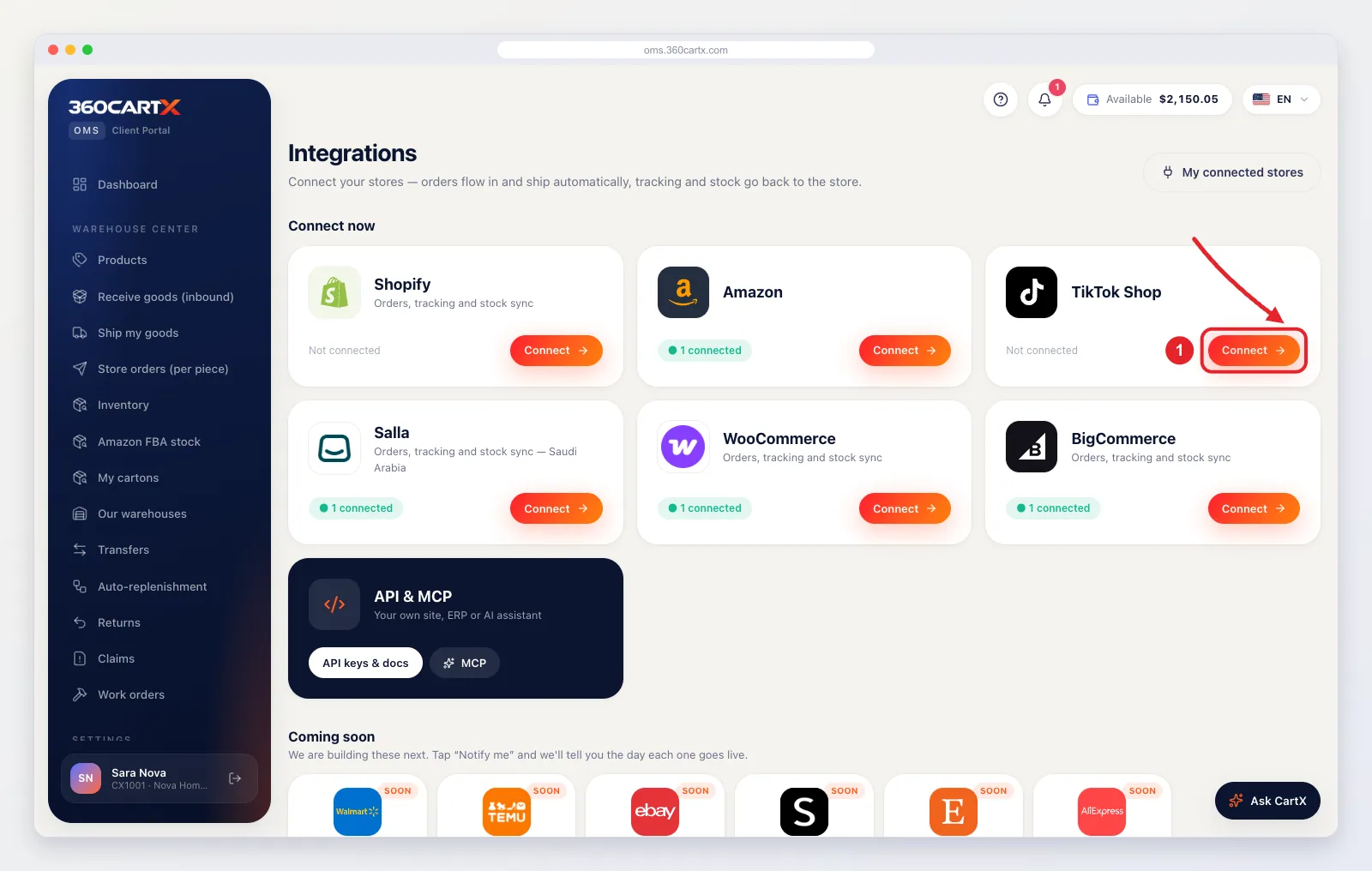
Go to Integrations and click Connect on the TikTok Shop card, or open Connect a store and click the TikTok Shop tile.
- 2
Name the store and pick the warehouse
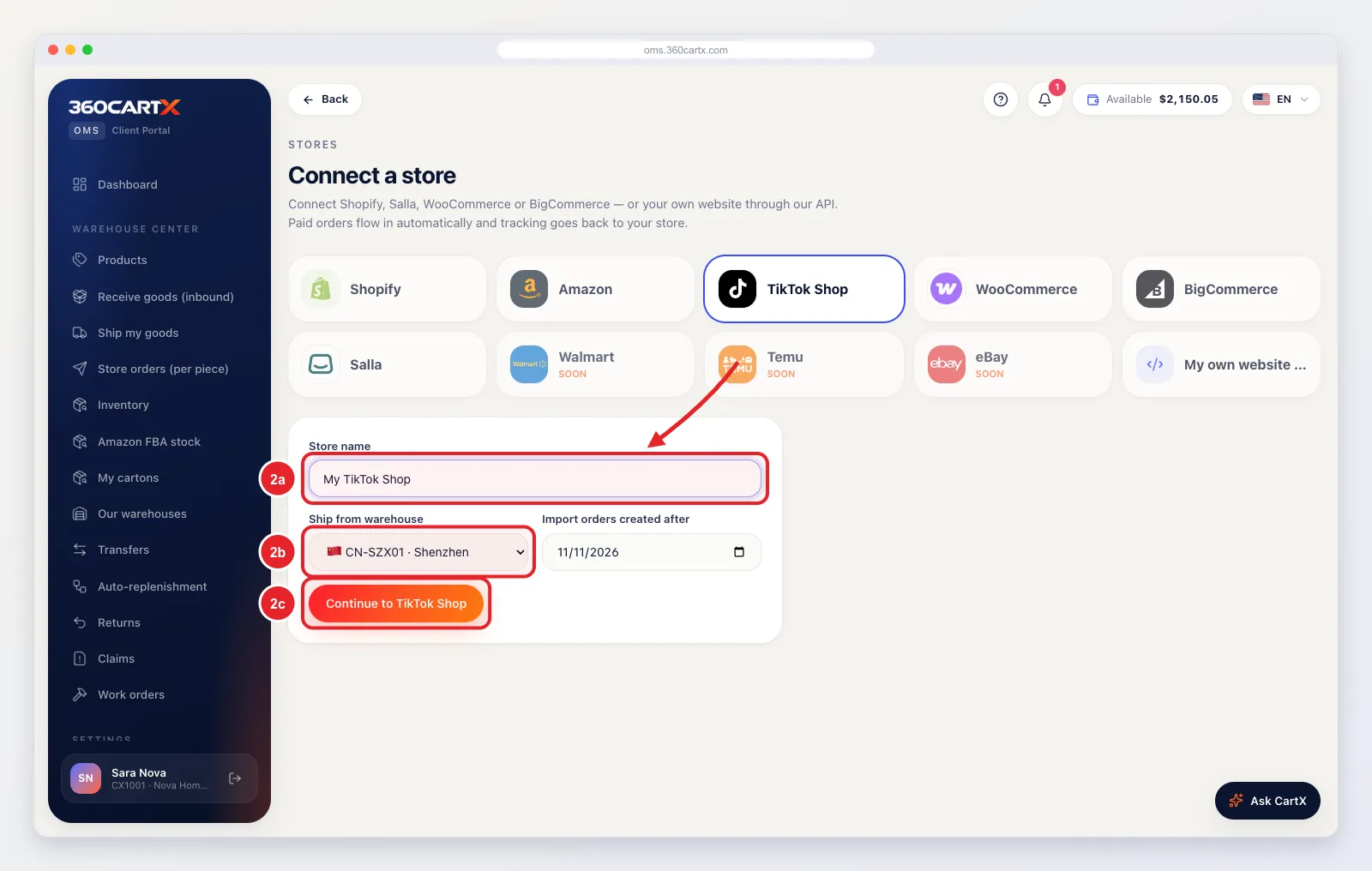
Store name is how you will see the shop in 360CartX, for example My TikTok Shop (2 to 60 characters). Ship from warehouse is the warehouse that ships its orders, for example CN-SZX01 · Shenzhen. The form also shows Import orders created after, but orders are imported from the moment you connect. Click Continue to TikTok Shop.
- 2a Store name
- 2b Ship from warehouse
- 2c Continue to TikTok Shop
- 3
Approve 360CartX on TikTok Shop
You are sent to TikTok Shop's authorisation page for the 360CartX service. Sign in as the seller of the shop, read what 360CartX may access and approve. You have 10 minutes between clicking Continue and approving.
- 4
You land on the store page
TikTok sends you back, 360CartX saves the tokens (encrypted) and opens the store page for the first shop of the account you approved. The shop ID is shown under the name. The tokens renew themselves. A new TikTok Shop connection starts with Send tracking to store switched off: check a first order, then switch it on from the store page. The first product import starts at once. Which orders come in: orders that wait for shipment and that you ship yourself. Orders where TikTok buys the shipping label are not imported. Cancelled orders are cancelled here while that is still possible.
- 5
Read the message
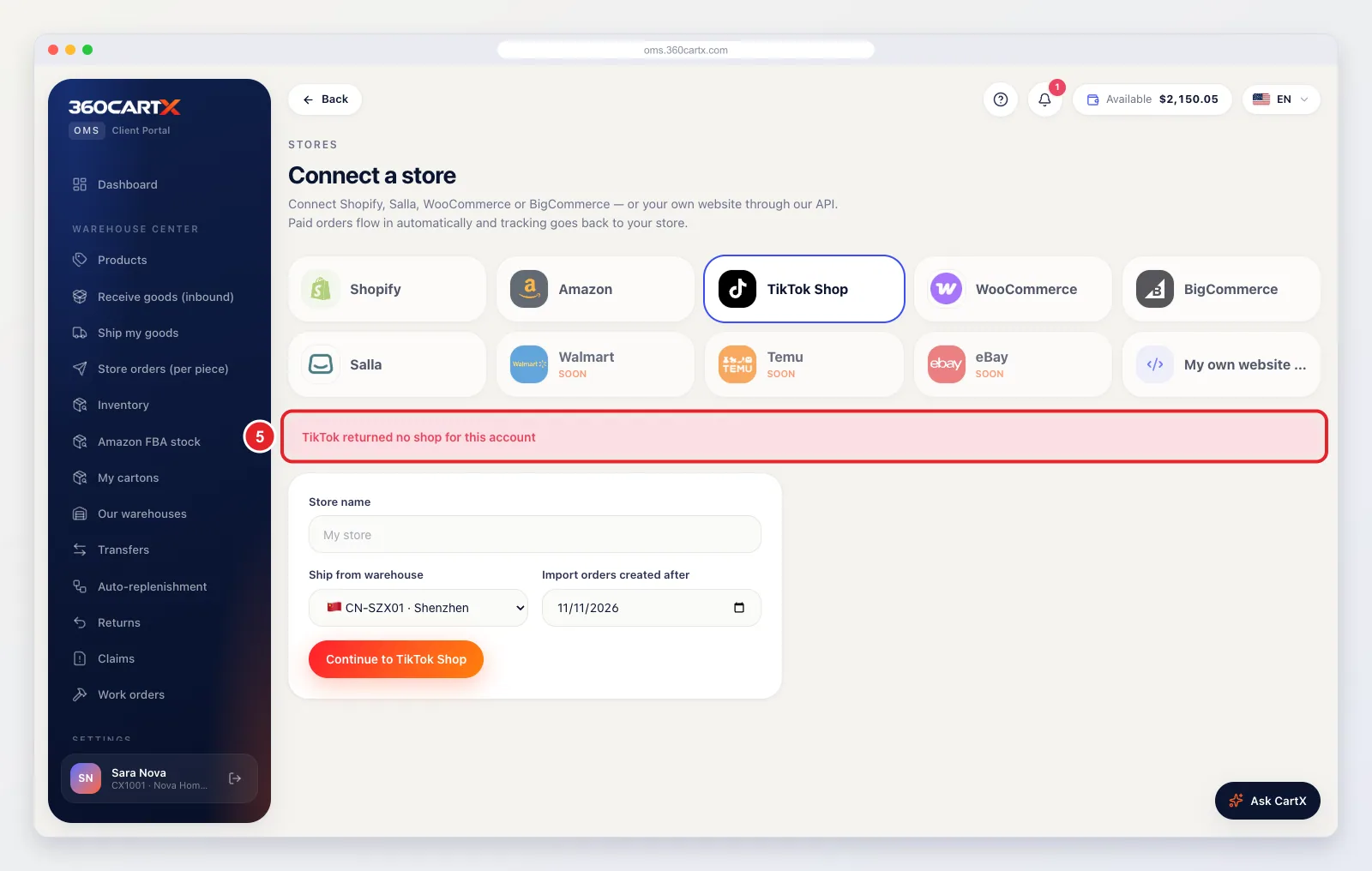
If something fails you come back to the connect page with a red message, for example TikTok returned no shop for this account. The list under Problems says what each message means.
Tips
- Send the tracking back with a carrier that TikTok Shop knows for that order. We match our carrier name with TikTok's carrier list; if there is no match the order shows Not sent with the reason.
- Stock sync to the store is not available for TikTok Shop. Products are imported from the shop as Draft: the SKU you gave each item is used, items without a SKU are reported, not imported.
- Mark Package As Shipped is the call used for tracking; TikTok accepts it for shops in the US, UK, Spain and Ireland.
Common problems
The TikTok Shop app is not configured yet
Connection through TikTok Shop is not available for the moment. Contact support.
Choose a warehouse / Store name is required
Pick a Ship from warehouse and type a name of at least 2 characters.
Connection expired, try again
More than 10 minutes passed, or the browser dropped the connection cookie. Start again from Connect.
The store's answer could not be verified
TikTok's answer did not match your request. Start again, in one browser tab.
Sign in again
You are not signed in to 360CartX any more, or another user finished it. Sign in with the same user and connect again.
No authorization code / Access was not granted
TikTok did not approve, for example the request was declined. Connect again and approve.
TikTok sign-in: ... Connect the shop again
TikTok refused to exchange the code or to renew the tokens. Connect the shop again.
TikTok returned no shop for this account
The account you approved with has no shop. Sign in to TikTok with the seller account that owns the shop.
Cannot reach TikTok Shop: ... / TikTok Shop: ...
TikTok did not answer or refused the request, and the text after the colon is its reason. Try again later or connect again.
<carrier> is not on TikTok Shop's carrier list for this order
Shown next to an order whose tracking was Not sent. Choose a carrier for the order that TikTok supports.
Related articles
Updated 2026-11-11
Open a ticket from Support in your portal and our team will reply.