Steps
- 1
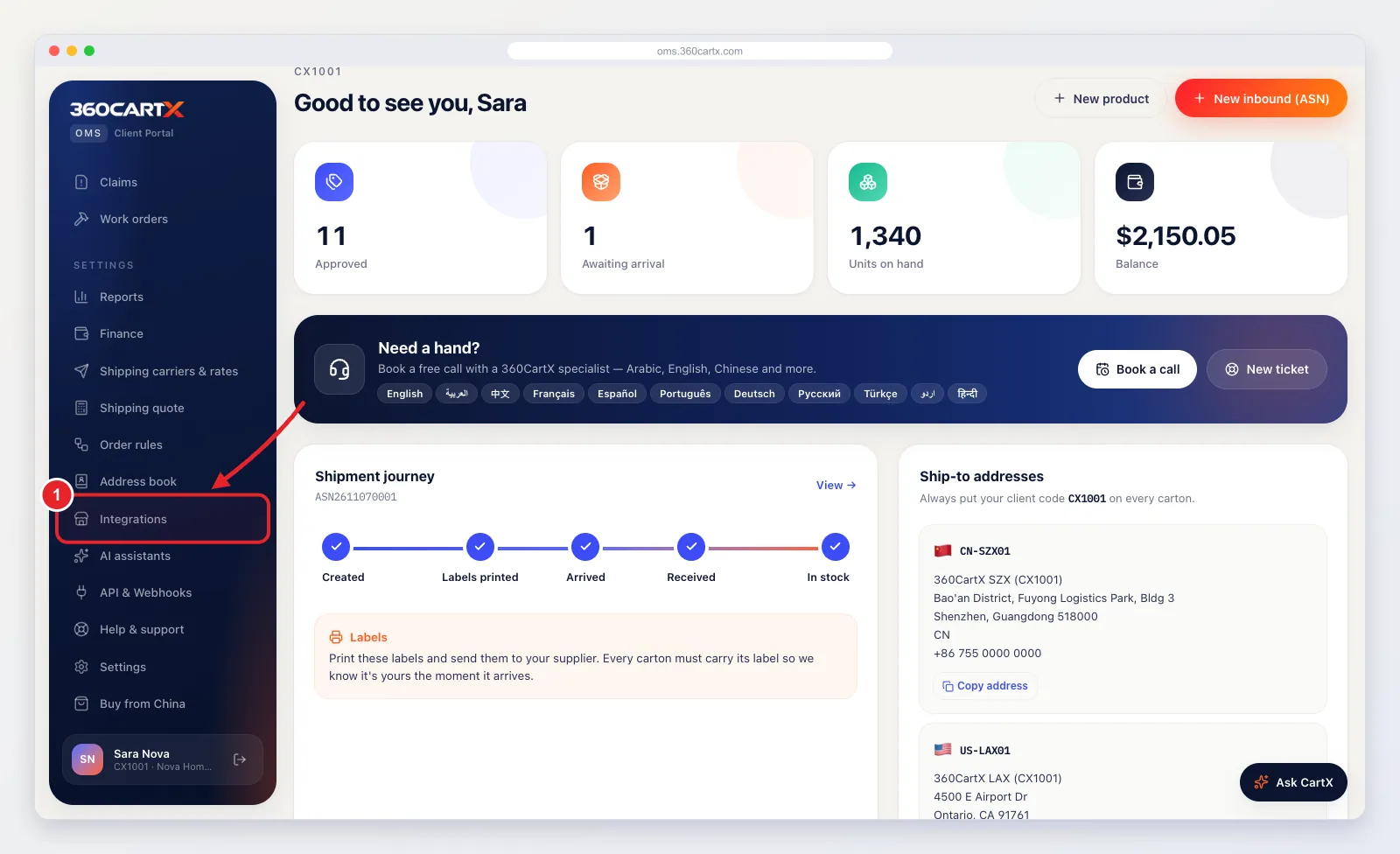
Open Integrations
Click Integrations in the left menu. The menu item also stays highlighted while you are on Stores, the page with your connected stores.
- 2
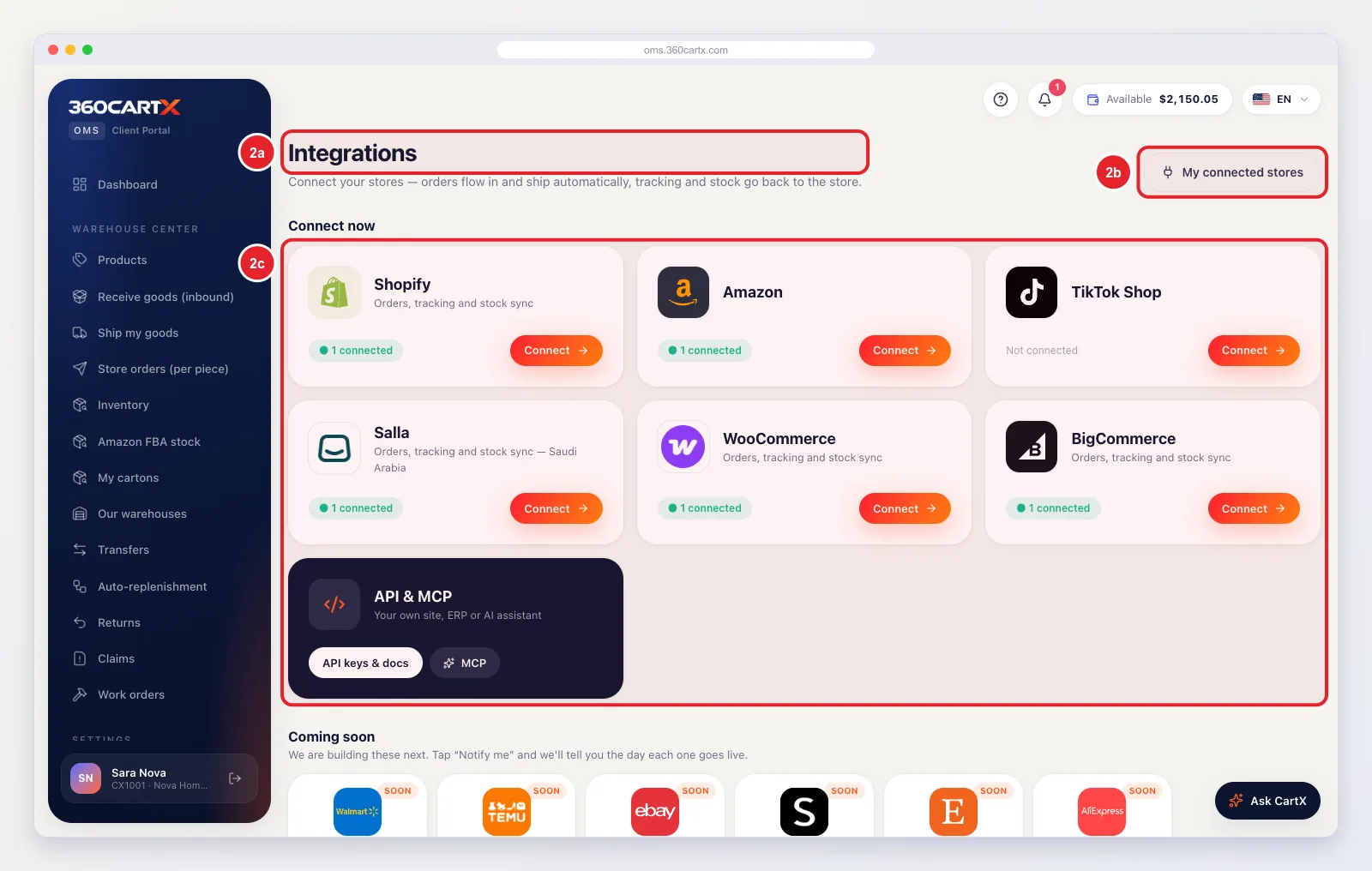
The Integrations page
The page says: Connect your stores, orders flow in and ship automatically, tracking and stock go back to the store. Under Connect now there is one card per platform with its logo and, where it applies, a short line such as Orders, tracking and stock sync. The button My connected stores at the top right opens your list of stores.
- 2a Page title
- 2b My connected stores
- 2c Platform cards
- 3
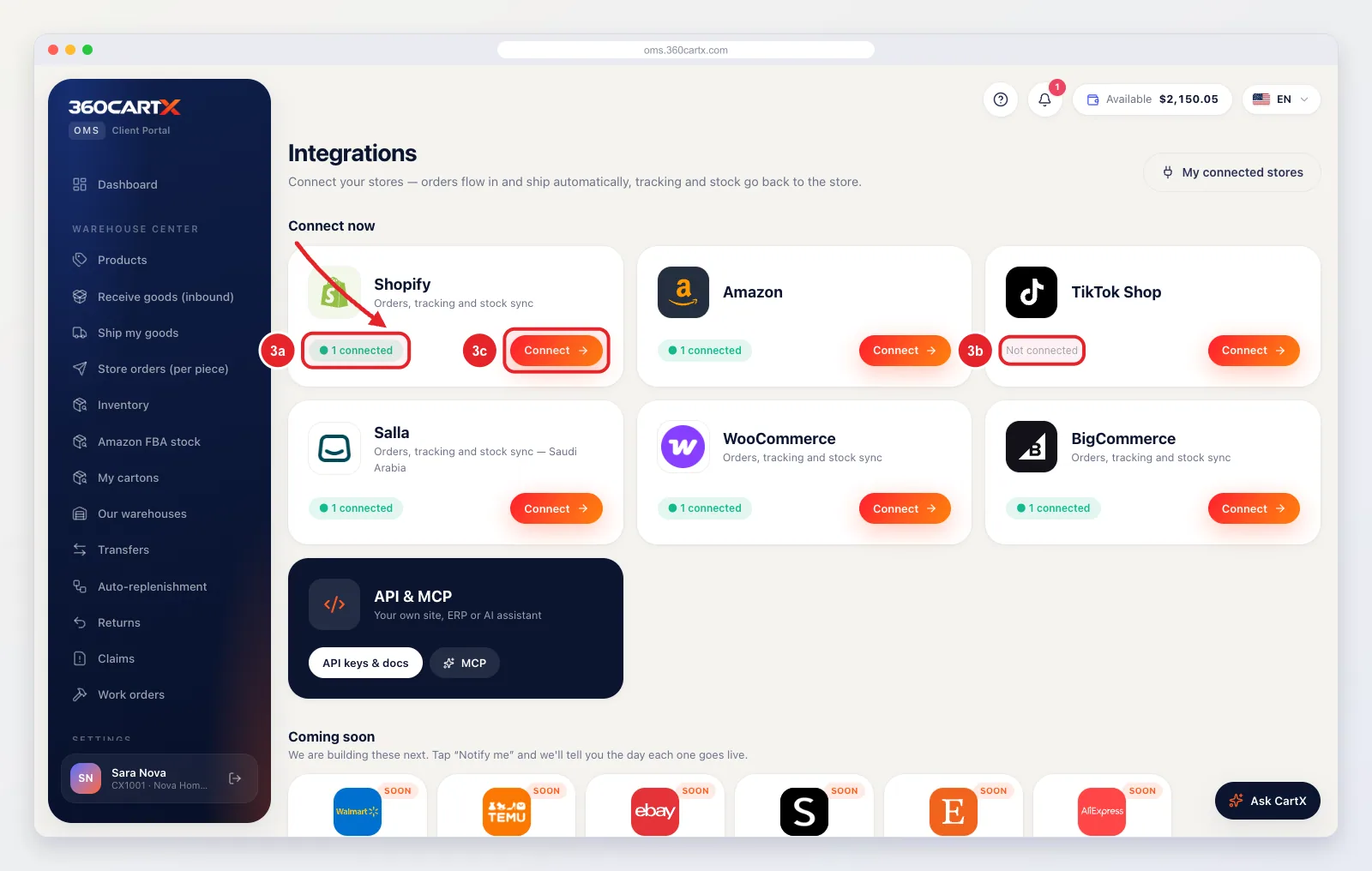
Connected or not
Each card tells you where you stand. A green badge such as 1 connected means the platform already has a store linked to your account (a paused store is not counted). Not connected means none yet. Click Connect to open the connect page of that platform.
- 3a Connected badge
- 3b Not connected
- 3c Connect
- 4
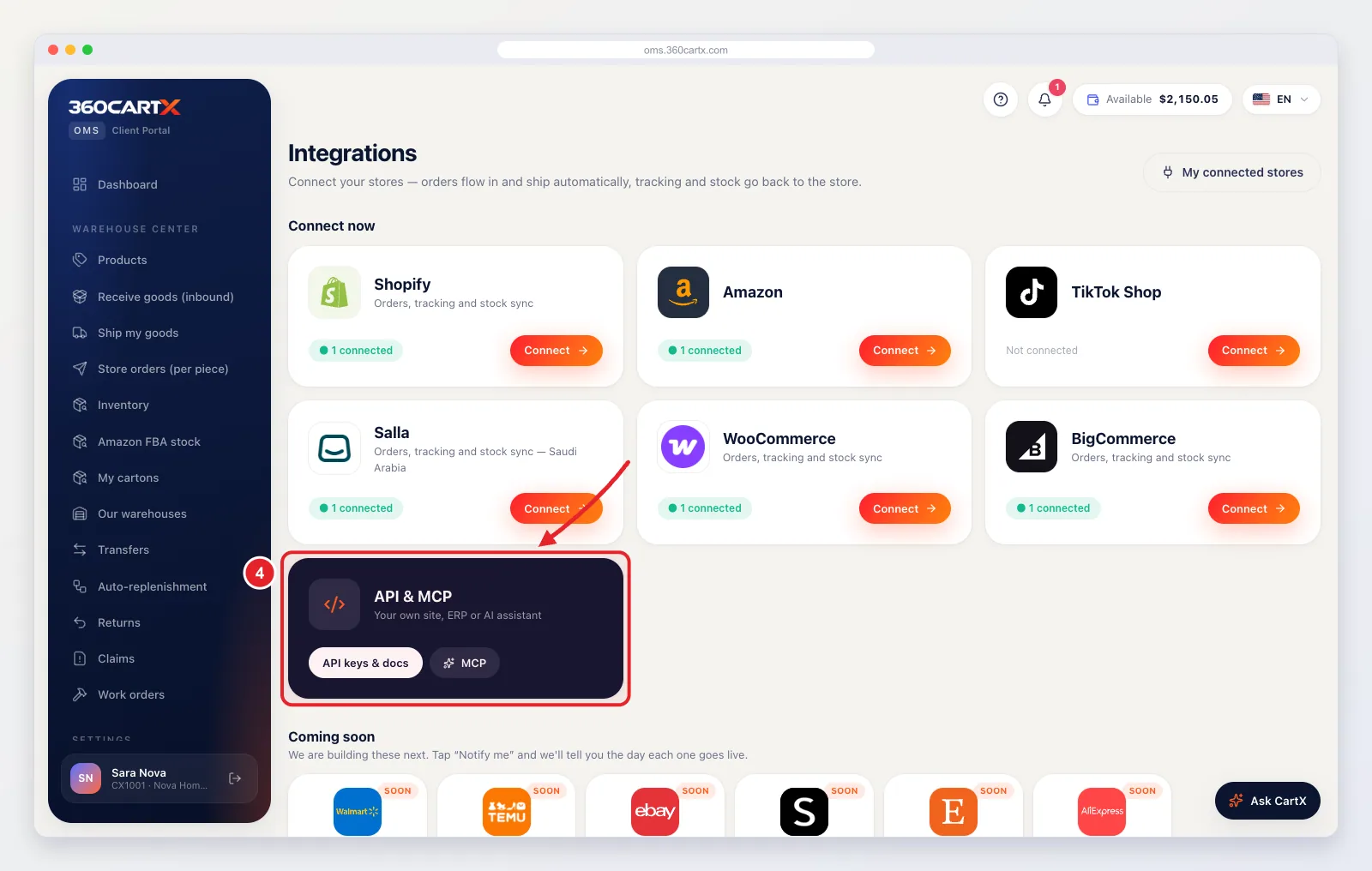
API & MCP
The dark card is for a website you built yourself, an ERP or an AI assistant: API keys & docs and MCP both open the API page, where the keys, webhooks and the connection for AI assistants are. The same page is reached from the tile My own website (API) on the connect page.
- 5
The connect page
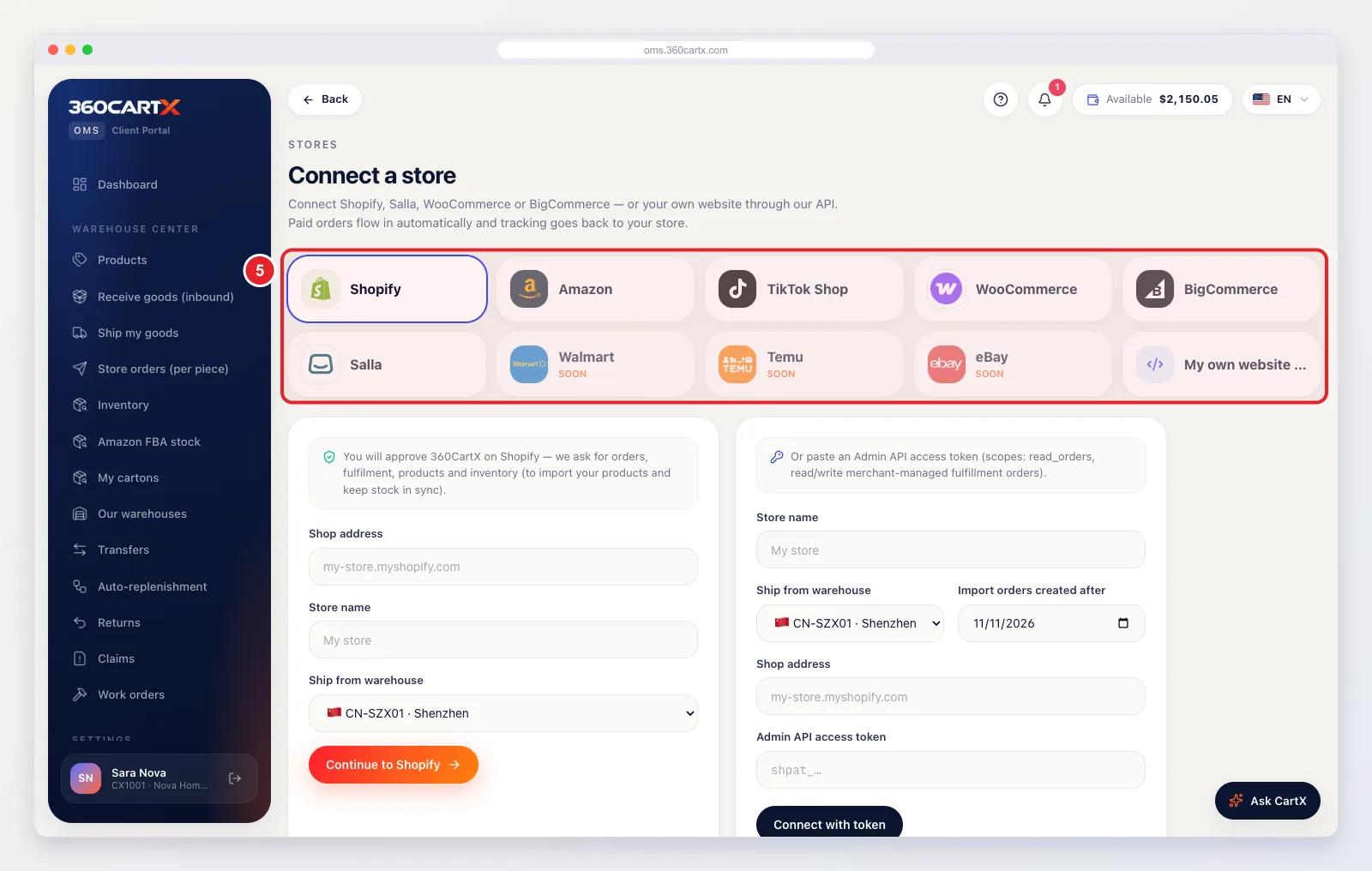
Connect a store shows one tile per platform (Shopify, Amazon, TikTok Shop, WooCommerce, BigCommerce). Click a tile to see how that platform connects. The tile you picked has a blue frame, and Shopify is shown first when you open the page without choosing.
- 6
My own website (API)
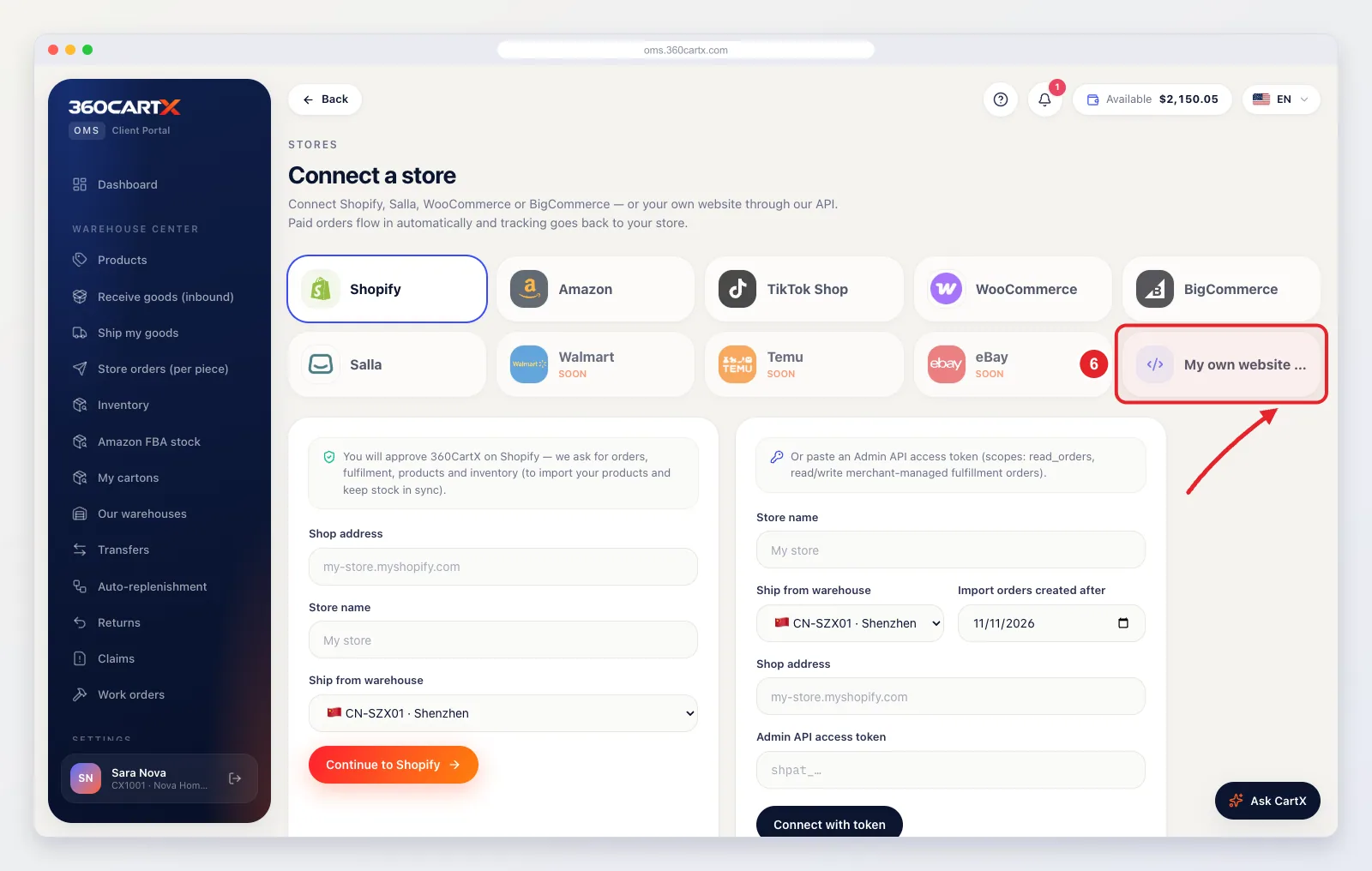
The last tile opens the API page, for custom-coded sites, ERPs and apps that send orders to us and read tracking back. See the API section.
- 7
The three common fields
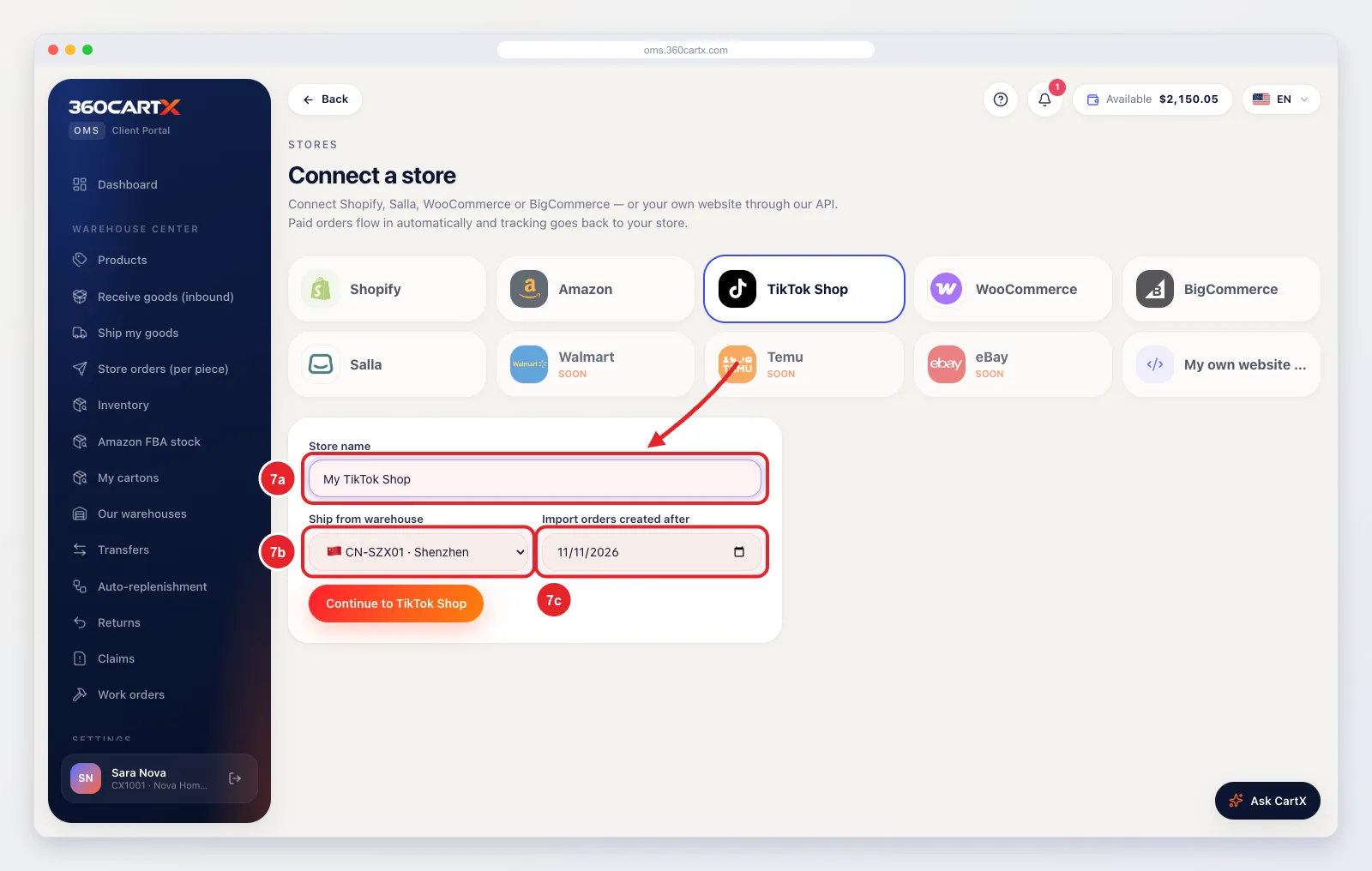
Most connect forms start with the same three fields. Store name is how you will recognise the store in 360CartX, for example My TikTok Shop (2 to 60 characters). Ship from warehouse lists your enabled warehouses, for example CN-SZX01 · Shenzhen: the orders of this store are shipped from there. Import orders created after is a date, today by default: orders created before it are never imported.
- 7a Store name
- 7b Ship from warehouse
- 7c Import orders created after
- 8
When the date is used
The date counts for the forms where you type keys or a token yourself (Shopify with a token, WooCommerce, BigCommerce). When the platform itself asks you to approve the connection (Shopify one click, Amazon, TikTok Shop) orders are imported from the moment you connect and the date is not used.
- 9
What flows after you connect
Orders: paid orders that wait to be shipped come in automatically and cancelled ones are cancelled here while that is still possible. Tracking: when we ship, the tracking number is sent back to the store. Products: the products of the store are added to your Products as Draft, existing SKUs are never overwritten. Stock: for Shopify, WooCommerce, and BigCommerce we can also keep the store quantity equal to what is available in our warehouse (a switch on the store page). Amazon and TikTok Shop do not receive stock from us.
Tips
- Connecting needs the Owner, Admin or Operator role (or a custom role with access). If you see Your role can't do this, ask the account owner.
- You need at least one enabled warehouse before you connect. Enable one under Warehouses first.
- Connect each platform from its own article: they differ in the approval screen they use and in the keys they need.
- Installed 360CartX from the Shopify App Store? Follow Finish a store install from the Shopify App Store instead.
Common problems
Choose a warehouse
The Ship from warehouse list is empty or nothing is selected. Enable a warehouse for your account and connect again.
Store name is required
Type a name of at least 2 characters.
Your role can't do this. Ask the account owner
Only the Owner, Admin and Operator roles (and custom roles with access) can connect a store.
The connect page shows an error in red
It is the answer of the platform or of the connection: each platform article lists the messages and what to do.
Related articles
Updated 2026-11-11
Open a ticket from Support in your portal and our team will reply.