Steps
- 1
Compare declared and measured
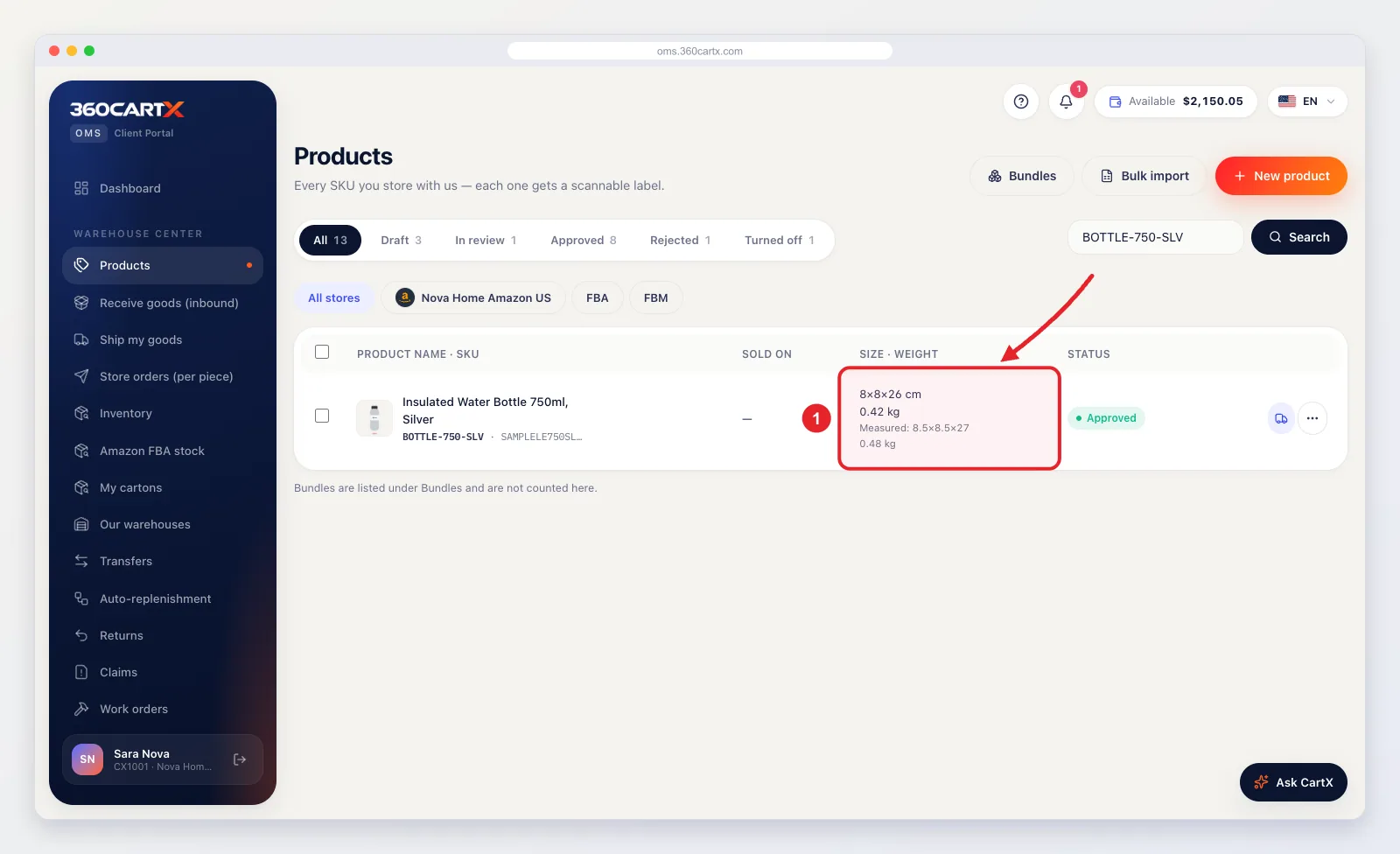
In the Size · weight column the first line is the size you declared, for example 8×8×26 cm, and the second line the weight you declared, for example 0.42 kg. The small Measured line below shows what we found, for example Measured: 8.5×8.5×27 and 0.48 kg. Until the product has arrived there is no Measured line. Once it is known, the measured weight is used instead of your declared one to work out parcel weights, shipping quotes and order rules.
Terms in this article
- Chargeable / volumetric weight: The weight carriers bill: the larger of real and volume weight.
Tips
- Measure the unit in its retail packaging, the way it will be stored and shipped, to avoid surprises.
- Shipping quotes use the bigger of the real weight and the volumetric weight, so a few centimetres matter.
Common problems
The measured weight is higher than mine
We weigh the unit with its packaging. Check the packaging weight; if you think the measurement is wrong, open a ticket in Help & support with the SKU.
Related articles
Was this article helpful?
Updated 2026-11-12
Still need help?
Open a ticket from Support in your portal and our team will reply.