Steps
- 1
Spot Action required
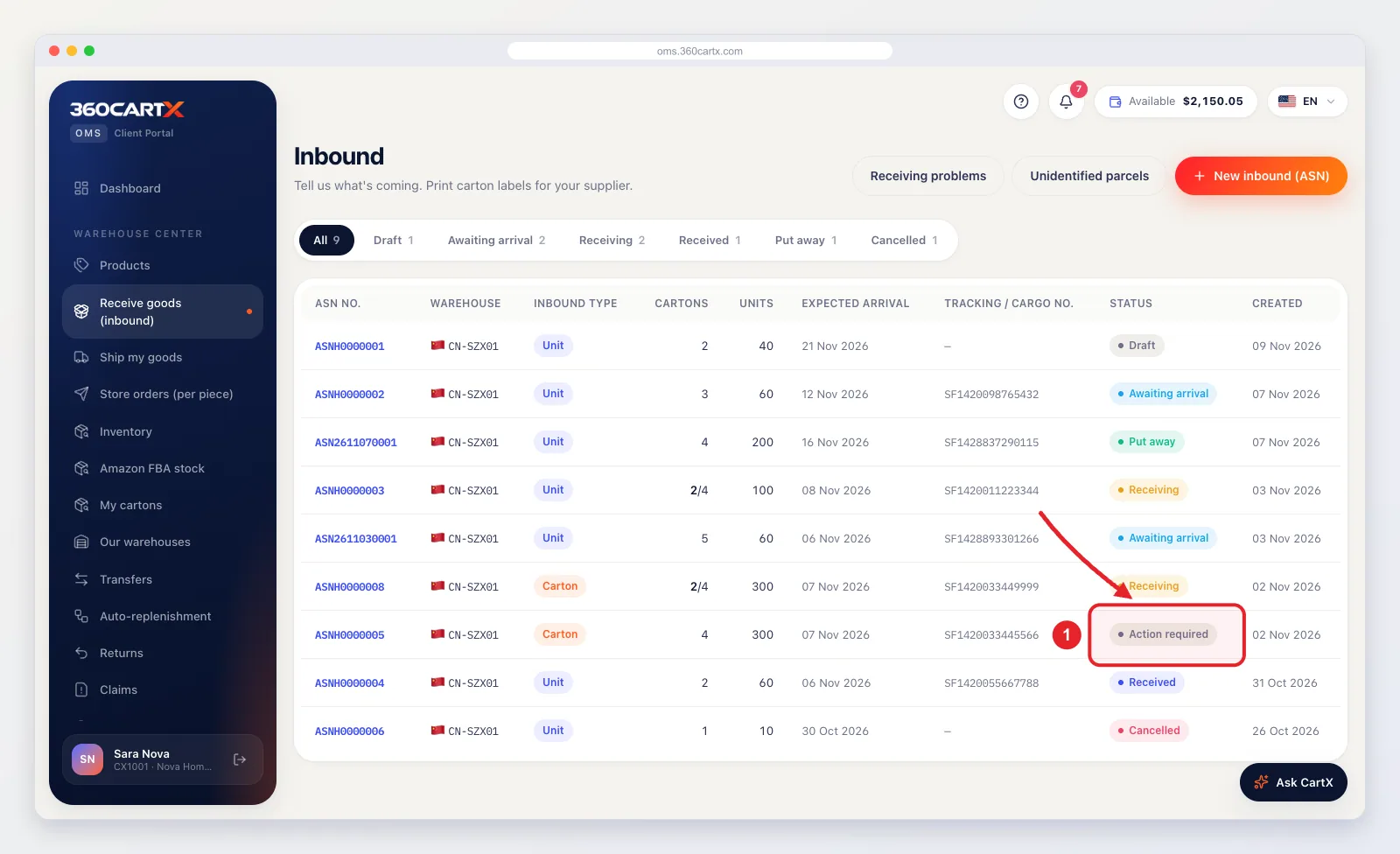
The status shows Action required in the inbound list, and you get the notification Action required on ASN…: with the amount, for example 15.00 USD. Click the shipment to open it.
- 2
Read what is needed
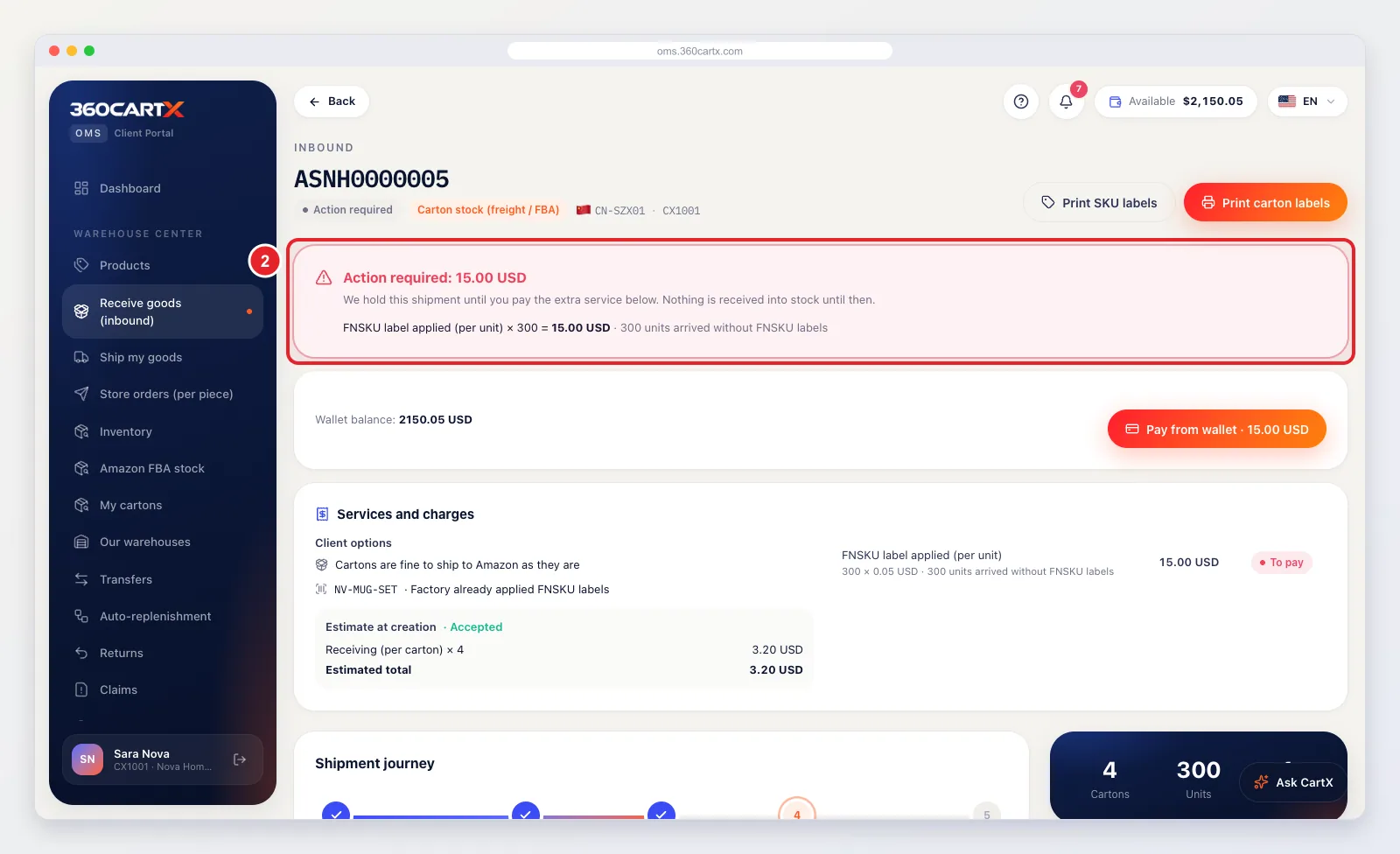
A red box at the top shows Action required: 15.00 USD and explains: We hold this shipment until you pay the extra service below. Nothing is received into stock until then. Each line shows the service, the quantity, the amount and the reason, for example FNSKU label applied (per unit) × 300 = 15.00 USD · 300 units arrived without FNSKU labels.
- 3
Pay from your wallet
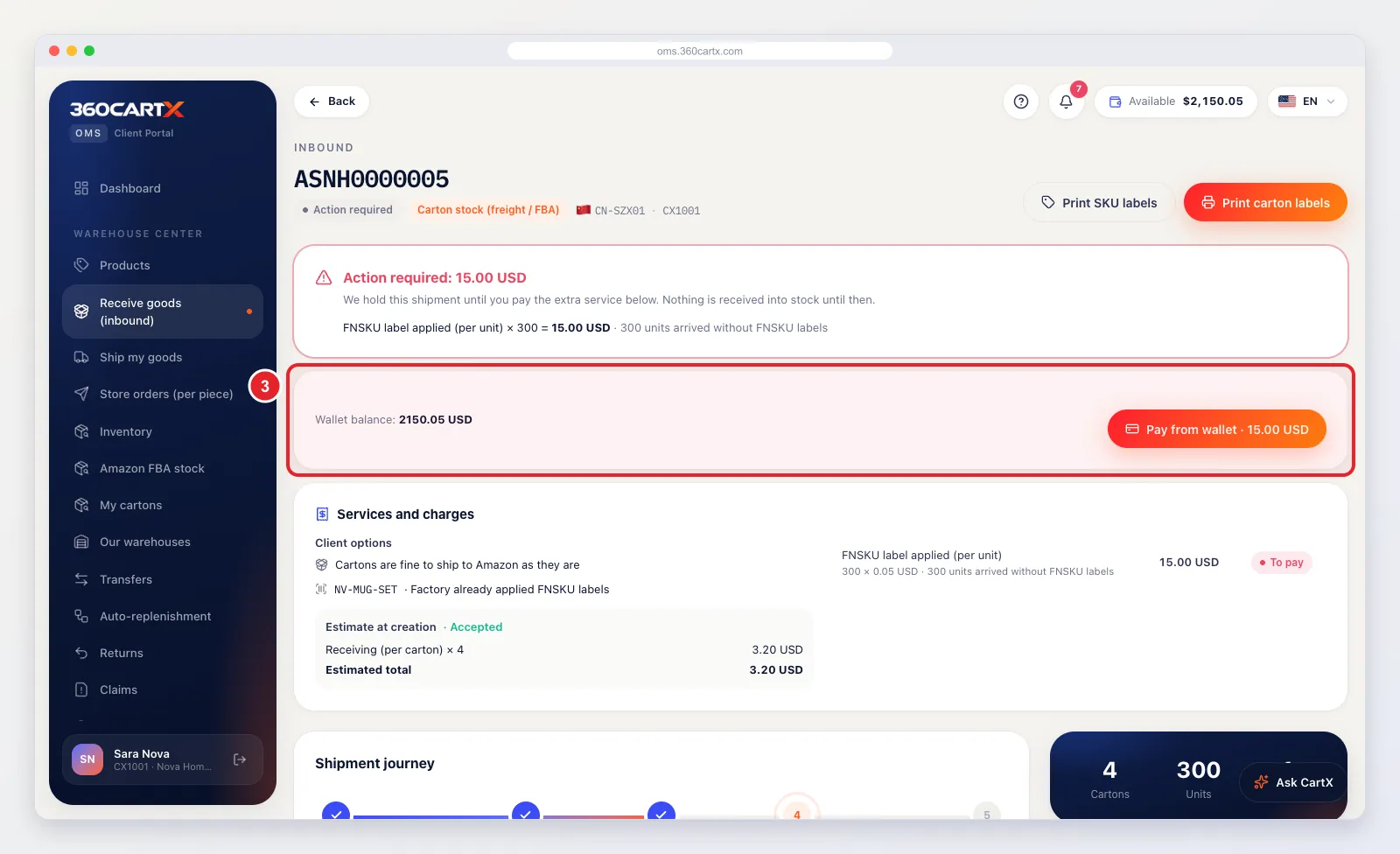
Below it you see your Wallet balance. When it covers the amount, click Pay from wallet · 15.00 USD. The amount is taken from your wallet at once.
- 4
Wallet too low? Top up by card
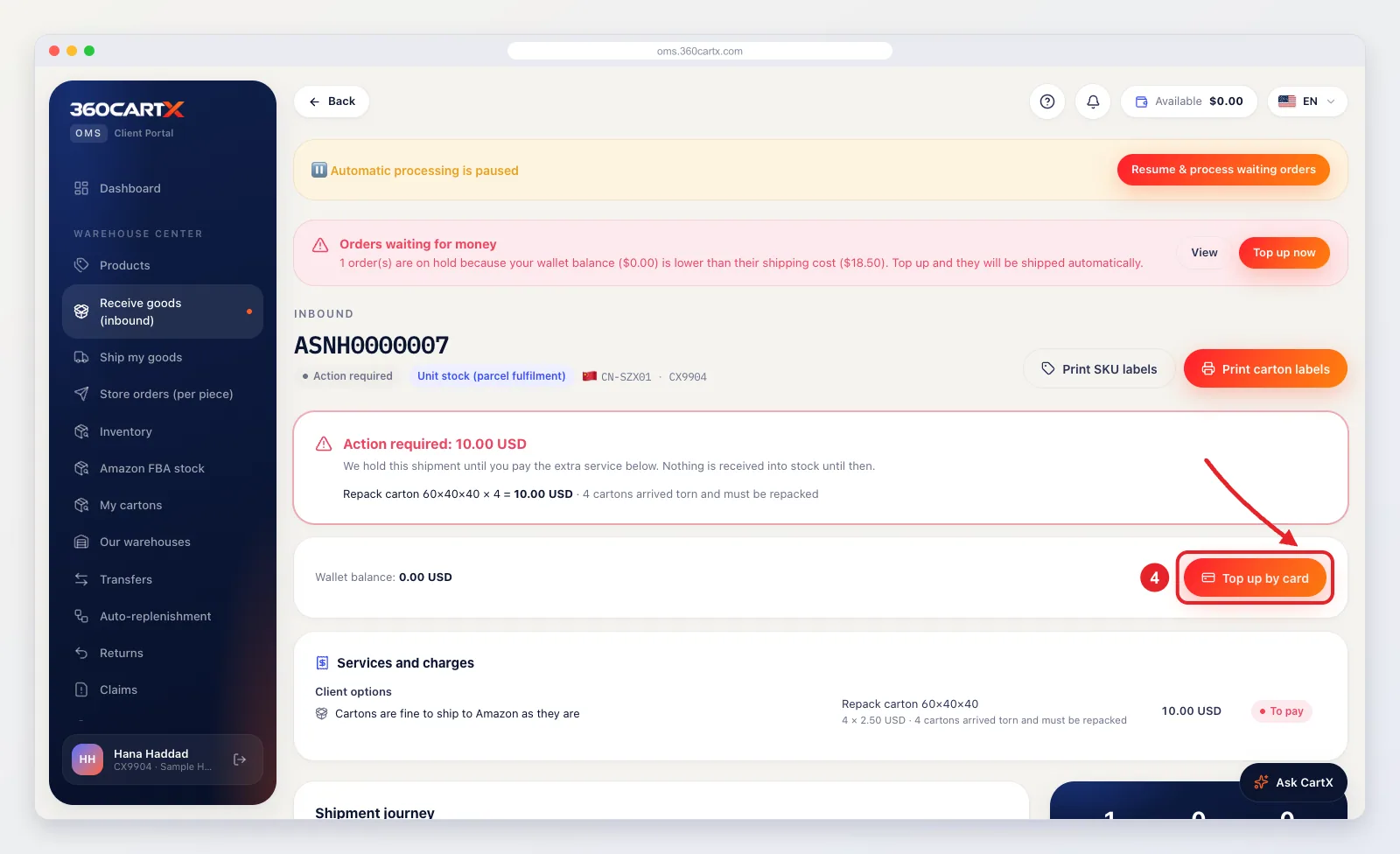
When the balance is lower than the amount, the button reads Top up by card instead. Add money in Finance, then come back to the shipment and click Pay from wallet.
- 5
After paying
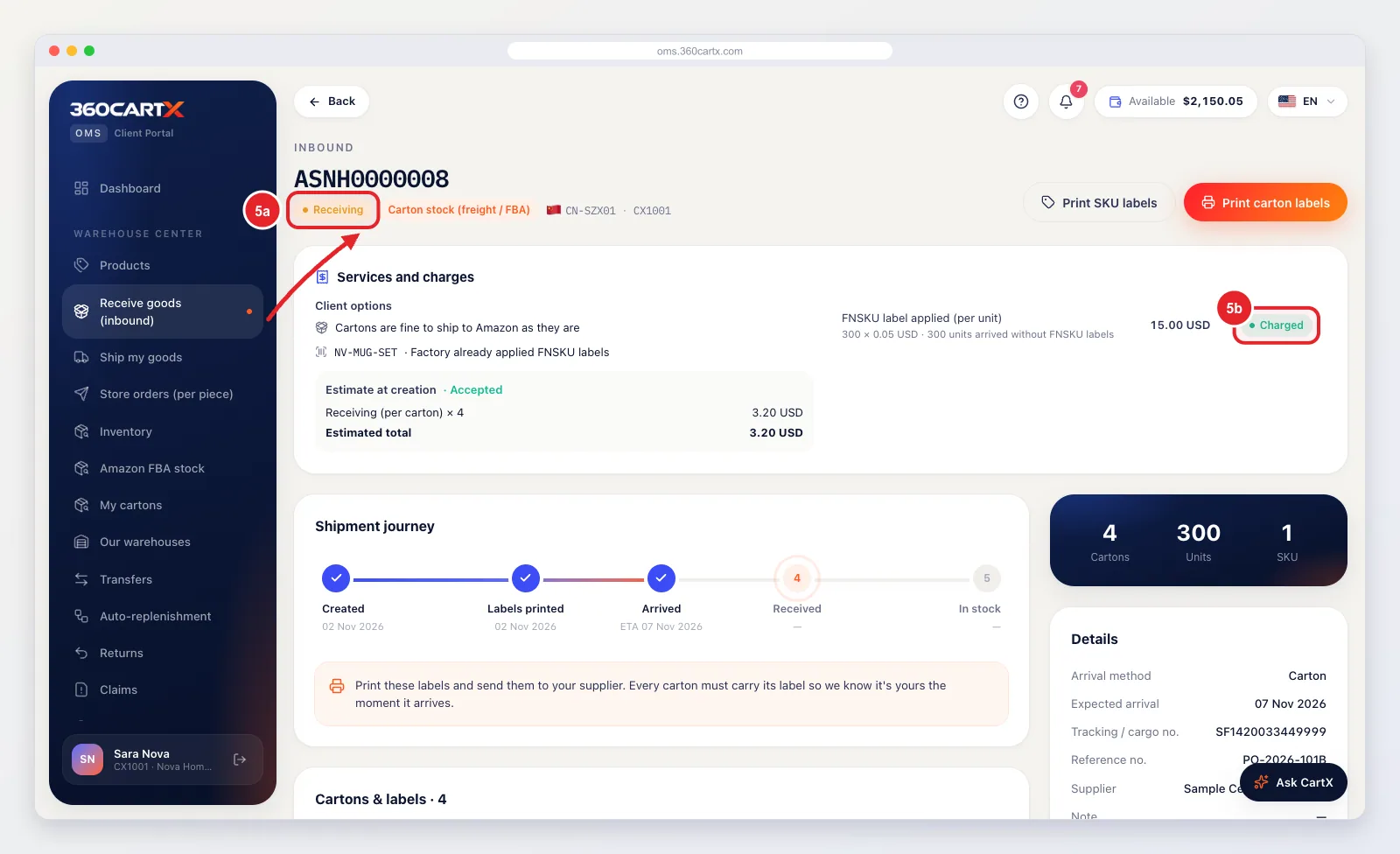
The shipment goes back to where it was held (here Receiving), the line in Services and charges turns from To pay to Charged (as on this shipment), and you get ASN…: 15.00 USD paid. Thank you. We do the work now and continue receiving. Our team is told at once.
- 5a Back to Receiving
- 5b Charged
- 6
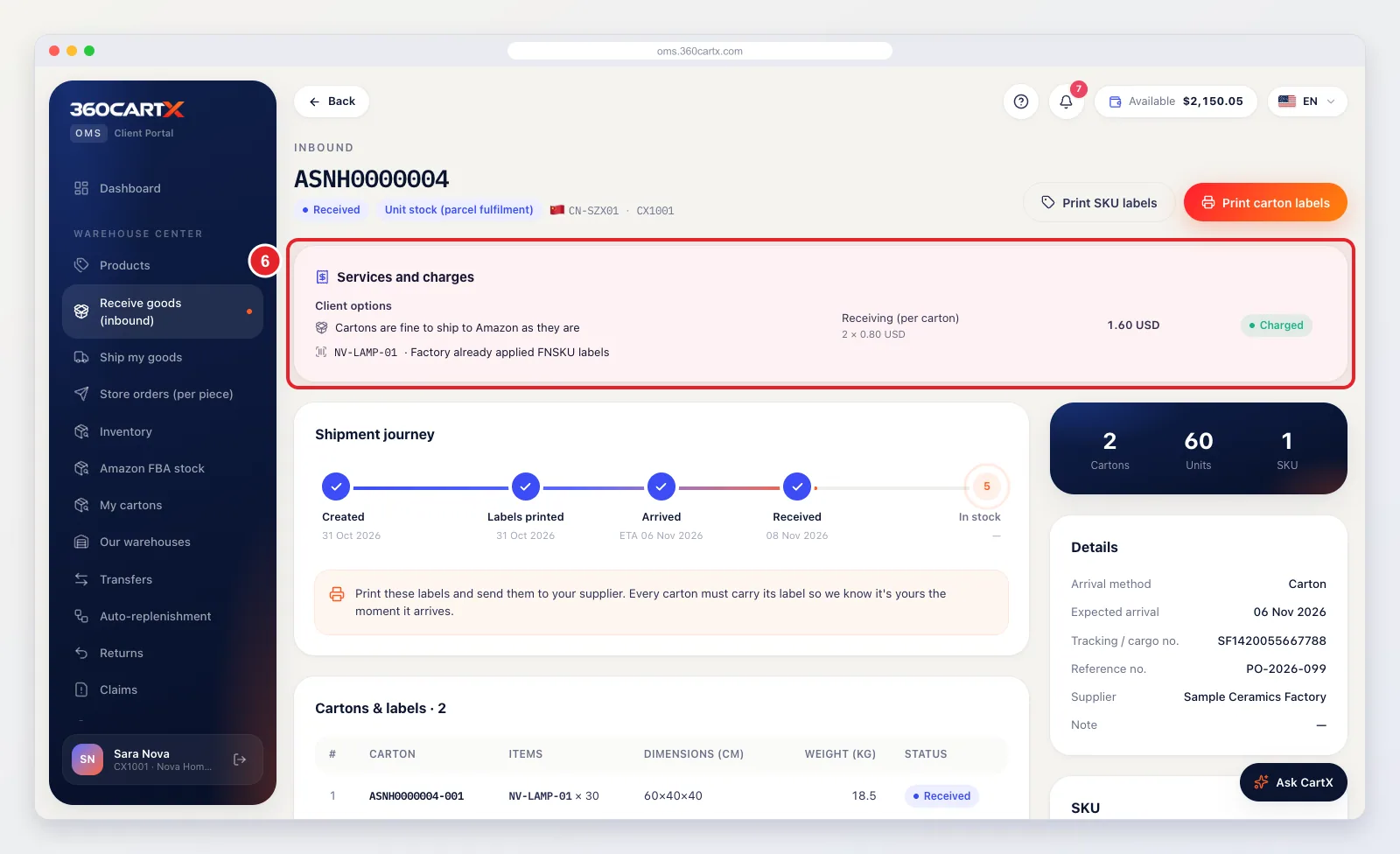
Charges after receiving
Every shipment also has a Services and charges box: the prep options you chose, the estimate you accepted and every charge with its status. When all cartons are received we charge the normal services (receiving per carton, labels we applied) on the quantities that actually arrived; they show as Charged. If the wallet is too low then, they show as To pay with a Pay button, but your stock is not held for it.
Tips
- Until you pay, you get a reminder once a day: Reminder: ASN… is waiting for you.
- If our team withdraws the request, the shipment continues normally and you get … request cancelled, nothing to pay.
- Avoid holds: tell us the truth in Amazon prep options. If your factory did not label the units, choose Not labeled: label at the warehouse when you create the shipment.
Common problems
I don't agree with the charge
Do not pay; open a ticket in Help & support with the ASN number. Our team can withdraw the request if it was a mistake.
I paid but the status still shows Action required
Reload the page. If it does not change, check Finance → wallet history for the payment and contact support.
Related articles
Updated 2026-11-09
Open a ticket from Support in your portal and our team will reply.