Steps
- 1
Open the report
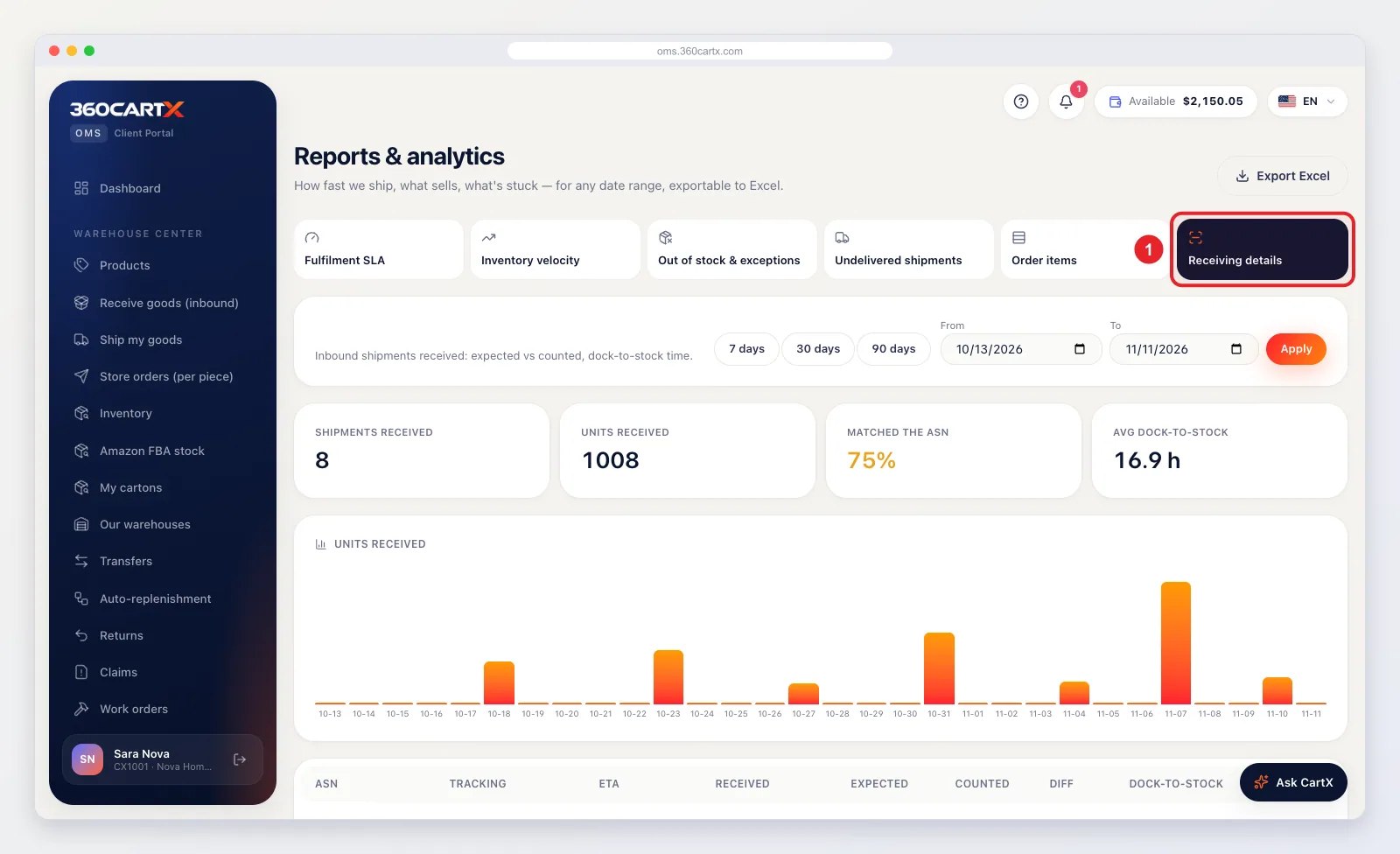
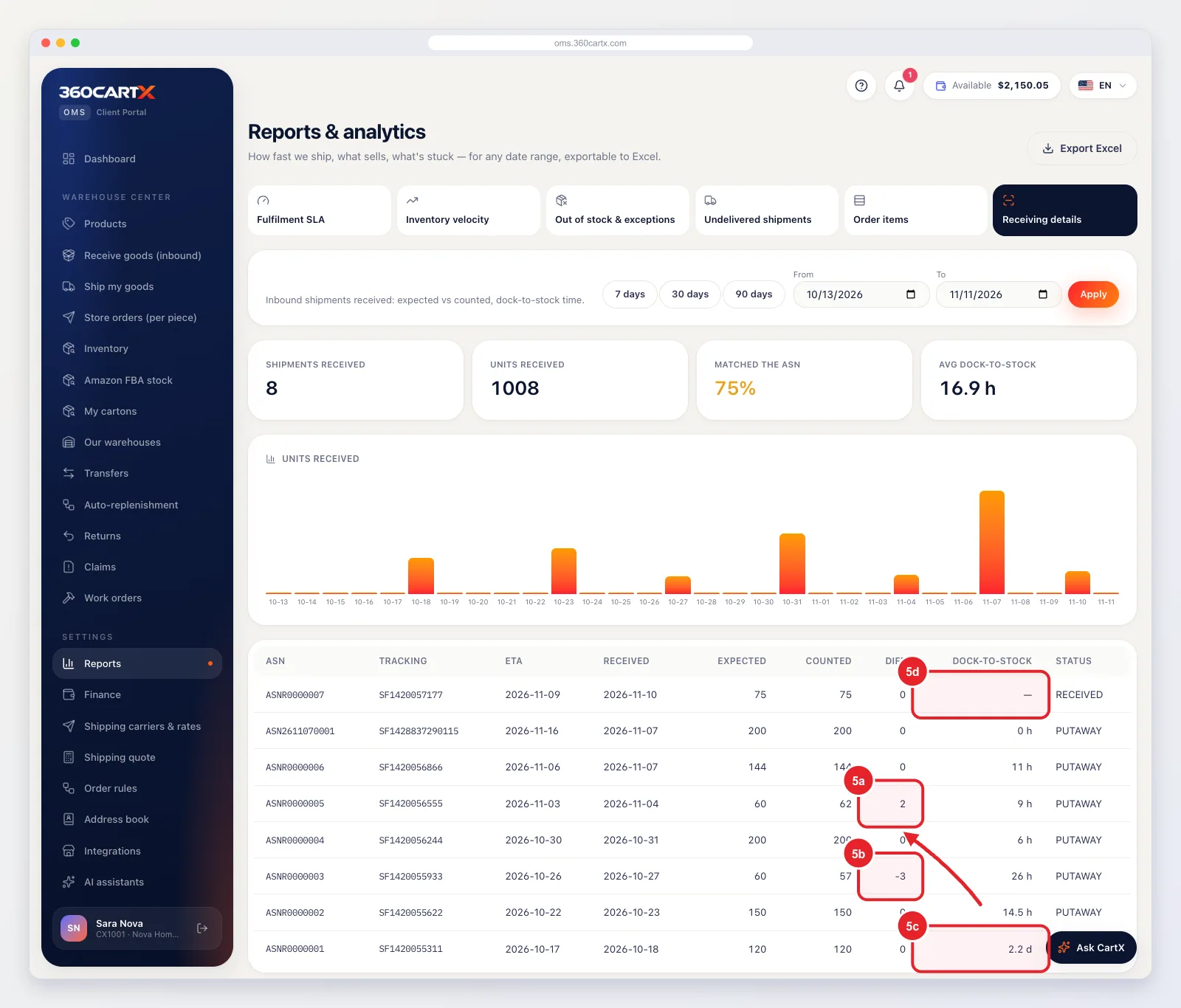
On the Reports page click Receiving details. The line under the cards says: Inbound shipments received: expected vs counted, dock-to-stock time.
- 2
The four figures
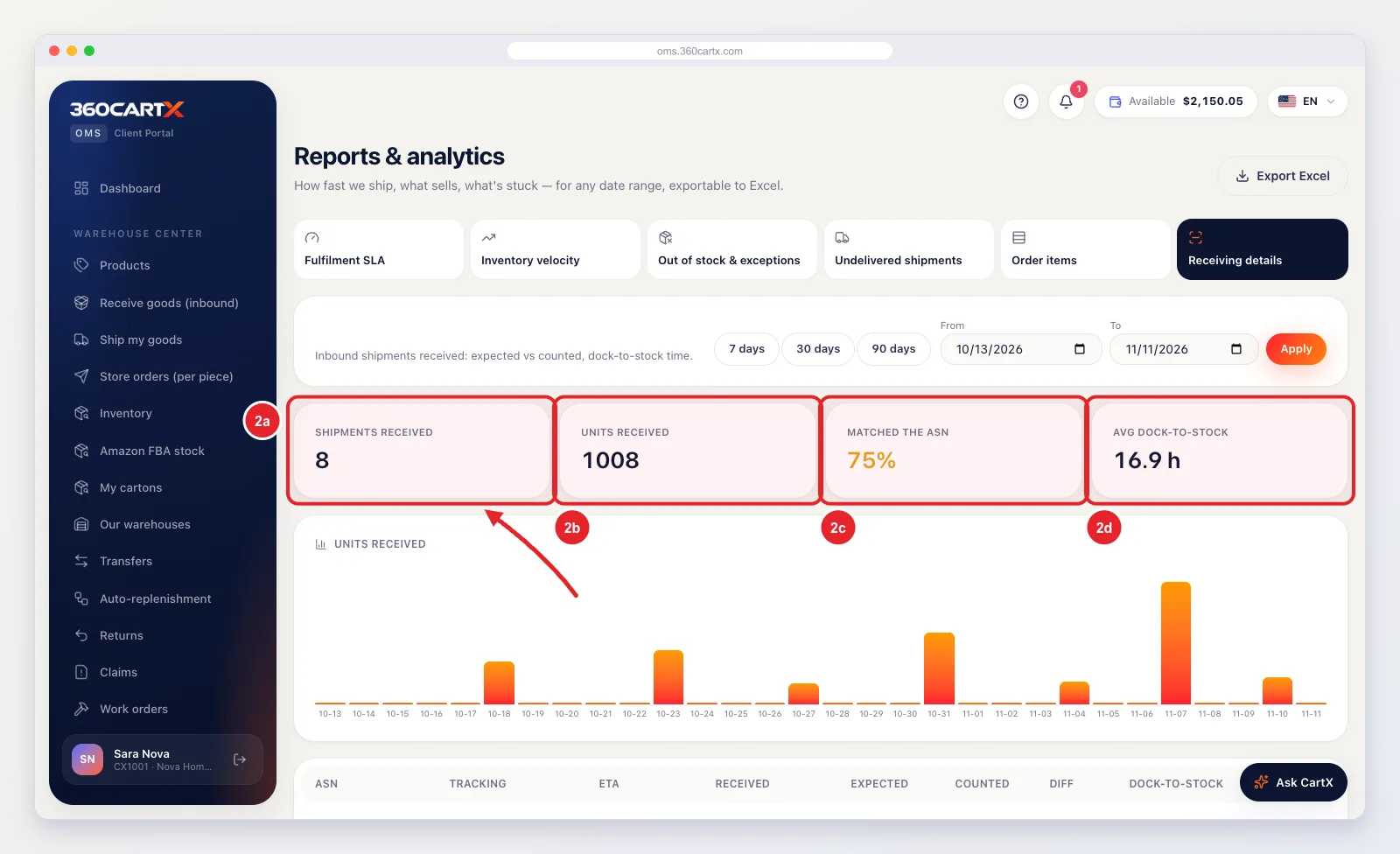
Shipments received: how many of your inbound shipments (ASNs) were received in the range. Units received: the units we counted in them. Matched the ASN: the share of those shipments where the counted units equal the declared units exactly (green at 100%, amber below). Avg dock-to-stock: the average time between arrival at the dock and being put away, for shipments that are already put away.
- 2a Shipments received
- 2b Units received
- 2c Matched the ASN
- 2d Avg dock-to-stock
- 3
The chart
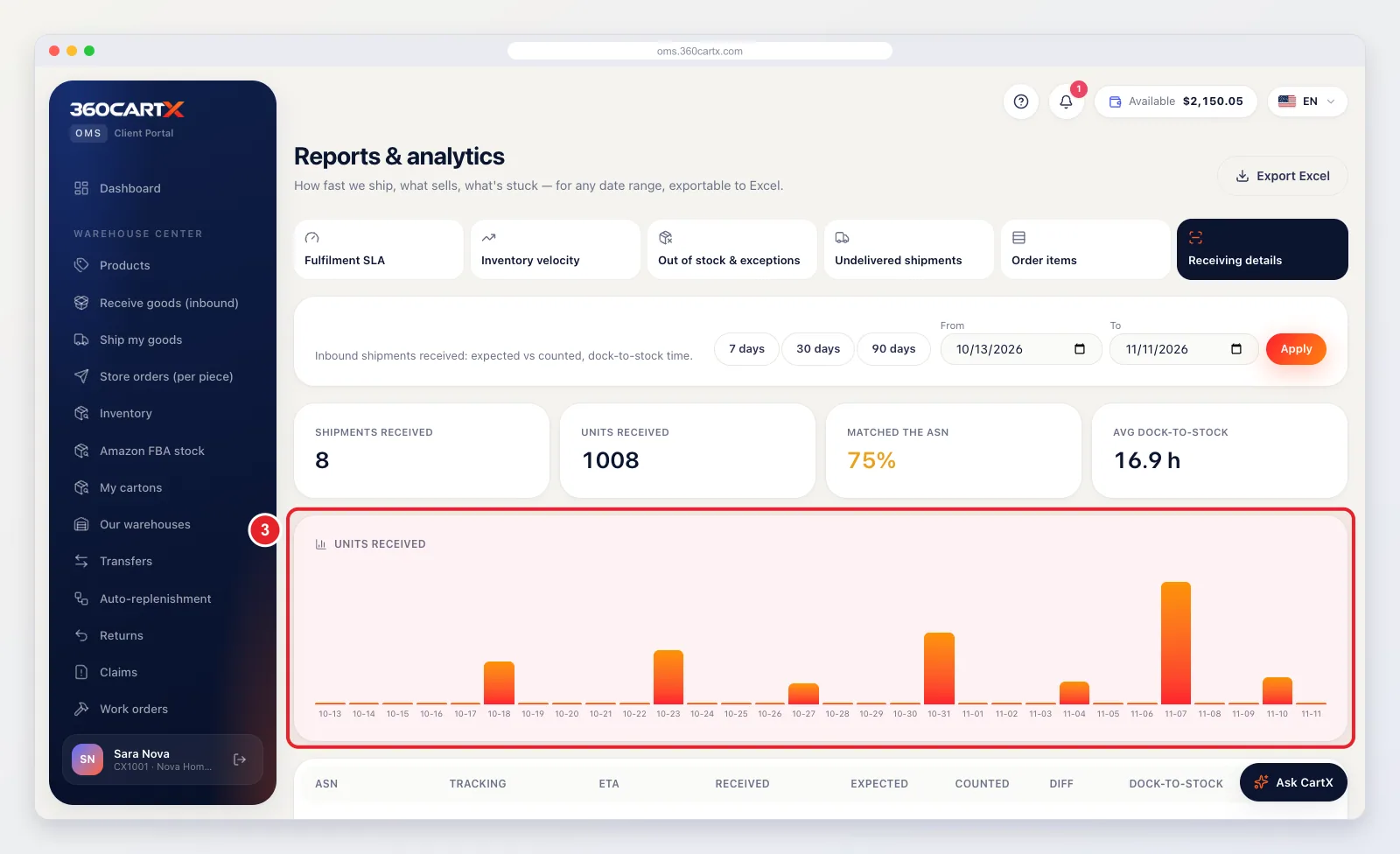
The chart is titled Units received. One bar per day of your range, labelled with month and day (for example 11-06): the units counted on shipments received that day. Hold the mouse over a bar to read the number.
- 4
The columns
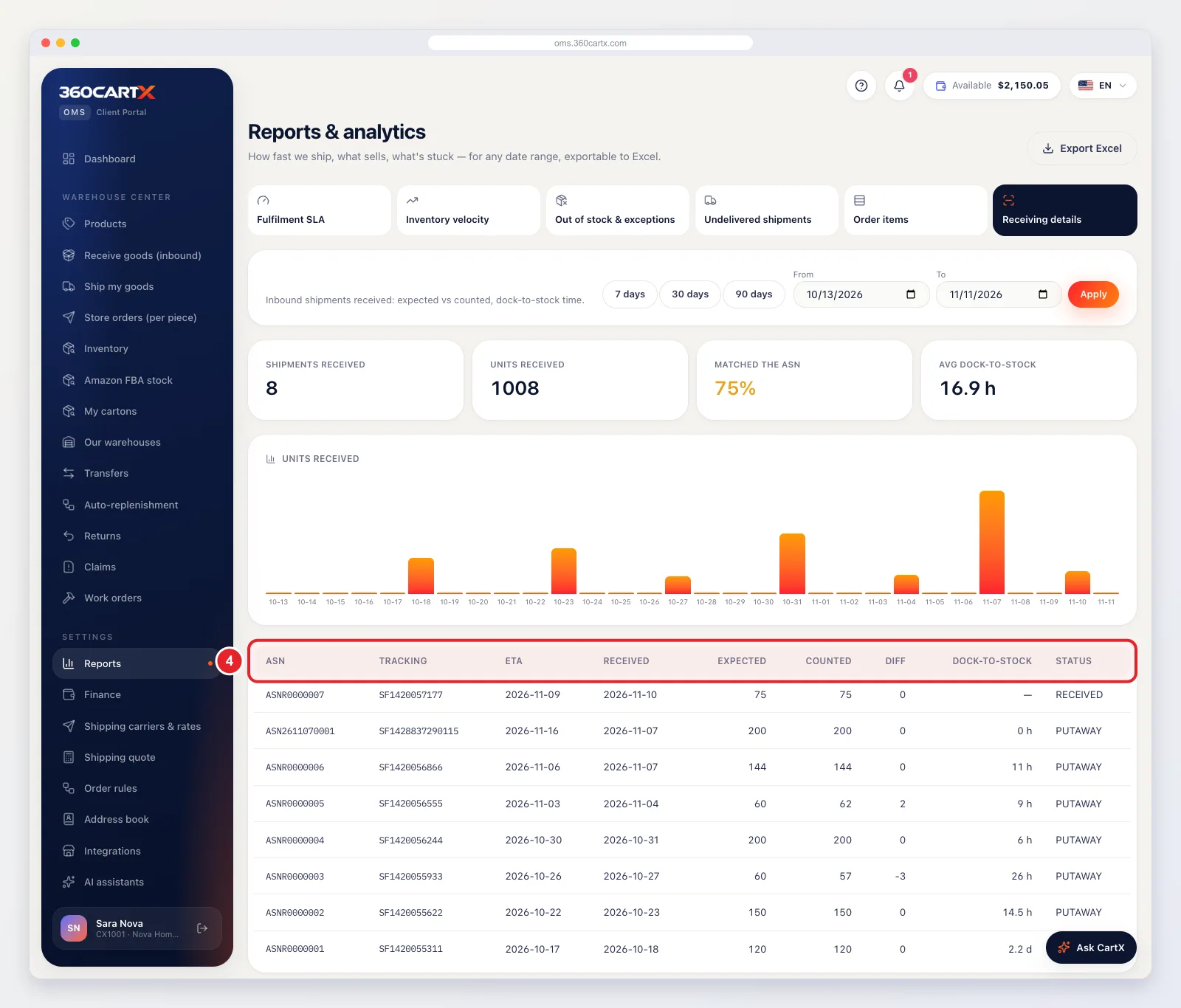
ASN (the inbound shipment number), Tracking, ETA (the arrival date you gave), Received (the day we received it), Expected (units you declared), Counted (units we counted), Diff, Dock-to-stock and Status. Newest received first.
- 5
Differences and timing
Diff is Counted minus Expected: 0 means a perfect match, a negative number such as -3 means units are missing, a positive number such as 2 means we counted more than you declared. Dock-to-stock is the time from receiving to put-away, in hours (h) or in days (d) from 48 hours up. A dash means the shipment is received but not put away yet, so the units are not sellable yet.
- 5a Extra units
- 5b Missing units
- 5c Slow put-away
- 5d Not put away yet
Terms in this article
- Dock-to-stock: Time from arrival at our dock to units on the shelf.
- Putaway: Placing received goods on the shelves, so they become stock.
Tips
- Only shipments with a received date inside your range are listed. A shipment that has not been received yet does not appear.
- Status is the inbound status in capitals, for example RECEIVED (counted, being put away) or PUTAWAY (on the shelves and sellable).
- A difference usually creates a receiving problem that asks you what to do. See Receiving problems.
- The ETA is the date you entered when you created the shipment, so you can compare it with the Received date.
Common problems
Matched the ASN is below 100%
At least one shipment had a different count than declared. Look at the Diff column and open that shipment under Inbound. Answer any receiving problem so we can finish it.
Dock-to-stock shows a dash
The shipment is received but not yet put away. It appears with a time as soon as our team has put it on the shelves.
A shipment I sent is not in the report
It has not been received yet, or it was received outside your date range. Check its status under Inbound.
Dock-to-stock is longer than usual
Large shipments, shipments with a receiving problem, or shipments held until a payment is made take longer. See Track an inbound shipment.
Related articles
Updated 2026-11-11
Open a ticket from Support in your portal and our team will reply.