Steps
- 1
Where to read them
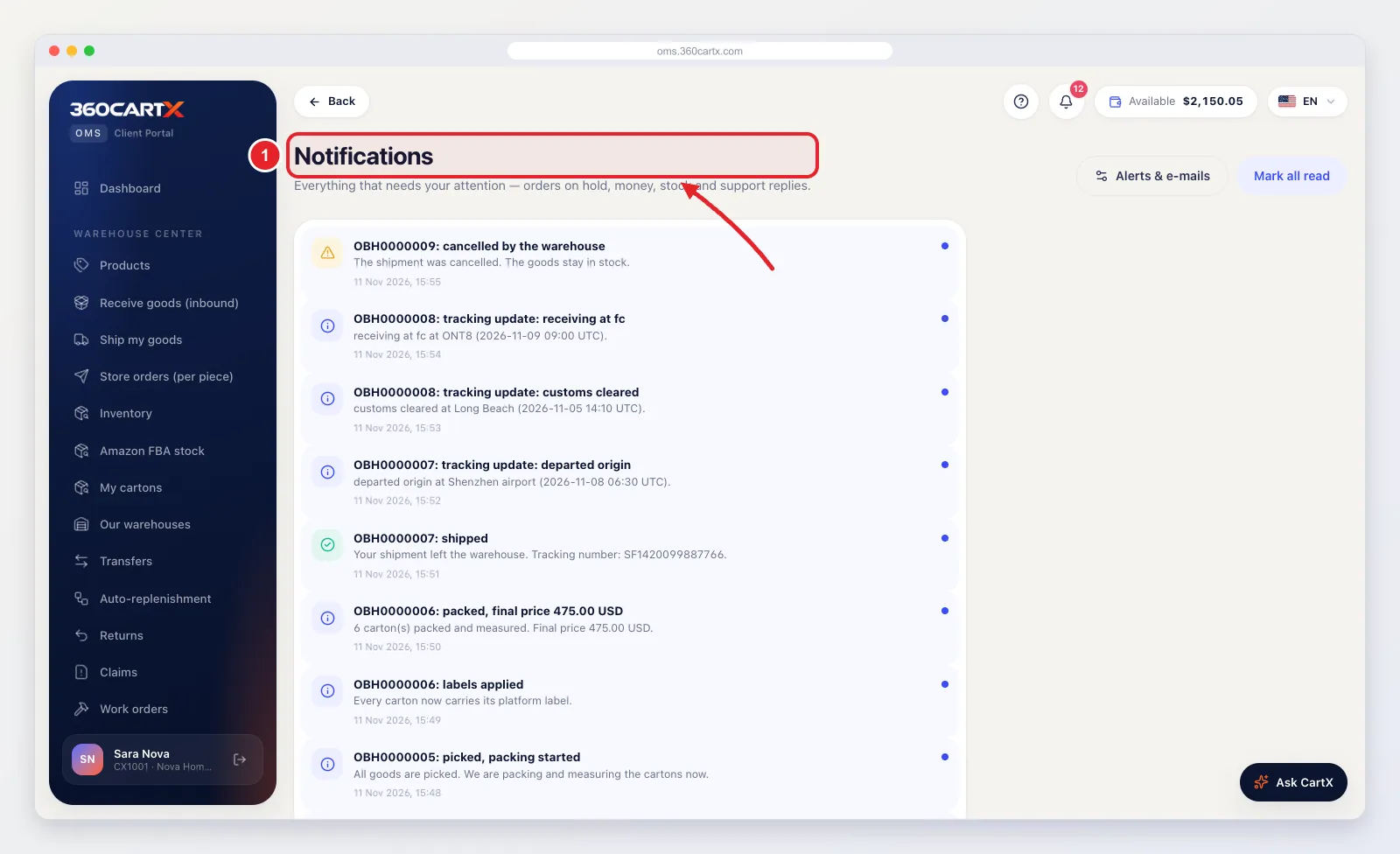
Open Notifications from the bell at the top. The newest message is first; click a message to open the request.
- 2
Final price
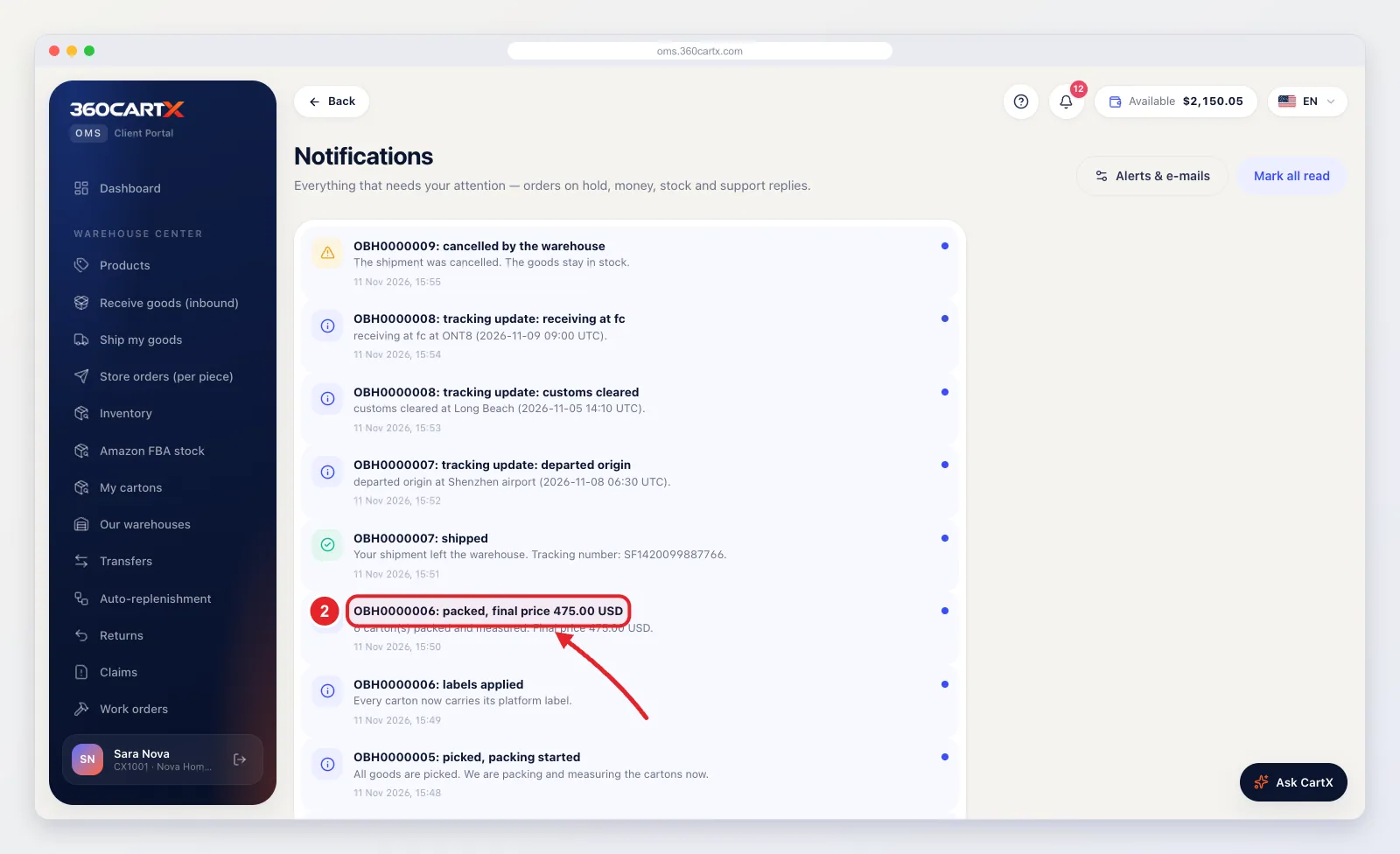
The message says the order number and the final price in USD, then: Accept and pay from your wallet to start the shipment. This is the one you must act on.
- 3
Picking started and picked
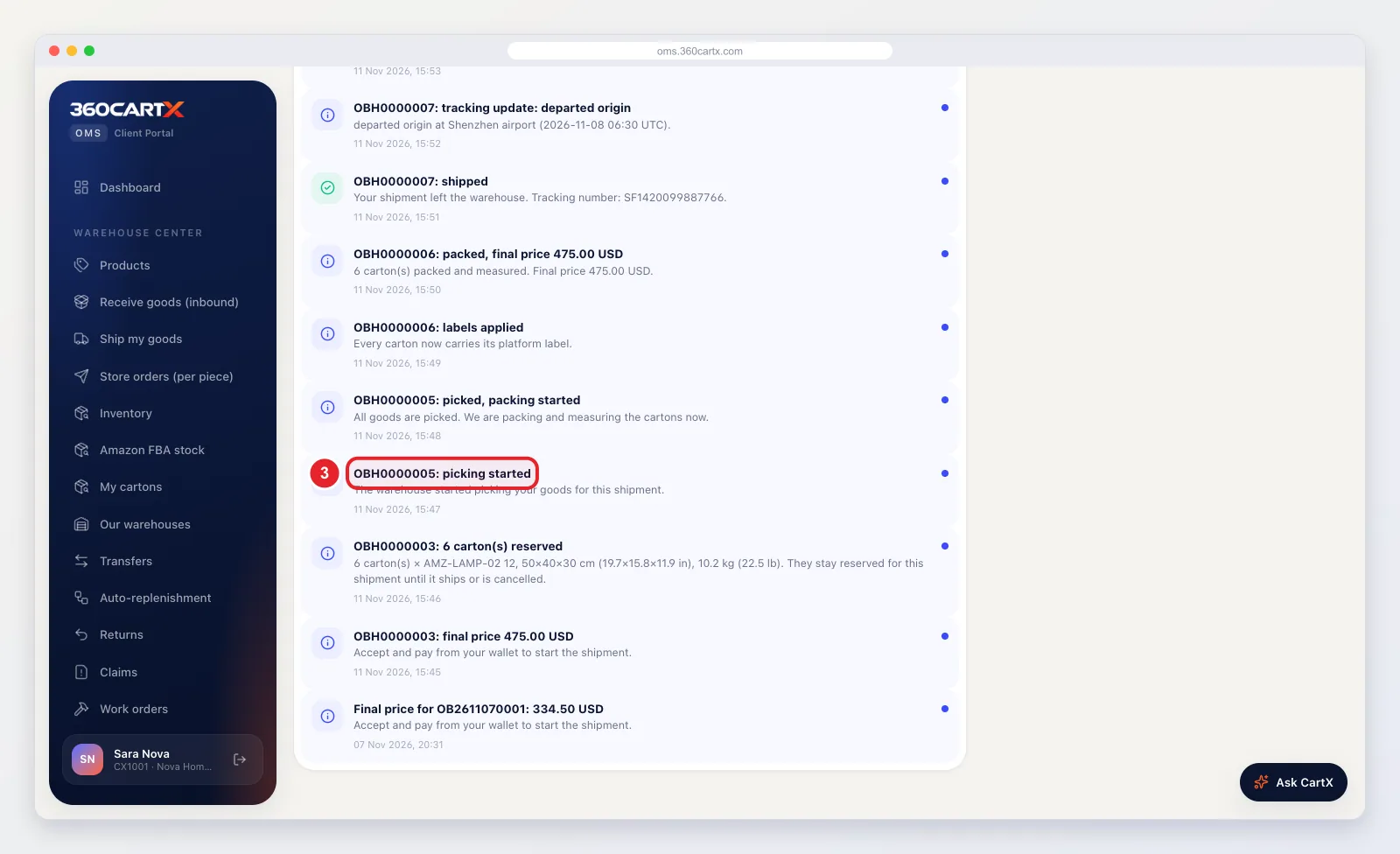
When the warehouse starts you get: picking started. After the goods are taken from the shelves: picked, packing started. From now on you cannot cancel yourself.
- 4
Labels applied and packed
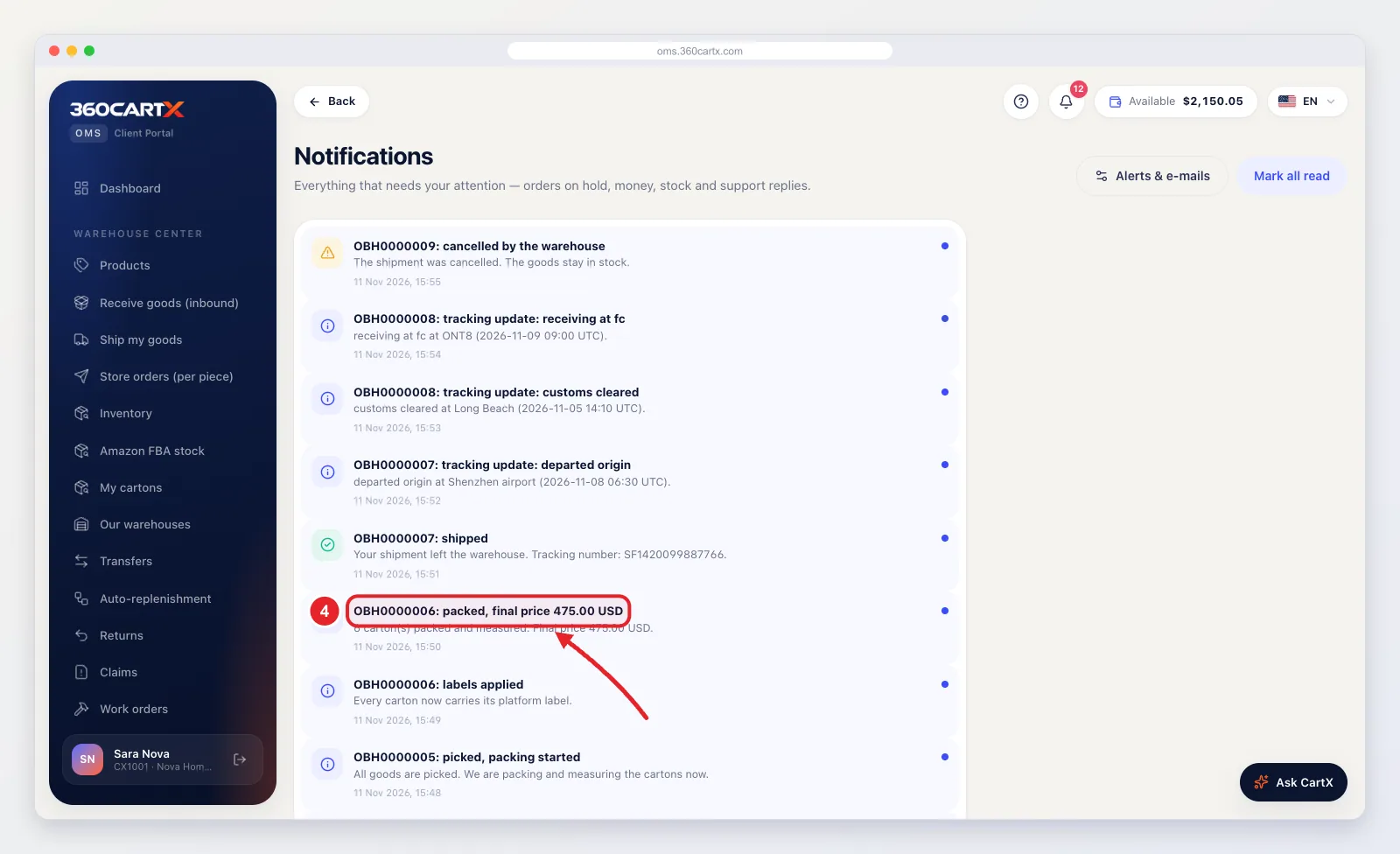
labels applied means the carton labels are stuck and scanned. Then you are told how many cartons were packed and measured and the final price; when we charge or refund a difference after weighing, the message says so.
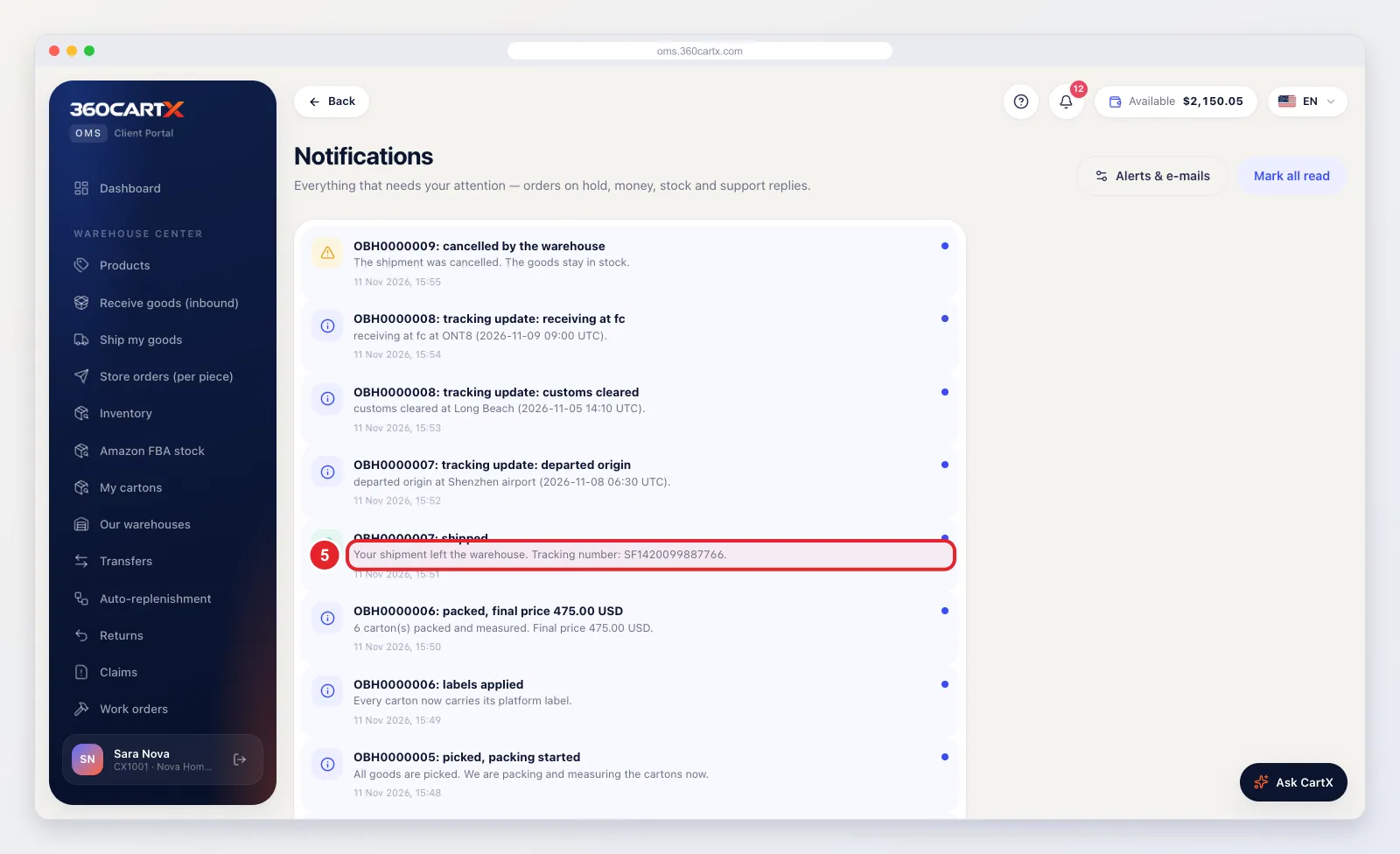
- 5
Shipped and tracking
shipped… Tracking number: followed by the number. Later, one message per milestone: tracking update with the stage name (for example Departed origin, Customs cleared or Delivered). For stored cartons you also get N stored carton(s) shipped.
- 6
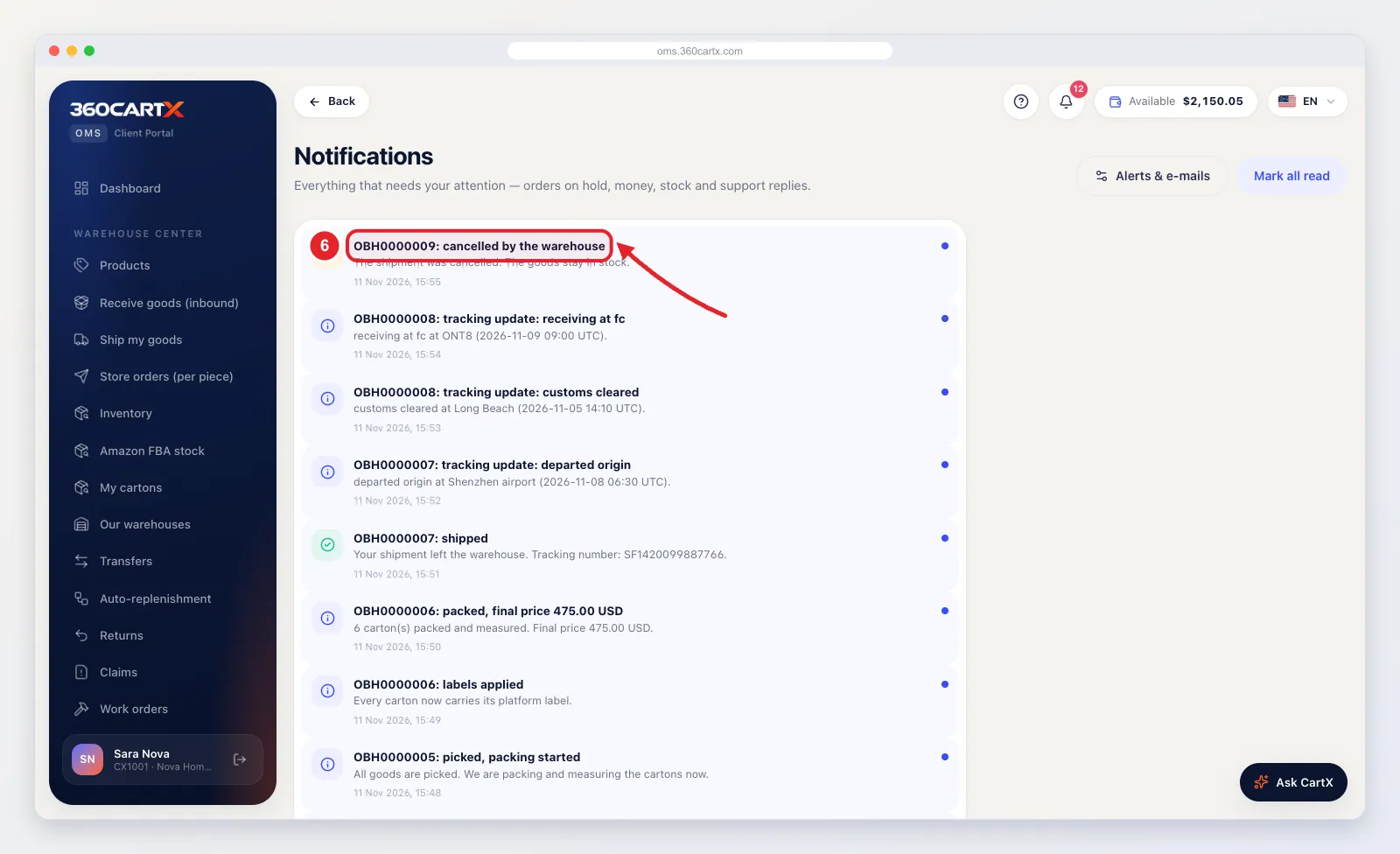
Cancelled
If the warehouse cancels, the message says cancelled by the warehouse and explains the refund. When you cancel yourself the refund is shown on the request page and in your wallet.
Tips
- With stored cartons you also get OBH…: N carton(s) reserved when you submit.
- Amounts in these messages are written like 475.00 USD; the request page shows the same amount as $475.00.
Common problems
I did not get a notification
Open the request page: the status and events there are always current. Check your notification settings in Account.
Related articles
Updated 2026-11-11
Open a ticket from Support in your portal and our team will reply.