Steps
- 1
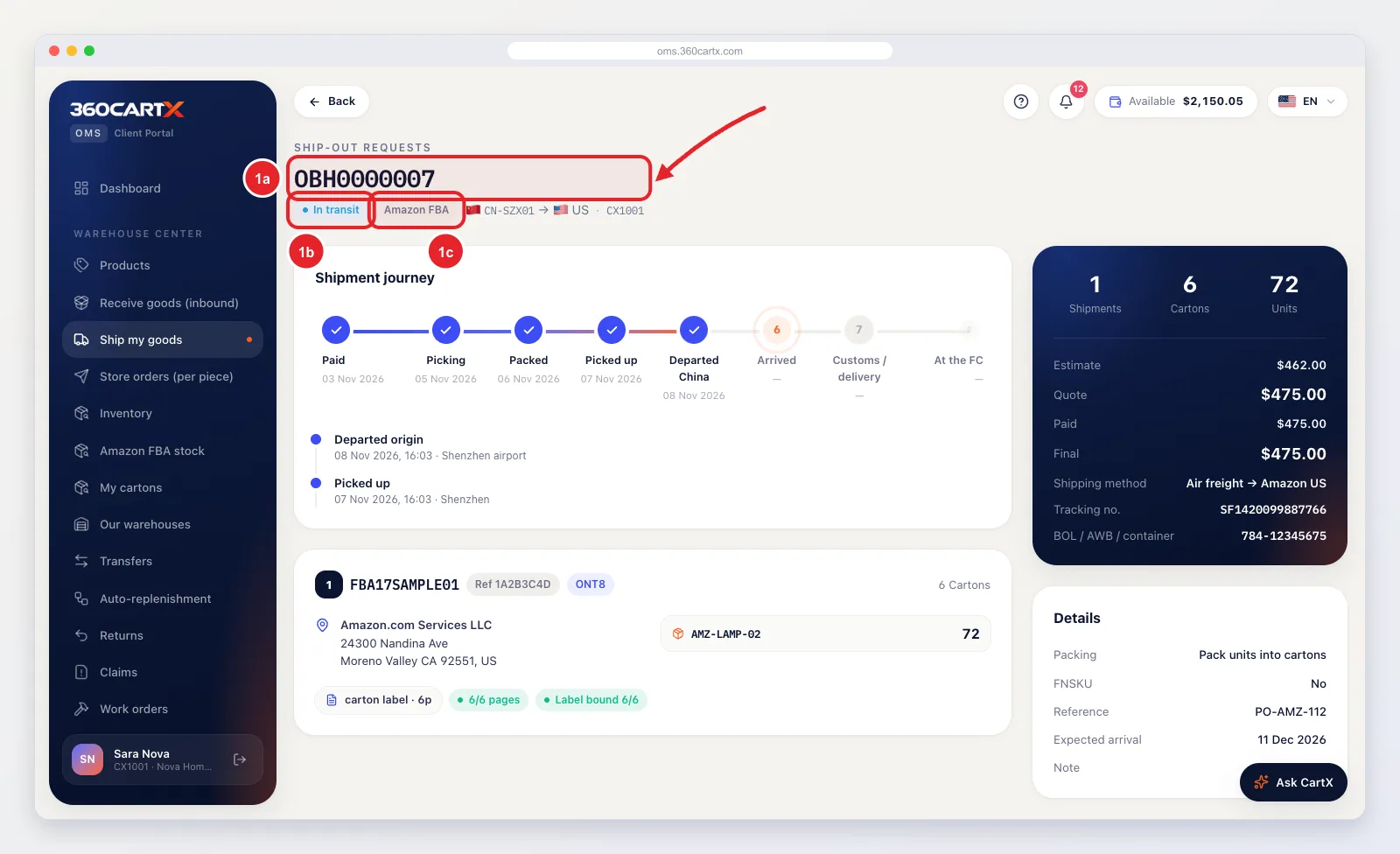
The title and the pills
The title is the order number (for example OBH0000007). Next to it the status pill, the platform (Amazon FBA, or My address (B2B) for your own address) and the route from our warehouse to the destination.
- 1a Order number
- 1b Status
- 1c Platform
- 2
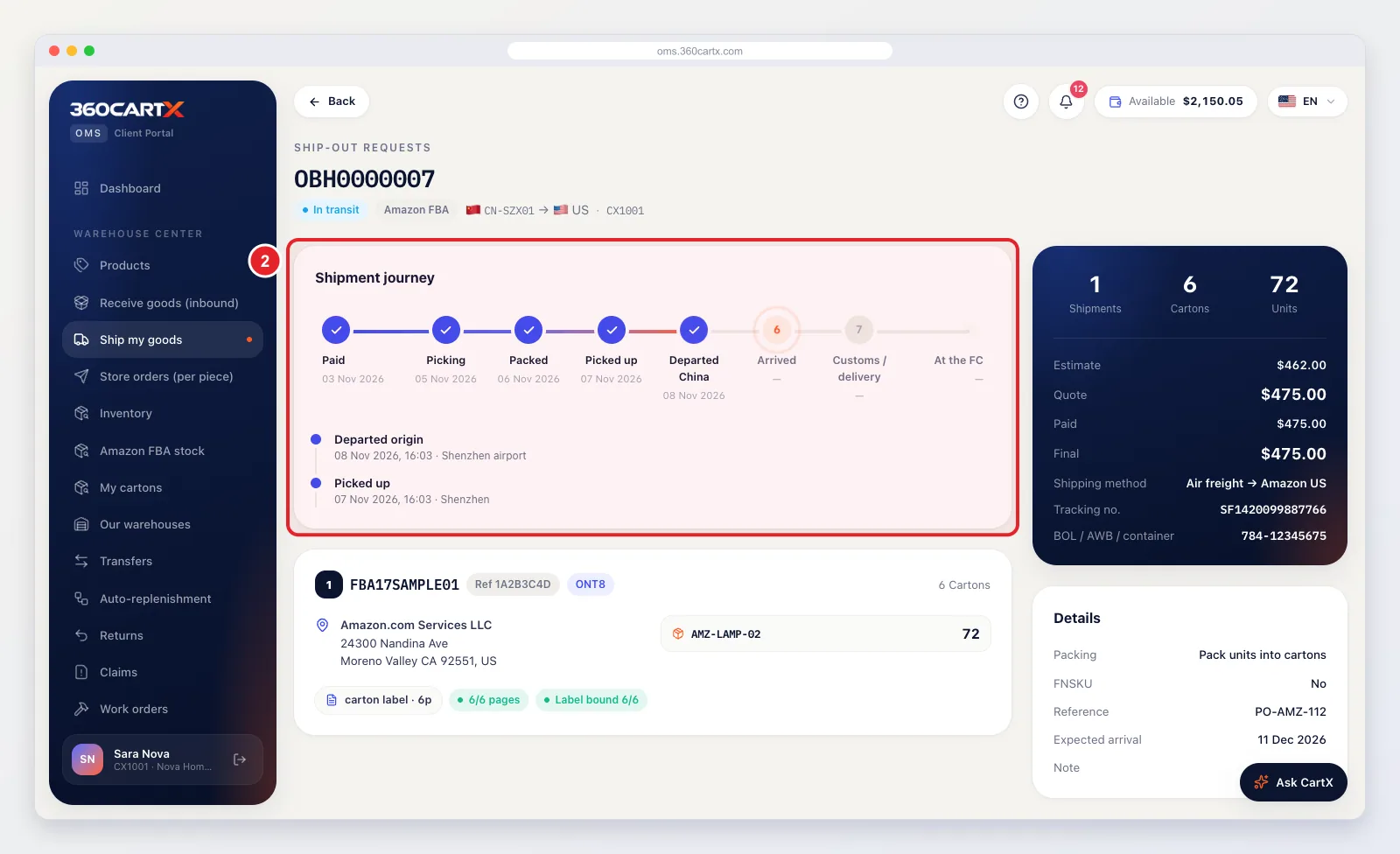
The journey bar
For a platform request the steps are Paid, Picking, Packed, Picked up, Departed China, Arrived, Customs / delivery and At the FC. For a request to your own address the last step is Delivered. The steps already done are filled in.
- 3
Tracking events
Below the journey, every event we or the carrier recorded is listed with the date. Stages are: Picked up, Departed origin, Arrived at destination, Customs cleared, Out for delivery, Delivered, Receiving at the FC, Closed and Exception. Each new event also reaches you as a notification.
- 4
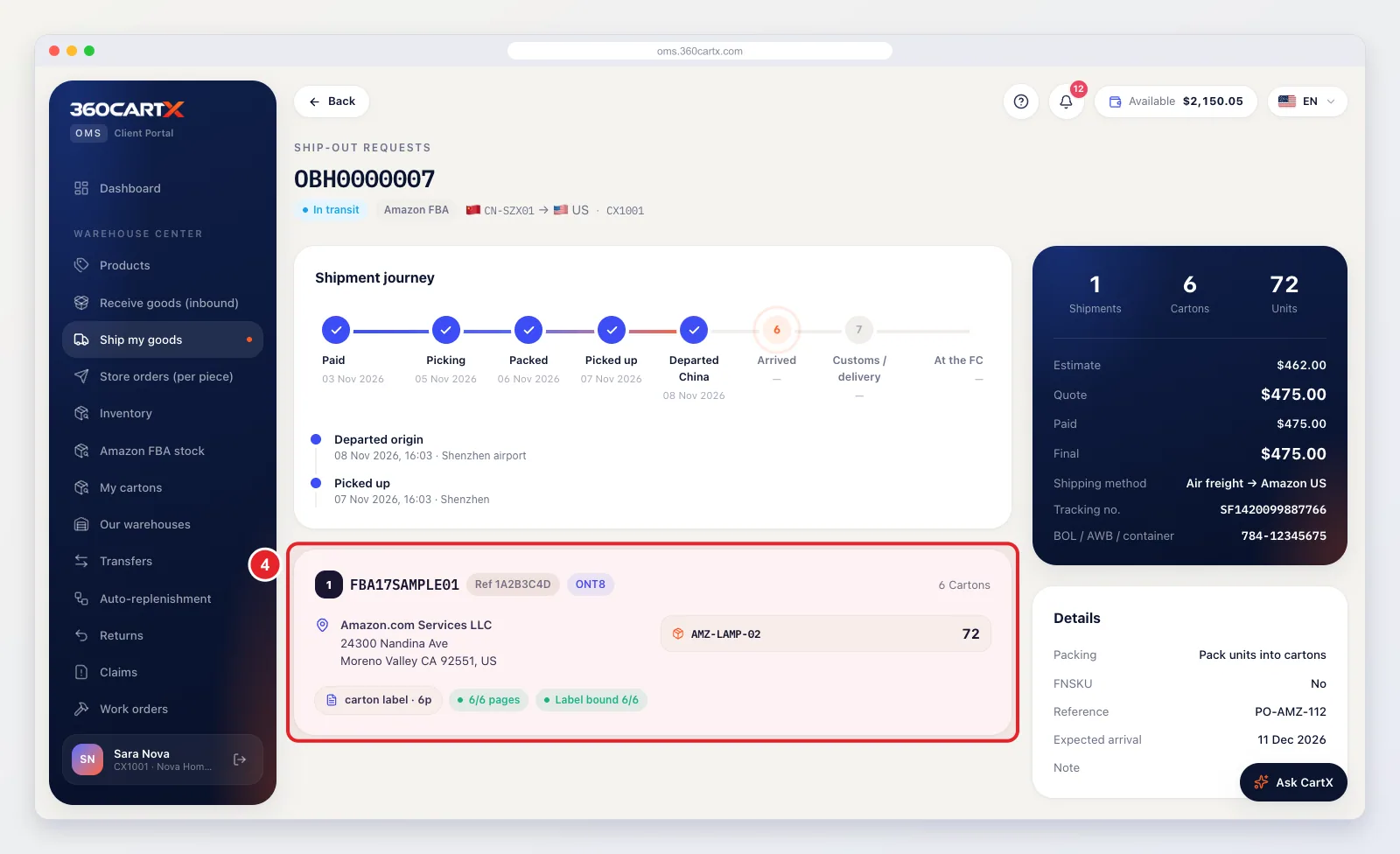
Shipment cards
Each shipment has a card with its Shipment ID, the FC code and address, the cartons and the products. The label chips show the files we hold, for example carton label · 12p, the pages counter and Label bound once we scan the cartons.
- 4a Shipment ID
- 4b Label chips
- 5
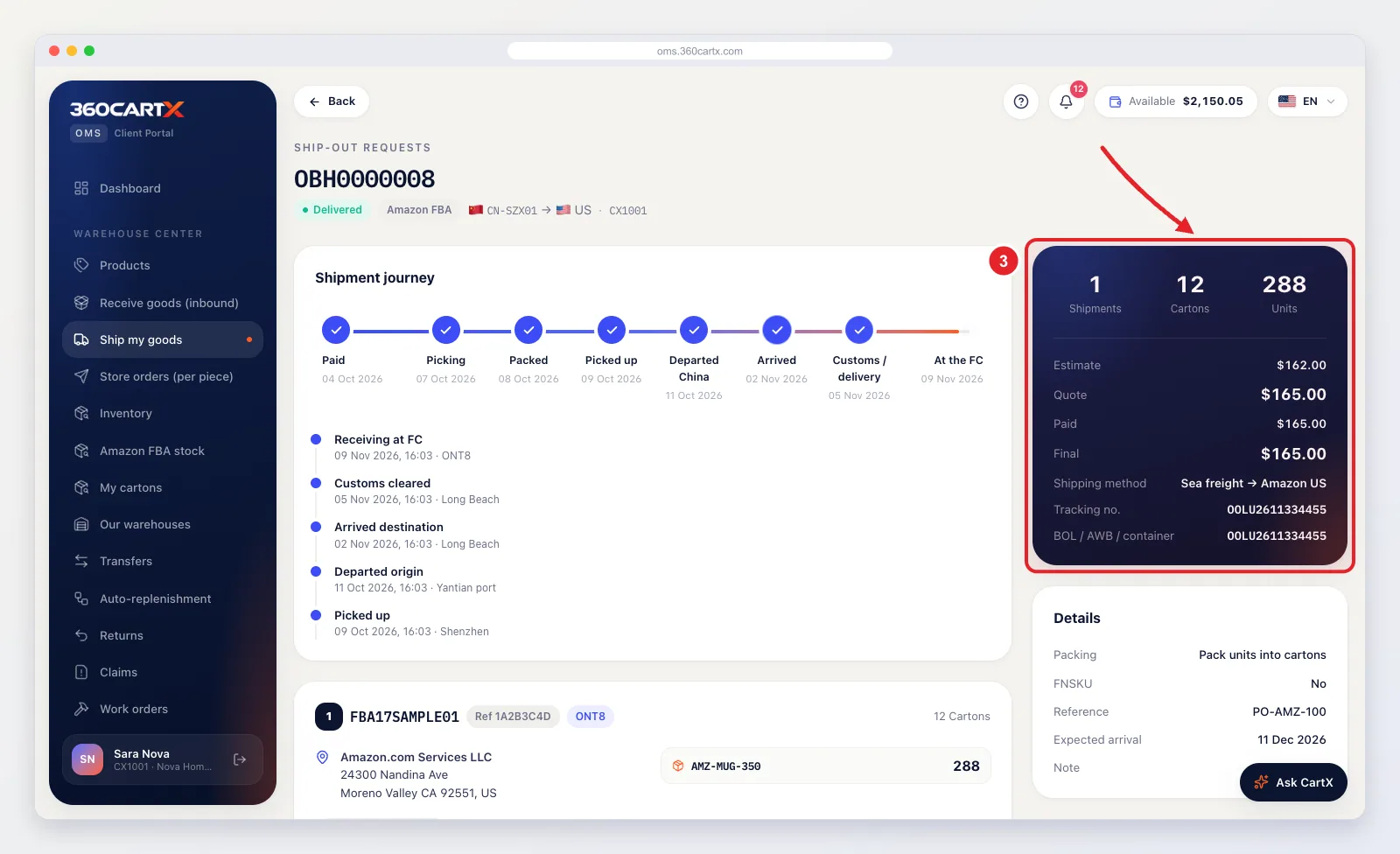
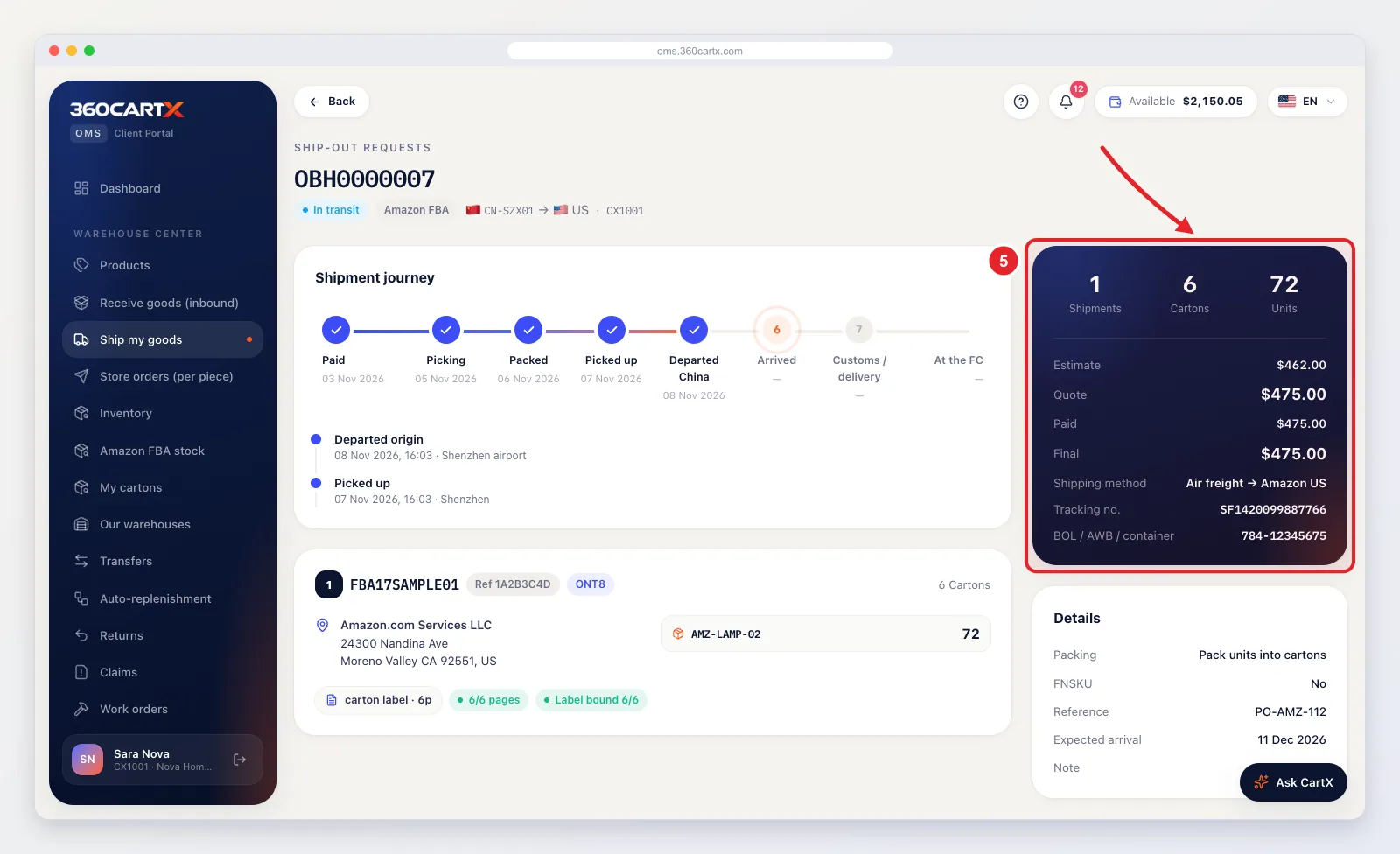
The summary panel
Shipments, Cartons and Units, then the lines Estimate, Quote, Paid and Final when they exist, the Shipping method (Quote by our team when we priced it), the Tracking no. and the BOL, AWB or container number. A line appears only when the number exists.
- 6
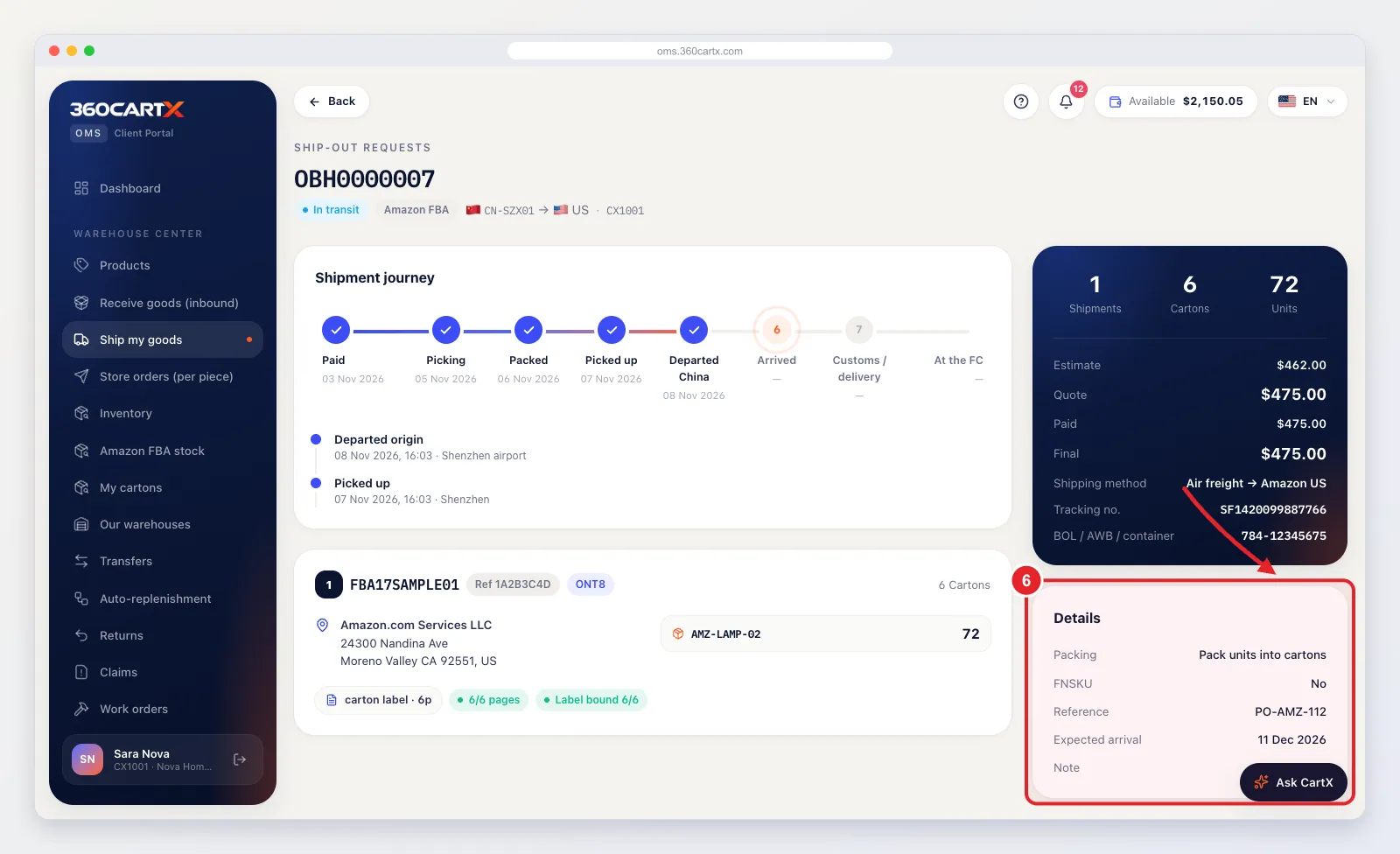
Details
At the bottom: Packing, FNSKU (Yes or No), Reference, Expected arrival and Note, as you entered them.
Terms in this article
- Shipment ID: The marketplace's number for one shipment to one FC.
- FC: Fulfilment centre, e.g. Amazon's warehouse ONT8.
Tips
- Use the Tracking no. on the carrier's website for the latest scan. Our events show the milestones.
- Exception means the carrier or customs reported a problem. Our team contacts you; you can also open a ticket in Help & support.
- Delivered is set when the FC starts receiving the goods or the request is closed.
Common problems
There is no tracking number yet
It is added when the shipment leaves our warehouse (In transit). Before that the request is still in picking or packing.
The journey has not moved for days
Carriers update in steps, especially sea freight. Check the events list and the carrier site. Open a ticket in Help & support if an event is overdue.
Related articles
Updated 2026-11-11
Open a ticket from Support in your portal and our team will reply.