Steps
- 1
Open the list
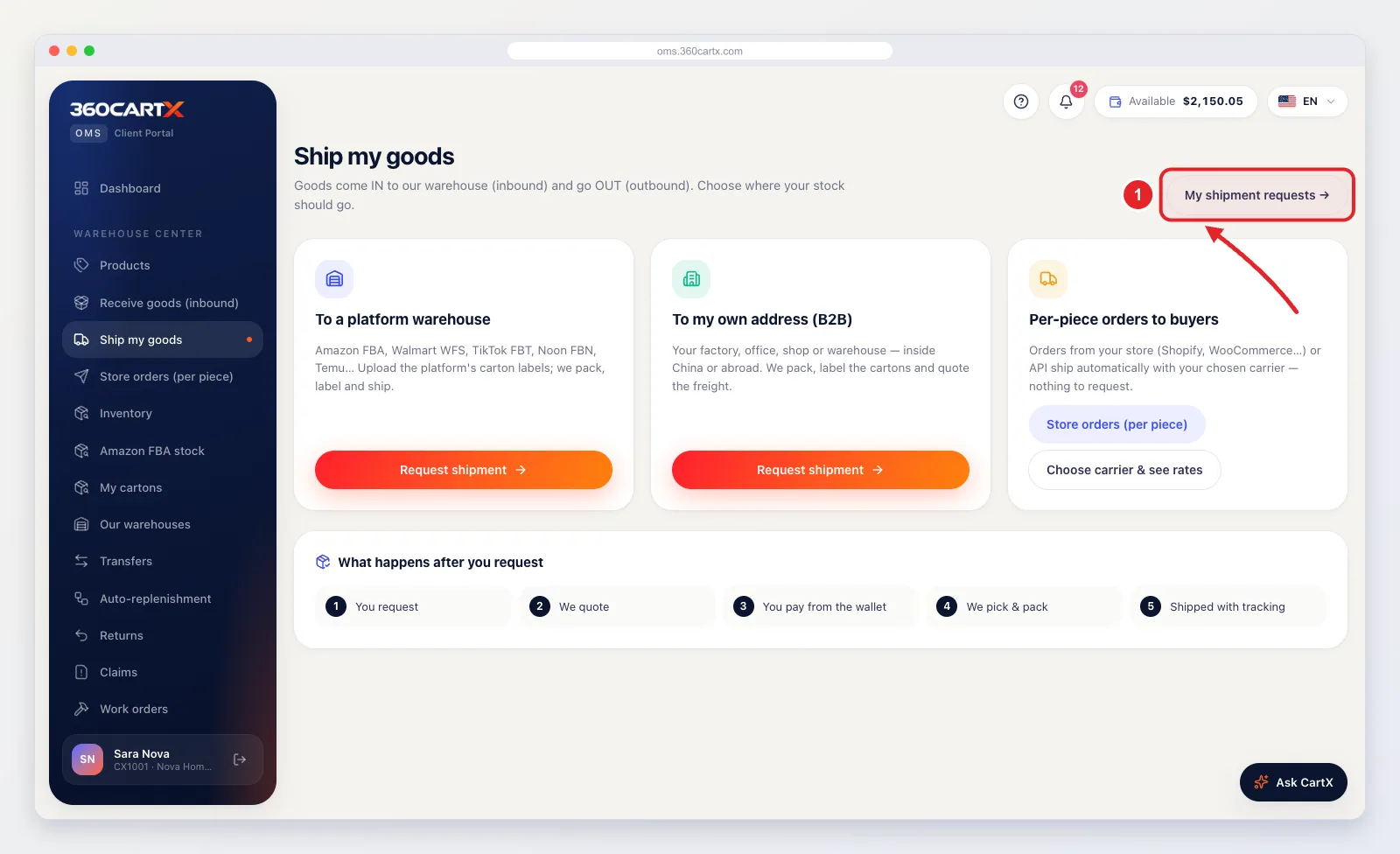
On Ship my goods click My shipment requests at the top right. The list is also reached from the New platform shipment form with the Ship-out requests link above the title.
- 2
The title and the button
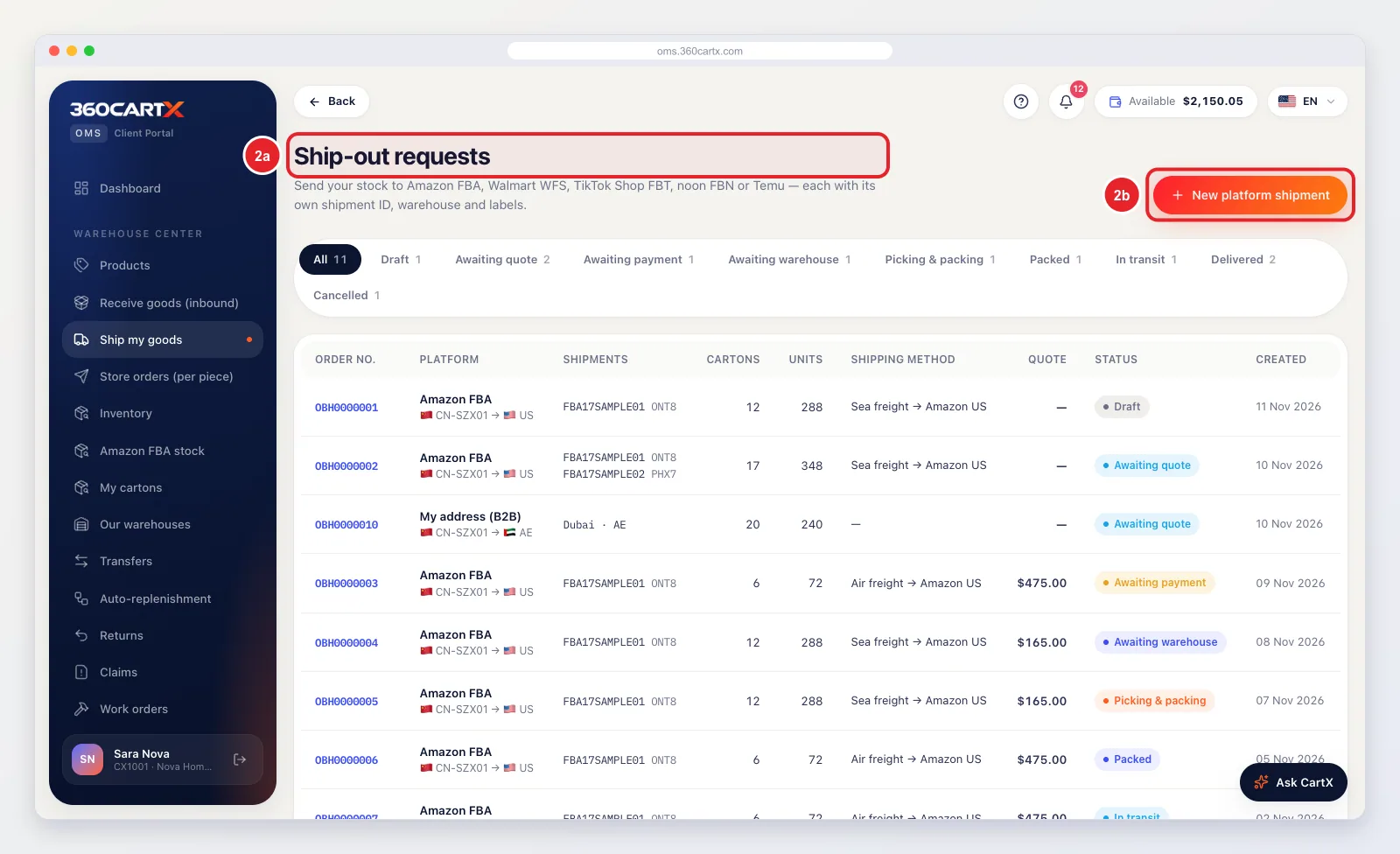
The page is called Ship-out requests. New platform shipment on the right starts a request to a platform warehouse; for a request to your own address use Ship my goods.
- 2a Page title
- 2b New platform shipment
- 3
Filter by status
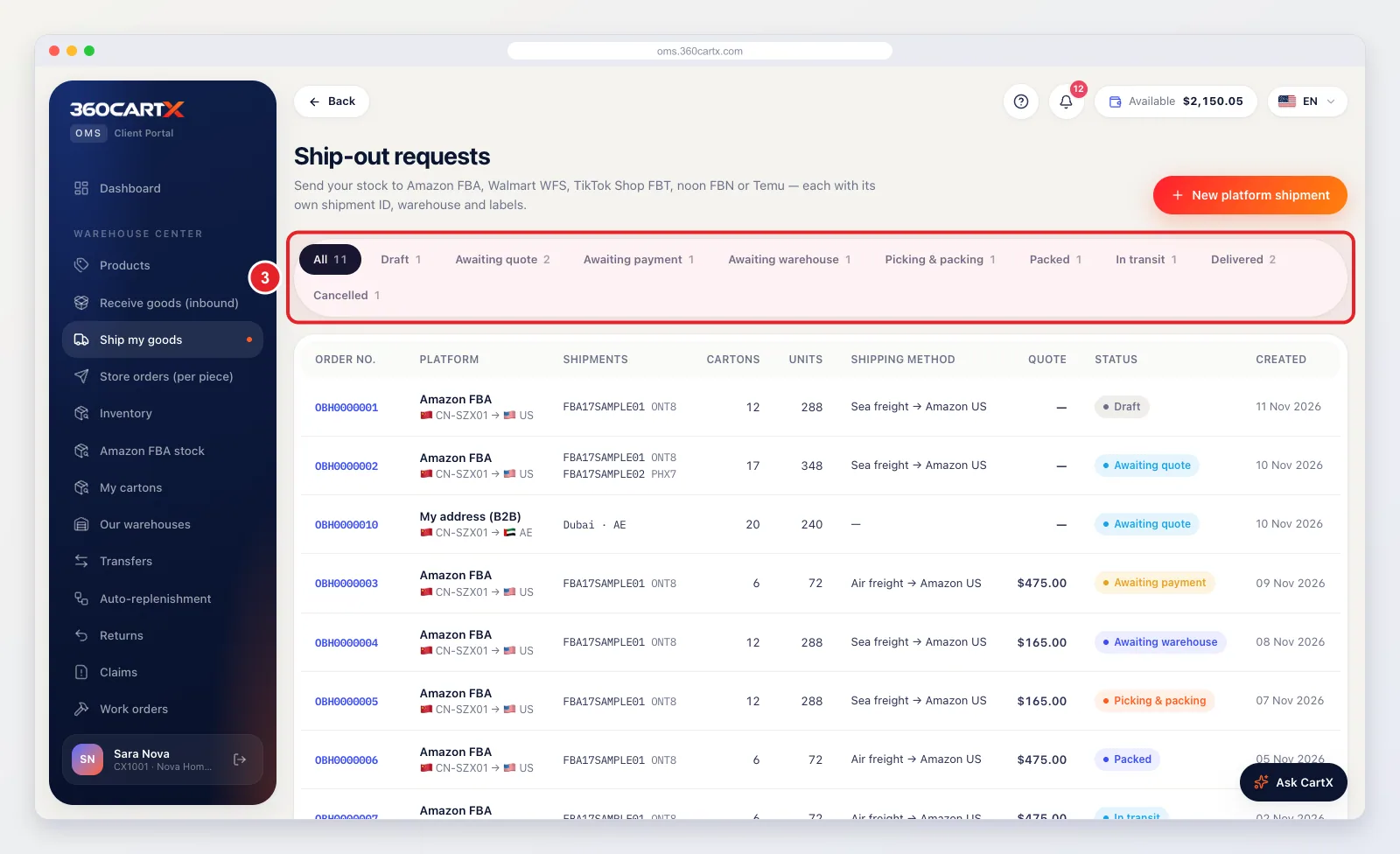
The tabs show the number of requests in each status: All, Draft, Awaiting quote, Awaiting payment, Awaiting warehouse, Picking & packing, Packed, In transit, Delivered and Cancelled. A status tab only appears when at least one request has it. Click a tab to see only those requests. See Ship-out request statuses.
- 4
Read the columns
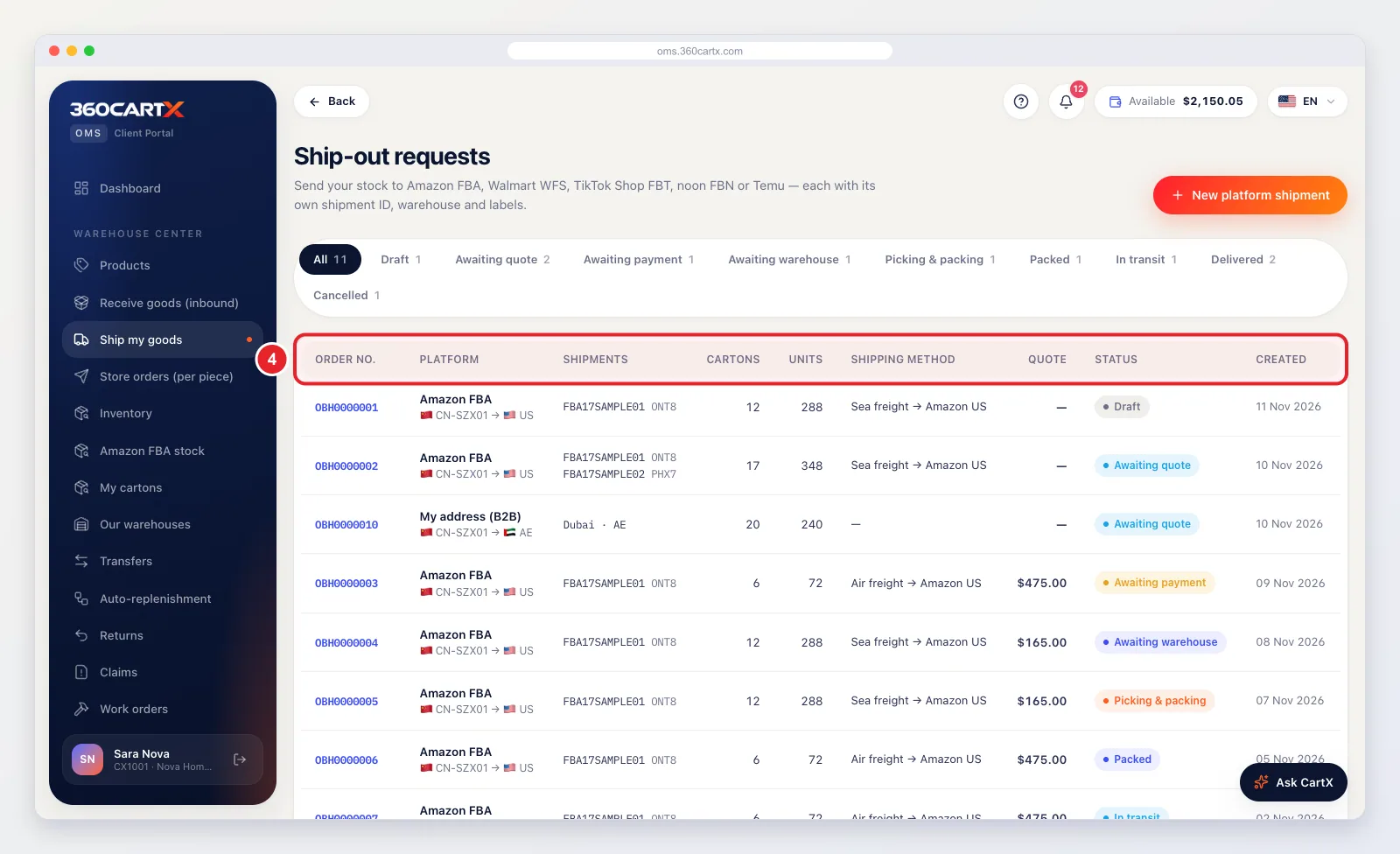
Order no. (click it to open the request), Platform, Shipments, Cartons, Units, Shipping method, Quote, Status and Created.
- 5
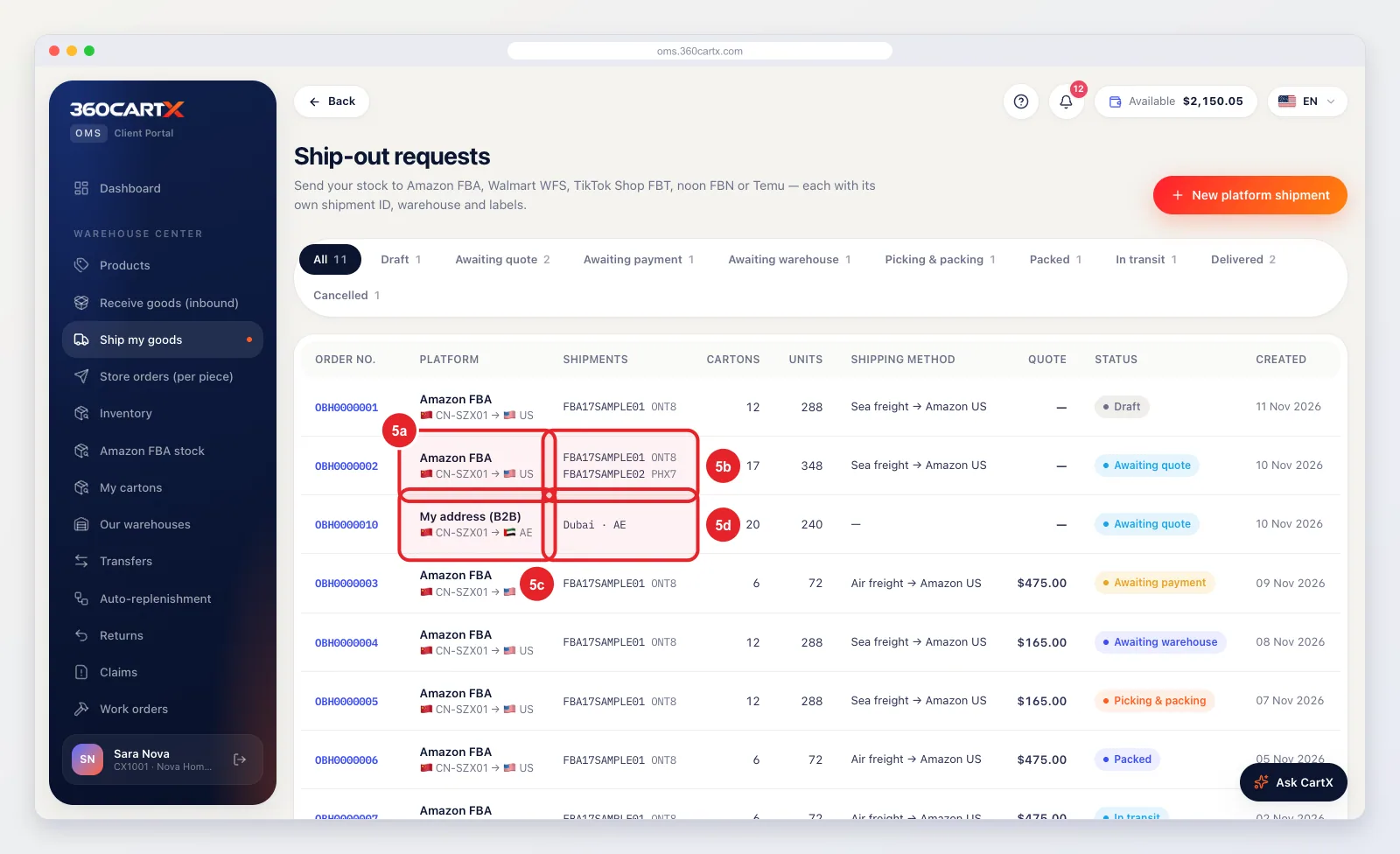
Platform and Shipments
Platform shows Amazon FBA (or the other platform) or My address (B2B), and below it the route, for example CN-SZX01 → US with the flags. Shipments lists each shipment: the Shipment ID and the FC code for a platform request, or the city and country for a request to your own address. A request with two FCs shows two lines.
- 5a Platform
- 5b Shipments
- 6
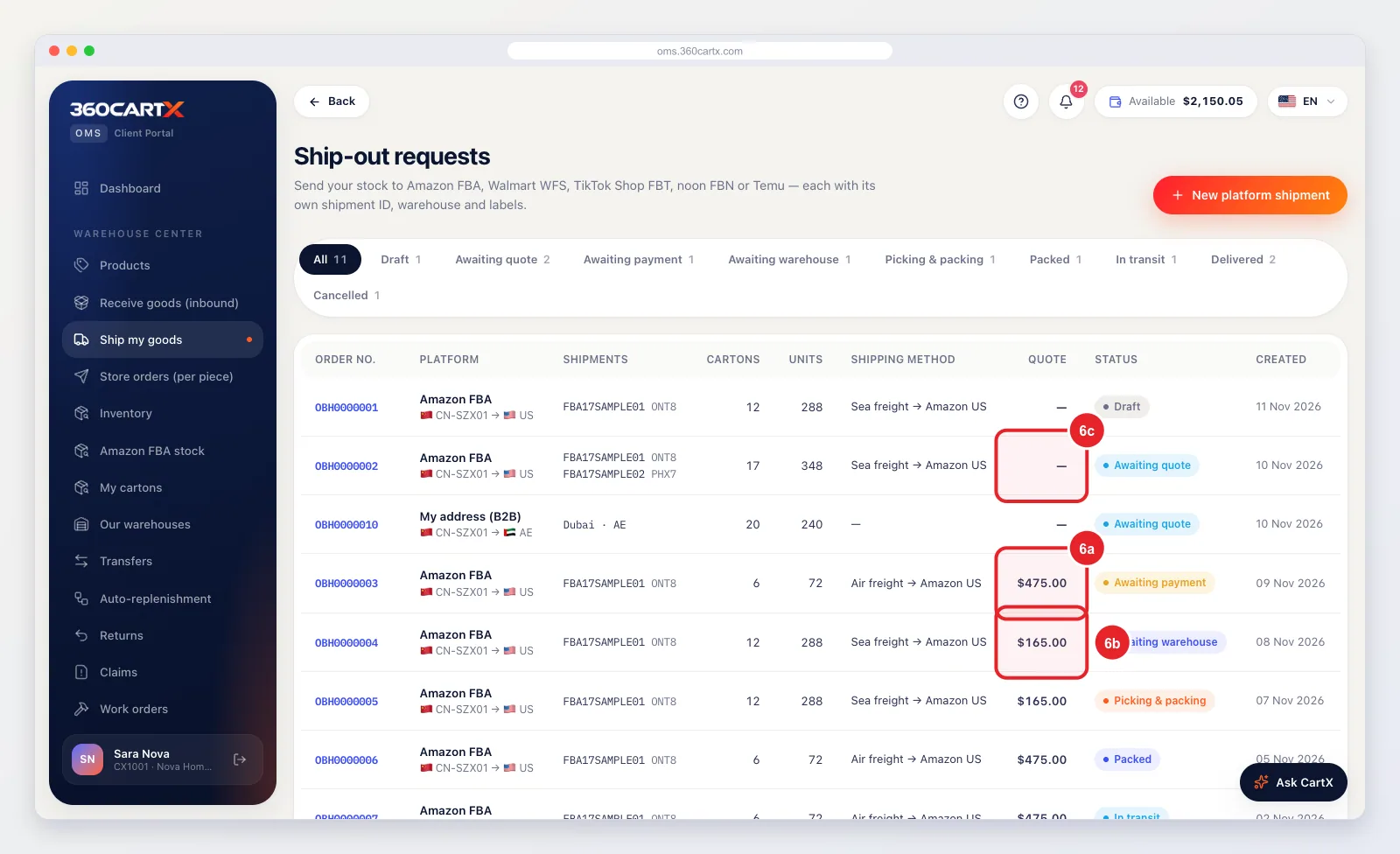
Shipping method and Quote
Shipping method is the method you chose, or a dash for Quote by our team. Quote shows the price once we confirmed it, in US dollars, for example $935.00; after packing it shows the final price. Until then it is a dash: the estimate is on the request page, not in this list.
- 6a Quote confirmed
- 6b No quote yet
- 7
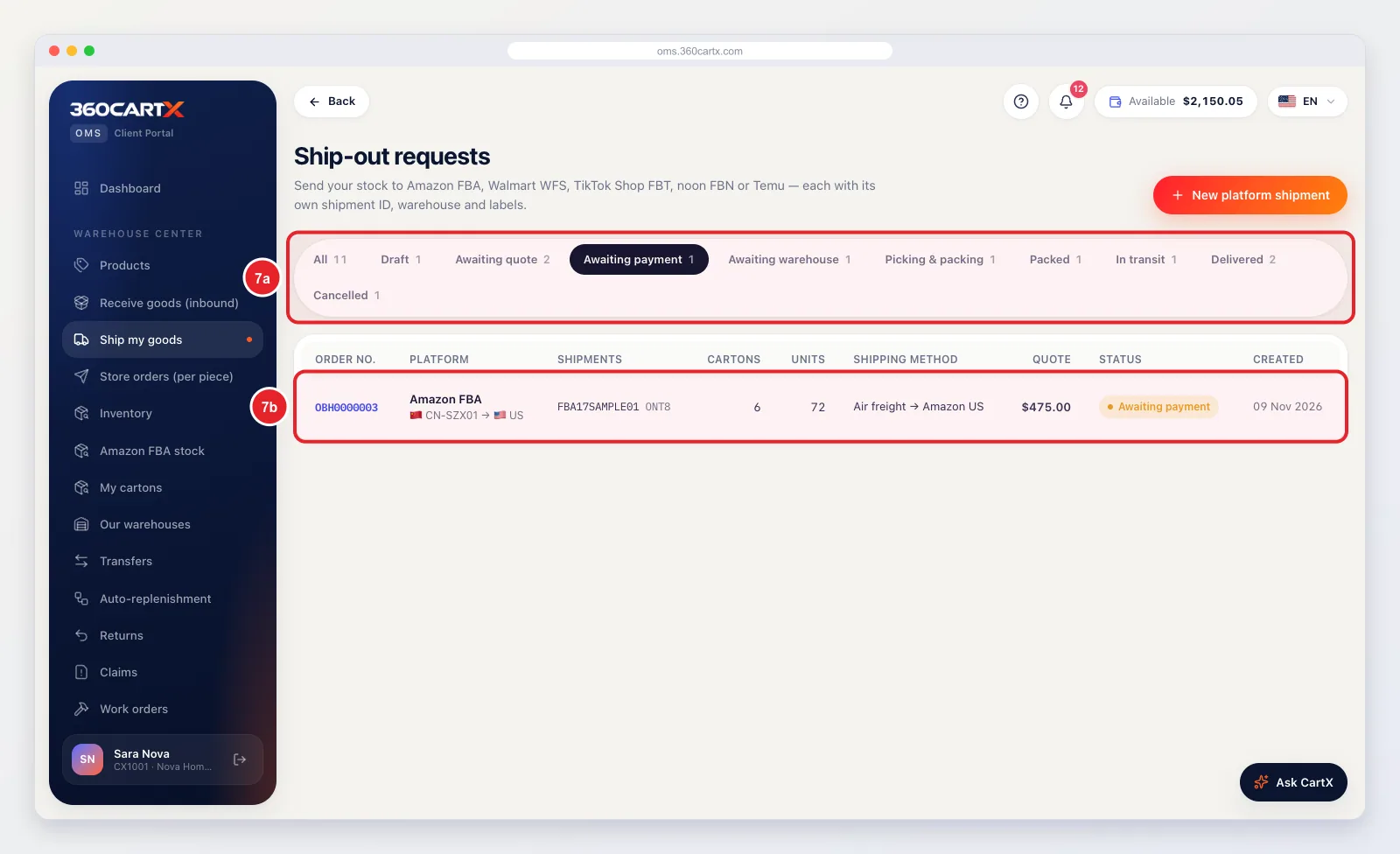
Filtering example
Click Awaiting payment to see the requests where you still have to click Accept and pay.
- 8
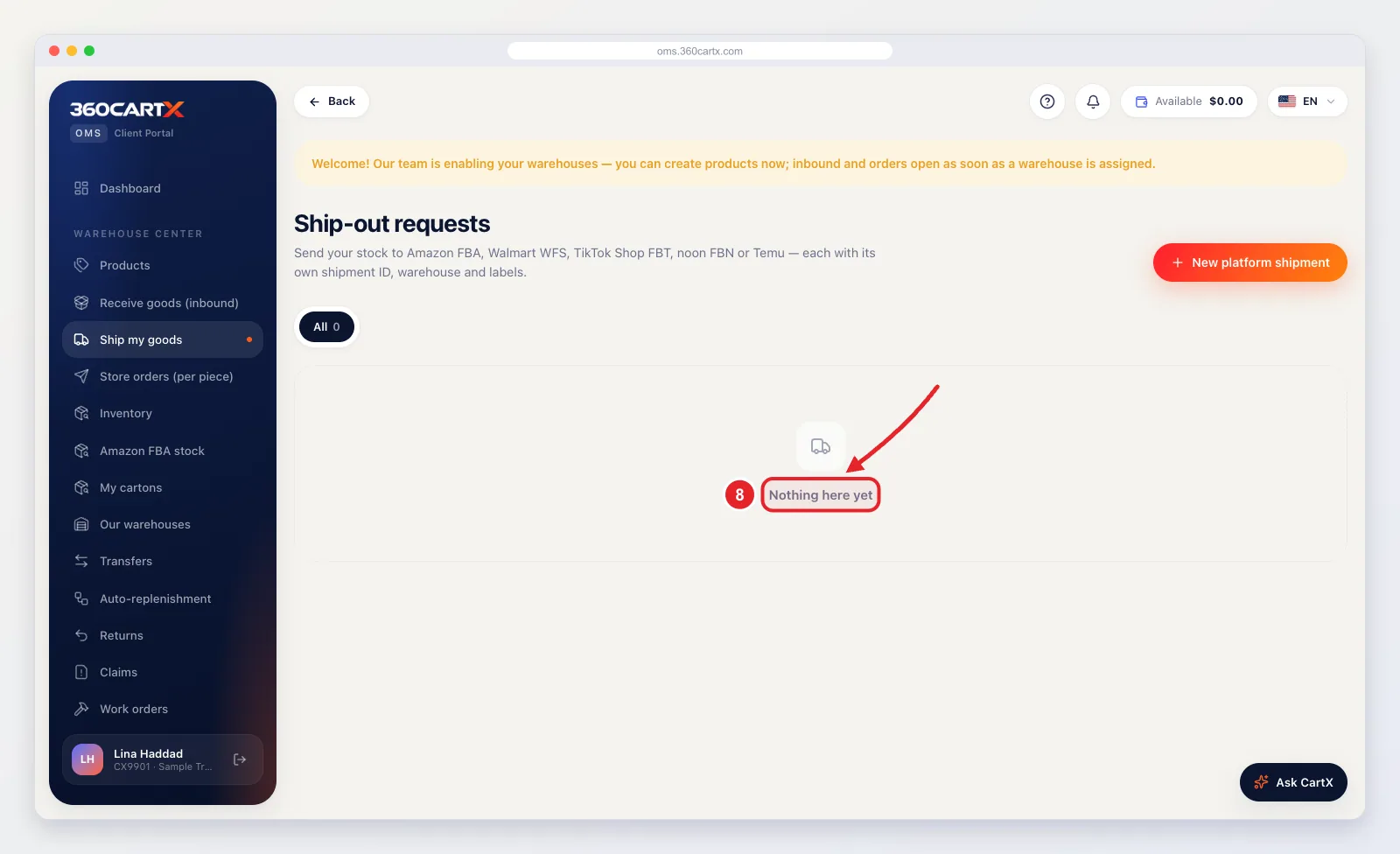
No requests yet
A new account shows Nothing here yet. Create your first request from Ship my goods.
Tips
- There is no search box in this list: use the tabs and the Created date. Orders older than the newest 200 are not listed.
- A draft stays in the list until you submit or cancel it.
Common problems
A tab is missing
Tabs appear only while at least one request has that status.
The Quote column shows a dash for my request
We have not confirmed the price yet. The estimate, if there is one, is on the request page.
Related articles
Updated 2026-11-11
Open a ticket from Support in your portal and our team will reply.