Steps
- 1
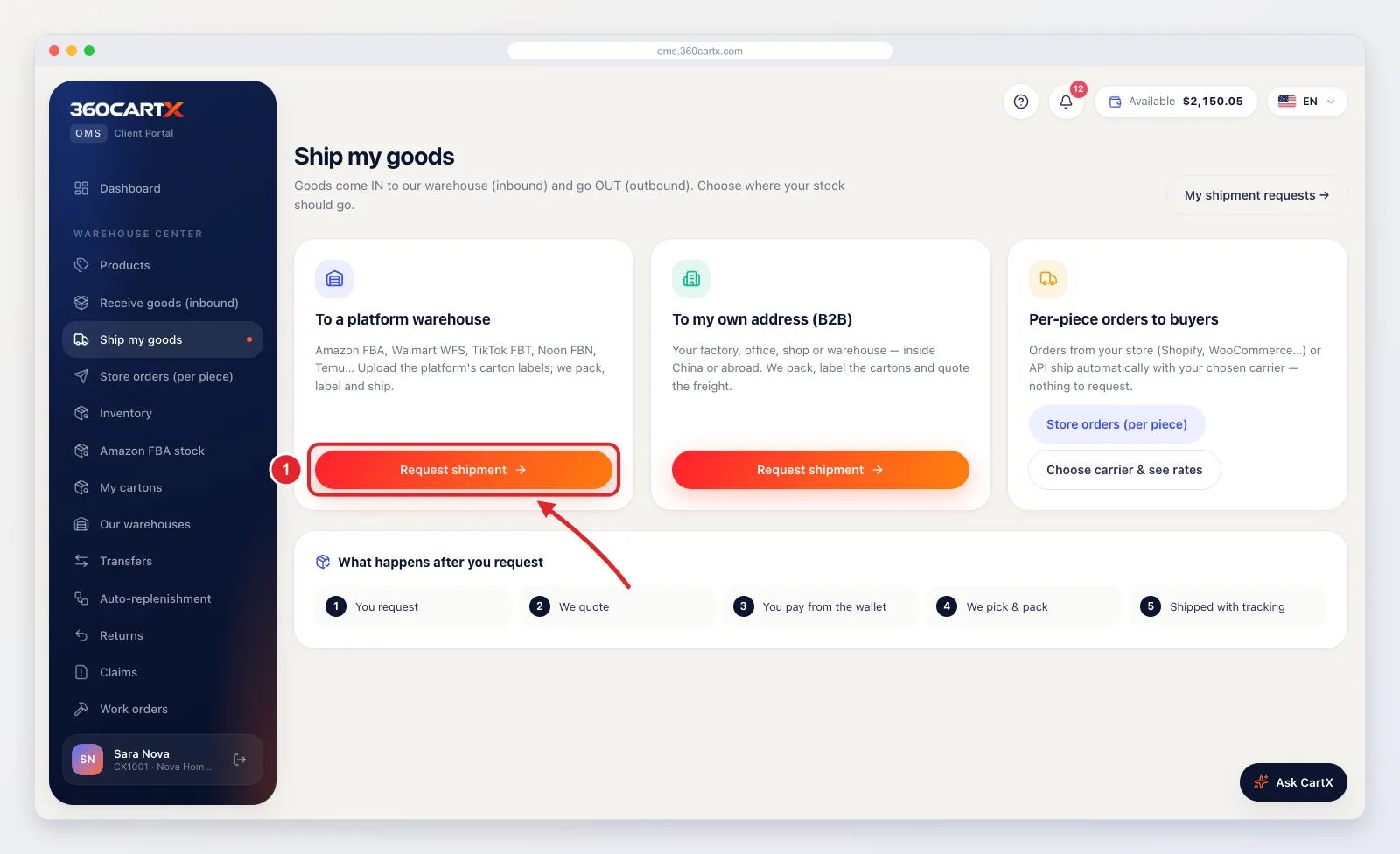
Click Request shipment on the first card
On Ship my goods, under To a platform warehouse, click Request shipment. The same form opens from Ship-out requests with New platform shipment.
- 2
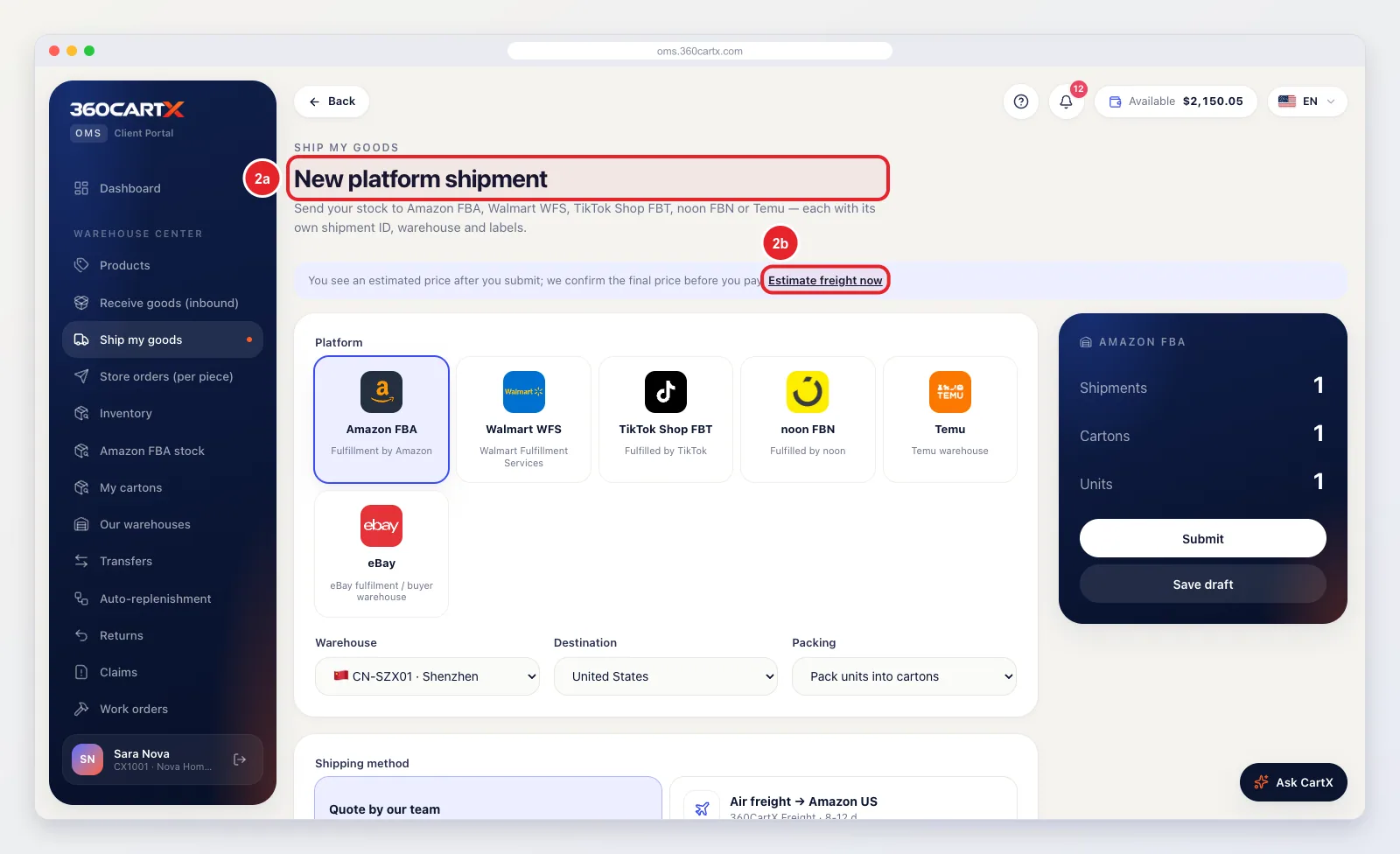
Read the price note
The page is called New platform shipment. The blue note says: You see an estimated price after you submit; we confirm the final price before you pay. Estimate freight now opens the freight calculator if you want a price before you create the request.
- 2a Page title
- 2b Estimate freight now
- 3
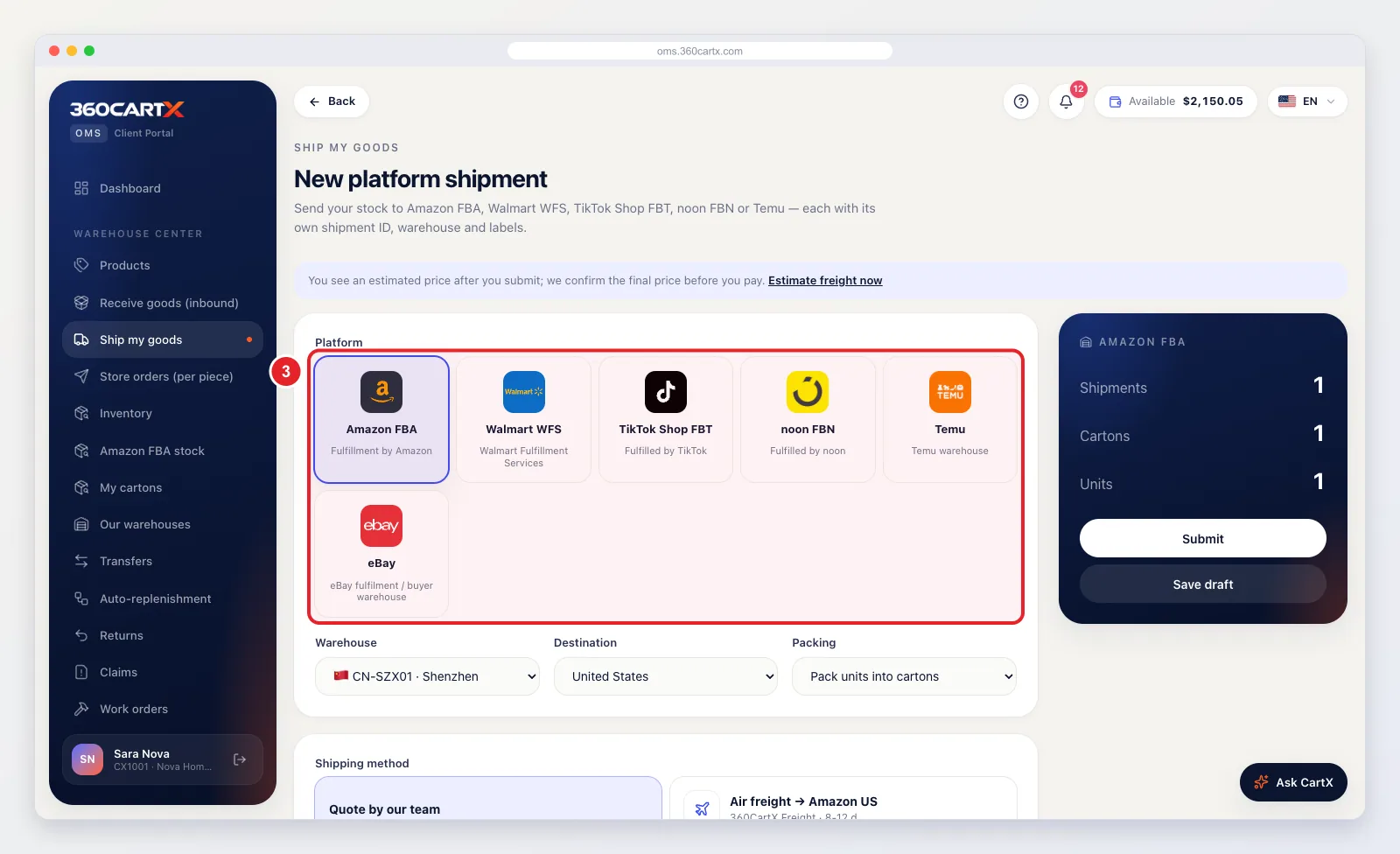
Choose the platform
Pick one of the six tiles: Amazon FBA (Fulfillment by Amazon), Walmart WFS, TikTok Shop FBT, noon FBN, Temu or eBay. Amazon FBA is selected at the start. The rest of the form follows the platform: its own names for the shipment number, the warehouse and the labels. Changing the platform clears the shipment ID, reference and FC code you typed.
- 4
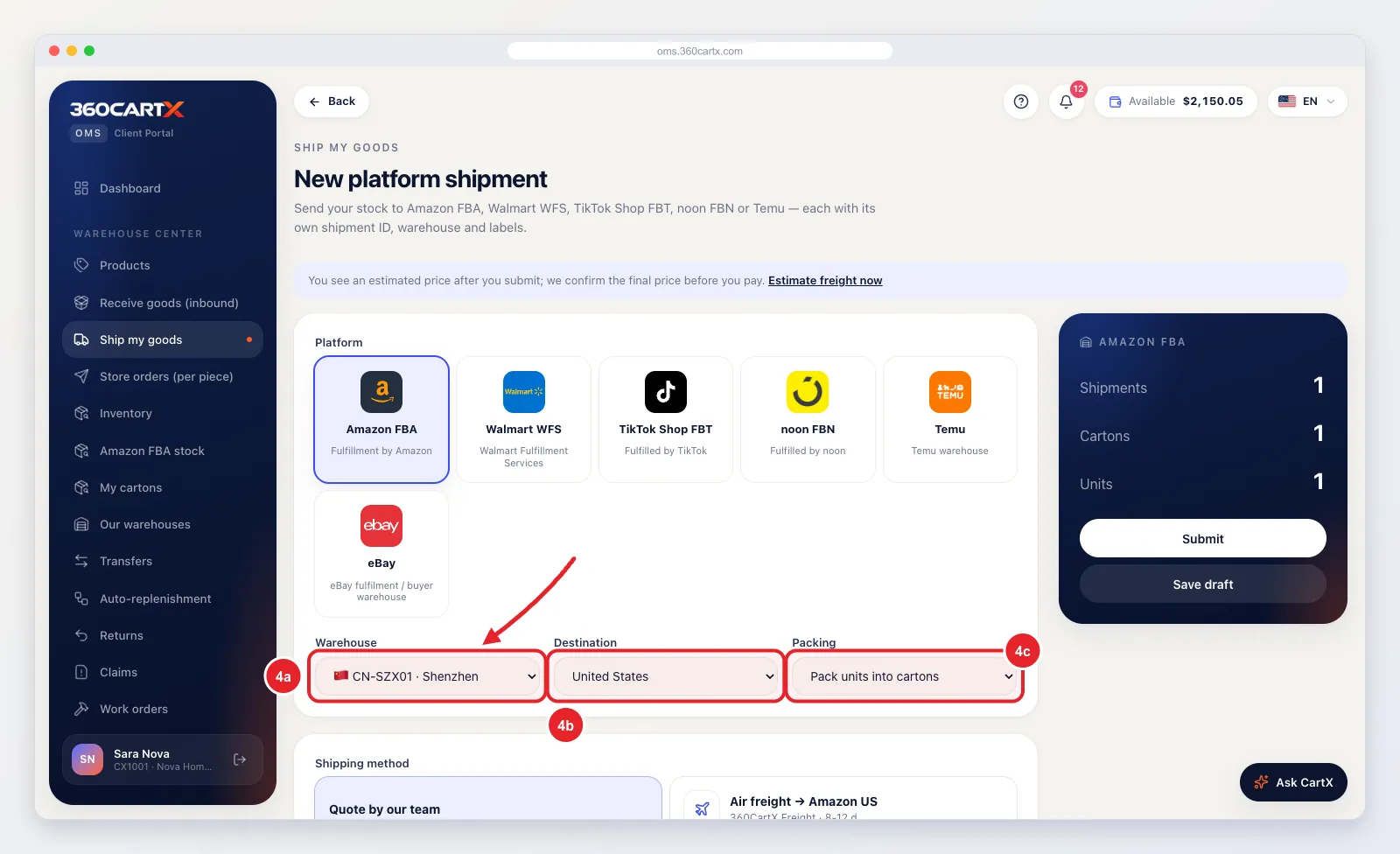
Warehouse, destination and packing
Warehouse: the warehouse of yours that holds the stock, for example CN-SZX01 · Shenzhen (only enabled warehouses are listed). Destination: the marketplace country; for Amazon FBA this is the United States first, then the other Amazon countries in the list. Packing: Pack units into cartons or Ship original cartons. The form asks for the same details either way; your choice is saved for our team and shown under Details as Packing.
- 4a Warehouse
- 4b Destination
- 4c Packing
- 5
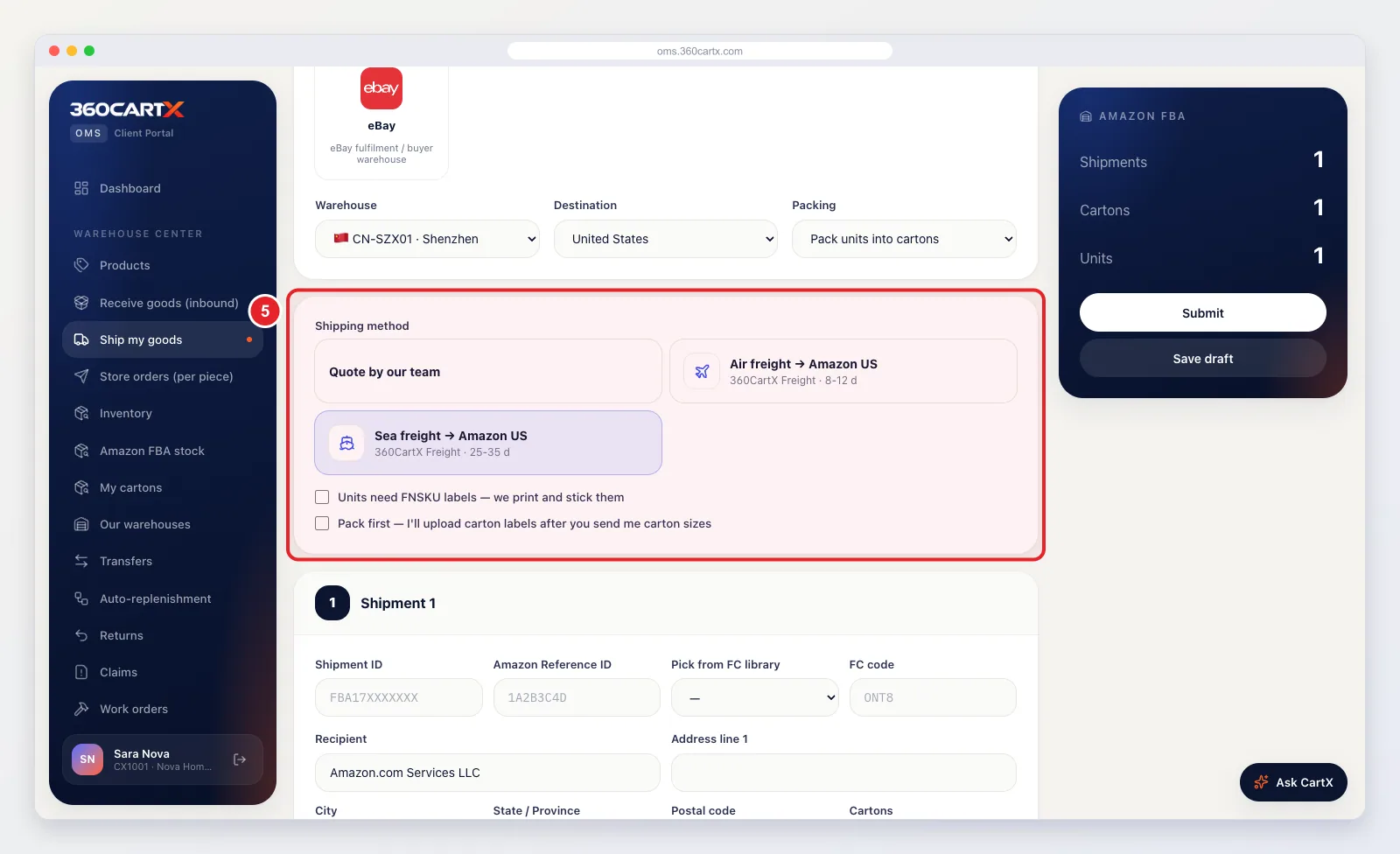
Choose the shipping method
Quote by our team is selected at the start: no price is shown after you submit and our team sends you a quote. Or click one of the methods offered for your platform and destination, for example Sea freight → Amazon US (360CartX Freight · 25-35 d) or Air freight → Amazon US (8-12 d). The line shows the carrier and the transit time in days. If a price is set up for that method, the estimate appears as soon as you submit.
- 6
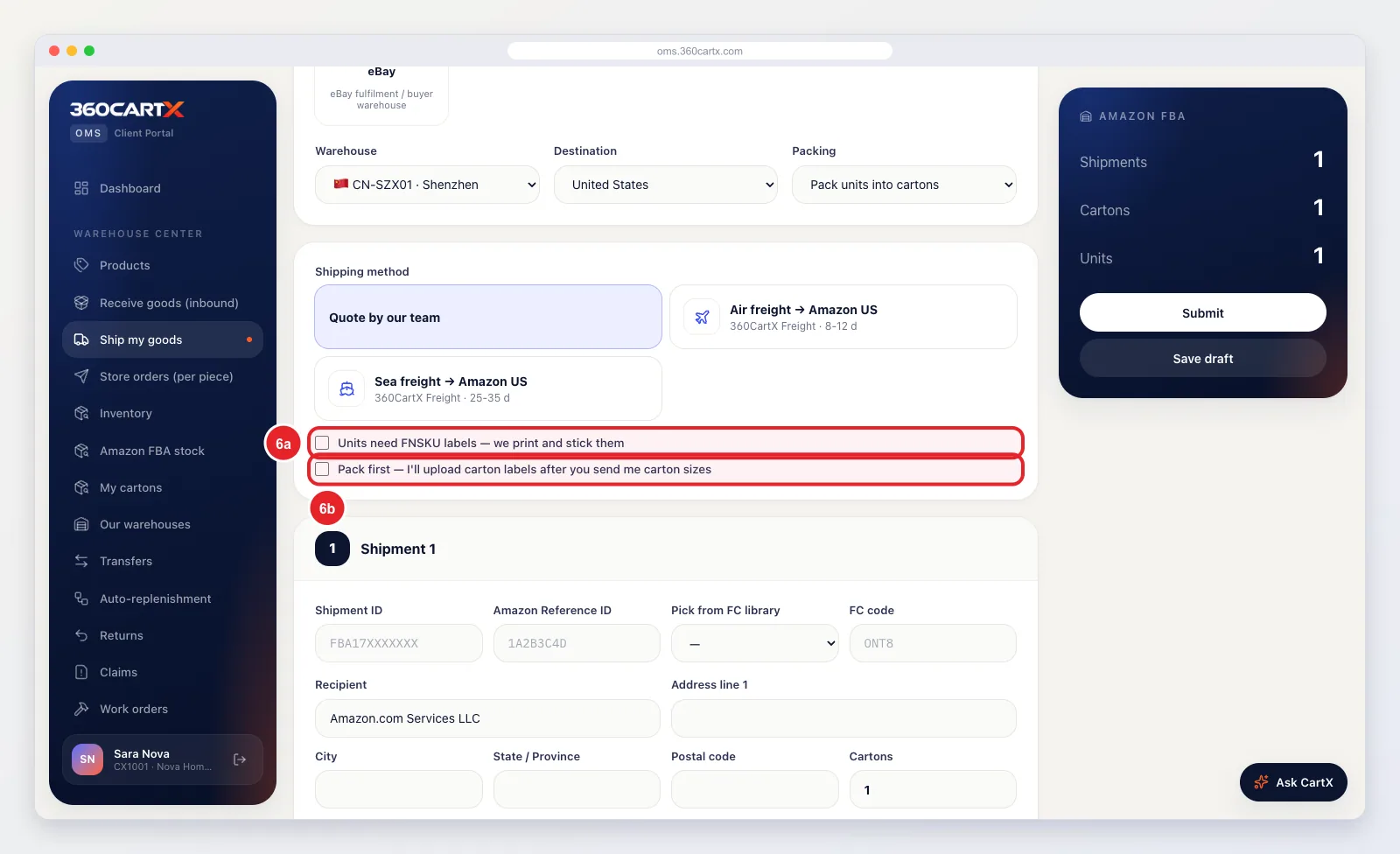
Two optional tick boxes
Units need FNSKU labels — we print and stick them: tick it when our warehouse should put the FNSKU labels on your units; it is recorded on the request and shown under Details as FNSKU: Yes (it does not change the estimate). Pack first — I'll upload carton labels after you send me carton sizes: tick it only when you cannot create the Amazon shipment before we have measured your cartons. Then Submit does not ask for carton labels, but labels can only be added until the request is Packed, so agree the timing with our team first.
- 6a FNSKU labels
- 6b Pack first
- 7
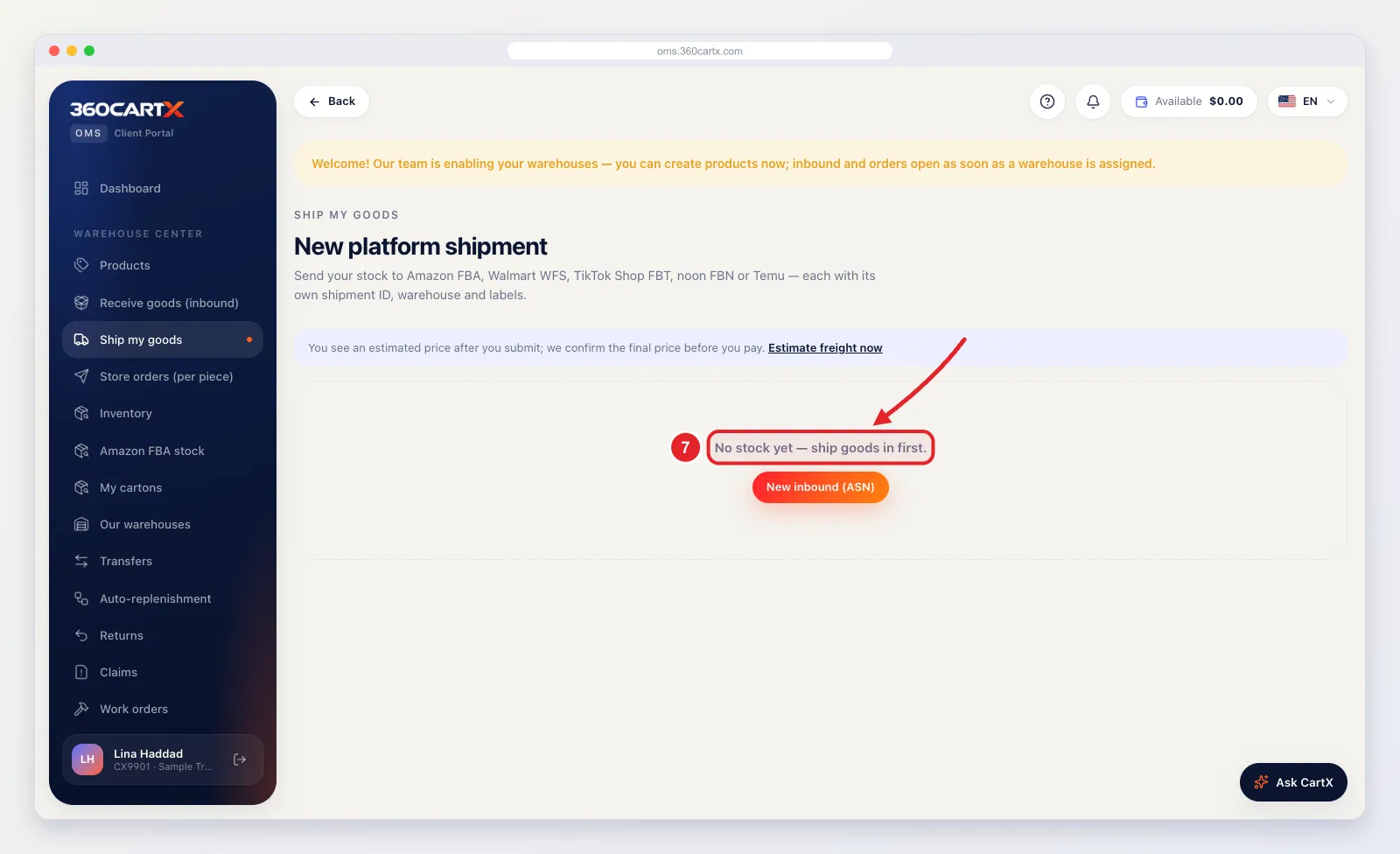
No stock yet?
If none of your warehouses has available stock, the page shows No stock yet — ship goods in first. with a New inbound (ASN) button instead of the form. Create an inbound shipment, wait until the goods are in stock and come back.
Terms in this article
- FBA / FBM: Fulfilled by Amazon vs fulfilled by you.
- FC: Fulfilment centre, e.g. Amazon's warehouse ONT8.
- Shipment ID: The marketplace's number for one shipment to one FC.
- FNSKU: Amazon's 10-character label code for each unit.
Tips
- Only approved products can be chosen, and only available stock can be sent: each product in the list shows how many are available, and Submit stays disabled while a quantity is above it. Stock reserved by other requests or orders is not available.
- Amazon shipments need an FNSKU and its label file on every product. See Amazon FBA: the FNSKU is required.
- Not sure about the price? Use Estimate freight now first, or choose Quote by our team.
Common problems
The method I want is not in the list
Methods are shown only when they serve your destination country and the platform you chose. Pick Quote by our team and write the method you want in the Note, or open a ticket.
Not enough stock for AMZ-MUG-350: need 700, available 600
Another request or order reserved some of your stock while you filled in the form. Lower the quantity or wait for more stock.
Shipping method not available for this destination
The method was switched off while you filled in the form. Choose another one, or Quote by our team.
Related articles
Updated 2026-11-11
Open a ticket from Support in your portal and our team will reply.