Steps
- 1
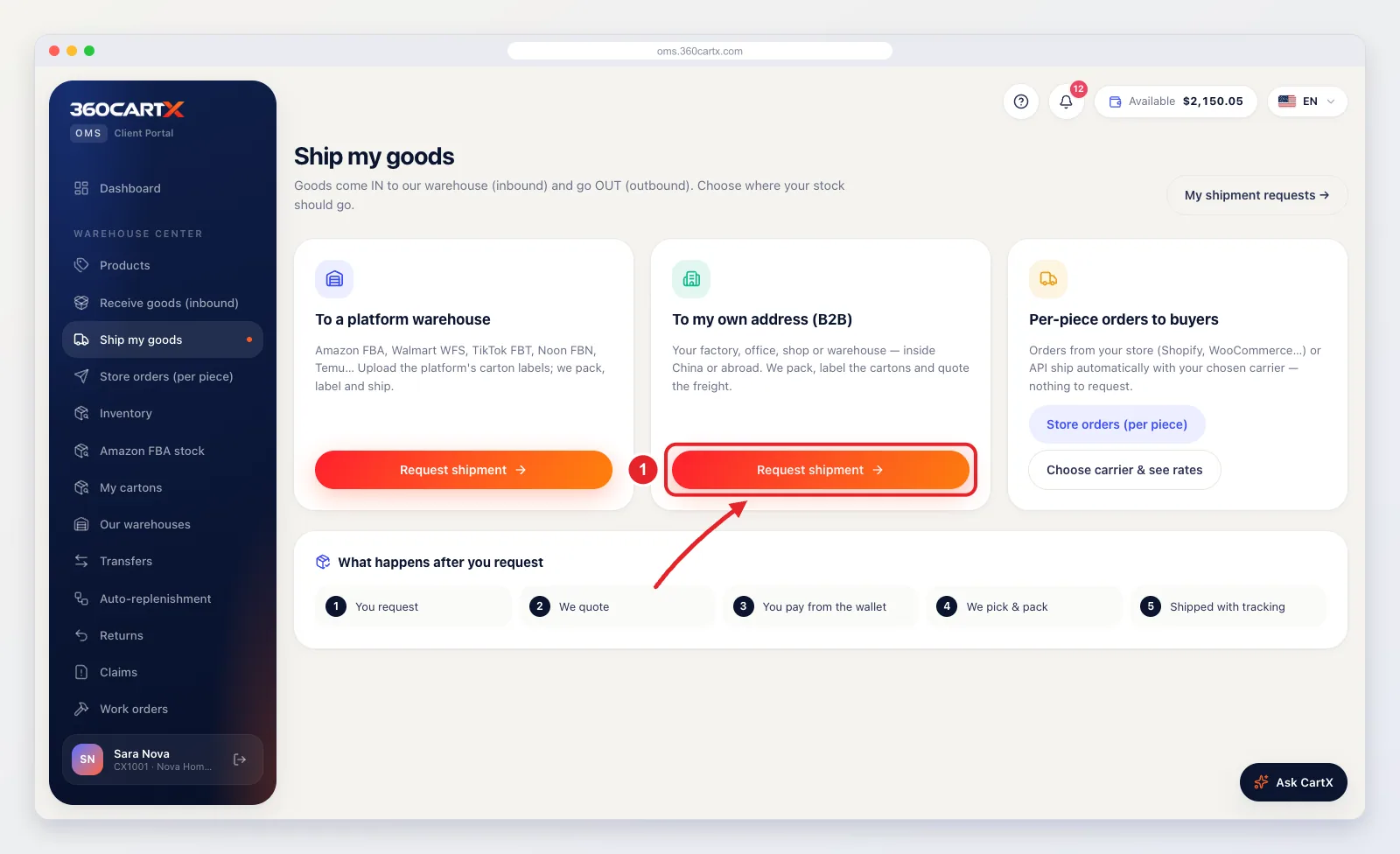
Click Request shipment on the second card
On Ship my goods, under To my own address (B2B), click Request shipment.
- 2
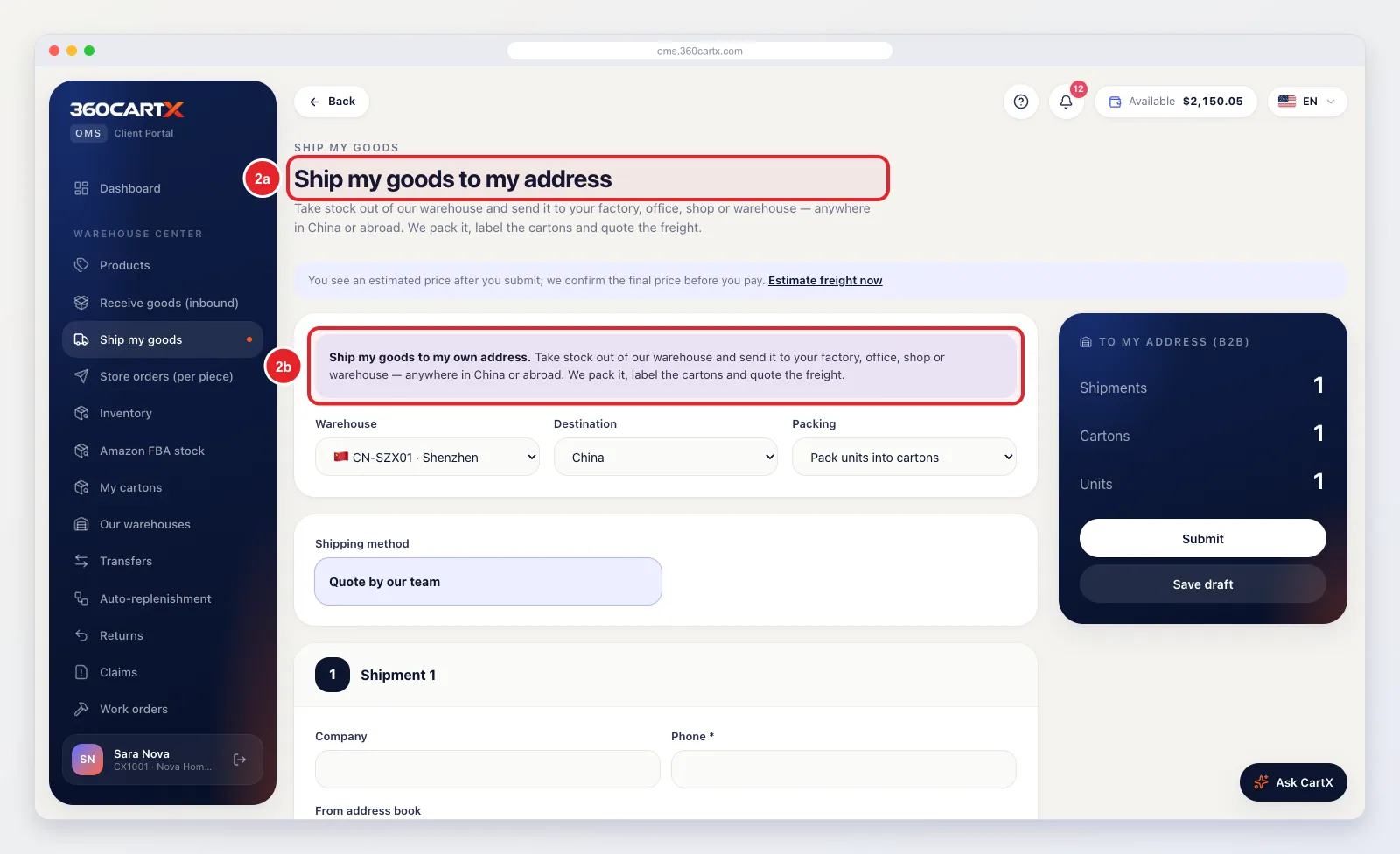
The page: Ship my goods to my address
The title is Ship my goods to my address. The box at the top says: Take stock out of our warehouse and send it to your factory, office, shop or warehouse — anywhere in China or abroad. We pack it, label the cartons and quote the freight. There are no platform tiles, Shipment ID, FC or label boxes in this form.
- 2a Page title
- 2b Explanation
- 3
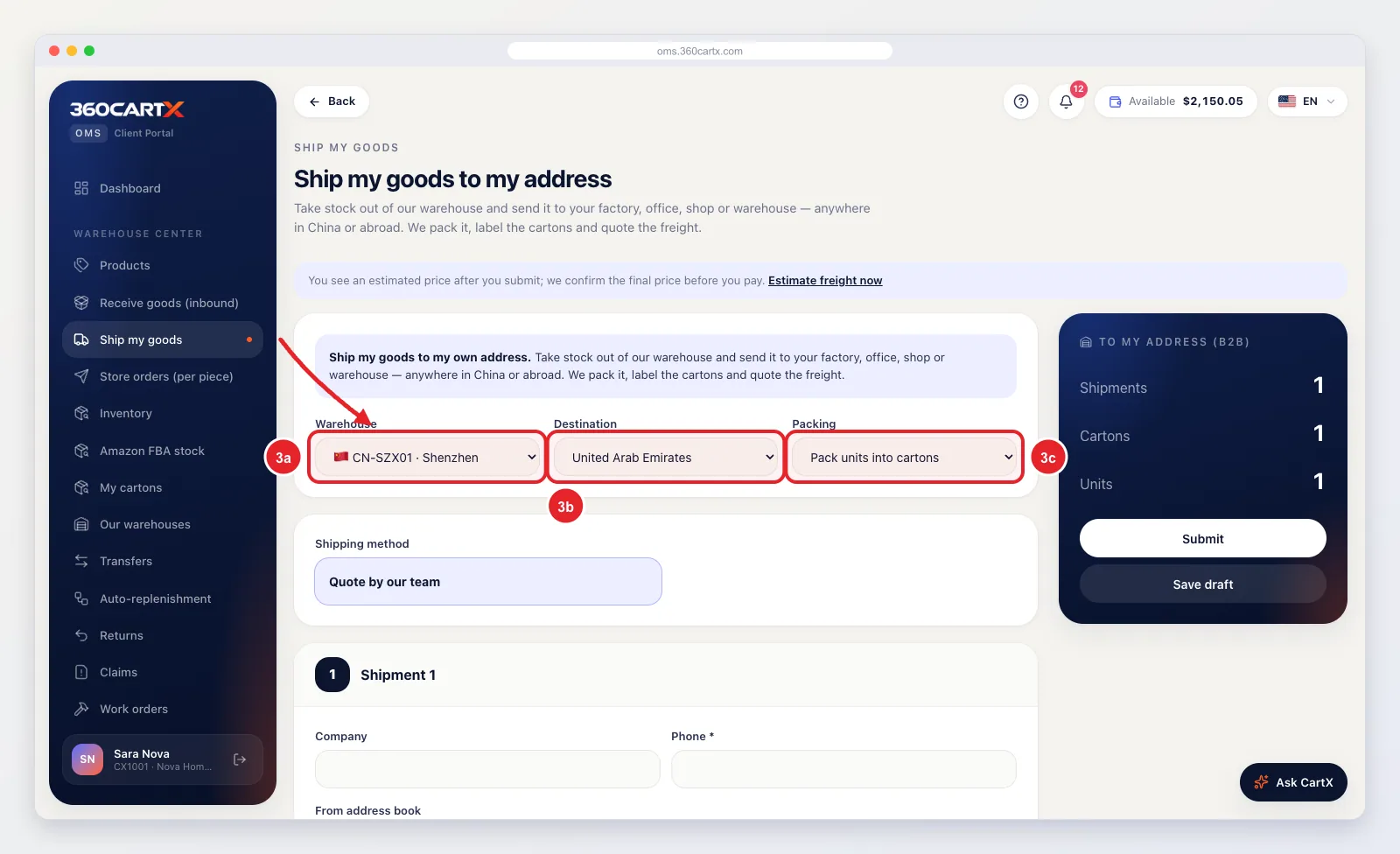
Warehouse, destination and packing
Warehouse: the warehouse that holds the stock. Destination: the country of the delivery address; it starts at China and every country is listed (here United Arab Emirates). Packing: Pack units into cartons or Ship original cartons, saved for our team.
- 3a Warehouse
- 3b Destination
- 3c Packing
- 4
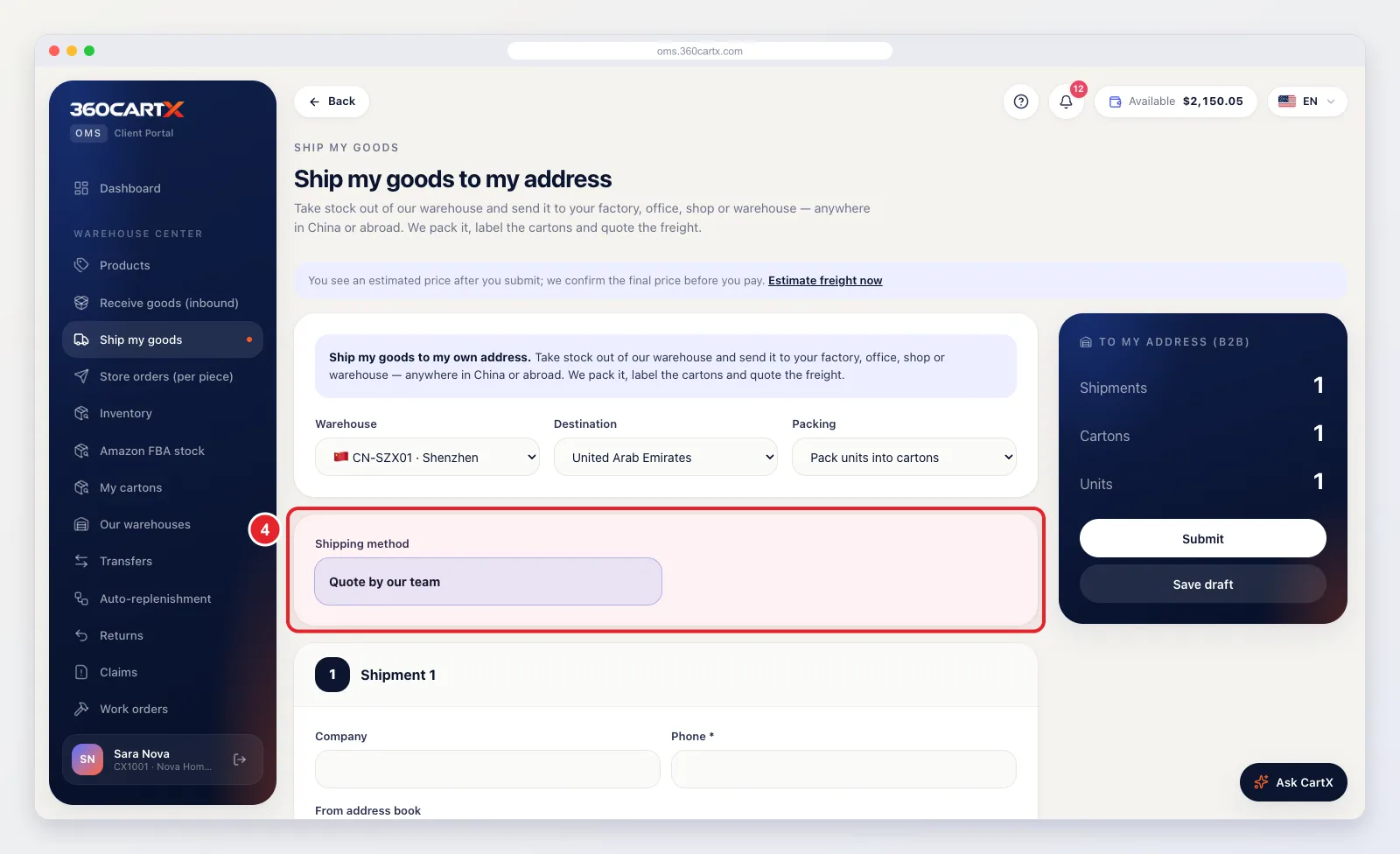
Shipping method
You usually see only Quote by our team: our team prices the freight for your destination and sends you the price. If a ready-made method serves your destination country, it is listed next to it and gives you an estimate after you submit. Use Quote by our team for sea freight in a part container (LCL) or a full container (FCL) and describe what you need in the Note.
- 5
Fill the address from your address book
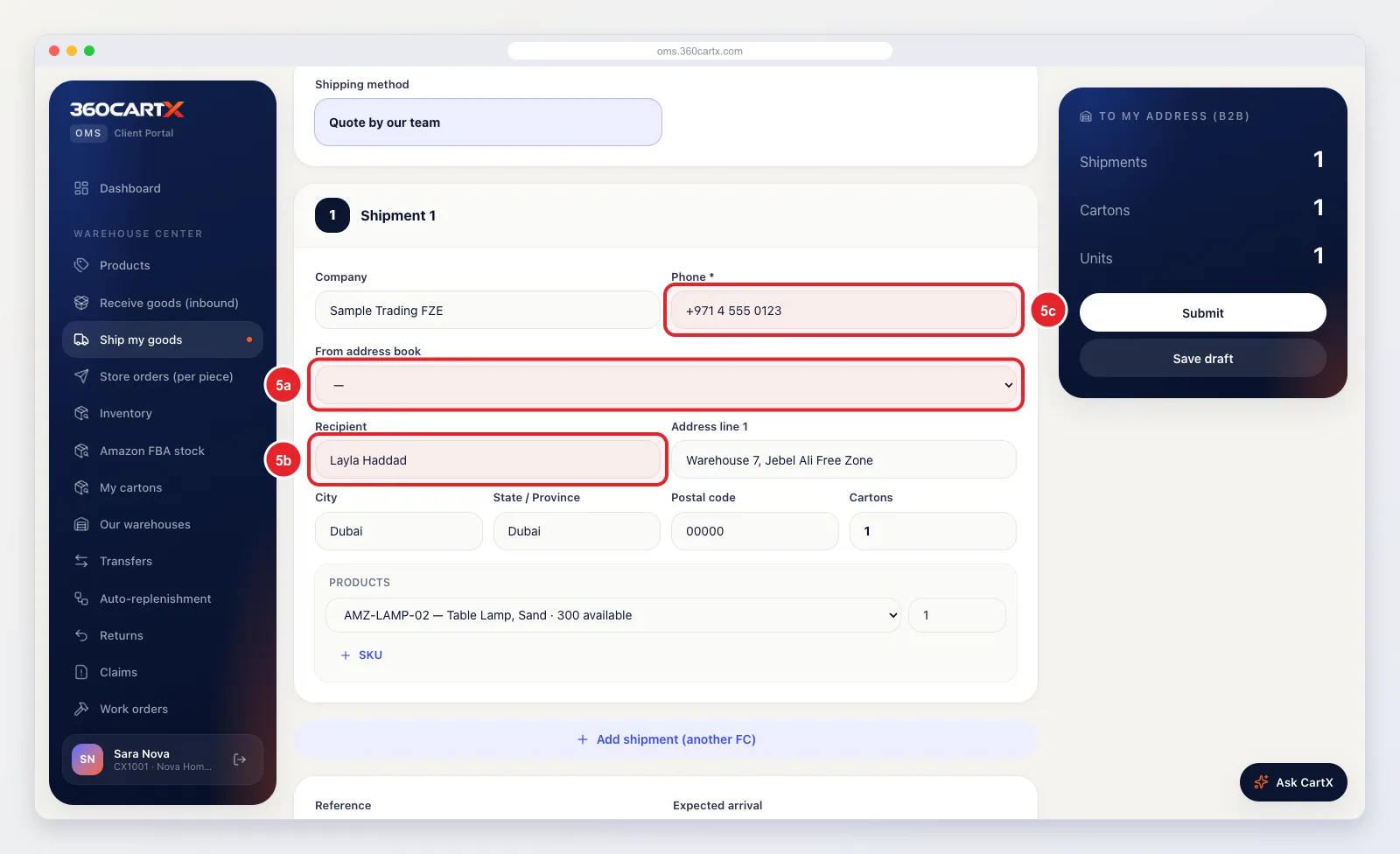
If you saved addresses in Address book, the shipment block has From address book: choose one, for example Jebel Ali warehouse · Dubai, AE, and Recipient, Company, Phone, address, city, state and postal code are filled in. The country is taken from Destination at the top, not from the address book.
- 5a From address book
- 5b Filled in
- 6
Or type the delivery address
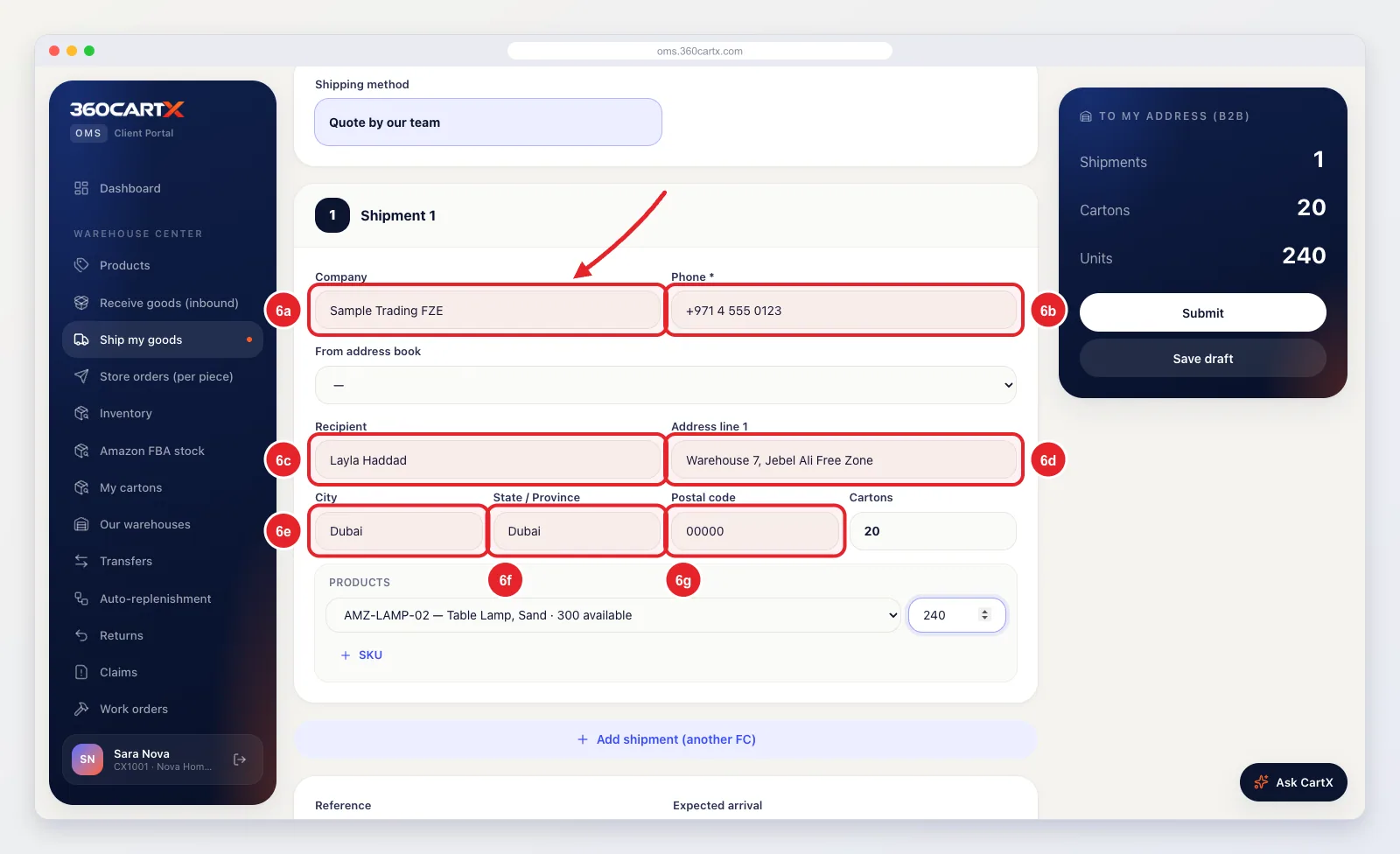
Company (optional) and Phone are for the carrier: the phone number is required, for example +971 4 555 0123. Then Recipient (the contact person, for example Layla Haddad), Address line 1, City, State / Province and Postal code. The postal code is required (at least 2 characters).
- 6a Company and phone
- 6b Recipient and address
- 7
Cartons and products
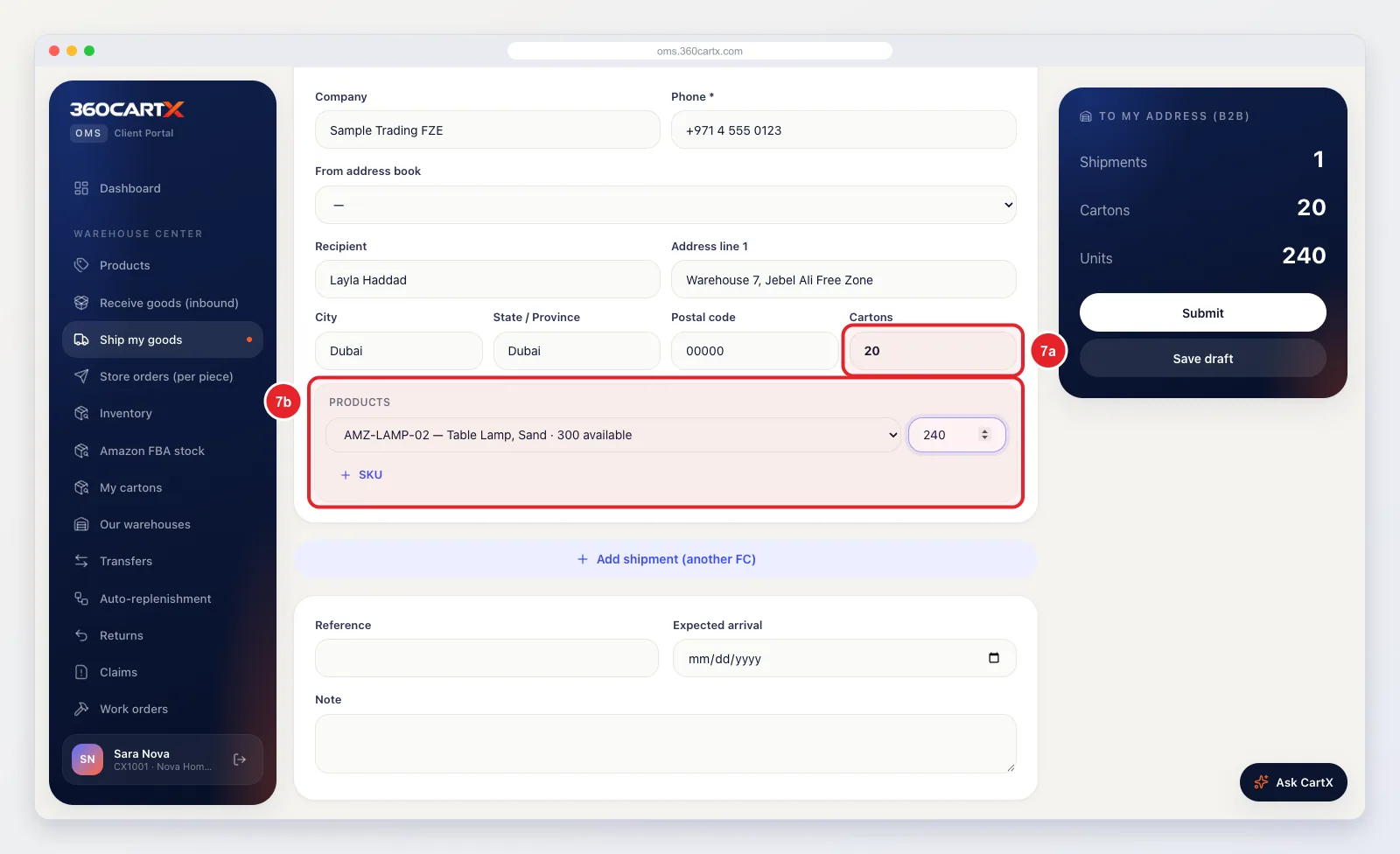
Cartons is the number of cartons you expect, for example 20. Choose each product and its units, for example AMZ-LAMP-02 × 240; + SKU adds another product and Add shipment (another FC) adds a second delivery address to the same request. Your total must be within the available stock.
- 8
Reference, expected arrival and note
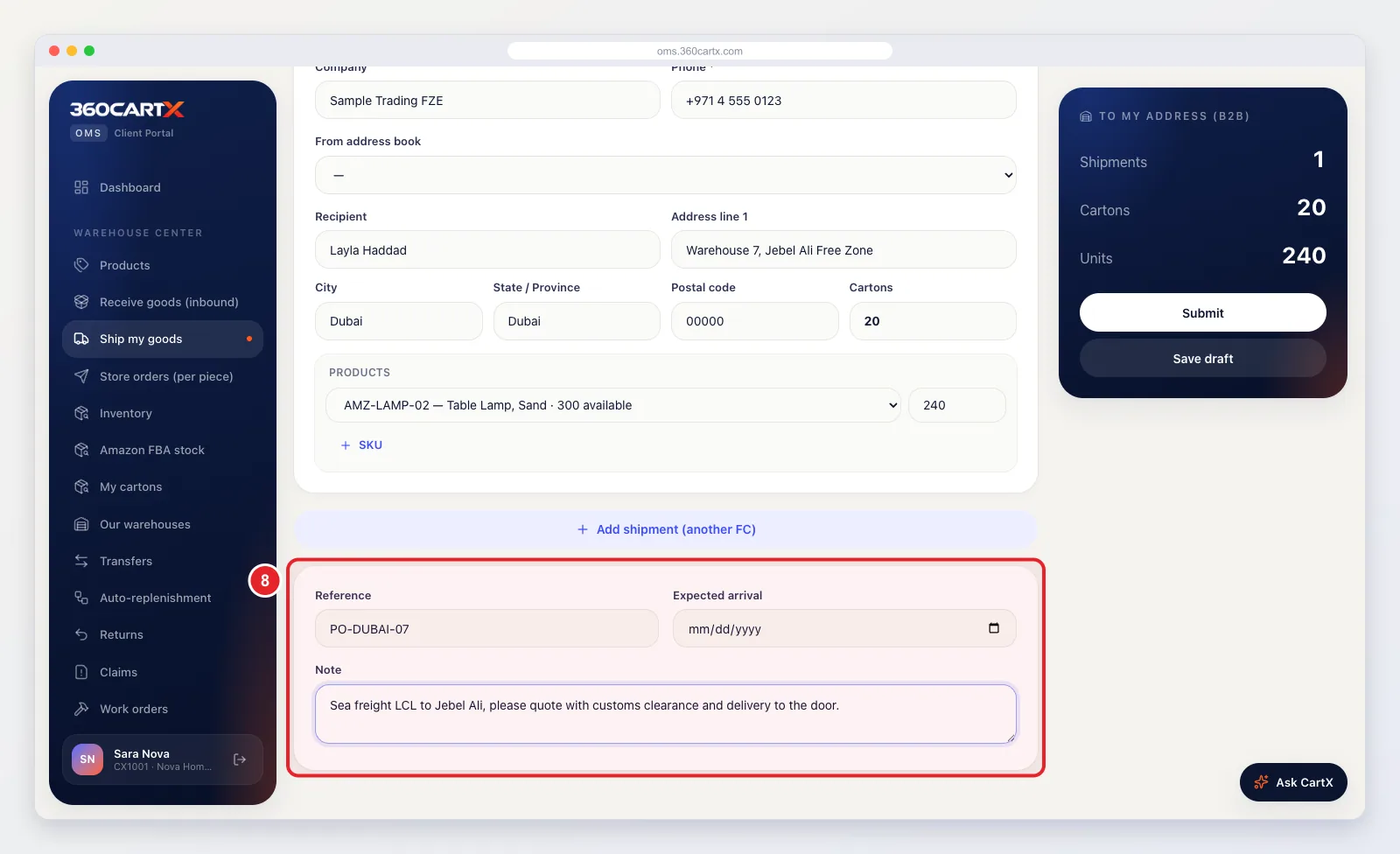
At the bottom: Reference (your PO number, for example PO-DUBAI-07), Expected arrival (optional) and Note. Use the Note for what our team needs to quote: the freight mode (for example sea freight LCL), customs clearance, delivery to the door, opening hours and so on.
- 9
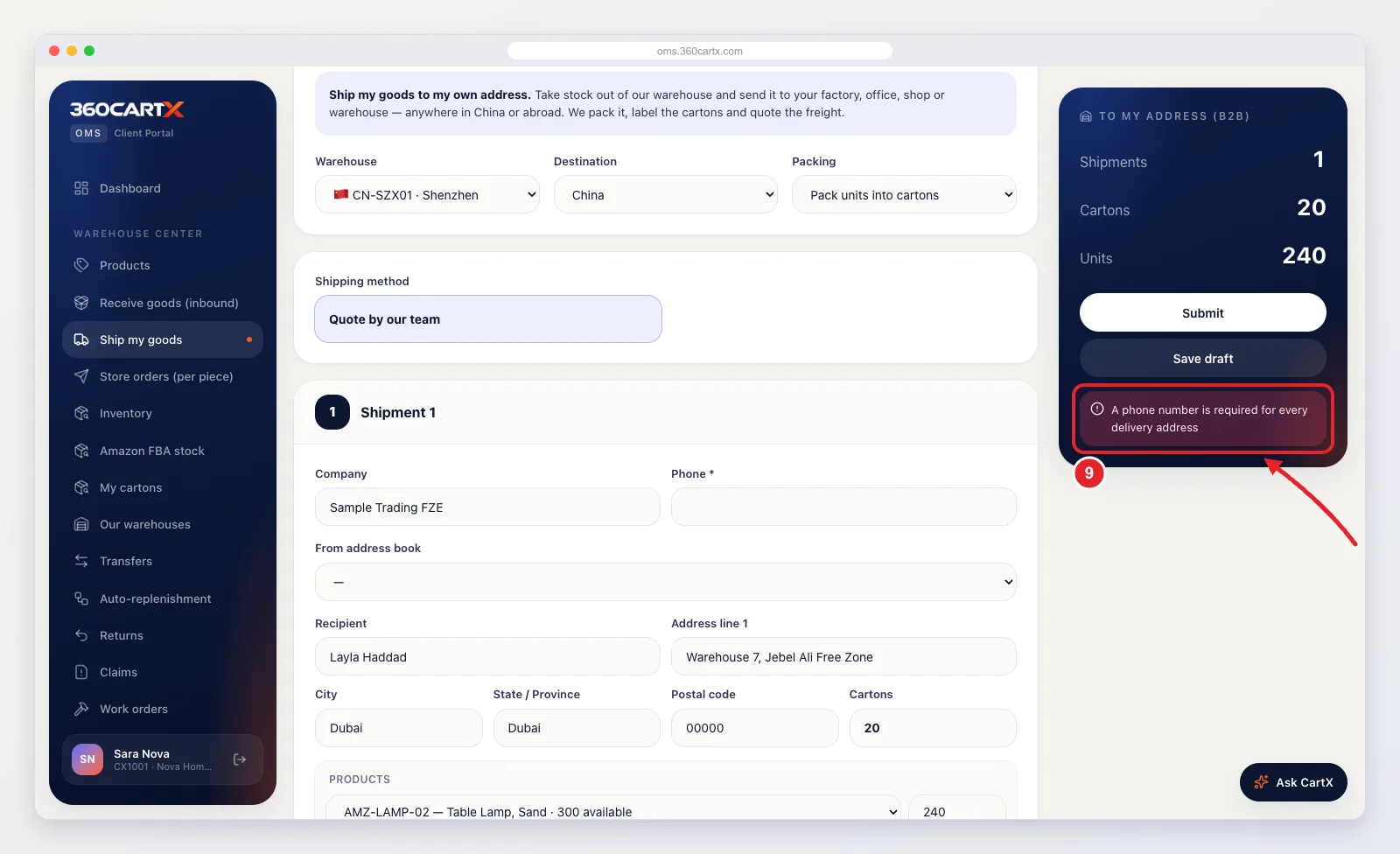
A phone number is required
If a delivery address has no phone number, Submit and Save draft refuse with: A phone number is required for every delivery address. Enter the phone of the recipient.
- 10
Submit: we quote, you pay
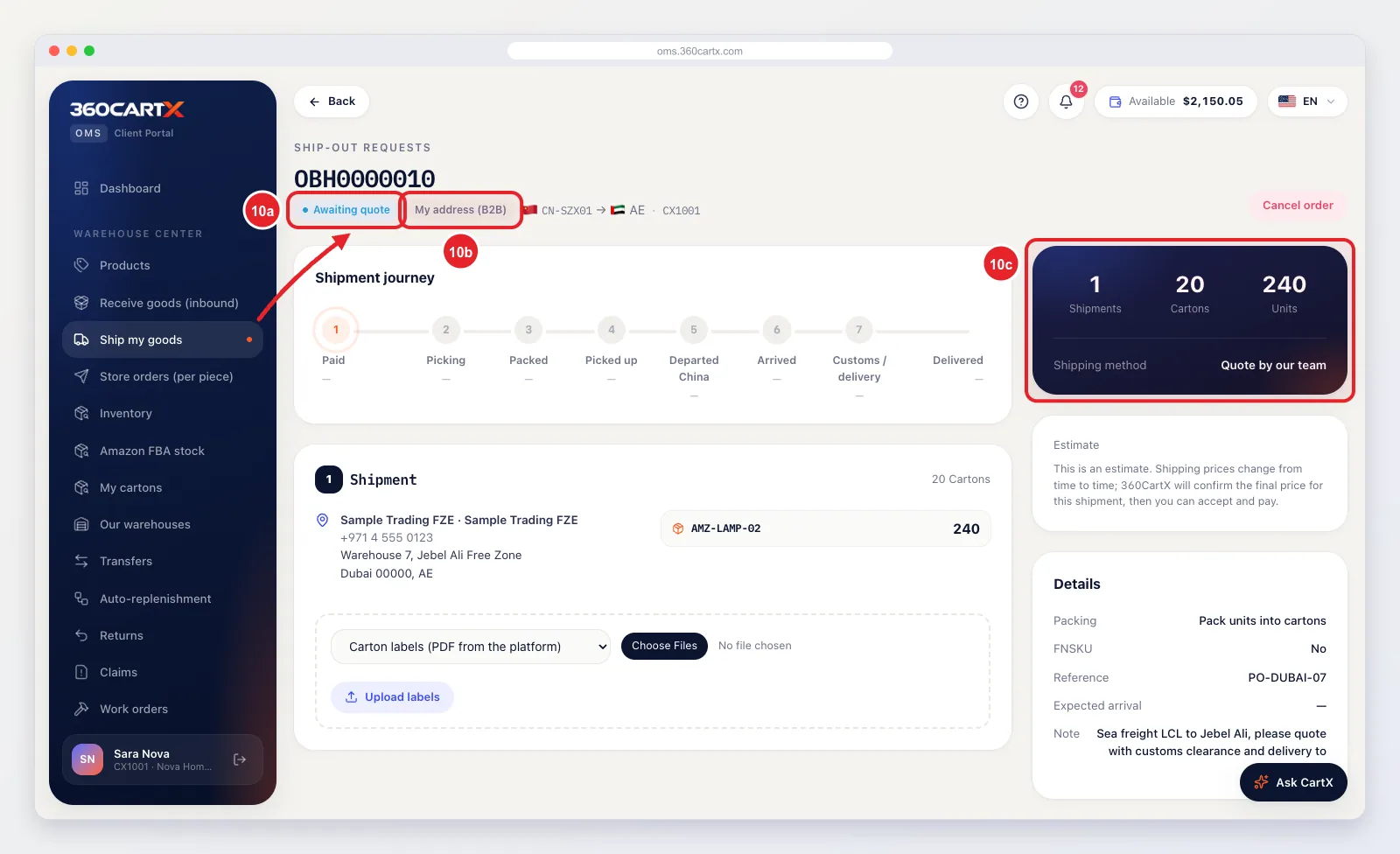
After Submit the request page shows Awaiting quote with the label My address (B2B); stock is reserved. With Quote by our team there is no estimate: our team sends the quote, you get a notification and then click Accept and pay. See Accept and pay the final price.
- 10a Status
- 10b Request type
Terms in this article
- B2B shipment: Shipping your stock in bulk to your own address.
Tips
- We label the cartons ourselves: for your own address you do not upload any labels.
- The last step of the journey is called Delivered for requests to your address (At the FC for platform requests).
- Need the goods delivered to a customer's home? Use a per-piece order instead. See Three ways to ship your goods out.
Common problems
A phone number is required for every delivery address
Fill in Phone * for every shipment block of the request.
Recipient is required / Address is required / City is required / Postal code is required
Fill in the field named in the message.
Not enough stock for AMZ-LAMP-02: need 240, available 100
Your quantities are above the available stock. Lower them.
My shipping method is not offered for my country
Choose Quote by our team and describe what you need in the Note.
Related articles
Updated 2026-11-11
Open a ticket from Support in your portal and our team will reply.