Steps
- 1
Open the B2B tab and choose the freight type
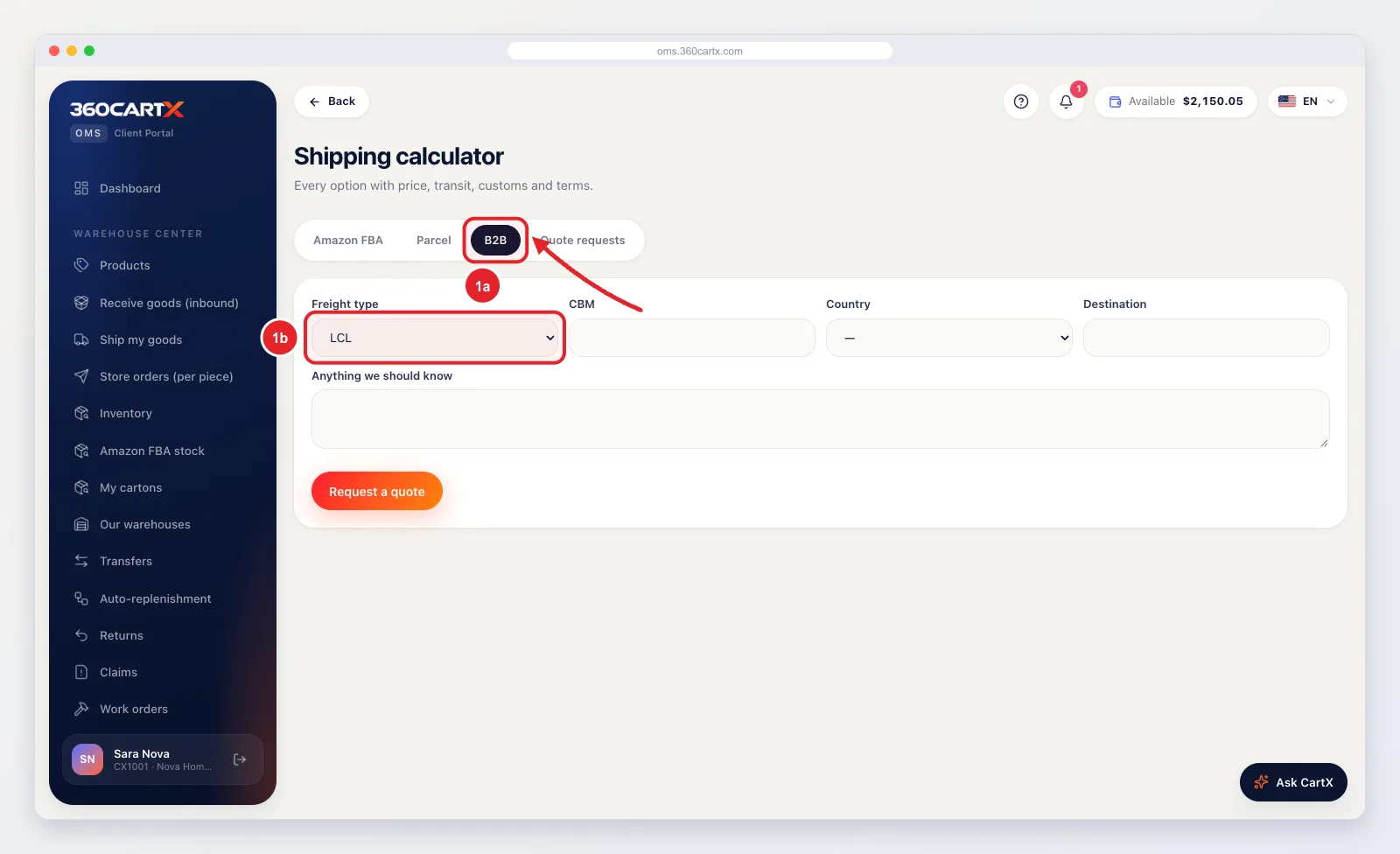
Click Shipping quote in the left menu, then the B2B tab. Freight type has two choices. LCL is a part of a container, shared with other goods and priced by volume. FCL is a whole container just for you.
- 1a B2B tab
- 1b Freight type
- 2
LCL: enter the volume
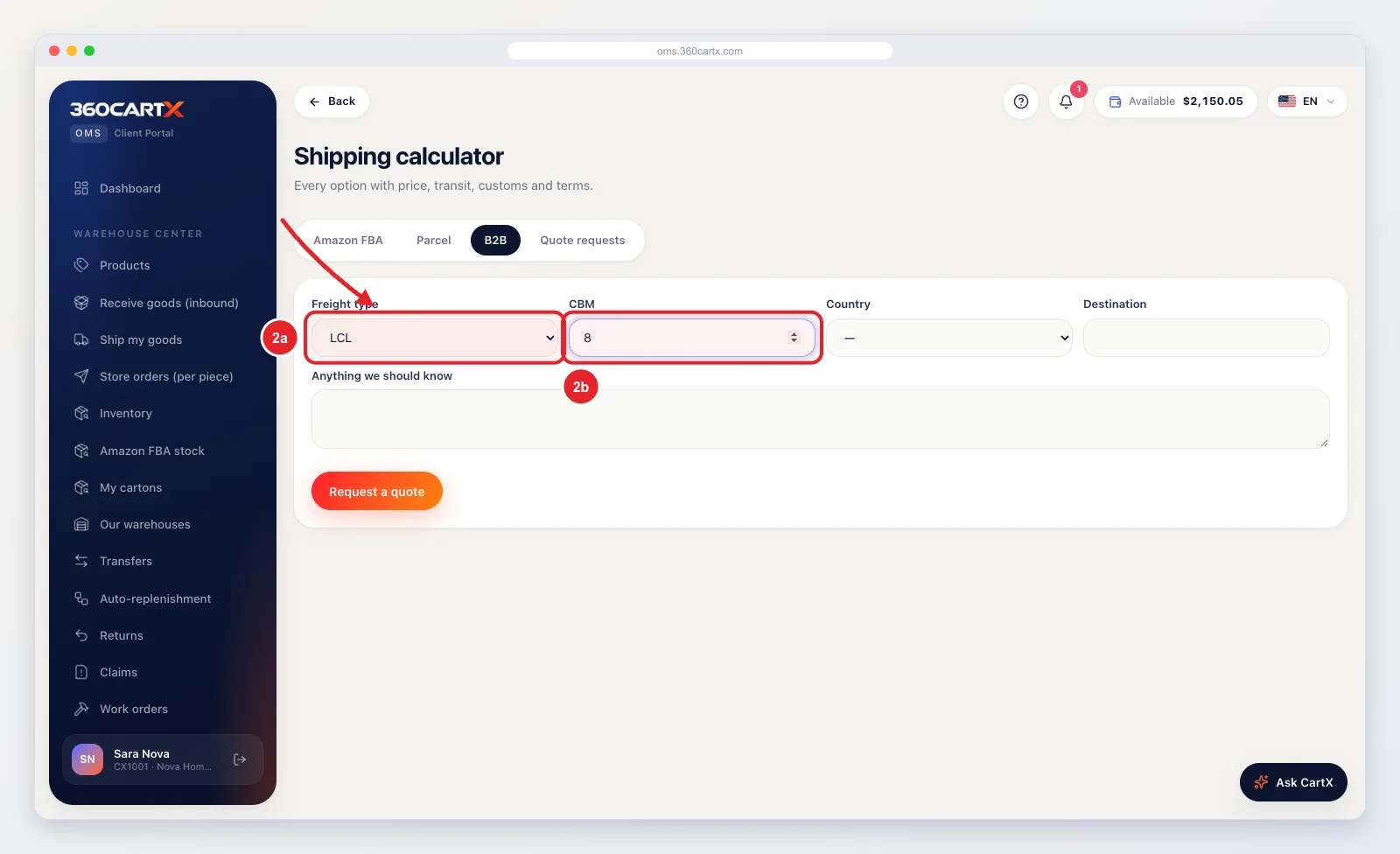
With LCL the next field is CBM, the volume of the whole shipment in cubic metres, for example 8. If you are not sure, multiply length × width × height of one carton in metres and multiply by the number of cartons.
- 2a Freight type: LCL
- 2b CBM
- 3
FCL: choose the container
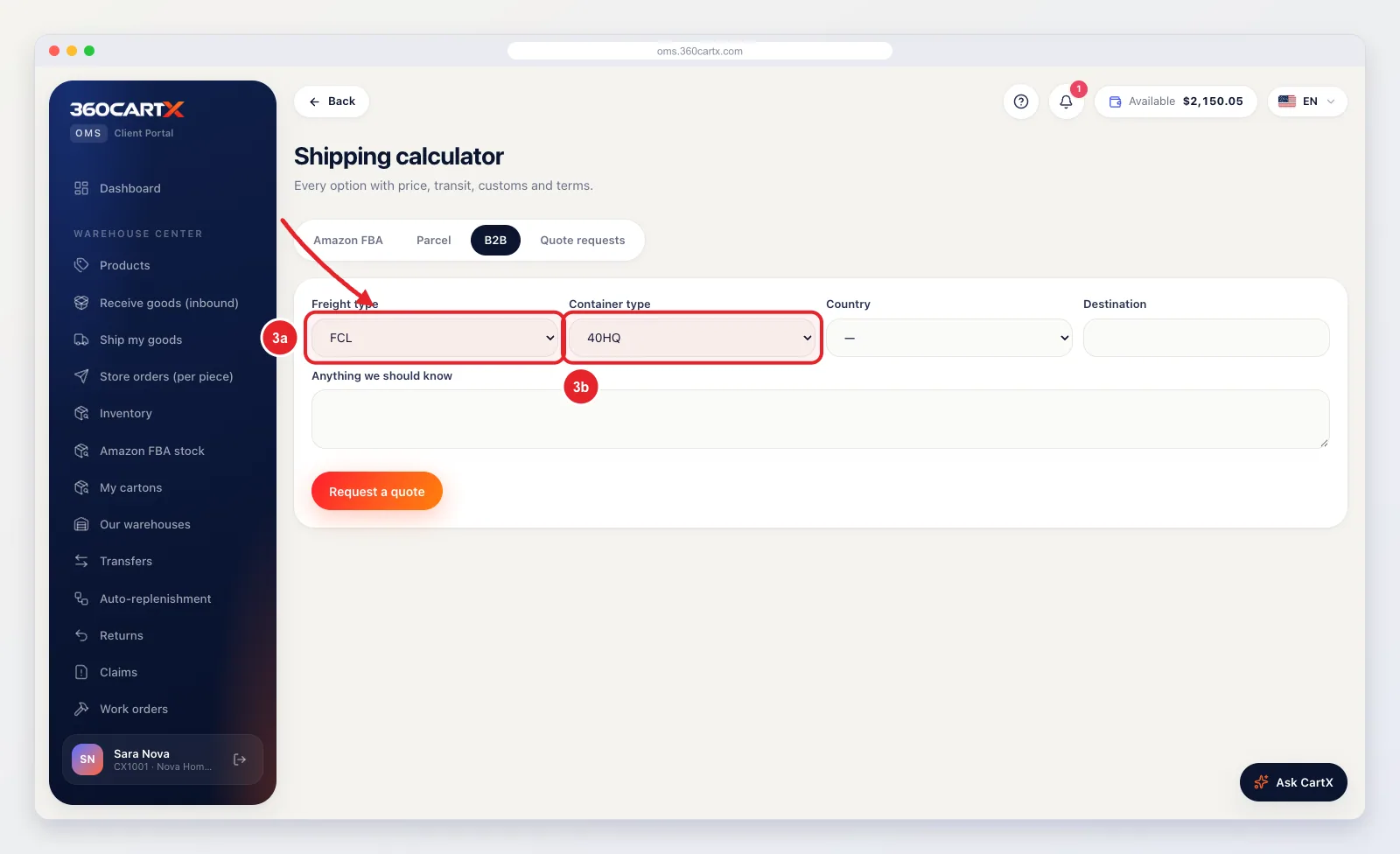
With FCL the next field is Container type: 20GP (a standard 20 foot container), 40GP (standard 40 foot) or 40HQ (40 foot high cube, taller than the standard one). CBM disappears because a container has a fixed size.
- 3a Freight type: FCL
- 3b Container type
- 4
Say where it goes
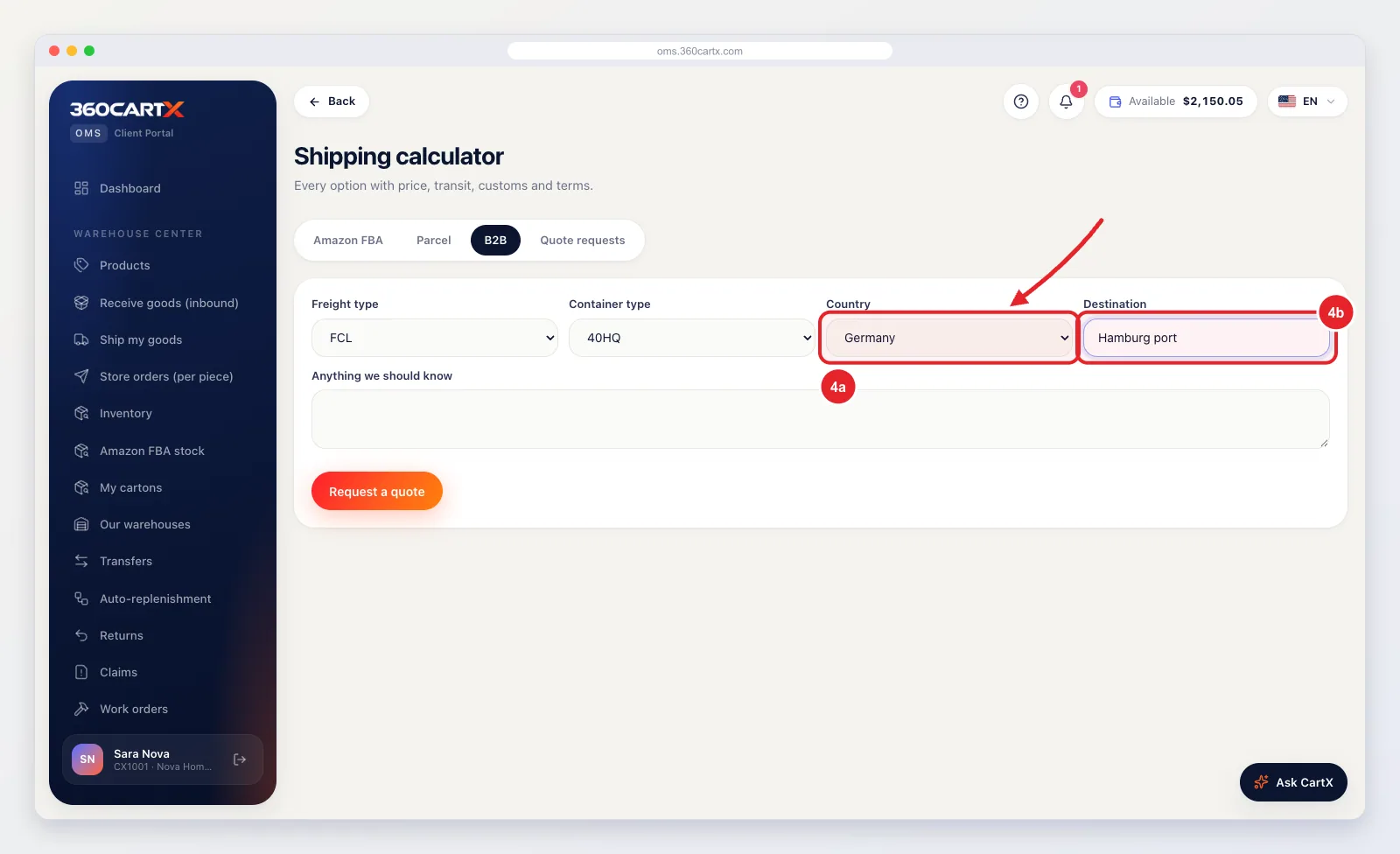
Choose the Country and type the Destination in the box, for example Hamburg port or a full address. The more exact the destination, the more exact our price. The country list starts empty, so choose one.
- 4a Country
- 4b Destination
- 5
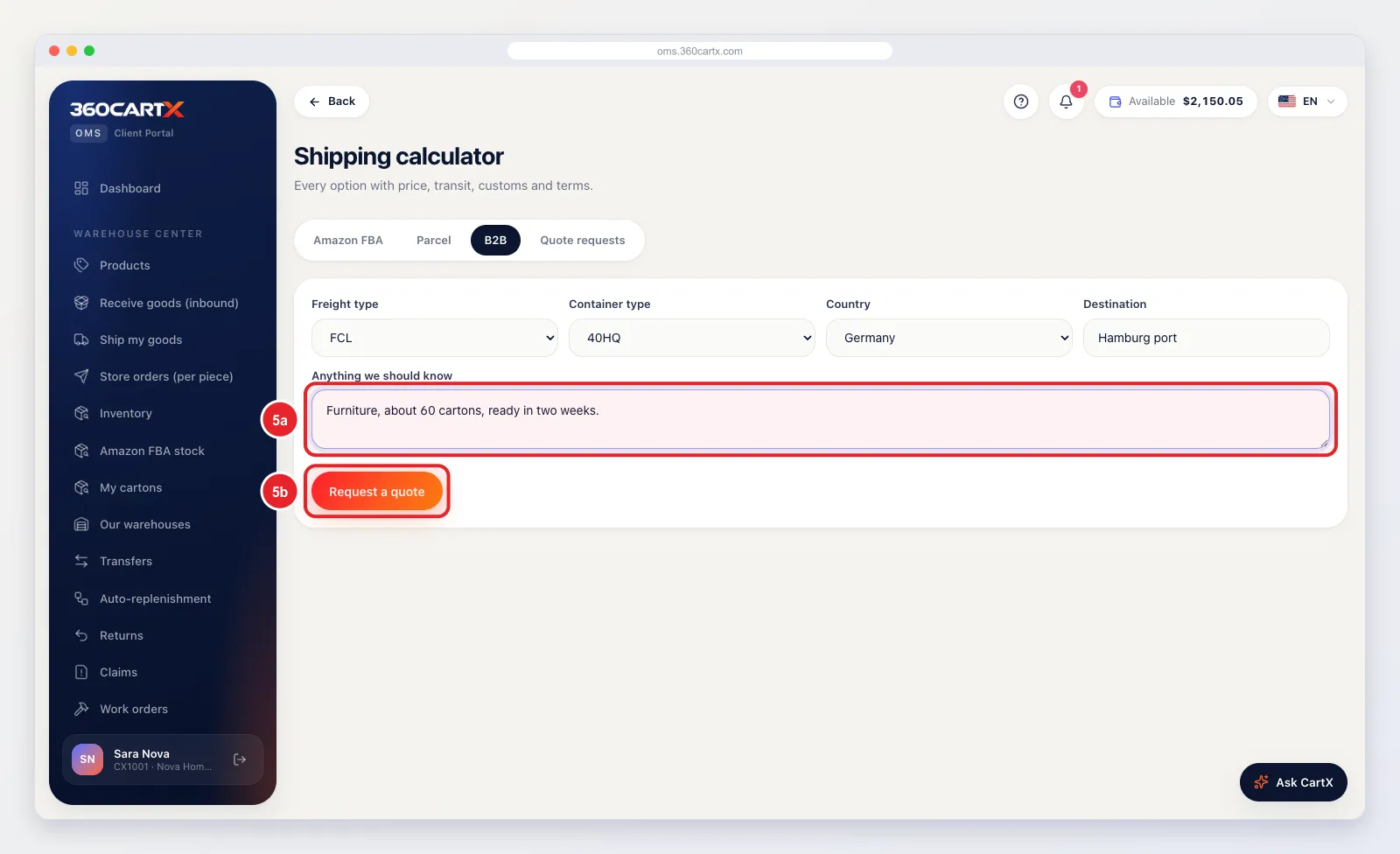
Add a note and click Request a quote
In Anything we should know write what we need to price it: what the goods are, how many cartons, when they are ready, special handling. Then click Request a quote. The request is sent with the details you entered. There is no Show options button on this tab because there is no instant price.
- 5a Anything we should know
- 5b Request a quote
- 6
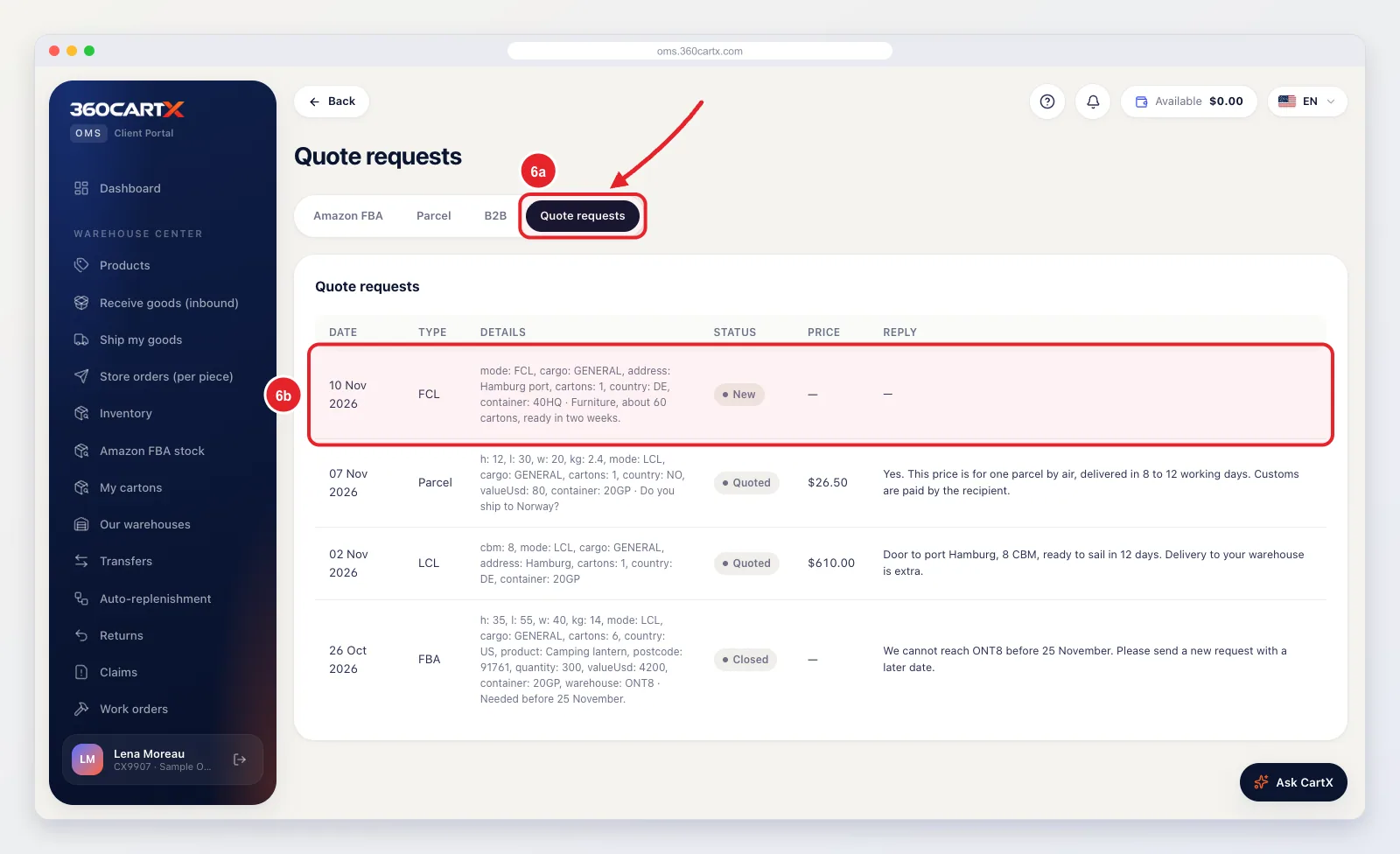
Follow your request
Your request is listed on the Quote requests tab, with its status. When our team replies, the price and our note appear in the same row, and you get a notification Your quote request was answered. See Request a quote and see replies.
- 6a Quote requests tab
- 6b Your request
Terms in this article
- B2B shipment: Shipping your stock in bulk to your own address.
- Chargeable / volumetric weight: The weight carriers bill: the larger of real and volume weight.
Tips
- Send the request as early as you can. Prices for containers depend on the sailing and change from week to week.
- A price in our reply is for the shipment as you described it. Tell us in the note if the volume or the date can change.
- Need cartons delivered to an Amazon warehouse instead? Use the Amazon FBA tab, which gives instant prices.
Common problems
I cannot find a Show options button
That is correct. B2B freight is priced on request, so the tab has Request a quote only.
I clicked Request a quote and the form cleared
That means the request was sent. Open the Quote requests tab to see it. You are notified when we reply.
I need to change my request
Send a new request with the right details and say in the note that it replaces the old one.
Related articles
Updated 2026-11-11
Open a ticket from Support in your portal and our team will reply.