Steps
- 1
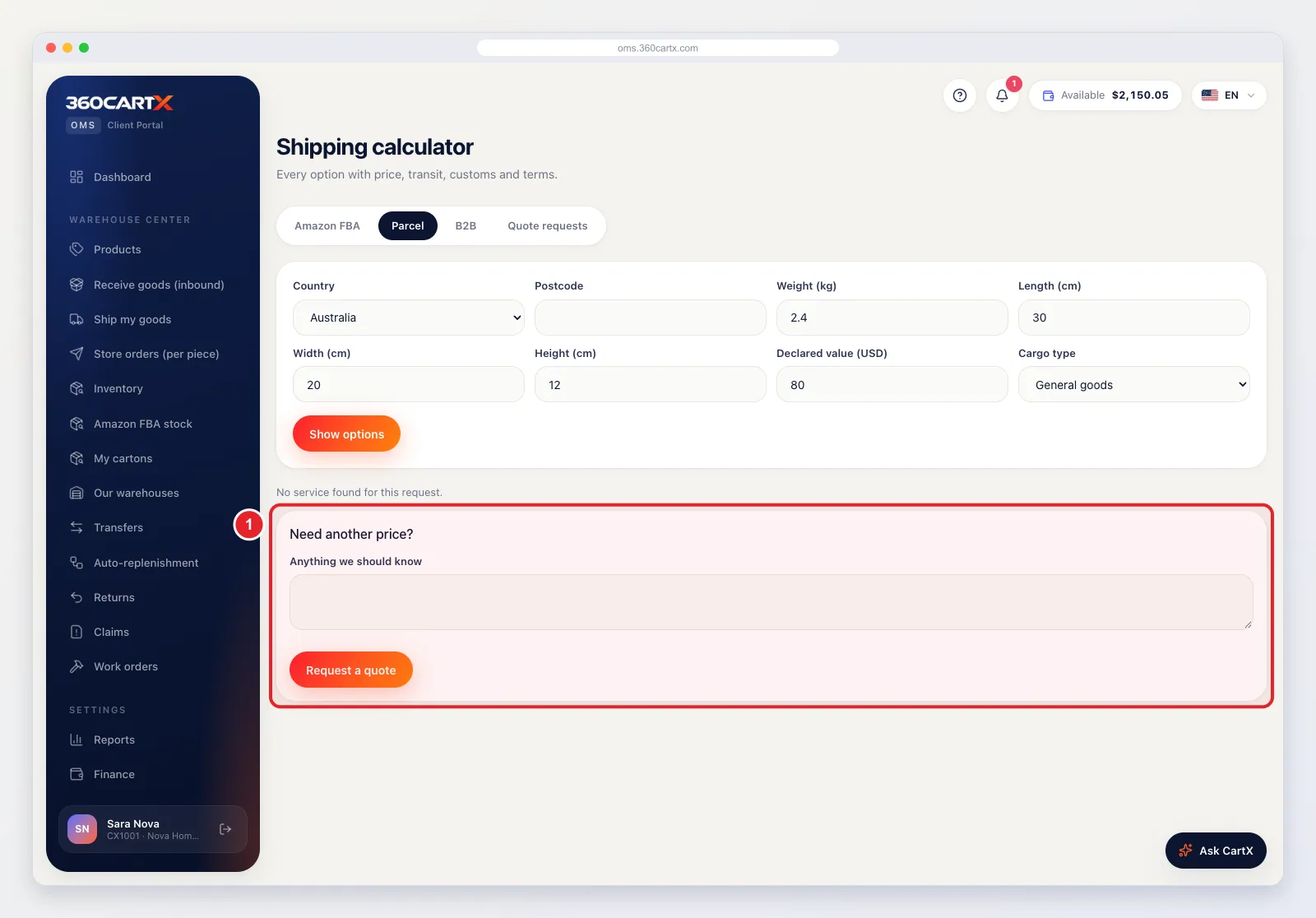
Find the Need another price? card
On the Amazon FBA and Parcel tabs the card Need another price? appears under the results of Show options, also when the page says No service found for this request. On the B2B tab the same box is part of the form. It uses the details you entered above, so fill in the calculator first.
- 2
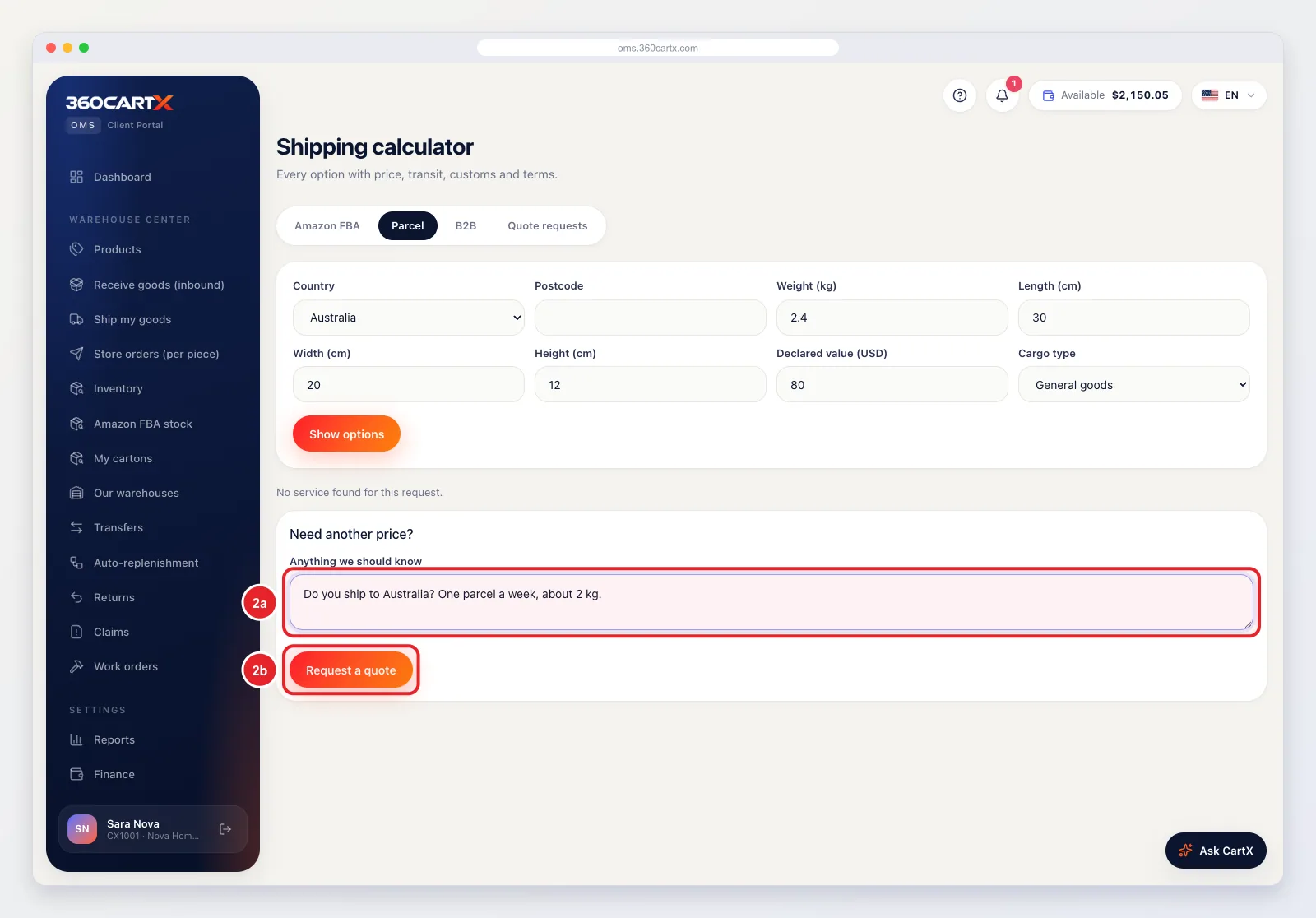
Write what we should know
In Anything we should know write what helps us price it: what the goods are, how often you ship, when they are ready, the exact address, special needs. You can leave it empty, but a good note saves a round of questions. Then click Request a quote.
- 2a Anything we should know
- 2b Request a quote
- 3
After you send it
The form is cleared and a short confirmation says Request sent. Our team is told at once. If you cannot send it, a red message tells you why. For example: Your role can't do this, ask the account owner. Do not send the same request twice, one is enough.
- 4
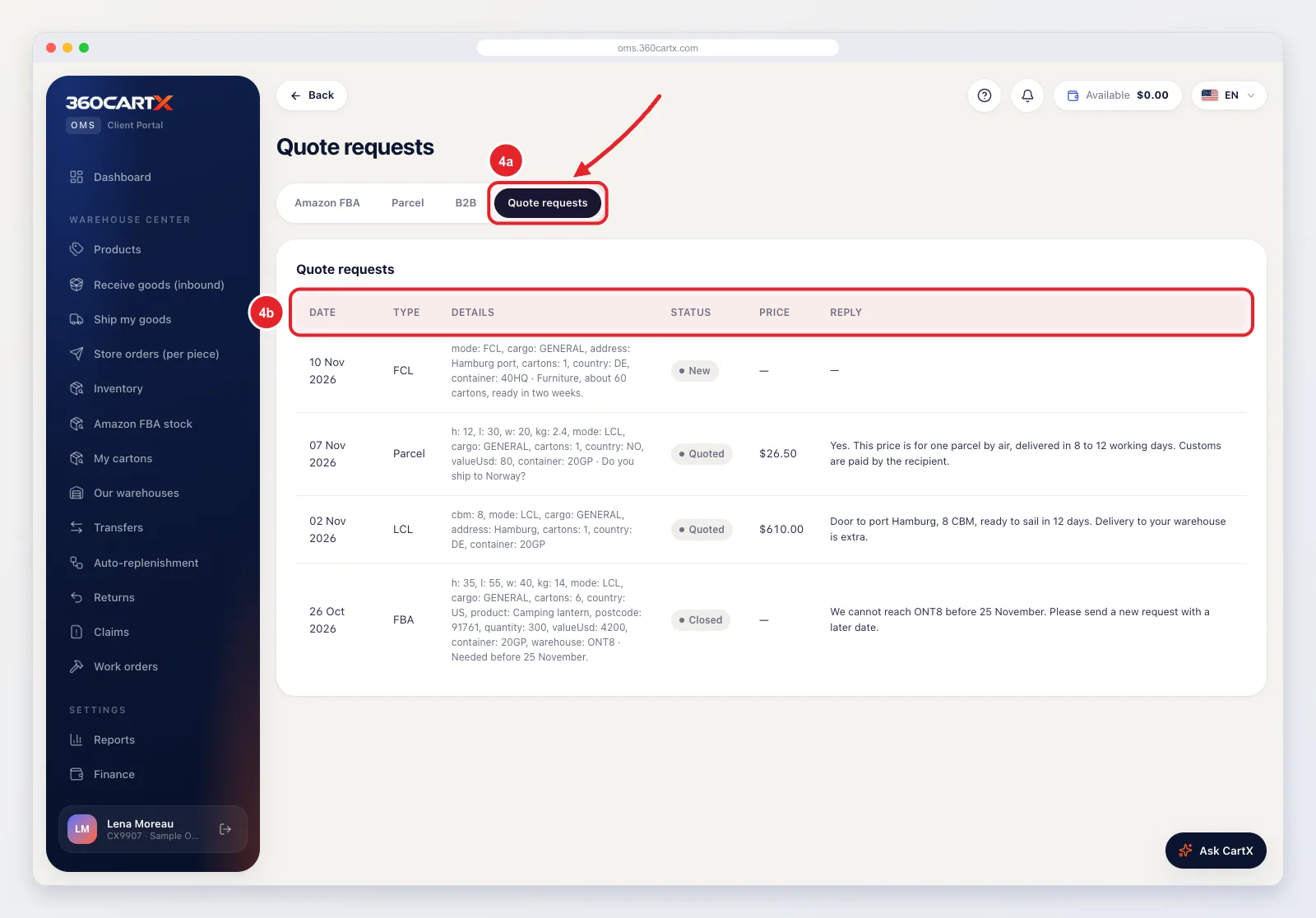
Open Quote requests
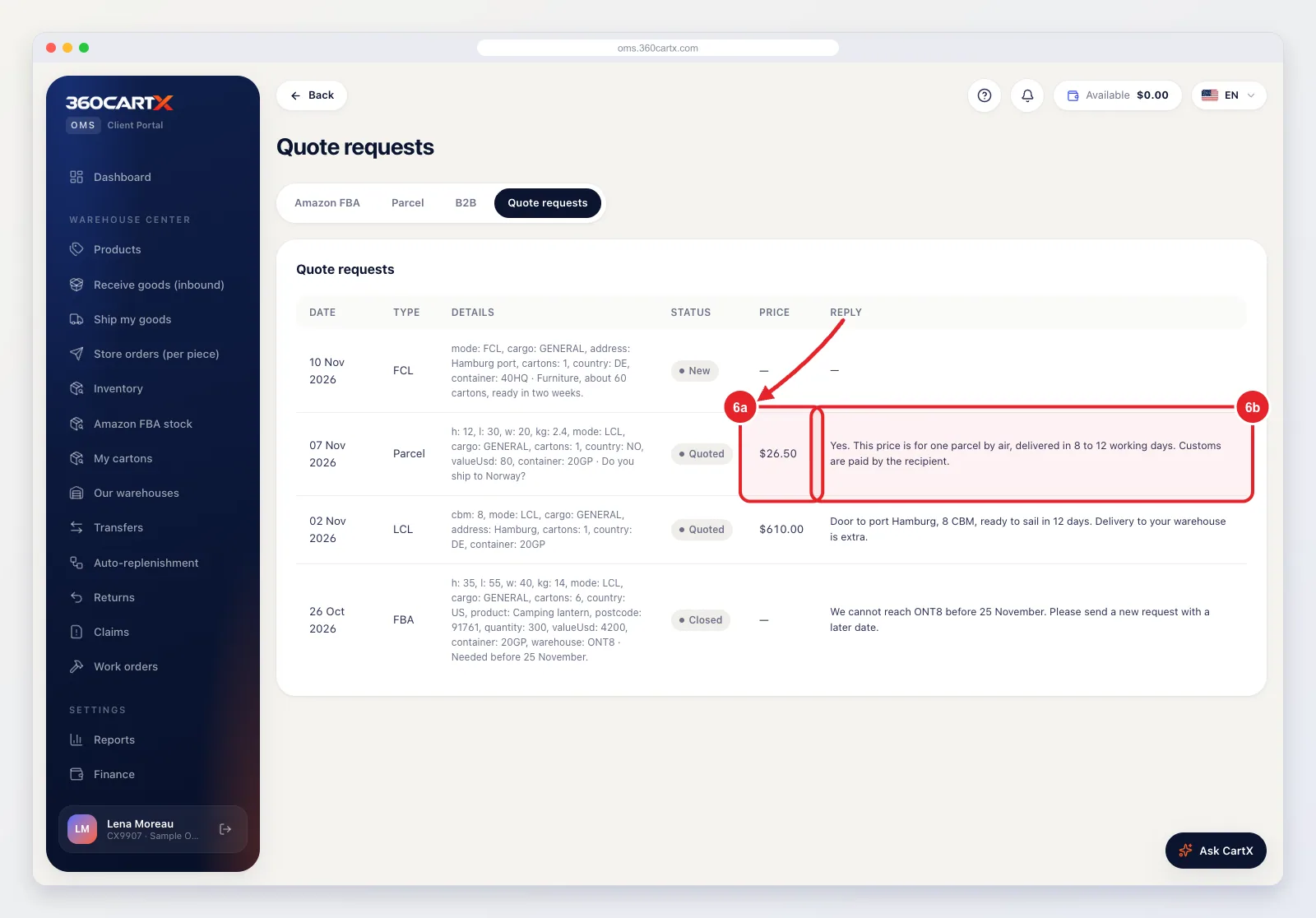
Click the Quote requests tab (on any calculator tab) to see everything you asked. The table has six columns: Date, Type, Details, Status, Price and Reply. The newest request is at the top. The page keeps your last 200 requests.
- 4a Quote requests tab
- 4b Table header
- 5
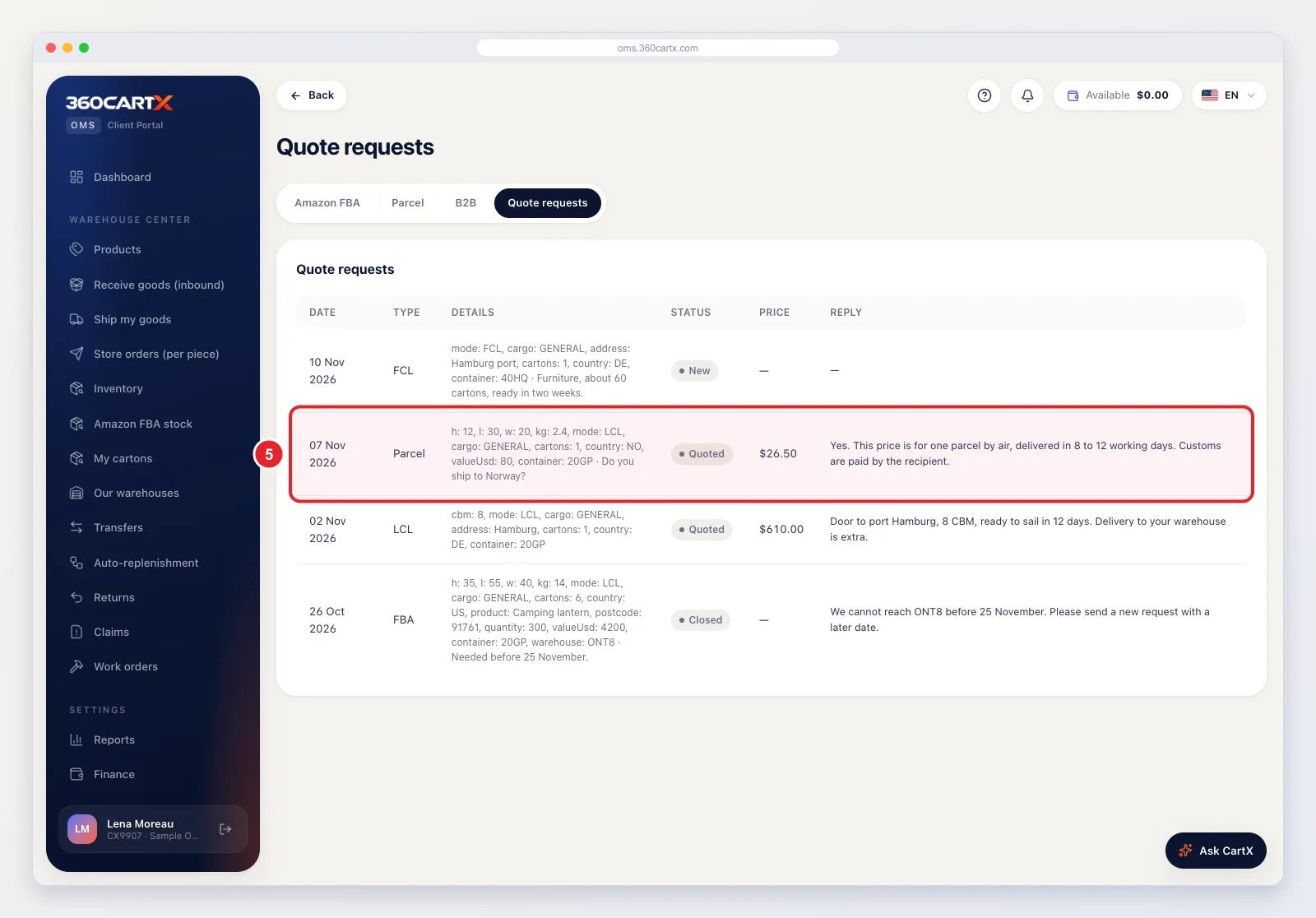
Type, Details and Status
Type is what you asked for: Amazon FBA, Parcel, LCL or FCL. Details repeats what you entered in the calculator in short form (for example country: NO, kg: 2.4, valueUsd: 80), followed by your note. It also lists default values you did not type, such as cargo: GENERAL or container: 20GP. Ignore those. Status tells you where the request is: New while we have not answered, Quoted when there is a price, Closed when we answered without a price.
- 6
Price and Reply
When we have a price, it appears in Price in USD, and Reply holds our note: what the price covers, the transit time, what is not included. A dash means there is nothing yet. A closed request has our reason in Reply, for example that we cannot reach the warehouse in time, and no price. To go ahead, create your shipment as usual, or send a new request with different details. When we reply you also get the notification Your quote request was answered in the bell.
- 6a Price
- 6b Reply
- 7
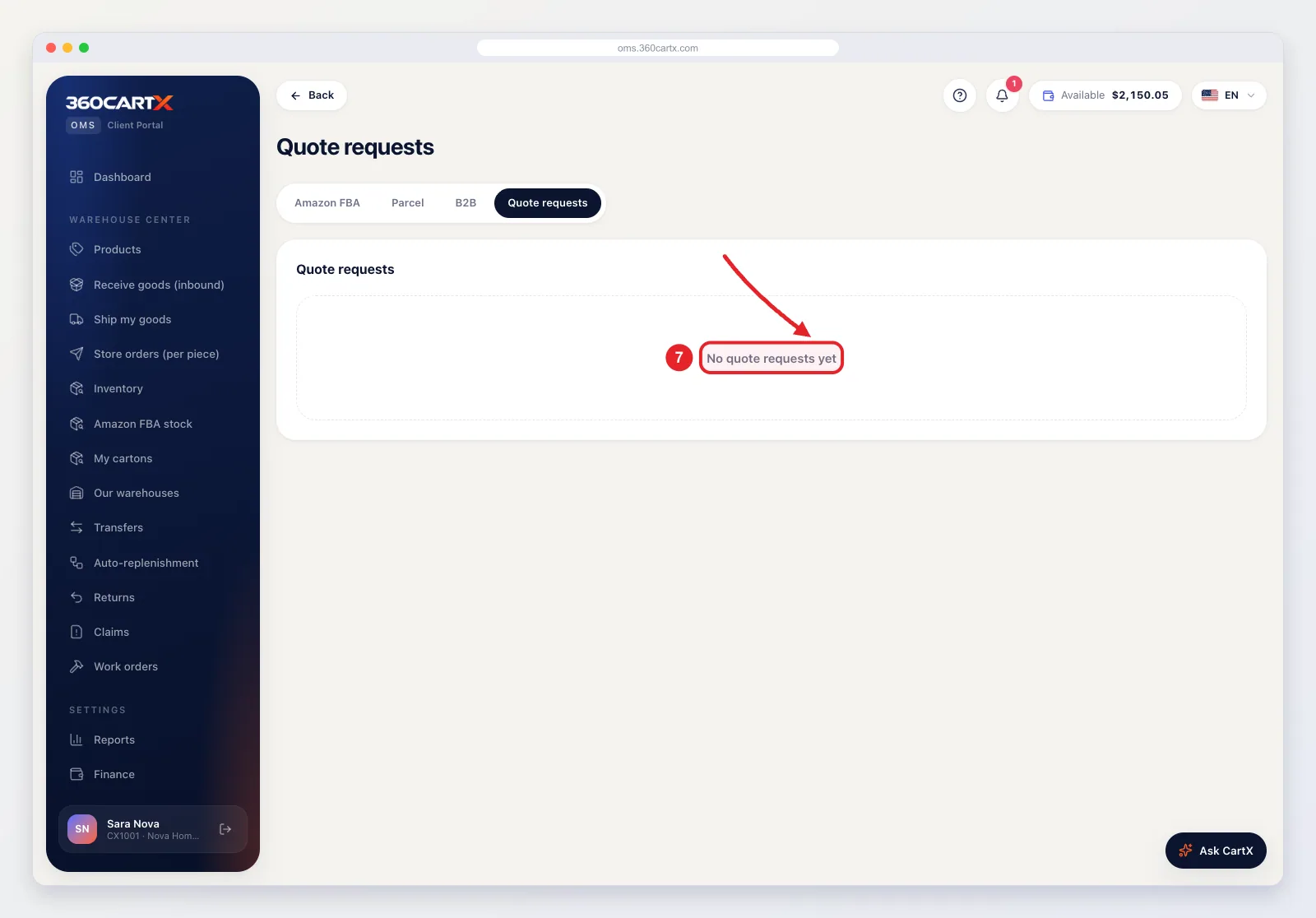
No requests yet
Until you send your first request the Quote requests tab says: No quote requests yet.
Tips
- A price in a reply is a quote for the shipment as you described it. If the goods, the date or the address change, send a new request.
- Prices are always shown in US dollars.
- Keep your note short and concrete: goods, cartons, weight, date, address.
Common problems
My request says New for a long time
We have not replied yet. If it is urgent, open a ticket and mention your request.
My request is Closed and has no price
We could not price it as described. Read our note in Reply and send a new request with the details we ask for.
I cannot send a request
Your role may not be allowed to send requests, for example Viewer. Ask an owner or admin of your account.
I do not see the Need another price? card
On Amazon FBA and Parcel it appears after you click Show options. On B2B it is part of the form.
Related articles
Updated 2026-11-11
Open a ticket from Support in your portal and our team will reply.