Steps
- 1
Open the Amazon FBA tab
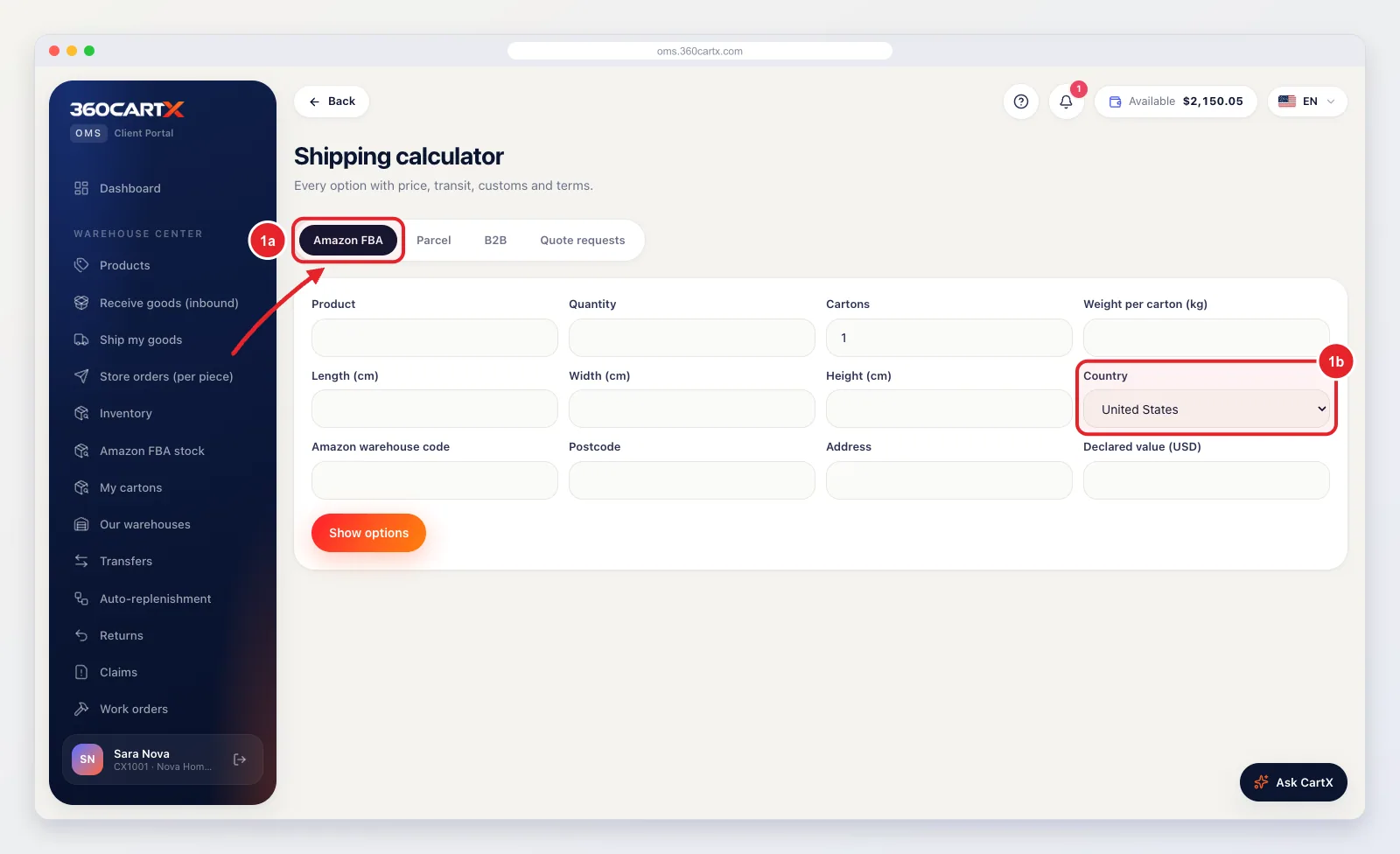
Click Shipping quote in the left menu, then the Amazon FBA tab. Country is already set to United States. Change it if your Amazon warehouse is in another country.
- 1a Amazon FBA tab
- 1b Country
- 2
Say what you ship
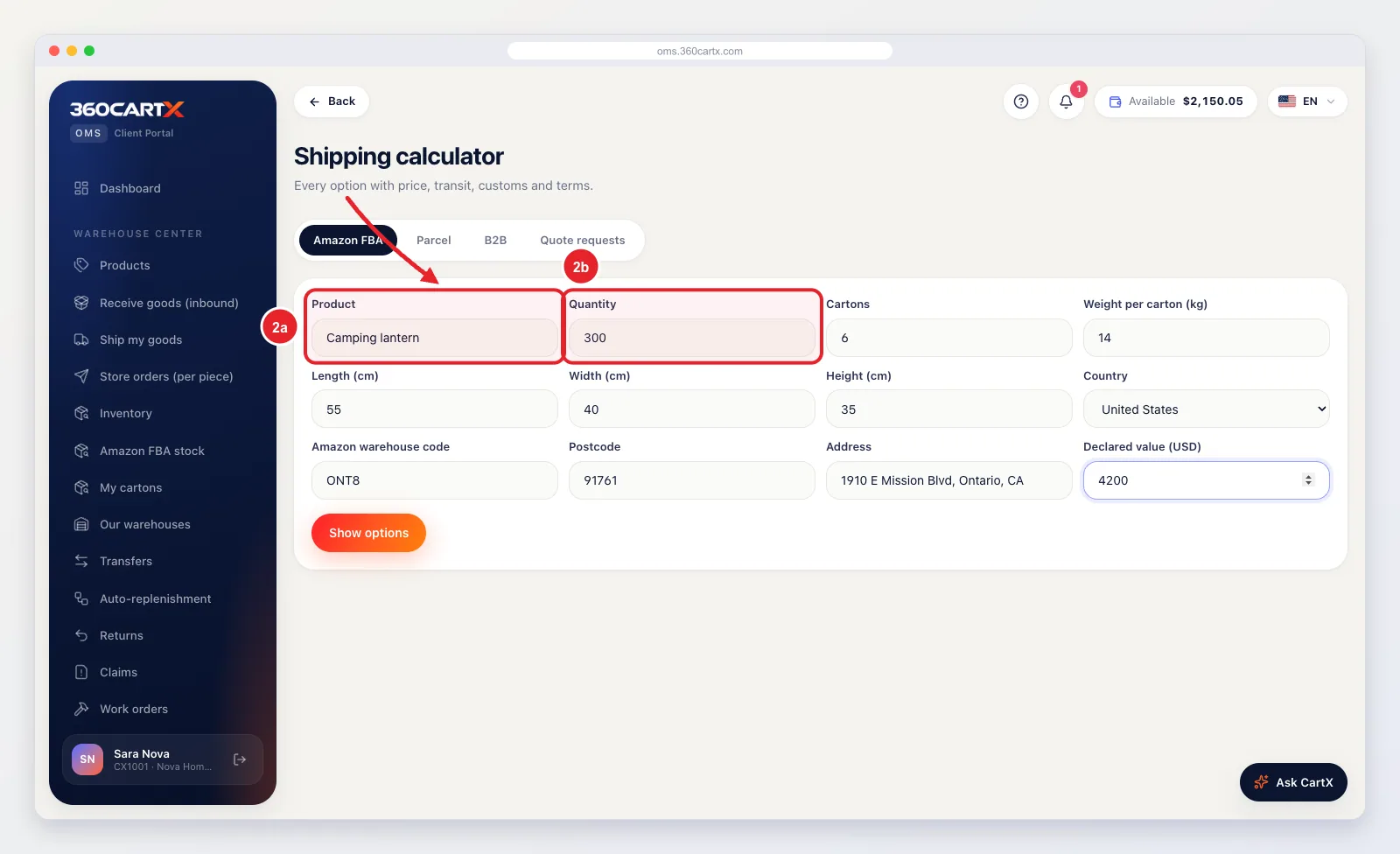
In Product, type the name of the product, for example Camping lantern, and in Quantity the number of units in the whole shipment. These two fields do not change the price. They are saved with the request if you later ask us for a quote, so we know what you ship.
- 2a Product
- 2b Quantity
- 3
Describe your cartons
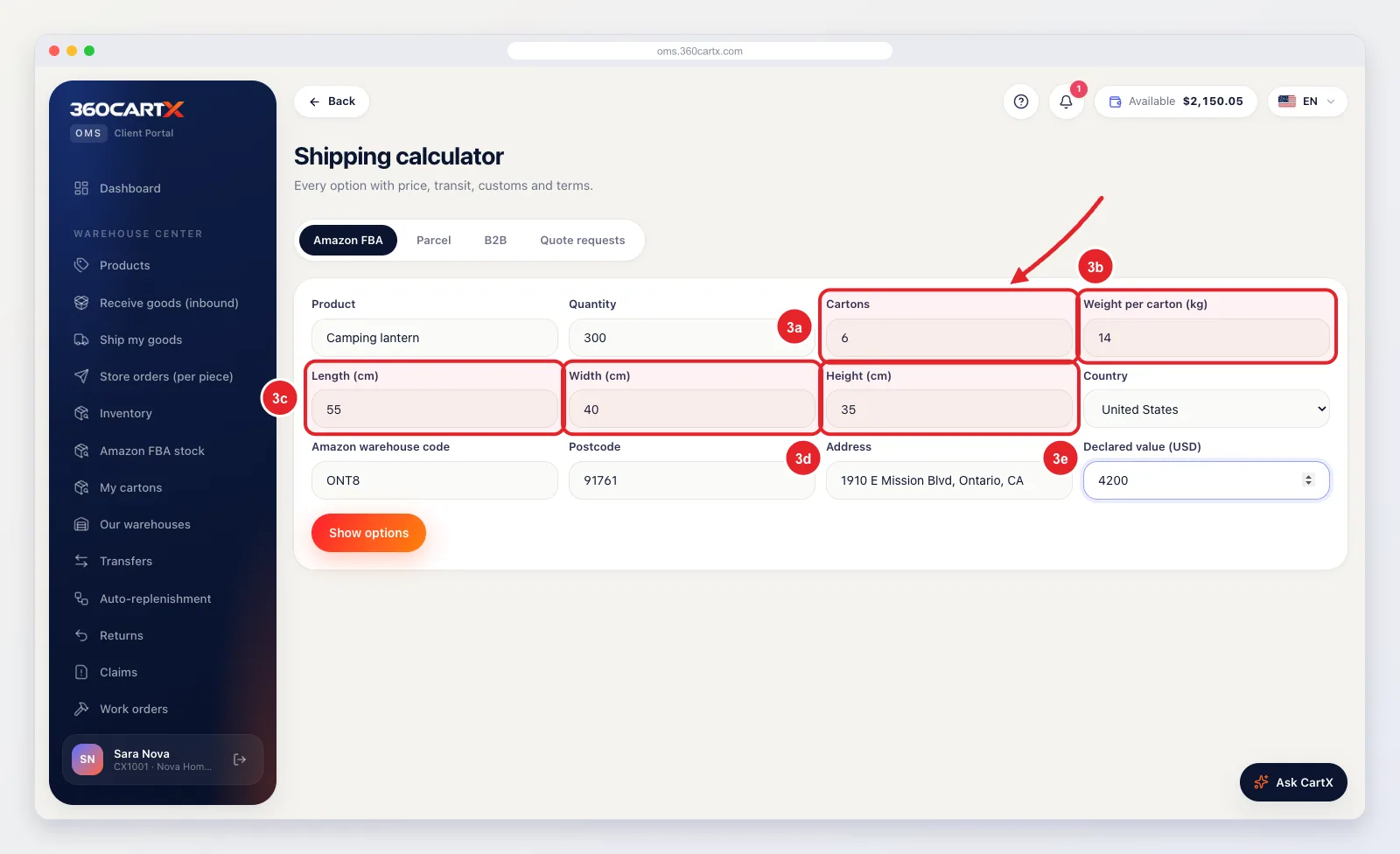
Cartons is the number of cartons. Weight per carton (kg) and Length, Width, Height (cm) are for one carton, so enter the figures of one box, not the total. The calculator multiplies them by the number of cartons. For FBA the total weight is rounded up to a whole kilogram.
- 3a Cartons
- 3b Weight per carton (kg)
- 3c Carton length
- 3d Carton width
- 3e Carton height
- 4
Say where the cartons go
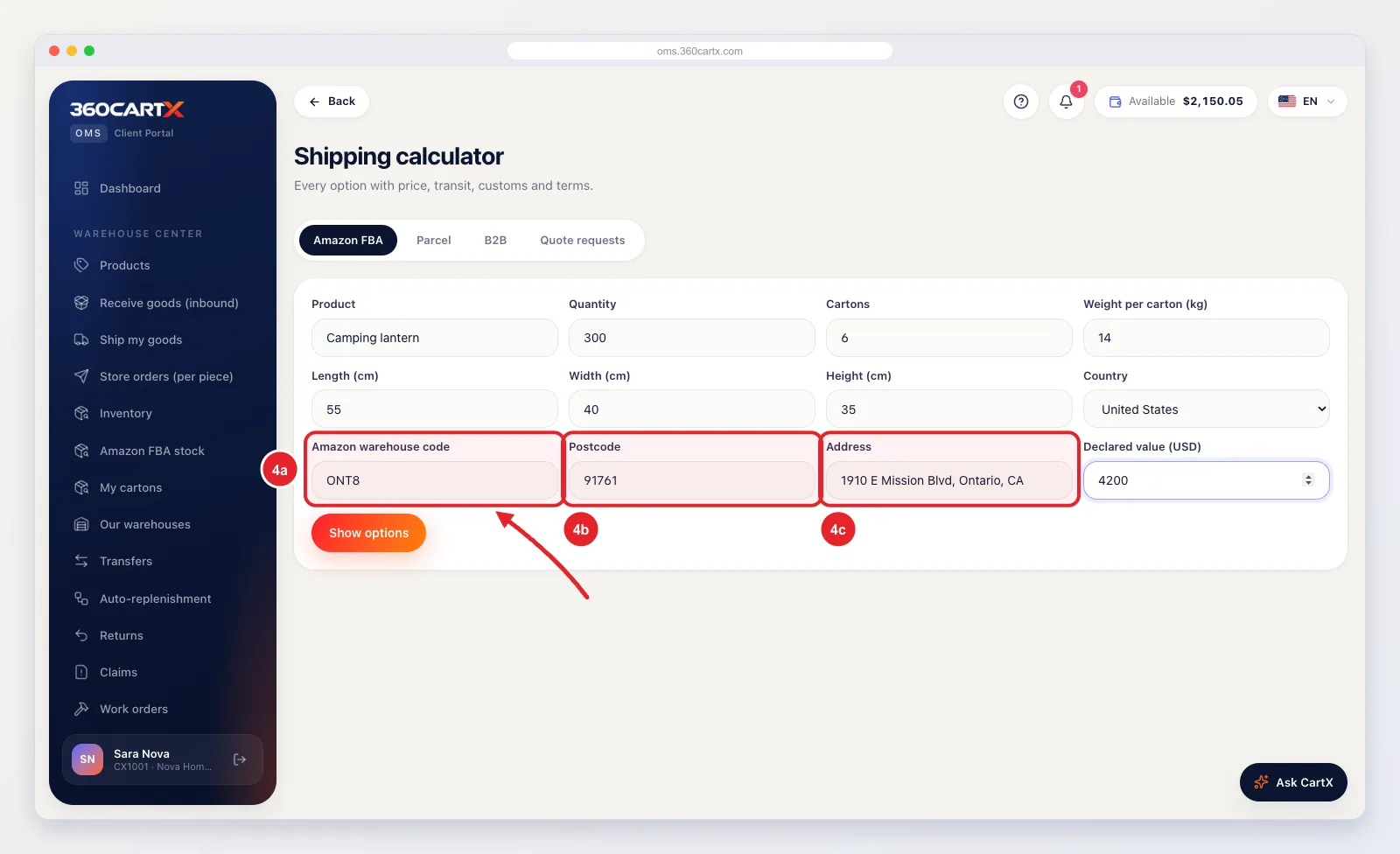
Amazon warehouse code is the code of the fulfilment centre, for example ONT8. Postcode is its ZIP code, for example 91761. Many services are priced by area, and the warehouse code or the postcode tells the calculator which price applies. Address is optional and is saved with a request for a quote.
- 4a Amazon warehouse code
- 4b Postcode
- 4c Address
- 5
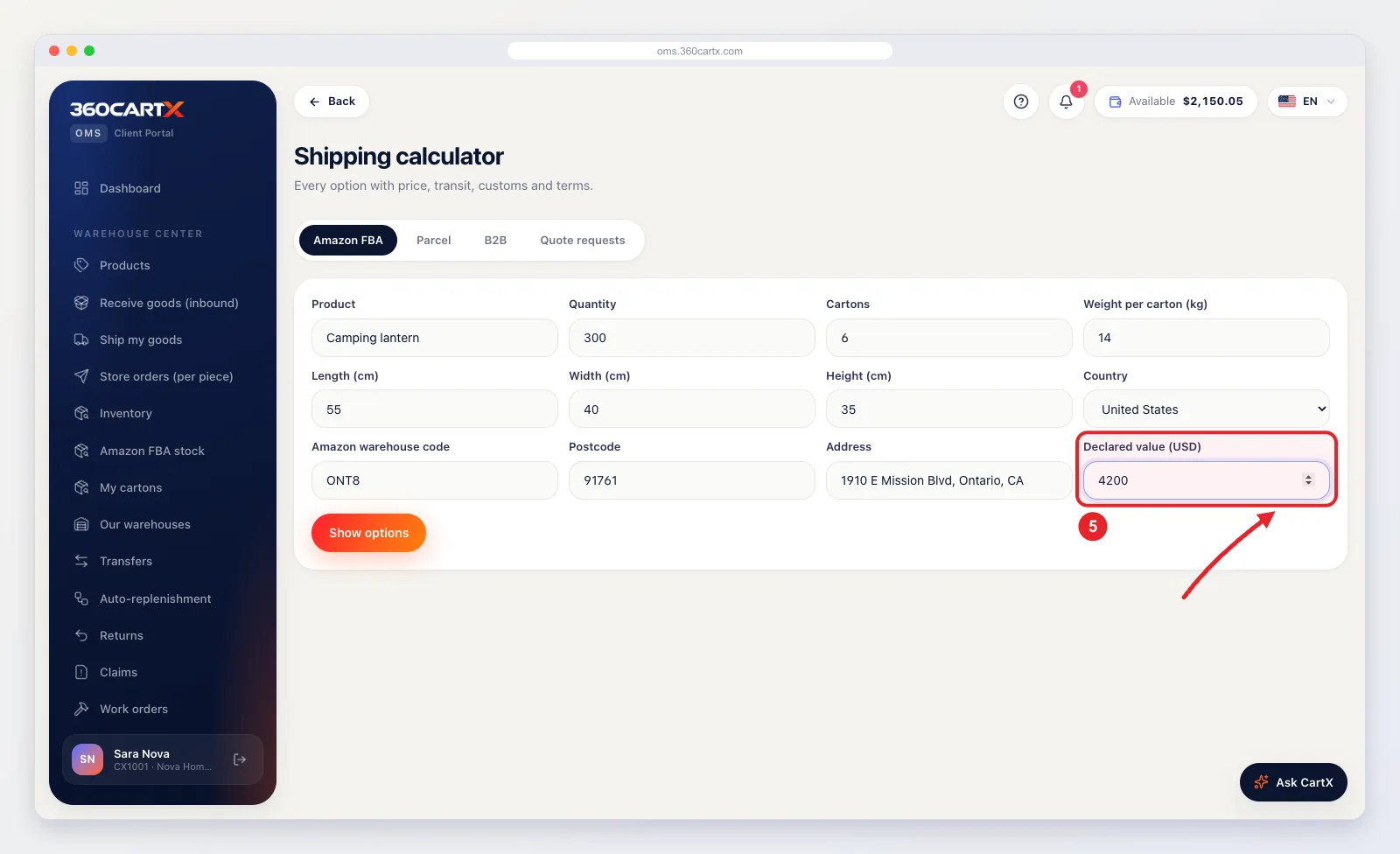
Add the declared value
Declared value (USD) is the value of the goods in the shipment. It is used to work out the duty on services where customs are charged with the shipment. Leave it empty if you do not know it yet.
- 6
Click Show options and compare
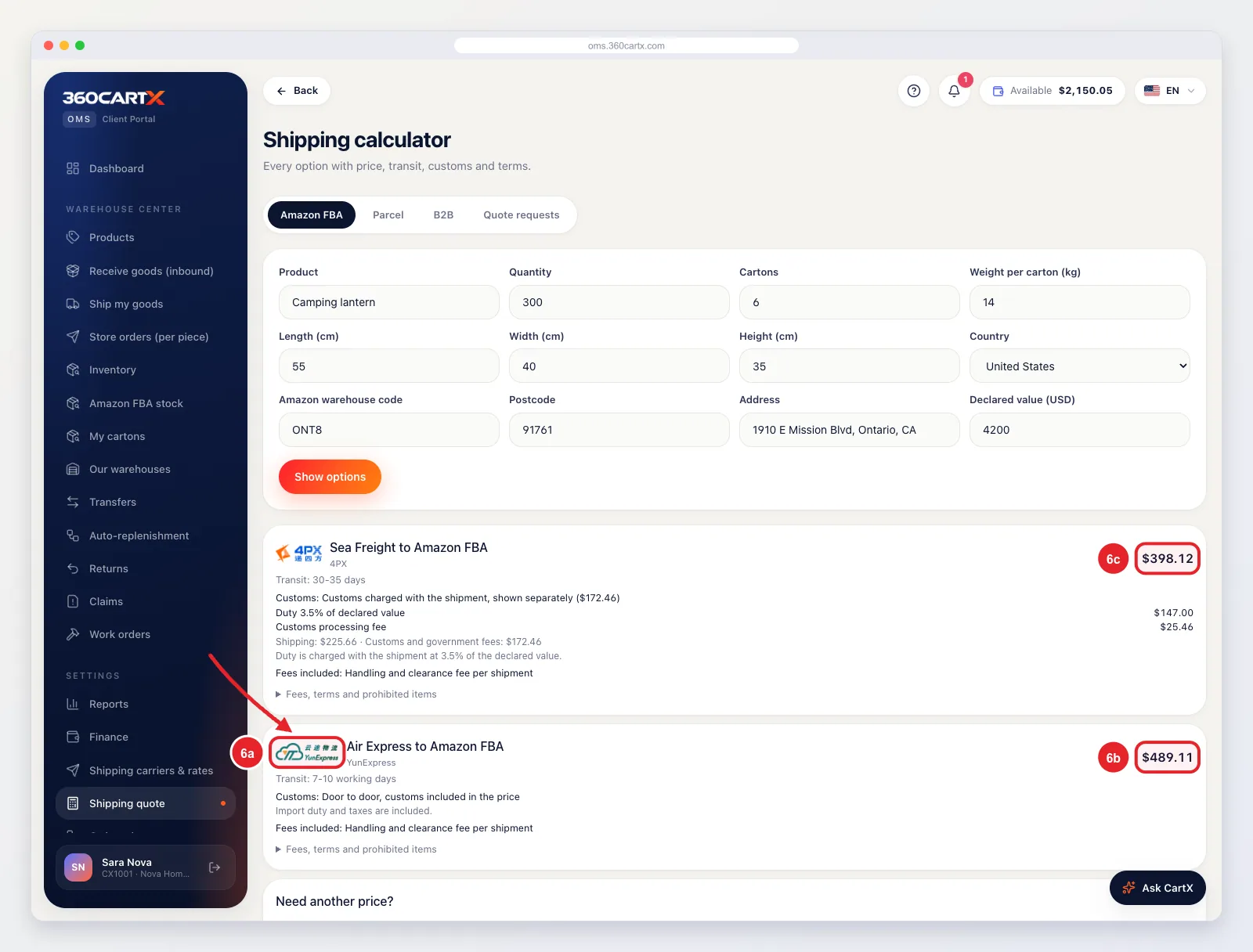
Click Show options. You get one card for each service, cheapest first, for example Air Express to Amazon FBA or Sea Freight to Amazon FBA. Compare the price, the transit time (for example 7-10 working days against 30-35 days) and the Customs line. Open Fees, terms and prohibited items to read the conditions. Nothing is booked.
- 6a Carrier logo
- 6b Air price
- 6c Sea price
- 7
When the postcode is missing
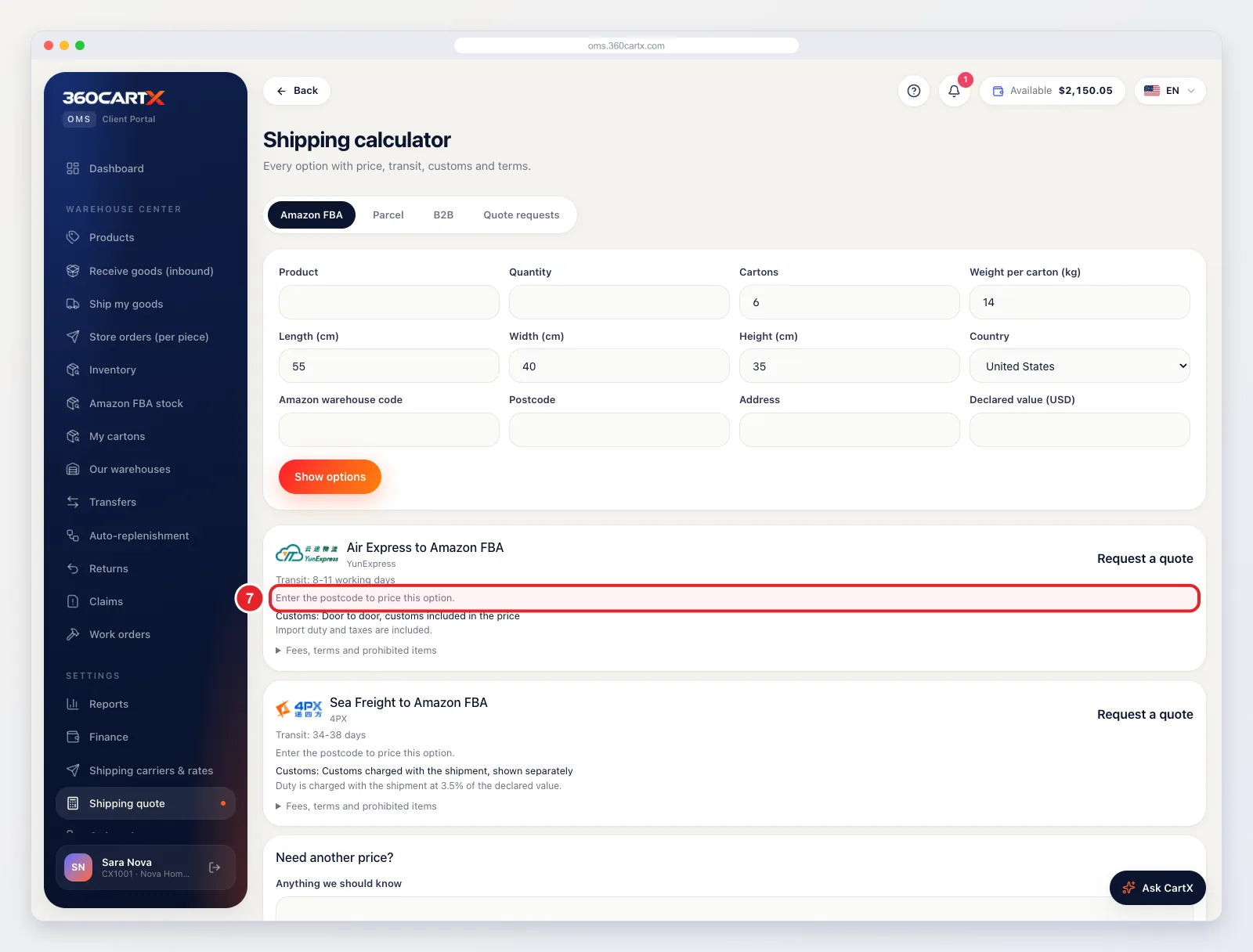
If a service is priced by area and you left Amazon warehouse code and Postcode empty, its card shows Request a quote instead of a price and the line Enter the postcode to price this option. Fill the warehouse code or postcode and click Show options again. Under Show options you can also ask us for another price (see Request a quote and see replies).
Terms in this article
- Chargeable / volumetric weight: The weight carriers bill: the larger of real and volume weight.
- FBA / FBM: Fulfilled by Amazon vs fulfilled by you.
- FC: Fulfilment centre, e.g. Amazon's warehouse ONT8.
Tips
- Enter the figures of one carton, not the whole pallet. The most common mistake is typing the total weight in Weight per carton.
- Weigh and measure your cartons as packed. The final charge uses the weight we measure when we pack them.
- Sea is cheaper and slower, air is faster. Check the transit time and your Amazon appointment date before you choose.
- When you are ready to ship, create the ship-out request. See Ship my goods.
Common problems
The card says Request a quote and asks for the postcode
Type the Amazon warehouse code or the warehouse ZIP code in Postcode and click Show options again.
No service found for this request
No service takes this country or this warehouse. Check the code, then send us a request from the card Need another price?.
The price is higher than I expected
The calculator charges the larger of the real weight and the volume weight, and rounds the total up to a whole kilogram. A big light carton is charged by size.
Product and Quantity do not change the price
That is correct. They are only saved with a request so that our team sees what you ship.
Related articles
Updated 2026-11-11
Open a ticket from Support in your portal and our team will reply.