Steps
- 1
The three statuses in the list
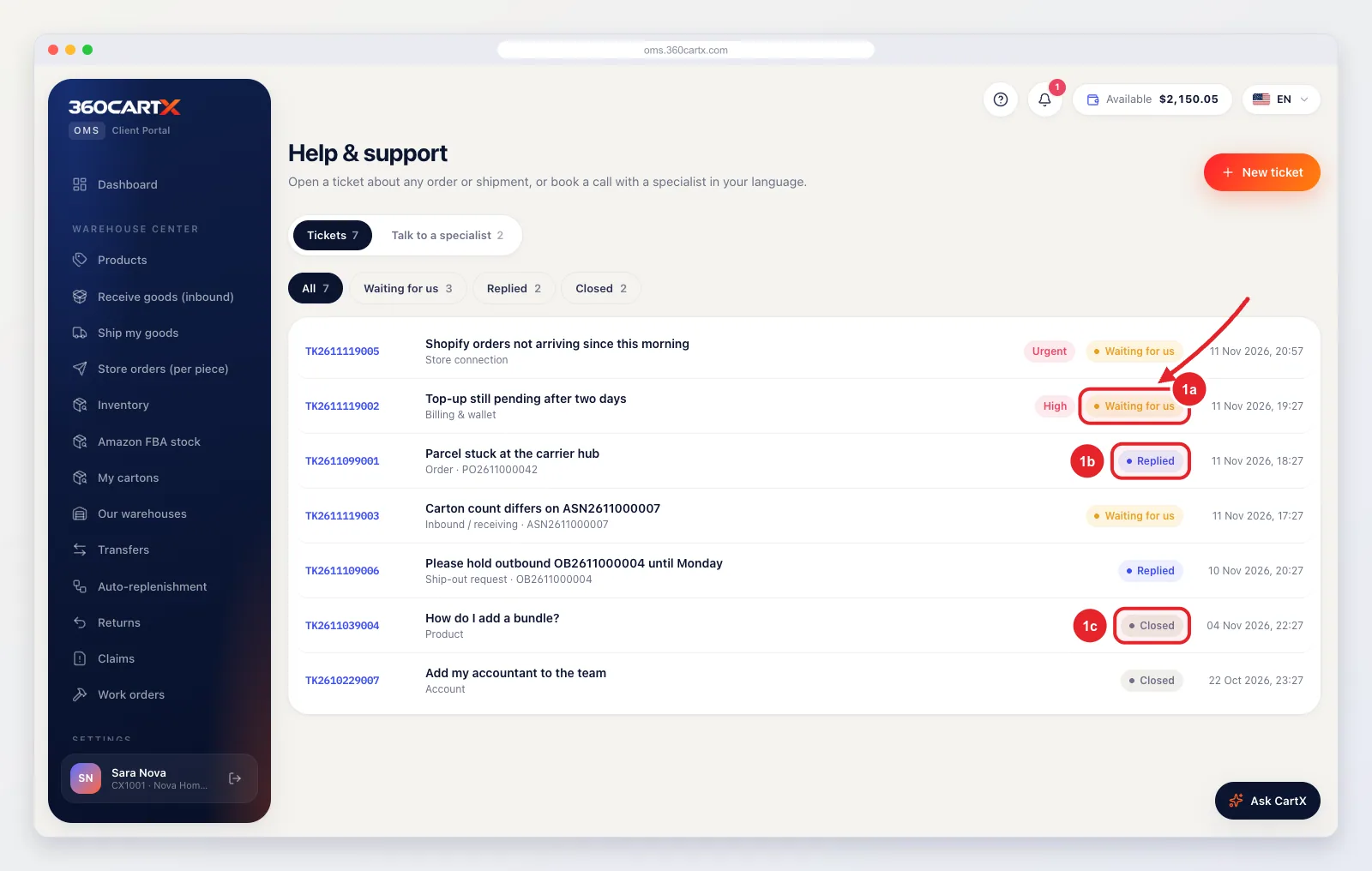
In Help & support every row ends with a coloured status badge. Waiting for us is amber, Replied is blue and Closed is grey. The same badge is repeated at the top right of the ticket page.
- 1a Waiting for us
- 1b Replied
- 1c Closed
- 2
Waiting for us
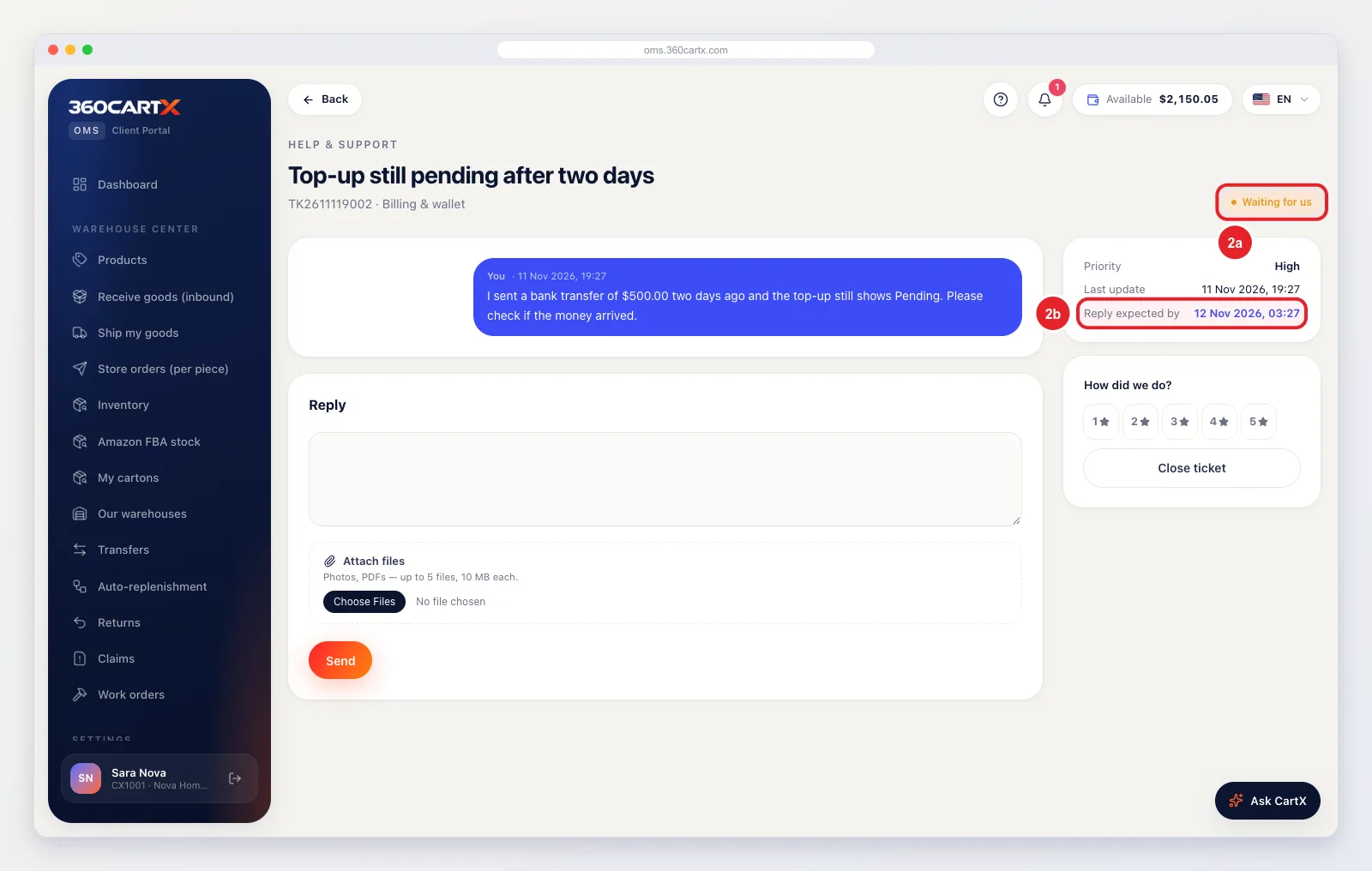
Amber. It is our turn: you have just opened the ticket or written a reply, and our team has not answered yet. The ticket page shows Reply expected by in the side box, the time we aim to answer by. You do not need to do anything. If you remember something, add it with a reply: the status stays Waiting for us, but the reply time starts again from your new message.
- 2a Waiting for us
- 2b Reply expected by
- 3
Replied
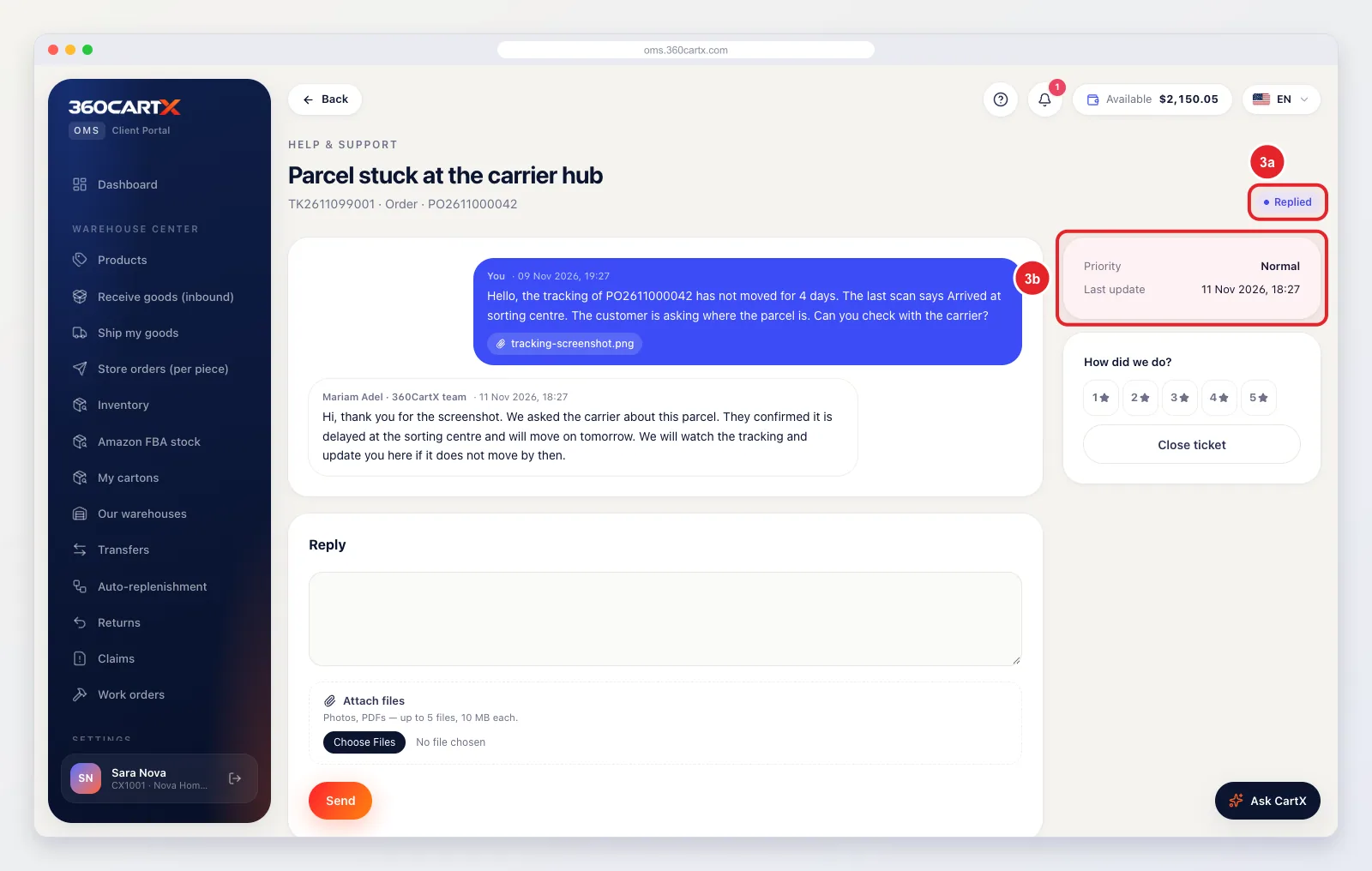
Blue. Our team has answered and now it is your turn. Read the answer and reply if we asked you something or if the problem is not solved; close the ticket if it is. The Reply expected by line is gone, because we are waiting for you. Nothing closes the ticket on its own, so a Replied ticket can stay in this status as long as you like.
- 3a Replied
- 3b Side box without reply time
- 4
Closed
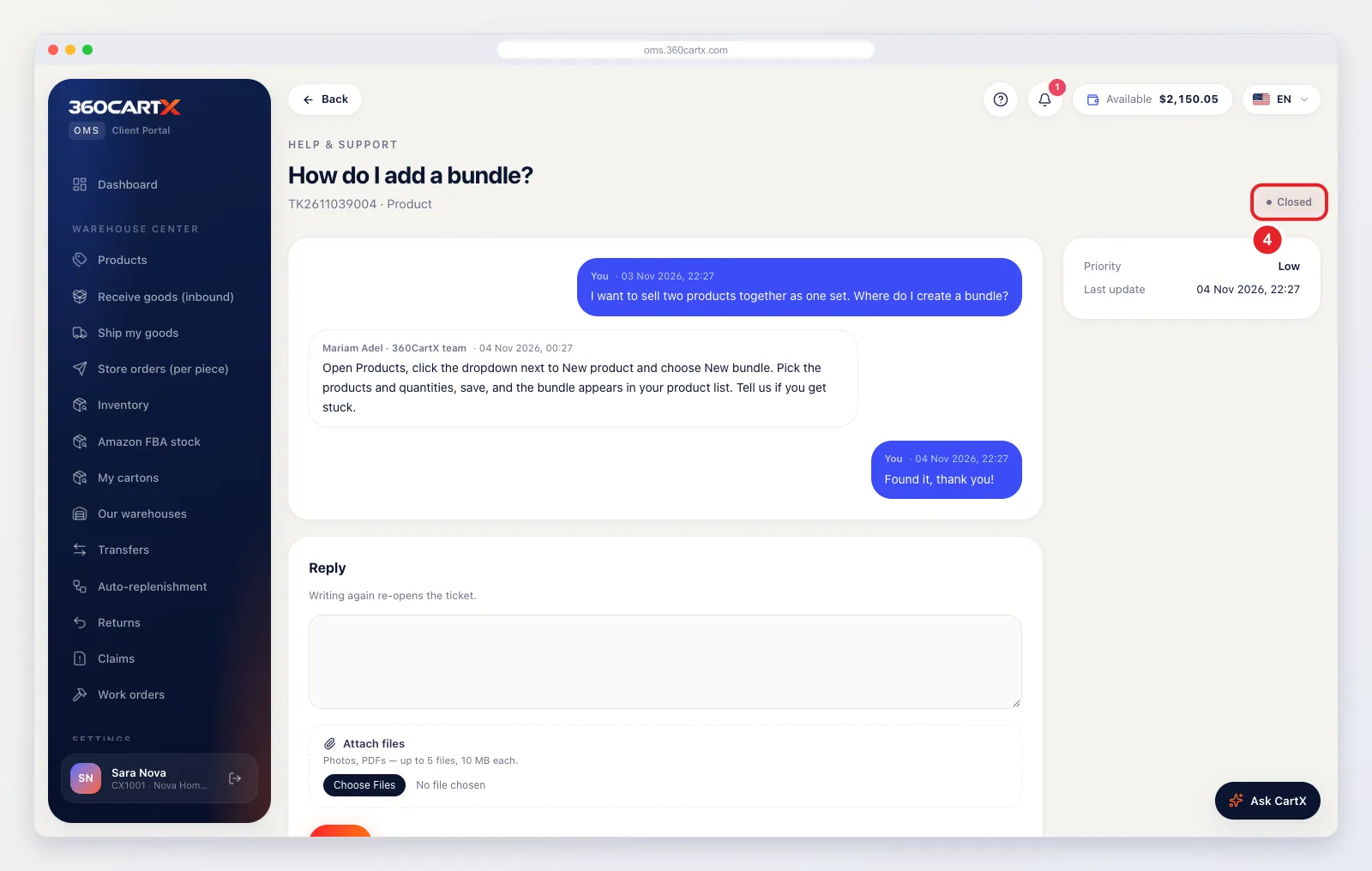
Grey. The conversation is finished: either you closed the ticket (with an optional rating), or our team closed it together with its last answer. A closed ticket stays in your list and keeps its whole history. Write a message on it and it becomes Waiting for us again.
- 5
Count by status
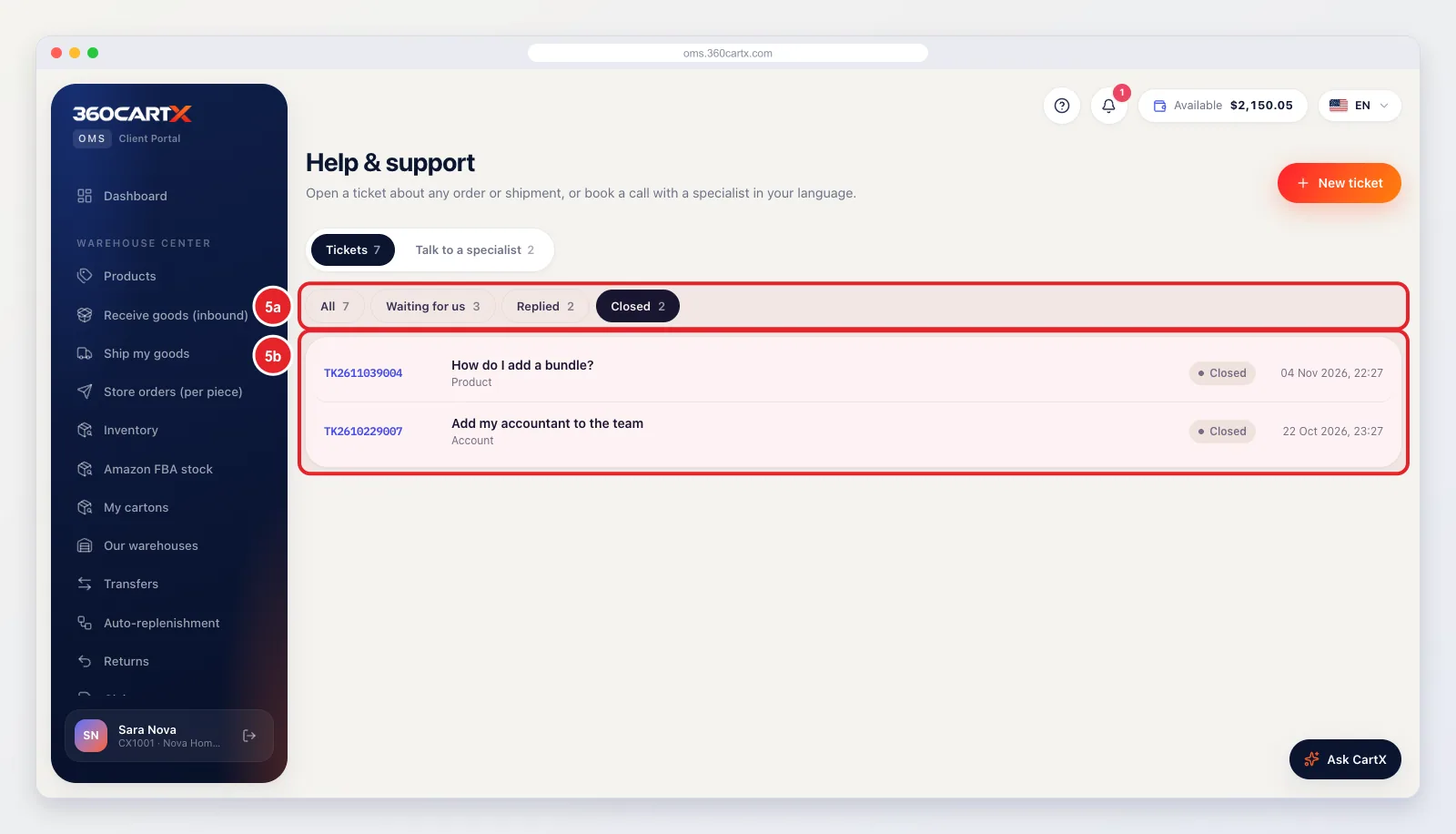
The buttons above the list count the tickets of each status, so you can see at a glance what is open. Waiting for us and Replied are the tickets still open, Closed are the finished ones. Click a button to see only those tickets; All shows everything.
- 5a Status buttons with counts
- 5b Closed tickets
- 6
Priority and reply times
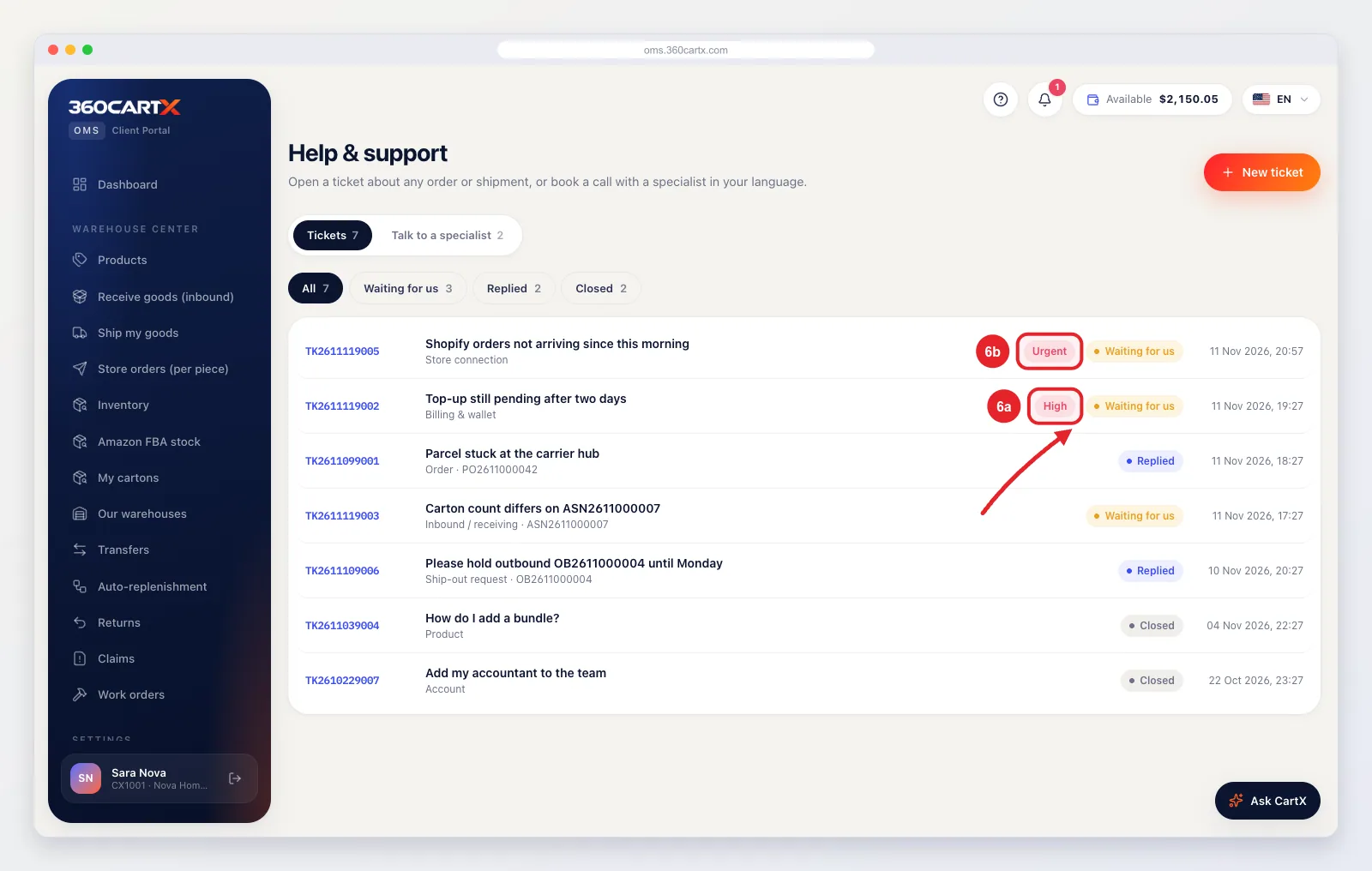
The priority you choose when you open the ticket sets the Reply expected by time: Low 48 hours, Normal 24 hours, High 8 hours, Urgent 4 hours. The time counts from the moment you send your message, or your latest reply, in plain hours: it does not skip nights, weekends or holidays, and it is shown in China time (UTC+8). High and Urgent tickets also carry a red badge in the list.
- 6a High
- 6b Urgent
Tips
- How a ticket moves: you open it or reply, and it is Waiting for us; we answer, and it is Replied; you or we close it, and it is Closed. Any reply from you puts it back to Waiting for us and restarts the reply time.
- The reply time is a target we aim for, not a guarantee. If you are blocked, say so in the message and choose High or Urgent only when it is true.
- Our team sometimes works on a ticket with internal notes that you never see. The status does not change when a note is written, only when an answer is sent to you.
Common problems
My ticket still says Waiting for us after a day
We have not answered yet. Check the Reply expected by time on the ticket: if it has passed, add a short message asking for an update. If the problem is urgent, say what is blocked.
My ticket says Replied but I see nothing new
Open the ticket page and read the last white message from our team. A notification may also be waiting in the bell.
My ticket was closed and I want to continue
Open it and write in the Reply box. It becomes Waiting for us again, with a new reply time.
There is no Overdue status
Overdue is something only our team sees, when a reply time has passed. For you, the ticket stays Waiting for us and the Reply expected by time shows how long ago it was due.
Related articles
Updated 2026-11-11
Open a ticket from Support in your portal and our team will reply.