Steps
- 1
Click Add funds
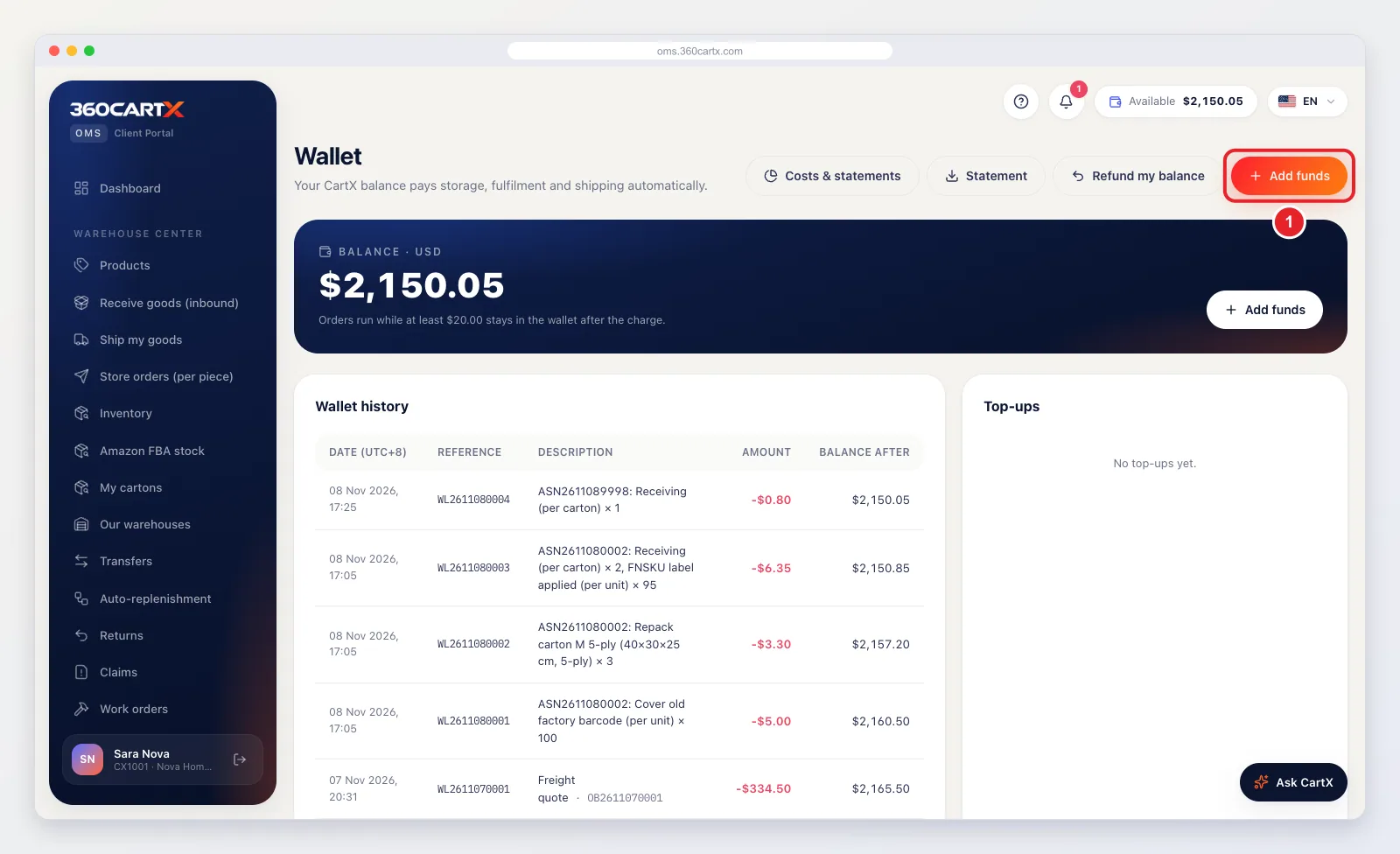
On Finance click Add funds, either in the top right corner or on the balance card. You can also use Top up now in the red banner that appears when orders are waiting for money.
- 2
The Add funds page
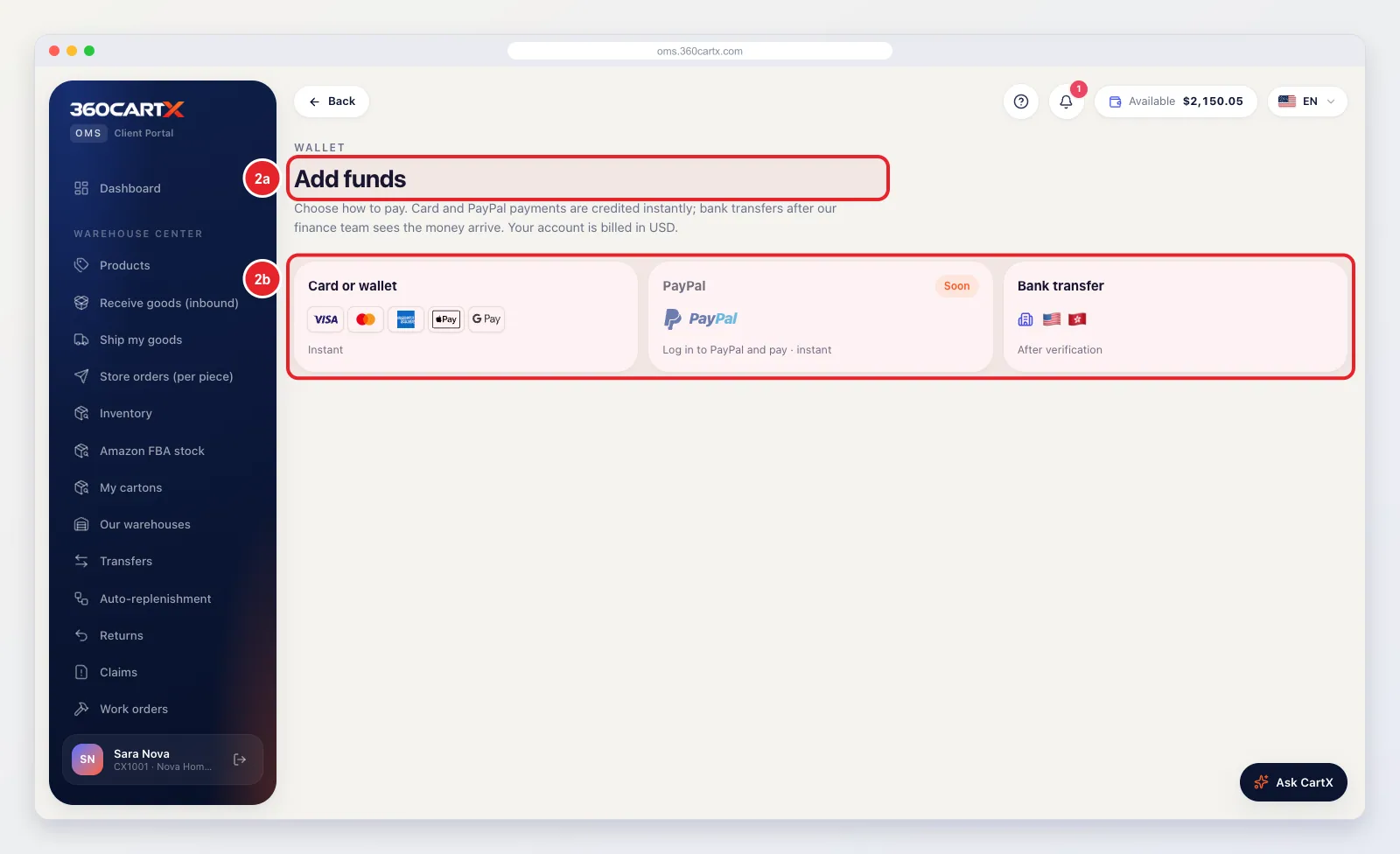
The page says: Choose how to pay. Card and PayPal payments are credited instantly; bank transfers after our finance team sees the money arrive. Your account is billed in USD. Under it you see three boxes, one per method. Click the one you want. The box you chose gets a blue frame and a tick.
- 2a Page title
- 2b The three methods
- 3
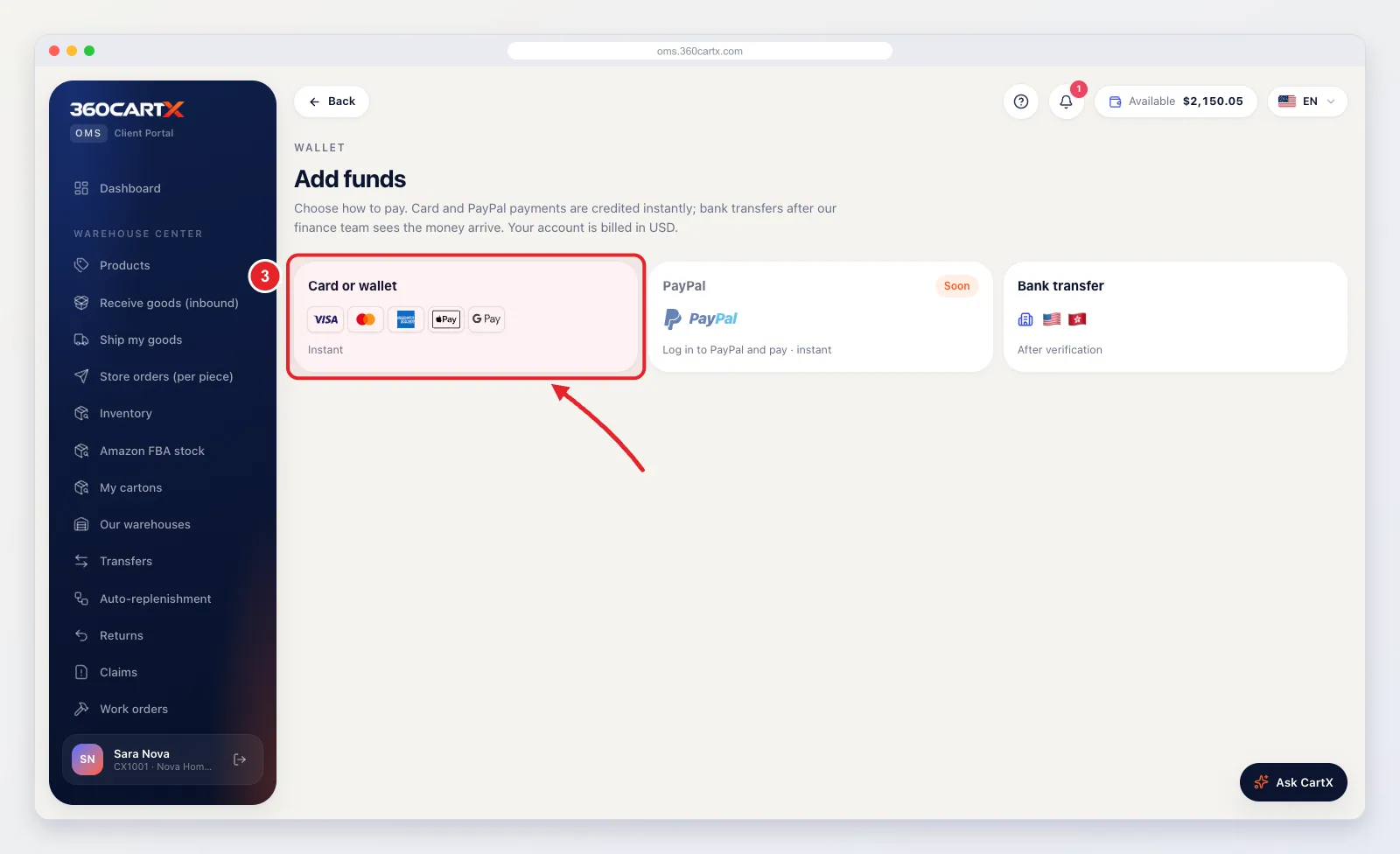
Card or wallet
Card or wallet (Card · Apple Pay · Google Pay) is instant and charged in USD. You pay the amount plus a card fee that is shown before you pay, and the full amount you typed is credited to your wallet. See Top up by card, Apple Pay or Google Pay.
- 4
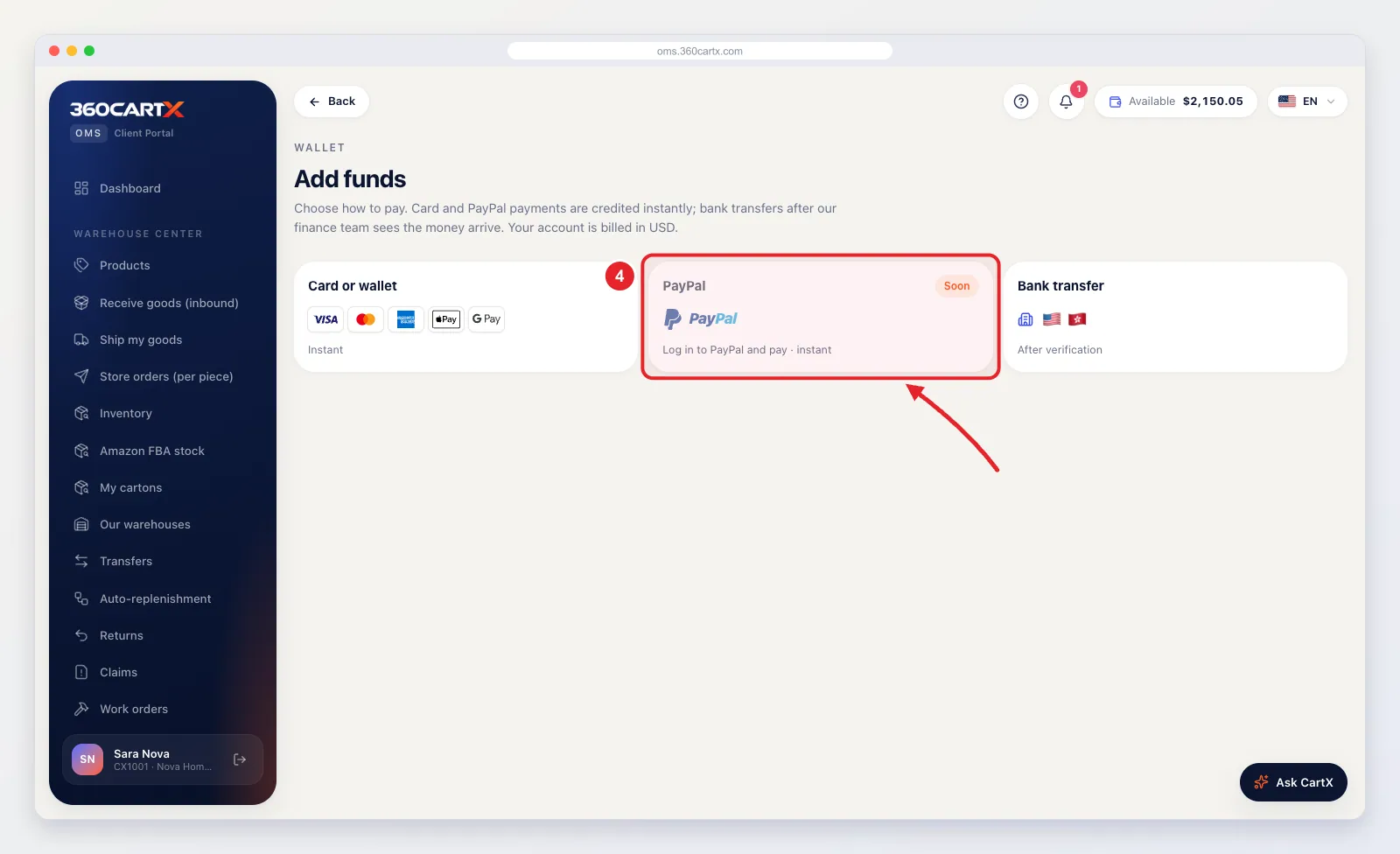
PayPal
PayPal lets you log in to PayPal and pay, also instant and in USD. PayPal is being switched on: while its box shows Soon and is greyed out you cannot click it, use Card or Bank transfer instead. See Top up with PayPal.
- 5
Bank transfer
Bank transfer is After verification: you transfer the money from your own bank to one of our accounts (the small flags show the countries of our accounts), then report the payment, and we credit your wallet after we have seen the money. See Top up by bank transfer.
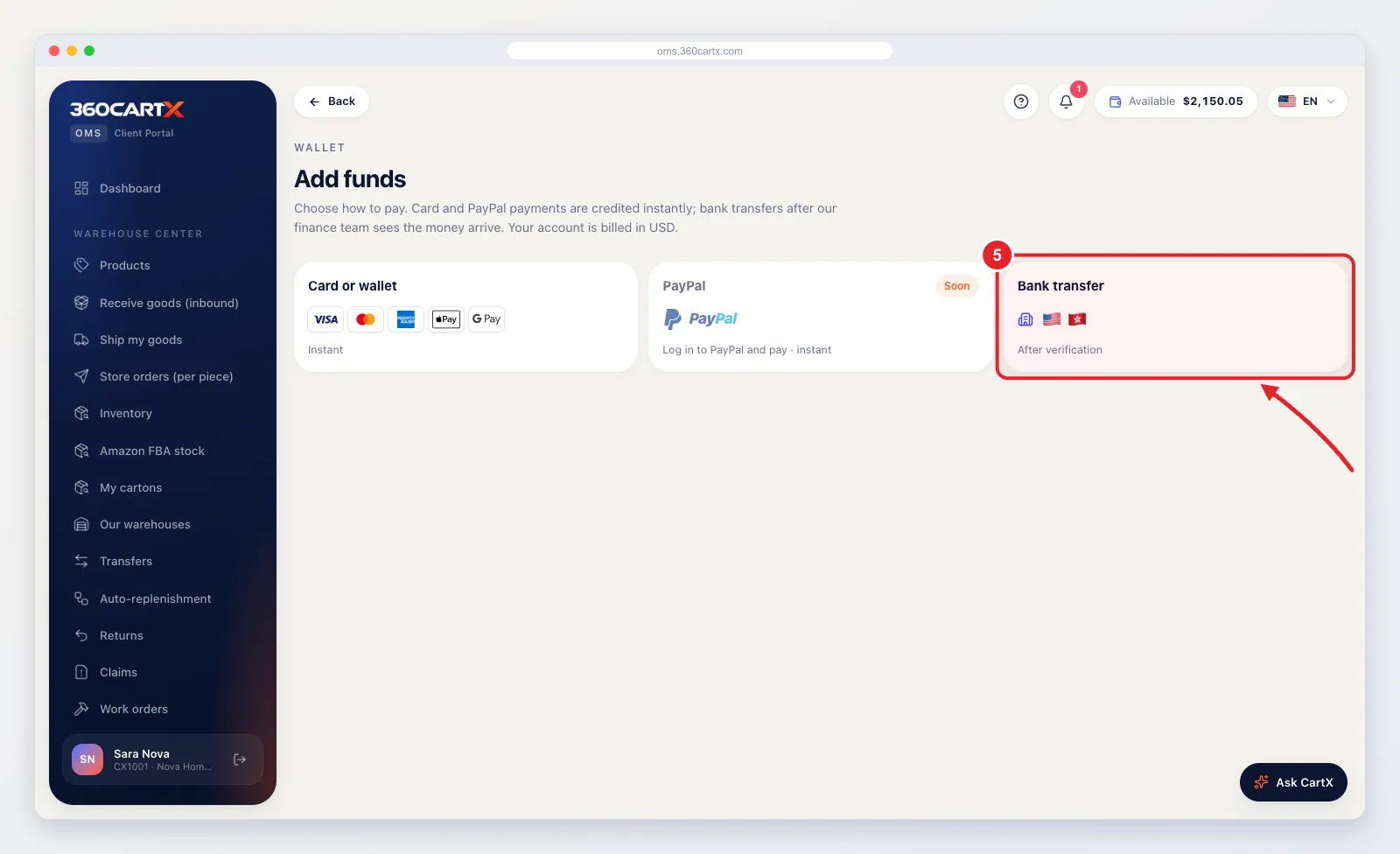
- 6
Which method should I use?
Card and PayPal: credited within seconds, minimum $20.00 and maximum $5,000.00 per top-up, and you pay a fee on top of the amount (at the time of writing 3.5% + $0.30 for card and 3.49% + $0.49 for PayPal, always shown before you pay). Bank transfer: we add no fee, there is no minimum or maximum on our side, it suits large amounts, but it is credited only after our team has confirmed that the money arrived. If a box is greyed out it shows the reason underneath, for example Card payments are being set up, or Bank transfer details are not configured yet.
Terms in this article
- Wallet: Your prepaid balance in US dollars.
Tips
- Top up before your wallet is empty: orders wait for money when the balance cannot cover a charge plus the minimum balance. Set a Low-balance alert in Settings, Alerts to be told in time.
- Every confirmed top-up gets a receipt/invoice automatically. You find it in Settings, Invoices.
- Only owners, admins and finance team members (and custom roles with Finance access) can add funds.
Common problems
The Card or PayPal box is greyed out
The box shows why. Card payments are being set up. means card payments are not switched on yet. PayPal shows Soon until it is switched on. Use another method meanwhile.
There are no bank accounts to choose
The Bank transfer box then says Bank transfer details are not configured yet. Accounts are shown for your billing currency only. Contact support.
My team member sees a message when paying
Their role cannot move money. Ask the owner, an admin or a finance team member to top up, or change the role in Settings, Team.
Related articles
Updated 2026-11-11
Open a ticket from Support in your portal and our team will reply.