Steps
- 1
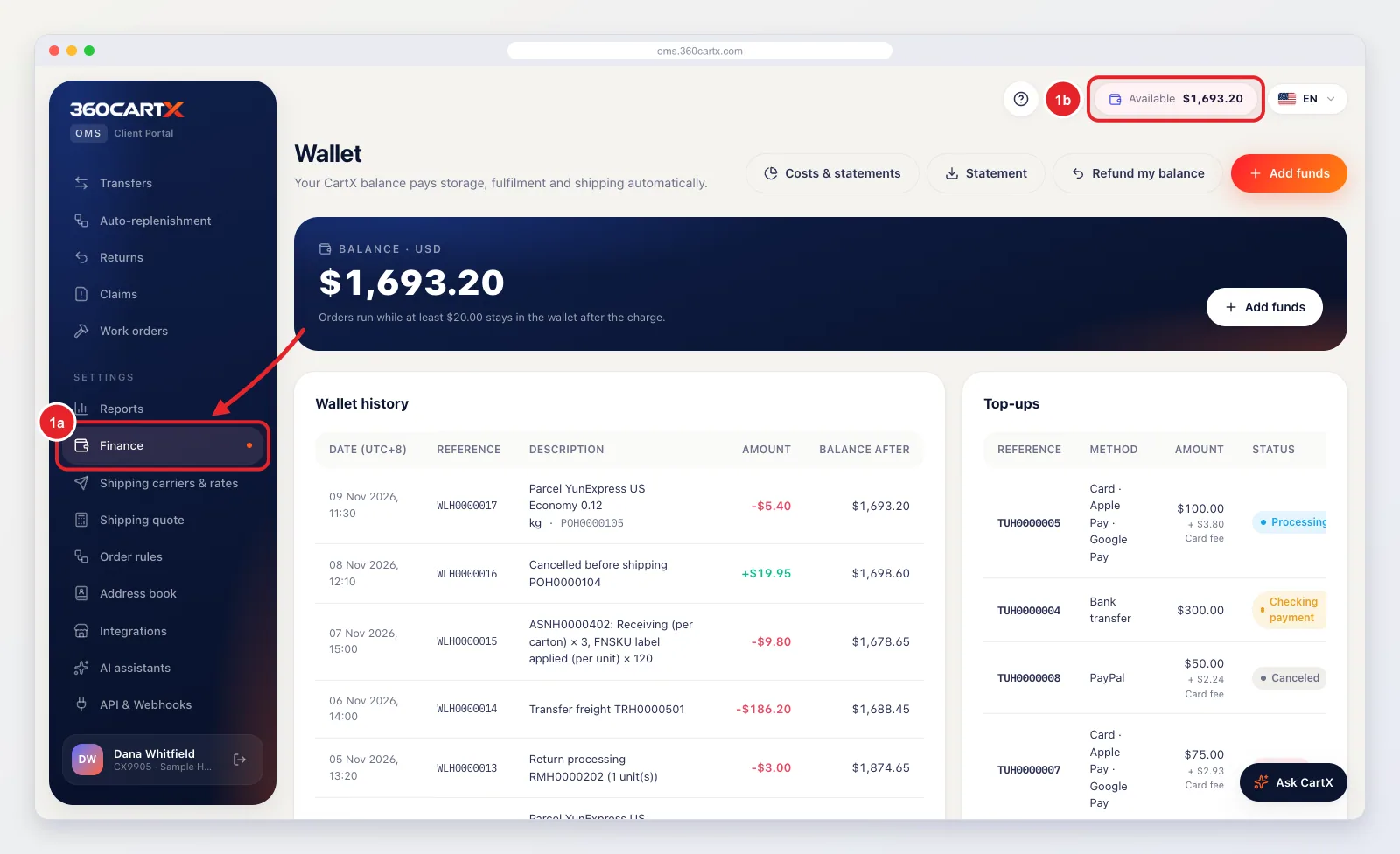
Open Finance and look at the Available chip
Click Finance in the left menu (in the group with Reports and Shipping). On every page of the portal the Available chip at the top right shows the money in your wallet in USD, for example Available $1,693.20. The chip is only a display, it is not a button. Team members whose custom role has no access to Finance do not see it.
- 1a Finance menu
- 1b Available chip
- 2
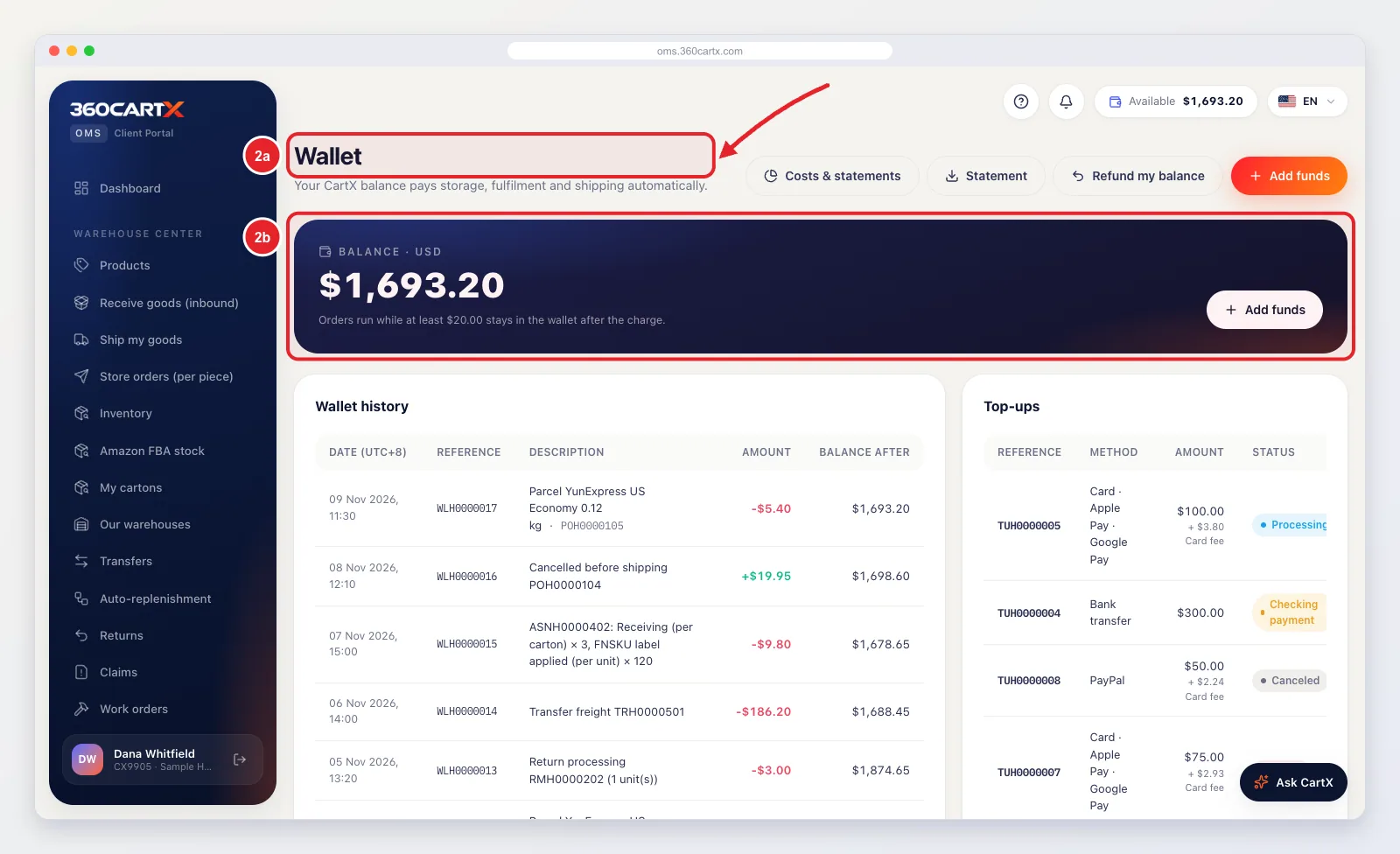
Read the balance card
The page is called Wallet and says: Your CartX balance pays storage, fulfilment and shipping automatically. The large number under Balance · USD is what is in your wallet right now. The Add funds button on the card opens the top-up page.
- 2a Page title
- 2b Balance card
- 3
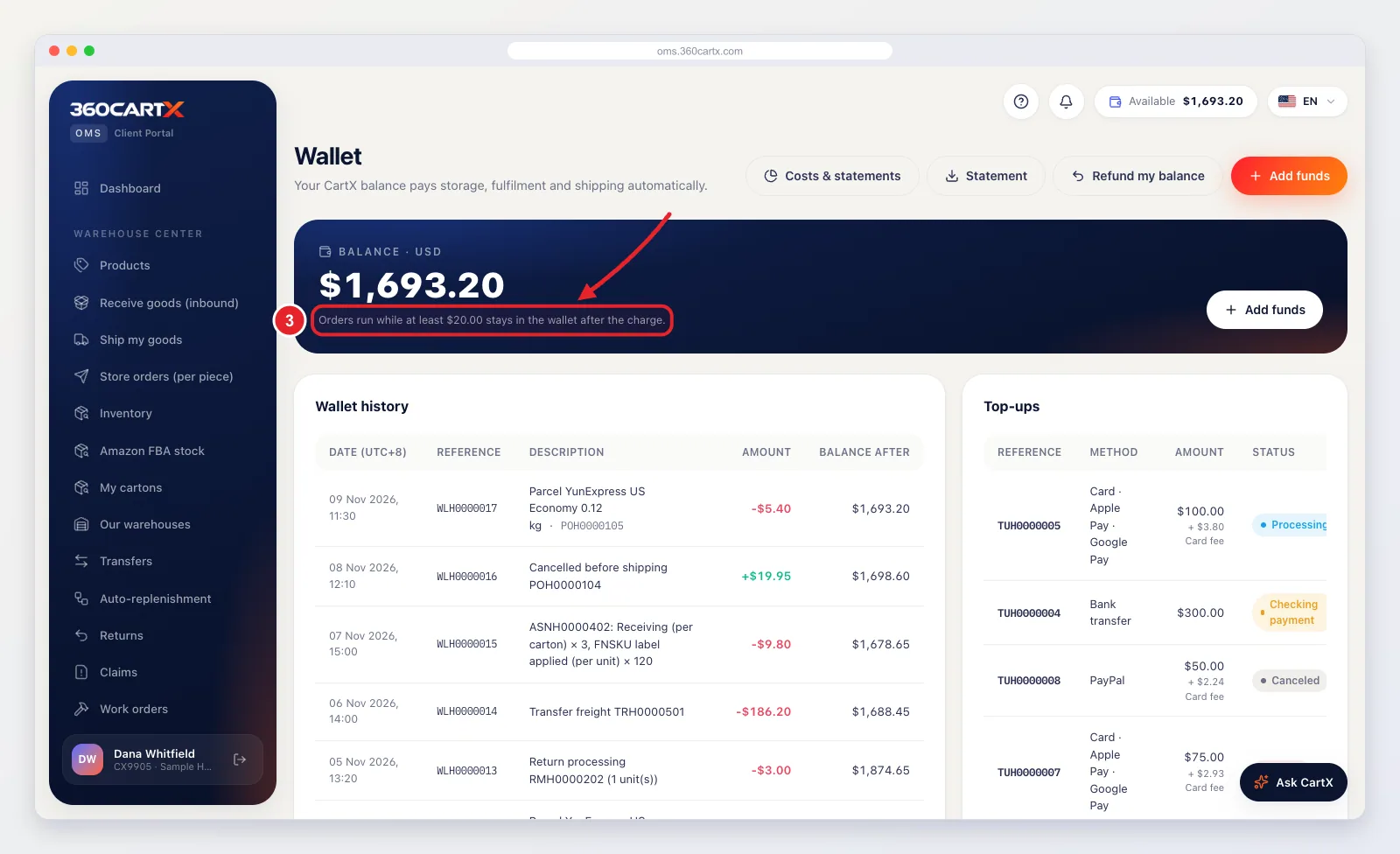
The minimum balance we keep
Under the balance you may read: Orders run while at least $20.00 stays in the wallet after the charge. This is a safety floor: a store order or a work order only goes ahead when the money left in your wallet after its charge is at least this amount, so an order can wait for a top-up while your wallet still shows a few dollars. $20.00 is the standard amount; we can set another amount for your account. When an order waits for money it is released automatically after your top-up (see Orders waiting for money).
- 4
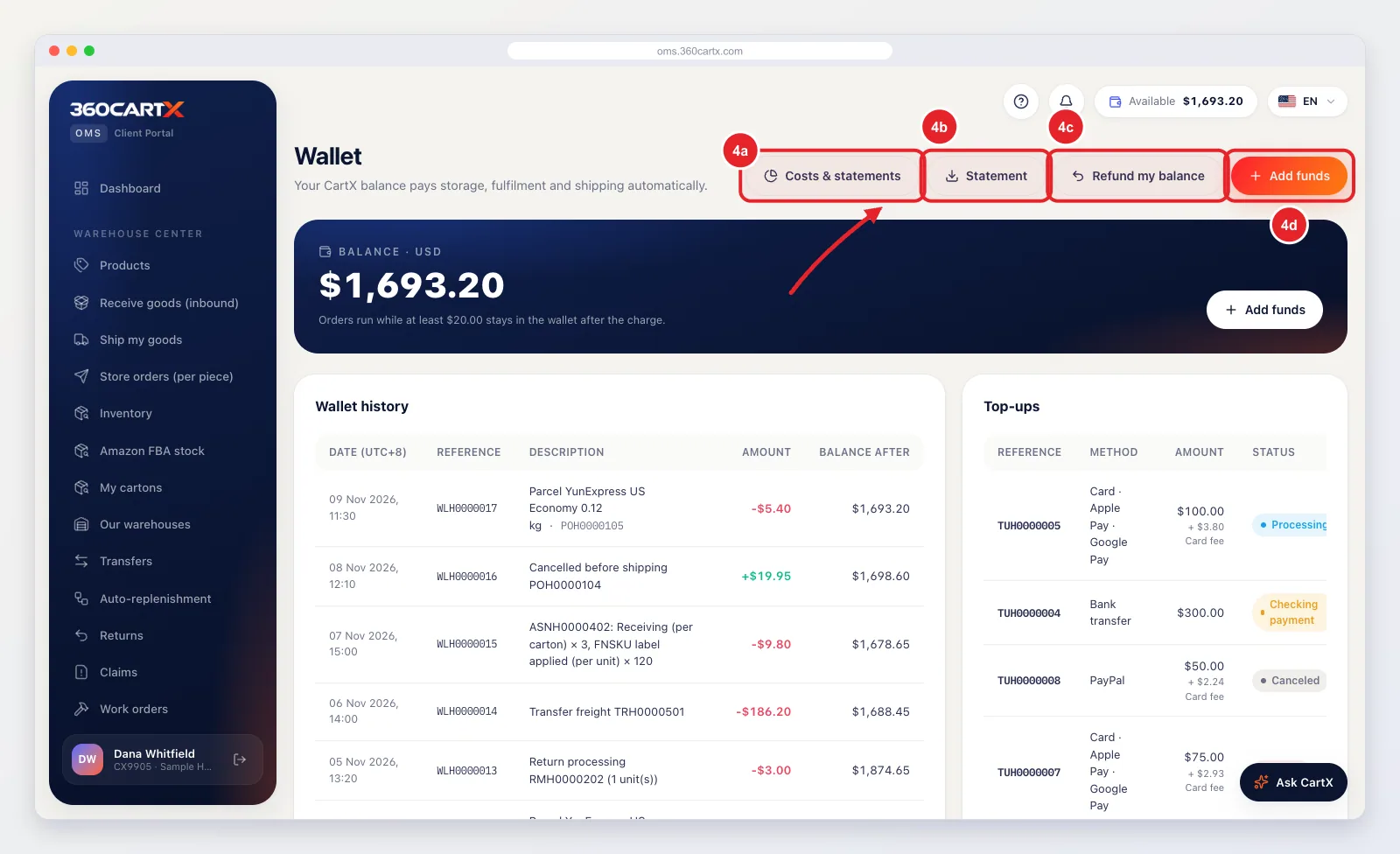
The four buttons at the top right
Costs & statements opens your costs by month and the monthly statement. Statement downloads your wallet statement as a CSV file (this month so far). Refund my balance opens the refund request page. Add funds opens the top-up page. Each of these pages has its own article.
- 4a Costs & statements
- 4b Statement
- 4c Refund my balance
- 4d Add funds
- 5
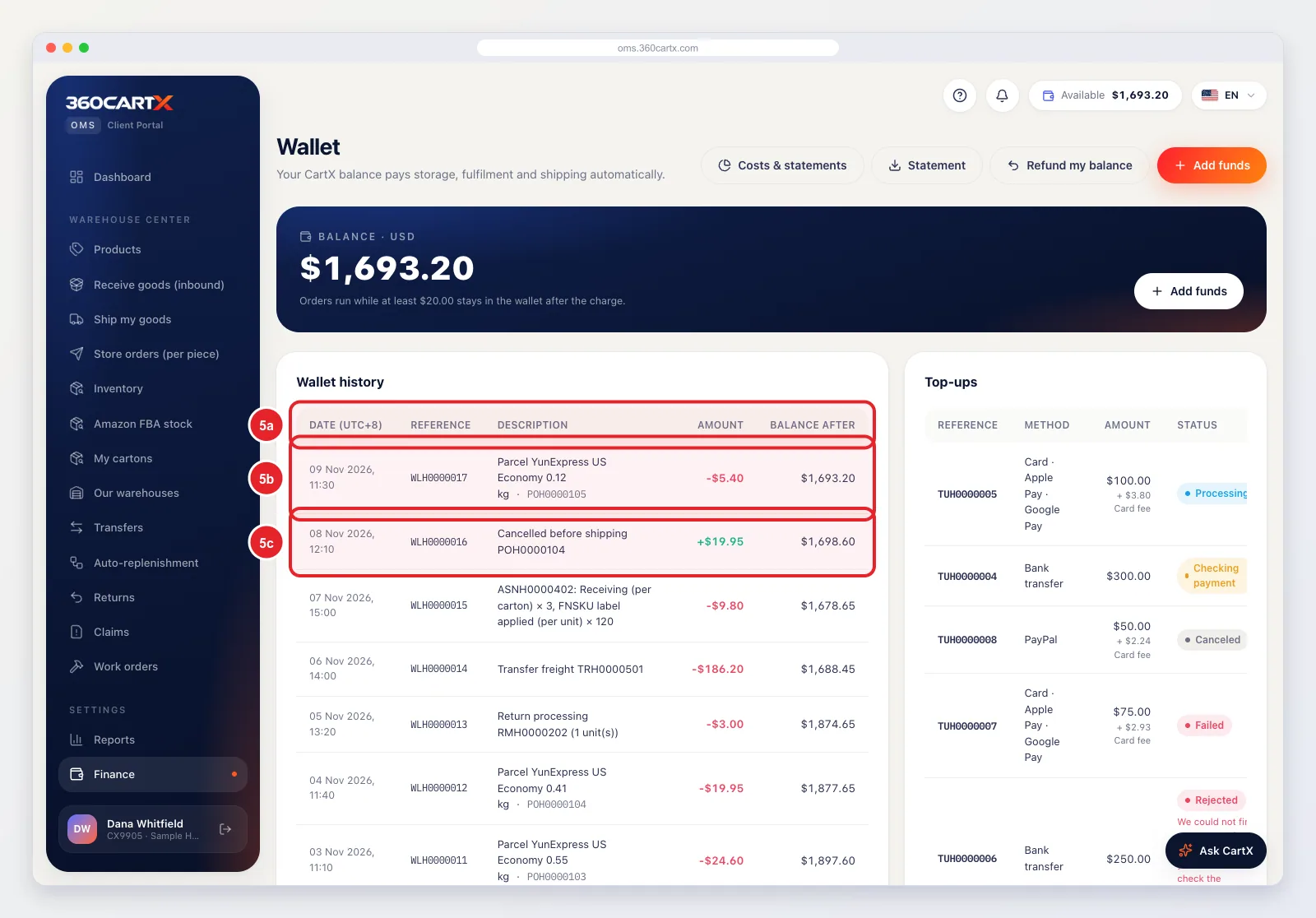
Wallet history
Wallet history lists the last 50 movements, newest first: Date (UTC+8, China time), Reference (a WL number), Description, Amount and Balance after. Charges are red with a minus, credits are green with a plus. The description tells you what happened, for example Parcel YunExpress US Economy 0.12 kg for a shipping charge, PayPal top-up TUH0000003 for money added, Cancelled before shipping POH0000104 for money given back when you cancel an order, Weight settlement (21.5 kg chargeable) when we re-weigh a ship-out request, or Card refund on TUH0000002 when money went back to your card. The document number (for example POH0000105) tells you which order it belongs to. Balance after is your wallet right after that line.
- 5a Column headings
- 5b A charge
- 5c A credit
- 6
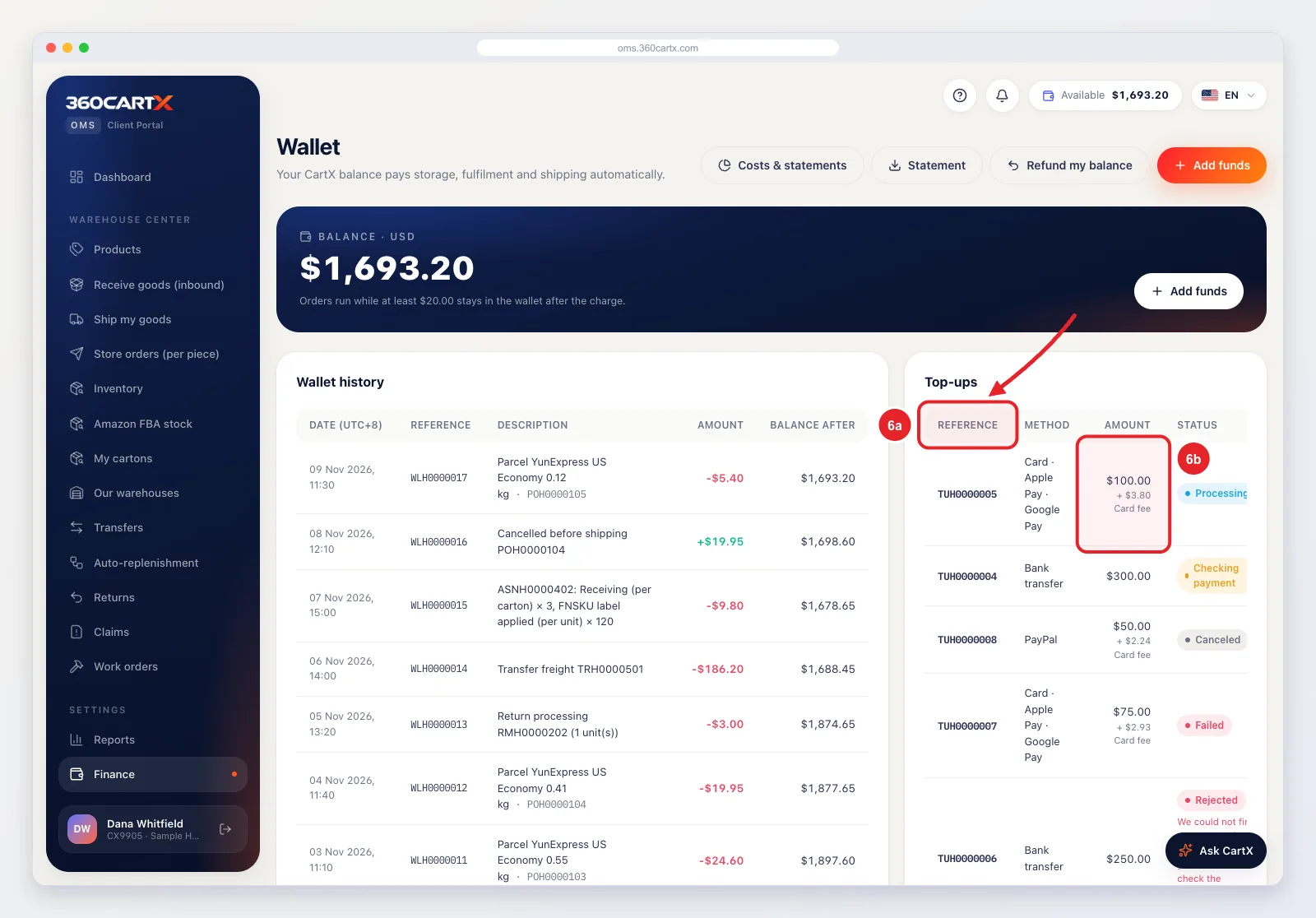
Top-ups
Top-ups lists your last 20 top-ups: Reference (a TU number), Method (Card · Apple Pay · Google Pay, PayPal or Bank transfer), Amount (the amount added to your wallet, with + $17.80 Card fee underneath when you paid a fee), Status and Date. A top-up is listed here from the moment you start or report it, so you can follow it until it is credited. The table is wider than its box: scroll it sideways to see Status and Date. The statuses are explained in Top-up statuses.
- 6a Reference column
- 6b Amount and card fee
Terms in this article
- Wallet: Your prepaid balance in US dollars.
Tips
- The wallet never goes below zero. A charge your balance cannot cover waits instead, and goes through as soon as you add funds.
- Most charges and credits also reach you in the bell (and by e-mail when E-mail is on), for example Wallet charged 5.40 USD. You choose what you receive in Settings, Alerts.
- Only owners, admins and finance team members (and custom roles with Finance access) can add funds, report transfers or ask for refunds. Other roles can open Finance and read it.
- The page shows the last 50 history lines. For older ones use Statement, or Export Excel on Costs & statements.
Common problems
My top-up is not in the balance yet
Open Top-ups and read its status. A card payment is credited a few seconds after the card network confirms it, PayPal as soon as PayPal confirms, and a bank transfer after our finance team has seen the money arrive (Checking payment).
The Available chip shows a different amount from Available to refund
The chip shows your wallet balance. Available to refund on the refund page is that balance minus the shipping cost of orders already labelled or picked and minus any amount held for another refund request.
I do not see Finance in the menu or the Available chip
Your team role does not include Finance. Ask the account owner to change your role in Settings, Team.
A line in Wallet history is not clear to me
Look at the document number at the end of the Description (a parcel, ship-out request, inbound or return number) and open that document from its own page. If it still is not clear, open a support ticket and quote the WL reference of the line.
Related articles
Updated 2026-11-11
Open a ticket from Support in your portal and our team will reply.