Steps
- 1
Find your top-ups
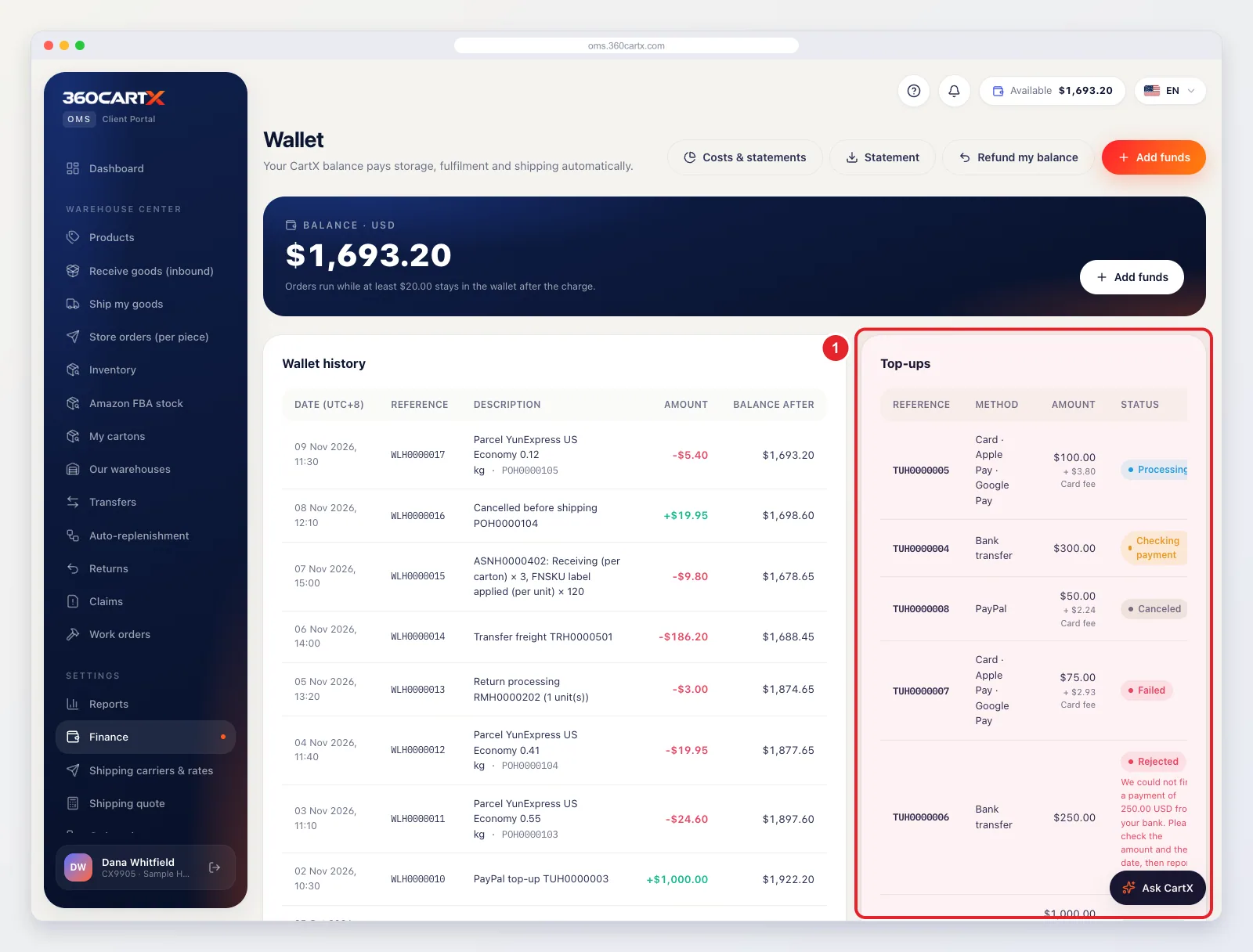
On Finance, Top-ups lists your last 20 top-ups, newest first: Reference (TU number), Method, Amount, Status and Date. Under the amount you may see + $2.24 Card fee: the fee you paid on top of a card or PayPal top-up. The amount itself is what is added to your wallet.
- 2
Checking payment and Processing
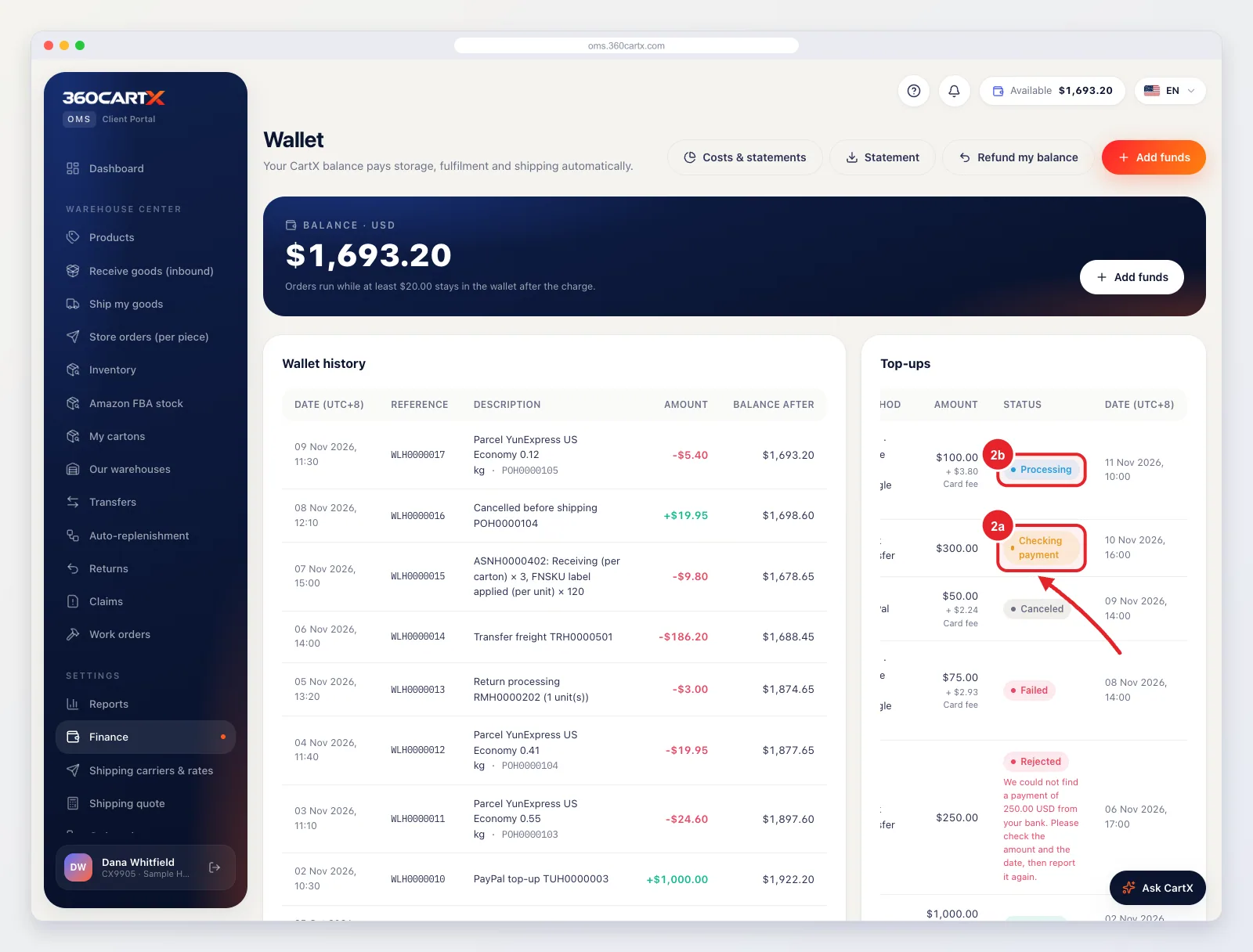
Checking payment (amber) is a bank transfer you reported: our finance team is checking that the money arrived. Processing (blue) is a card or PayPal payment you started: we are waiting for the payment provider to confirm it. Nothing has been added to your wallet yet. Processing is normally over in seconds. A card payment you start but do not finish is closed after one hour and moves to Canceled.
- 2a Checking payment
- 2b Processing
- 3
Credited
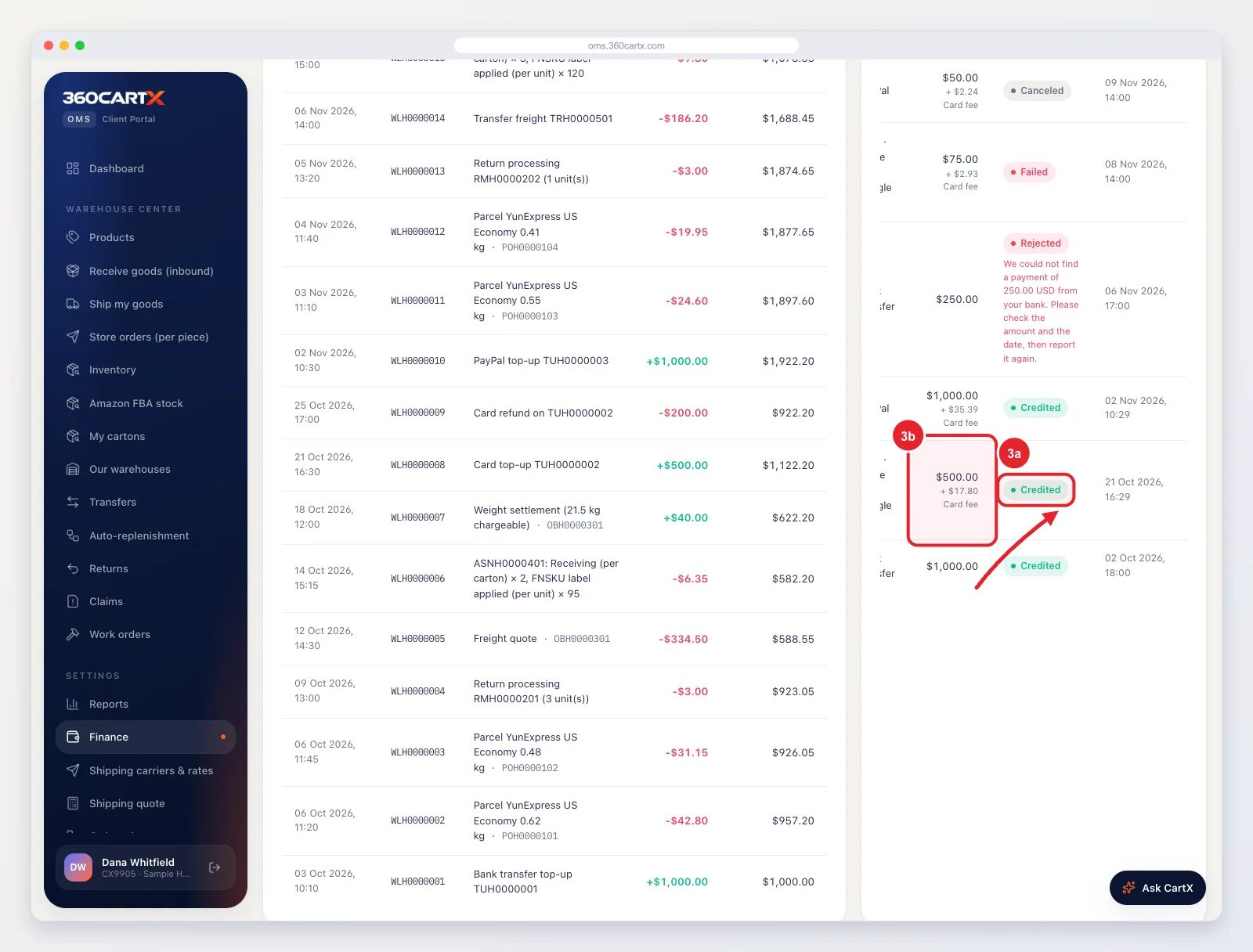
Credited (green) means the money is in your wallet. The Amount column shows what was added. A line Card top-up, PayPal top-up or Bank transfer top-up with the TU number is in your wallet history, you receive Top-up received in the bell, and a receipt/invoice is available in Settings, Invoices. Orders that were waiting for money are released.
- 3a Credited
- 3b Amount and card fee
- 4
Rejected
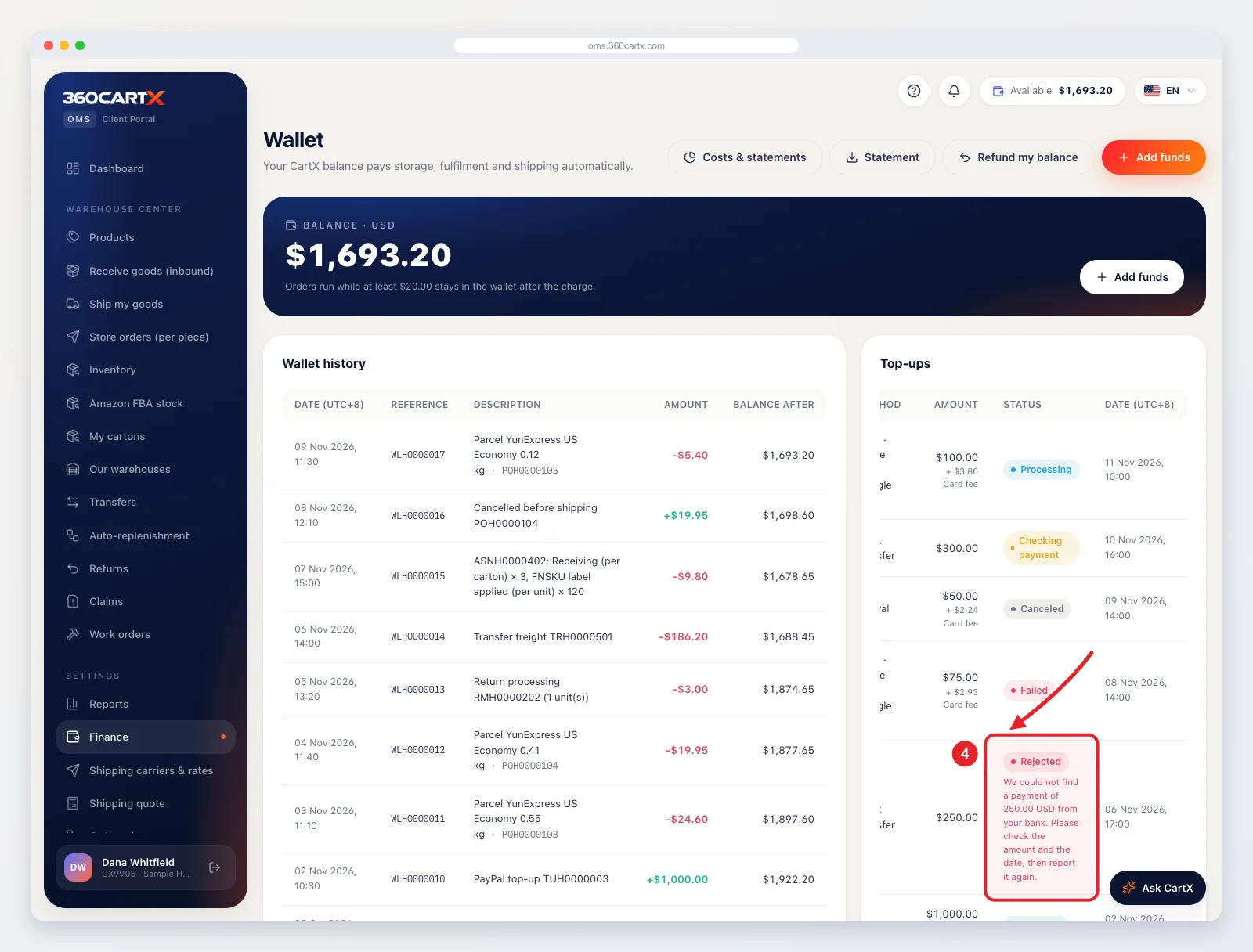
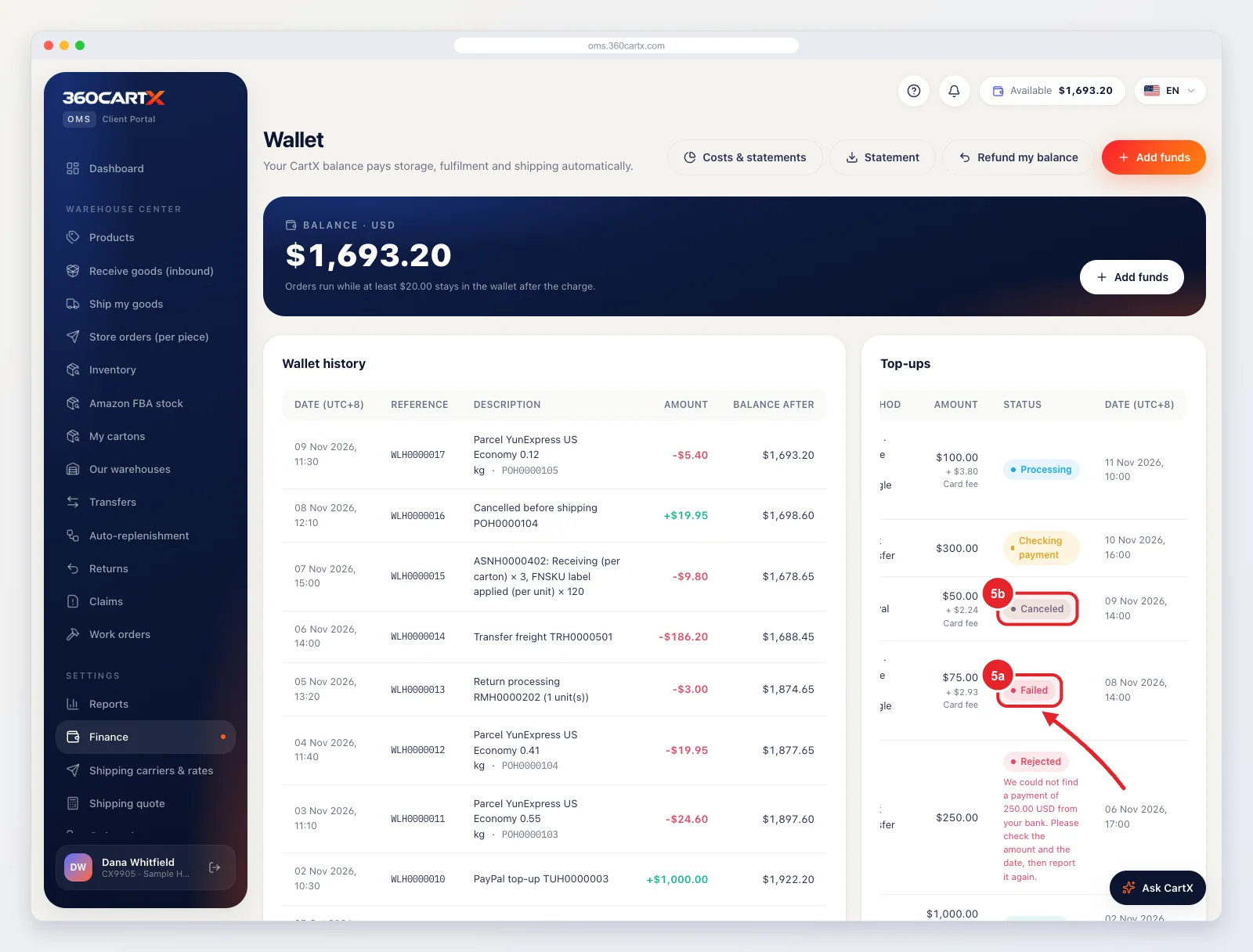
Rejected (red) is a bank transfer we could not match to a payment. Our finance team writes the reason and it is shown in red under the status, for example We could not find a payment of 250.00 USD from your bank. Please check the amount and the date, then report it again. Nothing was added to your wallet. Check the amount, date and reference with your bank and report the payment again.
- 5
Failed and Canceled
Failed (red) means a card or PayPal payment did not go through: the bank or PayPal declined it. Nothing was charged. Canceled (grey) means the payment was not completed: you closed the PayPal page, or a card payment stayed unfinished for an hour. Nothing was charged. In both cases start a new top-up.
- 5a Failed
- 5b Canceled
- 6
What each status does to your money
Checking payment, Processing, Rejected, Failed and Canceled: your wallet has not changed. Credited: your wallet went up by the Amount. If you pay by card or PayPal and your bank shows the charge but the top-up is not Credited after a few minutes, open a support ticket and quote the TU number. Old top-ups made with Alipay show Alipay in the Method column.
Tips
- The newest top-up is at the top. Use the TU number when you write to support.
- A top-up is listed from the moment you start it, even if you never finish. Canceled and Failed rows are only history.
- The list shows your last 20 top-ups. Every credited one is also in Wallet history and has an invoice.
Common problems
A top-up is Processing for a long time
A card top-up that you did not finish moves to Canceled after one hour. If you did pay and it is still Processing after a few minutes, open a support ticket with the TU number.
My bank transfer is still Checking payment
We confirm it after the money is in our account. If your bank shows it as completed and several business days have passed, open a support ticket with the TU number and a bank confirmation.
Rejected: what now?
Read the reason under the status, fix what is wrong (amount, date, or the account you paid) and report the payment again, or open a support ticket.
I was charged but the top-up shows Failed or Canceled
Open a support ticket with the TU number and the date. Your wallet is only credited when the payment is confirmed to us, so our team needs to look at it.
Related articles
Updated 2026-11-11
Open a ticket from Support in your portal and our team will reply.