Steps
- 1
Your balance is low
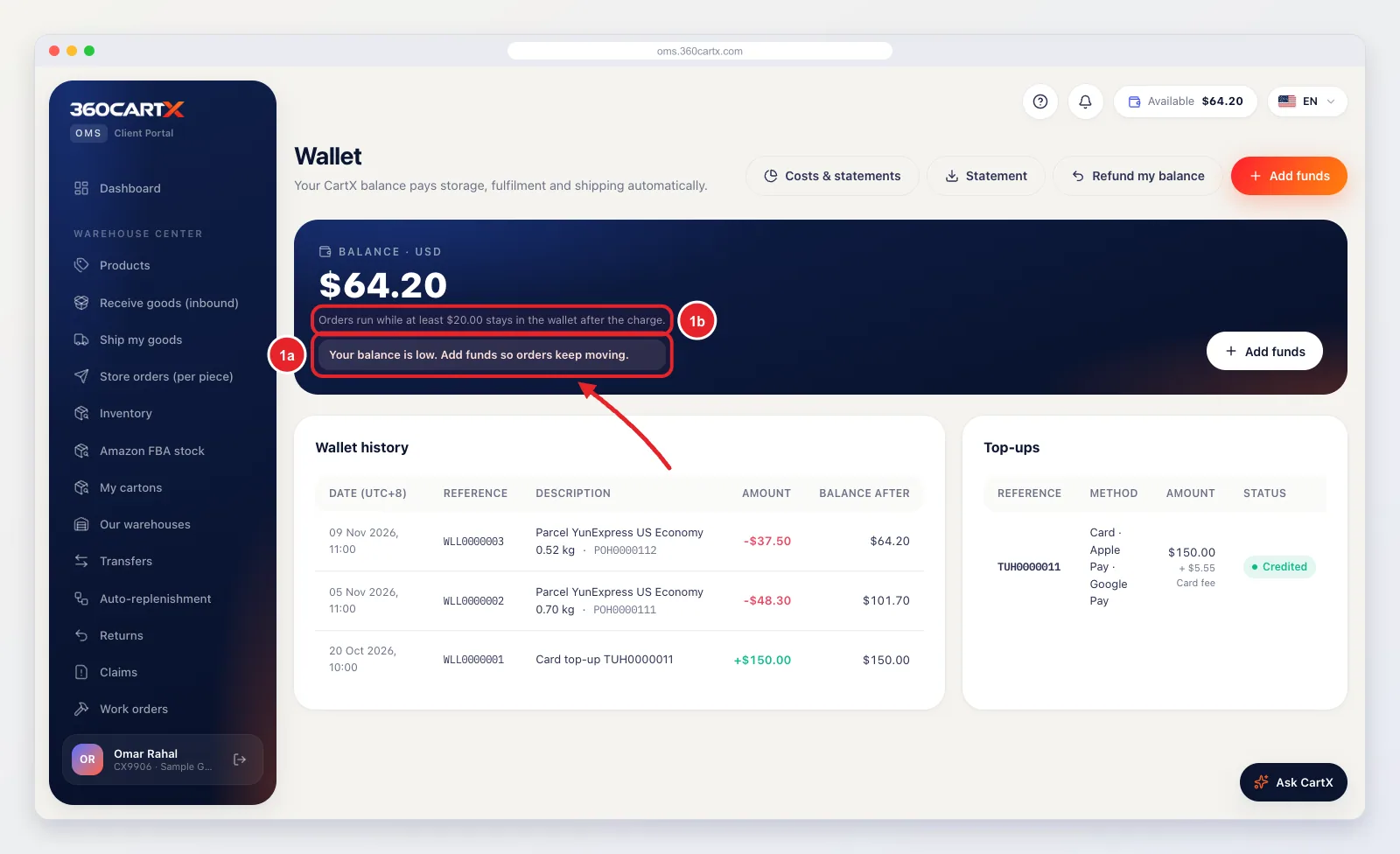
When your balance is lower than the alert value you chose, the balance card shows: Your balance is low. Add funds so orders keep moving. Under the balance you also read the minimum we keep, for example Orders run while at least $20.00 stays in the wallet after the charge. Add funds before the next orders arrive.
- 1a Low balance message
- 1b Minimum balance note
- 2
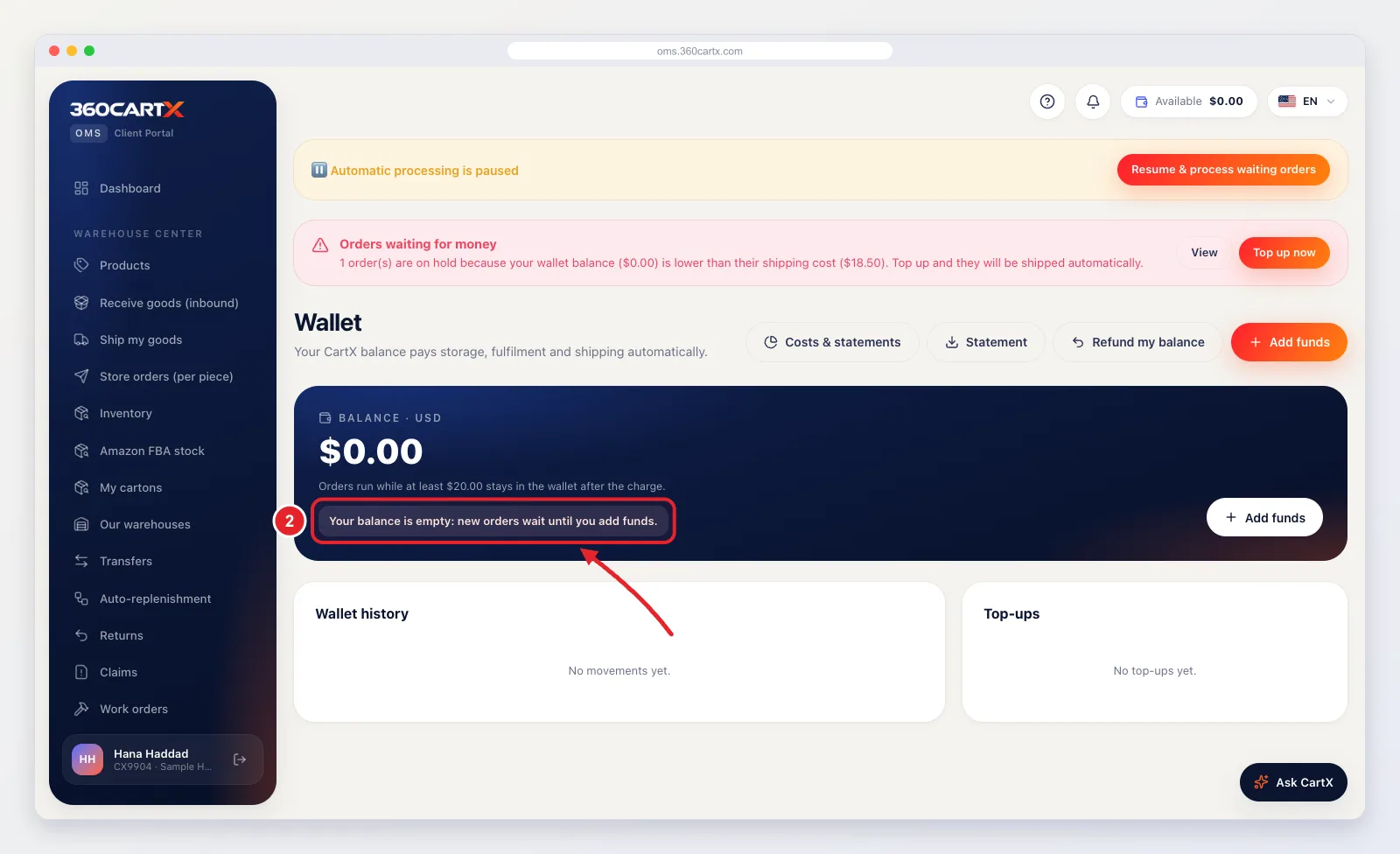
Your balance is empty
When the balance is $0.00 the card shows: Your balance is empty: new orders wait until you add funds. This message does not depend on any setting. New orders are not lost: they wait, and go ahead after you top up.
- 3
Orders waiting for money
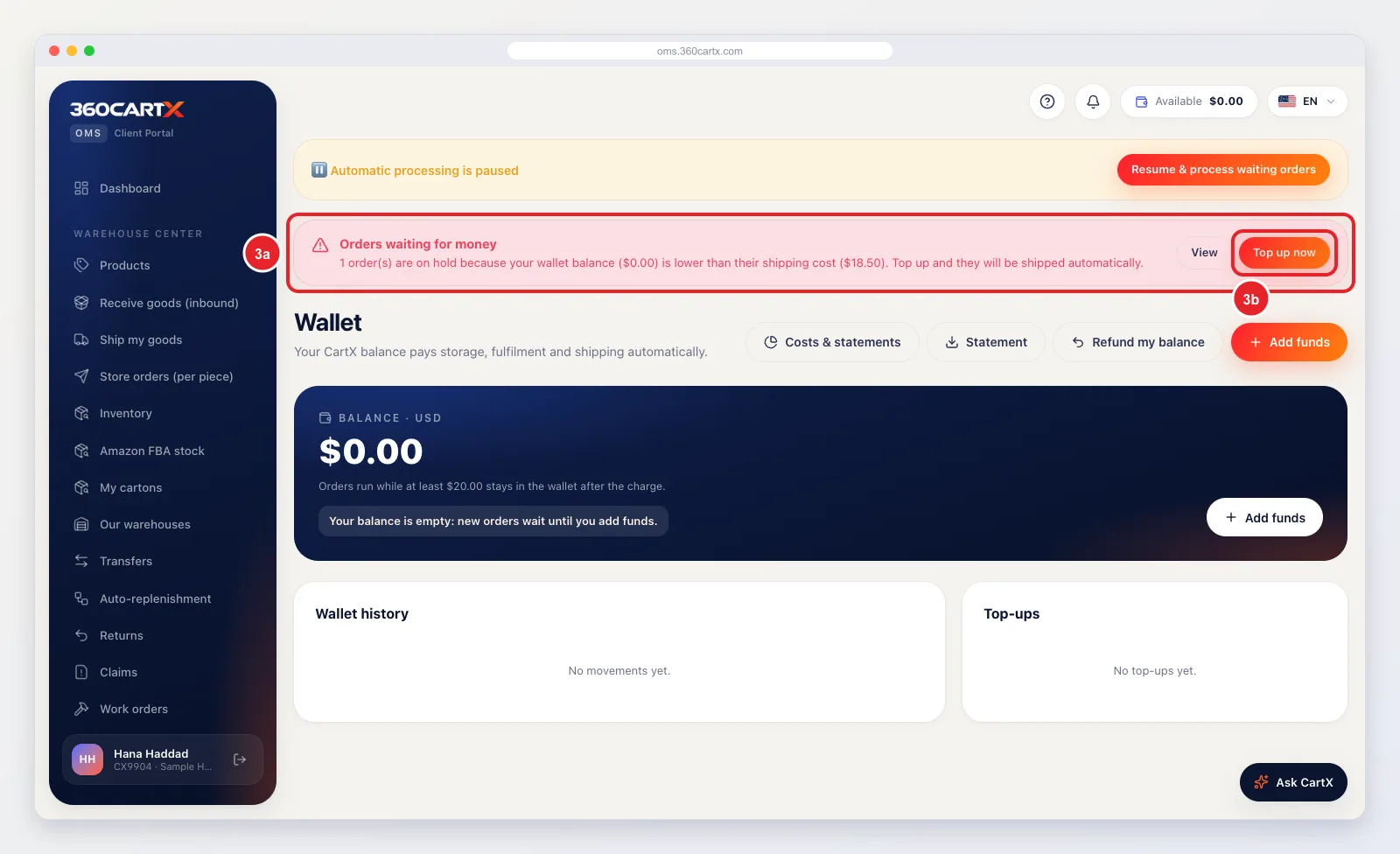
When store orders cannot be paid, a red banner appears on every page of the portal: Orders waiting for money, with how many orders are on hold, your balance and the shipping cost they need. Click Top up now to go straight to Add funds, or View to see the orders (they show Waiting for top-up). After a top-up, waiting orders are released automatically, oldest first. The release stops at the first order your balance still cannot cover.
- 3a Banner
- 3b Top up now
- 4
Tell me before it happens
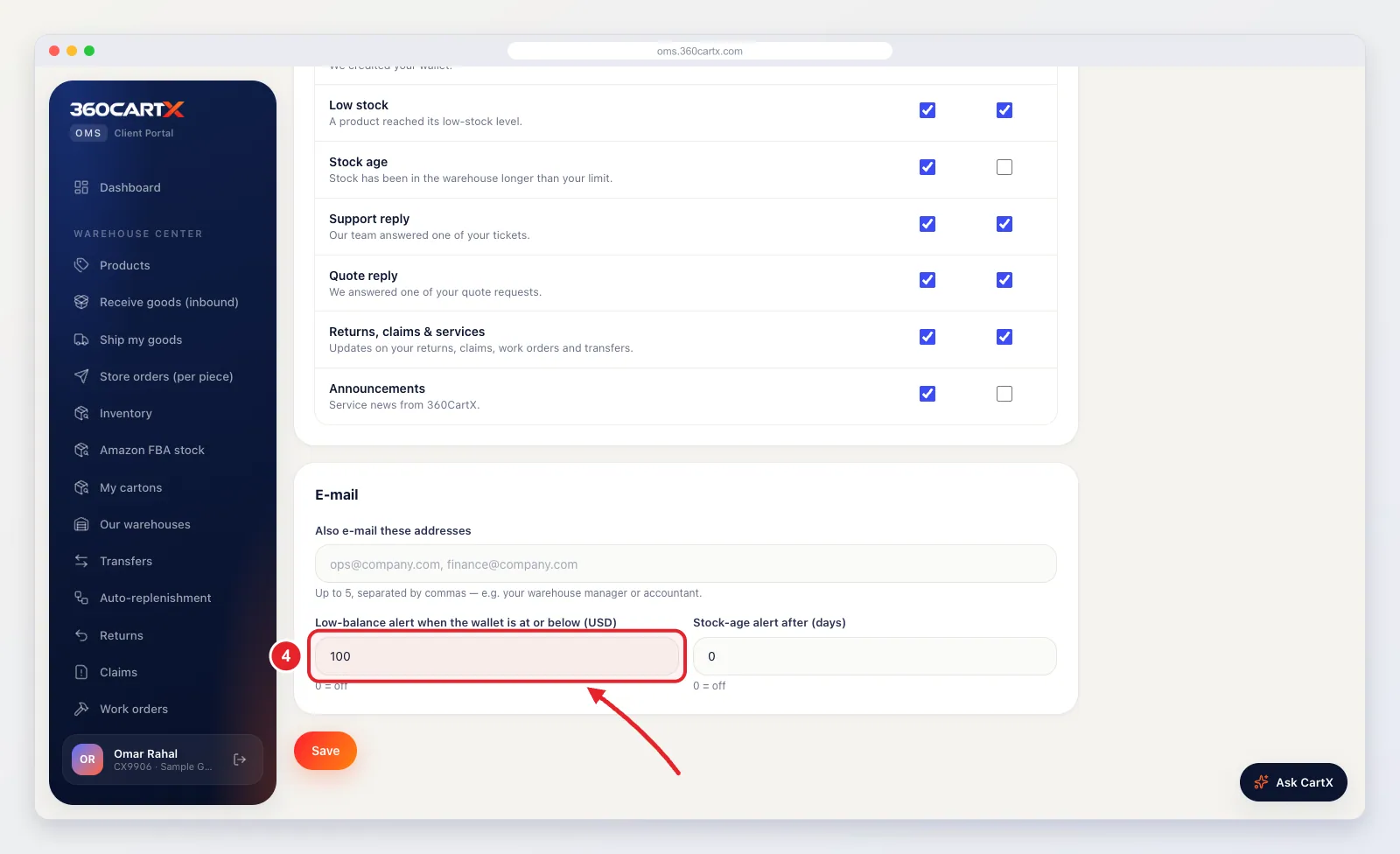
Set a low-balance alert in Settings, Alerts. In the E-mail box at the bottom type the amount in Low-balance alert when the wallet is at or below (USD), for example 100.00, and click Save. 0 means off, and 0 is the standard, so you only get the warning once you set an amount. Only owners and admins can change it.
- 5
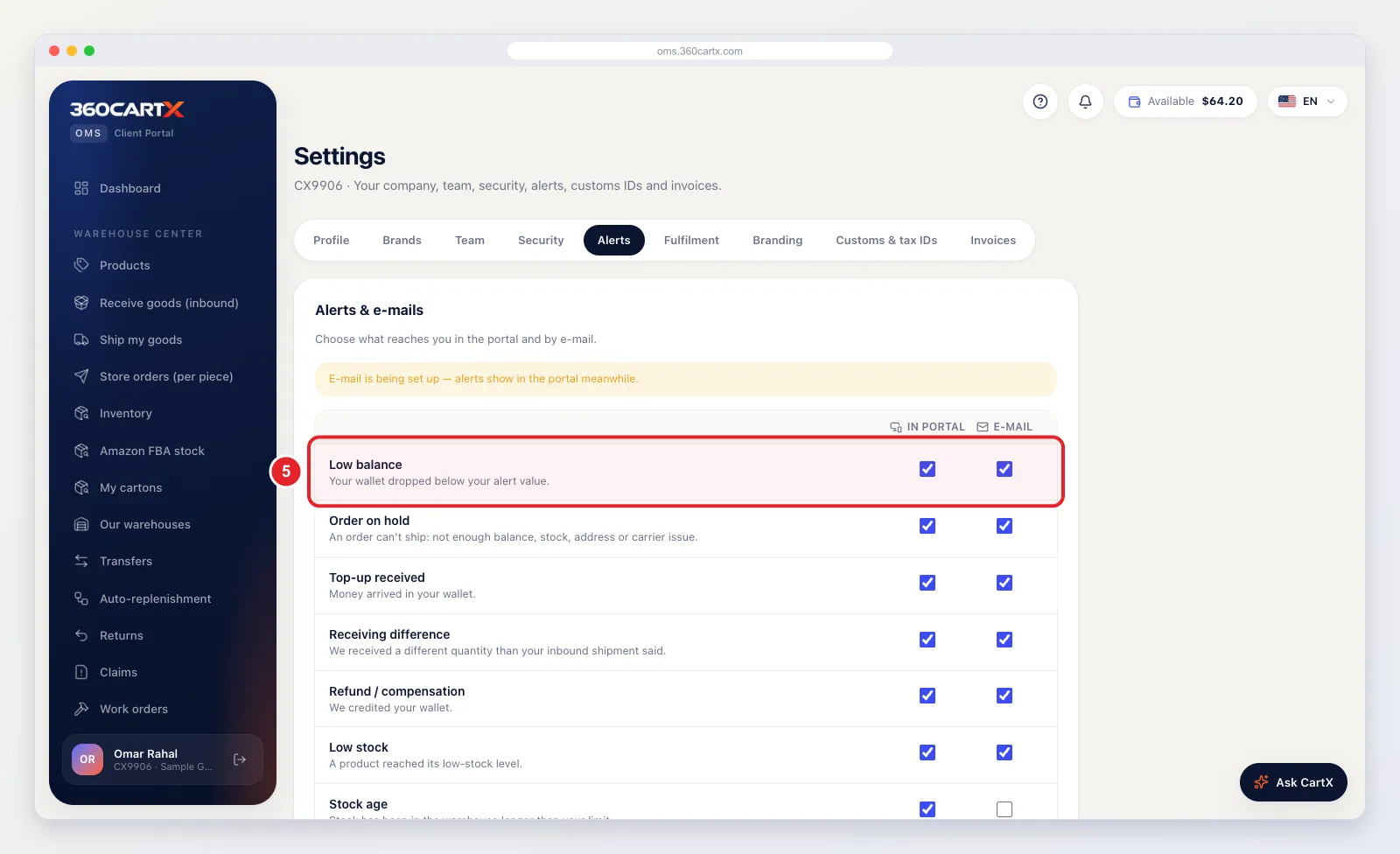
Choose how you are told
In the table at the top of the same page, Low balance (Your wallet dropped below your alert value) has two ticks: In portal (the bell) and E-mail. After a charge, if your wallet is at or below your alert value, you get Your wallet is running low with the balance and your alert value, at most once a day. The e-mail goes to every team member except operators, and to the addresses you add under Also e-mail these addresses.
- 6
After you top up
As soon as the top-up is credited, the messages disappear, you receive Top-up received, and orders that were waiting for money are processed again by themselves, oldest first. You do not have to touch them. See Top-up statuses to follow your payment.
Terms in this article
- Wallet: Your prepaid balance in US dollars.
Tips
- Choose an alert value that leaves you time to top up. A bank transfer takes longer than a card payment.
- Bank transfers are credited after our team verifies them. Top up by card when you are in a hurry.
- Orders waiting for money do not need to be recreated. They carry on after the top-up.
Common problems
My order says Insufficient balance
The order could not be paid. Store orders go ahead only when the money left after the charge is at least the minimum balance, so the message says to keep at least $20.00 in the wallet after this order. Top up and the order is released.
My wallet shows money but orders still wait
Orders need the shipping cost plus the minimum balance to stay in the wallet. Money already set aside for orders that are labelled or picked, and money held for a refund request, cannot be used for another order.
A work order says Your wallet doesn't cover this work order
Work orders with a price also need the minimum balance to stay afterwards. Top up first, then submit again.
I never receive the low-balance alert
Check that Low-balance alert in Settings, Alerts is above 0, that Low balance is ticked, and that the wallet really went at or below the amount after a charge. You are told once a day at most.
Related articles
Updated 2026-11-11
Open a ticket from Support in your portal and our team will reply.