Steps
- 1
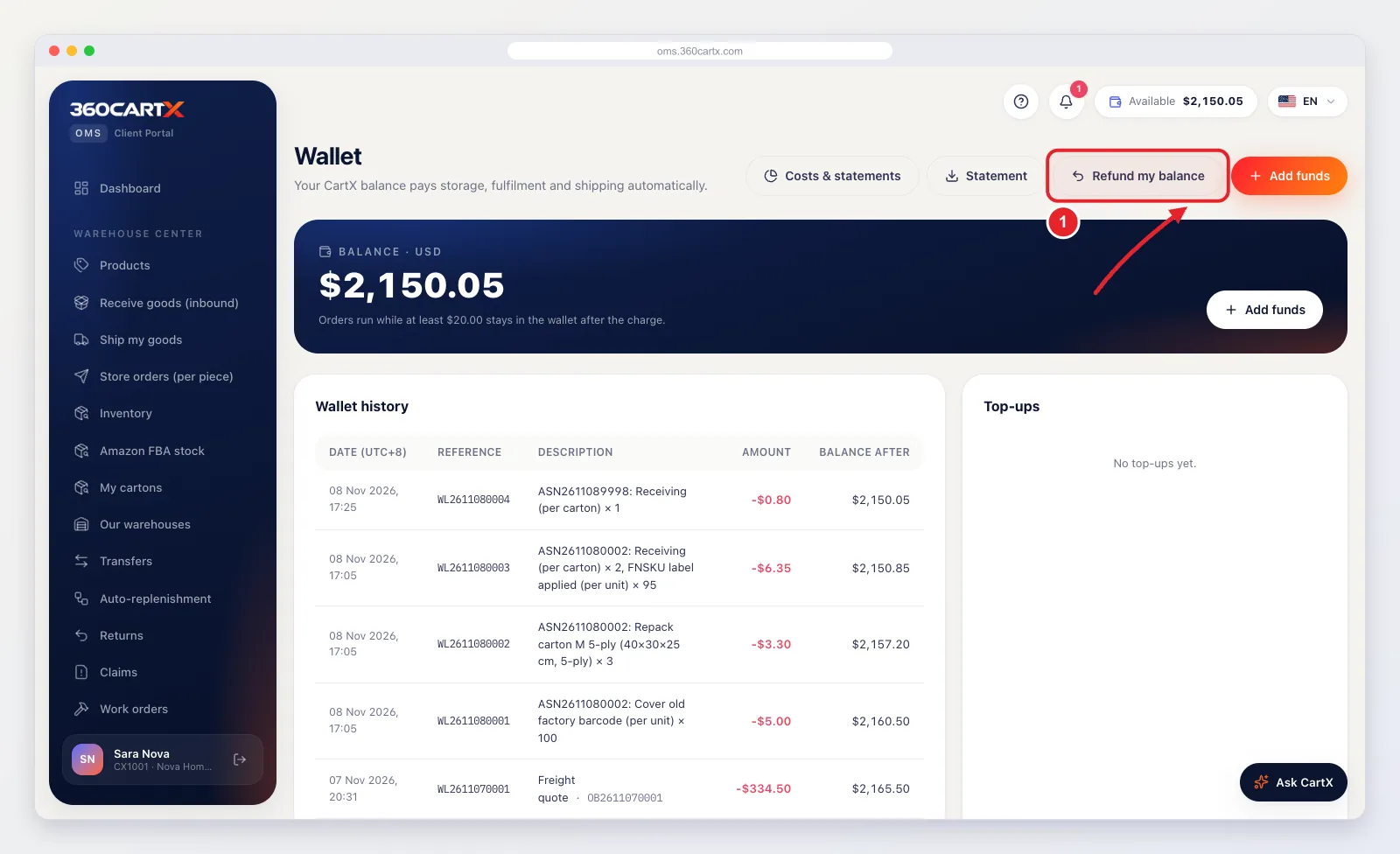
Click Refund my balance
On Finance click Refund my balance at the top right. Only owners, admins and finance team members can send a request.
- 2
How refunds work
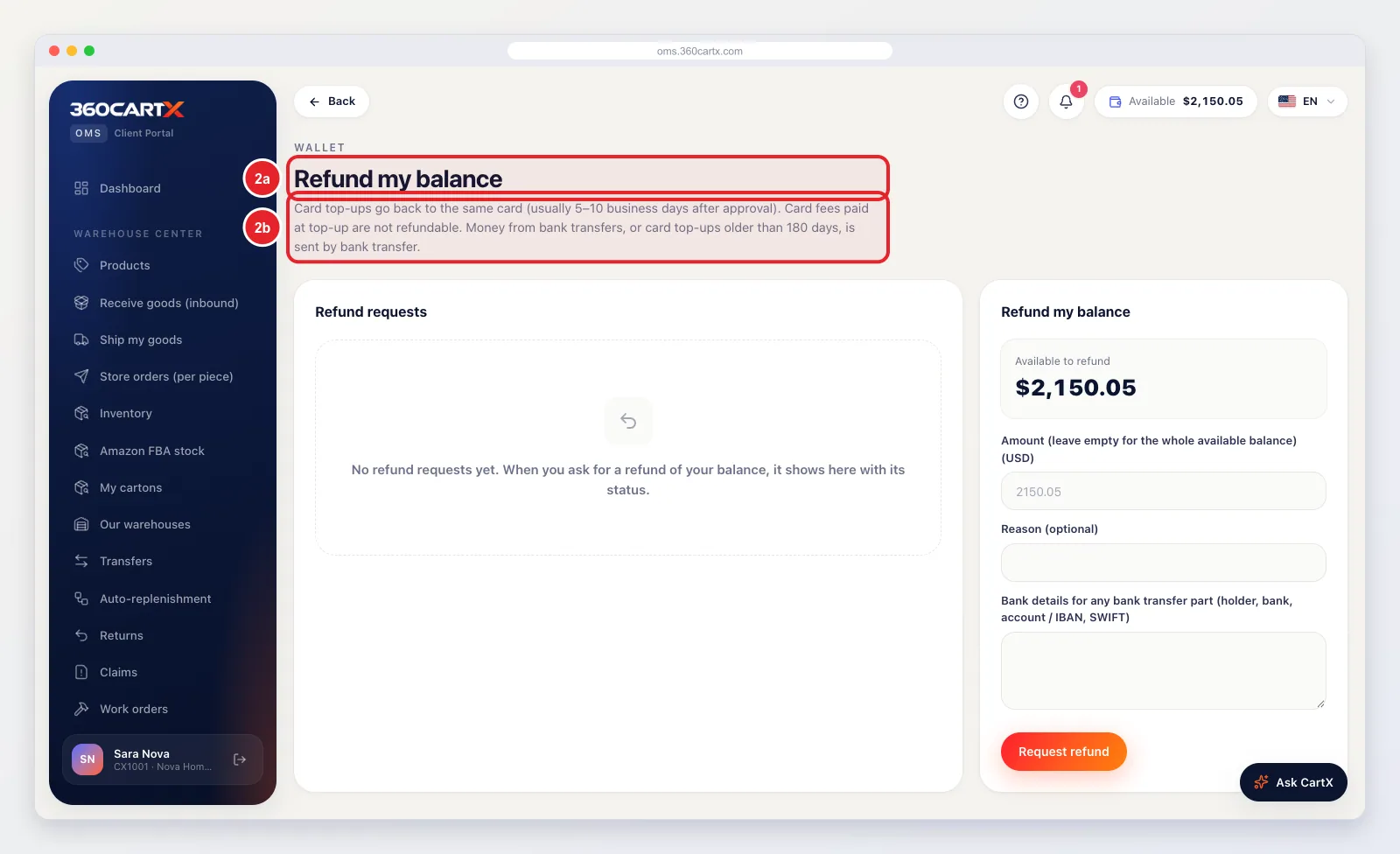
The page says: Card top-ups go back to the same card (usually 5–10 business days after approval). Card fees paid at top-up are not refundable. Money from bank transfers, or card top-ups older than 180 days, is sent by bank transfer. On the left, Refund requests lists your requests with their status. On the right you make a new one.
- 2a Page title
- 2b How refunds work
- 3
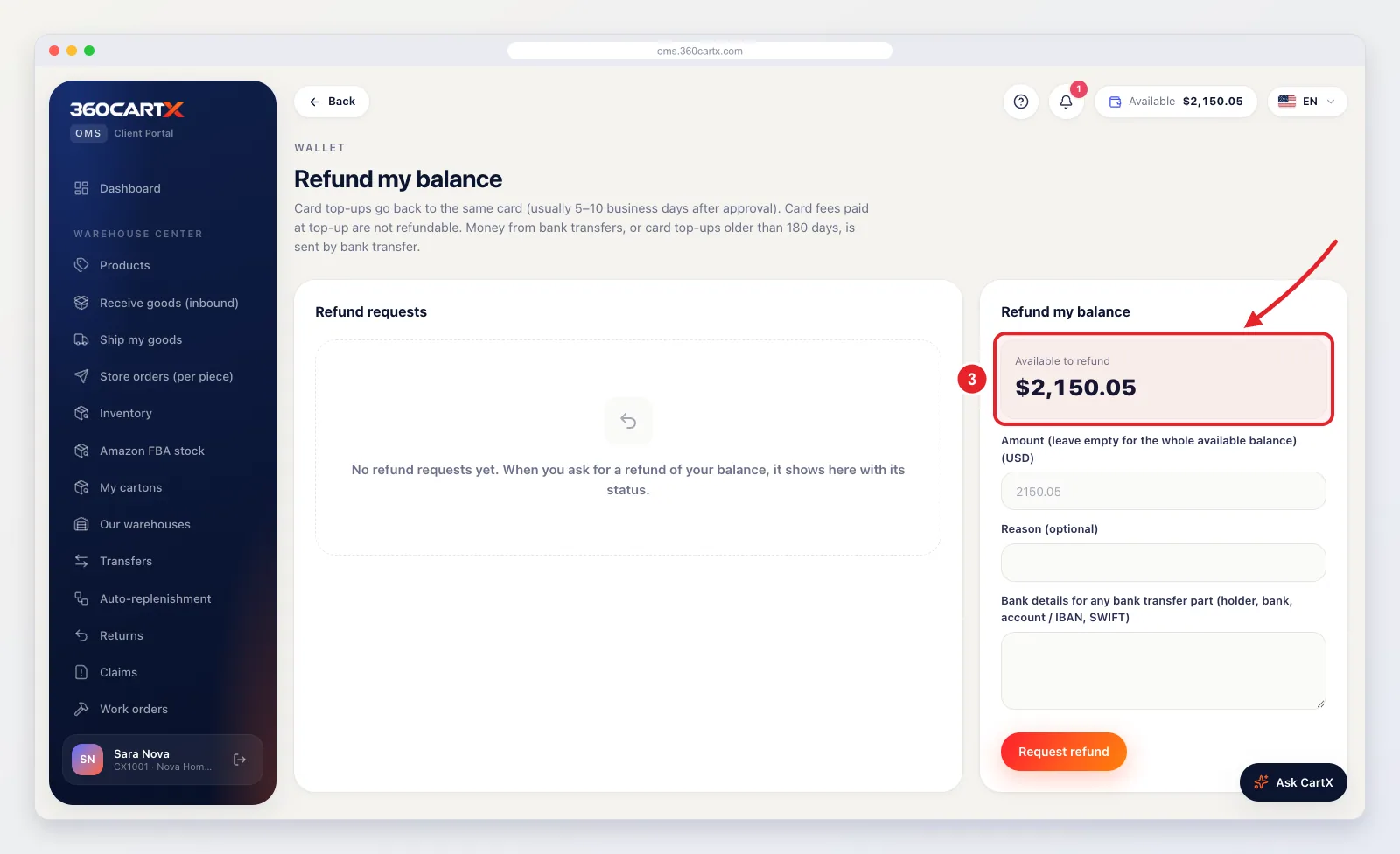
Available to refund
Available to refund is the money you can ask for now: your wallet balance minus the shipping cost of orders that are already labelled or picked and minus money held for another refund request. It can be smaller than the balance on Finance.
- 4
Amount
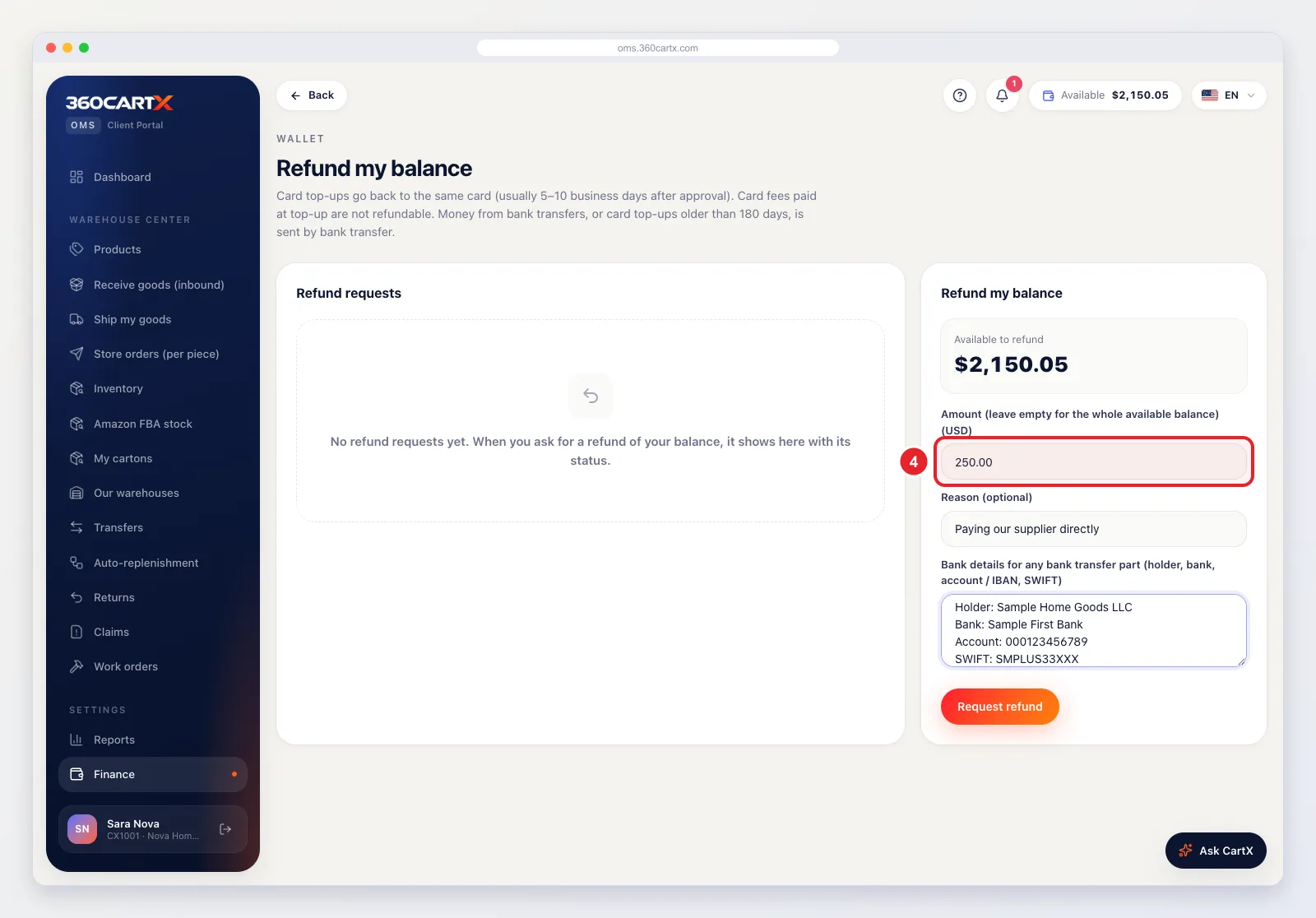
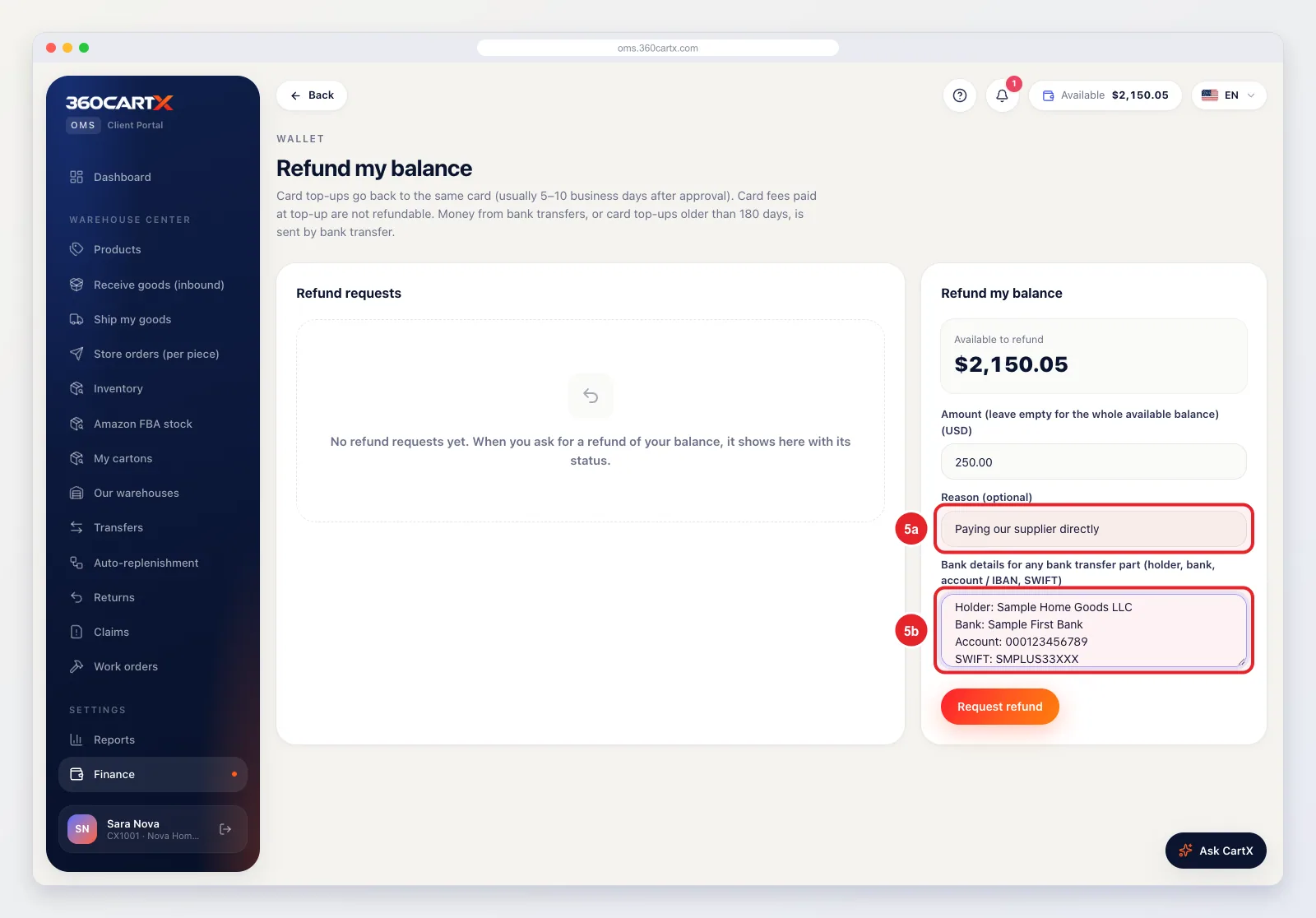
Type the Amount (leave empty for the whole available balance), for example 250.00, with up to two decimals. The grey figure in the box is your available balance: leave the box empty to ask for all of it. The amount cannot be more than Available to refund.
- 5
Reason and bank details
Reason (optional) is for our team, for example Paying our supplier directly (up to 500 characters). Bank details for any bank transfer part is where you write where to send money that cannot go back to a card: the account holder, bank, account number or IBAN and SWIFT (up to 1,000 characters). Fill it in whenever any of the money came by bank transfer, or your card top-ups are older than 180 days, so we can pay you without asking.
- 5a Reason
- 5b Bank details
- 6
Send the request and read the messages
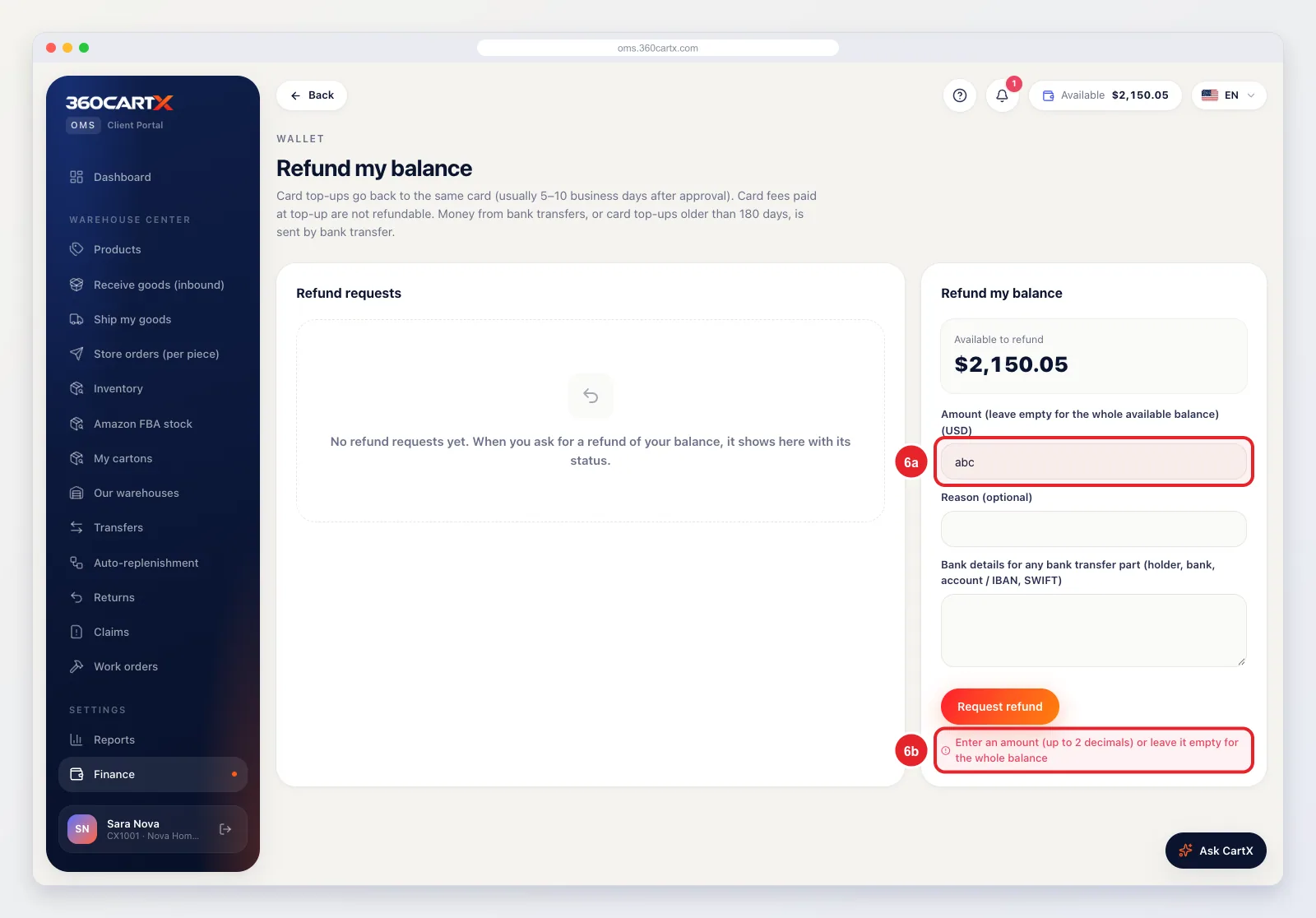
Click Request refund. If it is not accepted a red message tells you why and nothing is sent: Enter an amount (up to 2 decimals) or leave it empty for the whole balance (here a word was typed); The amount is more than your available balance; There is no balance to refund; You already have a refund request in progress; or N order(s) are still being prepared, wait until they ship or cancel them, then ask again. When it works you read the request number (WR...) and the request appears in the list.
- 6a Amount
- 6b Red message
- 7
Waiting for approval, and Cancel request
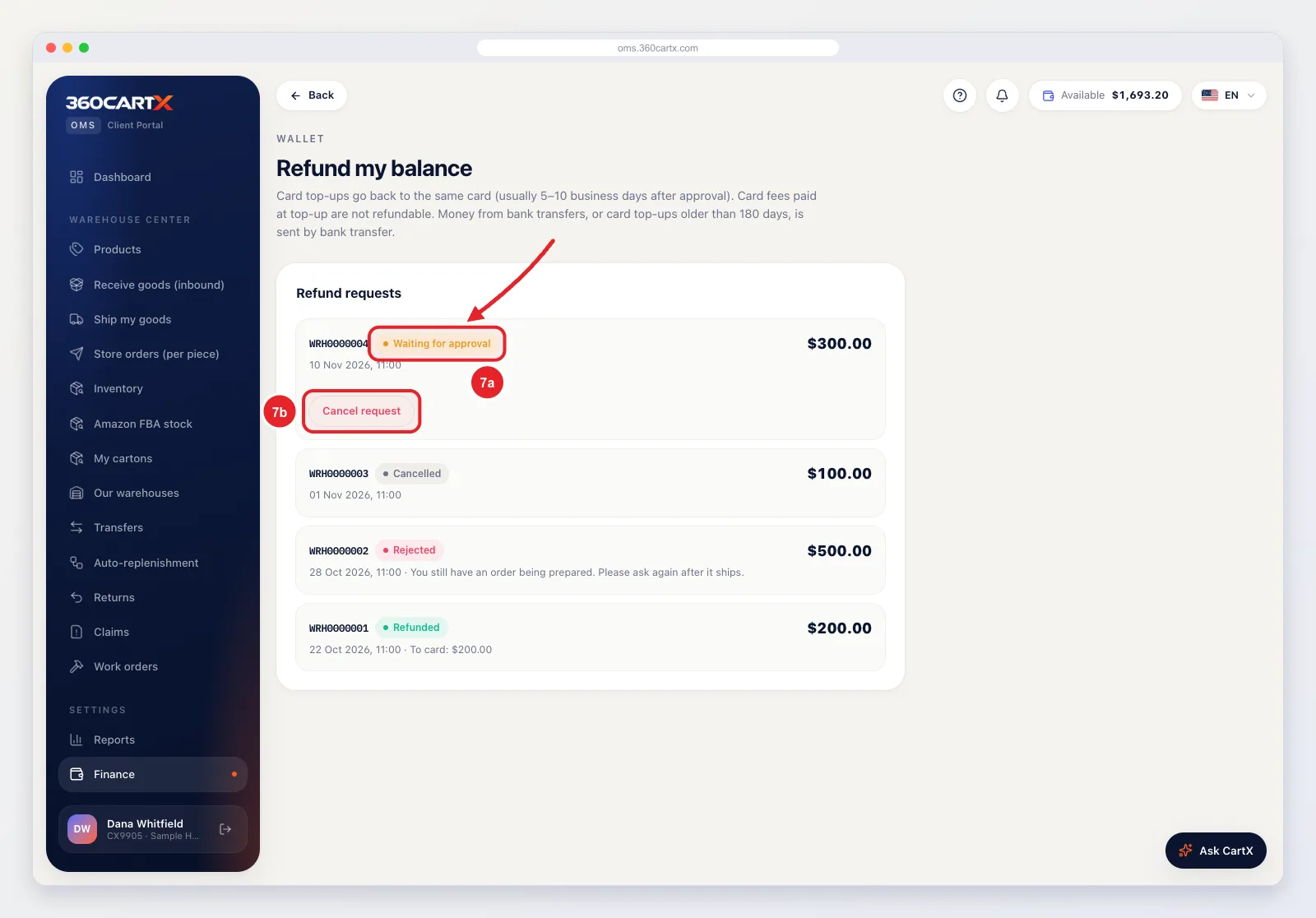
A new request is Waiting for approval. The amount is set aside at once: you cannot spend it while it waits, and the form is hidden because only one request can be open at a time. The request goes into our finance team's queue. While it is Waiting for approval you can click Cancel request: the request becomes Cancelled and the money is yours to spend again. Under the amount you also see the date and, once we have planned it, how much goes To card and how much By bank.
- 7a Waiting for approval
- 7b Cancel request
- 8
The other statuses
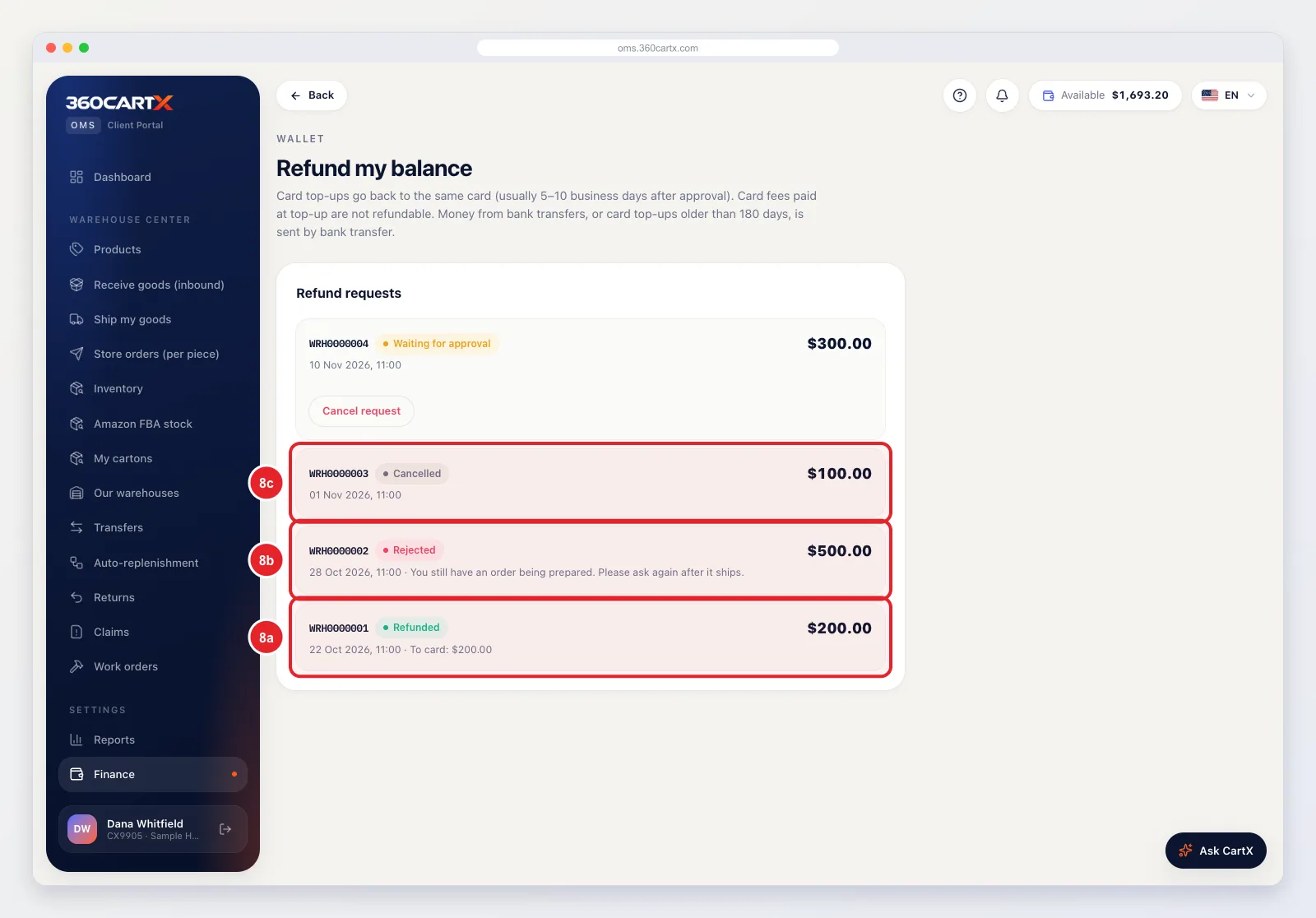
Refunded (green): done. Rejected (red): we did not approve it, and our reason is shown on the request, for example You still have an order being prepared. Please ask again after it ships. Cancelled (grey): you cancelled it. The remaining two are shown while we are paying you: Refunding to card (blue) means the card part has been approved and is being sent back to your card, and Bank transfer pending (blue) means the card part is done and we are about to send the bank transfer to the details you gave. The wallet history then shows Card refund on TU... and Wallet refund WR... by bank transfer.
- 8a Refunded
- 8b Rejected
- 8c Cancelled
- 9
How the money is paid out
When our team approves a request, the card part is refunded to your card automatically, starting from your newest card top-ups and never more than was credited from each one. Card top-ups older than 180 days, and money that came by bank transfer, are paid by bank transfer to the details you wrote. You also get an e-mail when it is approved. A card refund usually reaches your card 5–10 business days after approval. If a card refund fails on our side, the request stays Refunding to card until we have retried it.
Tips
- Wait until your orders have shipped (or cancel them) before you ask: a request is refused while orders are still being prepared.
- Keep the minimum balance in mind: a request for the whole balance leaves $0.00, so new orders will wait for a top-up.
- Card and PayPal fees you paid are not part of a refund: you get back the amount that was credited to your wallet.
- Write the bank details even if you expect the money to go back to your card. Anything that cannot go back to a card is then paid without delay.
Common problems
I cannot see the form
You already have a request in progress (Waiting for approval, Refunding to card or Bank transfer pending). Only one can be open at a time. Cancel it while it is Waiting for approval, or wait until it is finished.
N order(s) are still being prepared
Some store orders are not shipped yet. Wait until they ship, or cancel them, then ask again.
This request can no longer be cancelled
Our finance team has already started it. Wait for the result, or open a support ticket.
Your role can't do this
Only owners, admins and finance team members can request refunds. Ask one of them.
My request was Rejected
Read the reason on the request, fix what it says and send a new request.
Is my balance still usable while a request waits?
The requested amount is not. The rest of your balance still pays for orders.
Related articles
Updated 2026-11-11
Open a ticket from Support in your portal and our team will reply.