Steps
- 1
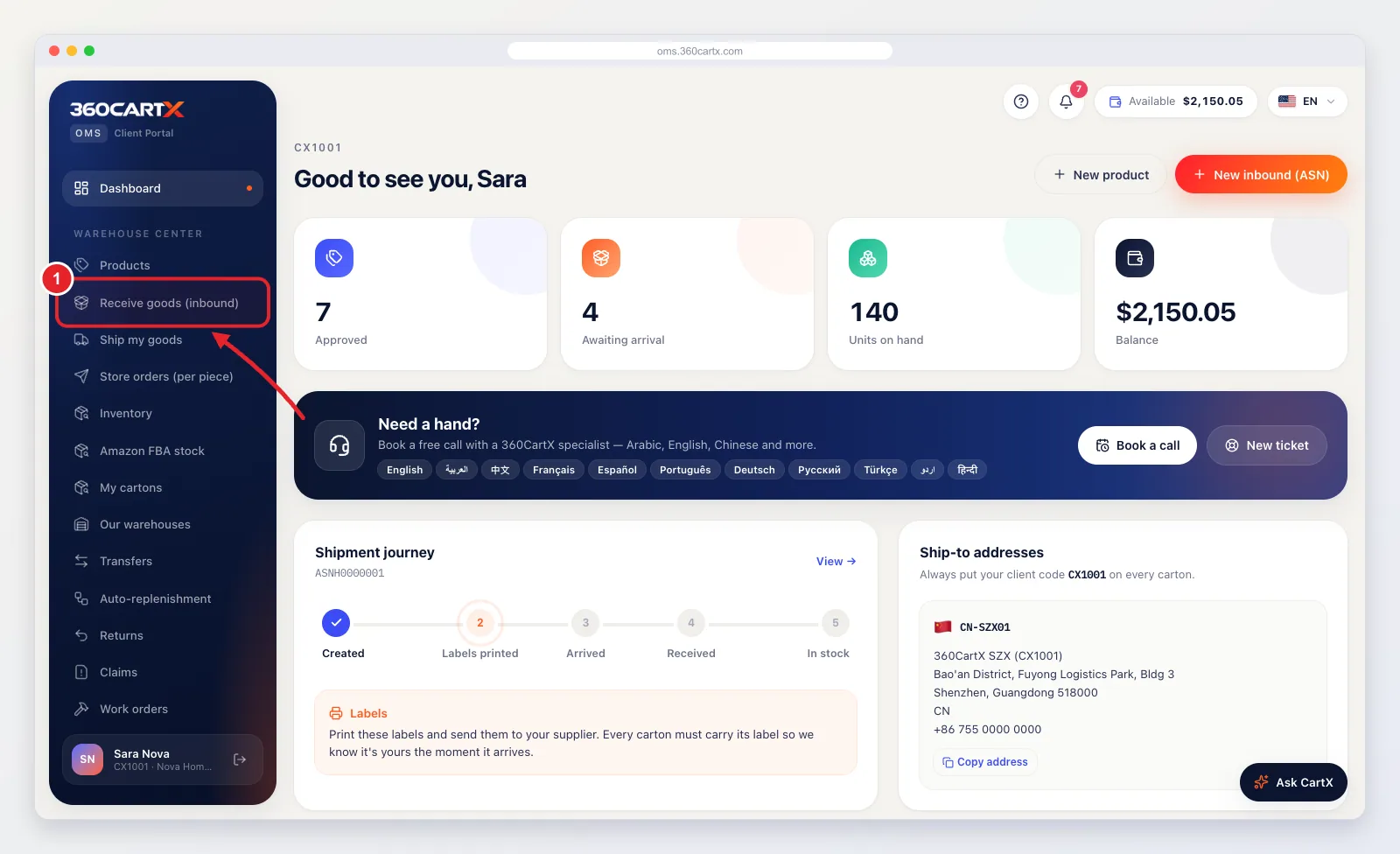
Open Receive goods (inbound)
Click Receive goods (inbound) under Warehouse Center in the left menu.
- 2
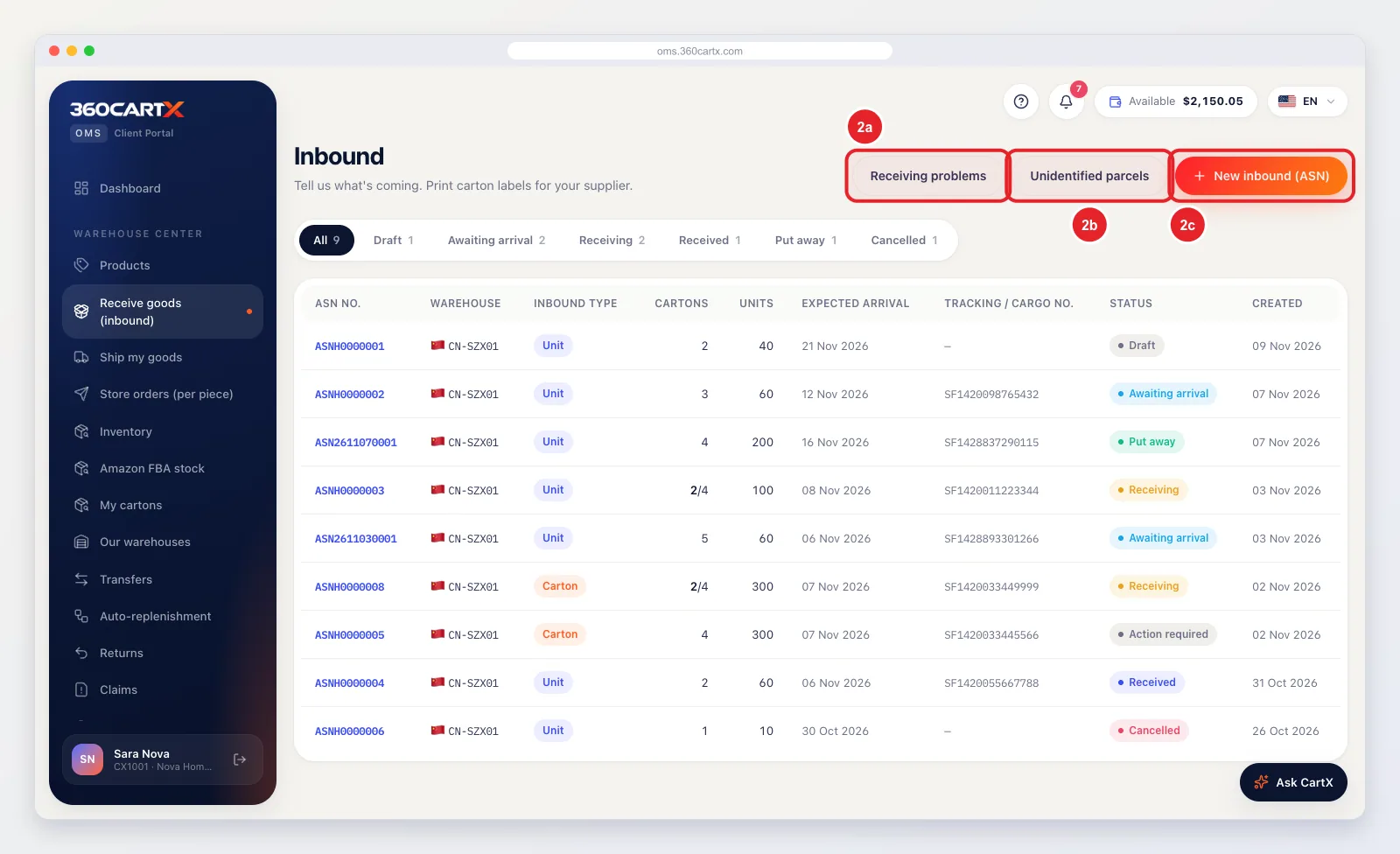
The buttons at the top
Receiving problems opens the differences we found when receiving your goods. Unidentified parcels shows parcels that reached us without a shipment notice that may be yours. New inbound (ASN) opens the form for a new shipment.
- 2a Receiving problems
- 2b Unidentified parcels
- 2c New inbound (ASN)
- 3
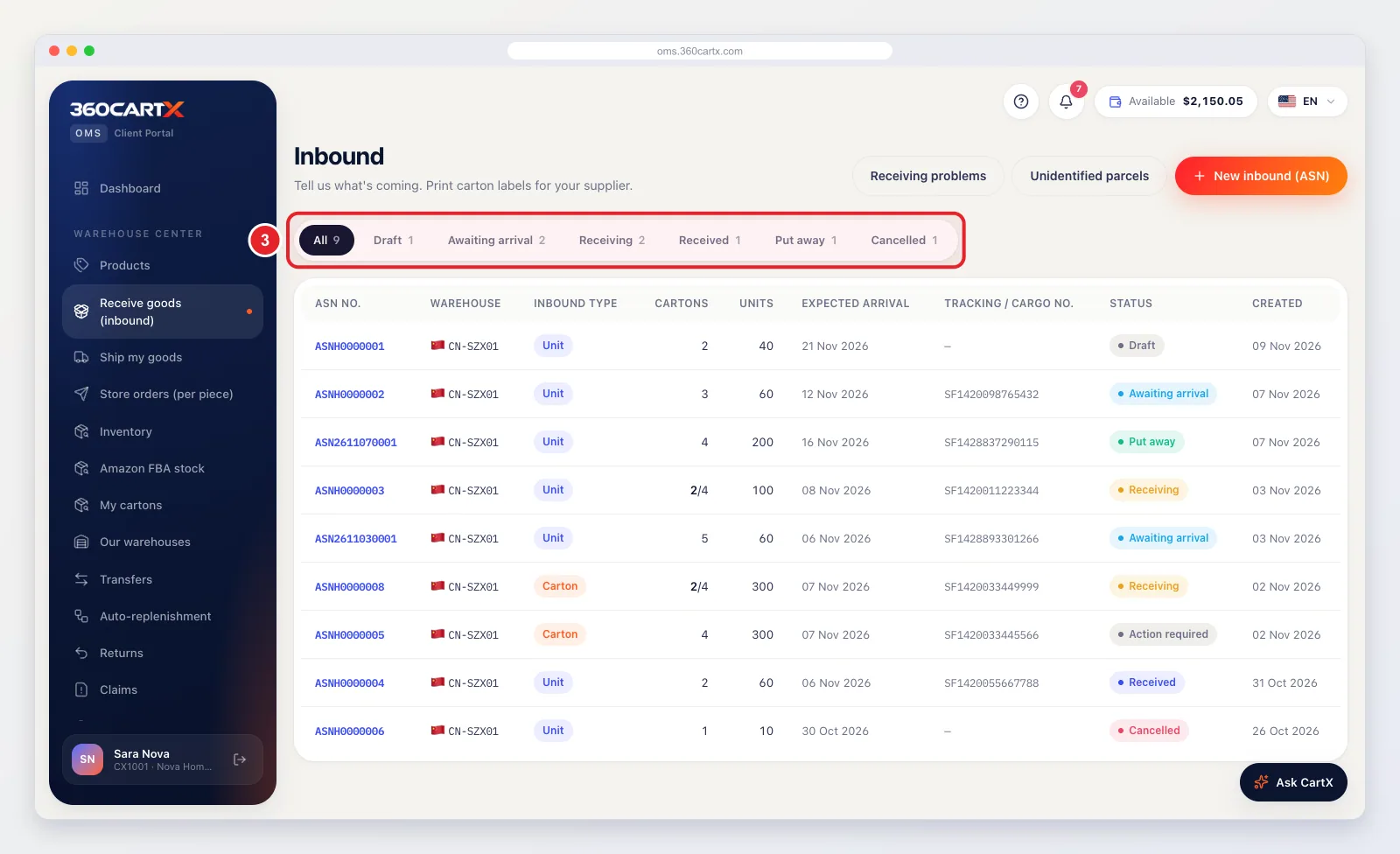
Filter by status
The tabs All, Draft, Awaiting arrival, Receiving, Received, Put away and Cancelled show how many shipments are in each status; click one to see only those. Shipments marked Action required are listed under All. See Inbound statuses explained.
- 4
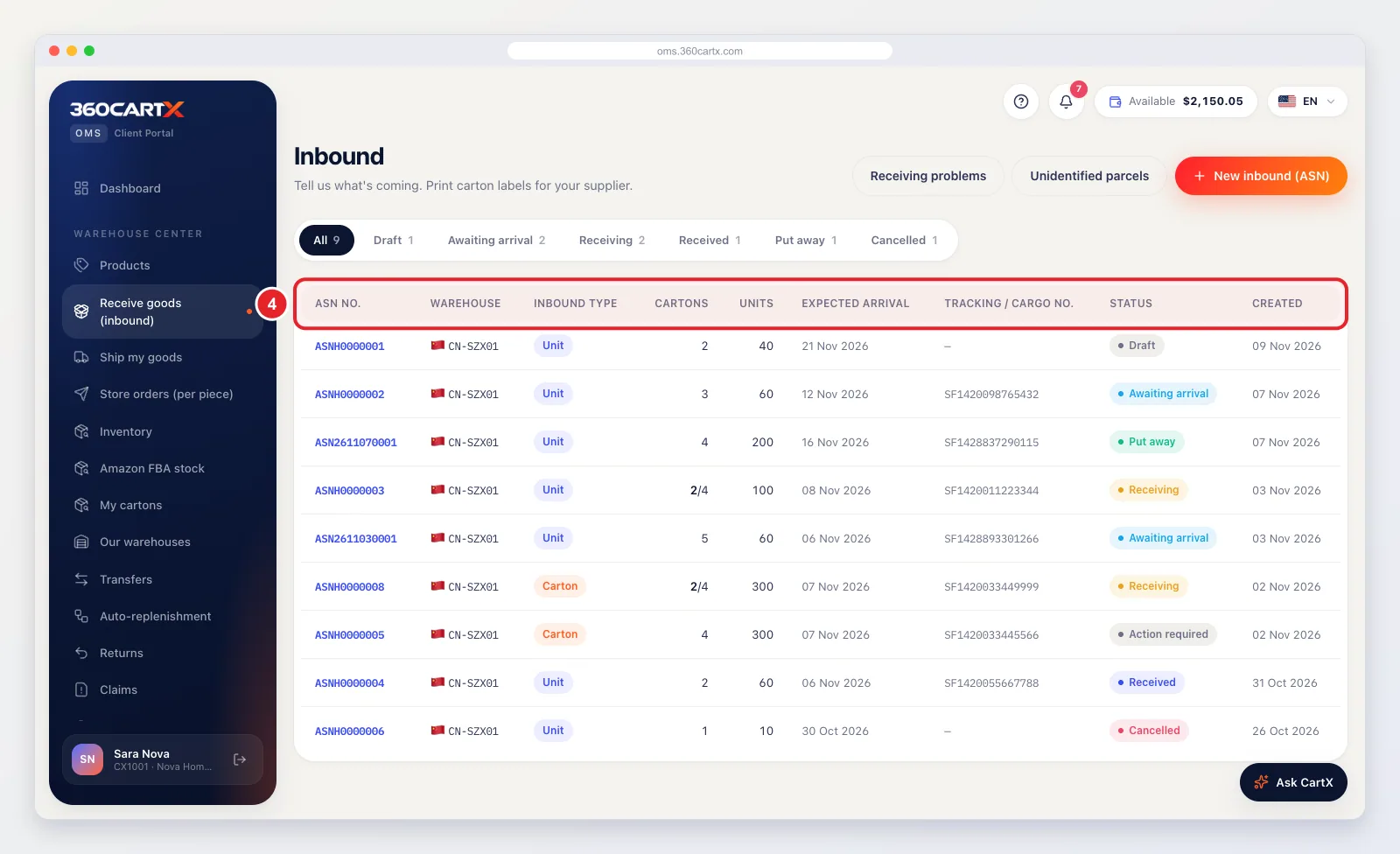
Read the columns
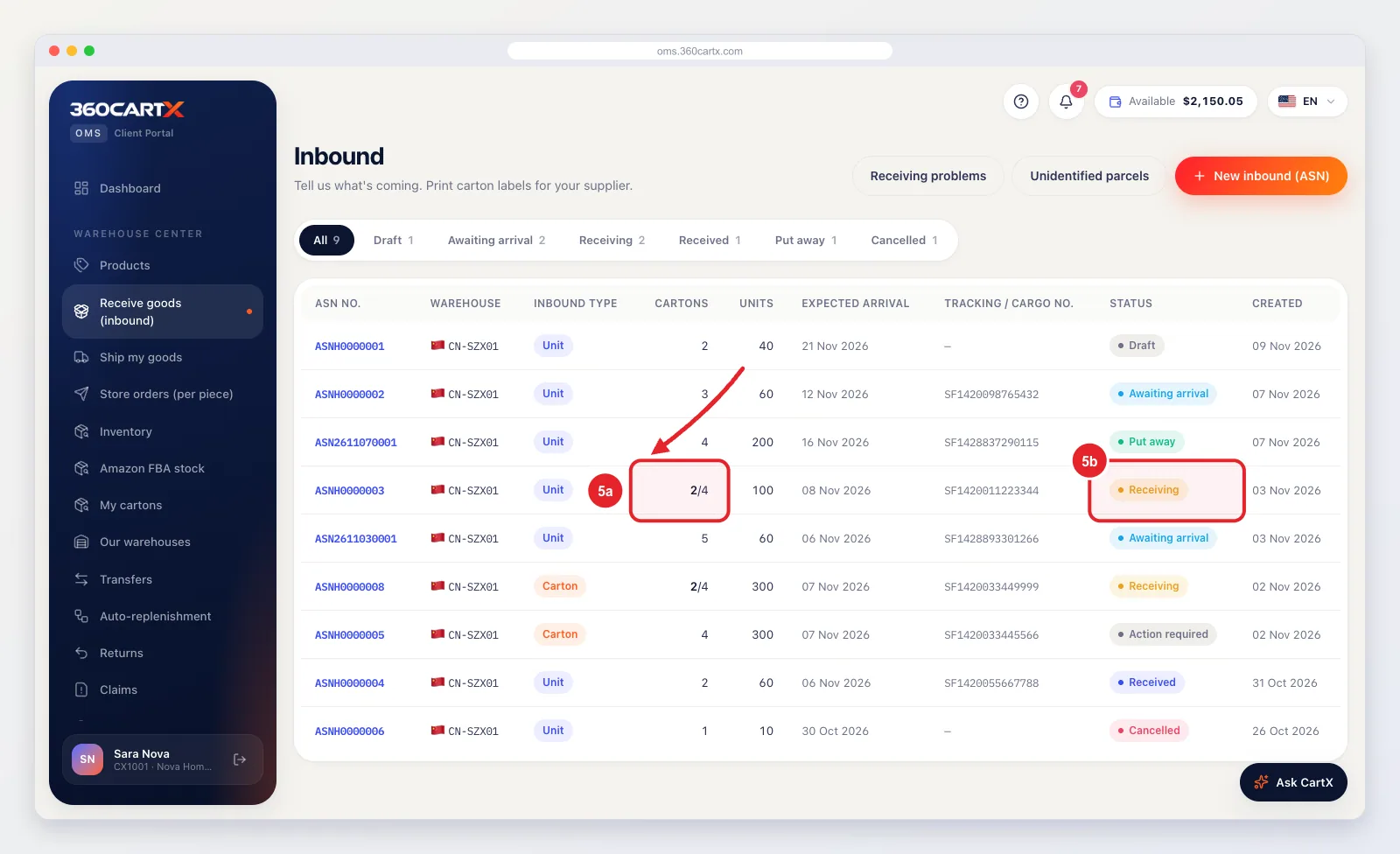
ASN no.: the shipment number; click it to open the shipment. Warehouse: where it goes. Inbound type: Unit or Carton. Cartons and Units: what you declared. Expected arrival, Tracking / cargo no., Status and Created complete the row.
- 5
Follow receiving
While a shipment is being received, Cartons shows how many cartons have arrived so far, for example 2/4, next to the status Receiving.
- 5a Cartons received
- 5b Status
Terms in this article
- ASN: Advance shipping notice: your inbound shipment record.
Tips
- Every carton must carry its carton label. Open a shipment to print them again at any time.
- A notification (the bell) tells you when a shipment arrives, after each carton and when everything is received. See Receiving notifications.
Common problems
My shipment is not in the Awaiting arrival tab
It may still be a Draft (not submitted yet), or on hold with Action required: check the All tab.
The goods arrived but the status is still Awaiting arrival
Receiving starts when the first carton is scanned at the dock. If the carrier shows it as delivered and the status does not change, open a ticket in Help & support with the ASN number and tracking number.
Related articles
Updated 2026-11-09
Open a ticket from Support in your portal and our team will reply.